


 TL;DR:
While the original Windows-only VirtualDub remains a highly efficient utility for fast, lossless AVI trimming and analog video capture via Direct Stream Copy, users should download the community-maintained VirtualDub2 for native MP4 and MKV compatibility or switch to Wondershare Filmora for multi-track timeline editing.
● The abandoned 2013 version requires manual plugins to open modern files and lacks an official Mac version, making VirtualDub2 the necessary choice for out-of-the-box support for H.264, x265, and NVENC hardware acceleration on Windows 10 and 11.
● For technical workflows, the software bypasses background rendering to cut, trim, join, and batch-process videos instantly without re-encoding, preserving the exact original quality of the source footage.
● Because VirtualDub operates strictly as a linear clip processor without timeline editing capabilities, Wondershare Filmora is the recommended alternative for creators needing to layer multiple clips, apply AI tools, export in 4K or 8K, and edit across macOS, Android, and iOS devices.
Ask AI for a summary
 ChatGPT
 Perplexity
 Gemini
 Claude
 Grok
Grok
Over 80% of creators now rely on modern editors packed with AI tools and multi-track timelines. This raises an interesting question: can a classic like VirtualDub software still keep up in 2026? While many struggle with the steep learning curves or high subscription costs of fancy, popular editor software, others find themselves buried in overly complex menus just to perform a simple task.
In this VirtualDub review, we’re breaking down what it does well, where it struggles, and whether VirtualDub2 provides the solution you actually need for your project.
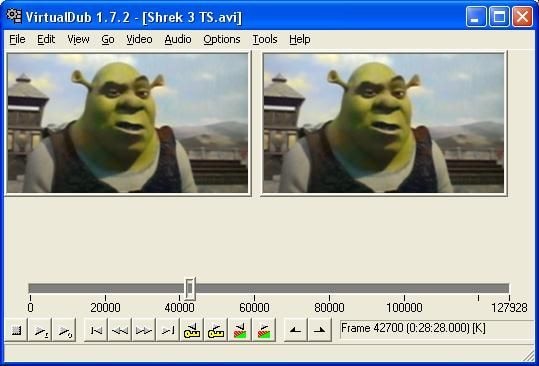
Part 1. The Story Behind VirtualDub and Why It Still Gets Talked About
VirtualDub was born in the early 2000s as a lean alternative to the bloated software of that era. Developed by Avery Lee, it was specifically designed as a high-speed video capture and processing tool rather than a full-scale creative suite.
At the time, most video software was slow and over-engineered, creating a massive gap for a utility that prioritized raw performance and straightforward simplicity over complex menus.
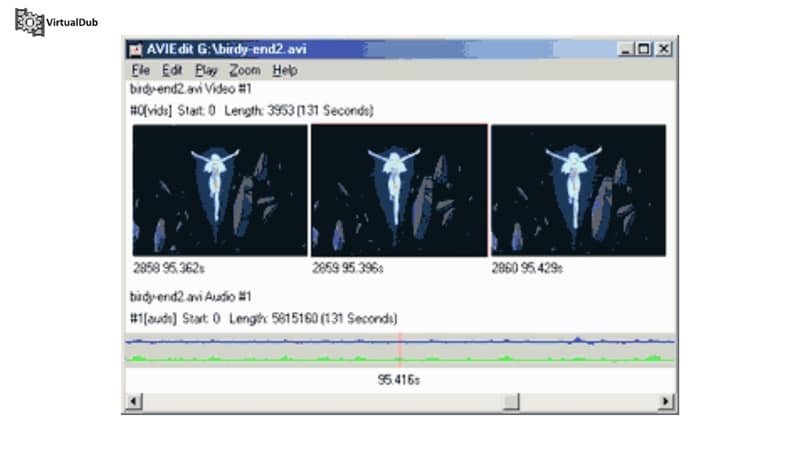
In 2026, this VirtualDub software remains a staple for technical workflows that modern, "heavy" editors often struggle to handle without unnecessary overhead. It fills a specific void for users who need precision and stability without the expensive subscription fees.
Part 2. Can You Still Download and Use VirtualDub Today?
Official development of VirtualDub technically stopped back in 2013, and the official forums were shut down in 2015. While you can still access a VirtualDub download through its original website, the lack of modern updates means it essentially exists as a time capsule of early 2000s engineering.
Because it was built for an older era of computing, its compatibility and performance vary depending on your setup. If you are looking to run it today, here is the current state of its availability:
- Windows Systems: The software works best on Windows, offering both a VirtualDub 32 bit version for legacy machines and a VirtualDub 64 bit version for modern 10 and 11 setups.
- Mac Compatibility: There is no official VirtualDub Mac version. Apple users generally have to rely on alternatives to get the VirtualDub for Mac experience.
- Format Limitations: By default, the software was designed for AVI files. Trying to open a VirtualDub MP4 or VirtualDub MKV file often results in an error message unless you manually install specific VirtualDub codecs or third-party input plugins.
For users who feel limited by the original software, VirtualDub2 is the answer. This is a community-driven upgrade of the original tool that fixes many of the technical limitations that were once a problem for the software.
VirtualDub2: The Modern Revival You Should Know About
VirtualDub2 is actually the version most of its users use today. If you’re considering a VirtualDub2 download and wondering how it compares to the original, it keeps the same fast performance and relatively small footprint, while modernizing the backend to match current workflows.
The improvements in this version make it a much more versatile tool for modern video tasks:
- Superior Format Support: It offers native, better support for VirtualDub MP4, MKV, and VirtualDub MPEG-2 files right out of the box, removing the need for manual plugin hunting.
- Modern Codec Integration: It includes built-in support for H.264, x265, and even hardware-accelerated encoders like NVENC, ensuring you can export high-quality files for modern platforms.
- Improved Filter Compatibility: The update smooths out many of the glitches found in older VirtualDub filters, allowing for more stable deep-color processing and alpha channel support.
- Optimized Stability: It is specifically tuned to be more stable on modern Windows 10 and 11 environments, reducing the crashes often seen when running legacy 32-bit software on 64-bit systems.
Part 3. What VirtualDub Actually Does Well (Core Features Breakdown)
So, what can this tool actually do for you? VirtualDub still holds quite high by doing a few specific technical tasks faster and more accurately than the expensive competition.
Fast Video Processing Without Re-encoding
This is easily the software's biggest superpower. You can cut, trim, or join clips together without the software needing to render the entire file again. It doesn't just save you hours of waiting, but also ensures you aren't losing any video quality during the process.
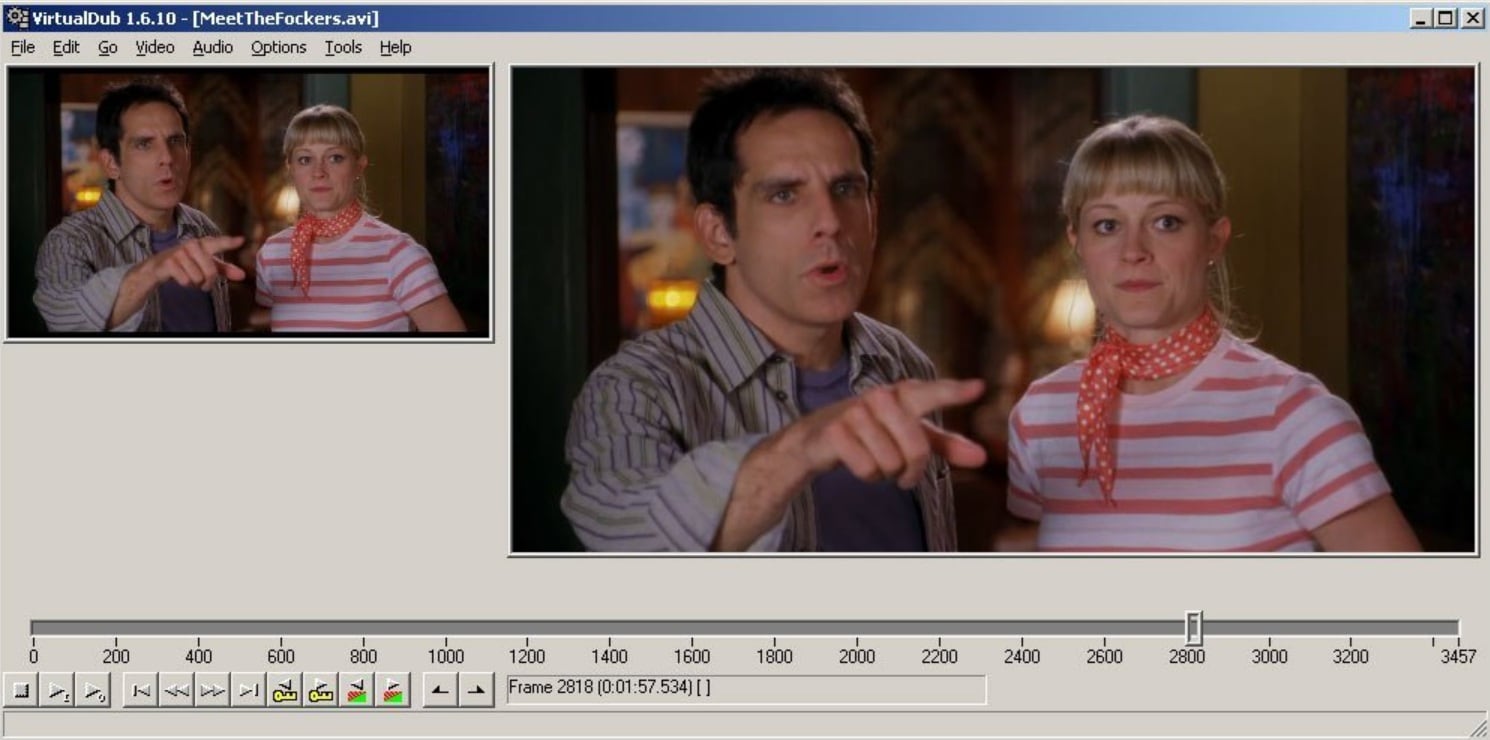
Direct Stream Copy
Most modern editors force you to re-compress your video every time you hit save, which can blur the image. With the "Direct Stream Copy" feature, the VirtualDub software simply moves the raw data from the source to the new file. This means you get the exact original quality of your VirtualDub MP4 or AVI files in seconds.
Built-in Filters for Basic Editing
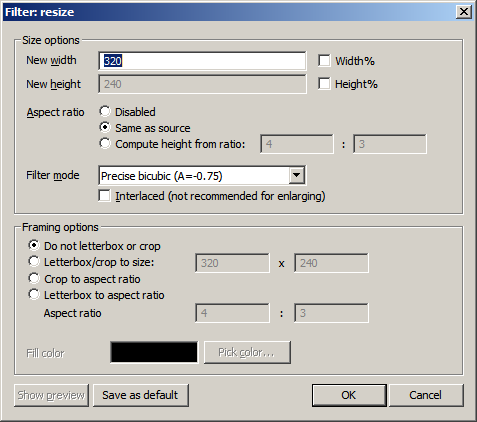
While it isn't a Hollywood level suite, it comes with a robust library of VirtualDub filters. You can quickly adjust brightness and contrast, or use the VirtualDub crop video tool to strip away messy edges or black bars from your footage without a steep learning curve.
Video Capture Function for Digitizing Old Footage
VirtualDub remains the top choice for hobbyists who are digitizing old home movies. Its capture engine is known for stability, with real-time noise reduction and audio monitoring that help keep transfers clean and in sync. When doing a VirtualDub capture from analog sources like VCRs or camcorders, it handles long recordings without the common issues of dropped frames or audio drifting out of sync.
Efficient Batch Processing
If you have a folder full of videos that all need the exact same edit or compression settings, you don't have to do them one by one. The built-in "Job Control" center lets you queue up hundreds of tasks at once and walk away while the computer handles it automatically. It can handle the workload faster and with less memory usage than almost any modern alternative.
Part 4. The Real Pros and Cons of VirtualDub
Every software has its flaws. Even with its long-standing reputation, this software isn't an all in one solution for 2026. Here’s the honest breakdown of what makes VirtualDub a win and where it really starts to show its age.
- Extremely Lightweight: Unlike modern editors that eat up gigabytes of RAM, this software is tiny. You can run it off a USB stick without even installing it, making it perfect for older laptops or quick edits on the go.
- Completely Free: There are no subscriptions, hidden watermarks, or paid pro versions. When you grab a VirtualDub download, you get the full power of the tool immediately with no strings attached.
- Fast Processing Speed: Because it focuses on simple, linear editing, it doesn't get bogged down by complex background rendering. If you're doing a simple trim or a VirtualDub capture, it’s often faster than expensive paid software.
- Flexible with Plugins: Over the years, users have built hundreds of specialized virtualdub filters. If the base software can't do something, there is almost certainly a free plugin out there that can help.
- Abandoned Since 2013: The original creator stopped official updates over a decade ago. While it still works, you won't find modern tech support or official patches for new hardware bugs.
- No Timeline Editing: If you want to layer multiple videos, add background music, or create complex transitions, you're out of luck. It’s a clip processor, not a "creative" suite like Premiere.
- Windows Only: There is still no official VirtualDub Mac version. If you're on Apple hardware, you'll have to jump through hoops with emulators or just look for a different tool entirely.
- No Modern Features: Don't expect AI upscaling, auto-captioning, or 4K social media templates. To handle VirtualDub MP4 files or high-def formats, you usually have to upgrade to VirtualDub2 just to keep things stable.
Part 5. If VirtualDub Feels Too Limited, Here’s a More Practical Option
From our review, it is clear that VirtualDub remains a pretty good choice for simple technical tasks, but it feels outdated. If you are looking for a tool that matches the way people actually edit today, software like Wondershare Filmora makes a lot more sense.
Filmora is a complete, full-scale video editor built for both beginners and creators who need high-quality results without the technical confusion. While a VirtualDub is great for niche utility, Filmora is a smarter upgrade for most users who want to create professional content.
 Secure Download
Why We Recommend Filmora
You can get started with Filmora for free, then upgrade later as your projects grow or your needs change. If performance is a concern, Filmora supports GPU acceleration and runs smoothly on most modern systems, with features like these built in:
Full Timeline Editing with Modern Interface
Unlike the linear processing of the past, you get a modern multi-layer timeline with drag-and-drop simplicity. This allows you to stack several video clips, background music, and animated titles on top of each other to create a polished, layered look in minutes.
AI-Powered Tools
Filmora includes advanced features like AI text-to-video, Denoiser, video enhancer, and many other smart enhancements that handle the repetitive parts of editing for you. These tools can automatically sync your footage to the beat of a song or remove background noise with a single click, saving you hours of manual work.
Supports All Modern Formats
You never have to worry about a VirtualDub MP4 error or missing VirtualDub MKV codecs ever again. Filmora supports the most widely-used file types natively right out of the box, so you can import and export your files without hunting for third-party plugins.
Built-in Effects and Templates
Filmora comes packed with thousands of ready-to-use transitions, effects, filters, and motion graphics. This means you don't have to spend time searching for specialized VirtualDub filters just to give your video a modern, cinematic feel.
Advanced Color Grading Tools
You get professional-grade LUTs, HSL controls, and color grading options that are far more intuitive than old-school tools. These features allow you to fix lighting issues or change the mood of your video with simple sliders and real-time previews.
High-Quality Export
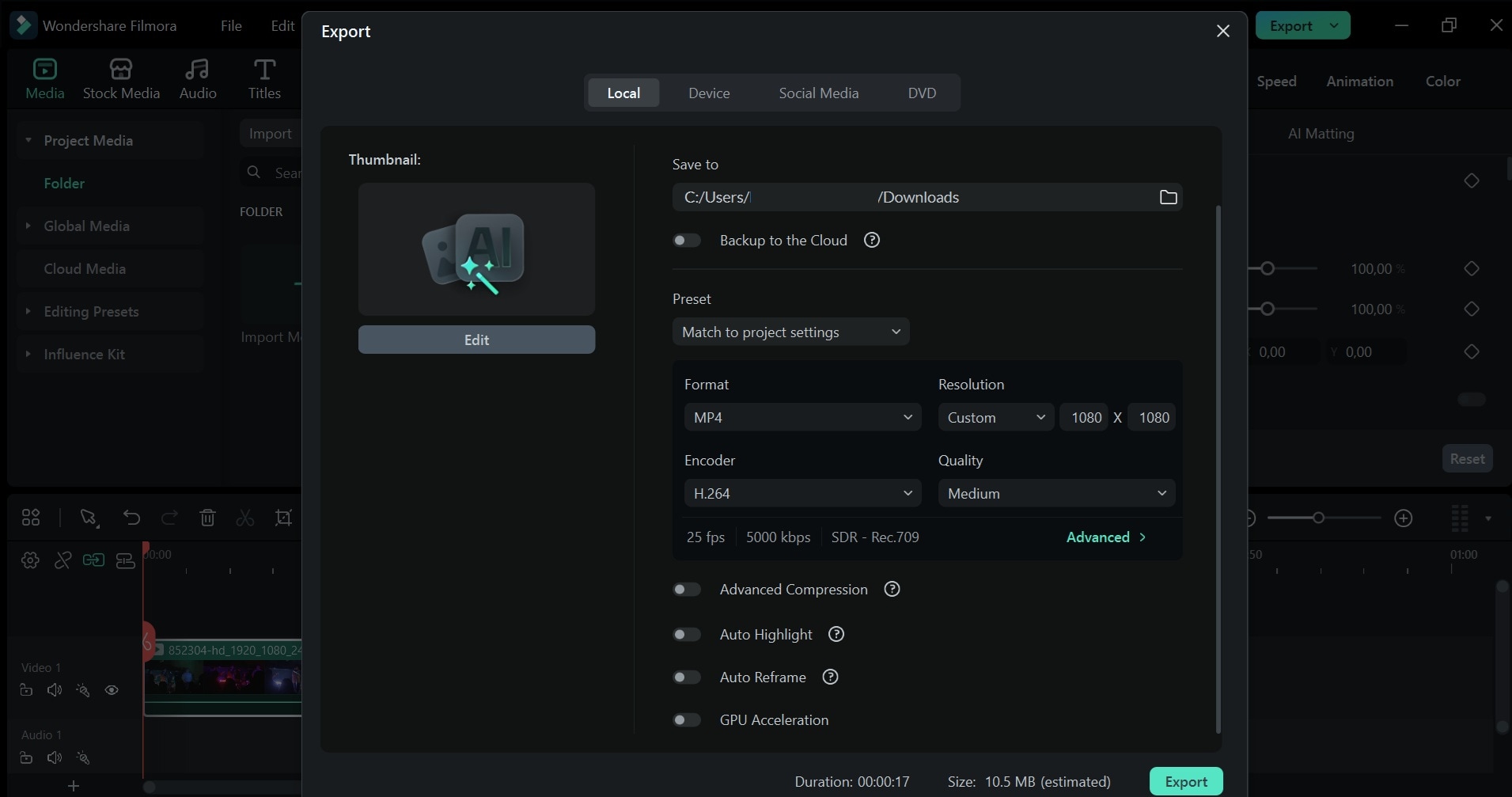
You can export your projects in 4K or even 8K resolution without needing a complex technical setup or deep knowledge of VirtualDub codecs. It also offers presets specifically optimized for YouTube, Instagram, and TikTok to ensure your quality stays high on social media.
Cross-Platform Compatibility
One of the biggest drawbacks of the original software is that there is no official VirtualDub Mac version. Filmora solves this by running smoothly across Windows, macOS, Android, and iOS, allowing you to start an edit on your phone and finish it on your desktop.
Compared to the aging architecture of VirtualDub, Filmora is simply more practical for everyday editing. It gives you the modern creative power that a legacy utility tool just wasn't designed to handle.
Secure DownloadConclusion
VirtualDub is a software that has become popular and became a significant part of video editing history. If you need a lightweight tool for specific technical jobs like VirtualDub capture, batch processing, or making quick cuts without losing quality, it’s still worth keeping in your toolbox. However, the world of video has moved on significantly since the early 2000s.
For most people, the lack of a VirtualDub Mac version and the struggle to handle VirtualDub MP4 files natively make it a tough sell for daily use. If your goal is to tell a story or create engaging content for social media, upgrading to a full-featured suite like Filmora is the smarter move. It provides the speed you want with the creative tools you actually need.
FAQs
-
Is VirtualDub safe to download?
Yes, the original VirtualDub is open-source and generally safe, provided you download it from a reputable source like the official website. However, because it hasn't been updated since 2013, it lacks modern security patches. For a safer and more stable experience in 2026, most users choose VirtualDub2, which is actively maintained by the community to work with modern hardware. -
Can VirtualDub be used for YouTube editing?
Technically, yes, but it isn't ideal for modern creators. While you can use it to trim clips or apply VirtualDub filters, it lacks a multi-track timeline for adding background music, overlays, or transitions. Furthermore, the original version struggles with VirtualDub MP4 uploads; you would likely need to use VirtualDub2 or external plugins to export in the high-definition formats YouTube prefers today. -
Does VirtualDub support hardware acceleration (GPU encoding)?
The classic version of VirtualDub relies almost entirely on your CPU for processing, which can feel slow on high-resolution files. However, the upgraded VirtualDub2 includes support for external encoders like FFmpeg. This allows you to tap into hardware acceleration (such as NVIDIA’s NVENC or AMD’s VCE) to speed up your encoding times significantly, making it much more viable for 4K video tasks.
