


 TL;DR:
Since the web version of VN Video Editor limits users to basic tools and 1080p exports, Canva is the only browser-based alternative that matches its ability to export watermark-free videos for free.
● Premium AI alternatives like Media.io, VEED, and VMaker streamline marketing workflows with auto-subtitles and silence removal, but restrict free users with mandatory watermarks, 720p resolution caps, and 5-to-10-minute export limits.
● Clideo provides the best browser experience for creators who prefer traditional manual multi-track editing without AI automation, though it requires a $9 monthly subscription to remove branding.
● Browser editors cannot reliably process heavy files, so users needing 4K resolution at 60fps, keyframing, auto beat sync, or offline capabilities must download native applications like Wondershare Filmora or the dedicated VN app.
Ask AI for a summary
 ChatGPT
 Perplexity
 Gemini
 Claude
 Grok
Grok
VlogNow, or VN video editor, is loved by many because of its free use. Also, not many editors can do what the VN editor lets you, which is watermark-free exported videos.
However, the VN editor is mainly available on macOS, iOS, and Android. If you wish to use VN video editor online, you will need to look for other options, since it’s not fully available as a web-based editor.
Without having to dig around and test every tool that shows up on Google, we’ve already narrowed things down to a few solid online VN video editors. We’ll explain what each one does well, and point out where they fall short.
Looking for a browser-based version of VN Video Editor? While an official web editor isn't available, this guide reviews the top 6 online alternatives to help you create professional, watermark-free videos in 2026.
"The shift toward browser-based video editing represents the next frontier for creators who demand flexibility without sacrificing professional-grade AI tools." — Tech Industry Analyst, 2026.
What are the Best Online VN Video Editor Alternatives?
Although we found several reliable options, these three stand out as the top alternatives for VN video editor online editing. We selected the best options that can match different editing styles and creative goals.


Is VN Video Editor online free without watermark? While the VN mobile app offers watermark-free exports, most online alternatives like Media.io and VEED require a premium subscription to remove the brand logo. Canva is the leading online alternative that allows for free, watermark-free video exports.
How We Test It
To find the best alternatives for VN video editors to use online, we focused on tools that work well directly in the browser. You can start editing right away.
Below are the criteria we use to test each VN app online alternative:
- Editing Experience: We test how easy it is to trim, cut, and arrange clips without lags or unnecessary steps. The workflow should feel simple and efficient.
- Creative Tools and Templates: It’s helpful for VN editors for pc online alternatives to have a variety of creative tools, effects, and templates available for different video styles. More options mean more room to experiment.
- Ease of Use: We check whether the features are easy to find and use, even for users with little to no editing experience.
- Free vs Paid Access: Alternatives to the VN video editor website should still be usable. We look at what features are available for free and require a paid plan.
Quick Pros & Cons: Online Editors vs. Native VN App
- Pros: No installation required, cloud storage, easy cross-device access.
- Cons: Internet-dependent performance, limited manual control compared to native apps, monthly subscriptions for HD export.
VN Video Editor Online Alternatives Comparison Chart
Before jumping into detailed reviews, it helps to see how each online VN video editor alternative compares at a glance. This way, you can spot differences easily.
| Free Trial | Watermark on Export | Ads | Templates & Presets | Collaboration | |
| Media.io | Available | Free User | None | Extensive | |
| VEED | Available | Free User | None | Moderate | |
| InVideo | Available | Free User | None | Massive | |
| VMaker | Available | Free User | None | Limited | |
| Clideo | Available | Free User | None | Limited | |
| Canva | Available | None | None | Massive | |
|
Show More
Show Less
|
|||||
Best Online Alternatives If You Like VN Video Editor
Now that you’ve seen how these tools compare, let’s take a closer look at each alternative to the VN video editor for PC online. You can see what they’re like to use, what they do well, and where they may fall short. That way, you can pick the one that feels right for you.
1. Media.io
Our first alternative to the VN video editor web is Media.io. This tool is fully powered by AI, letting you generate videos, images, and music even with minimal editing skills. You can turn simple ideas into content in just a few steps.
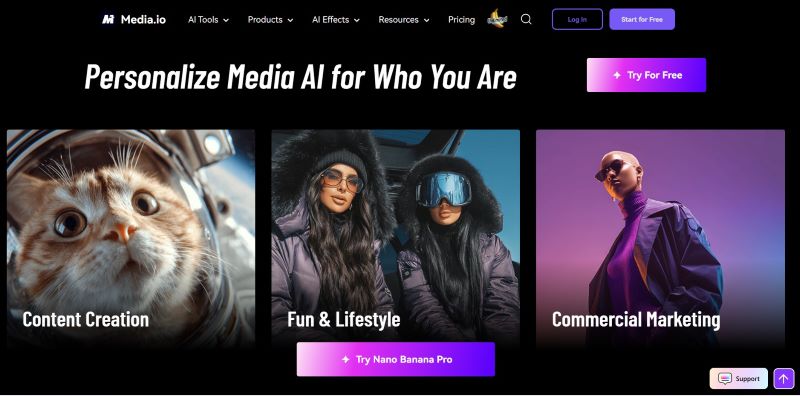
- AI Video Generator: Create videos from text or images, turn clips into anime-style visuals, or use it as a subtitle and translation tool.
- AI Music Generator: Generate custom music based on your preferred mood, genre, theme, and duration.
- AI Watermark Remover: Remove unwanted objects, emojis, text, people, or even video backgrounds.
- Offers many AI templates with different themes if you want to make a quick video.
- The music is copyright-free.
- The result depends on how detailed and specific your prompts are.
- Free users only get one generation attempt for video, photo, and audio.
Free version available, with paid plans starting from $6.99 per month.
Animation videos, fantasy scenes, themed videos.
With Media.io’s complete AI tools, you can experiment with almost any concept and see it come to life quickly.
2. VEED
VEED is a popular editor used by many big brands like P&G and Amazon. As an alternative to the online video editor VN, VEED provides more advanced tools without feeling complicated. The built-in AI features help make your videos look polished and professional.
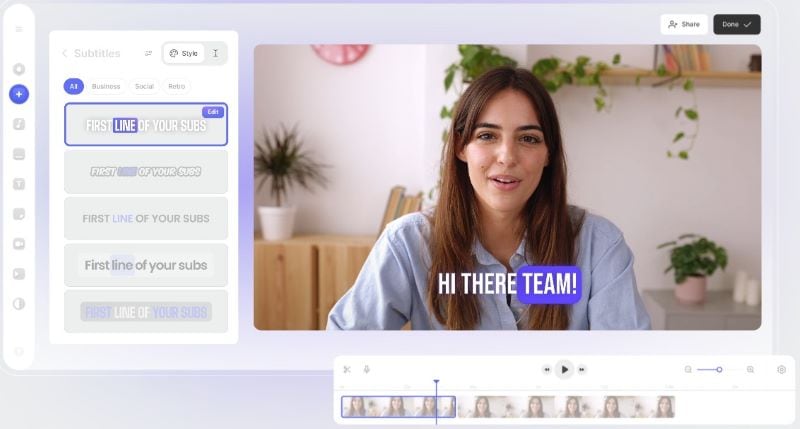
- Magic Cut: Automatically removes awkward silences and background noise from your video with a click.
- AI Translate: Generate subtitles in 125+ languages, so you don’t need to manually type or translate your captions.
- AI Avatar: Create talking videos using digital avatars, making it possible to produce content without filming yourself.
- The interface is clean, making the editing process feel simple and organized.
- Free users can try many of the main features before deciding to upgrade.
- Not many trendy templates are available.
- Free exports are limited to 10 minutes with a maximum resolution of 720p.
Offers a free trial, with paid plans starting from $9 per month.
Product promos, presentations, training videos, marketing content.
VEED’s AI features help create polished and professional videos faster, especially for content focused on communication and branding.
3. InVideo
InVideo is another strong alternative to the VN app online, with a 4.8-star rating on both Capterra and G2, and is also the #1 Product of the Month on Product Hunt. With its drag-and-drop system, you can easily add stock footage, background music, and basic edits without downloading any software.
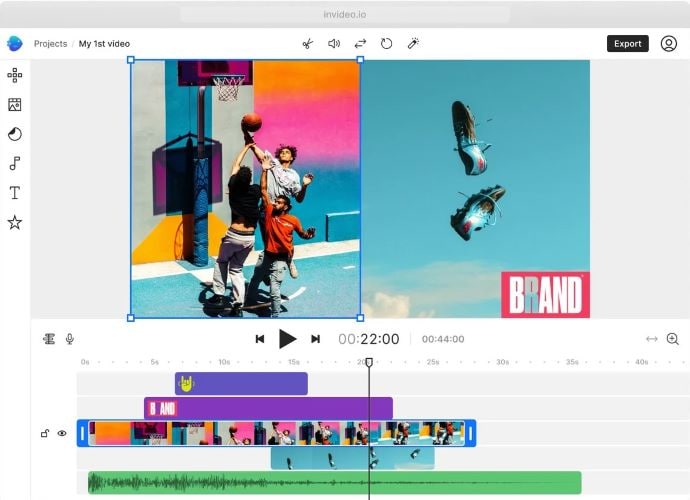
- Large Stock Media Library: Use a huge collection of stock videos, images, sound effects, and music, including premium content from iStock.
- URL to Video: Turn content from any website into a video, making it easier to repurpose article or product pages.
- Customize Your Video: Adjust your clips, change backgrounds, apply brand colors, and resize videos for different formats to your needs.
- Even with the free version, you still get access to thousands of templates, a large media library, and several AI tools, which is generous.
- Quickly resize your videos for different platforms.
- InVideo provides good customer support and plenty of helpful tutorials on its website.
- The AI tools focused more on speed and convenience than advanced customization.
- Free export videos include a watermark.
Offers a free version, with paid plans starting at $15 and $30 per month. There’s also a lifetime plan starting from $399.
Short ads, promotional content, branded videos.
InVideo has a well-organized interface that works for both beginners and experienced users, while its large stock library makes video creation faster and easier.
4. VMaker
Another alternative to the VN editor website is VMaker. It helps turn raw footage into publish-ready videos without much manual work. Also, you can add subtitles automatically to make your content easier to follow. Once everything is done, directly share the video to YouTube, TikTok, or Instagram.
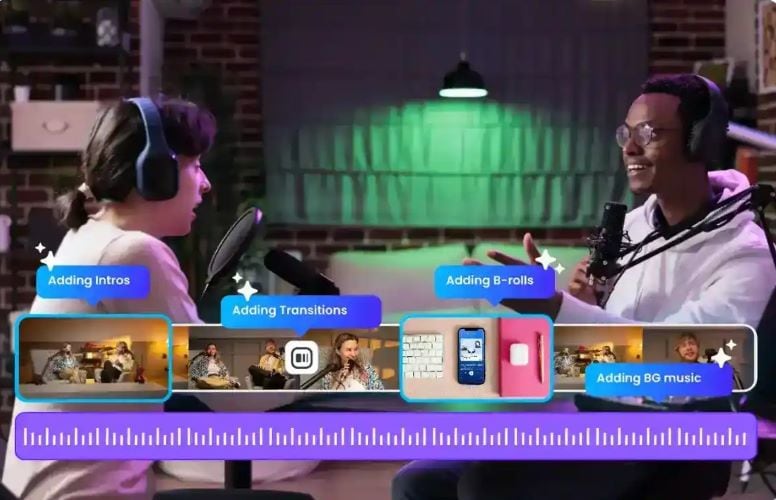
- Instant AI Videos: Generate videos from text, audio, existing clips, or even documents.
- B-Rolls: Adds clips, images, or GIFs that match your content’s mood automatically.
- AI Highlight Video Maker: Extract key moments from longer videos, add background tracks, and apply transitions automatically.
- The workspace is easy to navigate, even for beginners.
- Many viral-style templates to help you keep up with trending content.
- Long-form videos can be quickly turned into short clips or highlights.
- The built-in media library is not as extensive.
- Free users can only export videos up to 5 minutes in 720p.
Free version available, with paid plans starting from $18 per month, billed yearly.
YouTube videos such as tutorials, vlogs, and podcasts.
With its AI-powered features, VMaker makes editing faster and more efficient, allowing creators to publish more content without spending too much time on manual edits.
5. Clideo
As an alternative to the VN app online editing, Clideo offers a more traditional editing experience. You can start from a blank canvas and customize your videos freely. You can also use different fonts, stickers, and emojis to make your videos more fun and visually interesting.
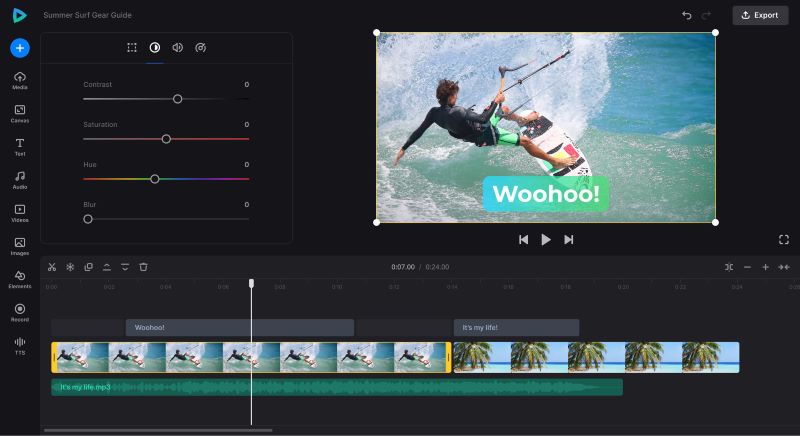
- Multi-Track Timeline: Multiple tracks to manage different video and audio layers.
- Flexible Layout Options: Create split-screen, picture-in-picture, or collage-style videos by arranging your media the way you want.
- Detailed Editing Settings: Fine-tune your clips by changing the sound level, speed, and visual settings.
- You can explore Clideo’s features and start editing without signing up first.
- You can upload files directly from Google Drive or Dropbox, which makes the process more practical.
- Resize videos for different platforms easily.
- The platform doesn’t offer AI tools to assist with automated editing.
- The built-in templates and media options could be more varied.
Free version, with paid plans starting at $9 per month or $72 per year.
Lifestyle videos, travel clips, personal vlogs.
The simple layout and flexible editing tools make Clideo a reliable choice for users who prefer manual control over their videos.
6. Canva
To wrap up the list, we have Canva as an alternative to the VN video editor website. Many students, content creators, and businesses use it for their projects. If you are not sure where to start, explore the templates to spark ideas. Make a video without dealing with complex tools.
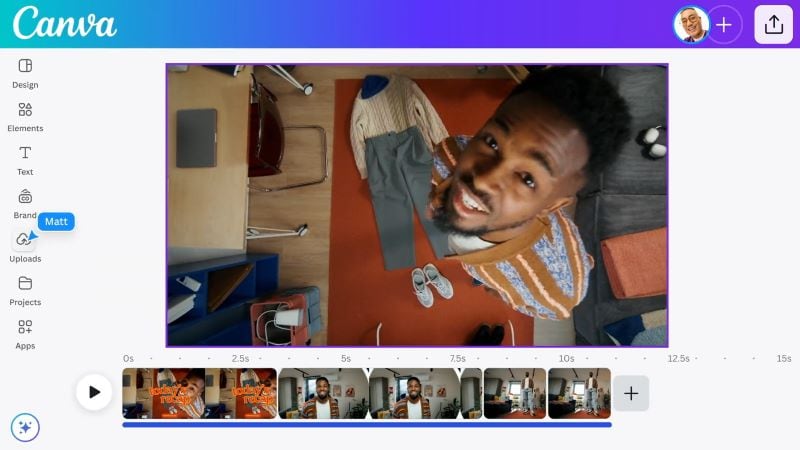
- Massive Template and Media Library: Offers a wide variety of templates and a huge collection of stock photos, videos, and graphics.
- Generator for Caption: Add subtitles to your video automatically.
- AI Voiceover: Create clear and natural-sounding voice-overs using text prompts.
- It is kind of Canva to give access to many templates and stock assets, even for free users.
- Projects can be shared through links instead of downloads.
- Watermark-free videos.
- Not ideal for highly detailed editing projects.
- You need a paid plan to access most AI tools and premium assets.
You can use Canva for free, while the premium plan starts at $13.75 monthly.
Personal vlogs, fashion clips, social media content.
Canva makes video editing simple by letting you mix and match footage, use ready-made templates, and rely on AI tools to create polished videos without needing professional editing skills.
A More Flexible Alternative to VN Video Editor – Filmora
If you are ready to upgrade from the VN video editor online, Wondershare Filmora is a solid next step. It gives you more creative control beyond basic cuts and simple presets. With Filmora, you can edit faster without sacrificing quality.
 Secure Download
Why Choose Filmora?
Let’s take a closer look at what Filmora has to offer.
1. Pro Editing Tools
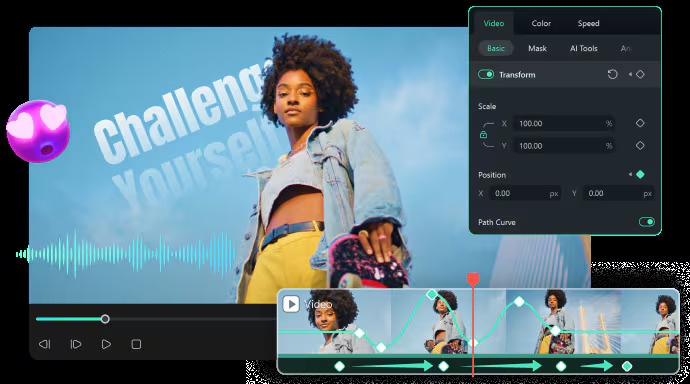
Filmora gives you full control over your edits, from basic cuts to more detailed adjustments, such as Keyframing, Auto Beat Sync, and Subtitle Extractor. Also, the editing timeline is flexible to manage with Dual Monitor Editing and Timeline Video Editing. This makes it easier to shape your video exactly the way you want.
2. Smart AI Features
As an alternative to the VN editor website, Filmora’s AI tools are designed to save time without sacrificing quality. Use AI Idea to Video to help turn your vision into visuals, AI Mate Editing for automation on editing, and Smart Short Clips to transform long-form videos into short ones quickly. In fact, there are still many more advanced AI features you should try in Filmora.
3. Keep Up with The Trend
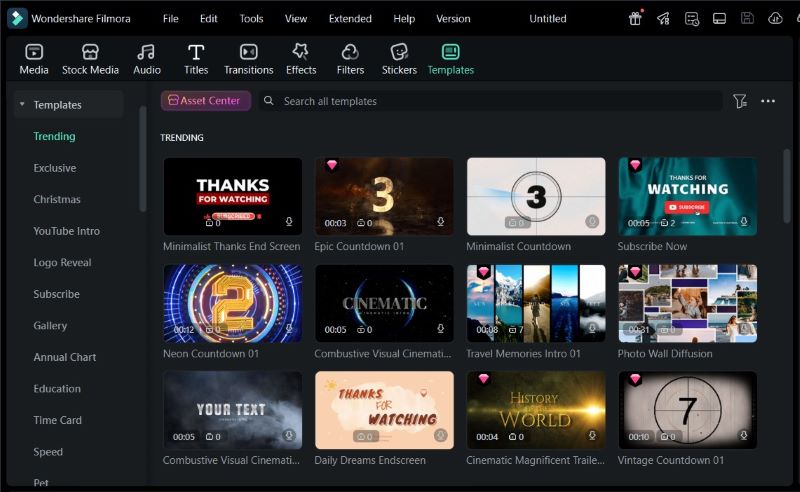
Trends on TikTok, Reels, and Shorts change fast, and Filmora can keep up with that. It offers various templates, formats, and effects that match current social media styles. You can also use Filmora’s Social Content Planner to keep track of your posting schedule.
4. Rich Media Library
Filmora comes with a massive collection of music, sound effects, stickers, transitions, and visual assets. You don’t have to search everywhere for extra resources just to make your videos look interesting.
5. Works Across Device
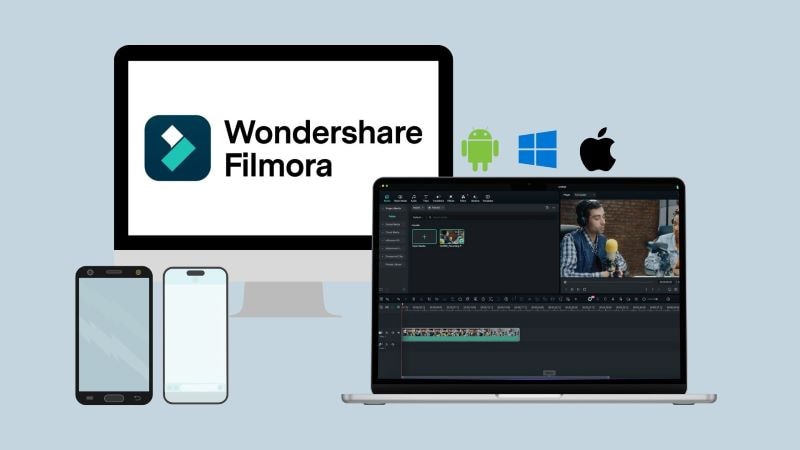
Different from online video editor VN, Filmora is compatible with Windows, macOS, Android, and iOS. You can start editing on one device and continue on another without losing progress.
Secure DownloadConclusion
VN video editor is a great choice for simple, watermark-free edits, but there are plenty of tools worth exploring if you want to try VN video editor online.
You can bring creative ideas into reality using AI tools in Media.io. If you need videos for business or marketing, whether starting from scratch or using templates, VEED, InVideo, and Canva are worth exploring. For more casual social media content, VMaker and Clideo are suitable choices.
However, if you’re looking for an all-in-one editor that works for various types of content and video styles, Wondershare Filmora is your best option.
Review Methodology: Our software experts tested these browser-based editors in February 2026 for performance, ease of use, and export quality to ensure accurate recommendations.
FAQs
-
Can I use VN Video Editor online without downloading the app?
While VN is primarily known as a mobile and desktop app, there is a limited web-based version for quick edits. However, for full access to advanced features like keyframe animation and multi-track precision, downloading the software is recommended. If you need a fully-featured online experience, Wondershare Filmora offers more robust cloud-based tools for seamless editing. -
Does the VN online version support 4K video exports?
The VN online interface may have limitations based on your browser's processing power. While the native apps easily handle 4K at 60fps, the online version often caps exports at 1080p to ensure stability. For high-resolution professional projects, using the dedicated desktop or mobile application is the best way to maintain quality. -
Is VN Video Editor online truly free from watermarks?
Yes, one of VN's biggest advantages is that it allows you to export videos without a mandatory watermark, even in its free version. In the online or app version, you can simply delete the "Directed by" ending clip at the end of the timeline to ensure your final video remains completely clean and professional. -
Can I sync my projects between the VN App and the online editor?
VN supports a "Google Drive" or "Cloud" backup system, but real-time syncing between a browser-based edit and the mobile app can be tricky. It is best to use the "VN Cloud" feature to upload your materials so you can retrieve and continue your project across different devices with the app installed. -
What are the main differences between VN Online and the VN Pro version?
The online version is designed for simple trimming and filtering. VN Pro (the paid subscription) unlocks advanced assets, exclusive filters, and faster cloud rendering. For creators who need a professional suite with more AI features like smart cutouts and auto-captions, a dedicated desktop editor is often more efficient than a browser-based tool.
