


 TL;DR:
Wocreate AI is a browser-based platform tailored for e-commerce and social media marketers to quickly generate product visuals and AI avatar videos, though its lack of built-in editing makes Wondershare Filmora a better alternative for users requiring post-generation control.
● Users receive 100 fast-expiring free signup coins to generate up to 1080p marketing assets using models like Nano Banana, Kling V3, Qidu Q3 Pro, and Sora 2, though outputs will retain a mandatory Wocreate watermark.
● The platform lacks manual adjustment tools and sometimes misinterprets complex prompts, forcing users to repeatedly spend up to 600 coins per video generation on subscription plans starting at ¥3980 per quarter to fix flawed results.
● Wondershare Filmora is best suited for creators needing comprehensive post-production capabilities, as it combines AI generation models like Veo 3.1 with manual timeline editing, up to 4K resolution exports, auto-reframing, and cross-platform project syncing for mobile and desktop.
Ask AI for a summary
 ChatGPT
 Perplexity
 Gemini
 Claude
 Grok
Grok
Today, video has become one of the main ways to promote products and brands online. SQ Magazine reported that 90% of marketers feel video content gives strong business results. In addition, short-form videos are considered the most effective content format by 67% of marketers.
One platform designed to help create promotional videos is Wocreate AI. Since it focuses on e-commerce and social media content, Wocreate AI can help you create marketing videos quickly at minimal cost. So today, we’ll explore what Wocreate AI offers, how much it costs, where it works well, and what could be improved.
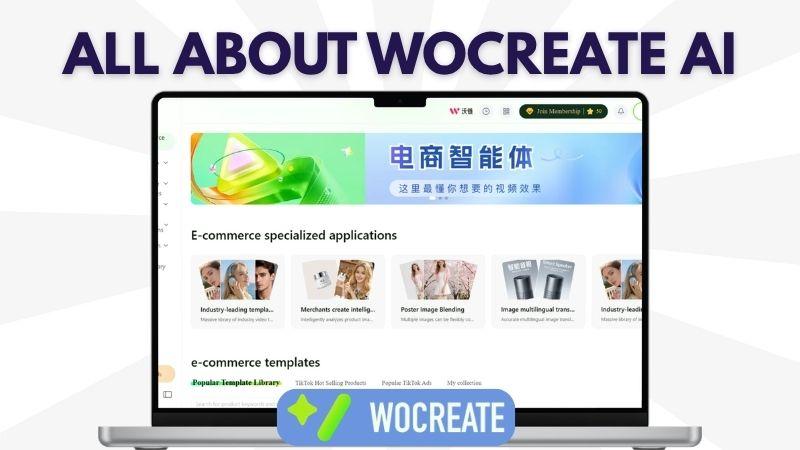
Part 1. Wocreate AI Overview and Core Features
If you often have content ideas in mind but struggle to create them from scratch, WoCreate AI offers a simpler way to do that. The platform can generate images and videos from text prompts, photos, or a combination of several images.
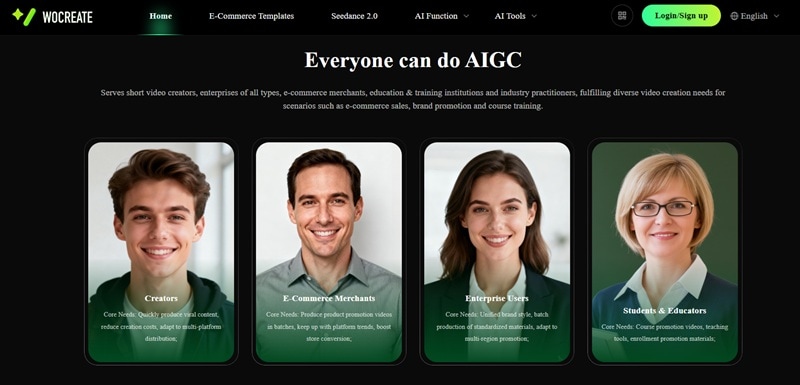
On top of that, WoCreate AI is mainly designed for e-commerce and social media content. Most of the generated visuals are focused on promotional and marketing purposes for products or brands. So instead of preparing a full product photoshoot or building a large creative team, you can create marketing content much more easily inside one platform.
What You Can Do with WoCreate AI
Now, let’s explore WoCreate AI and its core features in more detail.
1. Create AI Images and Videos

WoCreate AI lets you create images and videos from text prompts or uploaded images. You can describe what you want, choose a model, and generate up to four results at once.
It supports up to Full HD 1080p and different aspect ratios for TikTok, Instagram, YouTube, and other platforms. For images, WoCreate offers models like ChatGPT and Nano Banana. For videos, it supports models such as Seedance 2.0, Kling V3, Qidu Q3 Pro, and Sora 2.
2. Make Product Videos Faster
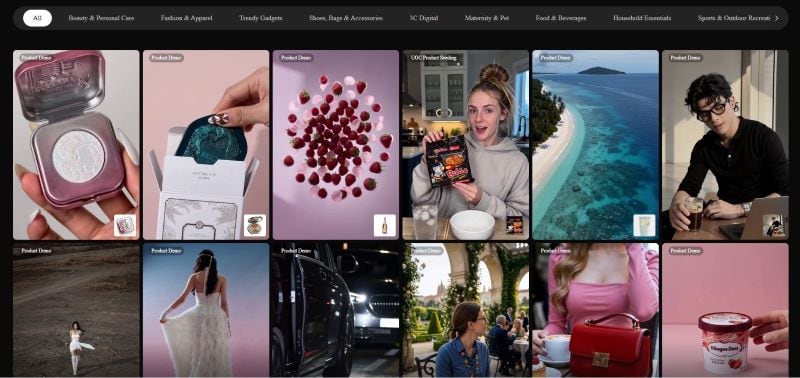
Besides standard AI generation, WoCreate AI also provides E-Commerce Video Templates for creating product and branding videos. The templates support different niches such as beauty, food, electronics, fashion, and home essentials.
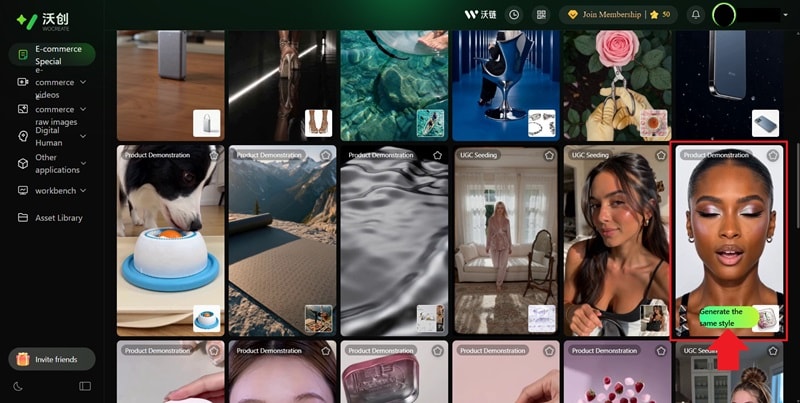
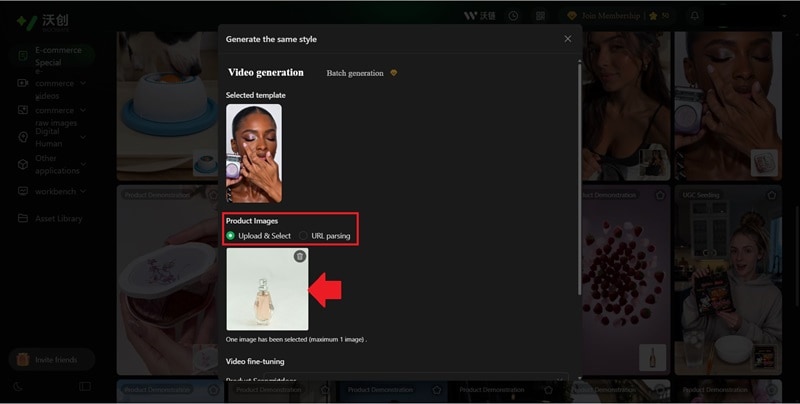
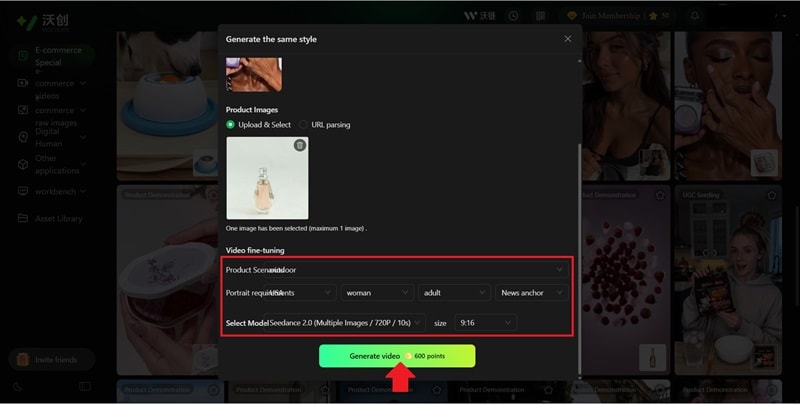
The process is also very simple. You choose a template, upload your product photo, and enter a prompt describing the result you want. After that, the platform will automatically generate the video for you.
3. Generate Product Posters and Photo Sets with AI
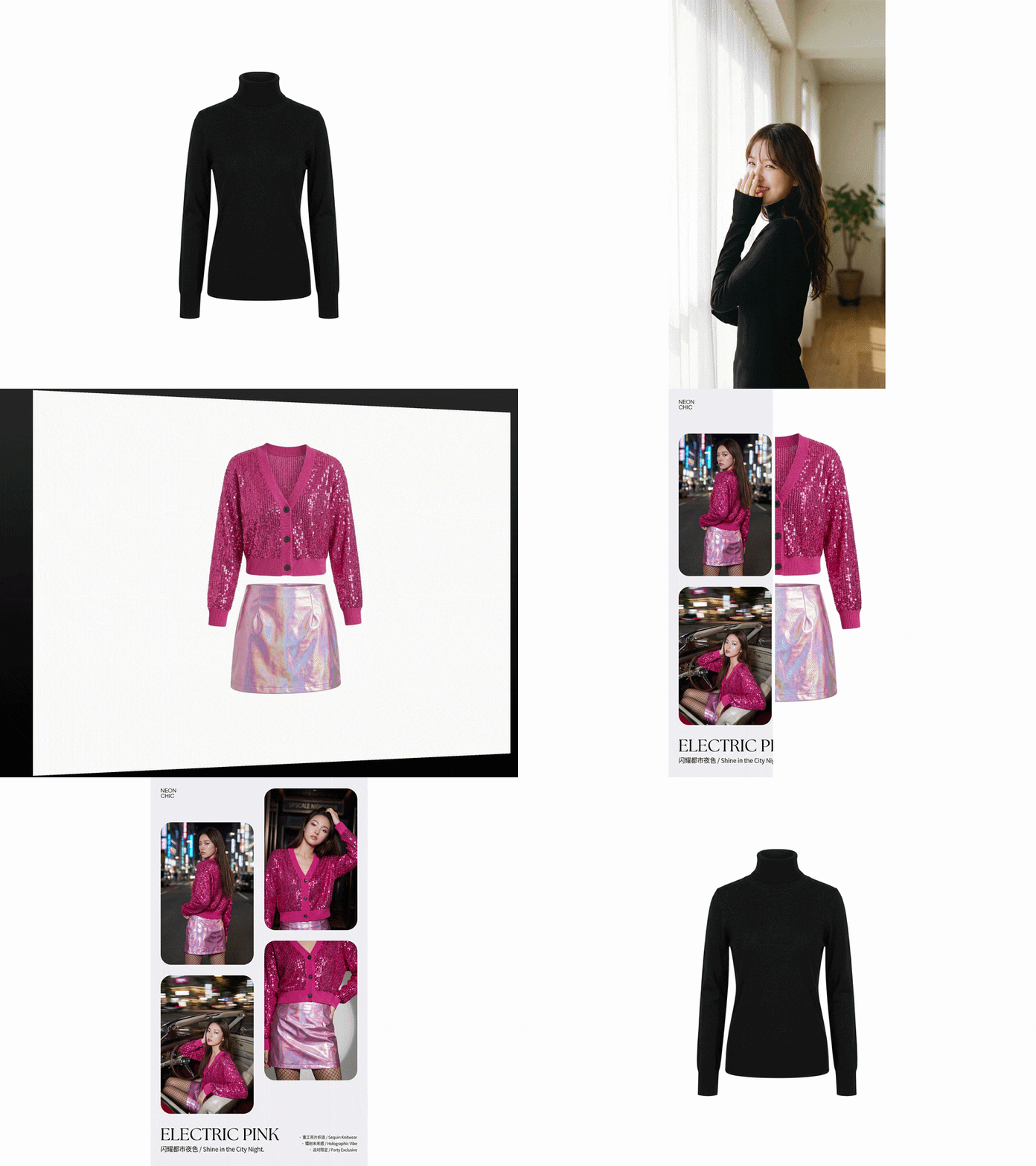
If you need product visuals quickly, WoCreate AI also provides an E-Commerce Image Set feature. You only need to upload your product photos, and the AI will generate a collection of product visuals or poster-style images from different angles, almost like having a real product photoshoot session.
It also includes AI Analysis tools that review your product image and suggest better visual styles. You can even choose a target platform or region, so the results fit your audience better.
4. AI Agent for Product Marketing

If you want more interactive promotional content, WoCreate AI also provides an AI Agent feature. To use it, simply upload a product image with a clean background and describe your product information, along with the style of video you want. After that, the AI can generate videos that look like someone is actively presenting, reviewing, or promoting your product. This makes it easier to create content without having to show yourself.
Upcoming Features on WoCreate AI
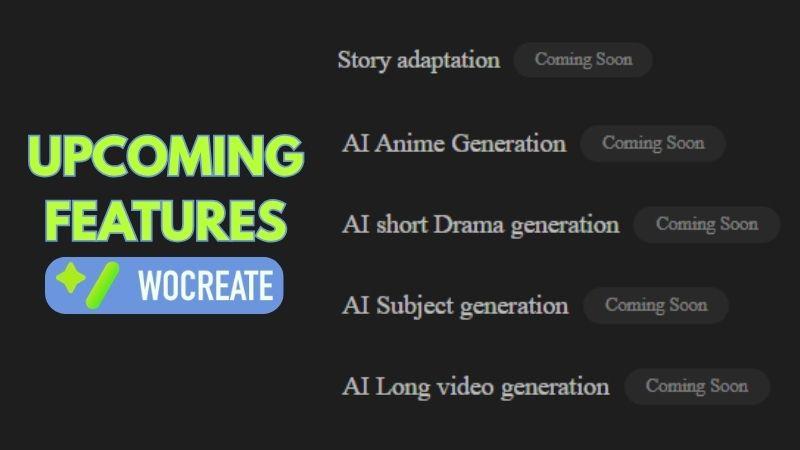
As the platform continues to develop, WoCreate AI is also preparing new tools beyond its current focus on product marketing content. Future updates seem to focus more on storytelling and entertainment content. Some planned features include story adaptation, AI-generated short dramas, and character or anime generation.
Who Is WoCreate AI Best For?
By now, we already know that WoCreate AI focuses heavily on content generation for marketing and branding purposes. If you fall into one of these categories, the platform may work especially well for your needs:
- Online Store Businesses: WoCreate AI can make it easier to create product photos, posters, and promotional visuals without needing a full studio photoshoot setup.
- Social Media Creators: If you regularly promote or affiliate products on social media, WoCreate AI can help generate promotional videos and visuals faster for TikTok, Instagram Reels, or YouTube Shorts.
- Marketing and Creative Team: Whether the goal is building brand awareness or selling products directly, WoCreate AI can generate various styles of product photos and promotional videos for different campaign needs.
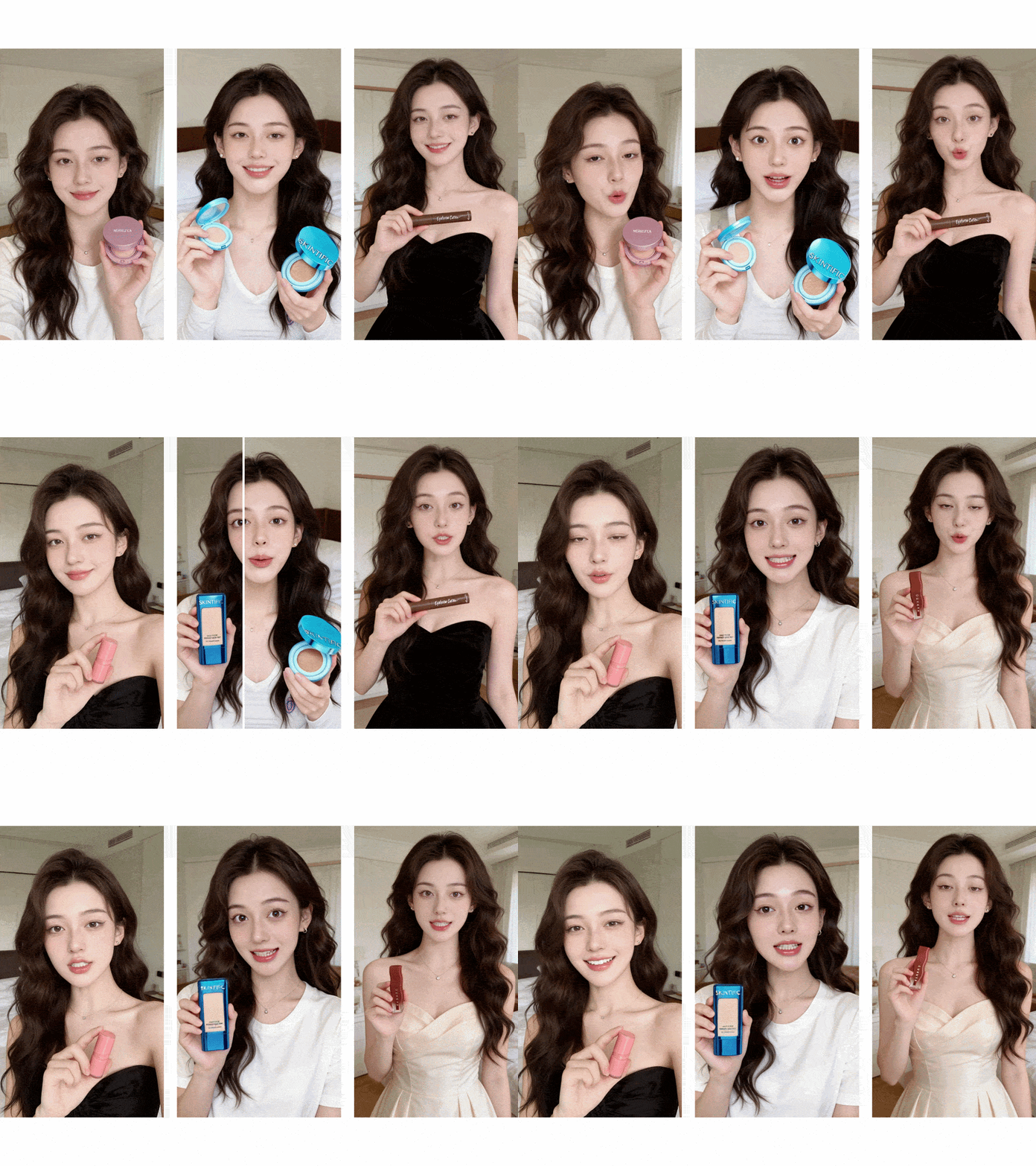
Part 2. Where to Use WoCreate AI and How Much It Costs
If WoCreate AI already sounds interesting to you, getting started with the platform is actually fairly simple. Since everything works online, you can use WoCreate AI directly from your browser without needing to install additional software.
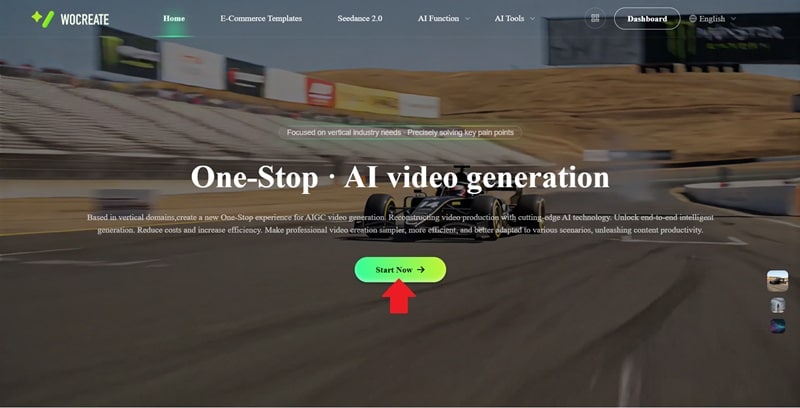
To begin, open the official WoCreate AI website, click Start Now to sign up or log into your account. Once you’re inside the dashboard, you can explore the AI tools and generate content immediately.
Is WoCreate AI Free?
Now, let’s talk about the part most people usually want to know: WoCreate AI pricing. To be honest, WoCreate AI is not completely free in the long run.
When you first sign up, WoCreate AI gives you 100 free coins to try out the features. You also get an additional 50 coins through daily check-ins. However, these coins expire quickly, so it’s better to use them soon after you receive them. Even so, the free coins are still useful for trying out the main features, like image and video generation.
WoCreate AI Paid Plans
Once you start using WoCreate AI more frequently, you may want to consider their subscription plans. The subscriptions come in different time periods, and the comparison below shows what each package offers in detail.
| Quarterly Package | 9-month Package | Annual Package | |
| Price | ¥ 3980 / 3 months | ¥ 8980 / 9 months | ¥ 9980 / 12 months |
| Points | 70.000 | 150.000 | 200.000 |
| TikTok Videos Generation | 350 | 750 | 1000 |
| E-Commerce Agent Marketing Videos | 290 | 620 | 830 |
| E-Commerce Commercial Images | 14.000 | 30.000 | 40.000 |
| E-Commerce Commercial Videos | 2.300 | 5.000 | 6.000 |
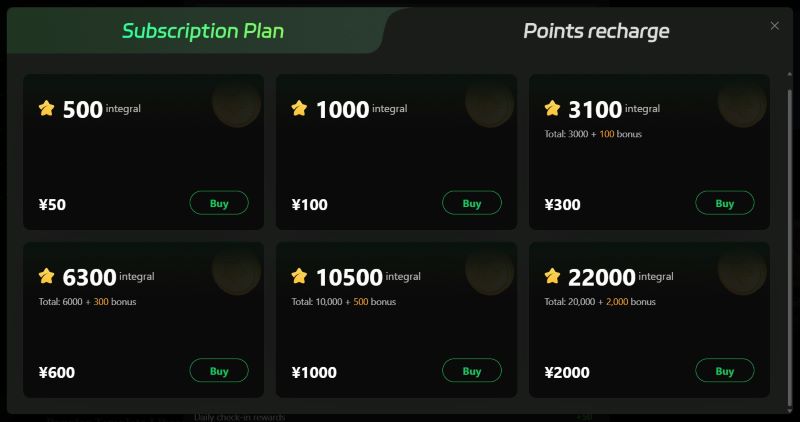
If you’re not ready to commit to a recurring subscription yet, WoCreate AI also offers a points recharge option. This works as a one-time payment system where you simply choose how many coins you want, pay for them, and then use the points until they run out.
Part 3. How to Use Wocreate AI
After going through all the features, it’s only right to try WoCreate AI in action and see how it actually works. This way, we can get a clearer picture of whether the tool fits your needs. Let’s take a closer look.
Step-by-Step: Generate Product Image
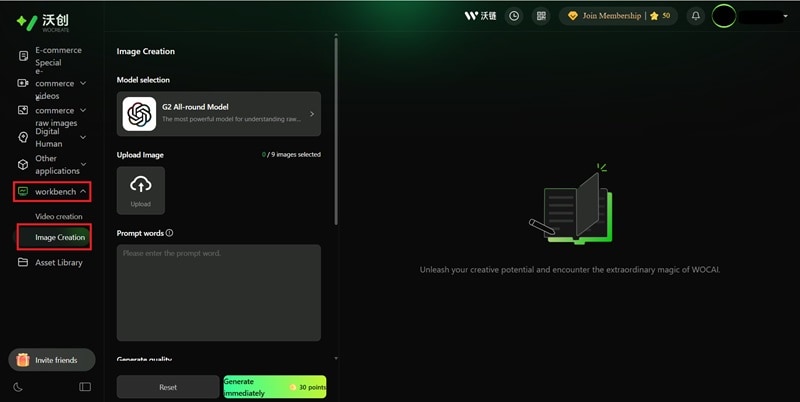
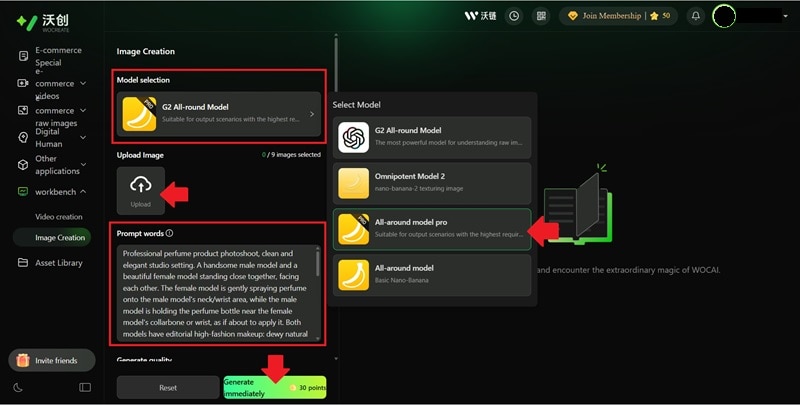
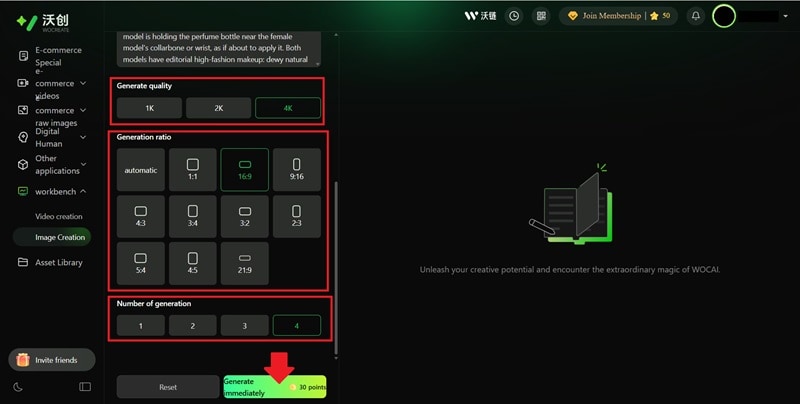
Check out the final result of WoCreate AI image generation:
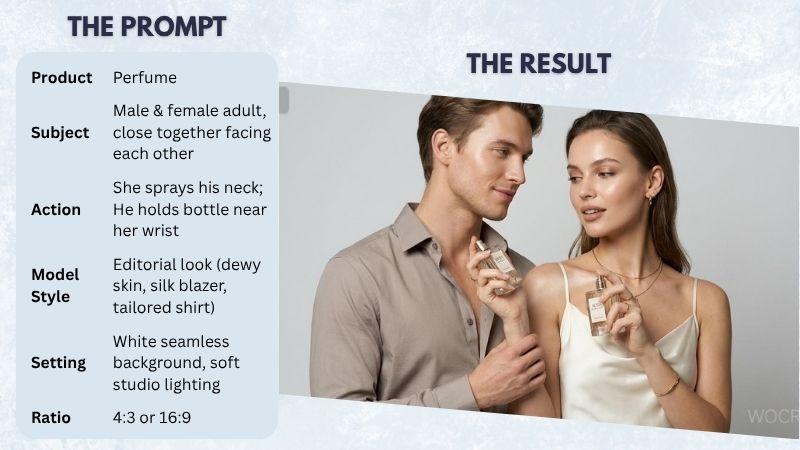
In general, the image quality is good, and the result looks clean and usable. However, the prompt interpretation is not fully accurate.
In this case, the prompt intended both models to hold the perfume and interact with each other, but instead, the AI placed the perfume in the hands of only one model. When this happens, you will need to refine the prompt and generate the image again for better accuracy.
Step-by-Step: Generate Product Video
Part 4. Wocreate AI Strengths and Drawbacks
WoCreate AI offers a lot of convenience for creating product images and videos quickly without needing a full production setup. Still, it’s not a perfect tool, and there are a few things you need to consider before using it long-term.
- Simple Setup and Navigation: All the features are clearly laid out, so it’s easy to navigate WoCreate AI even if you are new.
- High-Quality Output: The output quality is solid. The results are visually clean and can already be used for product promotion, social media content, or branding purposes.
- Curated Templates for Brand and Product Videos: WoCreate AI templates feel aligned with common social media trends, so your content has a better chance of looking more attractive and shareable.
- Video Generation Requires High Credits: To generate a video, WoCreate AI requires quite a high amount of credits, reaching up to 600 coins per video. This can feel quite expensive if you plan to create content regularly.
- AI Doesn’t Always Follow Prompts Perfectly: In some cases, the AI produces visuals that are a bit off from the prompt. Even with detailed input, the result may not always fully align with your idea.
- Limited Control After Generation: If the result doesn’t fully match your expectation, you can’t really adjust it directly. The only option is to regenerate the content, which means you may need to spend additional credits again.
Part 5. Wondershare Filmora: Beyond AI Video Generation
Wocreate AI works well for generating promotional videos quickly using AI tools and ready-made templates. However, it still comes with limitations, especially because you can’t directly edit the generated video in detail inside the platform. If the result doesn’t match what you want, you’ll mostly need to regenerate it.
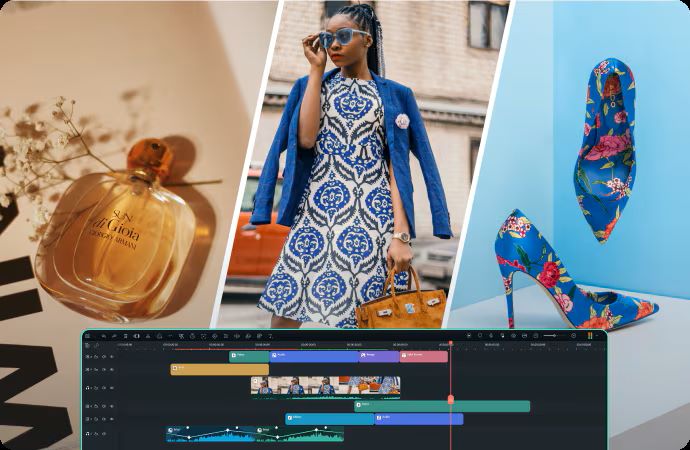
For a more complete workflow, Wondershare Filmora can be a better option. You can still create AI-generated visuals, but you also get full control over the editing process through its built-in video editor. This makes it easier to produce content that looks more polished and professional.
 Secure Download
Now, let’s break down what makes Filmora a strong alternative.
1. Powerful AI Generation Tools
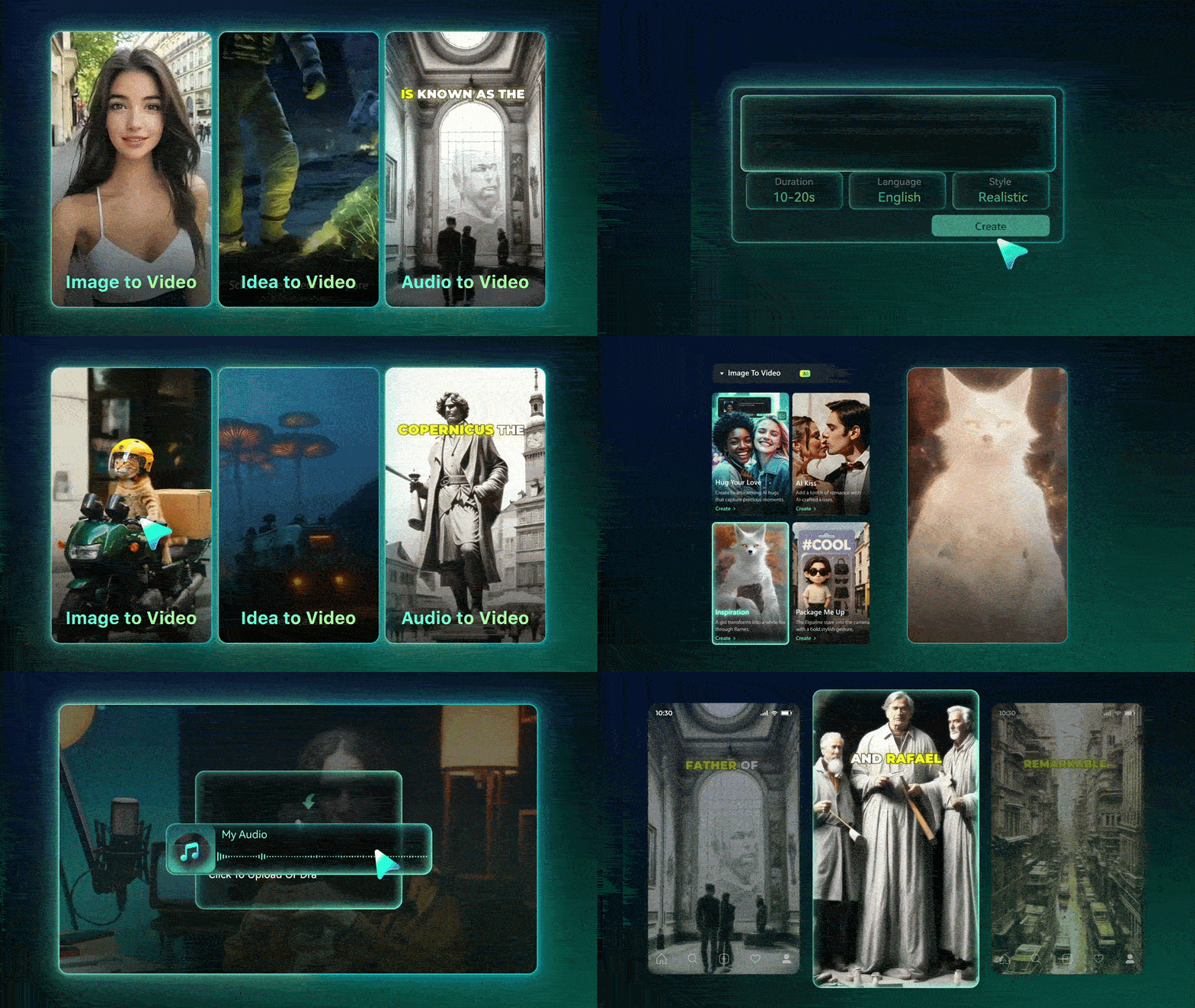
With Filmora, you have more freedom to create visuals based on your ideas. You can also choose from various AI models depending on the style and result you want. Here are some of the AI generation features available in Filmora:
- Turn text prompts or images into new visuals using GPT Image or Nano Banana.
- Convert ideas, prompts, images, or audio into videos using Seedance 2.0, Sora 2, and Veo 3.1.
- Create custom audio using AI Music Generator and AI Sound Effect Generator.
2. Edit Right After Generating Your Content
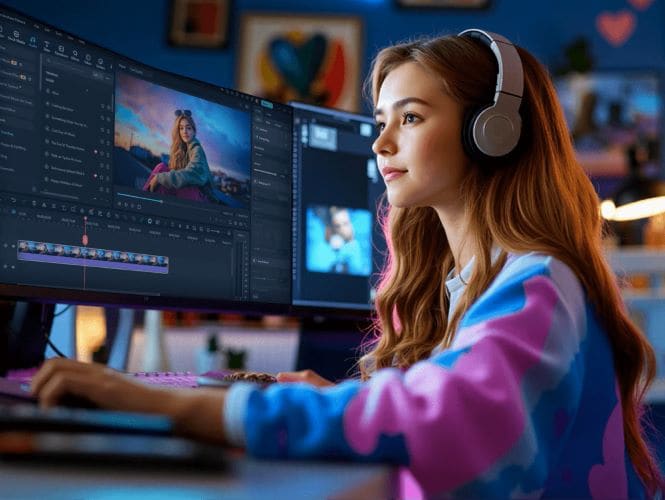
When your generated content is ready, you can continue working on it inside Filmora. It provides a large collection of creative assets, so you can easily add things like B-roll, background music, or visual elements to make your video more complete and engaging.
3. Flexible Video Formats and Quality
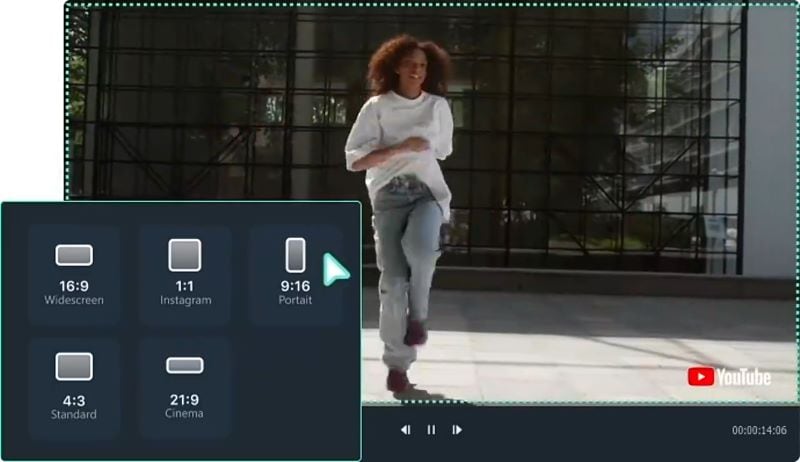
If you want to post your video on different social media platforms, Filmora has an Auto Reframe feature that makes it easy to adjust your video format. You can quickly repurpose one video into multiple sizes, so you don’t need to start from scratch for each platform. It also supports high-resolution exports, up to 4K quality.
4. Schedule Posts and Track Performance
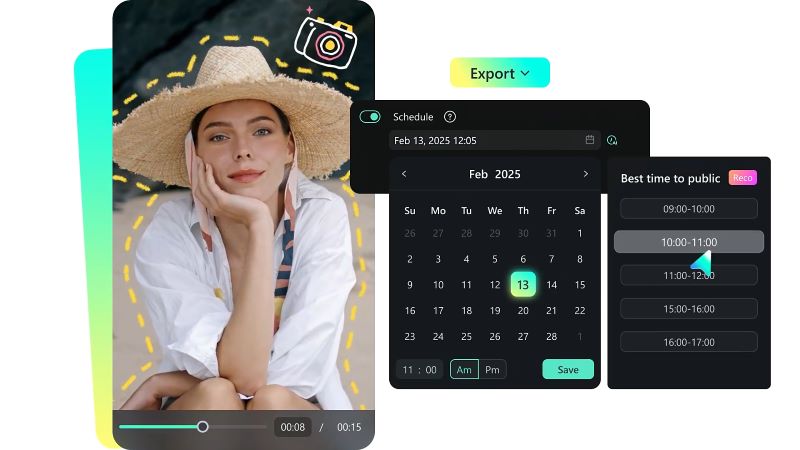
When you have a lot of things going on, Filmora’s Social Content Planner can make things easier. You can set your posting schedule ahead of time, so you won’t forget important upload dates.
On top of that, it also helps you check how your posts are doing, such as views, reach, and engagement. This way, you can use the data to improve your next content.
5. Works on Both Desktop and Mobile
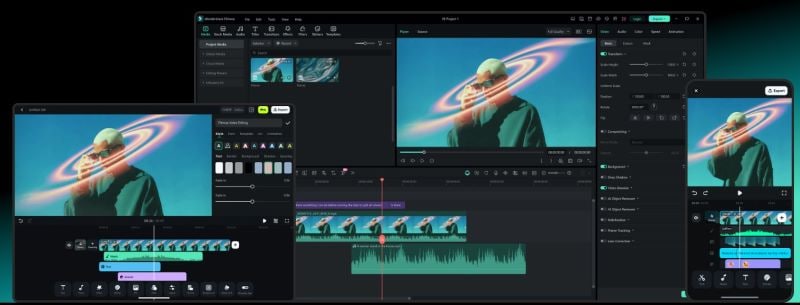
Filmora makes editing more flexible because it works on both mobile and desktop. You can quickly edit from your phone when needed or use a computer for more precise editing work. Since your projects are synced, you can continue your work anytime without losing anything.
Secure DownloadConclusion
Overall, WoCreate AI helps you create product visuals and videos in a much simpler way. You can create content from prompts or simply choose from the wide range of templates that are already organized by category. WoCreate AI makes it possible to create content without doing product shoots or showing yourself on camera, while also helping you save production costs.
However, WoCreate AI still lacks deeper editing features, so the output you generate is final. So if you are looking for more control and flexibility, Wondershare Filmora may be a better fit as it combines generation and editing features to produce a more refined and professional output.
FAQs
-
1. Is Wocreate AI safe to use?
Yes, WoCreate AI is generally safe to use and does not show any major security risks. However, it’s still recommended to read their privacy policy so you understand how your data is collected and used. -
2. Can I generate many videos at once (batch generation) with Wocreate AI?
Yes, you can generate several videos and images at the same time. However, depending on the workload, the process may take a bit longer to finish. -
3. Can I edit the generated clips inside Wocreate AI?
No, WoCreate AI does not include a built-in video editor. If the output isn’t what you expected, the main solution is to adjust your prompt and try generating it again. -
4. Does Wocreate AI add a watermark?
Yes. WoCreate AI outputs include both “AI” and “WoCreate” watermarks. You can disable the “AI” watermark, but the “WoCreate” watermark is still visible.
