

 TL;DR:
Choosing the right GIMP alternative in 2026 depends on your primary workflow, with Adobe Photoshop and Affinity Photo dominating professional macOS and Windows environments, Krita serving as the top open-source choice for Linux artists, and Photopea acting as the most capable browser-based substitute.
● Users migrating from GIMP due to its outdated multi-window interface and lack of AI tools should consider Luminar Neo for its 24+ generative AI features, or Paint.NET if they strictly need a lightweight, high-performance editor exclusively for Windows.
● Photopea provides the most powerful online alternative by supporting layered PSD files and advanced tools directly in the browser for free, though its ad-supported model can feel distracting and complex files may cause system lag.
● For dedicated mobile workflows, Snapseed delivers comprehensive, free RAW photo editing and selective filter brushes for Android and iOS, while the Krita tablet version offers a professional drawing workspace but remains in beta and requires a large screen device.
Ask AI for a summary
 ChatGPT
 Perplexity
 Gemini
 Claude
 Grok
Grok
If you're into photography or graphic design, GIMP (GNU Image Manipulation Program) is likely a staple in your toolkit. While it's a powerful open-source photo editor, its steep learning curve and lack of native AI tools have many creators searching for a GIMP alternative in 2026. Whether you need a professional powerhouse like Photoshop, a lightweight online editor, or a free GIMP alternative that's more intuitive, we've tested the top options to help you level up your workflow.
Part 1. Why People Are Moving Beyond GIMP Today
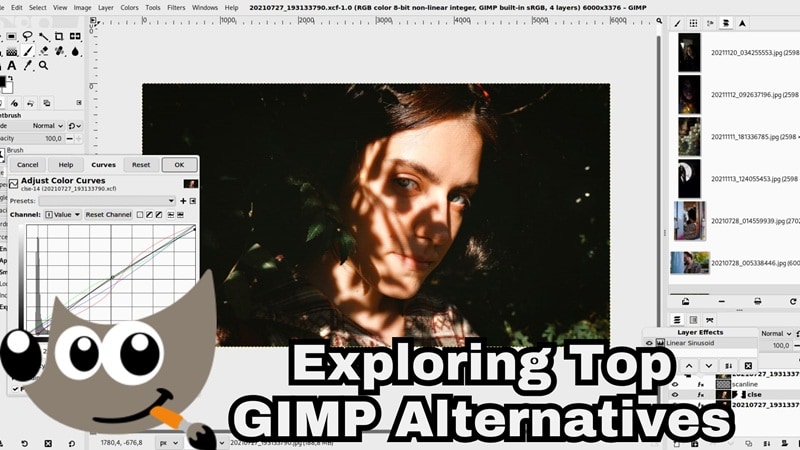
Sure, GIMP is powerful and completely free, but it's not perfect. Some things can slow down your editing process, which is why many users start looking for an alternative to GIMP in the first place. And once you understand where GIMP struggles, it becomes easier to figure out what features actually matter to you and what to look for in another tool.
Below are some of the main reasons people switch:
- Clunky & Outdated Interface: Many users seek an alternative to GIMP because its multi-window UI feels unintuitive compared to modern, streamlined software.
- Lack of Generative AI: In 2026, AI photo editing is a must. GIMP lacks native Generative Fill or AI object removal, making complex tasks much slower than they need to be.
- No Official Mobile Version: GIMP is mainly designed for desktop use and does not have an official mobile app. This makes it harder to edit photos on the go or switch smoothly between devices.
Part 2. Pro-Level Powerhouses: Best GIMP Alternatives for Windows and Mac (Paid)
If you want more advanced features, faster performance, and professional-grade results, these desktop tools are strong choices. They work great as a GIMP alternative for Windows and a GIMP alternative for Mac users to rely on.
Let's break them down!
1. Affinity Photo: A Professional's Favorite for High-End Editing
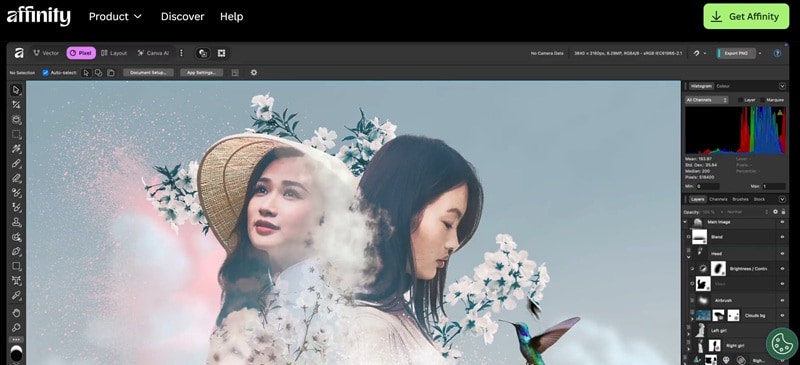
Our first pick as a top GIMP alternative lands on Affinity Photo. The software is actually developed by Serif, and it's known for its powerful tools and smooth performance. Plus, you get non-destructive editing by default, which means you can experiment freely without ruining your original image.
- Combine multiple photos, textures, and elements to build detailed image compositions.
- Organize projects with layer groups, clipping masks, and linked layers.
- Refine tricky edges like hair, fur, or detailed subjects with precision tools.
- Supports collaboration using the .af file format.
- You can apply live filters and see changes instantly while editing.
- The interface can feel overwhelming at first.
- It takes time to learn advanced features.
2. Luminar Neo: Smart AI Editing Made Easy
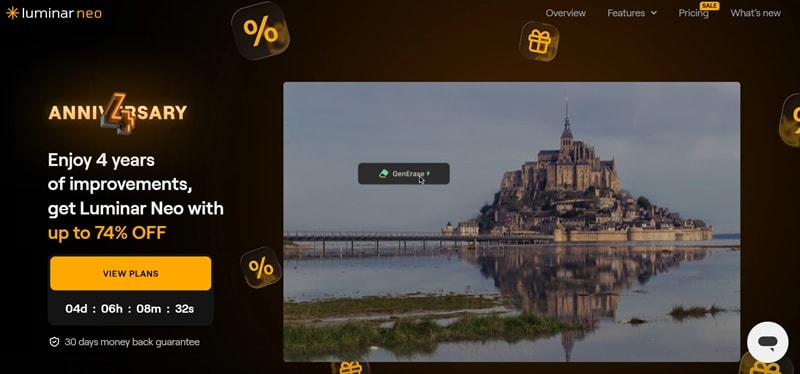
Another powerhouse alternative to GIMP worth checking out is Luminar Neo. This editor focuses heavily on AI, helping you fix and enhance photos much faster without doing everything manually. It comes with more than 24 AI features and over 100 professional editing tools, so you get plenty of control while still keeping things simple.
- Adjust face lighting, refine facial shape, and enhance features quickly.
- Color grade your photos to create the mood or atmosphere you want.
- Add realistic depth and lighting effects to make images look more dimensional.
- More than 24 AI features that speed up complex editing tasks.
- Works smoothly with Lightroom Classic and Photoshop.
- No free version available to test before buying.
- Requires a powerful computer for smooth performance.
3. Adobe Photoshop: The Industry Standard Alternative to GIMP
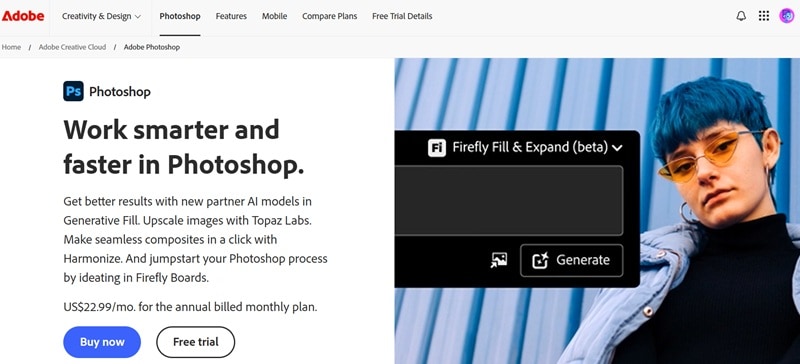
Then of course, there's Adobe Photoshop. It's one of the most well-known photo editing tools out there, and it definitely deserves a spot when talking about the best GIMP alternatives. Since it's so widely used, there are tons of tutorials and resources online, so even beginners can learn the basics without much trouble.
- Adjust texture, atmosphere, and sharpness non-destructively inside the Layers panel.
- Customize text, colors, and images using a complete set of advanced design tools.
- Smart selection and generative AI tools for faster editing and content creation.
- Deep integration with the Adobe ecosystem like Lightroom and Illustrator.
- Works with external tools like Topaz Labs to upscale images and improve quality.
- Monthly subscriptions can feel expensive over time.
- It takes time to master advanced tools and workflow.
Part 3. Best Free and Open-Source GIMP Alternatives (Linux Supported)
All those desktop tools we talked about earlier are great, but they can feel a bit expensive, especially if you are just getting started or trying to stay on budget. The good news is you still have plenty of GIMP alternative free options out there, and many of them are open-source too.
And among them, these tools are definitely worth checking out:
1. Krita: The Ultimate GIMP Alternative Linux Users Love
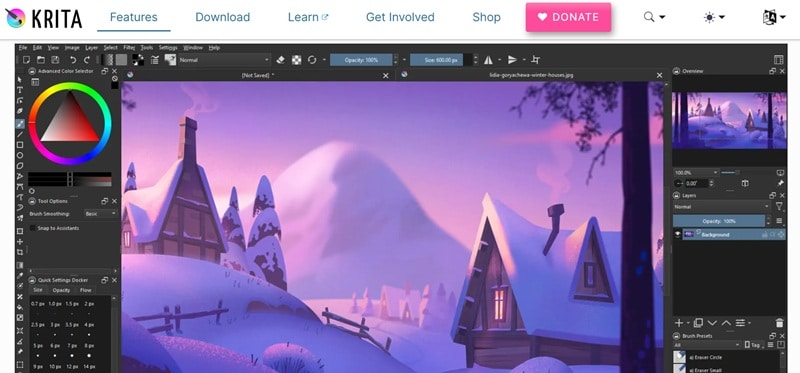
When talking about a Linux GIMP alternative users can rely on, Krita should be high on your list. It was built by artists for artists, so the whole experience feels very focused on drawing, painting, and creative work. The tools are designed to support different art styles and workflows, which makes it especially popular in the digital art community.
- A wide range of brush types for different art styles and techniques.
- Built-in animation tools that help turn artwork into moving scenes.
- More than 30 dockers that add extra tools and workspace customization.
- Strong and supportive community of artists who share resources and tutorials.
- Plugin support that adds new features and functionality.
- More focused on digital painting than photo editing.
- Can feel heavy on system resources when handling large projects.
2. Paint.NET: Lightweight GIMP Alternative Windows Users Will Love
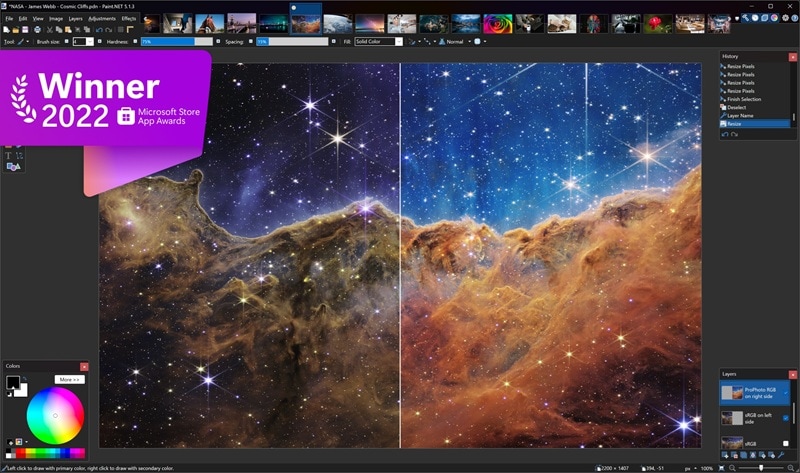
If you need a simple and fast Windows GIMP alternative that users can rely on, Paint.NET is a solid choice. It was originally created as a replacement for Microsoft Paint, but over time it grew into a full photo editing tool with surprisingly powerful features. The interface is clean, the performance is smooth, and it works great for everyday editing without feeling complicated.
- Supports many common and modern image formats including PDN, PNG, JPEG, BMP, TIFF, GIF, WebP, and more.
- Works with pressure-sensitive pens and drawing tablets from Wacom, Microsoft, UGEE, and other brands.
- Full color management support for accurate image editing.
- Very fast and lightweight performance.
- Plugin support for adding new effects, shapes, and file formats.
- Only available on Windows.
- The interface can feel a bit outdated compared to newer editors.
3. Pinta: A Simple Cross-Platform Free GIMP Alternative
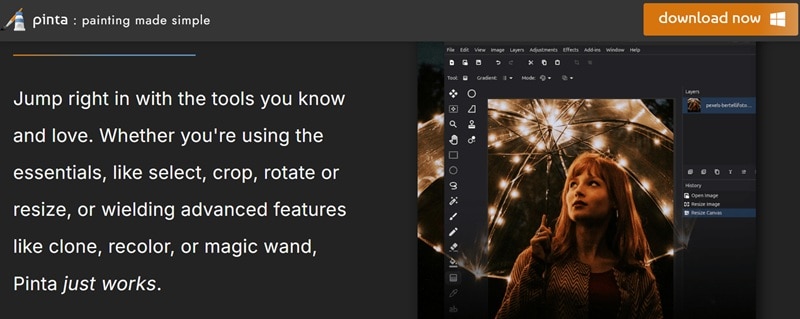
Pinta can also be a free GIMP alternative that just works without making things complicated. As the name suggests, Pinta focuses more on drawing, but it still gives you solid image editing tools for everyday use. It is lightweight, easy to understand, and runs on different operating systems, which makes it a practical choice if you want something simple and straightforward.
- Basic tools like select, crop, rotate, and resize for quick edits.
- More advanced tools such as clone, recolor, and magic wand for simple image adjustments.
- A wide range of effects and adjustment options to enhance your images.
- Live previews let you see changes instantly while editing.
- Unlimited undo history so you can try different edits without worry.
- The tools are simpler compared to other editors on this list.
- Smaller plugin ecosystem and fewer updates than bigger software.
Part 4. Edit Without Installing: Best Online GIMP Alternatives
We know some people out there just prefer editing straight from the browser, and honestly, it makes things a lot more convenient. If that sounds like you, there are plenty of online GIMP alternative tools that let you edit photos anytime and from anywhere.
Here are some of the best ones you can try.
1. Photopea: The Most Powerful Online GIMP Alternative
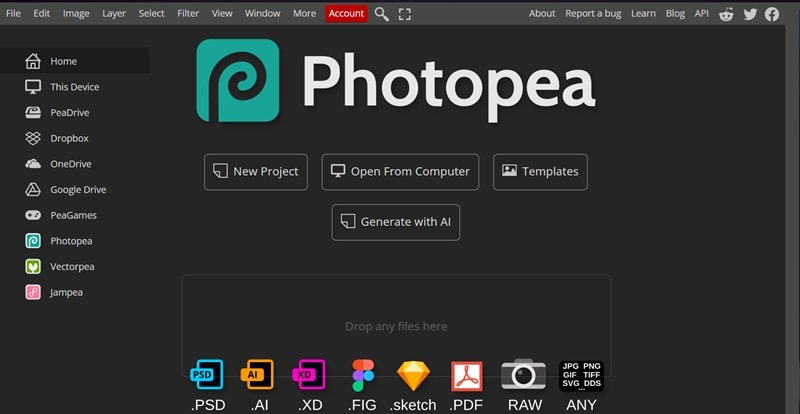
If you prefer editing straight from your browser, Photopea should definitely be on your radar. This platform gives you advanced editing tools, supports many file formats, and runs smoothly on most devices. On top of that, it's free to use, which makes it a practical and flexible alternative to GIMP for quick or serious editing.
- Basic editing tools like cropping, resizing, layering, and masking.
- Open and edit JPG, PNG, GIF, PDF, TIFF, HEIC, PSD, and many other formats.
- One-click AI background remover for quick subject isolation.
- Supports popular PSD files and layered projects.
- Advanced editing tools are available even in the free version.
- The free version includes ads that may distract some users.
- Can feel slow when working with large or complex files.
2. Pixlr: Fast Online Editor for Social Media Content
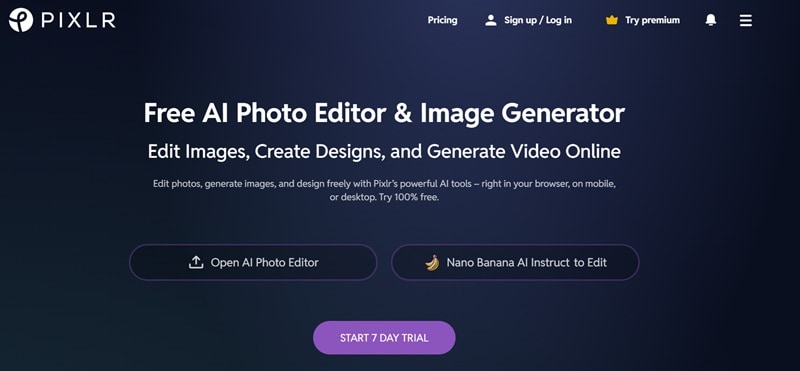
Brief description of what this tool is about and why it made the list.
- Photo collage maker to combine multiple images into one design.
- Generative Fill helps you add or change elements in your image with more control.
- Generative Expand lets you adjust image size or aspect ratio without cutting important parts.
- Plenty of AI-powered tools that speed up editing.
- Creative templates for social media and design projects.
- Ads in the free version can feel distracting.
- Many advanced features are locked behind the premium plan.
Part 5. Best GIMP Alternatives for Android and Mobile Editing
So, we've talked about desktop tools, free options, and even browser-based editors. Now, let's look at something for people who prefer editing on their phone or tablet. And honestly, we get it. Editing on mobile feels more practical, faster, and easier when you're on the go.
If you're looking for a GIMP alternative for Android or just want flexible editing from your device, here are a few apps that really stand out.
1. Canva: Easy Design Tool for Quick Edits
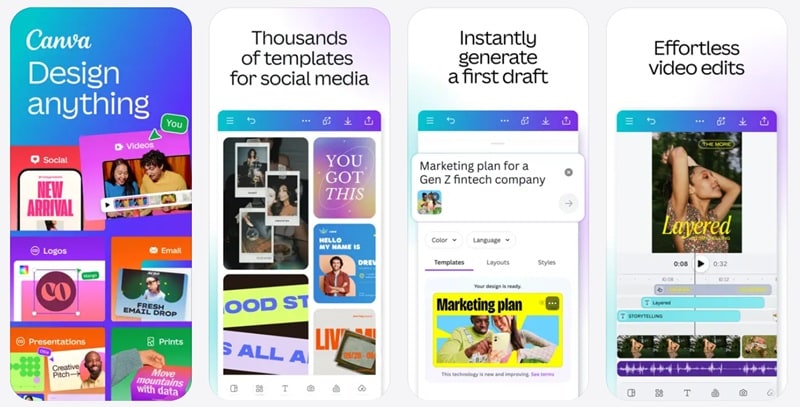
When it comes to simple photo editing, Canva is hard to ignore. You might expect it to show up only as an online tool, but its mobile app is just as smooth and reliable as the web version. That's what makes it a great GIMP alternative for Android and iOS users who want quick edits without dealing with complicated tools.
- Crop, flip, and edit photos with controls for brightness, contrast, and saturation.
- Auto Focus to sharpen your subject while softly blurring the background.
- Photo grids, filters, layouts, and collage maker to create visual designs quickly.
- Huge collection of templates for social media, posters, and marketing content.
- Massive media library with stock photos, graphics, and design elements.
- Many premium templates and assets require a paid subscription.
- Less control over detailed layer-based editing.
2. Krita (Tablet Version): Powerful Mobile Drawing Tool
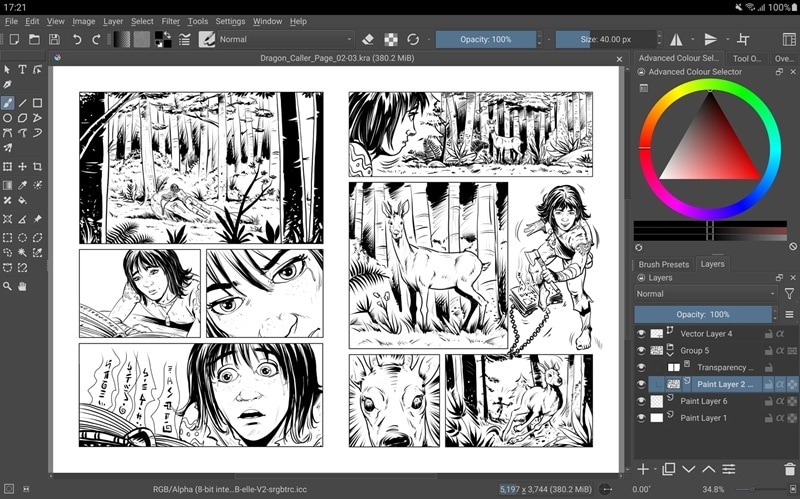
Yes, we're mentioning Krita again, but this time we're talking about the tablet version. Just like the desktop app, it gives you powerful tools built specifically for drawing and painting. It brings a full creative workspace to your device, so you can sketch, illustrate, and even animate without needing a computer, which is good enough for an alternative to GIMP.
- Powerful brush engines for sketching, painting, and detailed artwork.
- Stabilizers that help smooth out freehand drawing and inking.
- Drawing assistants that help you build complex shapes and scenes more easily.
- Clean canvas only mode that lets you paint without distractions.
- Supports animation features like onion skinning and storyboarding.
- Not ideal for small screens since the interface is designed for larger devices.
- Still considered a beta release, so some features may change.
3. Snapseed: Best Mobile Photo Retouching App
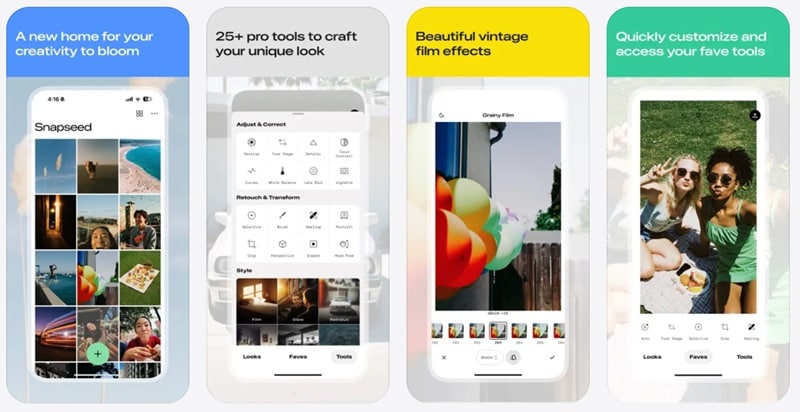
For our last pick, we have Snapseed. Even though it comes last on the list, it's honestly one of the best GIMP alternative options for mobile editing. You get a lot of professional-level tools completely free, which makes it a great choice if you want serious editing right from your phone.
- 29 tools and filters for improving color, lighting, and details.
- Blend two images using blend modes inspired by film and digital processing.
- Supports both JPG and RAW files for higher quality editing.
- Every style and adjustment can be fine-tuned with precise control.
- A selective filter brush to adjust specific parts of your photo.
- Updates have slowed down in recent years.
- Some users report occasional crashes on certain devices.
Part 6. Quick Comparison: GIMP vs Top Alternatives
So, we've already broken down some of the best GIMP alternative tools across different platforms. By now, your options probably feel clearer, but you're still looking at quite a few choices. And yeah, picking one can still feel a bit tricky.
That's why we made this quick side-by-side comparison. It lets you see what each tool offers at a glance and makes it easier to match the editor with your workflow. Take a look at the simple breakdown below.
| Editor | Platforms | Free / Paid | AI Features | Best Use Case |
| GIMP | Windows, macOS, Linux | Free | Limited (plugins only) | General photo editing |
| Affinity Photo | Windows, macOS, iPadOS | Free & Paid | Limited | Photo editing and retouching |
| Luminar Neo | Windows, macOS, iOS, Android | Paid | Extensive | AI photo enhancement and portrait editing |
| Photoshop | Windows, macOS, iOS, Android | Free & Paid | Extensive | Professional design and creative work |
| Krita | Windows, macOS, Linux, Android | Free | Unavailable | Digital painting and illustration |
| Paint.NET | Windows | Free & Paid | Unavailable | Lightweight everyday photo editing |
| Pinta | Windows, macOS, Linux | Free | Unavailable | Simple image editing and drawing |
| Photopea | Online | Free & Paid | Limited | Online editing and PSD support |
| Pixlr | Online, Android, iOS | Free & Paid | Extensive | Quick AI edits and social content |
| Canva | Windows, macOS, iOS, Android, Online | Free & Paid | Extensive | Quick designs, templates, and visual content |
| Krita Tablet | Android | Free & Paid | Unavailable | Mobile drawing and illustration |
| Snapseed | Android, iOS | Free | Extensive | Mobile photo retouching and adjustments |
|
Show More
Show Less
|
||||
Part 7. How to Choose the Right GIMP Alternative for You
From the table above, you can already see how each tool compares and what they're best at. That alone should help narrow things down, but choosing the right GIMP alternative really comes down to how you work, what device you use, and what you want to create.
Instead of giving you vague suggestions, here's a simple way to decide based on your system and your main purpose.
Choose Based on System
- MacOS: Adobe Photoshop works really well on Mac and gives you full control over your edits. It's a great choice if you want professional results and powerful tools in one place.
- Windows: Paint.NET is simple, fast, and very easy to use on Windows. It's perfect for everyday edits when you just want something that works without the hassle.
- Linux: Krita runs smoothly on Linux and is especially great for drawing and digital art. It's free, reliable, and loved by artists.
- Android: Snapseed makes editing photos on your phone quick and easy. You get strong retouching tools and clean results without much effort.
Choose Based on Purpose
- Digital Painting: Krita is a great pick if you love drawing or creating digital art. It gives you strong brush tools and a smooth painting experience.
- Photo Retouching: Photoshop or Snapseed works best when you want clean, detailed edits. They make it easy to fix colors, enhance photos, and fine tune small details.
- Quick Edits: Pixlr and Canva are perfect when you just want fast results. They help you edit photos or create designs in minutes without much effort.
Bonus: Take Your Visuals Further — Convert Photos to AI Video with Filmora
While a GIMP alternative helps you perfect your static images, video is what dominates social media in 2026. Wondershare Filmora bridges this gap perfectly. By using its AI Image-to-Video feature, you can take your edited masterpieces and transform them into cinematic clips with one click.
Filmora is an AI video editor that also supports image editing. With its AI Image to Video feature, you can upload photos created in your chosen GIMP alternative and turn them into dynamic video content.
 Secure Download
What Filmora Adds to Your Workflow
1. Creative Templates for Social Media
Filmora's AI Image to Video feature comes packed with creative templates you can use right away. Just pick a template and watch a simple image turn into something that feels more alive and cinematic.
2. Get Wild and Creative
You can literally describe how you want your photo to behave. Maybe a slow camera push, a dramatic reveal, or gentle motion in the background. Just type your idea and Filmora turns that vision into motion without making things complicated.
3. Improve Visual Quality
Sometimes visuals look a little noisy or flat, and Filmora quietly cleans that up for you. With tools like AI Video Enhancer, AI Video Beauty Filter, and AI Video Denoiser, everything looks sharper, smoother, and more polished without you doing much.
4. Add Sound that Fits the Mood
Visuals feel different when the sound matches the scene. In this case, Filmora lets you add music, ambience, or sound effects that blend naturally with your video, making everything feel completer and more immersive.
Conclusion
GIMP remains a powerful editor, but it is no longer your only option as many tools now offer smarter features and a more modern experience. So, we shared some of the best GIMP alternative options across different platforms. Each GIMP alternative tool brings its own strengths, so the right choice really depends on how you edit and what you want to create.
But if you want something that goes beyond being just an alternative to GIMP and does more than static image editing, Wondershare Filmora is your answer. This AI editor lets you turn your edited photos into dynamic visuals, enhance quality automatically, and create engaging video content with minimal effort. It brings motion, sound, and storytelling into your workflow, giving your visuals a whole new level of creativity.

