

 TL;DR:
Creators can bypass expensive stock footage by using AI video tools like Wondershare Filmora with Veo 3.1, Runway Gen-4.5, and Luma AI to convert text prompts and reference images into custom, moving nature scenes.
● Most platforms only generate very short clips, requiring creators to generate and stitch multiple outputs together to build long ambient loops, and users often need to manually replace the AI-generated audio to properly match the visual mood.
● Wondershare Filmora and Kapwing are best suited for users who want to generate and edit clips within a single workspace, whereas Adobe Firefly is designed specifically for Premiere Pro or After Effects workflows and requires a paid Creative Cloud account.
● Testing these tools on free plans typically comes with strict limitations, as platforms like Runway, Kapwing, and Leonardo AI restrict daily generation length, cap resolution and export quality, or apply watermarks to the final video.
Ask AI for a summary
 ChatGPT
 Perplexity
 Gemini
 Claude
 Grok
Grok
Looking for the best AI nature video generators to create stunning forest, rain, or landscape clips? Many creators struggle to find the right stock footage—it’s often expensive or limiting. This guide shows how AI nature video creator tools can generate the exact scenes, weather, and mood you need instantly.
Instead of browsing endlessly, an AI nature video generator lets you create custom nature clips. You can control the mood, weather, and style. You also get scenes that fit your project instead of settling for mismatched stock footage.
This guide will share the best AI nature video creator tools and show how to make nature clips with one of them. It also includes examples you can use for inspiration. Let’s get started!
Part 1. What is an AI Nature Video Generator and Why Use One?
An AI nature video generator is an AI tool that builds full video clips instead of still images. It takes your text prompts or reference photos and turns them into moving forest, rain, or landscape scenes.
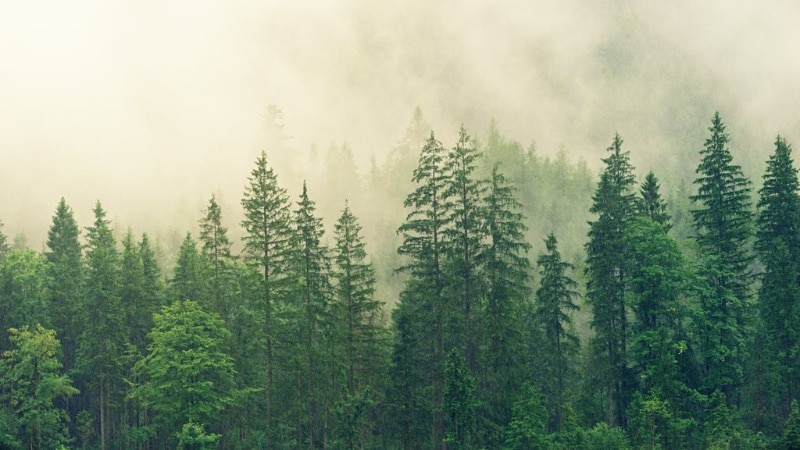
You can describe the weather, lighting, mood, or camera angle, and the tool recreates it as a short video. It goes beyond regular AI nature art by adding motion, depth, and atmosphere, so the final output feels closer to real footage.
Main Benefits of Using AI Nature Video Creators
An AI nature video generator can support your workflow in many ways. Here are some of the main advantages you can expect:
- Quick scene creation without filming: You can build nature clips in minutes instead of planning shoots, traveling, or buying expensive stock footage.
- Freedom to test various moods and styles: Change seasons, weather, time of day, or color tone with a text prompt.
- Perfect for ambience and content backgrounds: You can generate loops for studying, meditation, or relaxing nature videos on YouTube.
- Useful for B-roll and visual fillers: Add atmospheric shots to documentaries, vlogs, or product ads when you need supporting visuals.
- Flexible control over motion and camera movement: You can shape slow pans, wide shots, close-up details, or drone-style movement without needing real gear.
Things to Keep in Mind
Before you start generating nature clips, it helps to know a few limitations of AI nature video creators:
- Each tool produces different levels of quality.
- Some platforms limit resolution or video duration.
- Small artifacts or motion inconsistencies may appear.
- Licensing rules for commercial use depend on the platform.
Part 2. Best AI Nature Video Generator Tools for Custom Landscape Creation
An AI nature generator helps you create forest, rain, or landscape scenes from text prompts or image references. Different AI tools offer different strengths. Here are seven options you can use to generate AI nature painting videos for content creation.
1. Wondershare Filmora
Filmora offers two ways to create nature clips through its Text to Video and Image to Video features. Both are supported with Veo 3.1 mode, which helps you turn prompts or photos into landscape scenes. You can generate nature footage while editing your video project, so there’s no need to switch between different apps.

- Works as an all-in-one tool for AI generation and editing nature clips in the same project.
- Supports detailed prompts and image references to guide weather, lighting, mood, and scene composition.
- It lets you insert a subject from a photo into a generated nature environment using Image to Video.
- Includes built-in color controls, sound tools, and templates to refine the generated clip without switching apps.
- Generates short clips only, so longer nature loops require combining multiple outputs.
- Audio generated by the AI may not always align with the visual mood, especially for ambient videos. So creators often need to replace or enhance the sound manually.
2. Runway
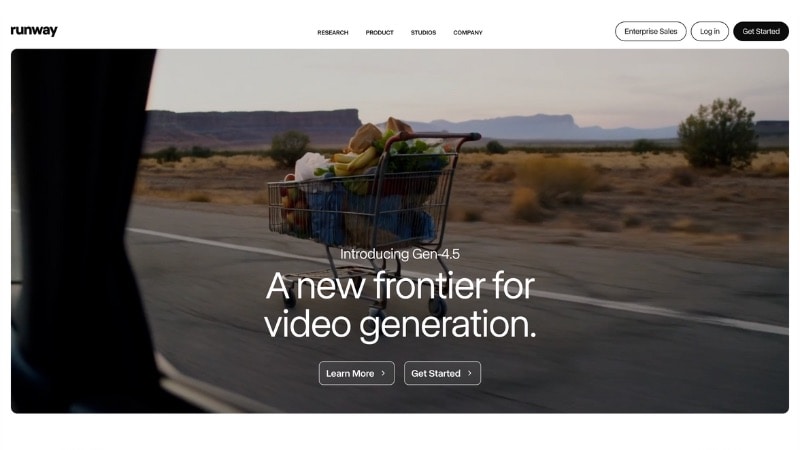
Runway is one of the most advanced AI nature video generators that can turn text prompts or reference images into videos. Its Gen-4.5 model focuses on higher motion accuracy and improved environmental realism, making it a solid option for generating nature videos.
- Generates high-quality, cinematic nature scenes with smooth motion and realistic lighting.
- Supports prompts, images, and reference videos for flexible control.
- Works on most web browsers without needing high-end hardware.
- Free plan limits resolution and generation length.
- Beginners may need time to learn prompt writing and model settings.
- Requires a stable internet connection for rendering.
3. Luma AI - Dream Machine
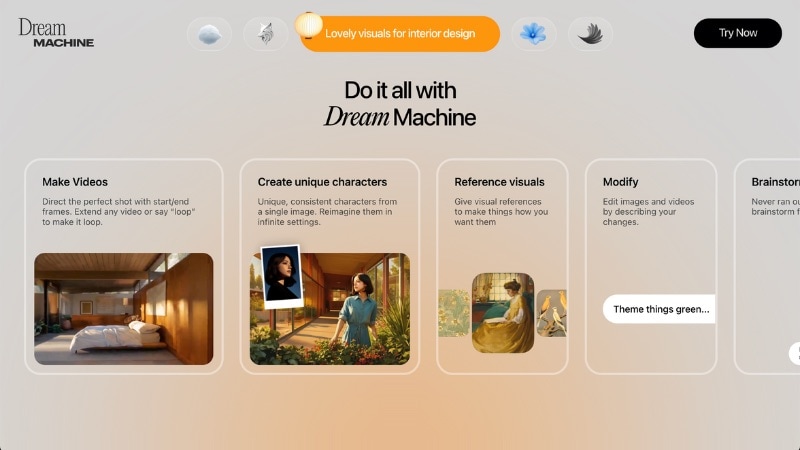
Luma AI works as an AI nature video creator that focuses on smooth camera movement, strong depth, and realistic outdoor environments. The tool produces steady motion and clear lighting, which helps when you want nature clips that feel grounded and natural.
- Simple prompt-and-generate workflow.
- Produces realistic landscapes with smooth motion and detailed depth.
- Generates wide camera shots that mimic real cinematography.
- Clip length is short, so longer nature loops need multiple generations.
- Rendering time can be long for complex scenes.
- Works best with detailed prompts, which may take trial and error.
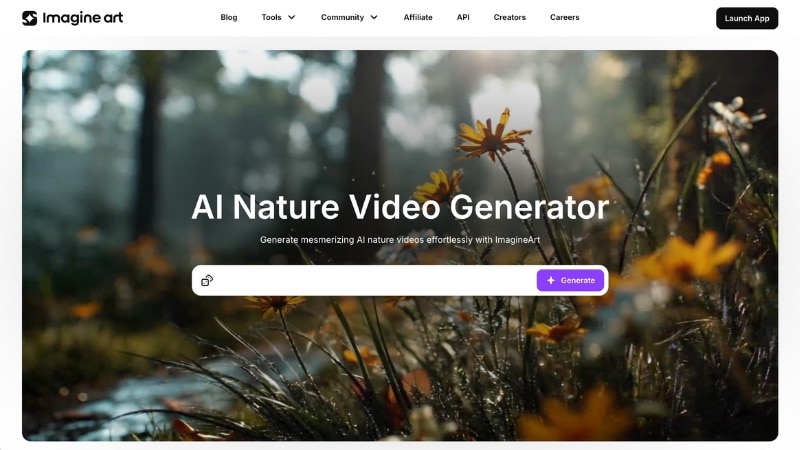
4. ImagineArt
ImagineArt works as an AI nature art and video generation tool designed for simplicity and quick results. You can describe the scenery you want or upload a reference image, and the tool builds short nature clips that match your prompt.
- Provides a simple interface that works well for beginners and creators who want quick results.
- Runs on multiple platforms; in a web browser on desktop or via Android/iOS apps, giving flexibility in where you work.
- Produces clean, stable clips that suit ambient background video, social media content, or relaxing nature visuals.
- Video length remains limited. Longer or continuous nature scenes require several generations and stitching.
- Control over advanced settings like camera movement, atmosphere variation, or fine tonal tweaks is limited.
5. Leonardo AI
You can also use Leonardo AI as an AI nature video generator free option for quick creation of nature scenes. It can turn text prompts or reference images into scenes. The tool also offers a range of visual styles, useful for both realistic scenes and more artistic nature videos.

- Offers free credits for beginners who want to test nature video generation.
- Supports many creative styles, from realistic landscapes to painterly nature scenes.
- Simple workflow that helps you move from prompt to video in a few steps.
- Includes image editing tools to refine reference photos before generation.
- Free tier has limits on daily credits and output quality.
- Video clips are short, so long ambience loops need several generations.
- Advanced video settings are limited, so detailed refinement may require external editing software.
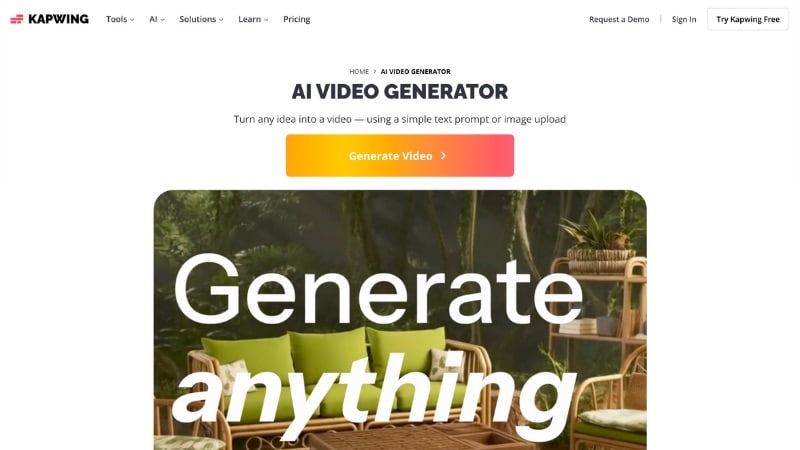
6. Kapwing
Use Kapwing as an AI nature video creator that lets you generate nature clips from prompts or reference images. Since it combines AI generation with a full editing suite, it’s suitable for creators who want quick nature visuals for edits, social posts, or simple background footage.
- Simple text-to-video generation inside an online video editor.
- Includes video editing tools for trimming, adding subtitles, and adjusting colors.
- Supports AI-powered resizing for social media formats.
- Good for quick background visuals or filler shots for social media.
- Free plan limits export quality and includes a watermark.
- Generates short clips only, which limits long ambience videos.
- Motion and detail may look less natural than higher-end generators.
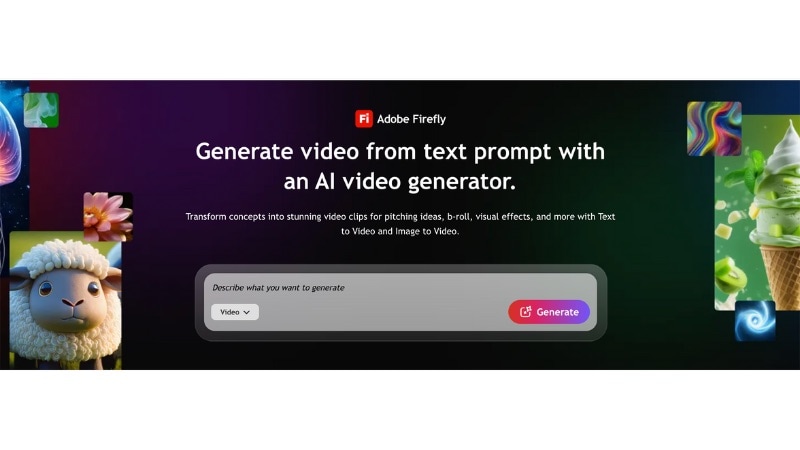
7. Adobe Firefly
Adobe Firefly includes an AI Video feature that can serve as an AI nature generator for short landscape clips. Describe a landscape through a text prompt or an image as a reference, and Firefly builds an animation based on that input.
- Produces AI nature painting clips that work well inside Premiere Pro or After Effects.
- Supports text and image prompts for generating nature scenes.
- Simple prompt workflow that fits beginners and casual creators.
- Fits creators already using Adobe software.
- Full features require a Creative Cloud account, which may not suit budget users.
- Generates short clips only, so long ambience videos need multiple renders.
- Video generation depends on Adobe’s cloud servers, so speed varies with connection and server load.
Part 3. How to Make an AI Nature Video with Filmora
Filmora works as both a video editor and an AI nature art generator. Since everything happens in one workspace, you can create nature clips and edit your project without switching to other tools or websites.
How to Generate an AI Nature Video with Filmora for Desktop
Follow the instructions below to use Filmora as an AI nature video generator:
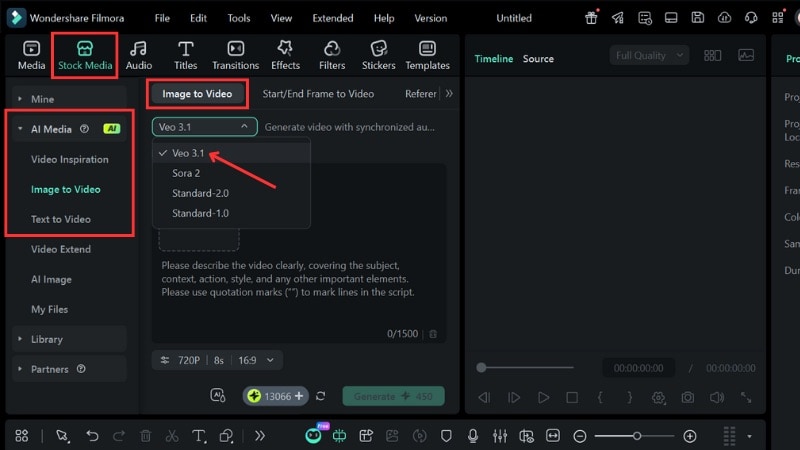
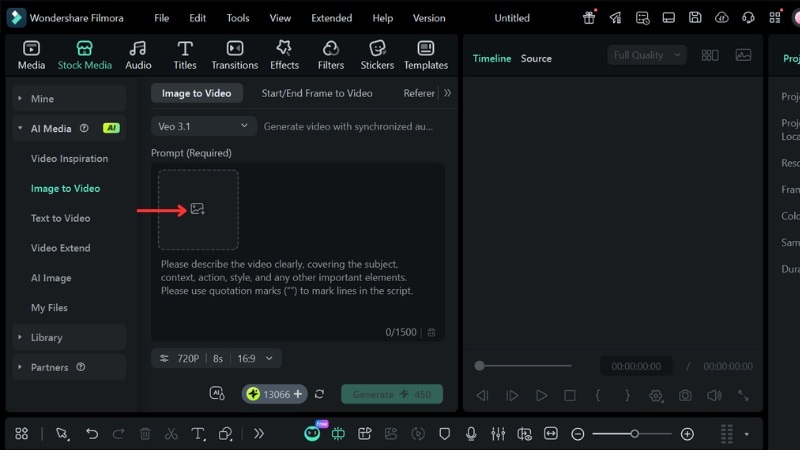
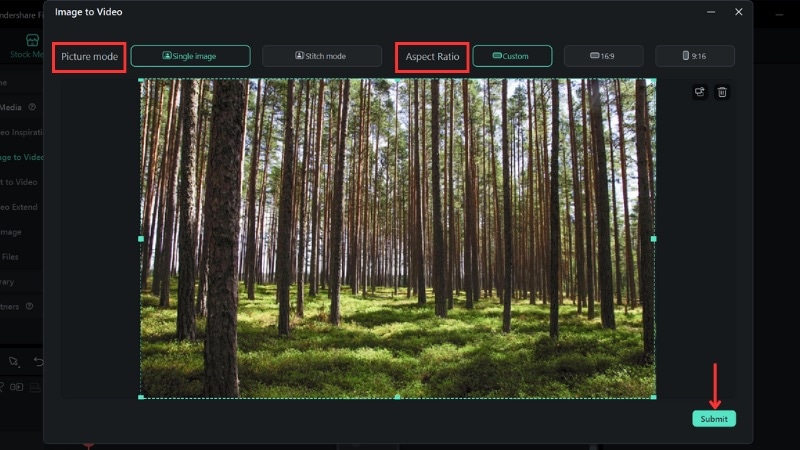
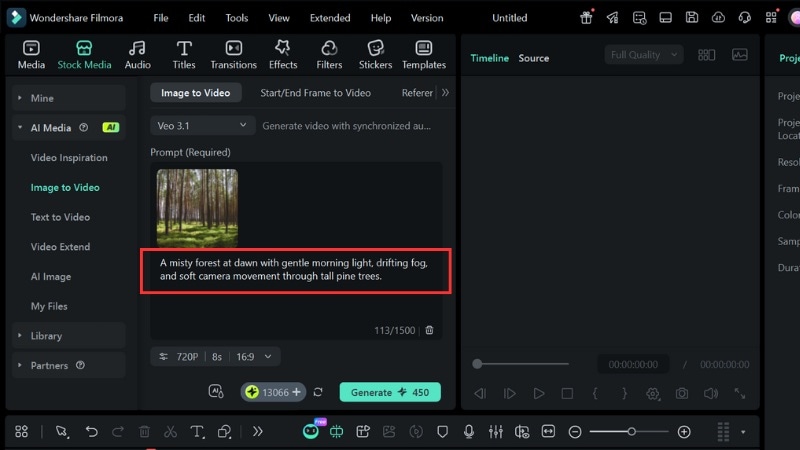
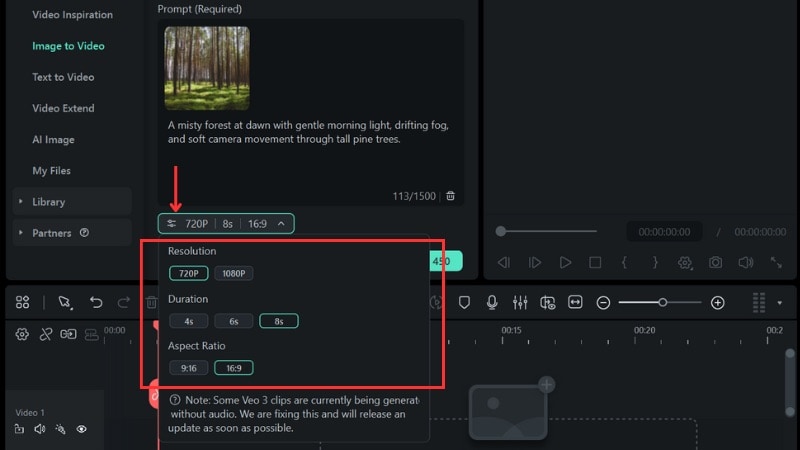
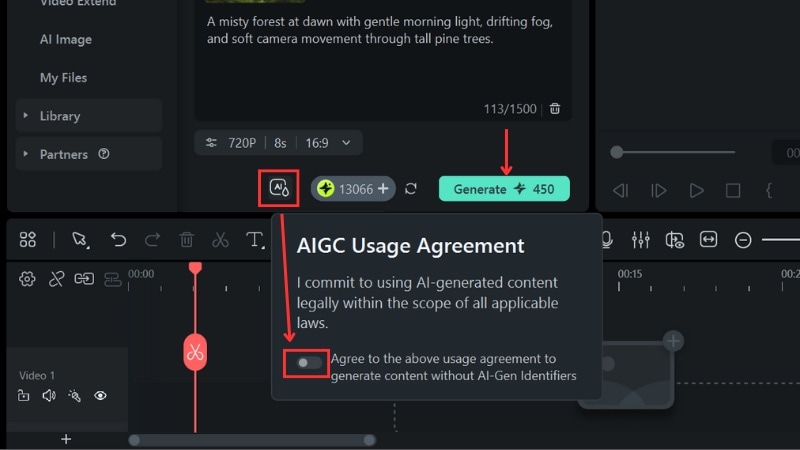
Tip: If you don’t have a reference image, you can switch to Text to Video and use a text prompt only.
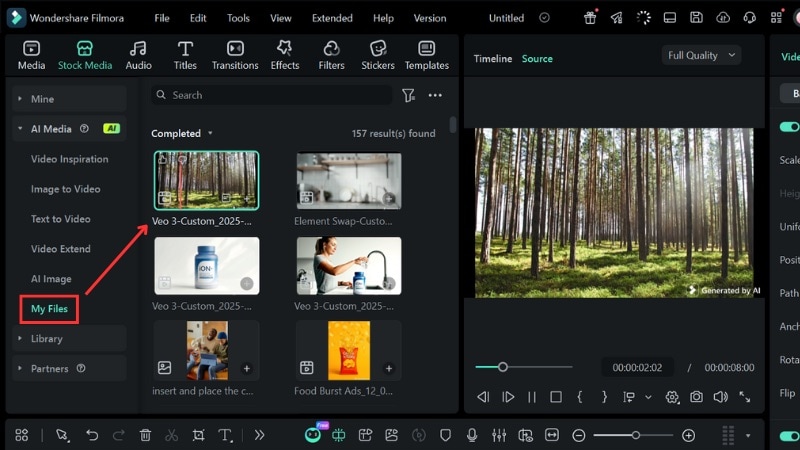
Part 4. AI Nature Video Examples
AI nature video creators can generate scenes that match many moods for your project. You can shape the weather, lighting, and overall atmosphere through your prompt, whether you want something calm, dreamy, or more dramatic.
Here are some prompt examples for different styles you can try when creating your own nature ambience clips:
Example 1. Misty Forest at Dawn
Prompt:
“A misty forest at dawn with gentle morning light, drifting fog, and soft camera movement through tall pine trees.”
This prompt creates a calm and cinematic forest scene that captures the quiet mood before sunrise. This style works well for calm morning scenes, study backgrounds, or gentle meditation loops.
Example 2. Rainy Jungle with Ambient Waterfall
Prompt:
“Tropical jungle during light rain, lush green leaves, a waterfall in the background, and slow tilt-up camera movement with natural ambience.”
Use this prompt when you need a refreshing rainforest clip with water sounds. It suits ASMR creators, nature channels, or rainy ambience videos.
Example 3. Snow-Covered Winter Forest
Prompt:
“Quiet winter forest, snow-covered trees, soft falling snowflakes, soft blue dusk lighting, steady wide shot, calm winter atmosphere.”
You can use this prompt to bring a peaceful winter feel to ambience videos, Christmas intros, or snowy landscape scenes.
Example 4. Enchanted Magical Forest
Prompt:
“Fantasy forest with glowing mushrooms, soft sparkles in the air, warm magical light, gentle breeze, slow pan shot, dreamy atmosphere.”
This style works well for creative edits, storytelling, or fantasy-themed visual projects. You can also add soft music or gentle wind sounds to enhance the mood.
Example 5. Quiet Night Forest with Fireflies
Prompt:
“Dark forest at night, small fireflies floating between trees, cool moonlight, and light mist on the ground. Add subtle camera motion with quiet nighttime ambience.”
This prompt fits relaxing loop videos and can lean calm or slightly eerie depending on how you adjust the prompt.
Bonus: Add AI Voice or Narration to Nature Videos
You can add more depth to any AI nature art video by including narration that matches the visuals. Filmora makes this easy through its built-in AI Text to Speech tool. It turns your script into natural voiceover audio without hiring a voice actor or using separate recording apps.
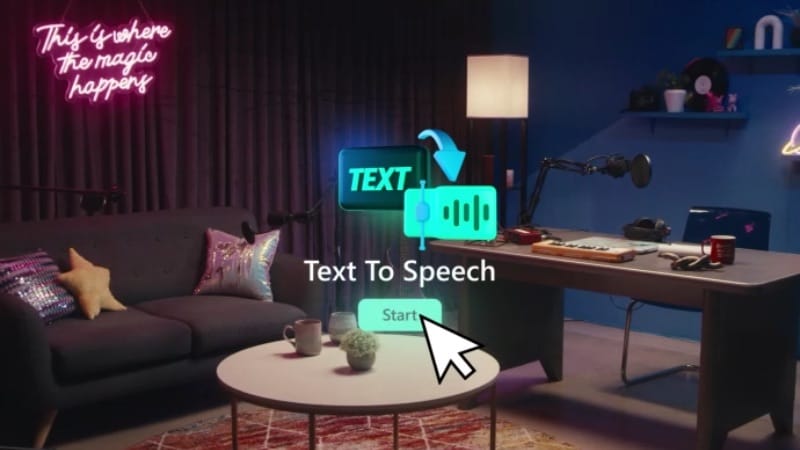
Key Features of Filmora’s AI Text to Speech
- Converts written scripts into ready-to-use voiceover audio in just one click.
- Generates clean narration directly inside the editor without extra software or voice actors.
- Offers many natural voice styles that match calm, warm, or storytelling nature scenes.
- Supports narration in multiple languages for global audiences and multilingual nature content.
- Lets you adjust speed and pitch to match the rhythm and atmosphere of your nature clip.
To learn how to create an AI voice or narration in Filmora, watch the tutorial below:
Conclusion
AI nature art has changed how creators produce forest, rain, and landscape scenes. You can also generate the videos using an AI nature video generator instead of searching for stock footage or filming outdoors.
Filmora works well as an AI nature video creator since it lets you generate clips and edit them in one place. You can create the scene, add narration, and finish the final video without switching software.
Try creating your first nature clip in Filmora and start building the scenes you want.

 Secure Download
FAQ
-
Are AI-generated nature videos safe for commercial use, and can they be copyrighted?
Most AI tools allow commercial use, but each platform sets its own rules. Check the licensing page of the tool you use before adding the clip to paid projects. In most cases, you own the rights to the final output as long as the tool grants commercial usage. -
Can AI-generated nature videos include animals, birds, or other moving subjects?
Yes, many AI nature video generators can create animals or birds when you include them in the prompt. Some tools handle movement better than others, so results may vary. -
Is it possible to fix mistakes in AI-generated nature videos, like weird textures or unnatural movement?
You can fix most issues by adjusting the prompt and generating a new version. Small problems like strange textures or jittery motion often improve when you refine lighting, camera direction, or scene details.
