

 TL;DR:
Selecting the right AI short film generator depends on your technical requirements: Wondershare Filmora provides an all-in-one editing workflow integrating models like Veo 3.1 and Sora 2, while platforms like Runway 4.5 and Luma's Ray 3.2 model offer professional-grade physics and precise camera control for advanced filmmakers.
● Google Veo 3 and Kling AI (Kling 3.0 Omni) are best suited for creators needing native synchronized dialogue and ambient audio alongside realistic lighting, though Veo 3 restricts generated outputs to 8-second clips.
● Adobe Firefly provides commercially safe, licensed generation directly within Premiere Pro and Photoshop, whereas browser-based tools like Media.io and VEED prioritize fast social media rendering but lack complex multi-layer timeline editing.
● To prevent character identities from morphing between cuts, you must utilize specific reference features like Luma's Character Seeds or Runway's Act-Two performance capture, keeping in mind that high-fidelity outputs drain allowances quickly, such as Runway Gen-4.5 costing 25 credits per second of footage.
Ask AI for a summary
 ChatGPT
 Perplexity
 Gemini
 Claude
 Grok
Grok
It's no secret that AI is getting more powerful and realistic, and creators are now spinning up high-quality, viral AI-generated short drama series right from their laptops. You don't even need to be a filmmaker to join the trend.
It is actually very easy to do so since there are plenty of AI short film generator options available that handle everything from scripting to final cuts. If you do not want to miss out on the next big creative wave, it is time for you to try these out yourself. Let's look at the absolute best platforms worth your time and how to pick the perfect one for your story.
Part 1. Key Features to Look for in an AI Short Film Generator
Before throwing your script into a random tool, you need to know what separates a true cinematic tool from a gimmick. That's because if you're looking for an AI short drama generator that can produce videos people actually want to watch, there are a few features you shouldn't compromise on. In fact, every recommendation in this guide checks these important boxes.
Story-to-Video Generation

A clip generator and a short film generator are not the same thing. The best AI drama generators can take a narrative input, a script, a concept, or a set of scene descriptions, and turn it into something that actually tells a story with a beginning, middle, and end. Without this, you're just collecting pretty B-roll.
Character Consistency
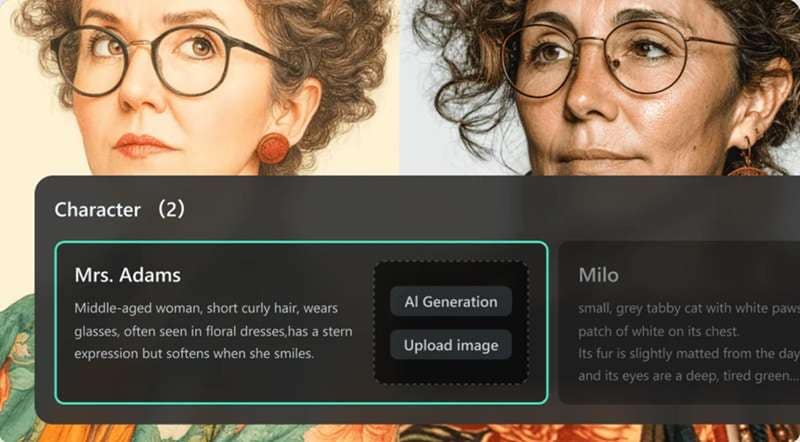
One of the biggest headaches in AI video right now is your main character looking like a completely different person from one scene to the next. That's why any AI short drama generator worth using for short drama work needs at minimum a solid approach to keeping faces, outfits, and visual style coherent across multiple clips.
Cinematic Video Quality
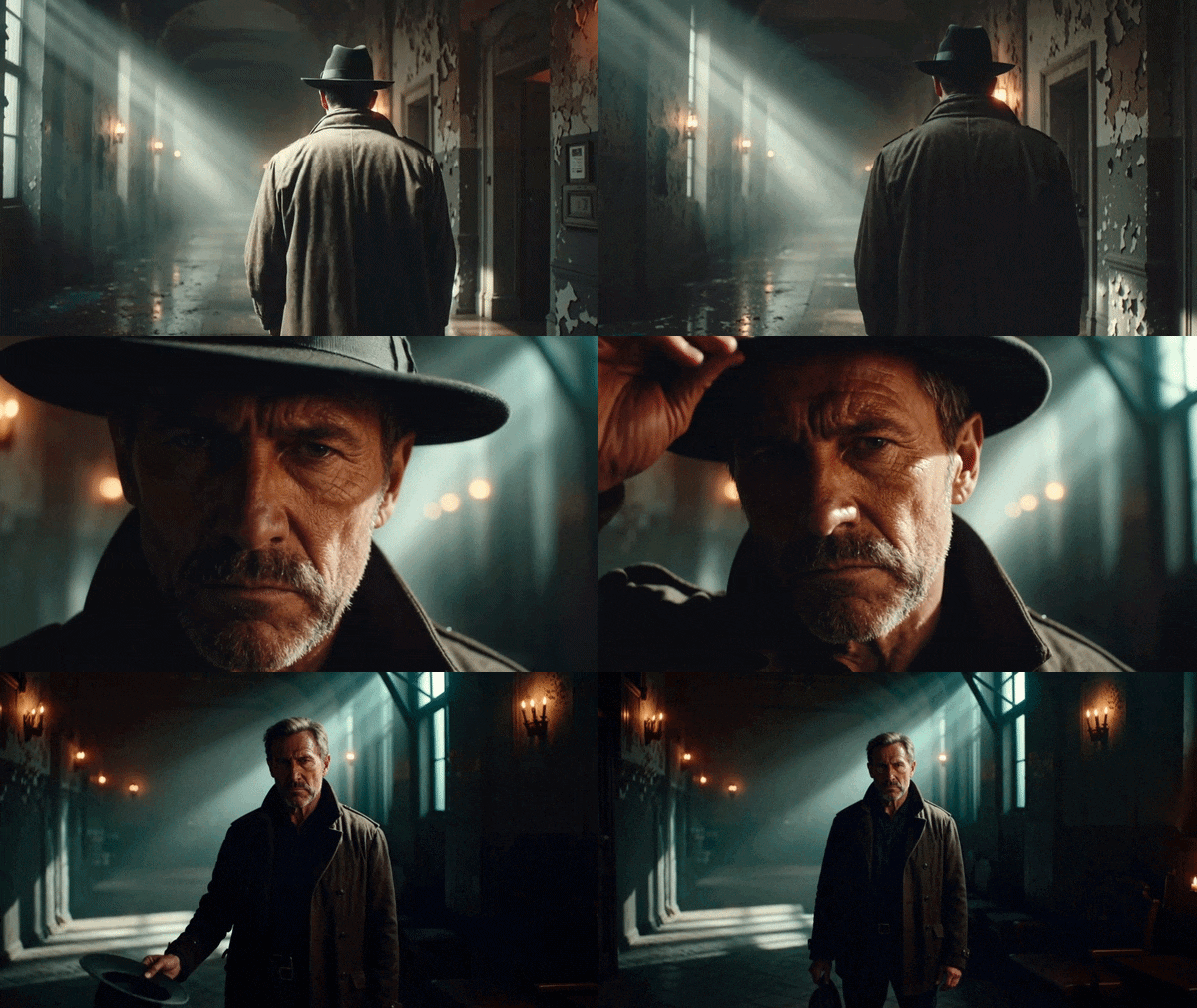
Cinematic doesn't just mean high resolution. It means smooth motion, believable physics, well-handled lighting, and output that doesn't immediately read as AI-generated at a glance. If the footage from your AI drama generator looks jittery, melty, or flat, it pulls viewers out of the story instantly.
Part 2. Best AI Short Film Generators at a Glance
Now that you know what separates an average AI drama generator tool from a truly capable one, it's time to see which platforms stand out. But before diving into the full breakdowns, here's a quick-reference table covering all eight tools.
It's useful when you already have a rough idea of what you need and just want to spot the right fit at a glance.
| Tool | Best For | Generation Method | Platform | Free Plan |
| Filmora | Complete AI filmmaking workflow with editing | Text / Script / Idea / Image / Audio to Video | Windows, macOS, Android, iOS | ✅ Available (watermarked) |
| Media.io | Fast browser-based AI video creation | Text / Script / Image to Video | Web browsers | ✅ Available (limited daily credits) |
| Kling AI | Cinematic storytelling and realistic characters | Text / Image to Video | Web, iOS, Android | ✅ Available (limited 66 daily credits) |
| Google Veo 3 | Audio-synced cinematic clips | Text / Image to Video | Web (Flow, AI Studio) | ✅ Available (limited via AI studio) |
| Runway 4.5 | Hollywood-grade physics & complex camera paths | Text / Image to Video | Web, API | ✅ Available (125 one-time credits) |
| Adobe Firefly | Commercial-safe output in Creative Cloud | Text / Image to Video | Web, CC integrations | ✅ Available (limited daily credits) |
| Luma | Photorealistic motion & HDR output | Text / Image / 3D to Video | Web, API | ✅ Available (limited daily credits) |
| VEED | Social media storytelling and marketing videos | Text / Script / Image to Video | Web browsers | ✅ Available (watermarked) |
|
Show More
Show Less
|
||||
Part 3. Top 8 AI Short Film Generators
After seeing the overview above, you probably already have a few favorites in mind. But specifications only tell part of the story. So, let’s take an in-depth look at each AI short drama generator.
1. Wondershare Filmora
Best For: Content creators, aspiring filmmakers, YouTubers, marketers, and beginners who want an all-in-one AI filmmaking solution from idea to final edit.
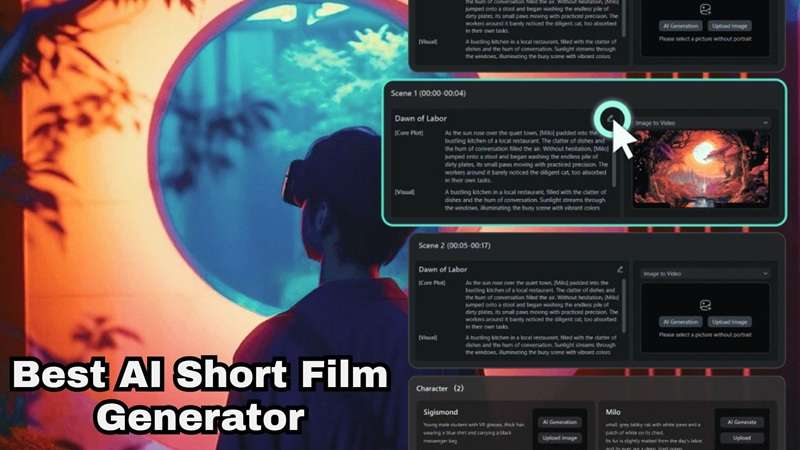
If your goal is to create an entire AI-generated short drama without jumping between multiple apps, Filmora is easily one of the most complete options available. One standout feature is its AI Storyboard Generator, which helps transform a rough idea into a structured sequence of scenes before you even start generating videos. This is especially helpful for beginners who know what story they want to tell but aren't sure how to organize it into a compelling short film.

 Secure Download
- AI Storyboard Generator to turn simple ideas into organized scenes before production starts.
- AI Idea to Video that expands a concept into a complete AI-generated video.
- AI Script to Video for automatically generating scenes from written scripts.
- AI Image to Video to animate still images into cinematic video sequences.
- AI Music Generator and AI Sound Effects to create audio that matches your story.
- Built-in professional editing timeline with transitions, color grading, subtitles, effects, and audio editing.
- Supports multiple AI models, including Veo 3.1, Sora 2, and Seedance 2.0 for generation variety.
- Works across Windows, Mac, iOS, and Android, so your project follows you across devices.
- Beginner-friendly interface despite having advanced editing tools.
- Continually adds new AI features without requiring third-party services.
- The free version exports videos with a watermark.
- Requires AI credits to use AI tools
Free version available. Flexible and affordable paid plans are listed on the Filmora pricing page.

2. Media.IO
Best For: Beginners, casual creators, educators, and social media users.
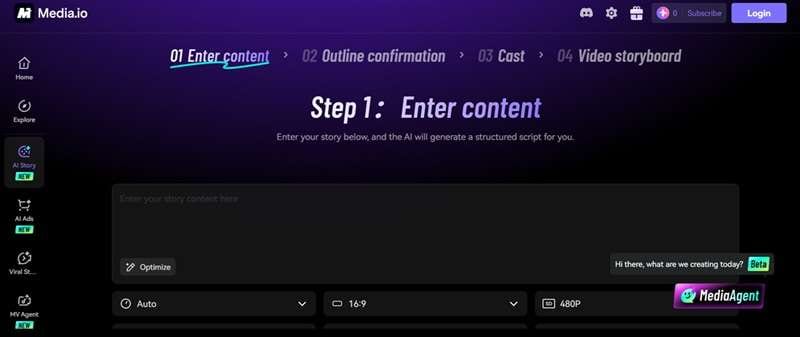
Media.IO is the next option on our recommendations, and it's one of the easiest places to start if you prefer creating videos directly in your browser. Its AI Script-to-Video makes it easy to create AI-generated short dramas in 4 simple steps. While it doesn't provide the same level of editing depth as dedicated video editors, it's a convenient AI drama generator if you value speed over complex controls.
- AI text-to-video generator powered by 30+ underlying models, including Sora 2.0 and Kling for varied output styles.
- AI avatar creation with 120+ language support for talking-head videos without filming yourself.
- Super-resolution image upscaling up to 800% with edge-detail preservation for polishing visual assets.
- Fully browser-based, so there is zero installation, zero system requirements, and nothing to update.
- Incredibly simple user interface that takes minutes to master.
- Lacks complex multi-layer timeline editing for long narrative stories.
- Visual styles lean more toward social media aesthetics than cinematic cinema.
Free plan available with daily credits. Paid plans start at $17.99/month.
3. Kling AI
Best For: Story-driven creators who want realistic characters, smooth motion, and cinematic AI storytelling.
Kling AI, built by Kuaishou (one of China's largest short-video platforms), has become one of the most talked-about AI video generators of 2026, and for good reason. One reason many creators choose Kling as their preferred AI short drama generator is its strong prompt understanding. It can interpret detailed descriptions and translate them into scenes that feel much closer to live-action filmmaking than traditional AI animations.
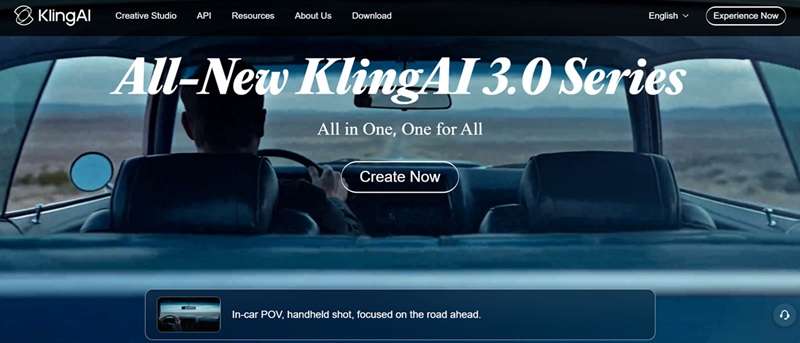
- Kling 3.0 Omni model with 4K 60fps output and multi-shot sequencing up to 6 connected scenes for narrative continuity.
- Native audio generation, including ambient sound, dialogue, and music that syncs automatically with the visuals.
- Video extension tool that chains multiple generations together for clips running up to 3 minutes total.
- Motion quality and physics simulation are widely considered among the best of any AI video generator in 2026.
- Multi-shot sequencing in Kling 3.0 makes it practical for actual short-form storytelling, not just isolated clips.
- Credit costs scale up fast on higher-quality and longer outputs, especially with native audio turned on.
- Character consistency still lags slightly behind Runway for complex scenes with multiple performers.
Free plan available with 66 credits/day. Paid plans start from $10/month (Standard, 660 credits) up to $180/month (Ultra).
4. Google Veo 3
Best For: Professional-quality cinematic productions with realistic visuals, dialogue, and sound effects.
Continuing down our list for the top AI drama generator is one of the most well-known companies in the world. Google Veo 3 is DeepMind's flagship video generation model, and it stands out from the crowd for one reason above most others: it generates synchronized audio, including ambient sound, music, and dialogue, natively alongside the video. The visual results are among the best you'll find today.
- Native synchronized audio generation including ambient sound, dialogue, and music alongside the video output.
- Strong text-to-video prompt adherence with cinematic framing and realistic lighting in generated clips.
- Realistic camera movements and lighting.
- Strong prompt adherence means fewer iterations are needed to get usable footage compared to some competitors.
- Commercial use of generated content is permitted under Google's terms, making it viable for monetized work.
- Clips are capped at 8 seconds per generation.
- Free access is limited and varies by country and region availability, making it inconsistent for global users.
Limited free credits via AI Studio. Google AI Pro at $19.99/month. Google AI Ultra at $249.99/month (full Veo 3 access). Pay-per-use API at $0.15–$0.40/second.
5. Runway 4.5
Best For: Filmmakers, creative professionals, and production studios who need strong character consistency across shots.
For creators who don't mind a slightly steeper learning curve, Runway is one of the most capable AI short film generator platforms available today. It's one of the pioneers in AI video generation and continues to push the technology forward with Runway Gen-4.5, its latest generation model. It offers unparalleled control over specific elements in your frame, allowing you to direct the movement of your shot with pinpoint accuracy.
- Multi-shot sequencing supporting clips up to one full minute of connected narrative footage.
- 21:9 cinematic widescreen support alongside standard 16:9, 9:16, 4:3, 3:4, and 1:1 aspect ratios.
- Act-Two performance capture tool for realistic facial expression and movement transfer onto AI characters.
- Free plan includes 125 non-expiring credits.
- Multi-model marketplace means you can access Kling 3.0 and Veo 3.1 alongside Gen-4.5 on a single Runway subscription.
- At 25 credits per second for Gen-4.5, the Standard plan's 625 monthly credits only yield about 25 seconds of final footage.
- More difficult to learn than beginner-focused platforms.
Free plan with 125 one-time credits (never expire). Standard at $15/month (625 credits). Pro at $35/month (2,250 credits), and Max at $95/month (9,500 credits.
6. Adobe Firefly
Best For: Design teams and creative professionals already inside the Adobe Creative Cloud ecosystem.
Our next AI drama generator recommendation is from Adobe. Firefly has grown far beyond AI image generation. You can now generate cinematic clips, concept shots, or B-roll with AI, then polish everything further using Adobe's professional editing software. Its deepest advantage is integration. Firefly lives inside Photoshop, Illustrator, Premiere Pro, and Adobe Express, which means if you're already working in Creative Cloud, it's just part of the workflow.
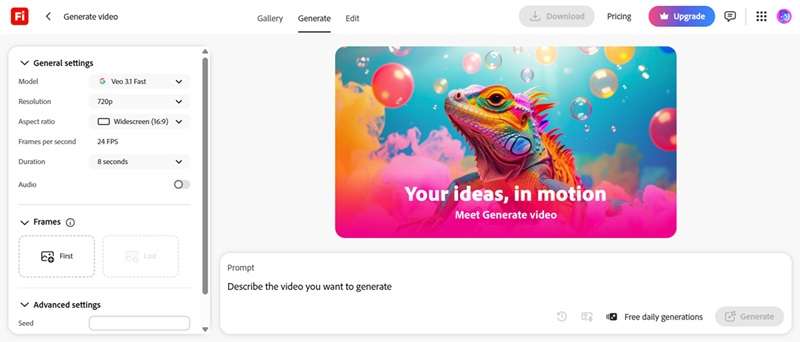
- Commercially safe AI video and image generation trained exclusively on licensed content.
- Text-to-video and image-to-video generation with Firefly's own model alongside partner models from Google, OpenAI, and Flux.
- Direct integration with Photoshop, Illustrator, Premiere Pro, and Adobe Express for in-workflow generation without app switching.
- Firefly Boards and generative fill tools make back-and-forth refinement fast.
- Excellent for professional creative workflows.
- Not ideal for users outside the Adobe ecosystem.
- Credit system is complex, and video generation is credit-heavy.
Free plan available with limited daily generations. Firefly Standard at $9.99/month (2,000 credits). Firefly Pro at $19.99/month (4,000 credits). Firefly Premium at $199.99/month (50,000 credits). Also bundled with Creative Cloud plans.
7. Luma
Best For: Filmmakers and post-production teams who need the highest-fidelity, physics-accurate AI video output.
Luma Dream Machine, powered by the Ray 3.2 reasoning video model, is the AI short drama generator choice for creators who won't compromise on visual quality. It is fast, intuitive, and specializes in continuous clip extension, making it easy to turn a single good shot into a long narrative sequence.
- Character Seeds for maintaining identity consistency across multiple generated clips in a project.
- Keyframe control: upload a start frame and end frame and Luma generates the transition between them seamlessly.
- Native HDR output with 4K resolution support, making generated footage suitable for professional post-production pipelines.
- Ray 3's reasoning architecture produces the most physically coherent, cinema-quality motion of any tool on this list.
- Great for story visualization and pre-production.
- Complex physical interactions between multiple characters can sometimes look warped.
- Lacks an overall project timeline editor to cut clips together.
Free plan available with limited monthly credits. Standard/Plus at $30/month (10,000 credits). Pro at $90/month (40,000 credits). Ultra at $300/month (150,000 credits).
8. VEED
Best For: Content creators, educators, marketers, and small businesses that want AI-generated videos with built-in editing.
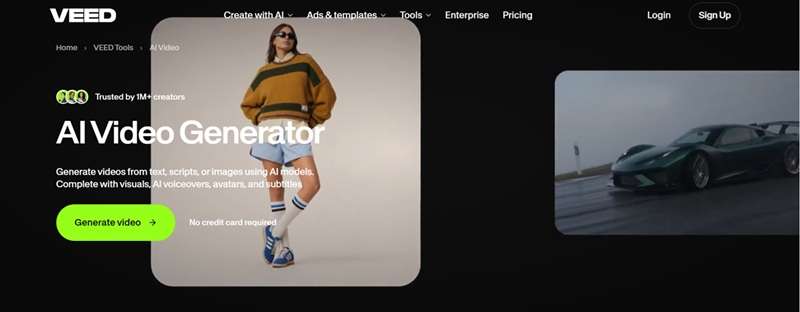
Our last AI drama generator tool recommendation would be VEED. While it may not match Google Veo 3 or Kling AI in raw cinematic quality, it provides a much more complete experience for everyday content creation. You can generate clips, add subtitles, record voiceovers, clean up audio, and publish directly from your browser without installing anything.
- Multiple aspect ratios for TikTok, Reels, YouTube Shorts, and LinkedIn in one click.
- Features a simple, layered timeline to trim clips and add sound effects.
- Voice cloning tool for generating voiceovers that match a specific voice style without re-recording.
- Beginner-friendly interface that most users can navigate confidently within minutes of signing up.
- AI video generation is less cinematic than dedicated AI filmmaking tools.
- Text-to-video capabilities lean more toward social media use cases than cinematic film.
- Free versions add a large watermark to your exported projects.
Free plan (watermarked, 720p exports, 30 min subtitles/month) is available. Creator at $20/month. Pro at $44/month. Studio at $70/month.
Part 4. Which AI Short Film Generator Is Right for You?
By now, you've seen what each platform brings to the table, along with a few trade-offs that come with it. But the thing is, the best AI short film generator isn't always the one with the most advanced AI model or the longest feature list. Instead, it's the one that fits your workflow, experience level, and the kind of stories you want to tell.
To make your decision easier, here's a quick guide based on different creative needs.
| Your Needs | Recommended Tool | Reasoning |
| All-in-one tool that goes from idea to finished video | Wondershare Filmora | Combines AI Storyboard, AI Idea to Video, AI Script to Video, AI Image to Video, and a complete video editor in one platform |
| Complete beginners | Filmora, Media.io, VEED | Their interfaces are approachable, and you don't need to spend hours learning complicated settings before creating your first project |
| Creating cinematic AI dramas | Filmora, Google Veo 3, Kling AI | These three generate realistic lighting, believable character movement, and cinematic camera work that make scenes feel much closer to live-action filmmaking |
| Fast content creation | Media.io, VEED,, Luma | If you are trying to push out short-form videos daily on TikTok or Reels, using these three will get your ideas scripted, rendered, captioned, and exported in record time |
| Professional creators | Runway, Adobe Firefly | Runway 4.5 offers some of the most advanced AI filmmaking tools available today. And Firefly fits naturally into Premiere Pro and Photoshop workflows |
|
Show More
Show Less
|
||
Conclusion
The gap between AI-generated video and "real" filmmaking is closing quicker than most people realize. There's now a genuine AI drama generator option at almost every budget level that can produce footage you'd actually want to publish. The trick is matching the tool to what you're actually making, not just chasing the one with the most impressive demo reel.
If you're looking for a single place to start, Wondershare Filmora is worth a serious look. Not just because of its AI generation tools, but because it's the only AI short film generator option here that lets you generate, edit, refine, and export in one workflow. You get access to models like Veo 3.1, Sora 2, and Seedance 2.0, plus a full professional timeline with 2.9M+ assets, all in one app.
FAQ
-
1. Can I create an entire short drama using only AI?
It depends on the platform. Many AI tools can generate individual scenes from text prompts or images, but you'll usually need to combine those scenes, adjust pacing, add music, and make final edits. Some all-in-one platforms, like Filmora, simplify this process by combining AI generation with built-in editing tools. -
2. How do I fix character faces morphing between scene cuts?
Use generation engines that feature advanced character consistency reference tools, such as Kling AI's storyboard builder or Google Veo's asset locking features. This ensures your character looks identical across shots. -
3. Can I use AI-generated short films for YouTube or commercial projects?
Yes, but always check the platform's licensing terms before publishing. Many AI drama generators allow commercial use under paid plans, while some may place restrictions on free-tier content or specific AI models. -
4. How long does it take to generate an AI-generated short drama?
Generation time varies depending on the platform, video length, and model you're using. Simple clips may be ready in under a minute, while more cinematic videos with complex prompts can take several minutes or longer, especially during periods of high demand or when using premium AI models.
