


 TL;DR:
Wondershare Filmora is the best overall AI eye contact tool for post-production video editing on Mac and Windows, while NVIDIA Broadcast is the top choice for real-time live streaming, exclusively requiring a Windows PC with an NVIDIA RTX GPU.
● Descript is optimized for long-form podcasts and script-based videos through a text-based editing workflow, but its free version cannot process eye contact when multiple faces appear on screen.
● CapCut provides a built-in, watermark-free gaze correction tool for mobile creators on iOS and Android, though applying it alongside other heavy AI effects may cause slight audio desync.
● Users with older laptops should opt for browser-based tools like VEED for teleprompter-style recordings, while marketing teams can use Kapwing for online collaboration, though Kapwing lacks a free tier to test the gaze feature before purchasing.
Ask AI for a summary
 ChatGPT
 Perplexity
 Gemini
 Claude
 Grok
Grok
If you’ve ever had to talk to a camera and found yourself staring at your script or notes instead of the lens, we can totally relate. That awkward "shifty-eyed" look is a total engagement killer, but thankfully, AI has even touched this part of content creation with eye contact AI.
These tools can digitally redirect your gaze to make it look like you're staring right at your audience, even if you’re actually reading a teleprompter. But then again, there are plenty of AI eye contact options out there, so which one should you use? Well, today we’ll give you our top recommendations!
We didn't just read the feature pages and call it a review. We put these AI eye contact correction tools through the wringer to see which ones actually hold up under pressure and which ones make you look like a creepy robot.
Here are the main things we looked at:
- Natural Movement: Does it allow for natural blinking and micro-movements, or do you look like a statue?
- The "Uncanny" Factor: Do the eyes look real, or like they were poorly photoshopped onto your face?
- Processing Speed: Is the fix quick enough for normal editing, or does it slow the whole workflow down?
- Hardware Requirements: Can you use it on a normal laptop, or do you need a serious GPU setup?
- Platform Accessibility: Is it available for the eye contact AI for Mac crowd, or is it a Windows-only club?
- Price to Value: Is the eye contact AI free version actually usable, or is it just a watermark-filled tease?
Our Top 3 Eye Contact AI Picks
Not everyone wants to compare seven tools one by one. So, if you just want the quick version, these are the three strongest picks based on overall usefulness, workflow, and real-world use cases.


Eye Contact AI Comparison Chart
Before you dive into the full reviews, here's a fast comparison of all 7 AI eye contact correction tools across the factors that actually matter for most people. Use this to narrow down your choices before reading the details on the ones that fit your situation:
| Platform | Naturalness | Editing Control | Best Conditions | |
| Filmora | Windows, Mac | ⭐⭐⭐⭐⭐ | Strong | Recorded videos, talking-head content, tutorials, social videos |
| VEED | Online | ⭐⭐⭐⭐ | Medium | Browser edits, webcam recordings, teleprompter-style videos |
| Descript | Online, Windows, macOS | ⭐⭐⭐⭐⭐ | Medium | Podcasts, courses, explainers, long-form talking videos |
| NVDIA | Windows | ⭐⭐⭐⭐ | Low | Live calls, OBS, webinars, video conferencing |
| CapCut | Online, Windows, macOS, Android, iOS | ⭐⭐⭐⭐ | Strong | Short talking videos, captions-heavy content, teleprompter clips |
| Captions | Online, iOS, Android | ⭐⭐⭐⭐⭐ | Medium | Short talking videos, captions-heavy content, teleprompter clips |
| Kapwing | Online | ⭐⭐⭐ | Medium | Team videos, online edits, recorded webcam clips |
Top 7 Best Eye Contact AI Tools
Now, let’s get into the full list. We’ve broken down the best of the best so you can see exactly what you're getting into before you hit that download button.
1. Wondershare Filmora
Let's start strong with the best AI eye contact software right now, Wondershare Filmora. Their AI Eye Contact feature works in one click: select the clip, hit generate, and Filmora processes it and drops the corrected version right back onto your timeline. It keeps natural blinking and micro-expressions intact, making the result genuinely subtle rather than robotic.

- One-click gaze correction with no manual tracking.
- Supports clips up to 3 minutes long.
- Full video editing timeline.
- Captions, effects, transitions, templates, audio tools, and export controls.
- Non-destructive (original media stays safe).
- Windows, macOS.
- Free trial with 1 free AI Eye Contact use. Flexible and affordable paid plans are listed on the Filmora pricing page.
- YouTubers, course creators, marketers, educators, social media creators, and anyone who wants AI eye contact correction plus full editing control.
- You correct the eye contact and keep editing subtitles, audio, transitions, and effects all in the same Filmora project.
- You can compare the corrected version with the original instead of blindly trusting the AI result.
- The free version adds a watermark to the exported video.
- Talking-head YouTube videos, online courses, product demos, tutorials, and social clips all fit naturally here.
 Secure Download
2. VEED
If you hate downloading software, VEED can be your solution. It’s a browser-based eye contact AI online tool that gets the job done without cluttering your hard drive. Its AI Eye Contact tool redirects eye movements toward the camera, and you can use their online editor if your video needs simple extras like captions, audio cleanup, background removal, or webcam recording.
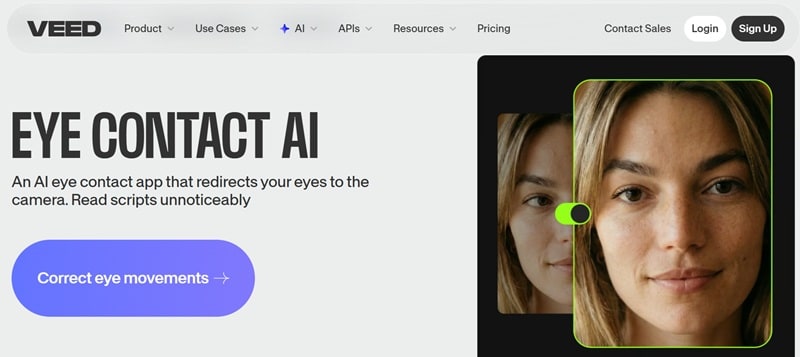
- AI eye tracking redirects gaze toward the camera.
- Noise cleanup and other AI editing tools.
- Webcam recorder.
- Online.
- Free tier available (limited features). Paid plans start at $20 per month.
- Fast social media edits and quick LinkedIn videos.
- You can work straight from the browser, so it is compatible with all major platforms.
- It fits well with teleprompter-style recording.
- Large files or slower internet can make the workflow less smooth.
- It’s good for quick polish, but not ideal for heavy multi-track projects.
- Webcam videos, presentations, marketing clips, or quick talking-head content.
3. Descript
Up next, we have Descript. This is a great choice for those looking for an eye contact AI free online tool. That's because Descript gives you 100 free credits as you sign in to their site. Descript's Eye Contact feature works the same way: apply the AI effect to a single-person clip, and the gaze subtly shifts toward the camera while keeping your natural expression intact.
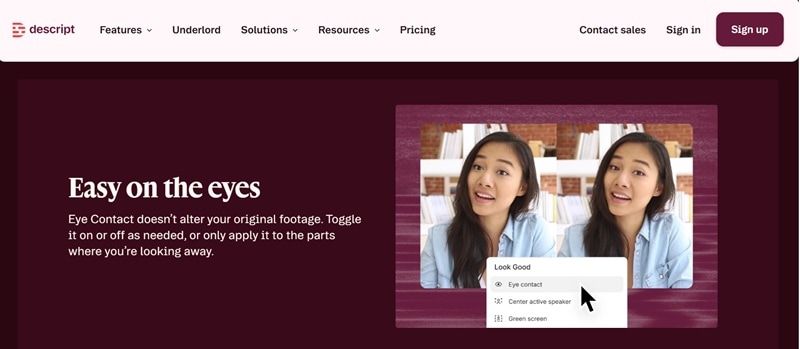
- Eye Contact AI video effect.
- Text-based video editing lets you cut footage by editing the transcript.
- Studio Sound voice enhancement for audio clean-up.
- Online, Windows, macOS.
- Free plan available (limited AI credits and media hours). Paid plans start at $24 per month.
- Podcasts, online courses, tutorials, talking-head videos, and long-form script-based content.
- Incredibly natural-looking eye movements.
- Descript's workflow is faster than a traditional timeline editor. You can fix the eye contact once and keep editing in text.
- Descript's Eye Contact AI video effect free version doesn't work when multiple faces are on screen.
- If you're used to timeline-based editing (Premiere, Final Cut), Descript's text-first approach feels counterintuitive at first.
- If your video is mostly talking, teaching, interviewing, or podcasting.
4. NVIDIA Broadcast
NVIDIA is the most technical tool here, but it also fills a very specific gap: real-time AI camera eye contact. NVIDIA Broadcast also introduced an Eye Contact effect that moves the speaker’s eyes to simulate camera contact while keeping natural eye color and blinks. It even has a disconnect behavior when you look too far away, so the switch between real and simulated eyes feels smoother.
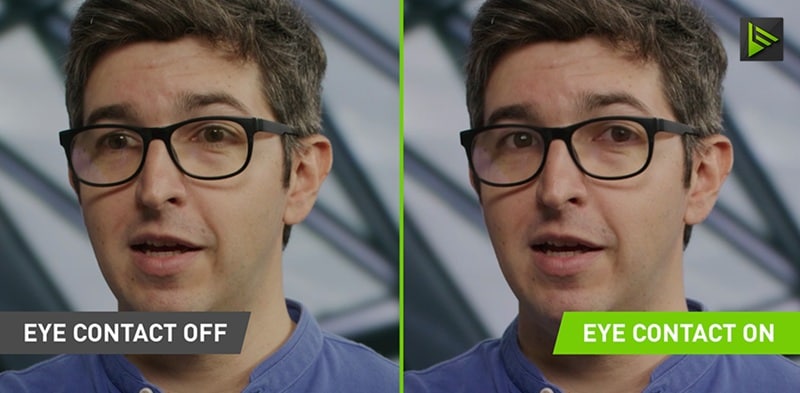
- Real-time gaze correction during live streams and video calls.
- Preserves natural eye color and blink behavior.
- Compatible with OBS, Zoom, Teams, Streamlabs, and most webcam-enabled apps.
- Windows only.
- Free for all NVIDIA RTX GPU owners.
- Live streaming, video conferencing, OBS workflows, webinars, remote presentations, and developer integrations.
- If you already have a compatible RTX GPU, NVIDIA Broadcast costs nothing.
- Includes background blur/replacement and mic noise cancellation.
- There's no Mac version, and Mac hardware uses Apple Silicon which isn't compatible with NVIDIA's GPU architecture.
- You still need another app if you want captions, cuts, titles, effects, or final video polish.
- Twitch and YouTube Live streamers, online meeting regulars, and anyone who needs an AI camera eye contact running in real-time.
5. Capcut
Our next recommendation for an eye contact AI video free option is CapCut. It is already the default editing app for a huge chunk of short-form creators, and it has an AI eye contact feature built right into the app at no extra cost on the free tier. The workflow is fast, the interface is familiar, and it handles everything from gaze fixing to captions and effects in one place.
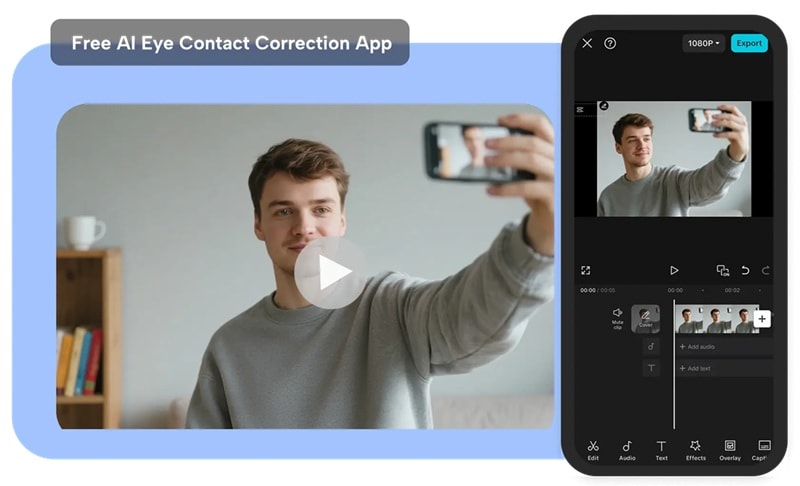
- One-tap style correction.
- Integrates with CapCut's full editing suite (captions, effects, filters, transitions).
- Long Video to Short AI clip selection.
- Online, Windows, macOS, Android, iOS.
- Free tier includes AI eye contact. CapCut Pro starts at $9.99 per month.
- Short-form social media creators on TikTok, Instagram Reels, and YouTube Shorts who already use CapCut.
- Super accessible and easy to use on a phone.
- The feature is free and adds no watermark.
- Some users report that applying eye contact correction causes slight audio desync. especially when combined with other heavy AI features.
- The eye contact feature appears in different places depending on your CapCut version and platform.
- TikTok, Instagram Reels, YouTube Shorts, vlogs, and casual presentations.
6. Captions
Continuing down our list, we have Captions. Its AI eye contact feature analyzes your video, finds unintentional breaks in eye contact, and updates the footage for a steadier gaze. The iOS app in particular is well-optimized for solo content creators who need to move from record to publish quickly.
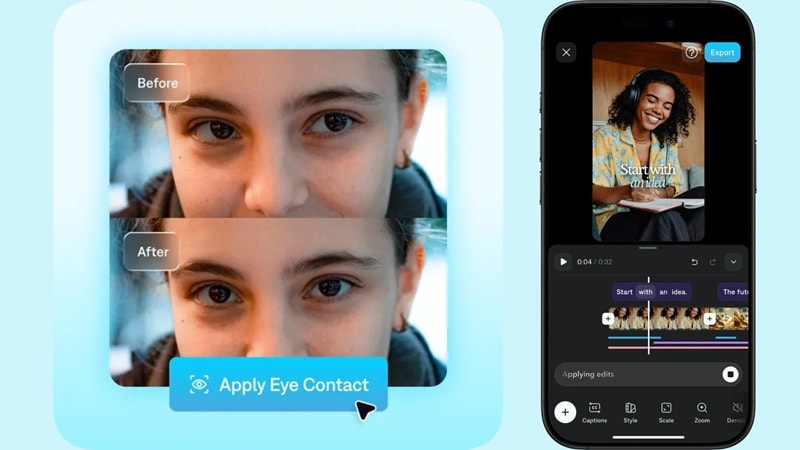
- AI eye contact correction for recorded videos.
- AI captions with customizable styling.
- Denoise, censor, zoom, voiceover, title card, text, and trim tools included in the Pro feature set.
- Online, iOS, Android.
- Free tier available with limited features. Paid plans start at $9.99 per month.
- Short-form creators, influencers, educators, and social-first video workflows.
- Great if subtitles are part of your normal publishing process.
- After fixing your gaze, you can add styled captions, clean up your audio, and apply AI enhancements all in the same Captions project.
- The free version doesn't give you a lot and is very limited.
- It may feel less suited for corporate, cinematic, or complex editing work.
- Content creators, coaches, consultants, and on-camera personalities.
7. Kapwing
Kapwing is our last recommendation, and it is another solid eye contact AI online choice. Its AI Eye Contact tool is made for creators who record with a teleprompter or naturally glance away, then fix the eye contact later inside the editing studio. It’s also a good fit for teams because Kapwing has an online workspace style, collaboration features, and a simple editor that doesn’t require a heavy install.
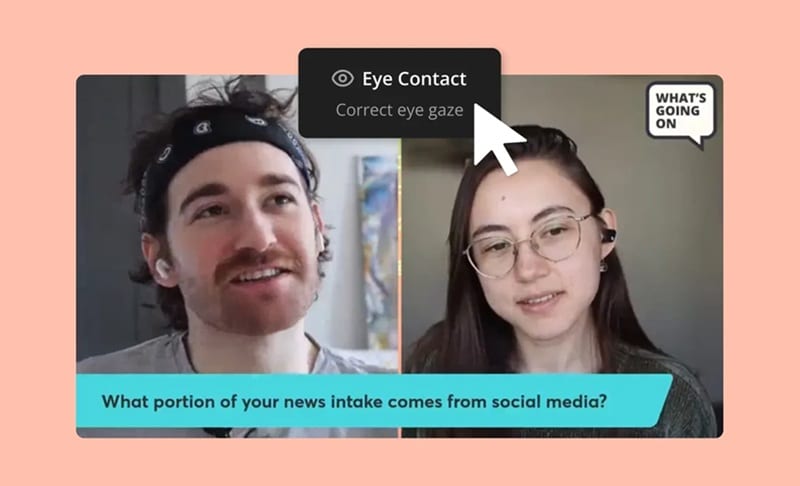
- AI eye contact correction.
- Collaborative browser-based editor with real-time commenting.
- Built-in webcam recording.
- Online.
- The AI eye contact correction is not available on the free tier. Paid plans start at $24 per month.
- Online creators, marketing teams, students, educators, and simple team-based video editing.
- You can record in the browser, then apply AI Eye Contact afterward.
- It works well when multiple people need to review or edit content.
- You cannot test the feature first before paying.
- It's practical, but not ideal for detailed multi-track work.
- Content teams and marketing departments that need collaborative video editing with eye contact correction built in.
How to Choose the Right Eye Contact AI Tool
At the end of the day, a good eye contact AI video tool choice depends less on “which tool is famous” and more on what you’re actually making. After all, a livestreamer, YouTuber, online teacher, podcast host, and TikTok creator all need different things.
Here's how to think about it:
Choose Based on Your Use Case
| User Type | Best Tool | Reasoning |
| YouTube Creator | Filmora | Best if you need eye contact correction plus captions, trims, effects, audio cleanup, and full editing |
| Gamer/Streamer | NVIDIA | You need real-time correction while you play or chat |
| Podcast Host | Descript | Perfect for cleaning up long meetings or training videos |
| TikTok Creator | CapCut | You’re already on your phone; keep the workflow simple |
| Online Teacher | Filmora or VEED | Filmora works better for polished lessons; VEED is good for fast browser edits |
| Beginner | CapCut or Filmora | Both are easy to try without learning a full editing system |
| Business Presenter / Corporate team | Filmora or VEED | Filmora for polished final videos; VEED for team collaboration and quick-turnaround branded clips |
| Professional Editor | Filmora | Better if you want AI correction inside a fuller post-production workflow |
Secure DownloadThings to Check Before You Pick
1. Live vs. Post-Production:
For live calls, NVIDIA is the stronger fit. For recorded videos, Filmora, Descript, VEED, CapCut, Captions, and Kapwing are more practical.
2. Full Editor Needs:
Do you need a full editor after fixing eye contact? If yes, Filmora is the strongest overall option.
3. The Budget Factor:
Are you looking for an eye contact AI free option? If yes, CapCut and NVIDIA are your best bets, while others offer limited free trials. Filmora also gives you one free use.
4. Hardware Check
If you’re on a Mac, you can’t use NVIDIA. If you’re on an old laptop, browser-based tools like VEED might be your only choice.
Secure DownloadConclusion
Eye contact AI has gotten genuinely useful, and thankfully, there are plenty of AI eye contact video editors that can make a big difference. The best tool depends on your workflow: NVIDIA for live calls, Descript for podcasts, VEED and Kapwing for online edits, CapCut and Captions for quick creator videos.
For the best overall choice, Filmora is the easiest recommendation because it gives you AI eye contact correction inside a full video editor. You can fix your gaze, then keep polishing the same project with captions, effects, audio tools, trims, and final export controls. That makes it especially useful if you want your video to look finished, not just “AI fixed.”
FAQs
-
How does AI eye contact correction work?
AI eye contact correction tracks where your eyes are looking, then digitally adjusts the eye area so your gaze appears closer to the camera. NVIDIA’s model, for example, estimates the input gaze direction and synthesizes a redirected gaze using the eye region. -
How can I make my AI eye contact look more natural?
Start by recording with your face clearly visible, your lighting clean, and your eyes close to the camera line. Don’t look too far off to the side. Eye contact AI works best when it only needs to make a small correction. If you’re reading from a script, place your notes or teleprompter as close to the lens as possible. -
Why does AI eye contact fail on some clips?
It usually fails when the footage gives the AI too much to fix. Common problems include dark lighting, blurry video, glasses glare, heavy head movement, blocked eyes, extreme side glances, or fast facial movement. -
What is the best AI eye contact app for iPhone or Android?
For mobile creators, CapCut and Captions are the easiest picks. CapCut is strong for quick social videos and promotes its eye contact tool as free in the app. Captions is better if your workflow also includes teleprompter recording, subtitles, and creator-style AI edits.
