


 TL;DR:
CyberLink ActionDirector is a streamlined video editor strictly designed for quickly trimming, stabilizing, and exporting short action camera footage on Windows and Android without requiring a complex setup.
● The free tier restricts users by placing a five-second watermark at the beginning of exports and disabling 2K and 4K H.264 support, which also relies on having compatible hardware running Windows 7, 8, 8.1, or 10.
● Built-in tools are specialized for motion-heavy clips with one-click fisheye correction, speed ramping, and basic stabilization, but applying multiple effects or working with long timelines often causes performance drops and crashes on lower-end devices.
● Wondershare Filmora serves as a necessary alternative for users who outgrow these quick-fix tools and require multi-layer timelines, advanced color grading, automated AI features, and up to 8K export resolution.
Ask AI for a summary
 ChatGPT
 Perplexity
 Gemini
 Claude
 Grok
Grok
When looking for a video editor that can handle quick edits, ActionDirector often comes up. It was built with action-style footage in mind, so it handles fast cuts, motion, and quick exports without a long setup.
This review looks at how fast ActionDirector video editing is and what results you can expect. You’ll also see where it works well or falls short before you decide to use it. Let's get started.
Part 1. What is ActionDirector and What Makes It Different
The ActionDirector video editor is made for quick edits without a complicated setup. It keeps things simple so you can cut, adjust, and export without getting stuck in too many settings.
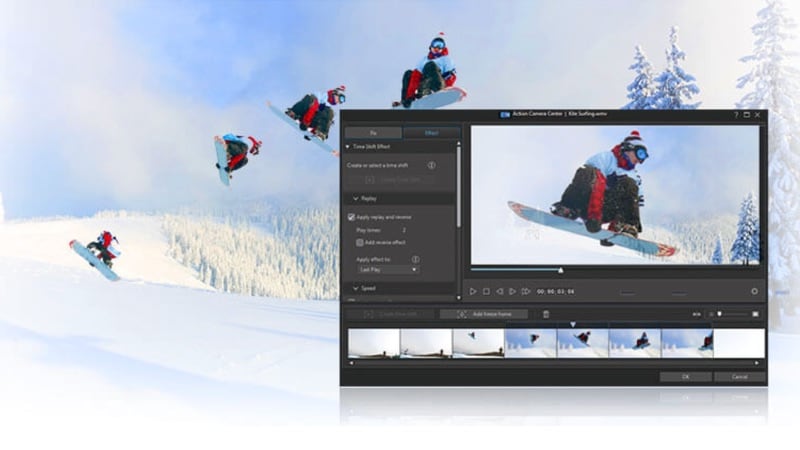
At its core, ActionDirector is designed with fast-moving footage in mind, especially clips from action cameras like GoPro. This specialization is not something you'll find in most video editors, and it shows in how the app works:
- Built for speed, not complexity: Tools are easy to access, with a layout that avoids layered menus.
- Geared toward action footage: Works well with sports, travel, and motion-heavy footage.
- Supports 4K and high frame rates: Handles sharp clips and smooth slow motion.
- Includes 360º video editing: Basic tools to edit immersive footage.
Another thing that stands out is its availability on both mobile (Android) and PC (Windows). The ActionDirector app on Android is suited for quick edits on the go, while ActionDirector for PC gives you a larger workspace.
ActionDirector’s Pricing: Free vs Paid
Go to the Cyberlink ActionDirector official site to download its free version, but it comes with some limits. You may see watermarks, locked features, and fewer export options.

If you upgrade to the paid version, you get:
- No watermark on exported videos.
- Access to more effects and editing tools.
- Higher-quality export options
When you download ActionDirector for PC, it also offers a 30-day trial. So, you can test the full version before deciding if it fits your needs.
Part 2. Key Features of ActionDirector Video Editor
The ActionDirector video editor for PC and Android is built for someone who shoots action footage and wants to edit it fast. The features are easy to access, but they are not designed for complex or detailed editing work. Here's a closer look at what features you get inside ActionDirector.
Video Editing Tools
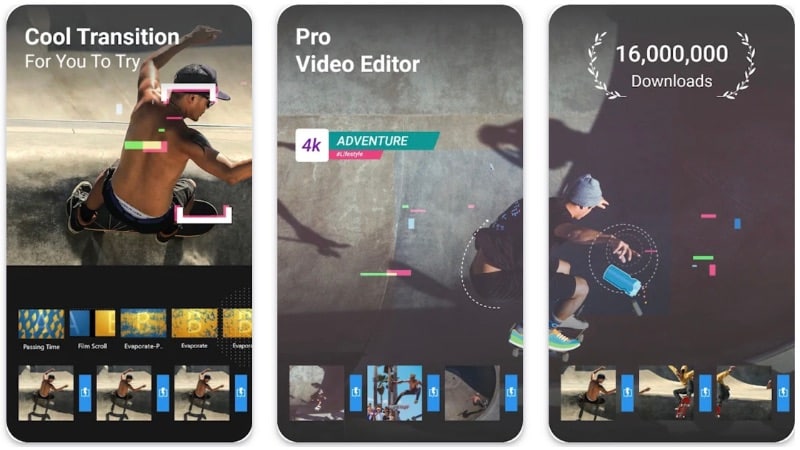
ActionDirector covers the essentials you expect from a video editor without adding complexity. You can trim, split, and arrange clips on a timeline with minimal setup. It also supports:
- Adding music, voiceovers, and basic audio control
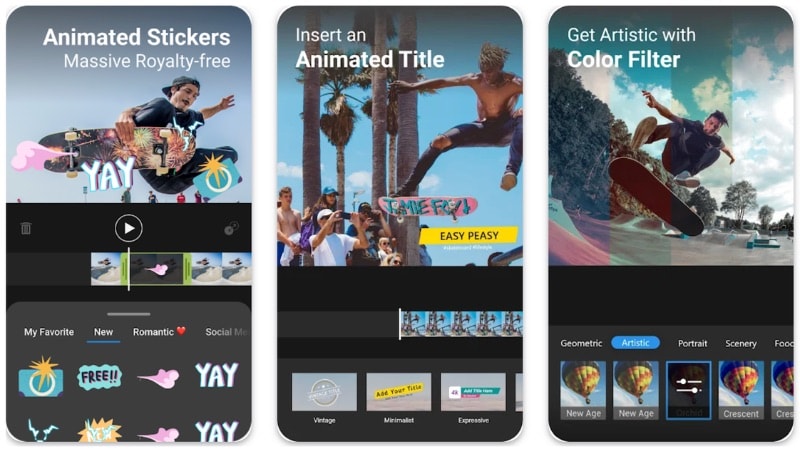
- Insert text titles and simple overlays
- Apply transitions between clips
- Speed control for slow motion or fast-forward effects
Action-Focused Effects
This is where ActionDirector APK leans into its “action” identity. You get effects that are built for movement and short-form clips. These tools are not overly detailed, but they are quick to apply and easy to adjust.
- Speed ramping to highlight key moments
- Repeat and rewind effects for impact shots
- Motion effects that follow fast movement
- Basic overlays designed for sports or travel clips
Built-in Recording
ActionDirector also includes recording options, which make it useful for quick content creation. On PC, you can record your screen, webcam, or both, then edit right away in the same workspace.
On mobile, recording is more basic. You can capture video and move straight into editing without switching apps, which helps keep the workflow short.
Color & Enhancement Tools
For visual adjustments, ActionDirector keeps things simple but useful. You can tweak brightness, contrast, saturation and apply preset filters to improve how your video looks.
These tools are enough for quick fixes and consistent color, but they are not meant for detailed color grading.

One-Click Fixes for Action Footage
ActionDirector includes a few quick fixes that target common issues in action camera clips:
- Fisheye correction: Reduces distortion from wide-angle lenses
- Video stabilization: Helps smooth out shaky footage from handheld or mounted cameras.
These fixes work with minimal input, so you can clean up clips without manual adjustments.
Part 3. ActionDirector Download Guide for PC and Mobile
If you want to try ActionDirector video editor to edit videos fast, getting started is simple on both PC and mobile. The setup does not take long, and you can start editing right after installation.

Download the ActionDirector for PC (Windows)
You can download ActionDirector for PC from the official CyberLink website. This is the safest way to get the full version and avoid issues.
- Official download page: https://www.cyberlink.com/downloads/trials/actiondirector/download_en_US.html
- File size: 639.8 MB
- Available languages: English, Chinese (Traditional), Japanese, Spanish, Korean, Chinese (Simplified), German, French, and Italian.
Once installed, you can use the 30-day trial to access most features before deciding to upgrade or continue using the free version with a few limitations.
Limitations of the free version
- A watermark appears at the beginning of exported videos (about 5 seconds).
- 2K and 4K H.264 export is not supported.
- H.264 import and export depend on system support (Windows 7, 8, 8.1, or 10 with compatible hardware).
Download the ActionDirector App on Android
The ActionDirector app is available on the Google Play Store. Installation is quick, and you can start editing right away. The mobile version follows the same idea as the PC version, with a focus on quick edits and simple tools.
Avoid ActionDirector Mod APK Downloads
When searching for ActionDirector, you may find many sites that provide the ActionDirector MOD APK version. But downloading modified versions from third-party sites is not recommended. These files can carry security risks, including malware or unstable performance.
Part 4. User Review: What Editing With ActionDirector Feels Like
From actual use, ActionDirector video editing feels quick and direct. It does not take long to understand the layout, and most tools are easy to find. The overall experience is built around finishing edits fast rather than spending time on detailed adjustments.

Ease of Use: Easy to Learn and Navigate
ActionDirector is easy to pick up, even for first-time users. The interface keeps things simple, with a timeline at the bottom and tools placed in clear sections. You can start editing right away without watching many tutorials.
Performance: Ideal for Mid-range Device
Performance is one of its stronger points. ActionDirector video editor runs smoothly on most mid-range devices, both on PC and mobile. On lower-end devices, performance can drop when handling longer clips or multiple effects.
4K Rendering: Supported with Fast Export
ActionDirector supports 4K editing, but the experience depends on your device. For quick projects, the export speed is one of its biggest advantages. That said, advanced export options and fine control over settings are limited.
Stability: Reliable for Short Sessions
In general, ActionDirector is stable for everyday use. The app remains stable during short editing sessions. But crashes can happen with larger files or longer timelines.
Part 5. Pros and Cons of Using ActionDirector
The ActionDirector video editor does a good job when your goal is fast editing with minimal setup. Here are the pros and cons of using the editor.

- Works well with action footage like sports, travel, and high-motion videos.
- Supports 4K and high frame rate clips without much setup.
- You can edit on both Android and Windows with a similar workflow.
- Tools like stabilization and fisheye correction help clean up action camera footage.
- Not ideal for complex timelines, detailed effects, or layered edits.
- Lacks deeper color grading options found in more advanced editors.
- Watermarks and locked features can limit what you can do.
- Longer timelines or multiple effects can slow things down, especially on lower-end devices.
Part 6. If ActionDirector Feels Too Limited, Here’s What to Use Instead
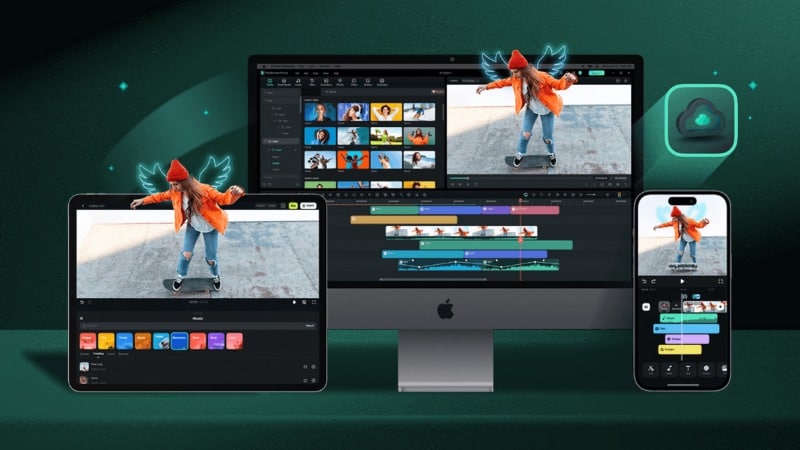
One of the main gaps in ActionDirector is its focus on quick fixes rather than full editing control. If you need more advanced tools, software like Wondershare Filmora is a better fit.
 Secure Download
When You May Need an Alternative
You might outgrow ActionDirector if you start needing:
- More layers: For multi-track editing, overlays, and complex timelines.
- Better effects: More variety and control over transitions, animations, and visuals.
- AI tools that save time: Features that automate editing tasks instead of manual adjustments.
These are areas where ActionDirector keeps things simple, but also limited.
Why Filmora Is a Better Fit for Advanced Editing
Filmora builds on the same idea of ease of use, but adds more depth and flexibility. It gives you more control without making the workflow too complex. Here’s what you get with Filmora:
- High-resolution up to 8K export support: Filmora supports high-resolution videos, supporting up to 8K export for systems that can handle it.
- AI-powered enhancement tools: Improve video quality and handle common issues with less manual work.
- Stronger color correction tools: More control over tones, lighting, and overall look.
- Stabilization and advanced fixes: Go beyond basic correction for smoother footage.
- Multi-layer timeline editing: Easier to build more detailed and creative videos
Filmora also includes built-in AI features that can handle tasks like auto caption, generating content, or improving visuals. These features can help reduce manual work when editing a video.
Secure DownloadConclusion
ActionDirector works best for quick edits and short projects. ActionDirector video editing keeps the process simple, with fast cuts and quick exports that fit action-style footage. But if you need more control, effects, or AI tools, you may want to consider switching to a more advanced editor like Filmora.
Try ActionDirector free trial first, see how far it takes you, and then decide if you need something more.
FAQs
-
Is ActionDirector good for beginners?
Yes, ActionDirector is easy to learn. The layout is simple, and most tools are easy to find. You can start editing without much setup or prior experience. -
Does ActionDirector work offline?
Yes, both the ActionDirector for PC and mobile versions can work offline. You only need an internet connection for downloads, updates, or accessing online content. -
What file formats does ActionDirector support?
ActionDirector supports common video formats like MP4, MOV, and AVI. But some formats and codecs may depend on your system, especially for H.264.
