


 TL;DR:
Downloading an Alight Motion Mod APK to bypass paywalls exposes your Android device to malware and project corruption, making the official app or a secure alternative like Wondershare Filmora the only viable options for video editors.
● Unofficial modded versions trigger account restrictions from Alight Creative that disable cloud sync, and their altered code frequently causes export failures or irreversible project file corruption.
● These modified installation files are exclusively for Android, meaning iOS users must rely on the official Alight Motion Pro subscription ($6.99/month) to legally remove watermarks without jailbreaking.
● Creators needing advanced motion graphics without APK risks are best suited for Wondershare Filmora, which provides a legitimate cross-platform environment featuring AI motion tracking and reliable 4K exports.
Ask AI for a summary
 ChatGPT
 Perplexity
 Gemini
 Claude
 Grok
Grok
For anyone interested in video editing, there's a high chance you already know what Alight Motion is. It's one of the most popular mobile apps for motion graphics, especially for TikTok edits, AMVs, and animated text.
The problem is, the free version adds a watermark and limits certain features. Because of that, many users end up searching for things like Alight Motion Pro APK or ways to use Alight Motion without a watermark, which is how mod versions start getting attention.
But is it real, is it legit, and how safe is it to use? Below, we'll break everything down clearly so you know exactly what you're dealing with.
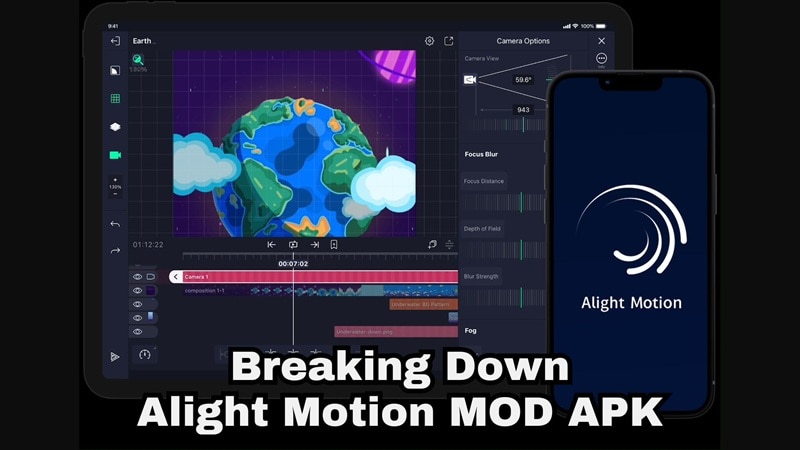
Part 1. What's APK?
Since we'll be using the word a lot in this guide, let's clear it up first. An APK stands for Android Package Kit. It's basically the file format Android uses to install apps on your phone.
So, when people talk about the Alight Motion APK, they're simply referring to the installation file used to download the Alight Motion app on Android devices.

What's the Real Difference Between Alight Motion Official APK and Mod APK?
When searching for info on how to download Alight Motion APK, you'll usually run into two terms: official and mod. Many users mix these up or assume they work the same, but they're actually very different in how they function, how safe they are, and how they're supported.
Here's a simple definition of them to clear up the confusion.
- Alight Motion Official APK: This is the original app released by the developer. It receives regular updates, security protection, and full technical support.
- Alight Motion Mod APK: This is a third-party modified version that claims to unlock all premium features for free. It is altered from the original app, and does not come with official support.
To see the differences more clearly, check out the comparison below.
| Feature | Official APK | Modded/Cracked Version |
| Security | Verified and protected by the developer | Unknown source, possible risks |
| Cloud Backup | Available and reliable | Often unavailable or unstable |
| Technical Support | Official support and updates | No support |
| Watermark Removal | Available through subscription | Claimed to be unlocked |
| Update Frequency | Regular updates and fixes | No guaranteed updates |
Part 2. Why Is "Alight Motion Mod APK Without Watermark" Trending?
Now that the difference between the official app and the Alight Motion Mod version is clear, it makes sense to wonder why people still look for ways to download Alight Motion Mod APK.
Apparently, even with the risks involved, there are three main reasons why this search keeps trending:
The Paywall Friction
One of the biggest reasons is simple. Many creators search for Alight Motion Mod APK with no watermark because the free version adds branding to exported videos. For beginners, hobby editors, or anyone just testing the app, that watermark can feel restrictive and make their edits look less polished.
The Desire for Unlocked Features
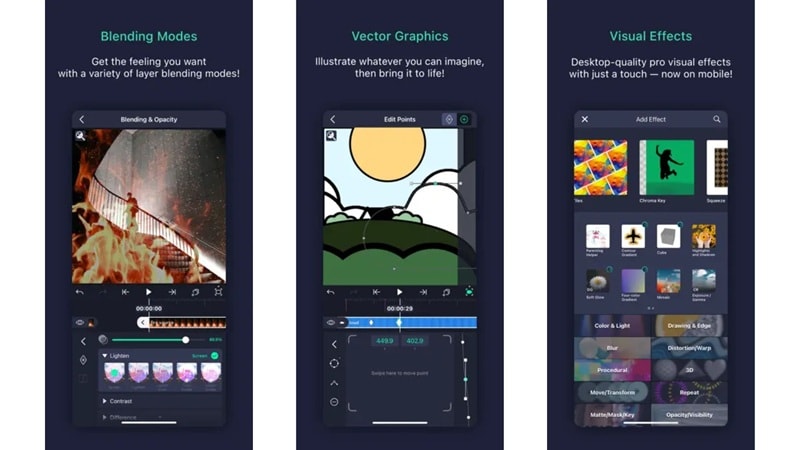
Search terms like download latest version Alight Motion mod APK show that users also want full access to advanced tools without paying. These usually include:
- Advanced blending modes.
- Motion blur.
- Vector editing tools.
- Premium effects.
But unlocking these features through unofficial means comes with trade-offs.
The Editing "Hack" Culture
Another reason comes from the editing community itself. If you go online, there's a strong search interest around terms like:
- Alight Motion hack.
- Alight Motion crack.
- Alight Motion premium Mod APK.
In fact, many online tutorials and forums promote shortcuts to get premium tools for free, which encourages more people to try them, sometimes without fully understanding the possible risks.
Part 3. Does the Mod APK Really Deliver What It Promises?
If you search for Alight Motion Pro Mod APK, you'll quickly find plenty of websites claiming to offer a version with everything unlocked. On paper, it sounds impressive. But is it really as good as they say?
So below, let's go through what these Alight Motion Mod versions usually claim and what actually happens.
All the Premium Features

Most Alight Motion Pro Mod APK versions say they unlock advanced tools like:
- Chroma Key for removing backgrounds.
- Luma Key for brightness-based masking.
- Customized presets for faster editing.
- Hierarchical parenting method, which lets you control multiple animation elements at once without adjusting each layer manually.
These features are part of the official premium experience, but in modded apps they don't always work properly. Since the app's original code has been modified, effects may lag, break, or behave inconsistently during editing.
AI-Assisted Projects

Some Alight Motion Mod Pro pages even claim smart AI features that suggest transitions or editing adjustments automatically. The idea is to make editing faster and reduce manual work.
In reality, support for these features can be unstable or incomplete. Updates from the official app may not carry over to modded versions, so performance and compatibility often vary depending on the file you download.
Free of Watermark and Ads
Another big selling point of Mod pages is that you can download Alight Motion without watermark and an ad-free experience. While this sounds appealing, it also raises an obvious concern.
If everything is unlocked and the download is free, it's not always clear how these versions are maintained or what might be running behind the scenes. That's why staying cautious is important.
Export Quality Claims

Some unofficial Alight Motion Mod builds promise high bitrate 4K exports and smoother rendering. In practice, results can be inconsistent. That's because:
- Encoding may not run smoothly.
- Files can become corrupted.
- Large projects may fail during export.
After all, without official optimization and support, there is no guarantee that export quality will match what is advertised.
Part 4. The Critical Risks: Why "Free" Isn't Really Free
With all those promises, downloading an Alight Motion Mod Pro APK can sound really tempting. Everything unlocked, no watermark, no payment. But when it comes to editing apps, modded versions are also one of the fastest ways to lose your projects or put your device at risk.
Before installing anything, it's important to understand what could actually happen behind the scenes. Here are the biggest risks you should know:
Security & Malware Risks

Because modded APKs change the original app code, they cannot be verified or protected the same way official apps are. You never fully know what's included in the file. Meaning, downloading an Alight Motion Mod APK from random websites can expose your phone or computer to hidden threats like:
- Spyware that tracks your activity,
- Keyloggers that record what you type.
- Data trackers that collect personal information.
Project Instability
Even if the Alight Motion Mod app installs successfully, the performance can be very unpredictable. After all, many of these modded versions face these problems:
- Crash while editing.
- Corrupt project files.
- Failed during export.
If you're working on detailed animations or long edits, one crash can wipe out hours of progress. Since there's no official support or backup system, recovering your work is usually not possible.
Account and Cloud Restrictions
The official developer, Alight Creative, keeps track of how their app and services are being used. If you run a modified version like the latest version of Alight Motion Mod APK, it can trigger certain restrictions on your account, such as:
- Cloud sync is getting disabled.
- Account access is being limited.
- Stored project backups are getting removed.
When that happens, your files and saved projects may no longer be available. So even if everything seems fine at first, you could suddenly lose access to your work.
No Updates and No Fixes
Official apps get regular updates, bug fixes, and security improvements, so things keep running smoothly over time. With an Alight Motion Mod APK, that usually doesn't happen. The app often stays stuck on one version, which means bugs don't get fixed, performance issues keep showing up, and security problems stay there with no protection.
Part 5. Safer Ways to Use Alight Motion
Considering all the safety reasons above, downloading an Alight Motion Pro Mod without watermark APK may not be the best move. If your goal is simply removing the watermark or trying premium features, there are safer and more reliable ways to do it without putting your device or projects at risk.
Here are better options you can consider.
Use the Official Free Trial
You can download the official Alight Motion application directly from the Google Play Store or Apple App Store. This lets you explore the features legally and see how the app works before deciding whether to subscribe.
Trying the official version also gives you a more stable experience, proper updates, and full support from the developer.
Subscription Benefits
If you like the features during the trial, you can continue using them by subscribing to the Alight Motion Pro version. The pricing usually follows the plans below:
| Duration | Price |
| Weekly Plan | $6.99 per week |
| Monthly Plan | $6.99 per month |
| Weekly Cloud | $7.99 per week |
With the official Pro version, you get:
- Watermark removal.
- Regular updates with new premium effects and features.
- Cloud backup for your projects.
- Cross-device syncing.
For serious creators, using the official version helps protect both your work and your device while giving you a more reliable editing experience.
Part 6. Professional Alternative: Upgrade Your Workflow with Filmora
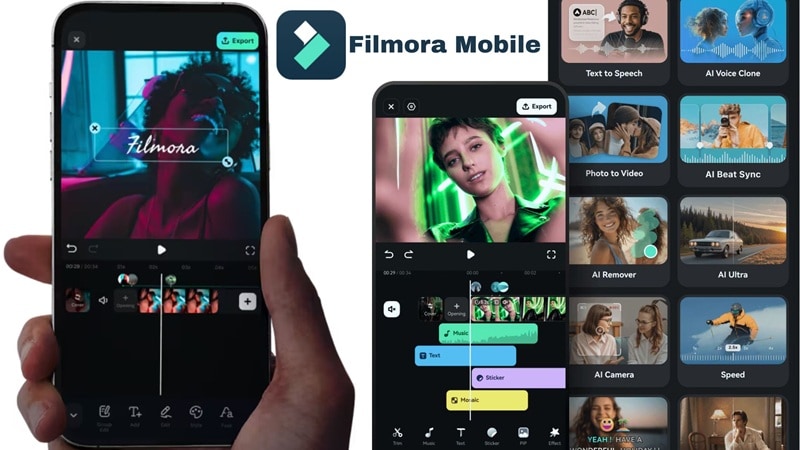
If dealing with Alight Motion APK risks is starting to feel exhausting, switching to another editor is honestly a reasonable step. There are plenty of mobile editors out there with strong motion design tools, but some offer a more stable and complete experience.
One option that stands out is Wondershare Filmora, which gives you powerful editing features without the uncertainty that comes with modded apps.
 Secure Download
Why Filmora Is a Safer Long-Term Choice
Instead of searching for mod patches or unstable downloads, you get a reliable editing environment that helps you grow while still offering advanced tools for motion editing.
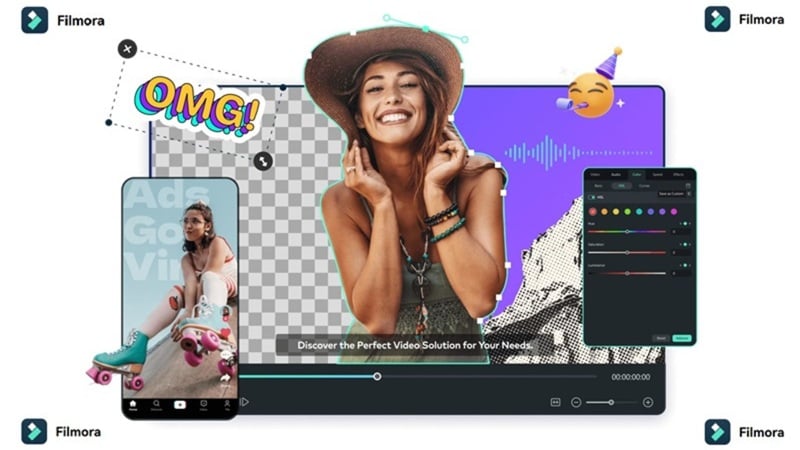
Filmora offers:
- Secure Environment: The software comes from an official developer, so you don't have to worry about hidden files or security risks.
- No APK Risk: You install the app normally with full updates and support, which keeps your projects safe.
- Flexible Pricing: Filmora offers flexible pricing options, so you can access advanced features without relying on unofficial versions.
- Desktop Power: If mobile editing starts to feel limiting, Filmora also runs on Windows and macOS with even more AI tools and advanced editing capabilities.
Filmora Features That Make Editing Easier and More Powerful
Filmora also includes professional tools designed to speed up your workflow and improve video quality.
1. Smart AI Motion Tracking
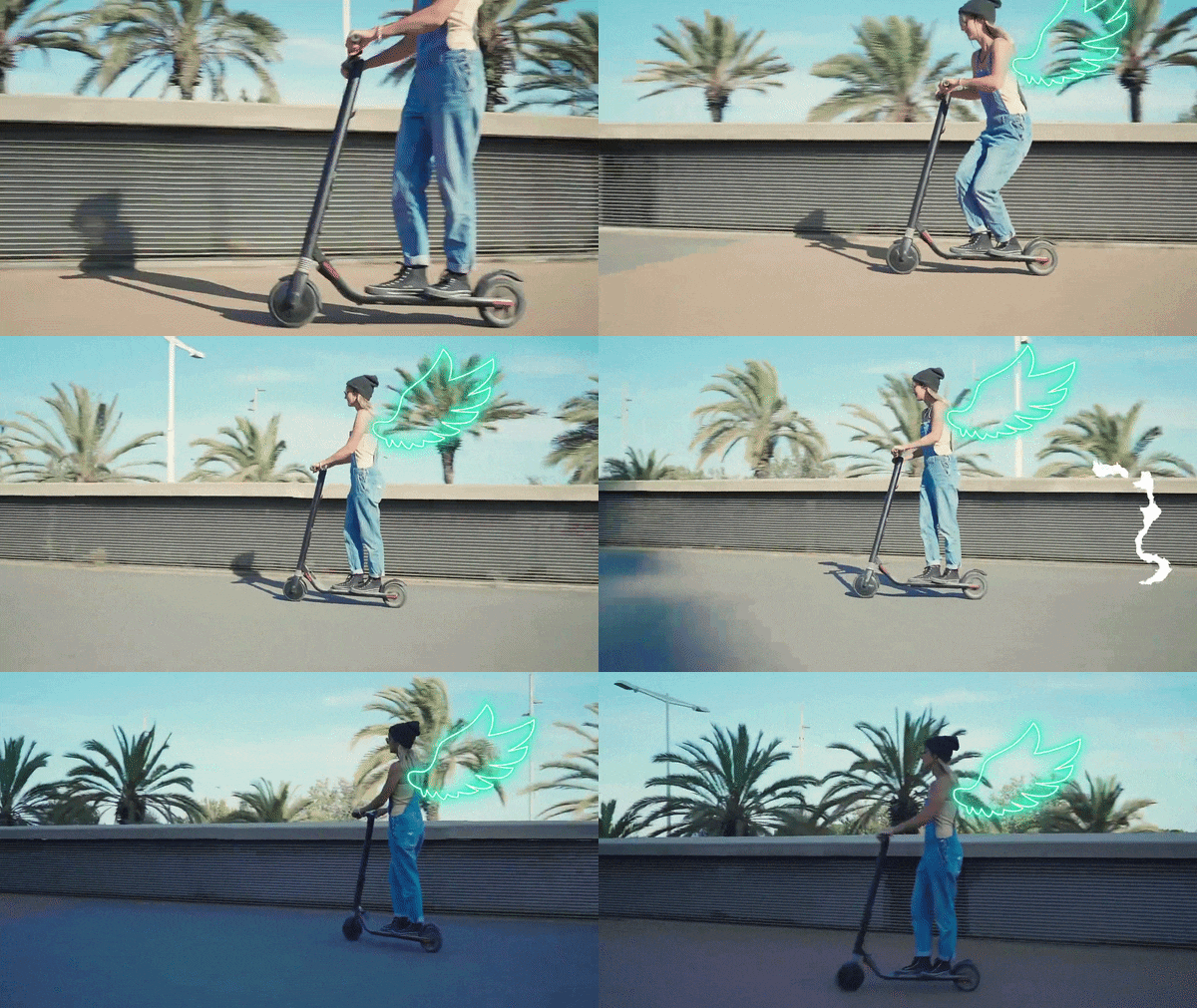
Filmora's AI Motion Tracking makes motion tracking feel simple. The AI follows objects or movement automatically, so you don't need to adjust things frame by frame. It saves time and keeps your edits smooth.
2. Advanced Keyframing
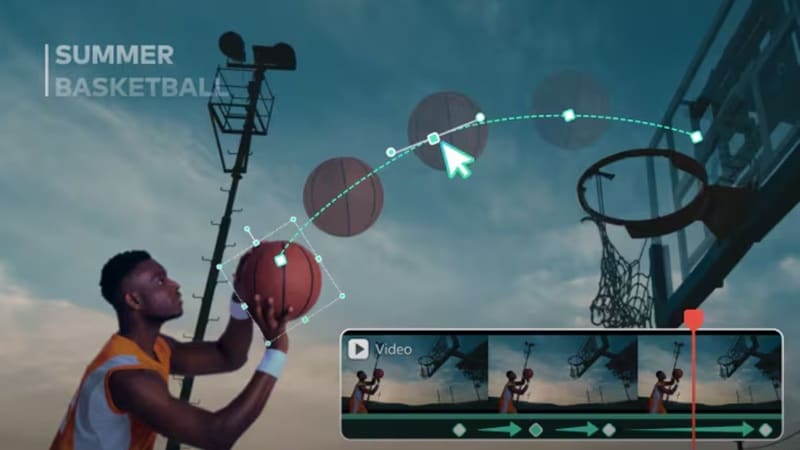
Creating animations feels more natural with Filmora's advanced keyframing system. You get better control over movement, position, and effects without random lag or crashes. Everything runs more reliably, so your edits look polished without the instability often seen in an Alight Motion Mod version.
3. AI Object Remover for Cleaner Videos

Unwanted objects or distractions in your footage can be removed in just a few clicks. The AI blends the background naturally, helping you fix mistakes without reshooting scenes or using complicated tools.
4. Massive Stock Asset Library

Filmora gives access to millions of licensed stock videos, music tracks, effects, and templates. You can build complete projects without downloading random files or searching for extra resources online. Everything is ready to use and safe.
5. Easy Exports for Social Media Formats

Exporting videos in Filmora is fast and consistent. Filmora supports 4K and 60fps output optimized for platforms like YouTube, TikTok, and Instagram. You get clean results without failed exports or corrupted files, which can sometimes happen with unofficial editing apps.
Secure DownloadConclusion
Downloading an Alight Motion Mod APK version may look like a quick shortcut, but the risks usually outweigh the benefits. Most Alight Motion mod versions can expose your device to security threats, unstable exports, account restrictions, and even lost projects, which can seriously affect your editing workflow.
If you want Alight Motion without watermark, using the official version is always the safer and more reliable choice. You can also try professional software like Wondershare Filmora, an AI powered editor packed with advanced features that match and even expand what Alight Motion offers, while giving you better stability, smoother performance, and a secure editing experience for long-term use.
Common Questions About Alight Motion Mod APK
-
Is it legal to use Alight Motion Mod APK?
Using an Alight Motion Mod APK is generally not legal because it modifies paid software without permission from the original developer. It also breaks the app's terms of service and may violate copyright rules. -
How can I remove the watermark without a mod?
The safest way to remove the watermark is by using the official Alight Motion Pro subscription. The paid version removes branding legally, gives access to premium features, and keeps your projects protected with updates and support. -
Where can I safely download the latest version?
You can safely download the Alight Motion application from official sources like the Google Play Store or Apple App Store. These platforms verify apps for security, provide regular updates, and reduce the risk of malware or modified files. -
Does the mod version work on iOS?
Modded APK files do not work on iOS because Apple devices use a different system for installing apps. Running unofficial versions would require jailbreaking the device, which can weaken security, cause system instability, and remove official protections.
