


Ausar AI lets you experiment with video models such as Seedance, Kling, Veo, and Sora, from turning text prompts into scenes to animating still images and transferring movement with Motion Control. It also offers image and audio tools, along with templates for creating viral-style videos.
But how well do these features perform beyond the demos? Do the videos justify the credits they consume? This Ausar AI review will take a closer look at its video generation tools, examine its pricing and free access, check its safety and legitimacy, and compare it with a more complete solution like Wondershare Filmora for editing finished videos.
Part 1. What Is Ausar AI? Video, Image, and Viral Content Tools
Ausar AI is a web-based content creation platform that generates videos, images, audio, plus animation and social media content. This tool offers multiple generation models, including Seedance, Kling, Veo, and Sora, along with tools for image editing and audio processing.
Many people use it to make short viral clips featuring celebrities, movie characters, cartoon figures, and trending meme formats. To use it, you can access the Ausar AI official website at https://ausar.ai/. It currently isn't available as a mobile app on the App Store or Google Play.
Ausar AI Main Features
1. AI Video Generation

Ausar AI Video Generation can generate video clips from text prompts, images, and supported visual references.
- Text-to-Video: Generate scenes from written descriptions.
- Image-to-Video: Animate still images into video clips.
- Reference-Based Generation: Use supported reference images or frames to guide the output.
- Multiple Models: Choose from available models such as Seedance, Kling, Veo, and Sora. Model availability and capabilities may change.
2. AI Image Generation

Ausar AI Image Generation turns text prompts into visuals for creative and commercial projects.
- Image Creation: Generate portraits, product visuals, concept art, and thumbnails.
- Model Selection: Explore different image models for varied styles and results.
- Video Starting Frames: Use generated images as the basis for image-to-video projects.
3. Motion Control
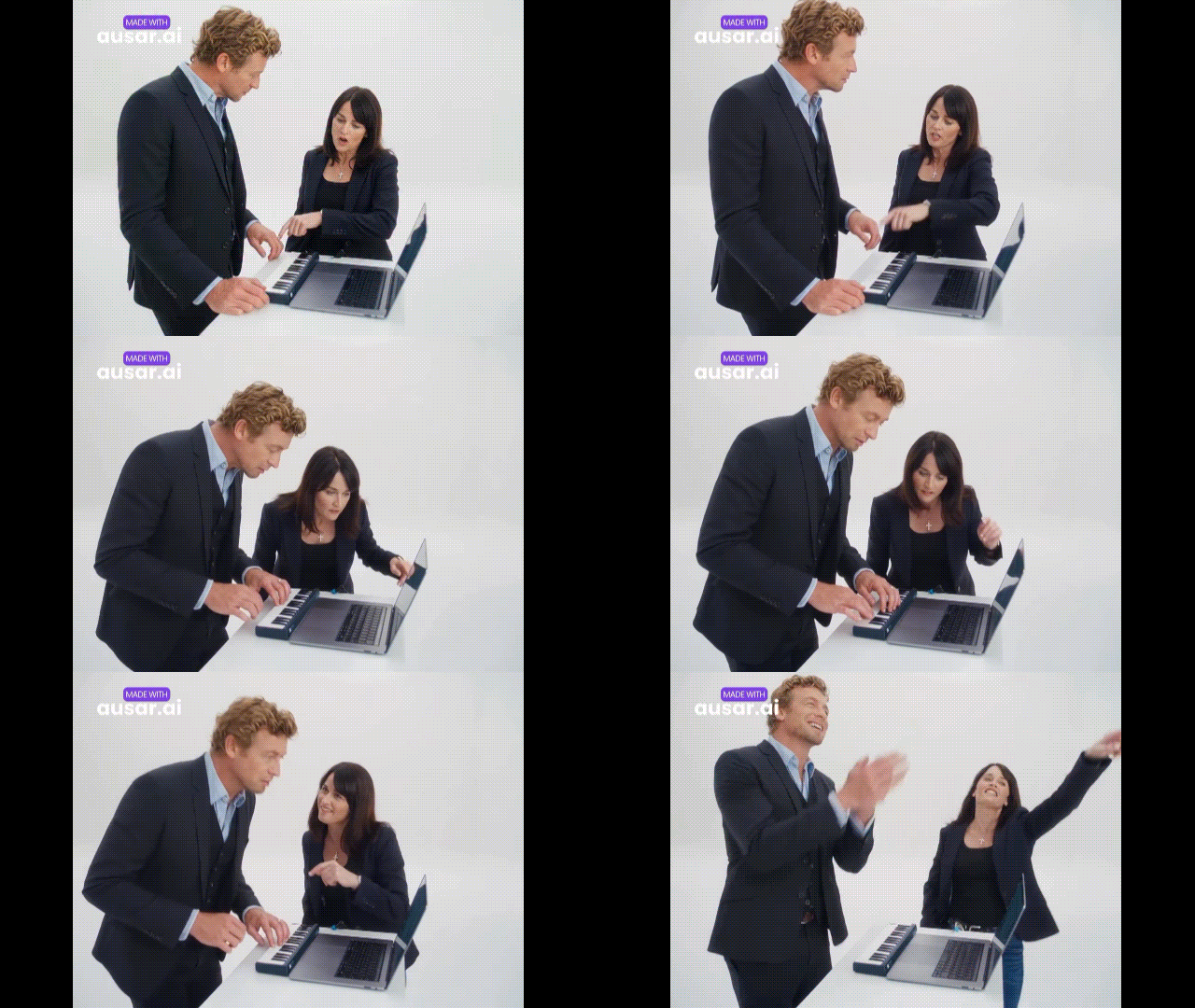
Ausar AI Motion Control uses reference movement to guide character animation.
- Movement Transfer: Apply movement from reference footage to a character.
- Character Animation: Create clips featuring actions such as dancing, gestures, and body movements.
- Performance Guidance: Use reference footage to guide movement instead of describing every action in a prompt.
Results can vary depending on the reference footage, selected model, and movement complexity.
4. Viral AI Content Tools
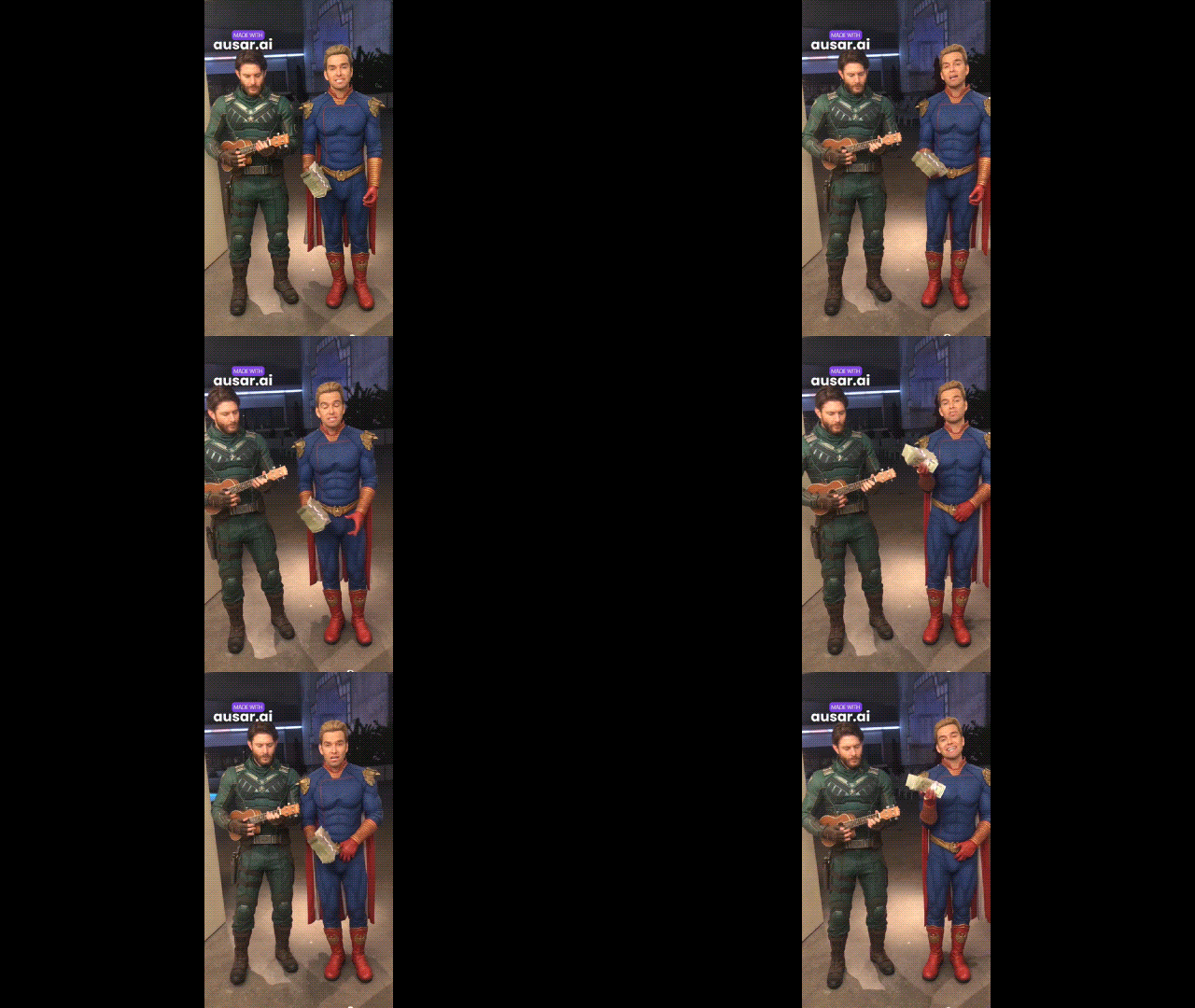
Ausar viral AI content generator offers ready-made templates to create multi-shot videos inspired by social media trends. Some templates may require multiple generation attempts.
- AI Templates: Turn photos into multi-shot video sequences using presets.
- AI Influencer: Create virtual personalities for content projects.
- Ausar Chat: Use conversational instructions with supported image and template workflows.
5. Audio and Supporting Tools
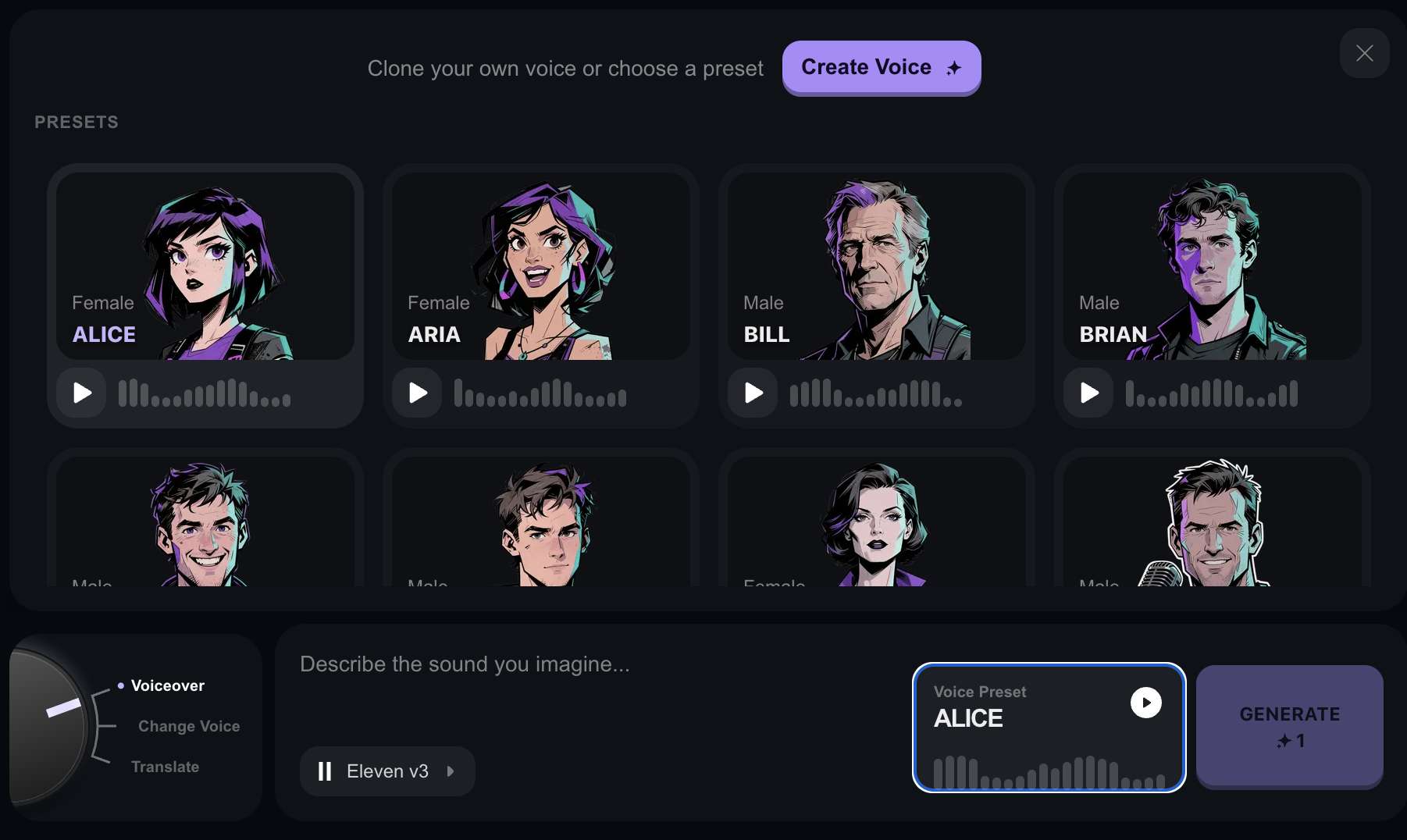
Ausar also offers tools for generating and processing audio, including image utilities that support content production.
- AI Voiceovers: Generate narration and spoken audio with supported voice models.
- Audio Generation: Create audio for supported projects, depending on the available model.
- Audio Splitter: Separate vocals and instrumental elements from recordings where supported.
- Audio to Text: Transcribe spoken content into text.
- Background Remover: Remove image backgrounds.
- Image Enhancer: Improve image clarity and details.
- Expand Image: Extend an image beyond its original boundaries.
Part 2. Ausar AI Video Review: Testing Its AI Video Generation
Ausar AI performs best with clear, focused prompts, while more complex scenes may take several attempts to achieve the desired result. To evaluate its video generation tools, we look at prompt accuracy, motion quality, visual consistency, reference matching, and the time and credits needed to produce usable clips.
Below is a closer look at its video generation, reference-based generation, motion control, and viral template made with Ausar AI.
Video Generation Test
Reference-Based Video Test
Motion Control Test
Viral Template Test
Overall Verdict
| Category | Rating | Review |
| Reference accuracy | 4.3/5 | Reference images help guide the generation process, but the final video may differ in some details. |
| Subject preservation | 4.2/5 | The workflow guides the subject's appearance, but facial features and clothing still need review across frames. |
| Composition | 4.2/5 | Reference images help establish framing and scene layout. |
| Background consistency | 4.0/5 | Background details may change as the scene develops, particularly during complex movement. |
| Visual continuity | 4.0/5 | Reference-driven tools can support more controlled scenes, but continuity across multiple shots requires checking. |
| Credit efficiency | 3.7/5 | Each generation uses credits, and some templates may require several attempts to get the desired result. |
| Creative variety | 4.5/5 | The template library offers multiple concepts for short-form and trend-inspired videos. |
|
Show More
Show Less
|
||
Is Ausar AI good for creating viral videos? Its ready-made templates and range of video models make it worth exploring if you want to experiment with different styles. But output consistency can vary, and some templates may take multiple attempts to get the desired result, which will cost additional credits.
Moreover, you need to be careful if you are generating content with celebrity faces or other real people. Using a real person’s face or voice without permission can break likeness rights and platform policies, even if the tool lets you generate it.
Part 3. Ausar AI Pricing and Free Credits Explained
Ausar AI pricing uses a credit system to generate images and videos. Its paid plans offer different monthly allowances. Annual payment is more cost-effective per month but requires upfront payment.
Ausar AI Pricing (2026)
| Plan | Monthly Credits | Monthly Billing | Annual Billing |
| Lite | 100 | $9/month | $108/year |
| Starter | 220 | $19/month | $180/year |
| Pro | 500 | $39/month | $372/year |
| Agency | 2,300 | $149/month | $1,428/year |
|
Show More
Show Less
|
|||
Paid plans include access to available models, a license for commercial use, and priority generation. Higher tiers provide more credits and bigger discounts on top-ups.
Does Ausar AI Offer Free Credits?
You can sign up without a credit card, but Ausar AI does not explicitly state that free credits are guaranteed on its public pricing page. Check your account to see if Ausar AI free credits are available and which tools you can use.
If you need more credits, Ausar AI offers additional packs for you.
| Top-Up Pack | Credits | Listed Price |
| Quick | 100 | $10 |
| Popular | 260 | $25 |
| Power | 560 | $50 |
How Are Credits Used?
Ausar AI charges credits for each generation, with the cost depending on the model and settings you choose. Unused credits remain in your account while it stays active and in good standing, according to Ausar AI’s Terms of Service. Subscription credits are added with each successful renewal or qualifying payment.
Part 4. Ausar AI Pros and Cons: Is It Worth Using?
Ausar AI offers text-to-video tools, Motion Control, and ready-made templates for viral-style content. Here’s what it does well, where it falls short, and whether it’s worth using.
- Multiple video models and tools in one platform.
- Motion Control recreates movements from reference videos.
- Ready-made templates simplify multi-shot video creation.
- Commercial use is allowed under the platform's terms.
- Character details may change between shots.
- Some templates need several attempts to get the desired result.
- Retries use additional credits.
- Costs can add up when testing different models and settings.
Is Ausar AI Legit and Safe?
If you're wondering whether Ausar AI is safe or legitimate, review its policies before uploading content or purchasing a subscription. Ausar AI publishes Terms of Service and a Privacy Policy that explain its payment rules, content rights, and data handling practices.
- Privacy: Uploaded images, videos, and prompts may be processed by third-party AI providers. Avoid uploading sensitive content without checking the privacy policy.
- Payments: Review the subscription renewal, cancellation, and refund terms before purchasing a plan.
- Content rights: Commercial use is permitted under Ausar AI’s terms, but you’re responsible for ensuring you have the necessary rights to your uploads.
Read the Terms of Service and Privacy Policy for more details.
Part 5. Looking for More Video Editing Control? Try Filmora
Ausar AI focuses on generating viral-style videos from prompts, images, and templates. But if you want to combine those clips with other footage, customize subtitles, or refine the sound and visuals, Wondershare Filmora lets you take those clips further with timeline editing, captions, effects, and audio adjustments.
What Filmora Offers
- AI Video Generation: Create clips from text prompts or images to use in your projects, powered by Seedance 2.0, Veo 3.1, HappyHorse 1.1, and ToMoviee.
- AI Image Generation: Create images from a written description and use them in your timeline or as starting frames for video, with Nano Banana Pro, Nano Banana 2, and GPT Image 2 as the models.
- Auto Captions: Generate subtitles from speech and customize their text and appearance.
- AI Video Translation: Translate video dialogue into other languages for different audiences.
- Auto Reframe: Adjust footage to vertical formats for TikTok and YouTube Shorts or other aspect ratios.
- Effects and Transitions: Add visual effects and control how scenes connect.
- Color Editing: Adjust exposure, contrast, and saturation to establish a consistent look.
- Audio Editing: Balance dialogue and music, adjust volume, and add sound effects.
Choose Ausar AI if you want to create viral-style clips using ready-made templates, image animation, and different video generation models. But you may want to consider Filmora if you need to arrange multiple clips, refine captions, adjust the pacing, and polish the video and audio before exporting.
 Secure Download
Conclusion
Ausar AI is worth trying if you want to recreate viral video trends or turn still images into short clips with minimal editing. However, getting the results you want may take a few tries, so keep an eye on your credit usage before committing to a paid plan.
If you need more control over the final video, Filmora offers tools to edit clips, customize captions, adjust the aspect ratio, and refine the audio. Consider the types of content you create, how often you use these tools, and how much editing flexibility you need before choosing the platform that best fits your needs.
FAQs
-
What can I create with Ausar AI?
Ausar AI lets you generate videos from text prompts or images, animate photos, transfer movements with Motion Control, and create viral-style clips using ready-made templates. -
Does Ausar AI have an official app?
Ausar AI offers its tools through its official website at https://ausar.ai/. Currently, there’s no Ausar AI app dedicated to mobile. Avoid any Ausar AI APK download from unverified third-party sources. -
How long can Ausar AI videos be?
Video length depends on the model. For example, Ausar AI lists Seedance 2.5 videos of up to 30 seconds and Kling 3.0 4K videos of 3 to 15 seconds. -
What video formats does Ausar AI support?
Ausar AI supports MP4, MOV, and WebM for input videos. For character images, you can upload JPG, PNG, or WebP files. Available output aspect ratios include 9:16, 1:1, and 16:9. -
Can I edit Ausar AI-generated videos after creating them?
Yes. Download your video and use an editor like Filmora to trim clips, add captions, adjust colors, or edit the audio.
