


 TL;DR:
Google Gemini Omni is an unreleased AI video generation and remixing tool leaked within the Gemini app chat interface, but since access remains restricted, creators needing immediate results should use Wondershare Filmora's integrated Veo 3.1 engine.
● Early test leaks show Omni can generate and edit short video clips directly through text prompts, demonstrating strong visual realism but struggling with complex hand movements and food interactions.
● The model is currently unavailable to the public pending a potential Google I/O 2026 debut, and interface leaks suggest it will likely enforce daily usage limits tied to Gemini's paid AI plans.
● For immediate production, Wondershare Filmora serves as a practical alternative that combines standard timeline editing controls with active integrations for Veo 3.1, Sora 2, Seedance 2.0, and Toomovie 2.5.
Ask AI for a summary
 ChatGPT
 Perplexity
 Gemini
 Claude
 Grok
Grok
If you've been hanging out in AI circles lately, you probably felt the collective "wait, what?" that happened when a few Reddit users started posting screenshots of something called Omni. It looks like a brand-new Google video generation model that is hiding inside the Gemini app, just waiting for its official debut!
And obviously, the internet quickly started asking the same thing: what exactly is Google Gemini Omni? So, let’s break down what we know so far, what still feels uncertain, and what you can use right now if you don’t want to wait.
Part 1. The Mystery Behind the Leak: What is Gemini Omni?
The whole Gemini Omni story started like most AI leaks do: one user noticed something strange, posted it online, and suddenly everyone wanted to test it. And in this case, a Reddit user, Zacatac_391, reportedly saw a pop-up inside the Gemini app that said “Create with Gemini Omni,” describing it as a new video model.
That small discovery was enough to get people excited because Google already has Veo, one of the strongest AI video models around, so a new Gemini-based video model naturally feels like a big deal.

Early coverage from 9to5Google and Android Authority points to the same idea: Gemini Omni seems to be a video generation model showing up inside Gemini, possibly connected to Google’s Veo technology. Right now, that part is still not confirmed.
When Can You Get It?
For now, Gemini Omni does not seem to be publicly available for everyone. Some users saw the pop-up briefly, but access appears limited and unstable. One Reddit thread even mentioned that the interface disappeared after the user reopened the Gemini app, which makes it look like a test rollout rather than a full release.
That said, we might not be waiting for much longer since Google I/O 2026 is coming soon.
Part 2. Gemini Omni Key Features (So Far)
Since Gemini Omni has not officially launched, we only have early clues from the app pop-up, Reddit tests, and tech reports. That means the features below should be treated as early information, not a final feature list.
Here’s a quick breakdown of what’s been spotted:
| Feature | What It Means |
| AI video generation | Make short clips just by typing a prompt inside the Gemini chat |
| Video remixing | Take an existing video and give it a totally new look or vibe |
| Chat-based editing | Edit videos by describing changes instead of manually adjusting everything |
| Templates | Start with preset video styles or structures for faster results |
What makes Google Gemini Omni interesting is the way it appears to fit into the Gemini app. Instead of using a separate AI video platform, you may be able to create, edit, remix, and adjust short videos through a chat-style workflow. That could make AI video generation feel less technical and more like asking Gemini to shape the clip with you.
Is Gemini Omni Better Than Veo?
It’s too early to say for sure. The most reasonable take is that Gemini Omni may be a Veo-based upgrade or extension, rather than a completely separate product.
But from the early demos, Gemini Omni seems stronger in convenience and possibly prompt adherence. The fact that it may allow video editing directly in chat could make it easier to use than a traditional prompt-only generator.
But in terms of raw quality, consistency, and production control, we do not have enough proof yet. Veo is already known for cinematic quality and audio support, while other models like Seedance and Kling also have their own strengths. Until Google releases Gemini Omni properly, it would be risky to call it better than Veo.
Part 3. Early Test Results: What Omni Produces
Thankfully, you don't have to just take our word for it. Two Gemini Omni video examples have been floating around online, and they are the main reason people are paying attention. The results look surprisingly good for something that has not even been officially introduced yet.
Let’s break it down!
Example 1: The Professor Clip
Prompt: "A professor writes out a mathematical proof for trigonometric identities on a traditional chalkboard, explaining the step he is currently on in the equation."
This clip seems to be the one that impressed people the most. The scene shows a professor at a chalkboard, writing and explaining a math proof. That sounds simple, but it is actually hard for AI video models. They often struggle with readable writing, hand movement, chalkboard logic, and keeping the same person consistent across frames.
- The classroom setting looks believable.
- The professor’s presence feels natural.
- The video follows the educational prompt well.
- The scene has a stronger sense of structure than many random AI clips.
- Hand movement is not perfect.
- Writing continuity can still break.
Example 2: The Dinner Clip
Prompt: “Can you create a scene with two men at a seaside table at an upscale restaurant on outdoor deck seating. They are at a circular table with a nice white table cloth, and all of the fancy accessories, all the spoons forks and knives, fancy napkins, centerpiece. One man is Distinguished: A mature African-American man in his 50s with a short beard and confident posture, wearing a tailored, sophisticated suit, the other is his friend, both approaching the table to eat a plate of spaghetti. In the beginning the men approach the table, exchange brief niceties, and begin to eat the spaghetti calmly In between bites sharing conversation.”
The second example is more complicated. Food scenes are notoriously hard for AI video models because they involve plates, hands, mouths, utensils, chewing, and object continuity. One small mistake can make the whole clip feel strange. This dinner clip looked visually impressive at first, but it also showed more obvious AI flaws.
- The overall scene looks cinematic.
- The lighting and atmosphere feel polished.
- The model seems capable of handling multi-person scenes.
- Food can appear or change suddenly.
- Eating motions may not match the scene.
Quick Early Verdict
| Test Area | Early Impression |
| Visual realism | Strong |
| Prompt understanding | Promising |
| Human movement | Good, but not flawless |
| Hands and objects | Still inconsistent |
| Food interaction | Needs work |
| Audio quality | Improved, but not widely tested |
| Overall potential | Very high |
Bonus: Another Way to Create AI Video Quickly: Filmora
Omni surely sounds captivating, but since it's still not officially released, we're basically playing a waiting game based on hunches. If you've got a project due today, you can't exactly wait for a leak to turn into a full release! But you don't have to wait to create an AI video for now, because Wondershare Filmora is already here with the perfect solution.
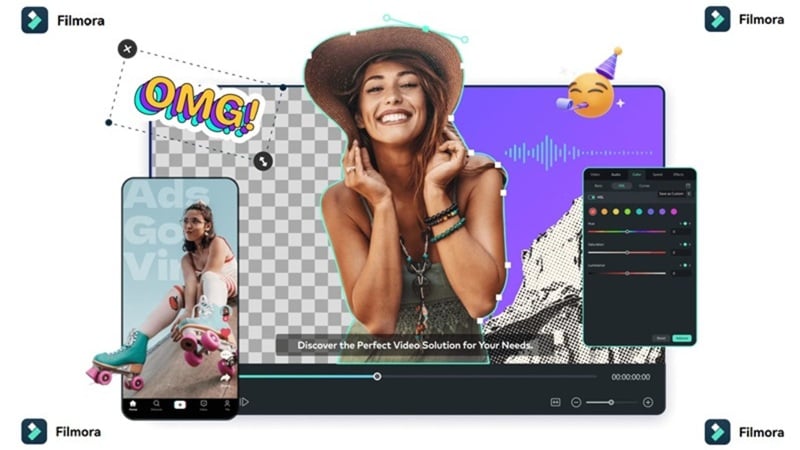
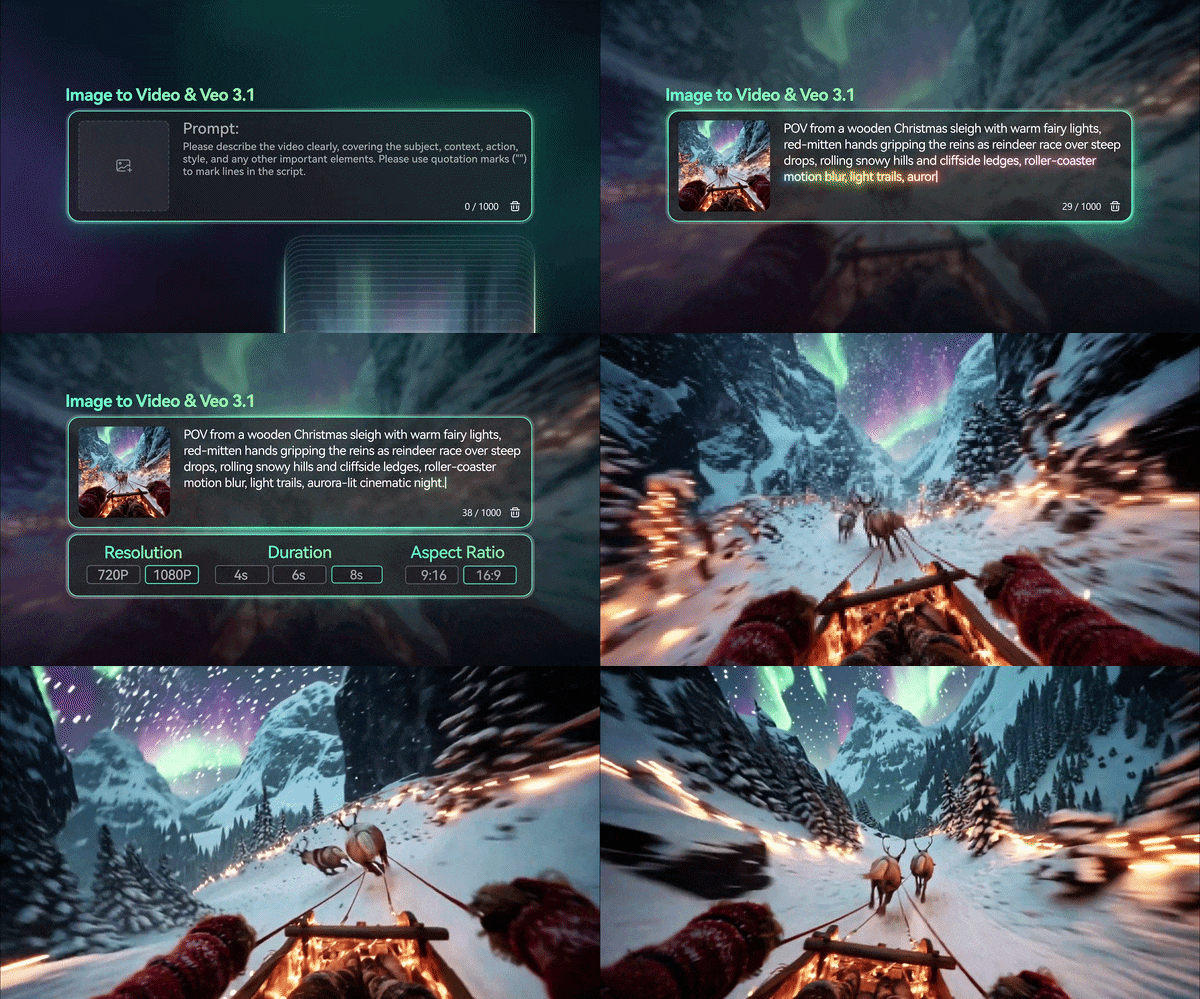
Filmora is actually integrated with Veo 3.1 (Google's powerhouse engine), meaning you get that top-tier quality right now. You can access it through their AI text-to-video and AI image-to-video features. On top of that, if you like variety, you also have access to other heavy hitters like Sora 2, Seedance 2.0, and Toomovie 2.5. It’s basically a playground for creators.
 Secure Download
Why Filmora Makes Sense While Waiting for Gemini Omni
| What You Need | How Filmora Helps |
| Generate AI clips now | Use text-to-video or image-to-video tools |
| Try Google video tech | Veo 3.1 is already integrated into Filmora |
| Fix imperfect AI output | Trim, crop, color grade, add effects, or replace clips |
| Make social videos faster | Add captions, templates, music, and transitions |
| Keep everything in one place | Generate and edit inside the same software |
The biggest advantage here is control. In a normal generator, you may need to regenerate and spend more credits. In Filmora, you can place the generated clip directly on the editing timeline for trimming, add a transition, cover it with text, replace a shot, or blend it into a larger edit like color grading, effects, subtitles, and final export.
Create an AI Clip with Filmora Now!
Lucky for you, generating a Veo 3.1 clip in Filmora is as easy as it gets! Especially since Filmora has a complete tutorial from A to Z for all its features. Just check out the official guide below and have fun creating!
Secure DownloadConclusion
Google Gemini Omni is definitely looking like the next big thing in the AI world. The idea of being able to just chat with an AI to "remix" or "edit" a video is a total game-changer for creators who want to stay fast and mobile. However, since Google has not officially released Gemini Omni yet, it is better to stay excited but cautious.
If you want to create AI videos today, Filmora is the more practical choice. It already supports AI video generation through models like Veo 3.1, and you also get a full editor to fix, polish, and export your clips. Gemini Omni may be worth watching, but Filmora gives you a working AI video workflow right now.
FAQs About Google Gemini Omni
-
Is the Gemini Omni app different from the regular Gemini app?
Nope! It appears to be a new model choice within the existing Gemini app, rather than a whole separate download. -
Is Gemini Omni free to use?
There is no confirmed pricing yet. Early reports suggest it may be tied to Gemini’s paid AI plans because users mentioned daily usage limits, but the final pricing and access rules are still unknown. -
Does Omni support long-form movies?
From what we've seen, it's focused on short, high-quality clips, perfect for social media or quick demos, but maybe not a full feature film just yet. -
Can I edit videos I didn't make with AI in Omni?
Early UI descriptions suggest "Video Remixing," which could mean reworking your own uploaded footage, but we'll have to wait for the official release to be 100% sure.
