
World Cup Video Filter Templates & Guides
Explore dynamic soccer filters and learn how to craft the ultimate sports highlight reel.
Loading more world cup video filter examples...
 Category:
 Duration:
 Aspect Ratio:
Everything You Need for a Cinematic Soccer Video Filter
A high-quality world cup video filter can transform your standard match footage into a broadcast-level highlight reel. Filmora offers an extensive library of sports-centric effects, including dynamic stadium flares and vibrant soccer video filter presets that seamlessly integrate into your timeline. Whether you are editing weekend league highlights or producing a fan-tribute using a fifa video filter, Filmora provides the precise tools needed to capture the energy and passion of the game.
AI-Powered Color Grading & Match Atmosphere
AI-Powered Color Grading & Match Atmosphere
Replicate the vibrant, high-contrast look of professional sports broadcasts instantly. By applying our specialized world cup video filter, you can boost the greens of the pitch and the rich colors of team jerseys with minimal effort. Enhance your workflow further by incorporating Filmora's video filters and advanced color correction to ensure every frame pulsates with stadium-level intensity.
- Instantly elevate your sports footage with preset filters designed specifically for stadium lighting and dynamic match environments.
- Adjust highlight and shadow curves to maintain perfect clarity even during fast-paced soccer action sequences.
- Apply vibrant stylistic LUTs that capture the thrilling atmosphere of global football tournaments.
Dynamic Sports Graphics & Visual Enhancements
Dynamic Sports Graphics & Visual Enhancements
Elevate your soccer video filter edits by layering broadcast-style graphics and energetic visual overlays. With Filmora, you can effortlessly introduce player statistics, animated lower thirds, and impactful match scoreboards that keep your audience deeply engaged. Combine these elements with our video transitions and robust functionality to craft a professional, high-energy sports narrative.
- Layer energetic visual overlays like camera flashes and dynamic light leaks to amplify the excitement of every goal.
- Integrate fully customizable animated text presets tailored specifically for player intros and match statistics.
- Enhance the pacing of your highlights with seamless speed ramps and high-impact sports transitions.
AI Asset Generation for Ultimate Fandom

AI Asset Generation for Ultimate Fandom
When standard assets are not enough, Filmora empowers you to create custom visuals that perfectly complement your fifa video filter. Utilize the built-in AI Image Generator, which seamlessly integrates powerful models like GPT Image 2 and Nano Banana Pro, to craft hyper-realistic fan art, team mascots, and stadium backgrounds. You can also generate thematic audio with the AI music generator to match the adrenaline of your sports montage.
- Generate custom stadium backgrounds and vivid team-colored assets using top-tier AI image models directly in the editor.
- Create unique cinematic soundtracks that perfectly synchronize with the high energy of your football edits.
- Produce customized fan-themed graphics and stickers to make your sports highlight reels truly one of a kind.
Frequently Asked Questions About Soccer Filters
How to Use a World Cup Video Filter in Filmora
Create thrilling sports highlights in seconds with Filmora's energetic filters. Follow these simple steps to import your match footage, apply a dynamic world cup video filter, and export a professional soccer edit.
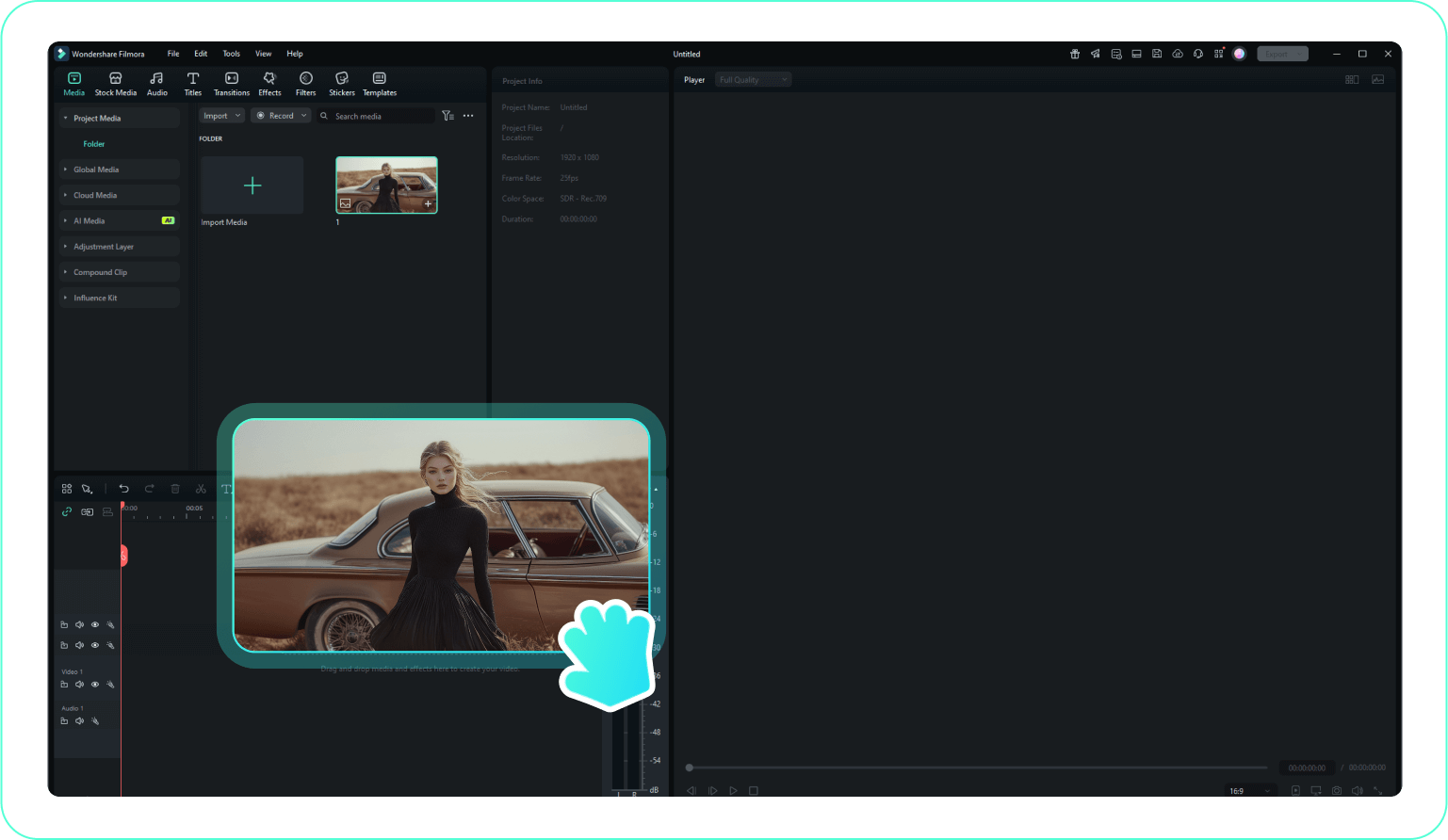
Step 1 Import Your Match Footage
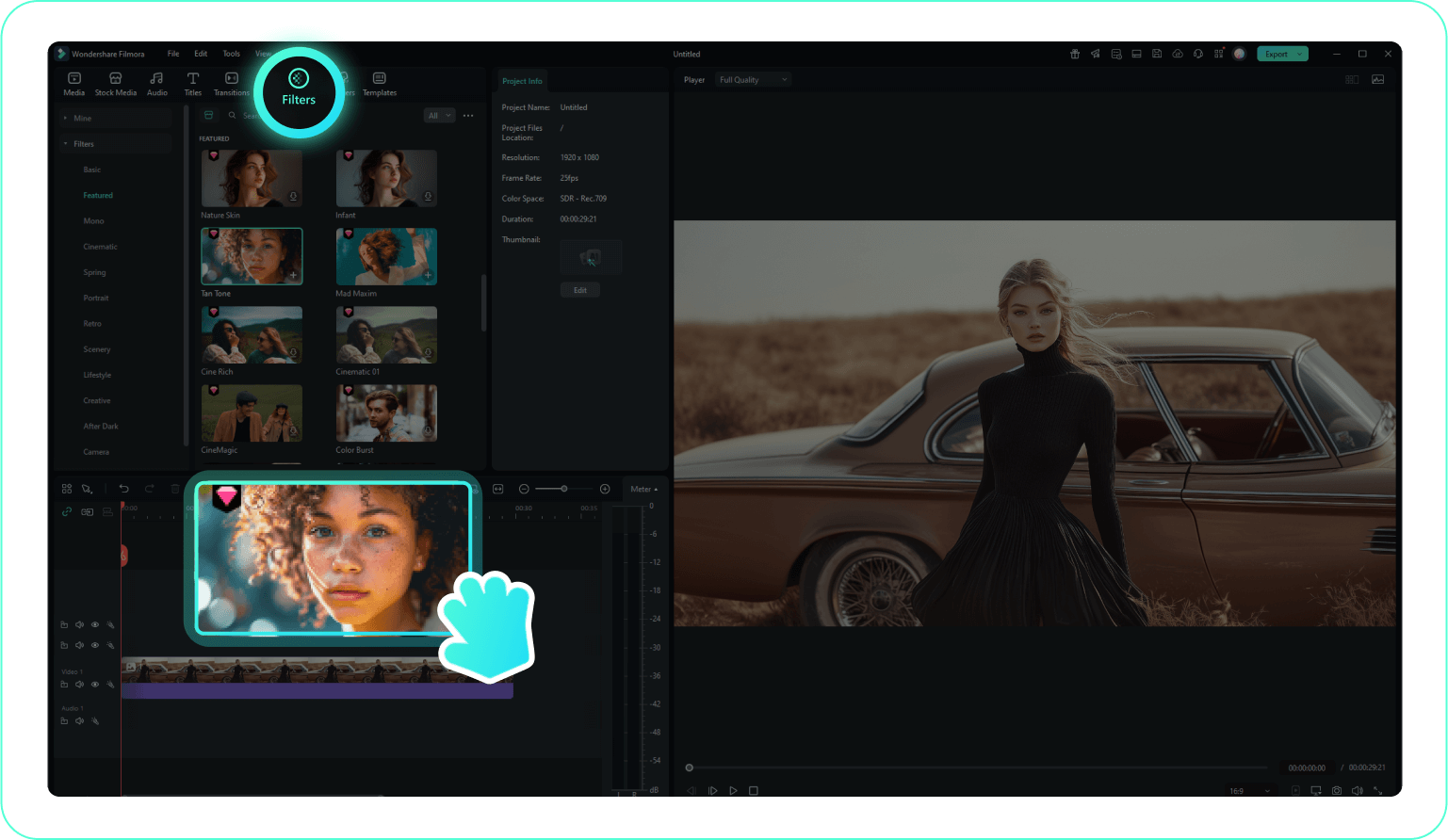
Step 2 Apply a Soccer Video Filter
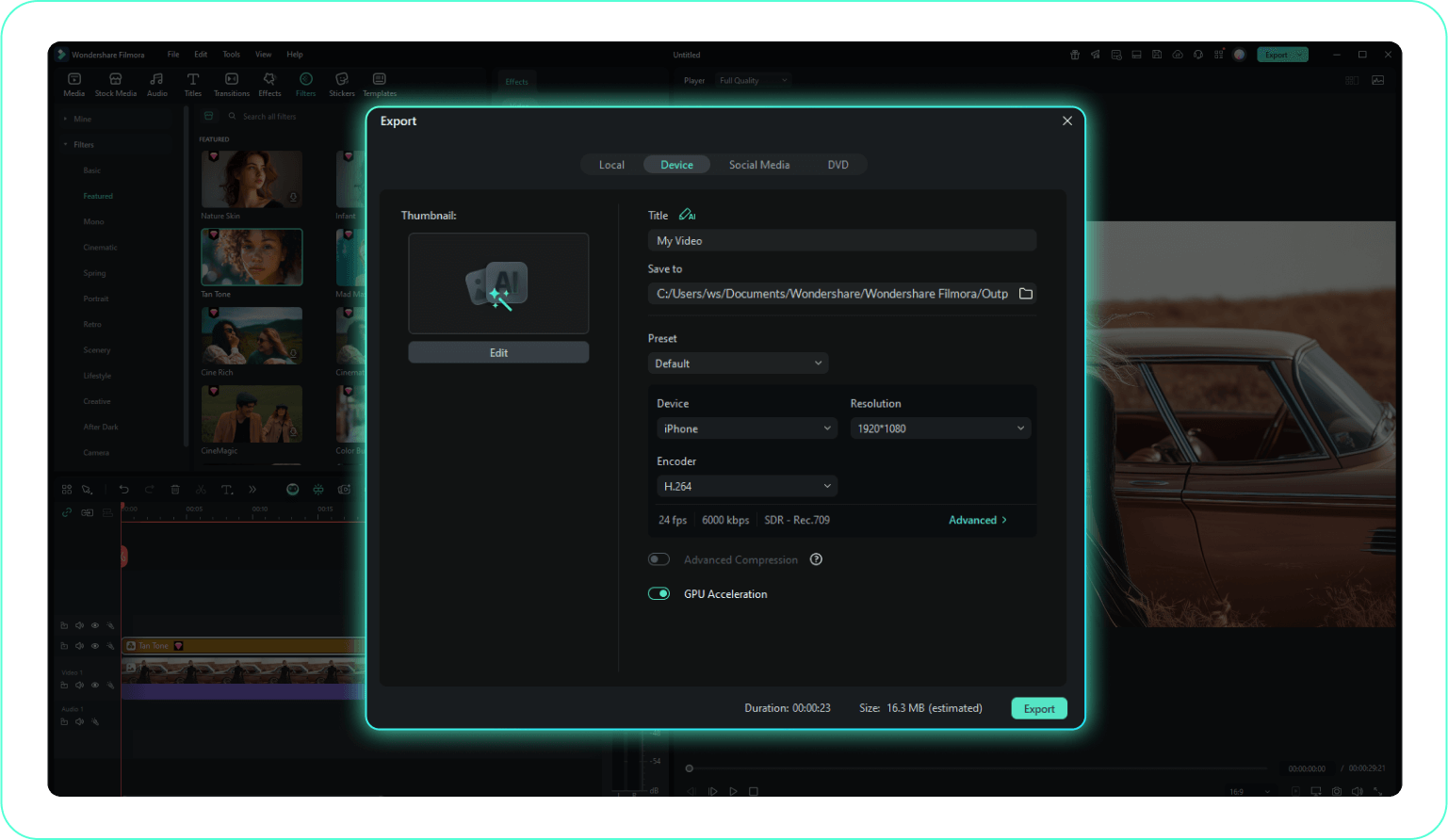
Step 3 Adjust Intensity and Export
-
1: Import Your Match Footage
Open Filmora and upload your clips by clicking Import Media. Drag the sports footage onto your timeline to prepare it for applying your soccer video filter. -
2: Apply a Soccer Video Filter
Navigate to the Filters tab and search for stadium or sports effects. Drag your preferred world cup video filter directly onto the clip to instantly boost the visual energy and match day atmosphere. -
3: Adjust Intensity and Export
Fine-tune the visual impact using controls like Opacity and Color Match. Once your fifa video filter looks flawless, click Export to save your ultimate football highlight reel.
Take Your Sports Edits Beyond a Simple Filter
Filmora provides everything you need to build an electrifying sports narrative. Beyond just applying a world cup video filter, you can integrate professional video templates specifically designed for player profiles and match summaries. Harness advanced AI video editing capabilities to automatically track moving subjects on the pitch, or utilize dynamic speed ramping to highlight that perfect bicycle kick. Whether you are producing a quick social media highlight or an in-depth documentary on your favorite football club, Filmora gives you the creative freedom and creative assets to make every shot feel like a championship final.








