


 TL;DR:
Downloading a Viggle AI Mod APK to bypass the three-video daily limit or remove watermarks exposes your device to malware and data theft, making it safer to use official Viggle AI channels or authorized alternatives like Wondershare Filmora.
● Third-party Viggle App APK files carry severe security risks, including the potential collection of personal data through unrelated permission requests like contact access, alongside hardware overheating, unstable performance, and permanent account suspension upon detection.
● Users seeking to remove the 720p output limitation and watermark without security risks can legitimately access advanced features by upgrading to an official Viggle AI paid tier or joining the Creator Program to earn a six-month Live plan and bonus credits.
● Wondershare Filmora operates as a fully authorized, cross-device alternative best suited for creators who require comprehensive video editing tools alongside secure access to advanced AI models like Google Veo 3.1, Sora 2, and Seedance 2.0.
Ask AI for a summary
 ChatGPT
 Perplexity
 Gemini
 Claude
 Grok
Grok
For creators, tools that make video content fast and easy are always attractive. With Viggle AI, you can make memes, dance videos, and turn images into moving clips in just a few steps. That likely explains why Viggle AI has grown to 40 million members.
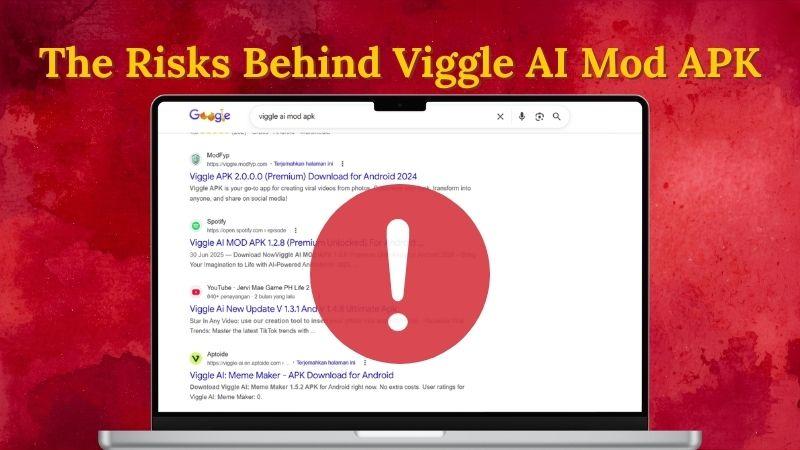
That said, searches like “Viggle APK download” and “Viggle AI Mod APK premium unlocked no watermark” are common because many users want premium access without paying. Suspicious websites often promise free unlocked features.
But do those promises hold up? Before clicking any file that claims to be Viggle AI Mod APK Premium, it is important to understand how these files work, the risks they may carry, and safer options creators can consider instead.
Part 1. A Quick Look at Viggle AI
Viggle is a platform that lets you turn images into videos. It’s popular because it is very easy to use and doesn’t require any learning curve. Simply pick an animation, upload an image or video, and let the AI process it. In a short time, your video is ready to share on social media.
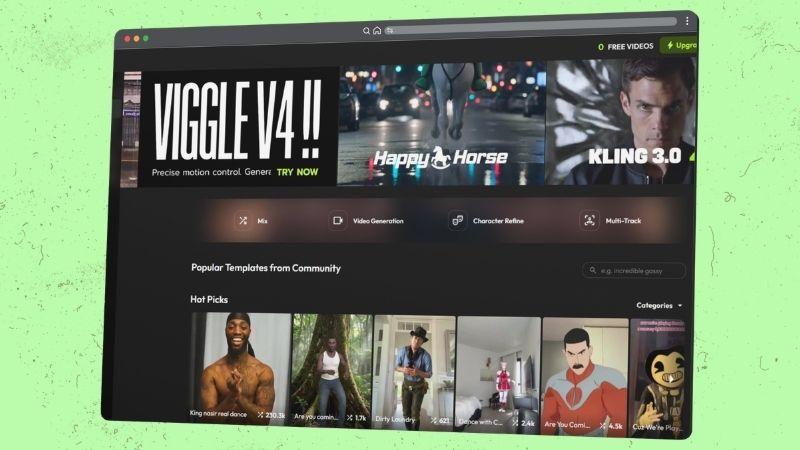
Inside the platform, Viggle offers several features you can explore. Let’s take a closer look.
- Mix: Upload a motion video and a character image, and the AI will apply the movement to your image.
- Character refine: Improve your character visuals and generate more polished results from different angles.
- Multi-Track: Replace multiple people in a single video with different characters, such as cartoons or animals.
- Video Generation: Create videos using prompts or images, supported by AI models like Seedance, Kling, and Veo.
- Image Generation: Turn text into images or use the existing templates.
- Real-Time Swap: Switch your appearance with a character live, similar to real-time filters.
- Rap: Generate rap videos with custom or AI-generated lyrics.
- Mic: Clone voices and use them for your characters.
Behind The Price of Viggle AI
Cost is one of the reasons why some people consider using the Viggle AI Mod APK free premium. But before that, it’s worth comparing the free and paid plans to see what you actually get:
| Aspect | Free | Pro | Live | Max |
| Price | $0 | $9.99 / month | $19.99 / month | $79.99 / month |
| Credits | 0 | 80 | 200 | 800 |
| Generation Limit | 3 videos/day | Unlimited | Unlimited | Unlimited |
| Batch Generation | 1 | 4 | 6 | 10 |
| Video Generator | No | Yes | Yes | Yes |
| Image Generator | Trial only | Yes | Yes | Yes |
| Editor Tracks | Limited | Unlimited | Unlimited | Unlimited |
| Output Quality | 720p | 1080p | 1080p | 1080p |
| Asset Storage | 7 Days | Permanent | Permanent | Permanent |
| Watermark | Yes | No | No | No |
|
Show More
Show Less
|
||||
From the comparison, the free plan is actually quite usable. You can still try most features, even though some advanced tools, like full video and image generation, are limited.
You can also create up to three videos per day. If you choose not to subscribe, you can simply wait for the limit to reset the next day and continue using it.
Part 2. Viggle AI Mod APK: What Does It Actually Mean?
You may be wondering what a Mod APK actually is and why people say you should avoid it.
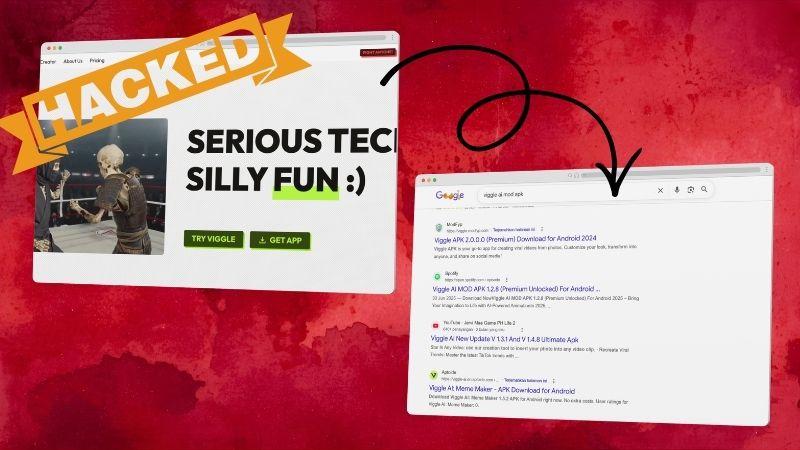
A Mod APK is an unofficial version of an Android app that has been modified by a third party. In this case, someone alters the original Viggle AI app and distributes it as a separate Viggle App APK file.
These versions are often designed to unlock premium features, provide unlimited access, or remove ads for free. It might sound convenient, but Viggle AI does not officially provide or support these versions, including the Viggle AI Mod APK 2025. Using them can go against the platform’s rules.
Common Reasons People Download Mod APKs
As users explore Viggle AI, many begin to look for more features. Instead of paying for a subscription, some people choose to look for the Viggle AI Mod APK version as an alternative.
Here are some of the main reasons why people go for Viggle APKs:
- Bypass the Daily Limit: Since the free plan only allows three videos per day, some users feel it’s not enough and start looking for other options.
- Remove the Watermark: Many users want clean videos for social media. That’s why “Viggle AI Mod APK without watermark” searches are common.
- Access Locked Features: Video and image generation are only available in paid plans. This makes users look for ways to unlock them.
- Get Higher-Quality Output: 720p is not always enough, especially for those who want more polished results.
- Misleading Ads and Downloads: Sometimes users are just trying to download the official app, but misleading ads lead them to unofficial APK sites instead.
Part 3. Why Viggle AI Mod APK Free Downloads Can Be Dangerous
At first glance, a Viggle APK might look like a normal app.
| Risk | What Can Happen |
| Malware or Virus Infection | Modified APK files may contain harmful software that can damage your device or access your data |
| Privacy Issues | Some APKs request permissions beyond what is needed, such as access to your files, contacts, or account information |
| Excessive Ads | You may encounter frequent pop-ups and ads that interrupt usage and make the app difficult to navigate |
| No Updates or Support | Viggle AI Mod APK doesn’t receive official updates, improvements, or customer support if issues occur |
| Account Suspension | When detected, using the Viggle APK can lead to your account being restricted or permanently banned |
| Device Performance Problems | Mod APK files can slow down your device, cause overheating, or lead to crashes that affect overall stability |
|
Show More
Show Less
|
|
Part 4. How to Use Viggle AI Without Risk
Instead of relying on unofficial downloads, Viggle AI already provides safe and reliable ways to access its features. Here are some options you can use instead of a Viggle AI Mod APK.
1. Download Viggle AI From Official Sources
Many people look for Viggle AI Mod APK 1.2 3, Viggle AI Mod APK 1.3 2, and Viggle AI Mod APK 2025 because they want the latest version without paying. But if you download from official sources, you will always get the newest version with ongoing improvements.
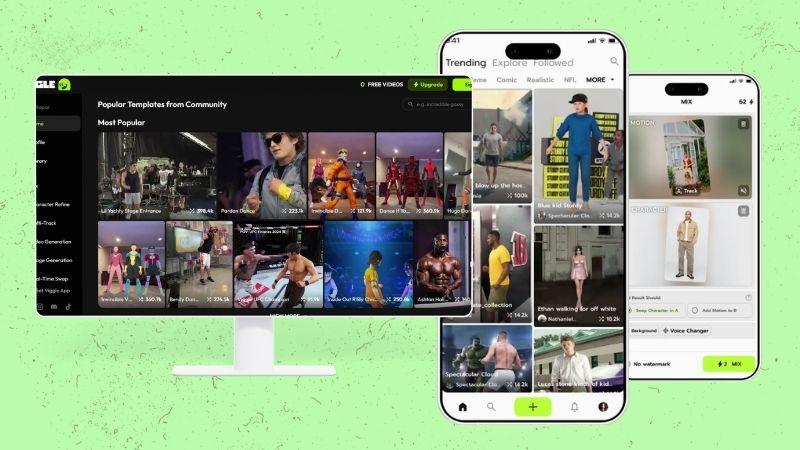
You can access Viggle AI through:
- The official website via your browser.
- The App Store for iOS devices.
- The Google Play Store for Android devices.
2. Get the Most Out of the Free Plan
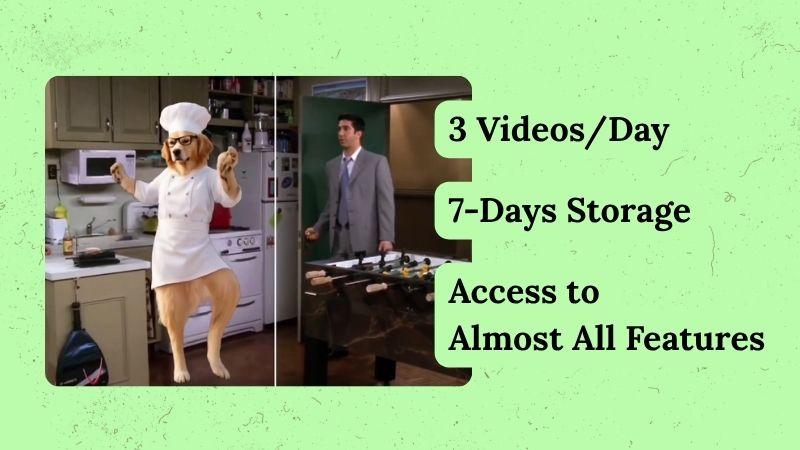
The free version of Viggle AI already covers many useful features, so using a Viggle AI Mod APK is not necessary. You can try different animations and apply them to your photos. There are also many ready-to-use templates that follow current trends.
While the free plan includes a watermark and lower output quality, the results are still good enough for social media and everyday use.
3. Consider a Paid Plan as Your Needs Grow
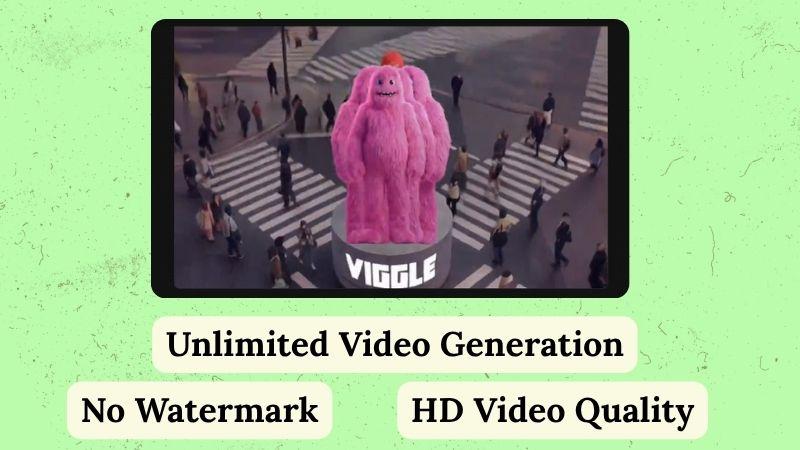
If you start using Viggle AI more often, it might make sense to switch to a paid plan. You get more features, better quality, and fewer limitations. Also, there are several plans you can choose based on your needs and budget.
Using the official paid version is also safer and more reliable than the Viggle App APK. It helps you avoid issues like losing projects or running into problems that often come with unofficial versions.
4. Join Official Programs to Earn Back Your Cost
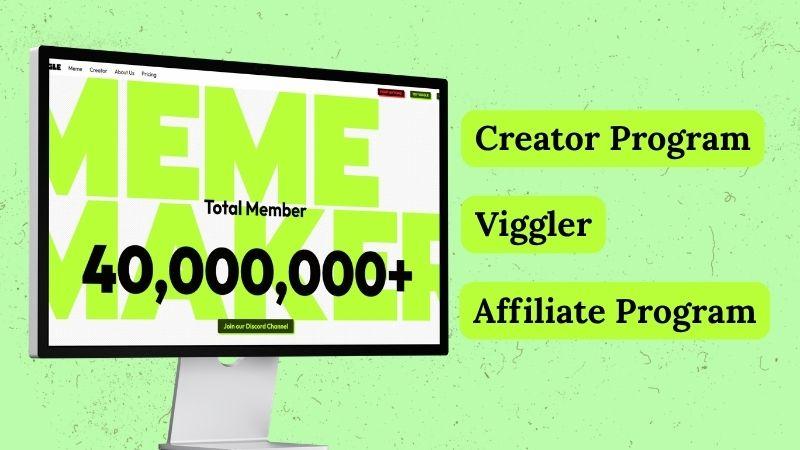
Instead of using the Viggle AI Mod APK, you can actually get more value from Viggle AI through its official programs. Check out these programs:
- Creator Program: Designed for creators who want more support and access. You can get benefits like a 6-month Viggle Live plan, bonus credits, and early access to upcoming features.
- Viggler: This program gives you a chance to connect with other creators and the Viggle team. You can also join weekly challenges with rewards such as cash prizes and credits.
- Affiliate Program: Share Viggle AI with others and earn a percentage from their subscriptions.
Part 5. Create Like a Pro: Wondershare Filmora (Alternative)
Instead of using Viggle AI Mod APK, you can go with a more reliable and safer option: Wondershare Filmora. It is an official tool, so you don’t need to worry about security risks just to use its features.
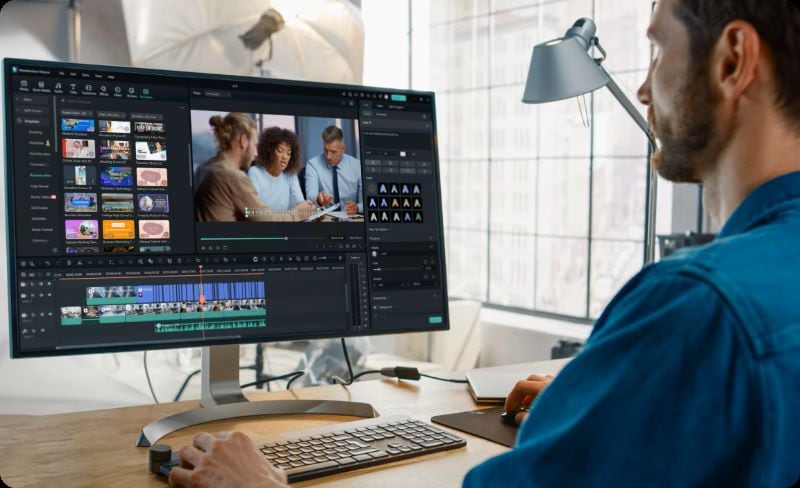
With Filmora, you get access to a range of AI tools along with a full video editor, so you can make more detailed edits when needed. It is also available on both desktop and mobile, making it easier to continue your work across devices without starting over.
 Secure Download
Filmora AI Features for Video Creation
Filmora offers AI features that make video creation easier and more flexible. It works for personal, social media, and commercial projects.
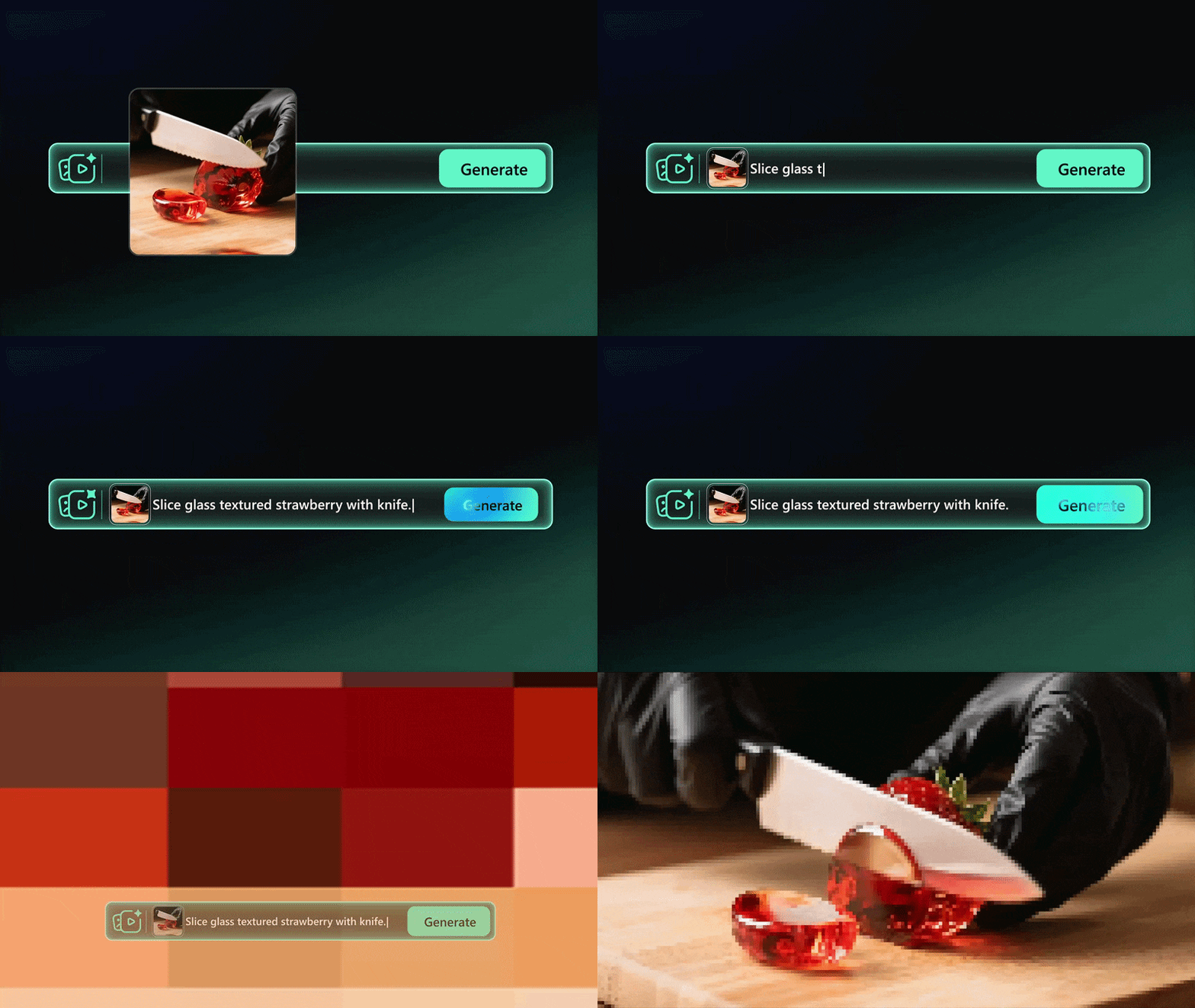
- AI Image to Video: You can upload an image, describe how you want it to move, and choose from AI models like Veo 3.1, Sora 2, or Seedance 2.0. Filmora will turn it into a video with smoother motion, synced audio, and more realistic visuals.
- AI Text to Speech: To complete your video, you can turn text into voice. This is useful for background narration, so you don’t need to record voice-overs manually for every project.
- AI Voice Cloning: You can also clone your voice in multiple languages and accents. The tool can match your tone and style, making the result sound more natural.
More Filmora Features to Support Your Workflow
On top of that, Filmora also comes with other features that make the editing process faster and more practical. Here are a few you can use.
| Filmora Features | What It Does |
| AI Text to Video | Converts ideas or scripts into videos |
| AI Audio to Video | Turns audio into video content with matching visuals |
| AI Music and Sound Effect Generator | Produces matching background audio |
| Auto Reframe | Resizes videos for different platforms while keeping the focus on the subject |
| Social Content Planner | Schedules posts and tracks performance |
|
Show More
Show Less
|
|
How to Turn an Image into a Video with Filmora
Let’s see how to use Filmora’s AI Image to Video feature, so you don’t need to download the Viggle AI Mod APK. Since Viggle AI is known for its video dance templates, we’ll try something similar. Let’s create a video of two dogs dancing.
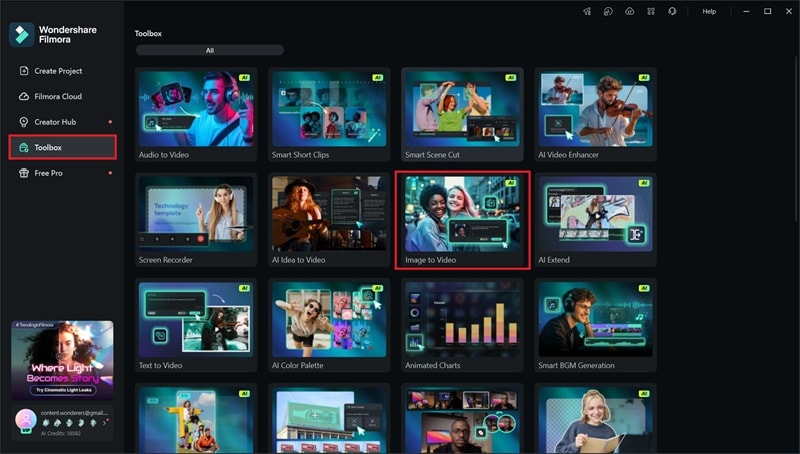
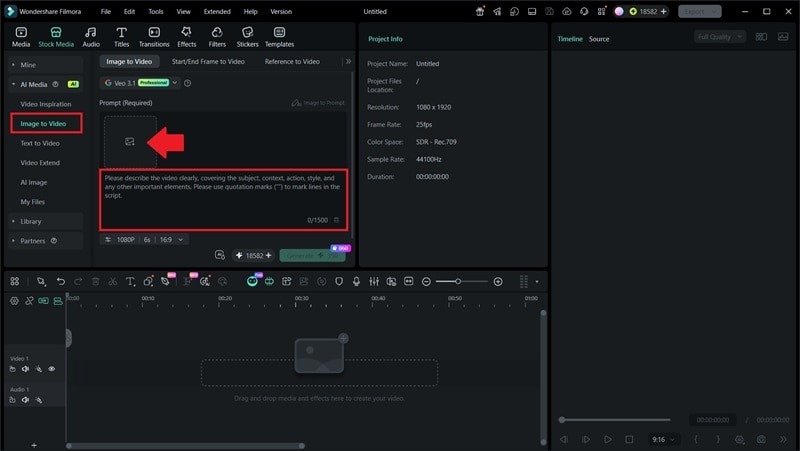
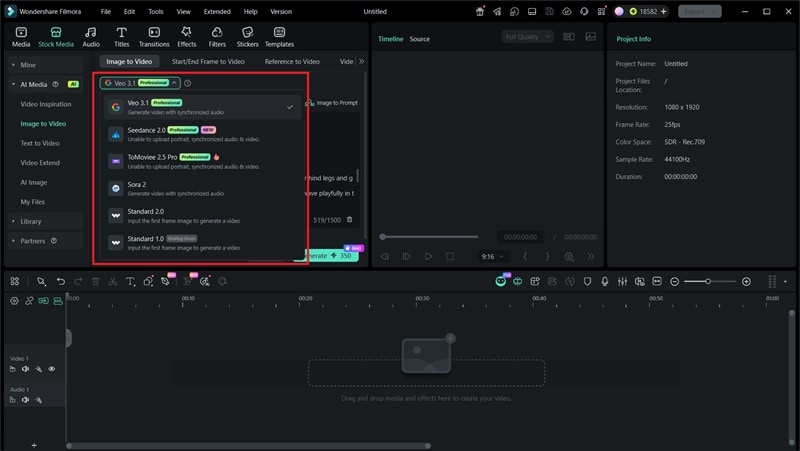
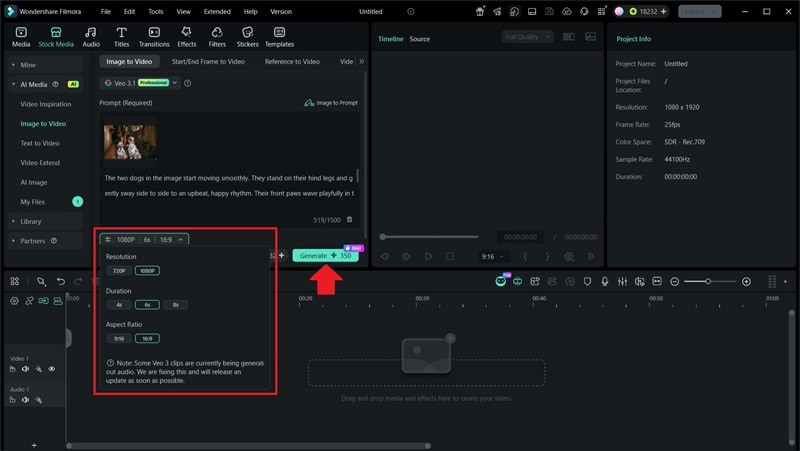
Once it’s done, export the video to see the final result.
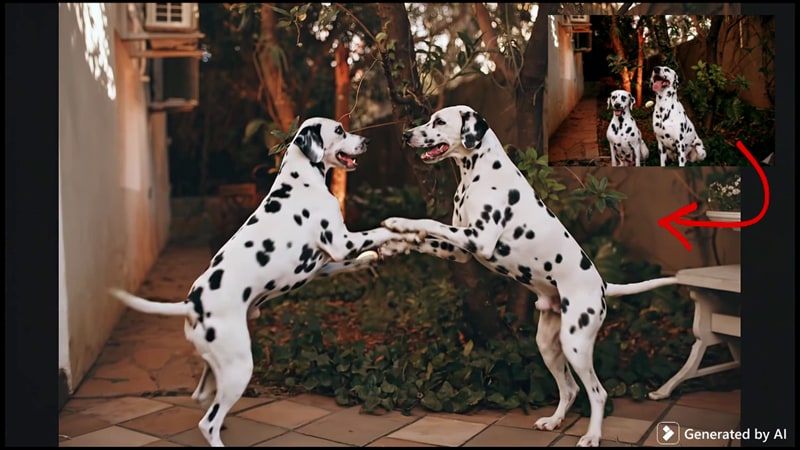
In the final video, the two dogs appear to dance together like they are in a ballroom scene. The classical music and slow zoom-out camera movement help create a more cinematic feel. The motion looks smooth, and the overall quality makes the scene feel surprisingly realistic.
Viggle AI Mod APK vs Filmora: Side-by-Side Comparison
Now that we’ve covered both tools, let’s put them side-by-side. This makes it easier to decide whether using a Viggle AI Mod APK is still worth it or if Filmora is the better option.
| Feature | Viggle AI Mod APK | Wondershare Filmora |
| Source | Downloaded from unofficial websites | Available through official channels like the website, App Store, and Play Store |
| Safety | May carry security risks such as harmful files or data issues | Safe to use with proper security measures |
| Features | Premium features unlocked, but may not work properly | Complete features that are stable to use |
| Support | No updates or technical support | Regular updates and ongoing support |
| Performance | Can be unstable with frequent errors | Smooth and stable performance |
| Legality | Not authorized and may violate terms | Fully authorized and legal to use |
|
Show More
Show Less
|
||
Secure DownloadConclusion
Viggle AI Mod APK premium unlocked no watermark might seem like an easy way to unlock premium features for free, but it comes with real dangers. You may lose your work, run into account issues, or put your device and data at risk.
Viggle AI itself already offers safe access through its website and mobile apps. Even the free version provides enough features to get started and explore. You can also take advantage of available programs to maximize your usage.
For more advanced editing, you can also consider Wondershare Filmora. It includes various AI features and a full editor to help you create more polished videos.
FAQ
-
1. What if I have already downloaded a Viggle AI Mod APK?
Uninstall the app right away. Next, perform a complete security scan on your device and change the passwords of any accounts you signed into during that time. Taking action now is the safer choice. -
2. Why do Mod APK files often request extra permissions?
That can be a clear warning sign. The official app may request permissions related to media creation, since it needs access to videos, images, or saved projects. However, a third-party Viggle App APK asking for unrelated access such as your contacts or microphone, could be attempting to collect personal data. -
3. What happens if Viggle AI detects that I am using a modded version?
There can be several risks. Platform security systems may identify modified apps as unsafe. In some cases, projects made in a modded version may fail to open properly after official updates or login changes.
