


 TL;DR:
WaveSpeed AI operates as a centralized production hub allowing advanced creators and developers to access over 600 AI models—including Veo 3.1, Wan 2.7, and Sora 2—via a single interface, though its lack of timeline editing means it must be paired with software like Wondershare Filmora to finalize projects.
● The pay-as-you-go pricing structure heavily depends on the selected engine, ranging from $0.005 per Flux Dev image to $0.15 per second for Kling O3 video, with increased concurrent task limits requiring upfront account top-ups between $100 and $10,000.
● While the platform enables rapid API-driven batch generation via Node.js, Python, or cURL, users must account for unpredictable cumulative generation costs, strict unannounced content filters, and an inability to make minor output adjustments without fully regenerating the media.
● Since WaveSpeed AI functions strictly as a raw media generator without audio mixing or timeline capabilities, the recommended workflow involves generating initial clips on the platform and importing them into an editor like Filmora for AI Speed Ramping, color matching, and sequence assembly.
Ask AI for a summary
 ChatGPT
 Perplexity
 Gemini
 Claude
 Grok
Grok
AI tools are getting faster, smarter, and honestly… a bit overwhelming. If you’ve ever tried juggling different platforms just to generate images, videos, and edits, you know how messy it gets. That’s where WaveSpeed AI comes in, promising a single place to access hundreds of models.
Not to mention, with the global AI market projected to hit $1.7 trillion by 2030 (Statista), platforms like WaveSpeed AI are becoming harder to ignore. But does it actually simplify things or just add another layer of complexity? To find that out, keep scrolling as we break down why this platform is currently the talk of the creative community and if it actually lives up to the hype.
Part 1. WaveSpeed AI Explained: What "Multi-Model AI" Really Means
Before we start our review, let's get something straight. WaveSpeed AI isn’t just a generator. It’s more like a central hub that connects you to 600+ AI models across image generation, video creation, audio synthesis, 3D modeling, and editing tasks.
So, instead of committing to one tool and hoping it works for everything, you can search for the right model and switch depending on your project.
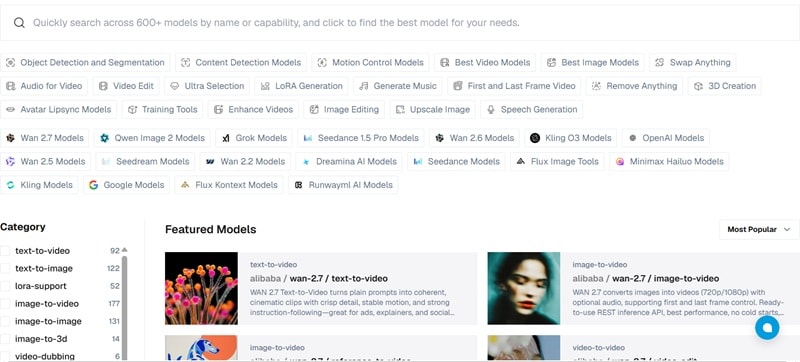
How Can WaveSpeed Support Many AI Models?
For the tech-savvy crowd, the WaveSpeed AI API is a major highlight. The API is the backbone of the platform, allowing it to connect and manage different AI models efficiently. With it, you can:
- Automate AI content generation at scale.
- Integrate AI models directly into your own apps or workflows.
- Run batch generations without manual input.
- Access models via REST API using Node.js, Python, or cURL.
This is also why WaveSpeed leans more toward advanced users, creators, and developers rather than total beginners.
How to Access WaveSpeed AI
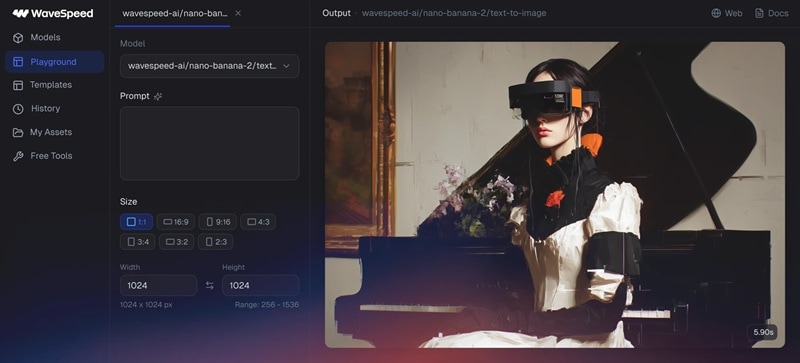
WaveSpeed is primarily a web-based platform. So, you'll need to sign up and create a free account at wavespeed.ai, and you'll get $1 in free credits just for joining.
However, if you prefer a more permanent setup on your device, there is a WaveSpeed AI desktop app available for Windows, macOS, and Linux. For those on the move, they even offer an Android APK.
⚠️ Safety Note: Using APK files outside of official stores can carry risks like security vulnerabilities or outdated versions. Always download from the official WaveSpeed website.
Part 2. WaveSpeed’s Main Capabilities: Main Features Breakdown
Because of its multi-model system, WaveSpeed AI is surprisingly flexible. You aren’t stuck with one "look." Depending on the model you pick, you can go from hyper-realistic to completely surreal in seconds.
Let's break it down into the real capabilities you'll actually use.
1. Generate AI Images
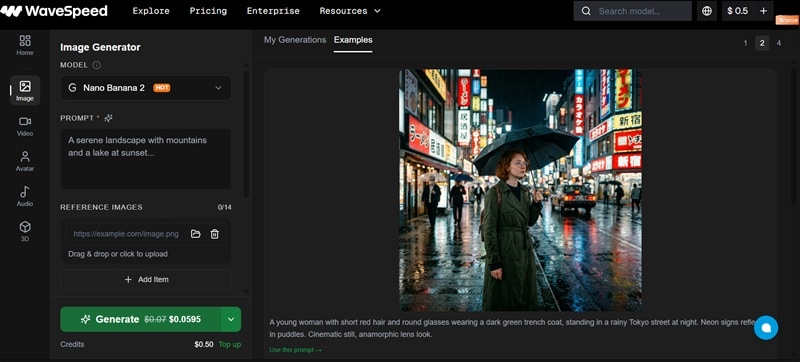
WaveSpeed makes it fast and easy to create images from text prompts or reference photos in seconds. Whether you're going for photorealistic shots, anime art, or cinematic stills, there's a model for that.
Key Features:
- Style variations: realistic, anime, cinematic.
- Batch generation (multiple outputs at once).
- LoRA-based style fine-tuning.
Available Models: Nano Banana 2, Nano Banana Pro, Seedream 5 Lite, Wan 2.7, GPT Image 1.5, Qwen Image 2.0, and more.
2. Generate AI Videos
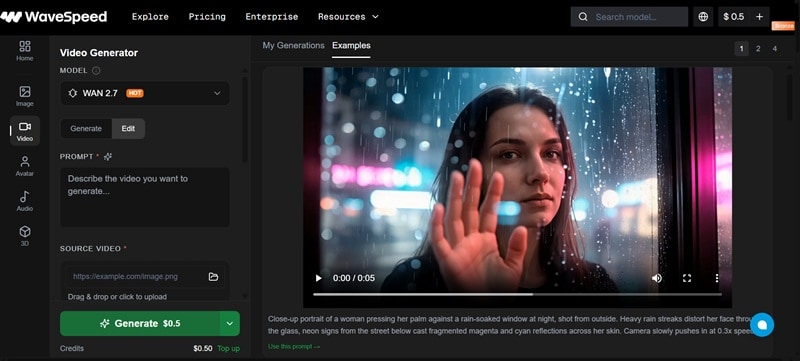
Video generation is honestly one of the biggest reasons people try WaveSpeed AI. You can create clips from text or turn a still photo into a movie. Plus, the platform gives you access to some of the most talked-about video AI models in the space, including WaveSpeed AI's Seedance, Kling, Veo, and the popular Wan series.
Key Features:
- Create short clips from prompts or uploaded images.
- Negative prompt control.
- Option to upload audio for guide generation.
Available Models: Wan 2.7, Kling 3.0, Sora 2, Veo 3.1, Vidu Q3, Hailuo 2.3, Grok Imagine, and more.
3. Edit Images & Videos
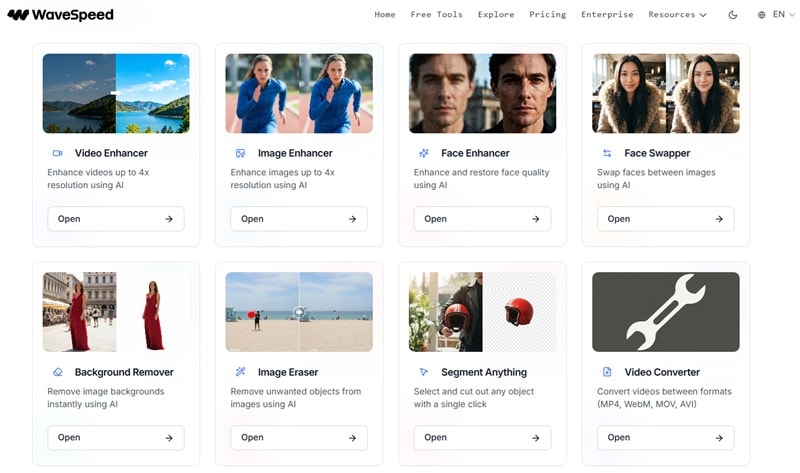
WaveSpeed isn't only about creating from scratch. You can also use the image and video generation page to edit your clip. Simply upload your project, and use the text prompt to make the changes you like. Plus, it also packs a solid set of free tools. You'll find WaveSpeed AI watermark remover, face enhancer, and more.
Editing Tools Include:
- Background remover.
- Face enhancer.
- Face swapper.
- Video/image upscaler.
- Video/image/audio converter.
Part 3. Wavespeed AI Pricing Breakdown: What You Actually Pay
Now, let’s talk about money, because this is where things can get confusing. WaveSpeed doesn’t use a typical "monthly subscription" where you pay $20 and call it a day. Instead, Wavespeed AI pricing is usage-based. Meaning, you pay for what you actually use.
However, keep in mind that WaveSpeed AI price varies wildly depending on which "AI Models" you're using. A basic image is cheap, while a 10-second 4K video from a top-tier model like Kling will cost more. Let’s break it down!
🖼️ Image Model Pricing
| Model | Price | Output per $1 |
| Flux Dev Ultra Fast | $0.005 / image | 200 images |
| Seedream V4.5 (ByteDance) | $0.04 / image | 25 images |
| FLUX.2 [Pro] | $0.055 / image | 18 images |
| Midjourney | $0.08 / image | 12 images |
| Nano Banana Pro | $0.14 / image | 7 images |
|
Show More
Show Less
|
||
🎬 Video Model Pricing
| Model | Price | Output per $1 |
| Hailuo Minimax | $0.01 / second | 100 seconds |
| Wan 2.6 (Alibaba) | $0.08 / second | 12.5 seconds |
| Seedance 2.0 (ByteDance) | $0.10 / second | 10 seconds |
| Veo 3.1 (Google) | $0.12 / second | 8.3 seconds |
| Kling O3 (Kuaishou) | $0.15 / second | 6.6 seconds |
|
Show More
Show Less
|
||
💻 Language Model Pricing
| Model | Context Window | Input Price | Output Price |
| Claude Sonnet 4.6 | 200K | $0.003 / 1K | $0.015 / 1K |
| GPT-5.4 Mini | 128K | $0.0004 / 1K | $0.0016 / 1K |
| Gemini 3.1 Pro | 2M | $0.00125 / 1K | $0.005 / 1K |
| DeepSeek V4 | 128K | $0.0007 / 1K | $0.0028 / 1K |
|
Show More
Show Less
|
|||
🎚️ Account Tiers: Bronze to Ultra
Apart from those, WaveSpeed pricing also has four account levels that unlock higher rate limits and concurrent task slots as you top up more:
| Level | Images | Videos | Max Concurrent Tasks | Activation |
| 🥉 Bronze | 10/min | 5/min | 3 | Default (free signup) |
| 🥈 Silver | 500/min | 60/min | 100 | $100 top-up |
| 🥇 Gold | 3000/min | 600/min | 2000 | $1000 top-up |
| 💎 Ultra | 5000/min | 5000/min | 5000 | $10000 top-up |
|
Show More
Show Less
|
||||
Part 4. What People Are Saying: Reddit Insights + Real Pros & Cons
When reviewing any tool, it's very important to see what actual users are saying. So, we dug into forums, WaveSpeed AI Reddit threads, and review sites to pull out what the community genuinely thinks about WaveSpeed AI.
What Reddit Users Say About WaveSpeed AI

In AI communities like r/StableDiffusion and various creative tech forums, WaveSpeed AI comes up a lot, especially among people testing video generation models like Wan 2.5 and Seedance. There’s even a dedicated WaveSpeed AI review on it, giving it a 4/5 rating.
Some of the most common takeaways are:
- The credit model makes it the practical first stop for testing Wan 2.5 without subscription lock-ins.
- You can generate images in under 2 seconds and videos under 2 minutes, which is a legit game-changer for iterating quickly.
- WaveSpeed implemented very sensitive content filters without prior notice, which caught users off guard.
- Output consistency depends heavily on which model you choose. Some outputs are stunning, others are disappointing.
Pros and Cons of WaveSpeed AI
- Wide Model Variety: You have access to 600+ models in one platform. You don’t have to jump between tools anymore since everything is inside WaveSpeed AI.
- Flexible Pricing: You only pay for what you use, so you’re not locked into a monthly plan.
- Ideal for Testing: Most outputs come out quickly, which makes testing ideas feel smooth instead of frustrating. Plus, you can swap models mid-project without restarting your workflow.
- Unpredictable Costs: The pricing looks low at first, but repeated generations can add up quickly. After all, different models have different costs, so it’s not always clear how much you’ll spend.
- Limited Control: You often need to regenerate instead of making small adjustments. In the end, you’ll still need another editor to finish your content.
- Internet Dependent: Since everything is cloud-based, slow internet can interrupt your workflow.
Part 5. Elevating Your Edit: The WaveSpeed + Filmora Workflow
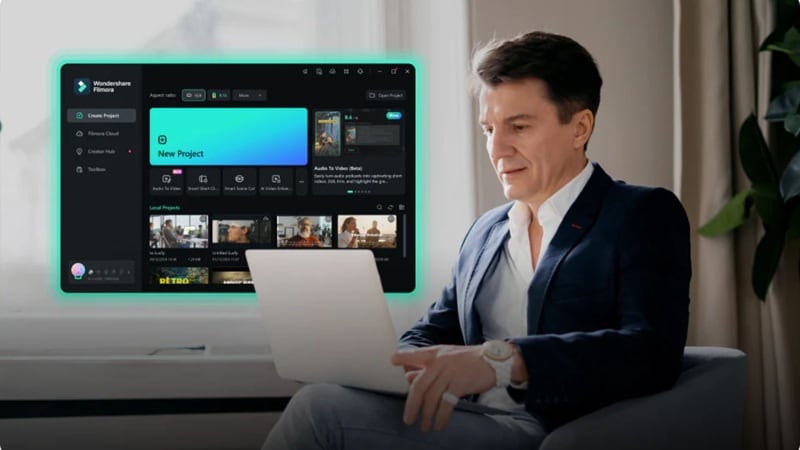
While WaveSpeed AI is certainly a powerhouse for generating clips, it isn't a full-blown movie studio. If you try to build a whole YouTube video or a short film inside a generation engine, you’ll find yourself frustrated by the lack of a timeline. This is why having an all-in-one video editor like Wondershare Filmora will bring tons of benefits.
 Secure Download
What Makes Filmora the Perfect Partner?
1. Take Full Control with a Real Editing Timeline
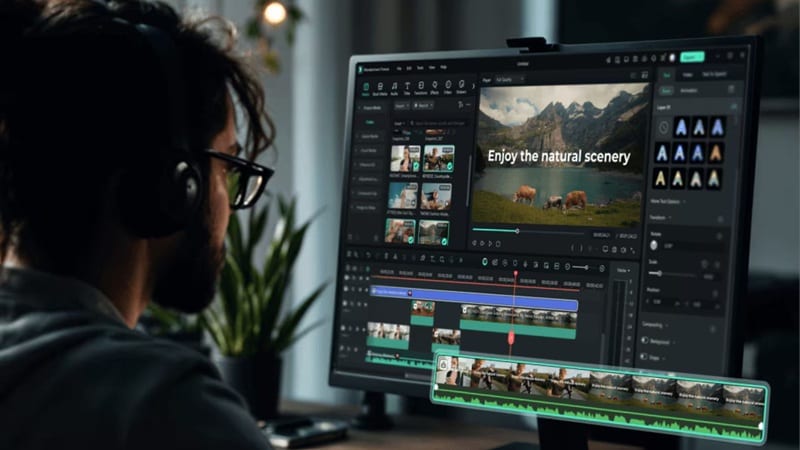
You get a proper editing timeline to work with, so you can line up clips, trim parts you don’t need, and control how everything flows. This is something WaveSpeed AI doesn’t really offer, since it focuses more on generating content rather than arranging it.
2. Instant Style with Ready-to-Use Effects and Templates

Filmora comes with a huge library of ready-made transitions, filters, and motion elements. Instead of building everything from scratch, you can just drag and drop effects to make your video look polished in minutes. It’s a huge time-saver, especially when working with multiple AI-generated clips.
3. Clean, Balanced Audio Without the Hassle
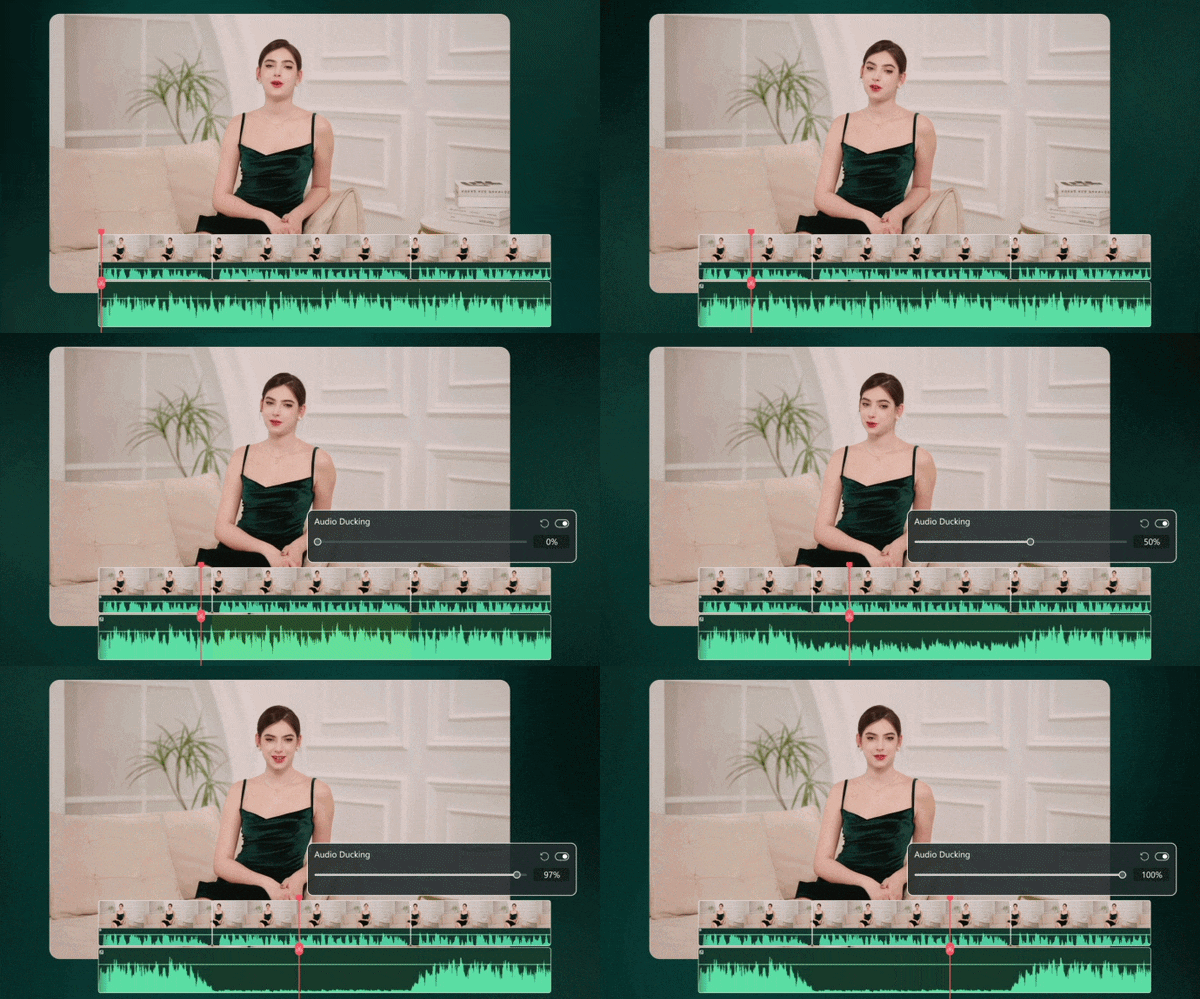
This is where Filmora really fills the gap. While WaveSpeed AI handles visuals, Filmora helps your video actually sound right. You can add captions with AI speech-to-text, balance music with auto-ducking, and clean up audio so everything feels more professional.
4. Add Motion and Energy with Speed Ramping
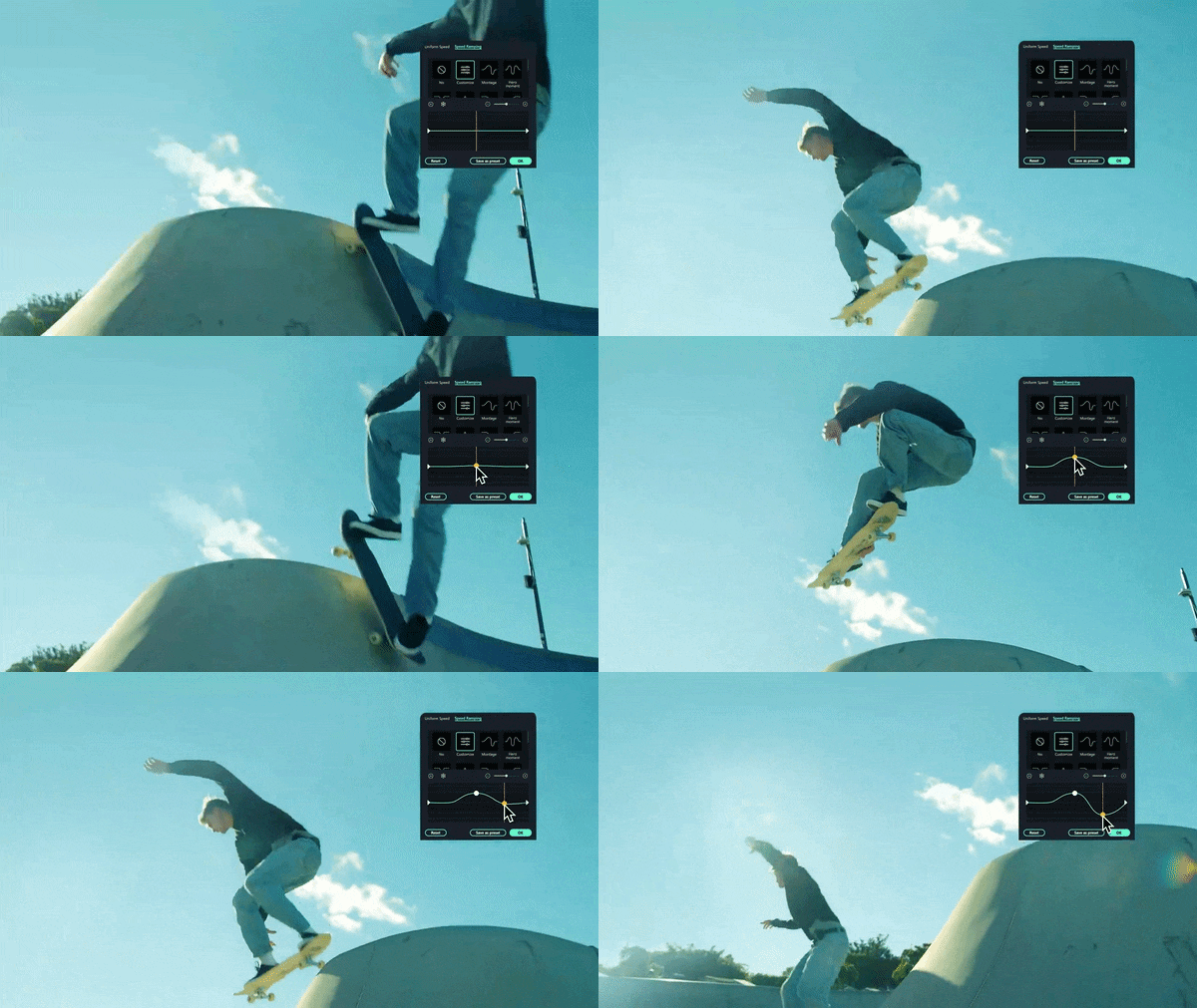
If your AI clips feel a bit flat, this fixes that quickly. Filmora’s AI Speed Ramping lets you adjust speed smoothly, from slow-motion moments to fast transitions, making your content feel more dynamic and engaging.
5. Match Every Clip with Consistent Color Grading

When you’re using clips from different models in WaveSpeedAI, the colors can look inconsistent. Filmora helps fix that with AI Color Palette and Color Correction. You can adjust tones, lighting, and color balance so everything looks like it came from the same source, making your final video feel much more cohesive.
Combining Workflow: The Creator’s Dream
As you can see, Filmora is a full-featured video editor that fills in everything WaveSpeed doesn't provide. Together, they cover the entire production pipeline from raw AI generation to finished, professional output. The smartest way to work is to use WaveSpeed AI as your Production Studio and Filmora as your Post-Production Suite.
Step 1: WaveSpeed (Production)
- Generate raw AI clips from text or images.
- Produce multiple shot variations quickly.
- Upscale and enhance footage.
- Download finished clips.
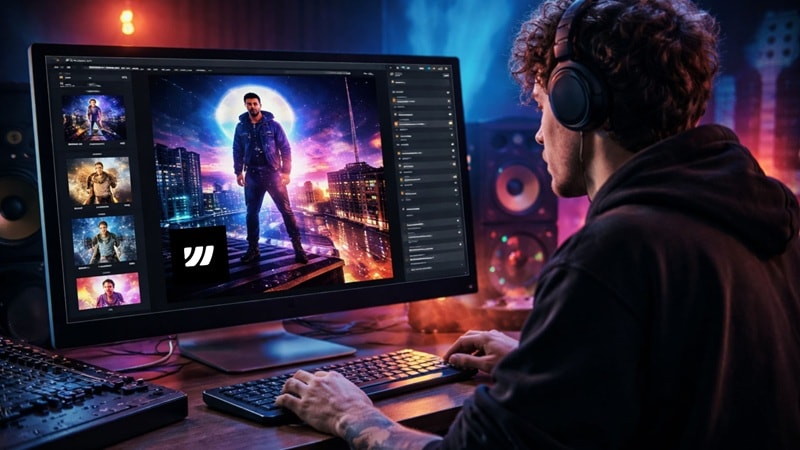
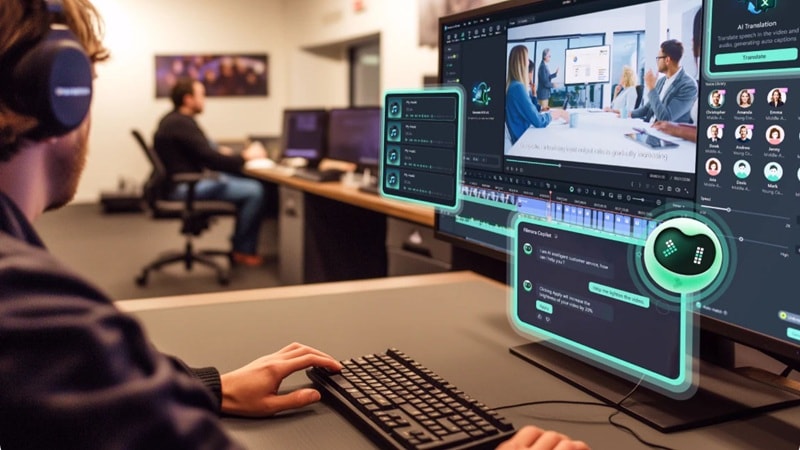
Step 2: Filmora (Post-Production)
- Import clips into a full editing timeline.
- Add music, voiceover, and sound effects.
- Apply speed ramps, transitions, and color grades.
- Export a polished, professional final video.
 Secure Download
Conclusion
WaveSpeed AI is one of those tools that actually lives up to the hype. With access to hundreds of models, flexible WaveSpeed AI pricing, and fast output, it gives creators a level of control that most platforms simply do not offer. That said, it's still no substitute for a full editing suite.
That's why you need an all-in-one editor like Filmora. This AI editor offers plenty of services that WaveSpeed AI simply doesn't, like a proper timeline, extensive media library, and a wider set of AI features. And when you combine WaveSpeed with Filmora, you end up with a smoother workflow that feels complete from start to finish, not just another tool in the chain.
FAQs
-
Does WaveSpeed AI require coding skills to use?
Not at all! While there is an API for developers, the main website and desktop app are purely "point and click" and "text to prompt." So, it is fully accessible to non-technical users. -
Is there a free version of WaveSpeed AI?
Yes! New accounts get $1 in free credits with no credit card required. On top of that, like Background Remover, Face Enhancer, Image Eraser, Video Converter, and more, are completely free to use with no watermarks and no hidden costs. -
Is WaveSpeed AI good for commercial projects?
It can be. Many marketing teams and creative studios use WaveSpeed AI for rapid content generation, social media clips, and ad creatives. That said, always review the licensing terms of the specific model you use, as third-party models (like Midjourney or Kling) may carry their own commercial use policies.
