


Adobe has created plenty of fantastic tools over the years, and Adobe Premiere Rush was definitely a crowd favorite for quick, on-the-go video creation. This lightweight Adobe Premiere Rush video editor made clipping together high-quality social posts super easy right from your phone or laptop.
That said, you can no longer download Adobe Premiere Rush because Adobe has officially discontinued the app, leaving a lot of people hunting for a smooth replacement. So, we’ll take a closer look at what made Rush so popular and break down the absolute best Premiere Rush alternatives so you can keep editing without missing a beat!

Part 1. What Made Adobe Premiere Rush a Favorite Among Beginners?
Before we talk replacements, it's worth remembering why Premiere Rush stuck around in so many creators' toolkits. When Adobe dropped this app, it filled a huge gap: full-blown professional software like Premiere Pro was often too heavy or complex for a quick TikTok edit, while basic phone apps felt way too limited.
The Premiere Rush app landed right in that sweet spot. It is simpler than a full desktop suite, but a lot more capable than a basic trimming app.
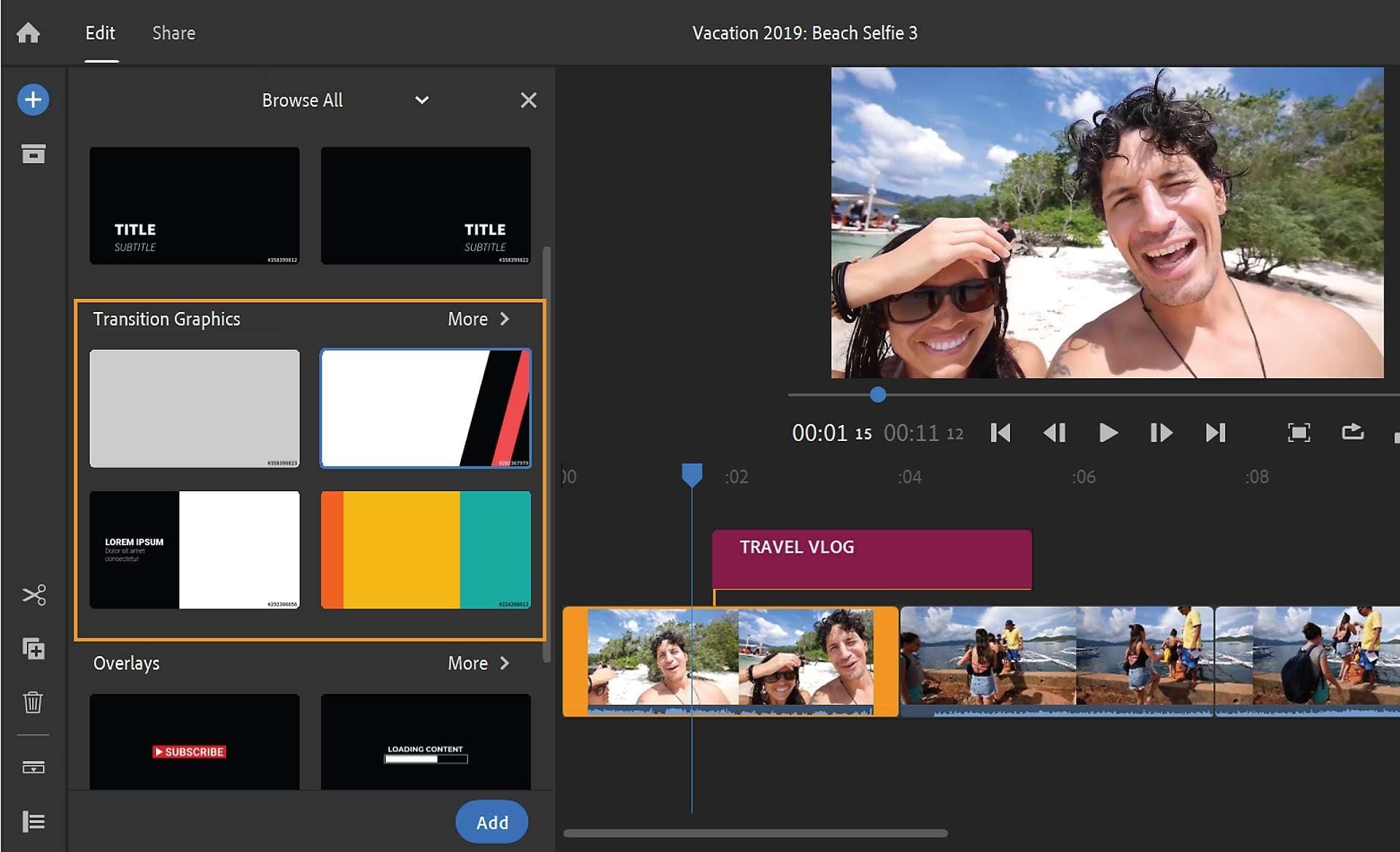
Below are six things that made the Adobe Premiere Rush video editing app appealing to everyday creators.
Key Strengths & Advantages
- Flexible compatibility: It ran on Windows, macOS, iOS, and Android. People searching for Adobe Premiere Rush on iPad, iPhone, or Android were all covered.
- Free Starter Plan: Having access to an Adobe Premiere Rush free tier allowed creators to get their feet wet with core features without dropping cash upfront.
- Easy-to-Use Interface: Intuitive, streamlined drag-and-drop timeline designed for fast turnarounds without steep learning curves.
- Multi-Language Support: Adobe rolled out built-in support for dozens of languages, making it a global go-to for creators worldwide.
- Direct Social Publishing: Once your video was wrapped, you could publish straight to YouTube, TikTok, or Instagram with tailored aspect ratios.
- Adobe Creative Cloud Integration: Adobe Premiere Rush mobile app belonged to the same Adobe creative ecosystem. Its integration with Adobe Stock and Creative Cloud gave users access to supported creative assets and cross-device project syncing.
Part 2. Adobe Premiere Rush Discontinued: What Happened?
If you opened the app recently or tried searching for a Premiere Rush download, you probably hit a wall. That’s because on September 30, 2025, Adobe officially discontinued Premiere Rush. The change happened in stages, so it's worth understanding the dates before trying to install the old app or relying on an existing project. Here’s the timeline:
- 2019: Adobe introduces Premiere Rush as a lightweight editor for creating and sharing videos across desktop and mobile devices.
- Sep 30, 2025: Rush is removed from Adobe.com and mobile app stores for new downloads.
- Sep 30, 2026: Adobe's announced support period ends. Rush may no longer function, and users should move to a supported editor.
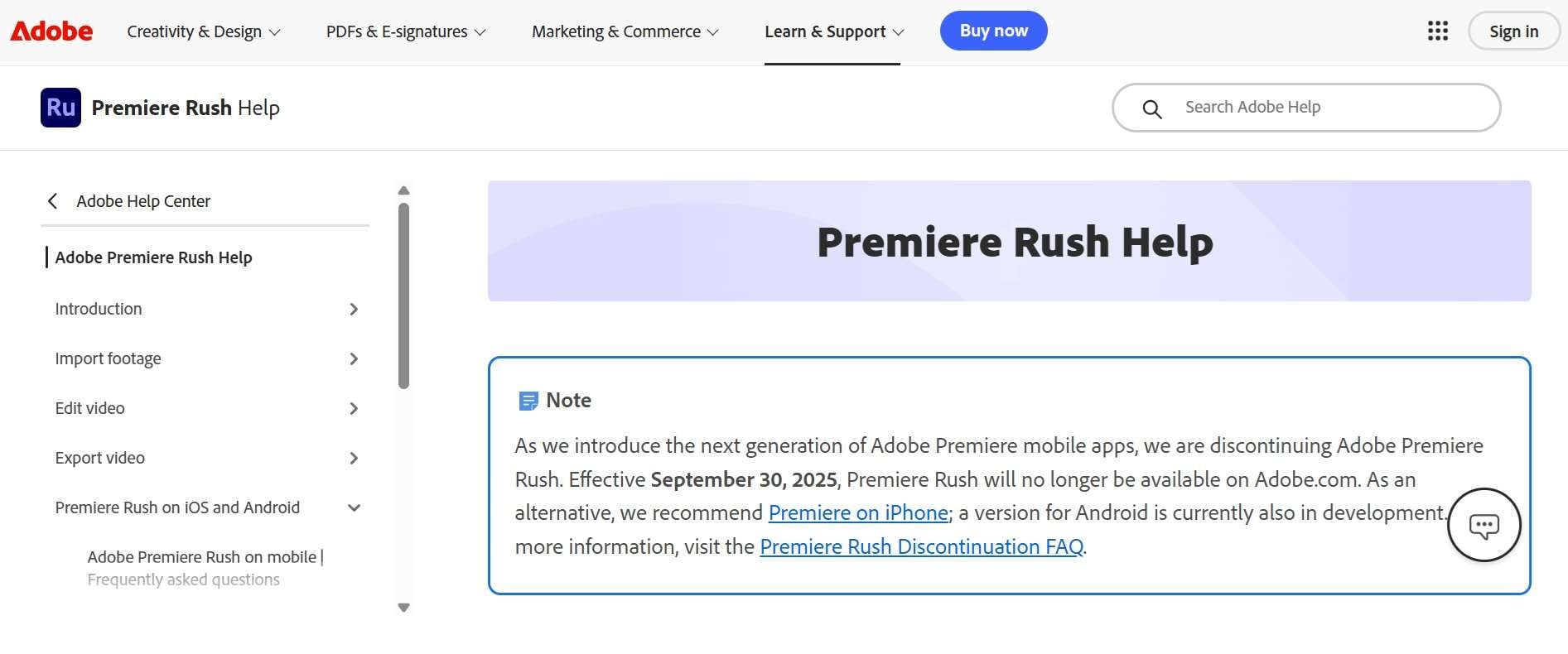
Naturally, when an Adobe Premiere Rush app gets pulled, rumors start flying across Reddit and YouTube. Some creators thought it was strictly due to fierce competition from mobile-first editors like CapCut. Others figured Adobe just wanted to push everyone into pricier Creative Cloud tiers.
However, Adobe says it's moving toward the next generation of Premiere editing apps, informed by what it learned from Rush. Its flagship replacement is the new Adobe Premiere mobile app, first on iPhone and now on Android, with Premiere Pro as the desktop path.
Part 3. 5 Adobe Premiere Rush Alternatives You Can Download Today
Now that the Adobe Premiere Rush mobile and desktop versions are retired, you need software that keeps your editing pipeline running smoothly. The good news is that you don't have to replace Rush with something complicated or expensive just to trim clips and post a video. You can use Adobe Premiere Rush alternatives available right now.
1. Wondershare Filmora
Filmora is the one that can actually follow you from your phone to your desktop. It keeps the quick, drag-and-drop feel Rush fans liked, but adds a much bigger toolbox for when your edits start getting more ambitious: tracking, auto color, AI captions, and more. That mix of easy to learn and room to grow is exactly why it is the perfect Premiere Rush alternative.
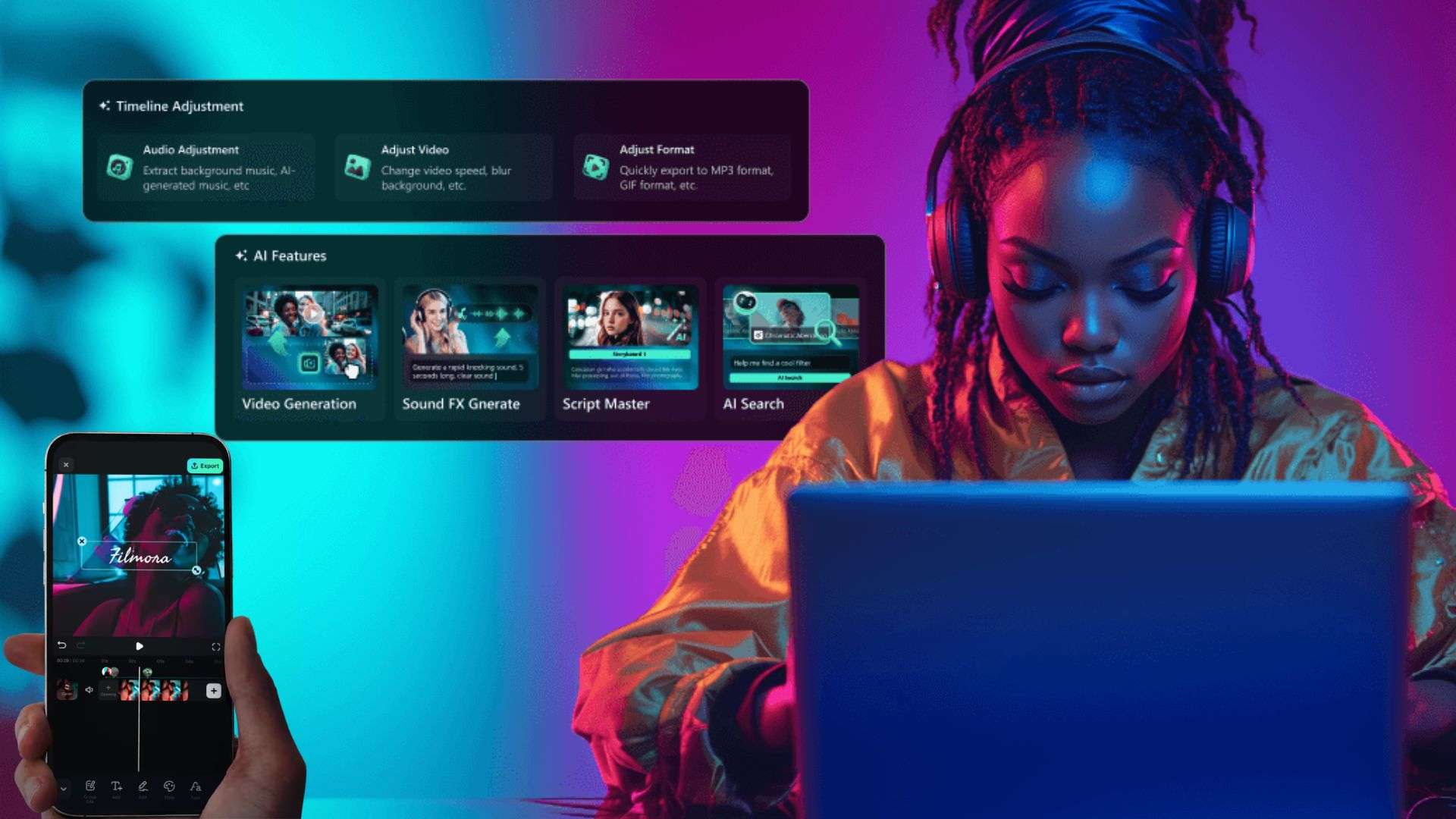
- AI Smart Short Clips that turn long videos into vertical Shorts, Reels, and TikToks.
- Motion Tracking and Planar Tracking for attaching text or swapping screens.
- Auto Color for one-click exposure and color fixes.
- Multi-track timeline with keyframing for finer control.
- Super friendly interface that takes almost zero time to learn.
- Excellent library of built-in templates, effects, and stock assets.
- Strong cross-platform support so you can edit on both mobile and desktop.
- The free trial places a watermark on your exported videos.
- Using AI tools require AI credits
Windows, macOS, Android, iOS.
Free version is available. Flexible paid plans are listed on the Filmora pricing page.
Beginners, social media creators, YouTubers, and hobbyists who want a broad set of editing tools without jumping straight into professional software.
 Secure Download
2. Adobe Premiere
If you're comfortable with Adobe and want to stay in its ecosystem, Premiere is the obvious option to try first. This is Adobe's own answer to the Premiere Rush mobile alternative, built from scratch rather than patched. It's a free, standalone mobile editor with a proper multi-track timeline, and it plays nicely with Premiere Pro on desktop.
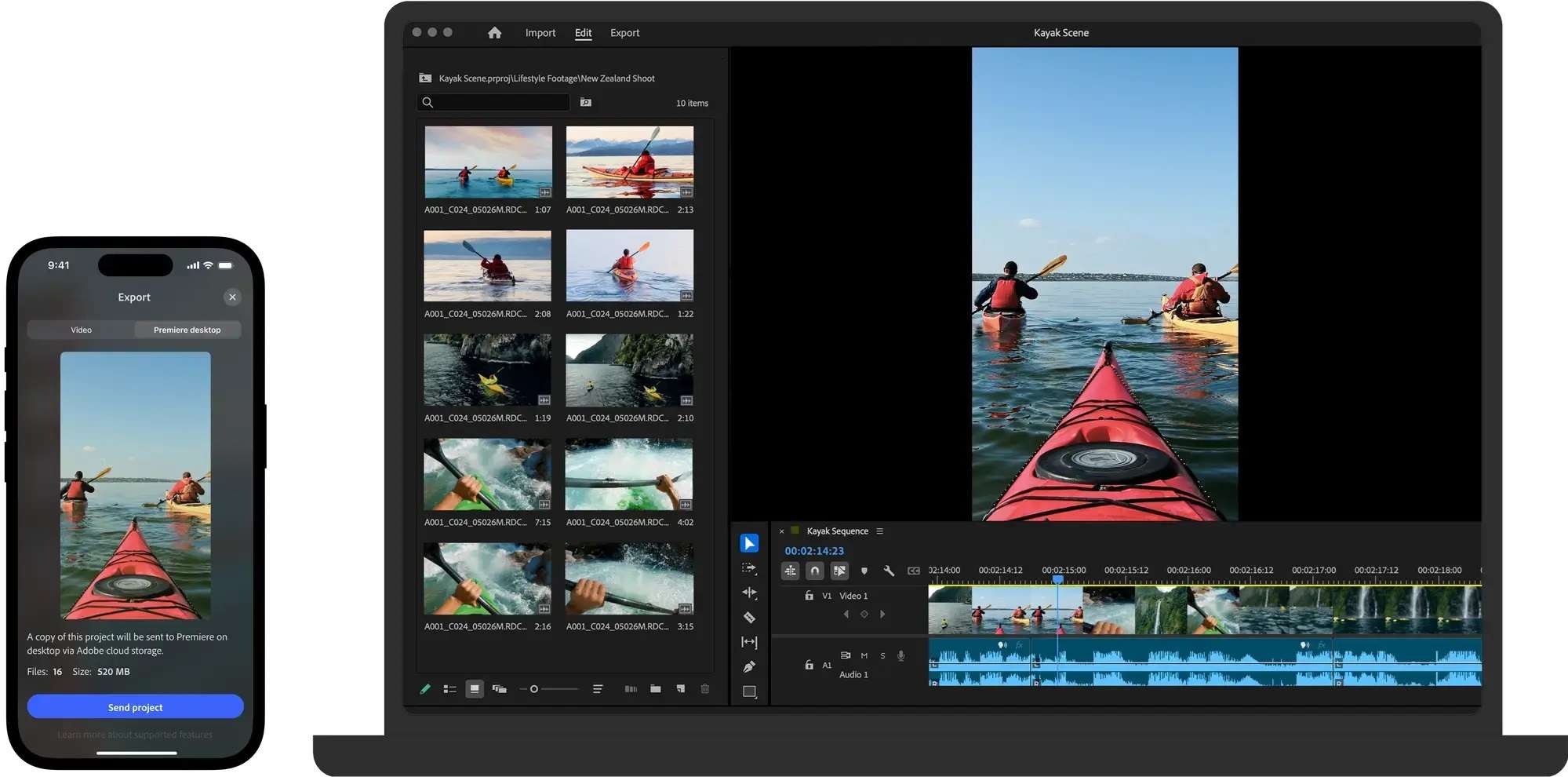
- Multi-track, frame-accurate timeline.
- Studio-style audio cleanup to reduce background noise.
- Auto-generated captions and 4K HDR editing.
- Free library of stickers, fonts, and royalty-free music (some assets need sign-in).
- A natural choice for people who already use Adobe software.
- Smooth path to desktop editing in Premiere Pro.
- Desktop Premiere has a subscription cost, unlike the free core mobile app.
- Android support is brand new and needs a fairly modern, high-RAM phone.
Android, iOS.
Free, with no ads and no watermarks. You only pay for extras like Firefly generative credits and additional cloud storage.
Intermediate to advanced editors, professional freelancers, and creators who want to build a career in video production within the Adobe ecosystem.
3. VN Video Editor
If your main squeeze was using Premiere Rush on iPhone or Android for crisp vlog cuts, VN Video Editor (Vlog Now) is an absolute gem. It has gained a massive following among mobile creators because it manages to look clean while delivering desktop-style features. On top of that, the desktop versions on Windows and macOS are pretty good too!
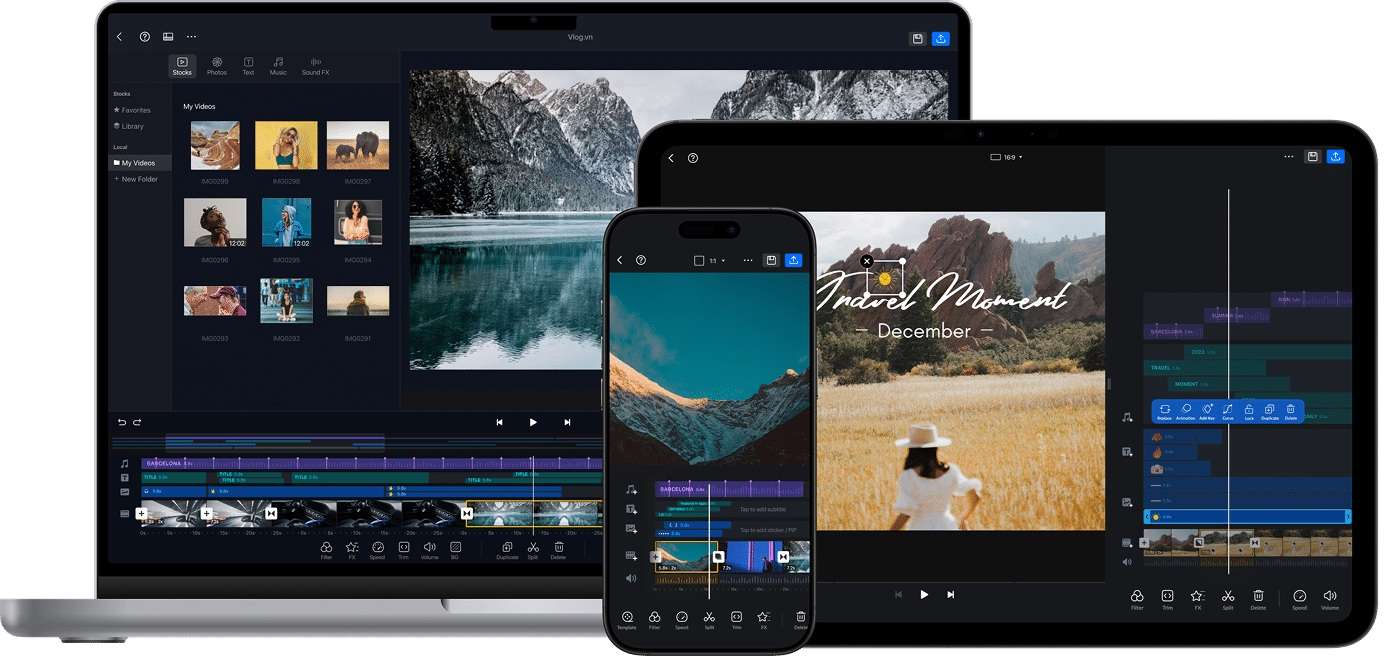
- Multi-track timeline that supports video overlays, audio tracks, and title layers.
- Curve speed controls for smooth speed ramping effects.
- Easy custom LUT imports for quick color grading styles.
- Direct export presets tailored for YouTube, TikTok, and Instagram.
- Free with no watermark.
- 150+ free templates for quick and detailed edits.
- Desktop versions (Mac/PC) feel more like mobile port-overs rather than native desktop apps.
- Its AI toolset is lighter than some rivals like Filmora.
Windows, macOS, Android, iOS.
Free version is available. Optional paid plans start at $7.99 per month.
Beginners, mobile creators, vloggers, and people who make TikTok videos, Reels, and YouTube Shorts.
4. Kinemaster
If you loved using Premiere Rush for Android or iOS because you like having granular control over every single frame, KineMaster is the one to choose. It leans a bit more into the traditional editing layout, turning your phone or tablet horizontally for a timeline experience that mimics desktop software.
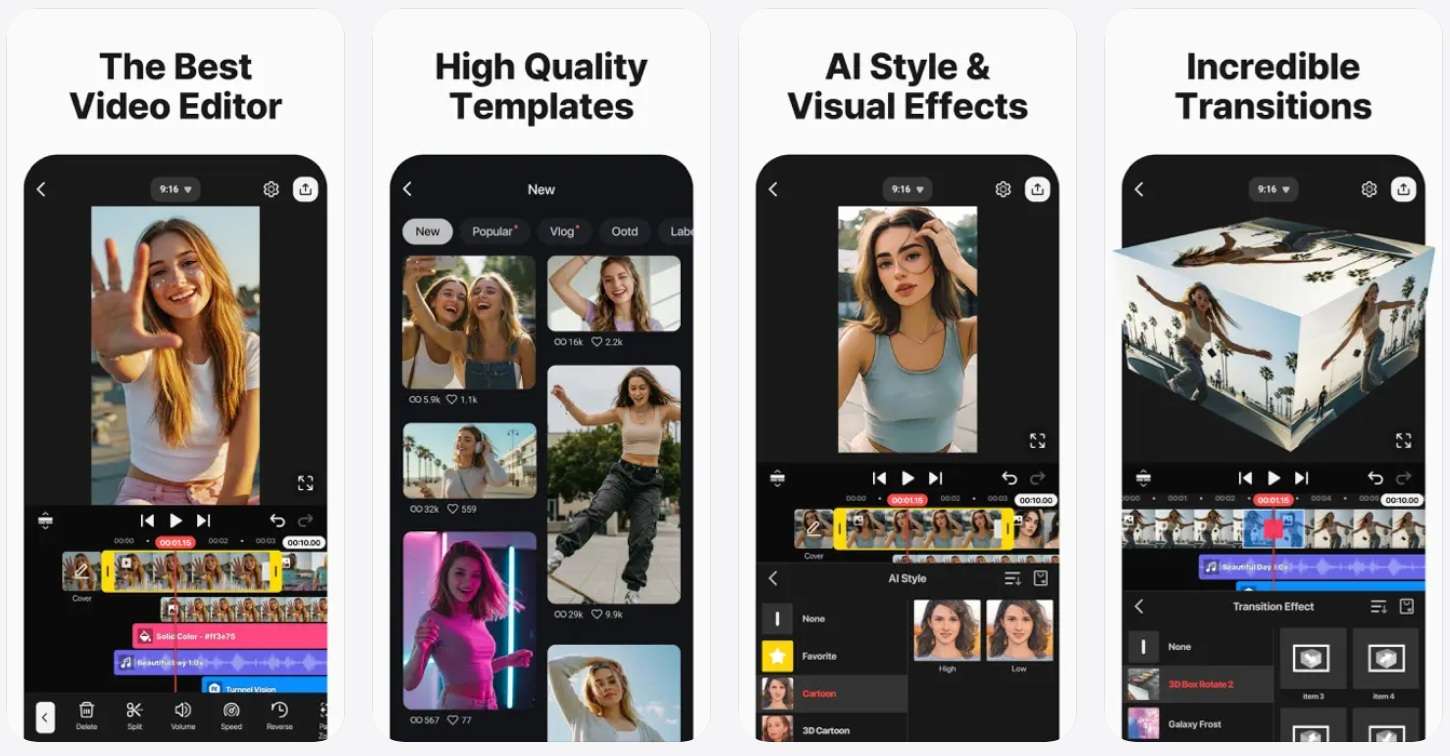
- Multiple video, image, sticker, special effects, and text layer support.
- Chroma key (green screen) compositing with fine edge tuning.
- Keyframe animation tool to add custom motion to any layer.
- Extensive KineMaster Asset Store for music, graphics, and transitions.
- Offers detailed layer controls on mobile.
- Precise frame-by-frame trimming and keyframe animation options.
- The free version places a noticeable watermark in the top corner of exported videos.
- Landscape-only interface means it's less convenient for super-fast portrait edits.
Android, iOS.
Free version is available. Optional paid plans start at $9.99 per month.
Mobile creators, short-form video makers, and users who want to combine footage, text, images, and effects in a single project.
5. VLLO
Our last recommendation for a capable Premiere Rush Android and iPhone alternative would be VLLO. What makes VLLO special is its focus on intuitive touch controls and cute, aesthetic asset design. The controls are clean, the learning curve is gentle, and it exports without a watermark even on the free version, which is why it's a favorite for quick vlogs and everyday social clips.
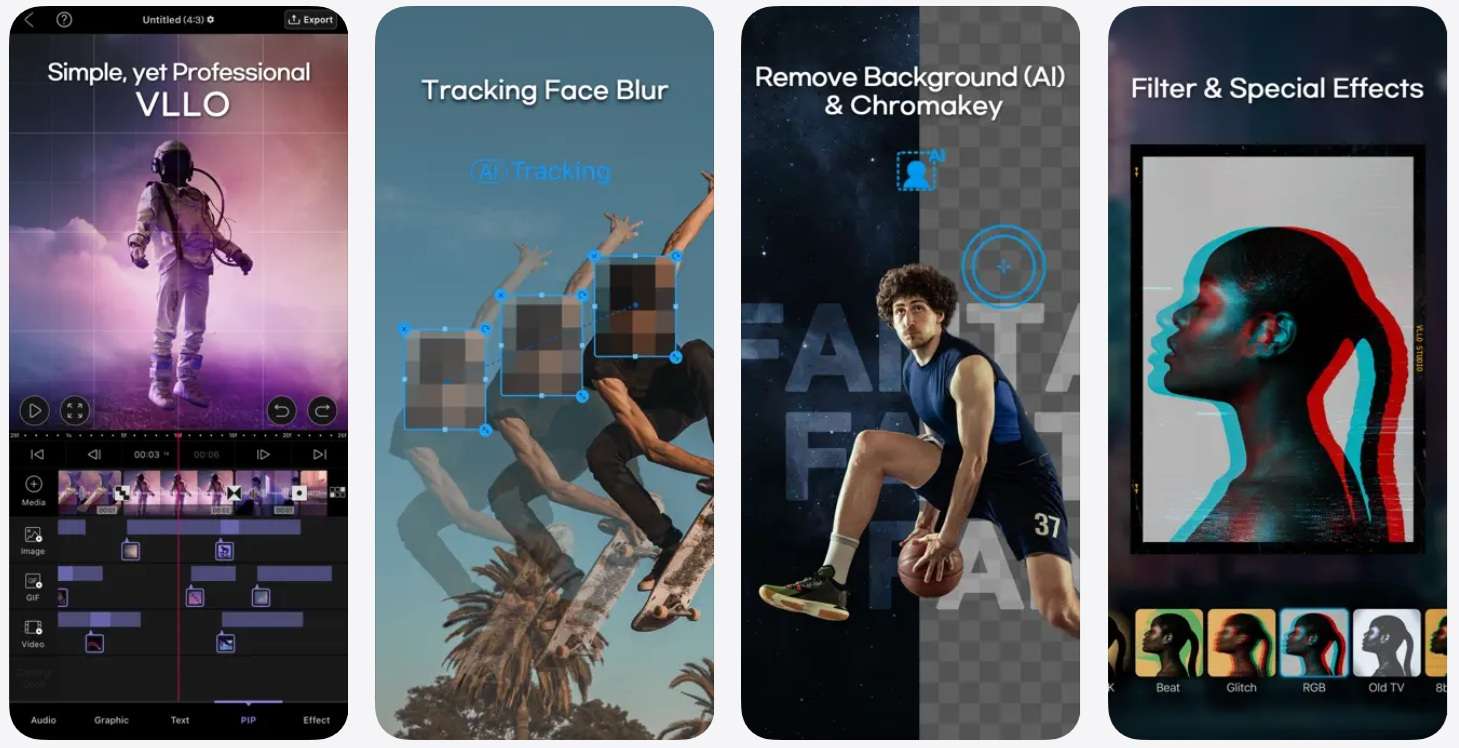
- Intuitive cut, split, and re-order timeline designed specifically for touch.
- Royalty-free background music and sound effects library updated regularly.
- Mosaic and blur tracking tools to mask background details or faces easily.
- Royalty-free animated stickers, graphic labels, and stylish text templates.
- No watermark on free exports.
- No ads interrupting your workflow, even on the free version.
- Lacks advanced audio editing tools like multi-band EQ or noise reduction.
Color grading features are pretty basic compared to other rivals like Filmora.
Android, iOS.
Free version is available. Optional paid plans start at $6.49 per month.
Casual creators, vloggers, travel-video makers, and beginners who want a straightforward mobile editing experience.
Part 4. Which Premiere Rush Alternative Should You Choose?
By now, you've seen that each Premiere Rush alternative has its own strengths. Some are better for quick edits on your phone, while others give you more control over longer videos or offer a path to desktop editing.
Check out a quick comparison of how our top picks line up against each other:
| Tool | Platforms | Main Selling Point | Primary Focus | Skill Level |
| Filmora | Windows, Mac, iOS, Android | Broad editing toolkit | Creative editing and effects | Beginner to advanced |
| Adobe Premiere | iOS, Android | Adobe ecosystem | Free mobile editor with Adobe ecosystem | Beginner to advanced |
| VN Video Editor | Windows, Mac, iOS, Android | Watermark-free mobile editing with custom LUTs | Social videos and vlogs | Beginner to intermediate |
| Kinemaster | iOS, Android | Detailed layer controls | Effects and layered mobile edits | Intermediate |
| VLLO | iOS, Android | Simple, aesthetic layout | Vlogs and everyday videos | Beginner |
|
Show More
Show Less
|
||||
If you're still unsure after reading the reviews, the tables below break down which tools are worth considering for different situations and how their main features compare.
| Use Case / Scenario | Our Recommendation | Reasoning |
| You want an editor for both desktop and mobile | Filmora | Offers desktop and mobile versions with different tools for different needs |
| You want to stay with Adobe | Adobe Premiere | Same company, pro timeline, and handoff to Premiere Pro |
| You want free, clean exports with no watermark | VN, VLLO | Both export without a watermark on free plans |
| You want layer-based editing on mobile app | Kinemaster | Strong layering and keyframes, but free exports are watermarked |
| You want the easiest possible learning curve | Filmora | It has simple controls built for beginners, but also plenty of advanced features if you want to go further |
|
Show More
Show Less
|
||
Secure DownloadConclusion
Losing Premiere Rush stings, but there's a good option for almost every kind of creator. Adobe Premiere on mobile suits Adobe loyalists, VN and VLLO keep exports clean for free, and KineMaster rewards layer-based editing.
If you want one editor that grows with you, give Wondershare Filmora a try. It runs on desktop and mobile, with AI captions, tracking, and auto color to speed things up. It keeps Rush's easy feel while giving you much more to explore.
FAQs
-
Can I still use Adobe Premiere Rush if I already have it installed on my device?
No. Adobe's announced end-of-life date was September 30, 2026, and technical support has ended. Subscription renewals also stopped, so premium features may be gone. -
What Should You Do With Your Old Premiere Rush Projects Before Switching Apps?
Before uninstalling or moving away from Premiere Rush, it's a great idea to open your active projects and export the master video files in high quality so you have clean copies saved locally. -
How Much Storage Do Mobile Video Editing Apps Usually Need?
While the installation files for mobile apps like VN, KineMaster, or VLLO are usually small (around 100MB to 300MB), video editing requires significantly more working storage. We recommend keeping at least 10GB to 20GB of free space on your smartphone or tablet so the app can process temporary cache files, render transitions, and handle high-resolution 4K video exports without crashing. -
Will my Adobe Creative Cloud subscription cost decrease now that Premiere Rush is gone?
No, Adobe has not lowered the pricing for Creative Cloud plans following the discontinuation of Premiere Rush. If you're on a bigger plan, check your Adobe account for the current price, and keep in mind that the new Adobe Premiere mobile app is free.
