


 TL;DR:
PlayPlay functions best as a rapid, cloud-based AI video generator for corporate teams to convert scripts and URLs into branded content, but its hidden pricing and rigid templates make Wondershare Filmora a stronger choice for creators needing advanced editing control.
● Registration strictly requires a professional work email to access the browser-only dashboard, which focuses on automating video drafts directly from pasted article links and auto-extracting highlights from long-form webinars or podcasts.
● The platform lacks a mobile application and relies on a non-transparent enterprise pricing model, forcing prospective users to submit a contact form and negotiate costs with a sales representative based on team size.
● Wondershare Filmora serves as a superior alternative for users who require transparent upfront pricing, seamless desktop-to-mobile editing, and advanced creative control through HSL color correction, custom AI music generation, and BorisFX or NewBlueFX plugins.
Ask AI for a summary
 ChatGPT
 Perplexity
 Gemini
 Claude
 Grok
Grok
Trying to produce high-quality video content for your brand usually feels like a choice between spending a fortune on an agency or losing your mind in complex editing software. However, recent data from Wyzowl shows that 63% of video marketers have used AI video tools to help create or edit marketing videos.
That's because tools like PlayPlay promise to turn text into videos in minutes. So, if you’ve been looking for a streamlined PlayPlay video maker to bridge that gap, this review breaks down whether this platform actually delivers on its "no skills required" promise.
Part 1. Meet Your New Creative Sidekick: Getting to Know PlayPlay
Essentially, PlayPlay is a cloud-based video creation platform designed mainly for teams and businesses that need to move fast. It focuses on turning scripts, URLs, or existing content into branded videos quickly.
Since it runs entirely on playplay.com, there’s no heavy software to install, which makes it accessible from anywhere you have an internet connection.
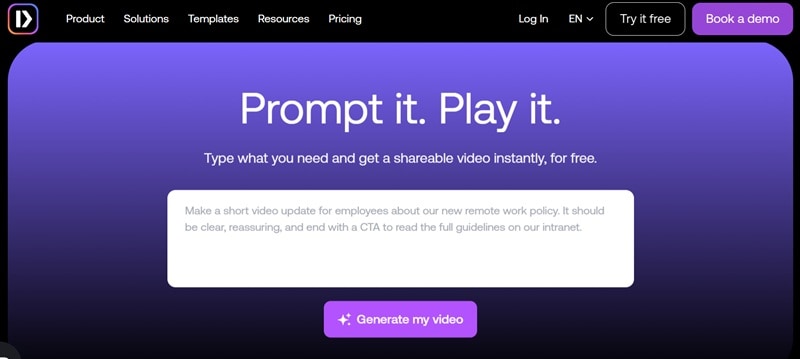
PlayPlay at a Glance
| Category | Details |
| Platform Type | Web-based (Play Play online) |
| Main Function | AI video creation and branding |
| Core Tech | AI-driven text-to-video and automated editing |
| Media Library | Stock videos, images, templates |
| Collaboration | Team editing and feedback tools |
| Best For | Marketing teams, HR, businesses |
Part 2. What You Can Actually Do With PlayPlay (Feature Breakdown)
Now, let’s explore what you’re really getting inside the platform. PlayPlay focuses on speed and automation more than deep editing control. Here are the main features of PlayPlay:
1. AI Video & Image Generation
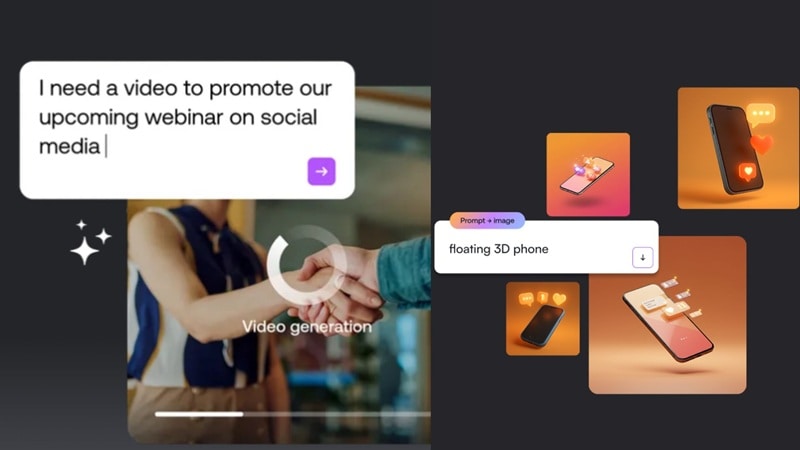
The standout feature is definitely the PlayPlay AI text-to-video capability. This allows you to:
- Turn scripts into full videos automatically.
- Generate scenes based on your text.
- Combine visuals, subtitles, and voiceover instantly.
There’s also an AI text-to-image tool, which is basically the same concept, but instead you generate an image. This can be a lifesaver when you’re missing that one specific shot for a slide.
2. Repurpose Content Without Starting Over
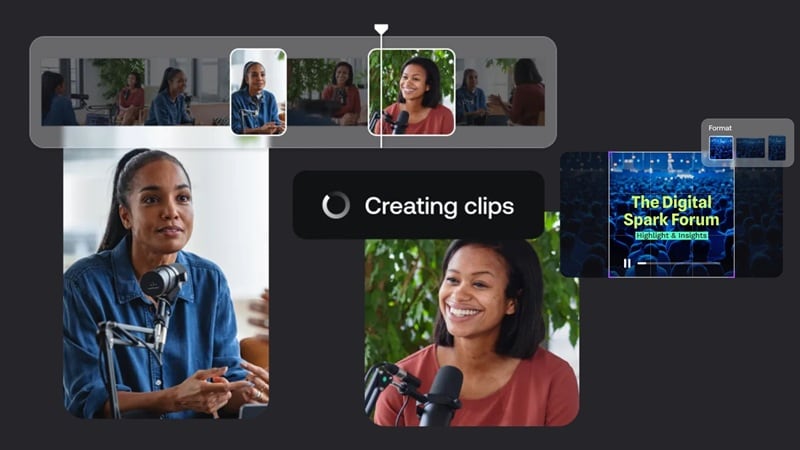
If your content is long formats like podcasts, webinars, or gameplay recordings, PlayPlay makes it easy to reuse that. With AI video clipping, you don't have to manually cut your clip from scratch every time. You can:
- Chop up long-form webinars or interviews into bite-sized clips.
- Let the AI detect the most engaging highlights automatically.
- Optimize everything for vertical social media formats in one click.
This makes it a lot easier to turn one piece of content into multiple posts. Plus, you’re also increasing your chances of reaching more people through short-form platforms like YouTube Shorts, Instagram, and TikTok, where quick, engaging clips tend to perform better.
3. Turn Any URL Into a Video
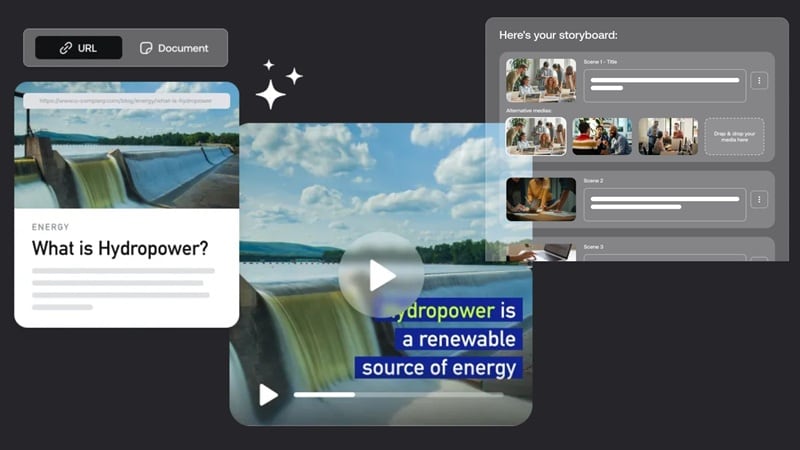
This is one of the more unique features of PlayPlay. Like the name suggests, it lets you turn written content into video without starting from scratch. Here’s how it works:
- Paste a blog or article link.
- PlayPlay pulls out the key points.
- Converts them into a ready-to-edit video draft.
It’s especially useful for content marketing teams that want to get more mileage out of existing articles. Instead of rewriting everything, you can quickly transform blog posts into short videos for social media.
4. Built-in AI Editing Tools
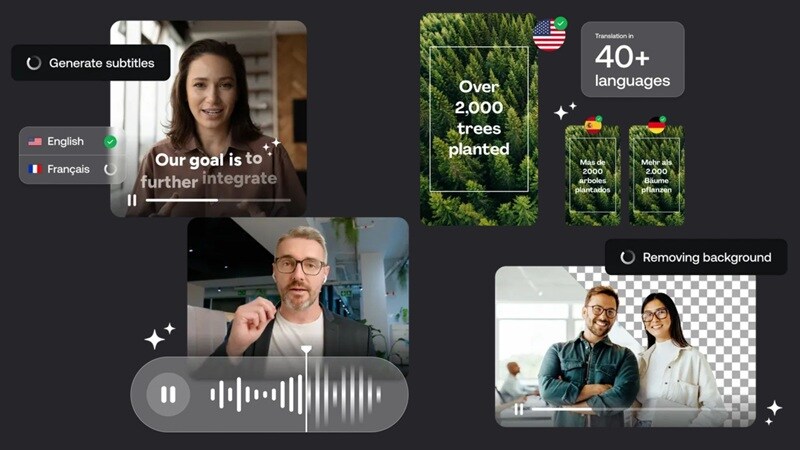
You also get a set of AI-powered editing tools that help speed things up without needing a lot of manual work. Most of these are simple one-click features, so you can fix or enhance your video quickly. Here are some of the most useful ones:
- AI Subtitles: Automatically generates captions, so you don’t have to type everything out yourself
- Video Translation: Makes it easier to reach a wider audience by translating your content
- Background Remover: Cleans up your talking head videos without needing a green screen
- Audio Cleaner & Voiceovers: Improves your audio quality and lets you add voiceovers that sound more polished
5. Extensive Media Library
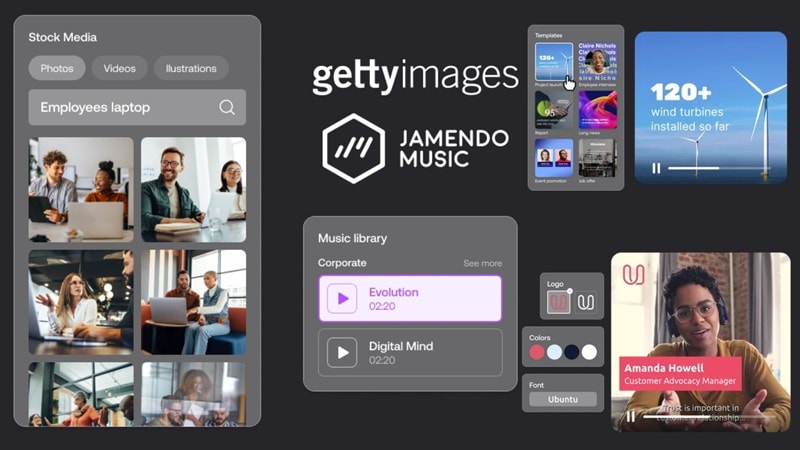
You also get access to a massive media library that helps you create videos without needing to source assets elsewhere. It includes:
- Stock videos and images.
- Ready-to-use templates for different use cases.
- Brand kits with your colors, fonts, and logos.
This makes it much easier to keep your videos looking consistent, especially if you’re producing content regularly.
Part 3. PlayPlay Pricing Situation (And Why It’s Confusing)
Here is the part where things get a little tricky. PlayPlay pricing is famously non-transparent. If you head to their pricing page, you won't see a "Monthly Subscription" button with a clear dollar amount.
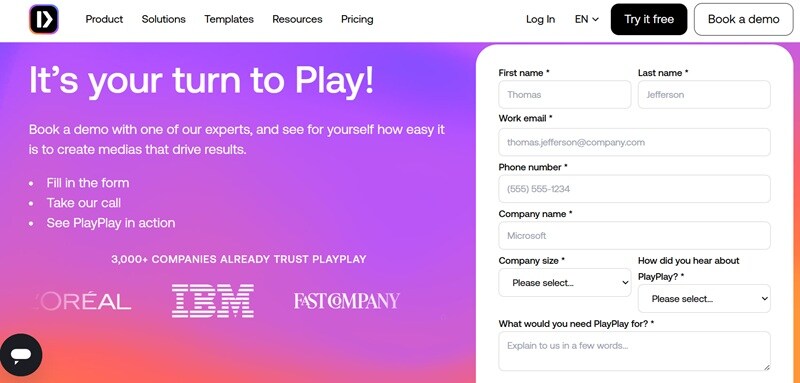
Instead, you have to:
- Fill out a detailed contact form.
- Wait for a sales representative to reach out.
- Negotiate a plan based on your team's size.
That alone can be frustrating if you just want a quick answer. Solo creators or small startups who just want to click and buy may find that to be a major hurdle.
Free vs Paid (What You Get)
While the lack of a public price list is annoying, PlayPlay actually offers a 7-day trial to let you kick the tires. Here is how that trial stacks up against a full enterprise seat:
| Feature | Free Trial | Subscription |
| Video Exports | Watermarked | Unlimited with no watermark |
| Stock Access | Basic Access | Full Premium Library |
| Brand Kits | Limited Customization | Full Multi-Brand Control |
| Collaboration Features | Limited | All features unlocked |
| Support | Standard | Dedicated Account Manager |
Part 4. How to Use PlayPlay (Step-by-Step Workflow)
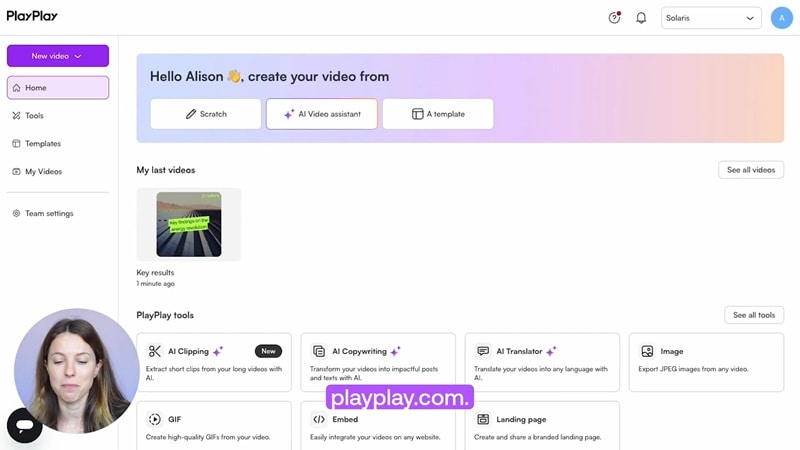
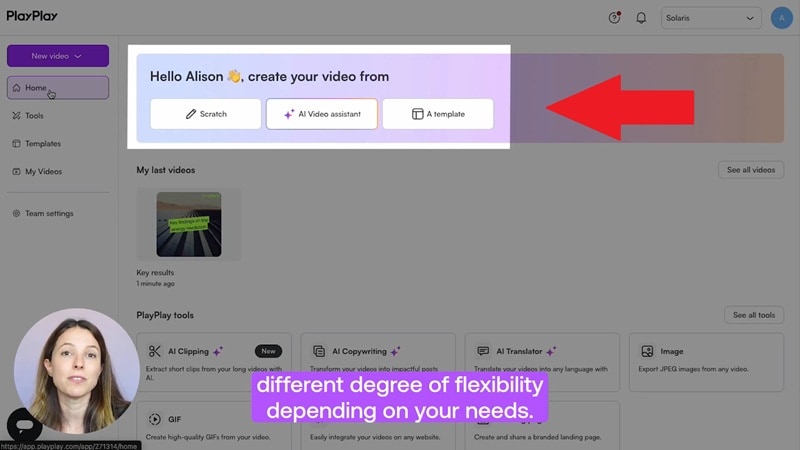
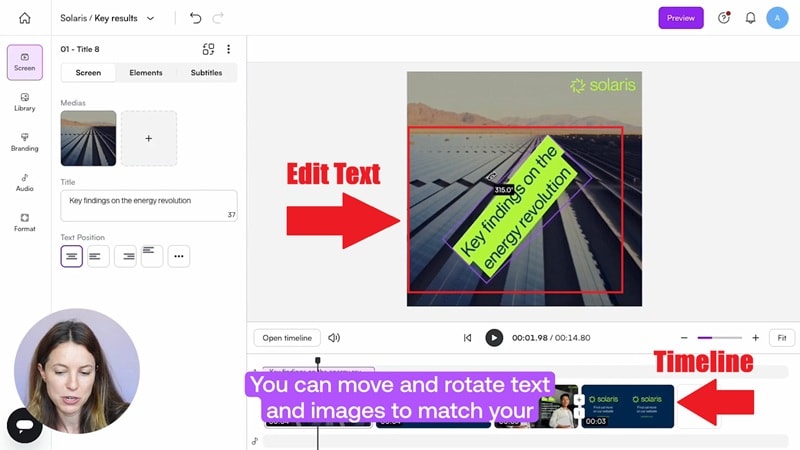
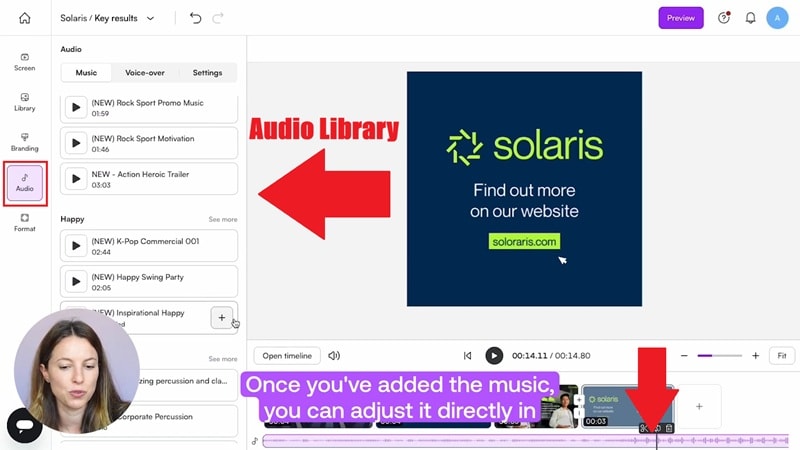
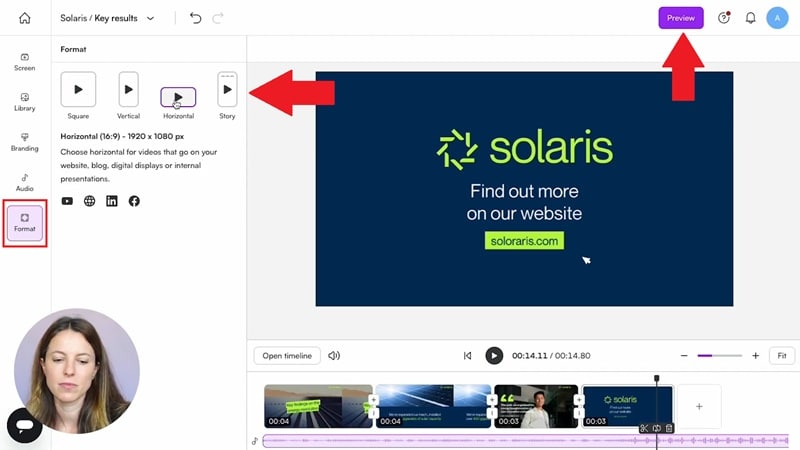
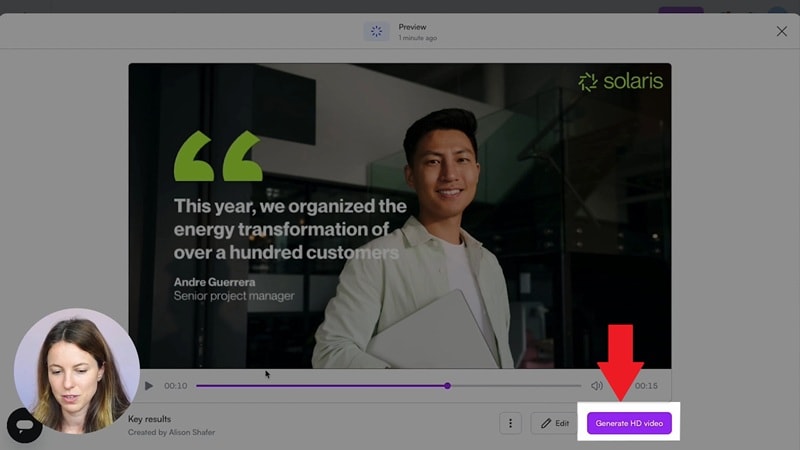
Ease of use is one of PlayPlay’s online biggest selling points. So, keeping the workflow very linear so you don't get lost is a very crucial point to review. And based on their official tutorial on YouTube, here is the typical path from a blank screen to a finished video:
- Change text or images.
- Rearrange scenes.
- Upload your own clips or use stock footage.
Part 5. Real Reviews, Pros, and Honest Downsides
Another important aspect before downloading anything is that you’ve got to see what people who use PlayPlay online every day are saying. And overall, most users seem pretty happy with it, but of course, there are some limitations, too. So, let's break it down!
PlayPlay Review Snapshot
Here’s how PlayPlay is rated across different platforms. Most reviews highlight how easy it is to use and how quickly you can get a video done. The higher scores mostly come from business users who care more about speed than creative control.
| Platform | Rating |
| Capterra | 4.6 / 5 (29 reviews) |
| G2 | 4.7 / 5 (312 reviews) |
| Crozdesk | 4.6 / 5 (34 reviews) |
| Software Advice | 4.6 / 5 (29 reviews) |
| TrustRadius | 10 / 10 (3 reviews) |
Pros and Cons
Expand the pros and cons descriptions.
- Teamwork Made Easy: You can share projects, leave comments, and collect feedback directly on the video. This makes it much easier for teams to work together without sending files back and forth.
- Zero Brain Power Needed: You don't need to be a tech wizard. The interface is so clean and simple that you’ll feel like a pro within ten minutes.
- Insane Speed with AI: Features like PlayPlay AI text-to-video really speed things up. You can go from idea to finished video much faster compared to traditional editing.
- High-quality Templates and Branding Tools: The templates look clean and professional. Once you set up your brand, PlayPlay keeps everything consistent without extra effort.
- The Price Tag Mystery: PlayPlay pricing is not listed upfront, so you have to contact their team first. That alone can be frustrating, and it usually ends up being more suited for companies than individuals.
- Gatekeeping the Login: You can’t just sign up with a regular Gmail account. They usually insist on a professional work email, which feels a bit stiff if you’re just trying to test things out.
- Stuck at the Desk: If you’re a creator who likes to edit on the go, you’re out of luck. There’s no mobile app, so you’re tethered to your computer.
- Limited Advanced Control: It is great for quick videos, but once you want more detailed edits, it starts to feel restrictive. You are mostly working within templates instead of building everything from scratch.
Who Should Use PlayPlay?
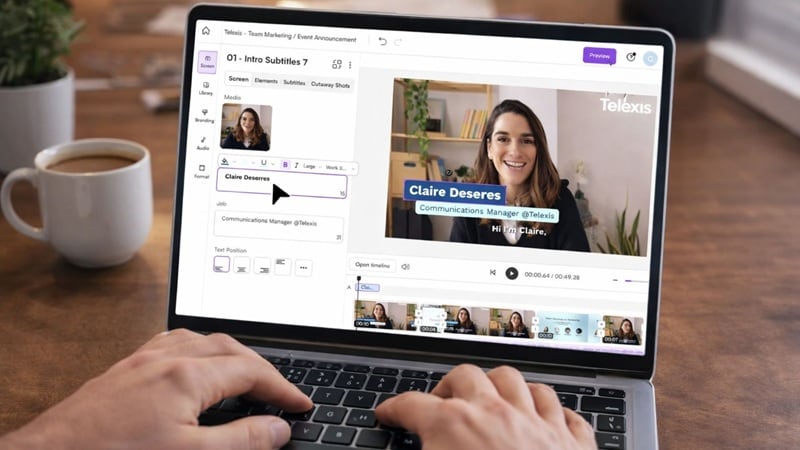
PlayPlay is ideal if you:
- Work in marketing or internal communications.
- Need quick branded videos for social or presentations.
- Do not want to learn complex editing tools.
- Create content regularly and at scale.
- Work with a team and need collaboration features.
PlayPlay is NOT ideal if you:
- Wants full creative control over every detail.
- Are working solo with a limited budget.
- Need advanced or cinematic editing features.
- Prefer clear and upfront pricing.
- Plan to edit mostly on your phone.
Part 6. Want More Control? Here’s a Better Alternative (Filmora)
By now, you probably get what PlayPlay is really good at. But at the same time, a few things can start to feel a bit off. Dealing with a mystery price tag, feeling like you’re locked out of advanced tools, or having to talk to a sales rep just to see a demo is a lot.
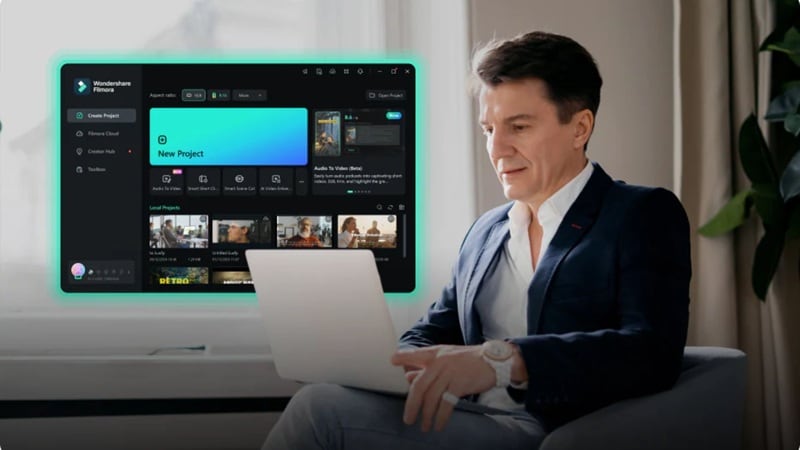
If those hurdles sound like a nightmare for you, using another editor like Wondershare Filmora starts to make a lot more sense. It’s a total powerhouse that lets you lean on AI when you’re lazy but still gives you the wheel when you want to get creative. It’s basically the best of both worlds.
 Secure Download
What Filmora Gives You That PlayPlay Doesn’t
1. Create From Image and Video
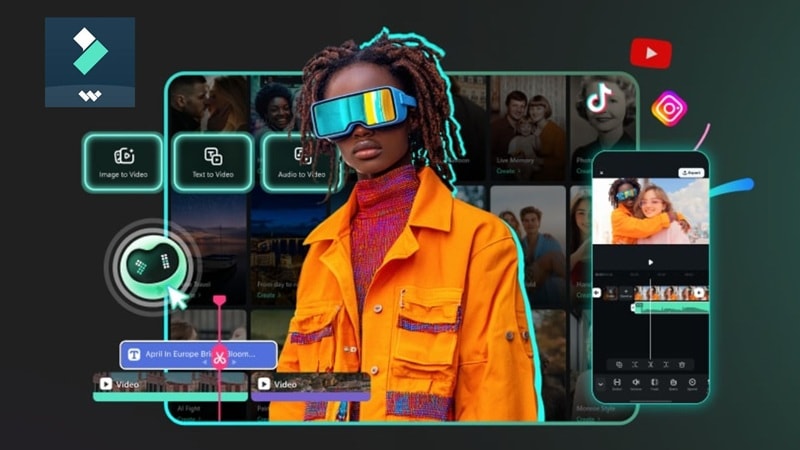
With Filmora, you are not limited to just text prompts like PlayPlay AI text-to-video. You can turn images into moving videos, extend clips, or even generate visuals from audio. It gives you more ways to start a project, not just one workflow.
2. Advanced Color Control
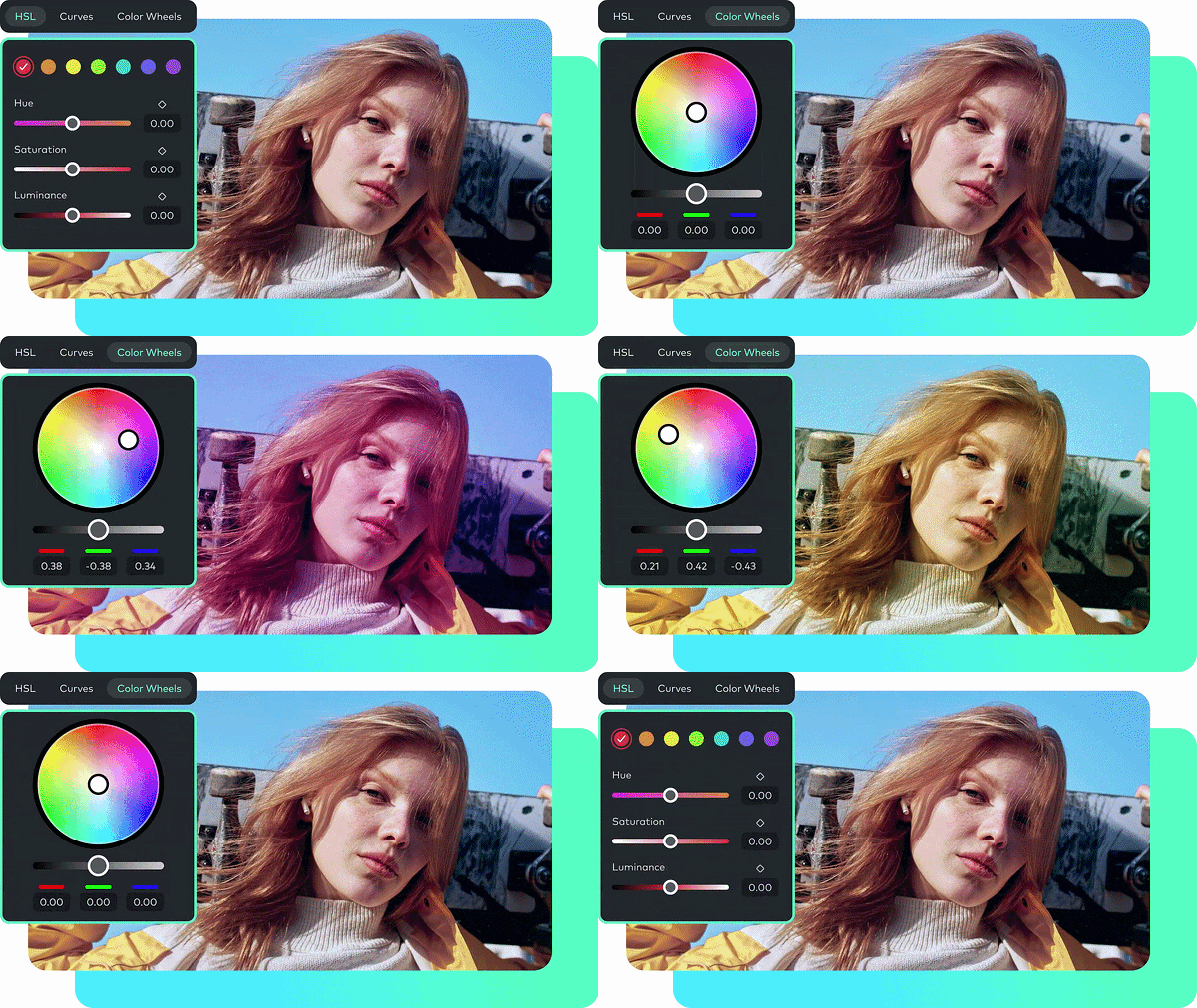
Filmora gives you full color tools like HSL, curves, and LUTs. On top of that, there’s an AI Color Palette that can match the tone of your footage automatically. You are not stuck with preset styles, you can actually fine-tune how your video looks.
3. Create Custom Soundtracks
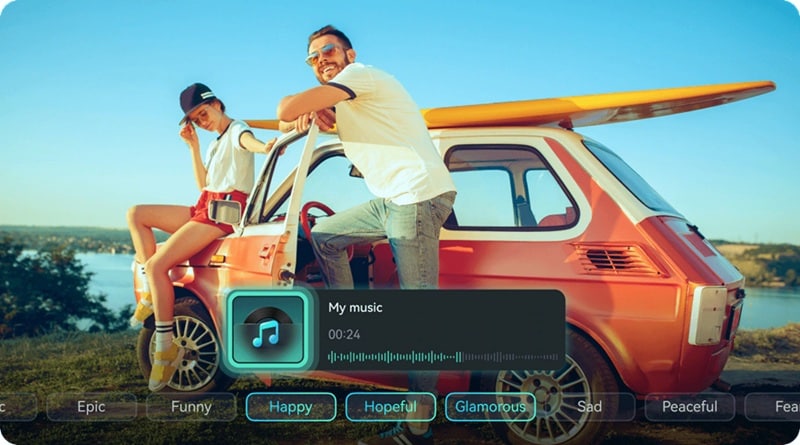
Instead of picking from a fixed library, Filmora lets you generate your own music using AI. You can also create sound effects that fit your scene. So your video does not end up sounding like everyone’s.
4. Transparent and Affordable Pricing

This one is simple. Filmora shows you exactly what you are paying for. No forms, no waiting, no guessing. Compared to PlayPlay pricing, where you have to contact sales just to get a number, this feels a lot more straightforward.
5. Pro Grade Plugins

If you want to get fancy, Filmora supports heavy hitters like BorisFX and NewBlueFX. These are the same kinds of high-end effects used in big productions. It gives you a ceiling that’s way higher than what you get with PlayPlay online.
6. Works on Desktop and Mobile
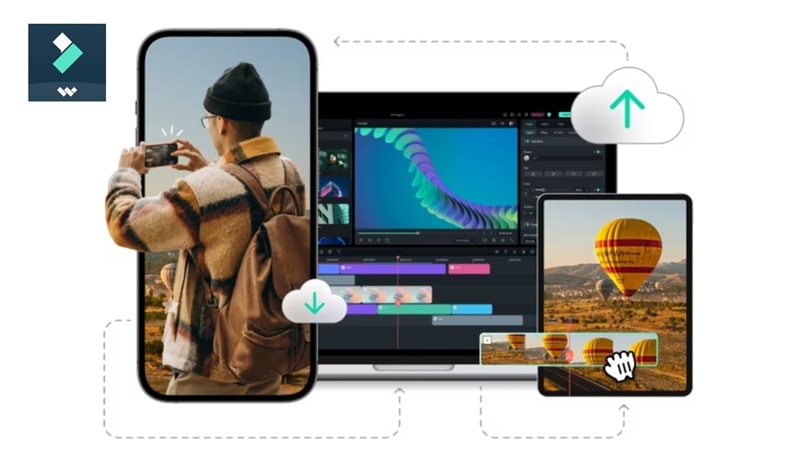
Since PlayPlay online runs in a browser, it is not always comfortable on mobile. Filmora solves that by having a proper mobile app. You can start editing on your phone and continue on the desktop without any hassle.
Secure DownloadConclusion
PlayPlay makes it easy to create clean, on-brand videos without getting stuck in complicated editing workflows. If your focus is speed and consistency, especially for team projects, it does exactly what it promises. Still, the unclear PlayPlay pricing, limited flexibility, and access setup can feel restrictive over time.
Thankfully, there is Filmora as a more flexible option. It gives you more creative freedom, stronger AI tools beyond AI text-to-video, a richer media library, and a smoother editing experience that works just as well for beginners and more hands-on creators.
FAQs About PlayPlay
-
Is my data safe on PlayPlay?
PlayPlay online follows standard cloud security practices, but since it’s a web-based platform, your data is stored online. It’s best suited for business use with proper access control. -
Can you use PlayPlay for YouTube videos?
Absolutely. While it’s great for social clips, its high-quality templates and stock library work perfectly for educational or "explainer" style YouTube content. -
Does PlayPlay support vertical video?
Yes! You can easily toggle between landscape, square, and vertical formats to make sure your content fits perfectly on TikTok, Reels, or LinkedIn.
