


 TL;DR:
Rita AI serves as a centralized web platform that aggregates top text, image, and video models like ChatGPT, Midjourney, and Kling into a single workspace starting at $6.99 per month, though content creators requiring faster processing and complete editing control are better suited using Wondershare Filmora.
● While creating an account grants 100 free quotas for standard models like GPT-5-mini, accessing Midjourney requires the $11.99 per month Mega plan, and generating videos through models like Seedance 1.5 Pro can severely bottleneck workflows by taking up to 20 minutes per output.
● Wondershare Filmora is the recommended alternative for video production because it overcomes Rita AI's generation-only constraints by pairing a full multi-track timeline with 15 to 31 percent faster Nano Banana image generation, custom audio uploads, and direct ChatGPT API subtitle creation.
● For research and administrative use, Rita AI excels at complex document analysis by reliably parsing PDFs and PPTs that contain charts or math formulas while a built-in instruction engine automatically restructures casual user text into optimized AI prompts.
Ask AI for a summary
 ChatGPT
 Perplexity
 Gemini
 Claude
 Grok
Grok
Can you imagine using ChatGPT, Claude, Kling AI, Midjourney, Suno, and many other AI models only on one platform? Meet Rita AI, an AI platform that brings multiple models into a single workspace. You can write, research, generate images, and even create videos without switching between tools.
But is the output quality on par with using each tool separately? Can it really replace the workflow you already rely on? We tested it across different tasks to get a clearer picture, and here’s everything we found.
Part 1. What Is Rita AI and How It Works
Rita AI is an all-in-one platform that allows you to do many things in one place, such as brainstorming, organizing your thoughts, conducting deep research, and even creating images, music, and videos using well-known AI technology models like Midjourney, NanoBanana, Veo, Kling, Seedance, and many more.
As an AI tool that aggregates multiple models into a single interface, Rita AI can be the solution to your confusion when choosing which AI tools best suit your needs. Below are the features and details of the Rita AI tool.
Overview of Rita AI:
| Feature | Details |
| AI Tool Name | Rita AI |
| Type | Multi-model AI assistant |
| Platform | Web-based |
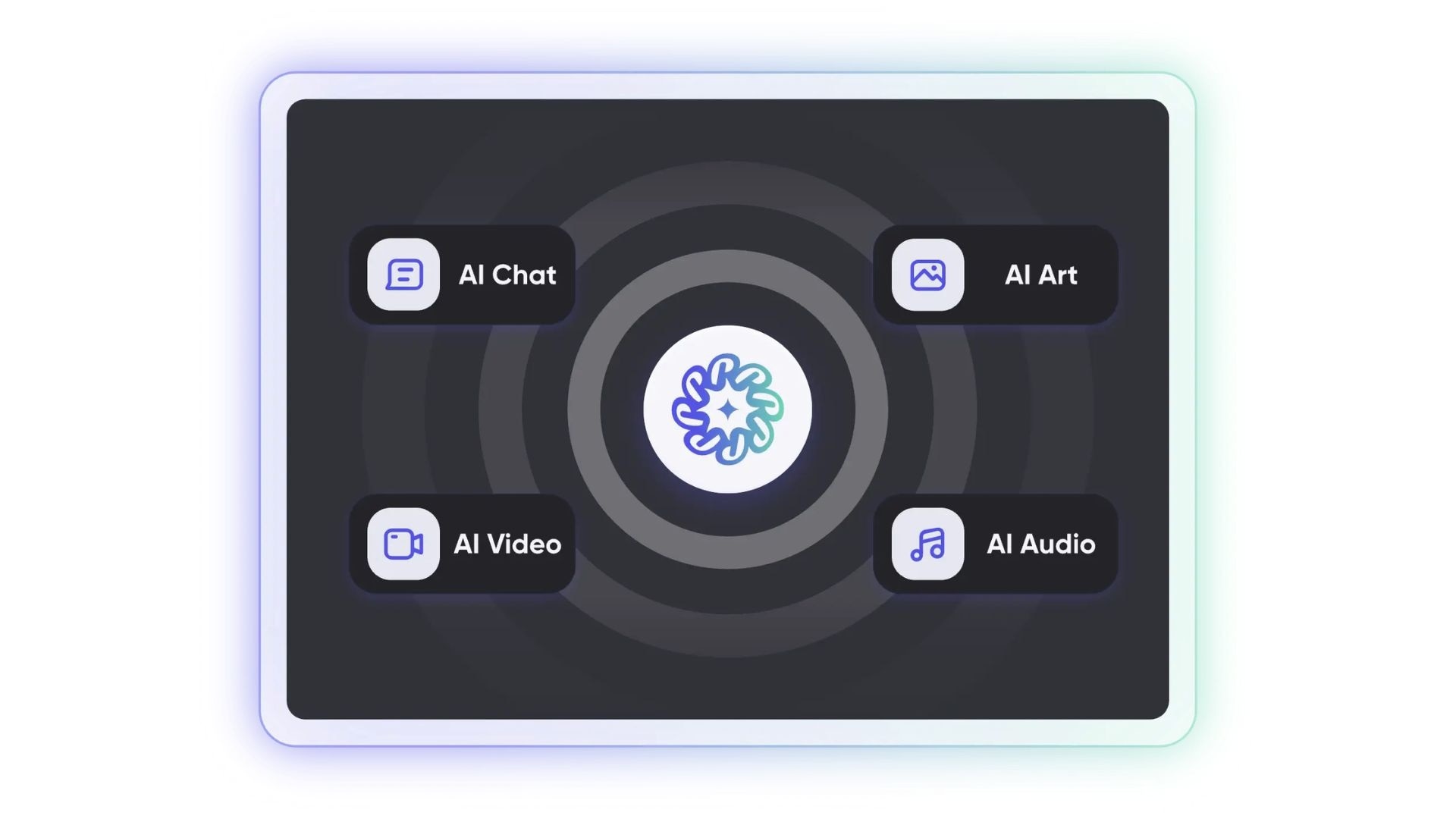
| Core Use | Writing, research, generating images, videos, and audio |
| AI Chat | ChatGPT, Claude, DeepSeek, Perplexity, Rita, Gemini |
| AI Video | NanoBanana, Midjourney, Seedance, Kling, Flux, ChatGPT, Veo, Runway, Stable Diffusion |
| AI Image | NanoBanana, Midjourney, Seedance, Kling, Flux, ChatGPT, Runway, Stable Diffusion |
| AI Audio | Suno |
Part 2. Rita AI Pricing: Free vs Paid Options
Rita AI assistant offers several subscription plan options. You can also access it for free, but of course, it won’t be as advanced as using the paid subscription plans. Rita AI’s paid plans include Pro ($6.99/mo) and Mega ($11.99/mo).
Similar to other AI platforms, Rita AI uses a token-like system (called quotas) that allows you to generate content. When you open Rita AI as a guest, you automatically get 10 quotas. However, if you log in, you will receive 100 quotas for free.
Can I Generate AI Videos for Free?
If you want to generate content for free without using any quotas, you can use Rita’s self-developed model. Meanwhile, other models, such as GPT-5-mini, Gemini-2.5-pro, and others, will reduce the quota you have.
Rita AI pricing (2026)
| Free | Pro | Mega | |
| Pricing | Free | $6.99/mo | $11.99/mo |
| Free model | Rita | Rita, GPT-4.1-nano | Rita, GPT-4.1-nano, GPT-5-nano |
| Standard model | GPT-5-mini, Gemini-2.5-Pro | GPT-5-mini, Gemini-2.5-Pro, DeppSek V3.1 | GPT-5-mini, Gemini-2.5-Pro, DeepSeek V3.1, DeepSeek-R1-0528 |
| Advanced model | GPT-5.2, Grok-4.1, Gemini-3.1-Pro | GPT-5.4, Grok-4.1, Gemini-3.2-Pro, Perplexity AI-Sonar | GPT-5.4, Grok-4.1, Gemini-3.1-Pro, Gemini-3.1-Pro-Thinking, Claude-4.5-Sonnet, Perplexity AI-Sonar-Pro, Perplexity AI-Sonar-Deep-Research |
| Top model | Rita-Pro, Claude-Opus-4.6, Claude-Sonnet-4.6 | Rita-Pro, Clause-Opus-4.6, Claude-Sonnet-4.6 | Rita-Pro, Claude-Opus-4.6, Claude-Sonnet-4.6, Claude-Opus-4.5, GPT-5.1-Thinking |
| Quota | 100 | 200 | 1200 |
Part 3. Key Features: What Can Rita AI Actually Do
You’ll be surprised to see just how many tools are available in Rita AI software. These include AI Chat, AI Art, AI Video, AI Audio, AI Image-to-Video, and many more. Within each tool, there are also numerous sub-tools that you can use depending on your goals. Let’s break them down one by one.
AI Chat
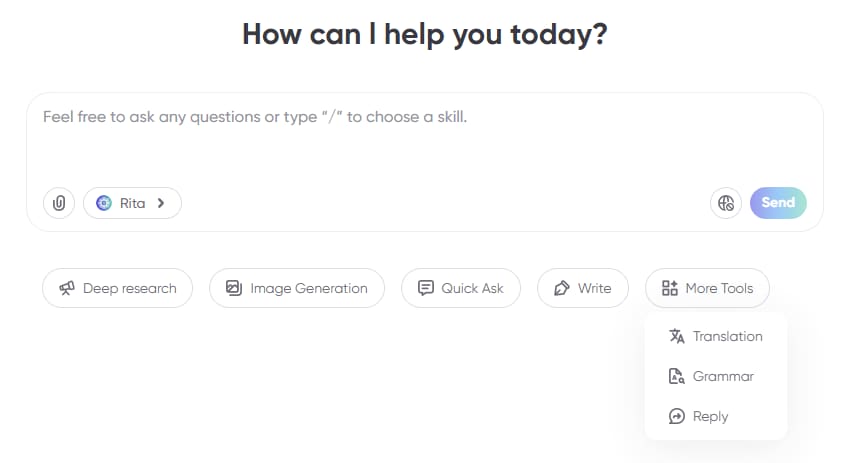
Within the AI Chat feature, you can ask anything you want to know. There are several additional tools that you can use, including:
- Creating a travel itinerary using the Quick Ask feature.
- Getting help with translating languages and adjusting them to proper grammar using the Translation & Grammar feature.
- Conducting in-depth research with the Deep Research feature.
- Editing the length, format, and tone of your writing using the Write & Reply feature.
AI Art
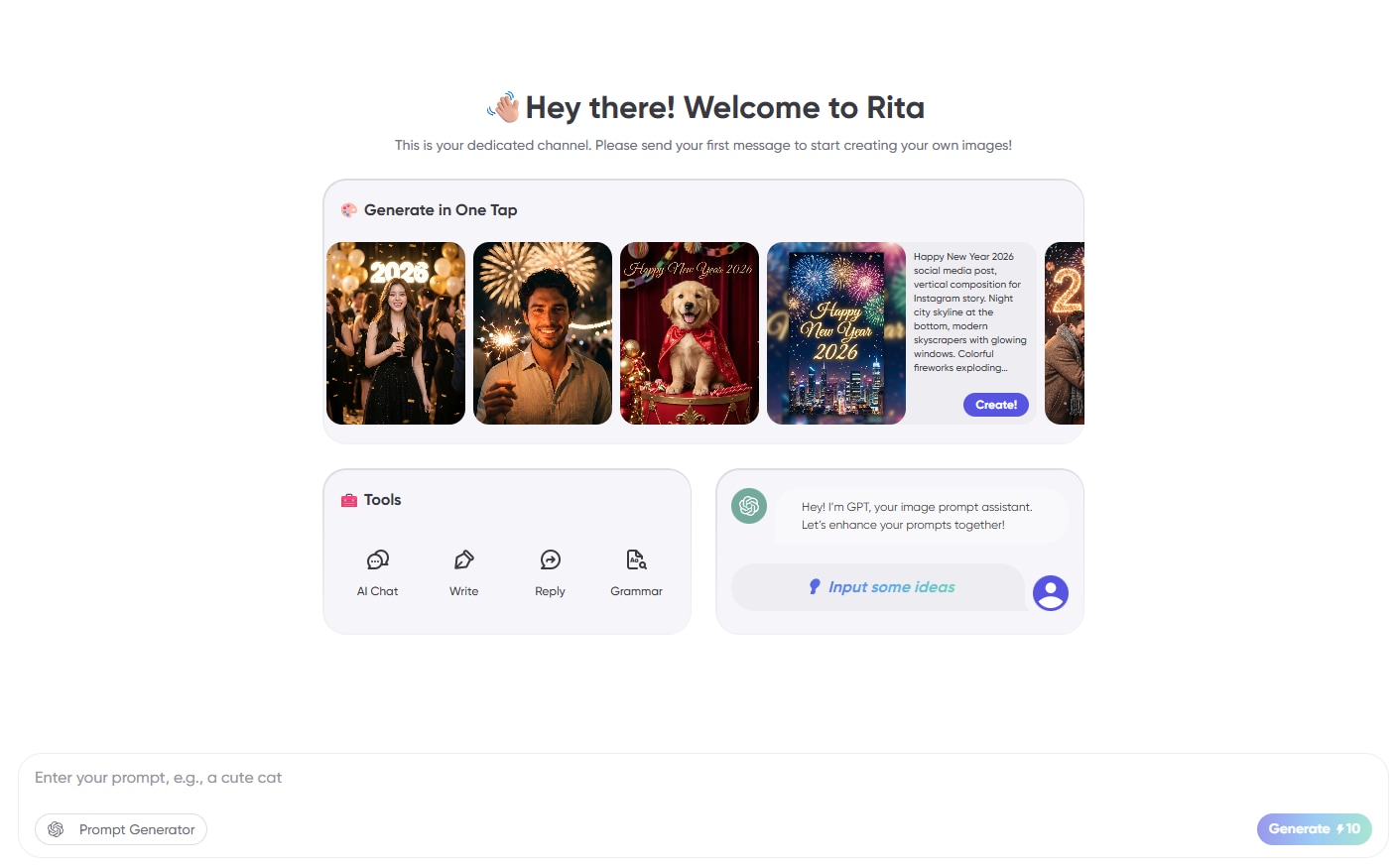
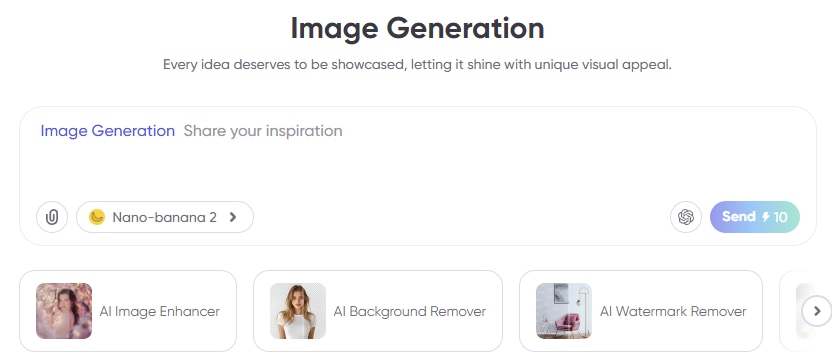
With AI Art, you can create images using prompts and the available models in Rita AI, such as NanoBanana, Midjourney, and many more. You can also adjust the proportion, resolution, number of images you want, and the image references you prefer.
AI Image
To generate images, you can use AI Chat with the specific tool called Image Generation. There, you can also create clearer images, remove backgrounds and watermarks, and apply various effects such as Ghibli, Pixar, and others.
AI Audio
To create songs, Rita AI collaborates with Suno AI Music Generator, where you can generate music by entering your preferred genre, the idea or theme of the song, and even the lyrics you want. You can use AI Audio on Rita AI to produce songs, sound effects, or even a voice that reads the text you write.
AI Video
To create a Rita AI video, navigate to the AI Video feature, where you can generate videos using powerful models such as Seedance, Veo, and Kling. From there, you can customize your output by adjusting settings like aspect ratio, video quality, and duration to suit your creative needs.

AI Image-to-Video
To turn your desired images into a video, you can use the Image-to-Video under the AI Video feature. Upload two images to serve as the first and last frames, then adjust the format accordingly.
Other AI Tools
Other than being a content generator, Rita AI also comes with a set of built-in AI tools that help users do more than just create text or multimedia content. These tools are designed to improve productivity, enhance writing quality, and make content feel more natural and human-like.
- AI Detector: This tool helps identify whether a piece of text is AI-generated or written by a human, which can be useful for content validation or academic purposes.
- AI Humanizer: AI Humanizer rewrites AI-generated content to make it sound more natural and human-like, reducing the risk of it feeling too robotic.
- AI Story Generator: This feature allows users to create stories based on prompts, making it useful for creative writing, storytelling, or content ideation.
- AI Paraphraser: The paraphrasing tool helps rewrite sentences or paragraphs while maintaining the original meaning, which is useful for avoiding repetition or improving clarity.
Part 4. Should You Use Rita AI? Pros, Cons, and User Review
Seeing Rita AI on its official site or product listings can make it look like a super all-in-one AI solution that replaces everything at once. And to be fair, the idea is appealing. Here is a brief review of Rita AI’s performance.
As an Image Generator
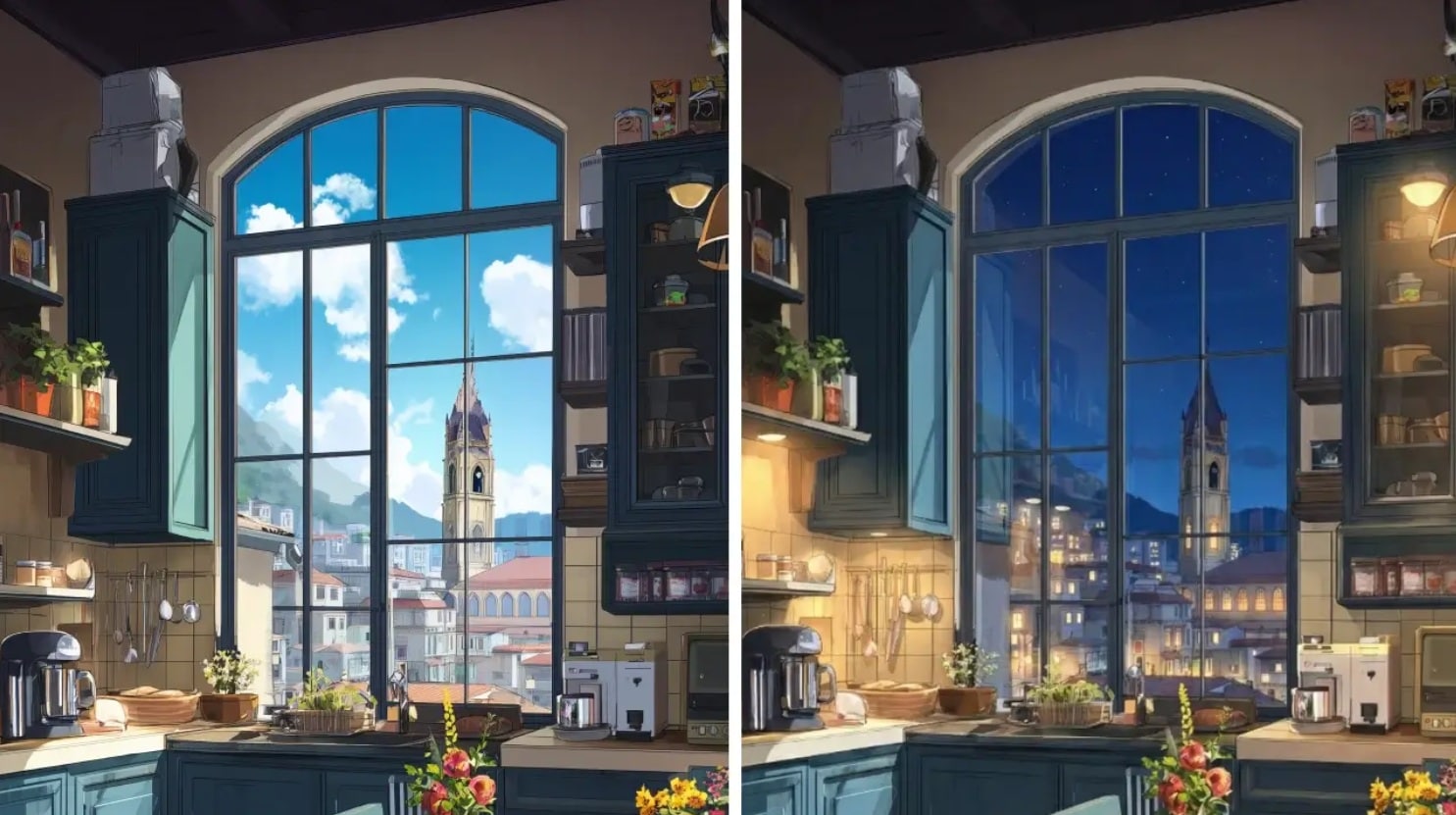
Rita AI feels very convenient to use, especially because it integrates multiple leading models like Seedance, Nano Banana, Midjourney, and Veo in one place. You don’t need to switch platforms, which saves a lot of time. The output quality is generally solid and quite comparable to using these models individually.

Among them, Nano Banana Pro tends to deliver the most consistent results, with many users noting that it produces sharper and more detailed images. The built-in tools for removing backgrounds and watermarks are also a big plus, as they eliminate the need for external websites.
As a Video Generator
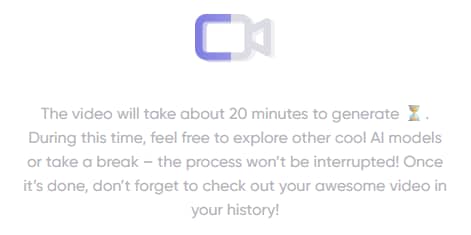
Rita AI simplifies access to popular models like Kling, Seedance, and Veo without requiring separate subscriptions. This is a major advantage for users who want flexibility. However, in practice, the generation process can feel quite slow, especially when using models like Seedance 1.5 Pro, which can take up to 20 minutes for a single video.
The output quality also varies depending on the model you choose, so some trial and error is often needed to get the best results.
As an Audio Generator
Rita AI is capable of producing music based on your preferred genre and lyrics, which is useful for basic content creation needs. However, compared to its image and video features, this area still feels limited.
Since it mainly relies on one model, the variety and flexibility are not as strong as what you might find in more specialized tools.
Pros and Cons
- One-stop solution for AI. Rita AI acts as an aggregator of multiple AI models, allowing users to access a wide range of popular AI tools within one platform.
- Many additional features make it user-friendly. Rita AI offers various extra features, like QuickAsk, designed to simplify the user experience.
- Powerful file analysis. Rita can reliably parse PDF, PPT, Word, and academic files with complex elements like images, charts, and math formulas.
- Natural language prompt optimization. Rita's instruction engine automatically rewrites the user's casual input into a format that AI models can better understand.
- Time-consuming video generation. Although Rita AI supports multiple AI models, the time required to generate videos can be quite long. Using Seedance 1.5 Pro can take up to 20 minutes to produce a video.
- The need to collaborate with additional AI models. As an Audio Generator, Rita AI still requires significant improvement. Currently, it only integrates with Suno.
- Limited creative autonomy in image generation. Midjourney slow mode, one of the more popular image generation tools, iis only available as a Mega plan exclusive benefit.
Part 5. Best Rita AI Software Alternative If You Need More Than One Tool
The idea of "having everything in one place" isn’t something Rita AI alone offers. It’s a growing trend across AI tools, especially as more platforms try to combine generation and editing into a single workflow.
If you need something more complete, especially for video, you’ll likely want a tool like Wondershare Filmora that goes beyond prompts and outputs. There are several features available in Filmora that are not found in Rita AI. Let’s take a look!
 Secure Download
AI Copywriting
Filmora offers a wider range of AI copywriting features as it is integrated with the ChatGPT API, allowing it to generate subtitles for the videos you are editing directly in Filmora.In addition, as a content creator, you can also ask Filmora to generate YouTube titles and descriptions to help maximize SEO. Pretty interesting, right?

AI Video Generator
Just like Rita AI, Filmora also has an AI Video Generator, which can also generate videos from copywriting and images. However, one of Filmora’s advantages is its ability to generate videos using audio files of your choice. For content creators, Filmora also provides more than 2.9 million templates and free creative assets.
AI Image Generator
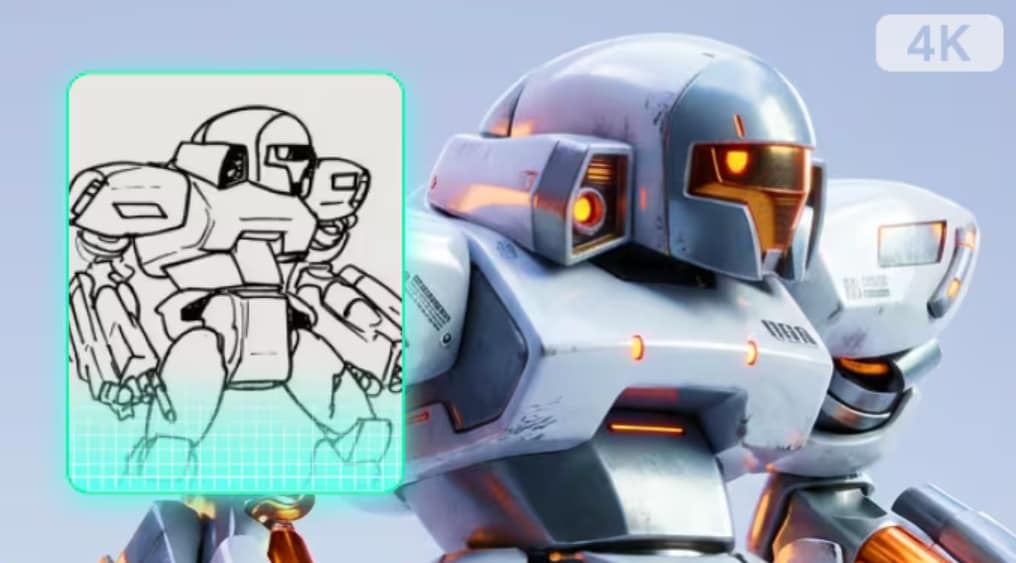
Filmora offers a text-to-video feature powered by Nano Banana, the latest version from Google for generating images. The AI Image Generator’s speed is also impressive, as this version is around 15–31% faster than the previous one. Everything is integrated into an all-in-one video editing platform, so you don’t need to switch between different AI software.
AI Music and Sound Effects Generator
For both beginner content creators and experienced video editors, Filmora provides a Music Generator and a Sound Effect Generator that you can use for video background audio, marketing jingles, or even professional film production.
There’s no need to go through the hassle. Simply upload the video you want to add background music to, and Filmora’s AI Music Generator will create a soundtrack that matches your video. You can also generate the sound of raindrops, tiger roars, and even futuristic sci-fi soundscapes using Filmora’s AI Sound Effects Generator.
Multi-track Video Editing Timeline
What if you were assisted by an AI that can intuitively edit videos exactly the way you want? With Filmora Timeline Video Editor, you can create a complete video just by clicking and arranging clips. You can use it to align multiple clips properly, remove gaps between clips, and prevent overlapping.
Secure DownloadConclusion
While Rita AI is a convenient all-in-one platform for accessing multiple AI models, it still has limitations in performance, especially for video and audio production. If you’re serious about creating high-quality content efficiently, Wondershare Filmora stands out as a more complete solution.
With its powerful AI features, faster generation, advanced editing tools, and seamless all-in-one workflow, Filmora goes beyond simple generation and gives you full creative control. Whether you’re a beginner or a professional, Filmora helps you produce better results with less effort—making it a smarter choice for content creation.
FAQs
-
1. Does Rita AI require separate subscriptions for each AI model?
No, Rita AI does not require separate subscriptions for each AI model. It integrates multiple AI models into one platform, so users can access them without subscribing individually. However, it may still use a quota or credit system depending on usage. -
2. How accurate is Rita AI compared to using ChatGPT directly?
The accuracy of Rita AI depends on the model you choose. Since it aggregates multiple AI models, the results can vary. In some cases, it can be as accurate as ChatGPT, but inconsistency may occur compared to using ChatGPT directly. -
3. Can Rita AI replace multiple AI tools?
Yes, to a certain extent. Rita AI can replace multiple AI tools because it combines features like text generation, image creation, video generation, and audio production in one platform. However, for specialized or high-quality results, dedicated tools may still perform better. -
4. Does Rita AI support real-time collaboration?
As of now, real-time collaboration is not a widely highlighted feature of Rita AI. Most use cases are still focused on individual usage rather than team-based collaboration. -
5. Can you use Rita AI for business?
Yes, Rita AI can be used for business purposes such as content creation, marketing, research, and productivity tasks. However, users should still verify outputs for accuracy and ensure they meet professional standards before using them in a business context.
