


 TL;DR:
Scoompa Video remains a practical, beginner-friendly Android slideshow maker in 2026 for quickly merging photos and music, but its lack of timeline controls and high-resolution exports makes it unsuitable for professional video production.
● The application is strictly for Android devices requiring version 8.0 or higher, and users must pay between $0.99 and $11.99 via in-app purchases to remove disruptive ads and the "Created with Scoompa Video" watermark.
● Scoompa Video is best suited for beginners creating casual personal slideshows for messaging platforms, whereas Wondershare Filmora is the recommended alternative for creators needing multi-layer timeline editing, AI enhancement tools, and up to 8K exports on Windows, Mac, or iOS.
● Users are strictly advised against downloading modified third-party APK files to bypass paywalls due to unpatched security vulnerabilities and malware risks, meaning desktop users should rely on secure native desktop editors since there is no official Scoompa PC release.
Ask AI for a summary
 ChatGPT
 Perplexity
 Gemini
 Claude
 Grok
Grok
Scoompa Video is an Android slideshow maker that's been around since 2014. Yet, in 2026, the app is still actively maintained. Version 34.1 dropped in February 2026, and it has over 10 million downloads on Google Play.
Those are solid numbers for a niche utility app, but does the feature set still hold up against what's available today? Read our full review below.
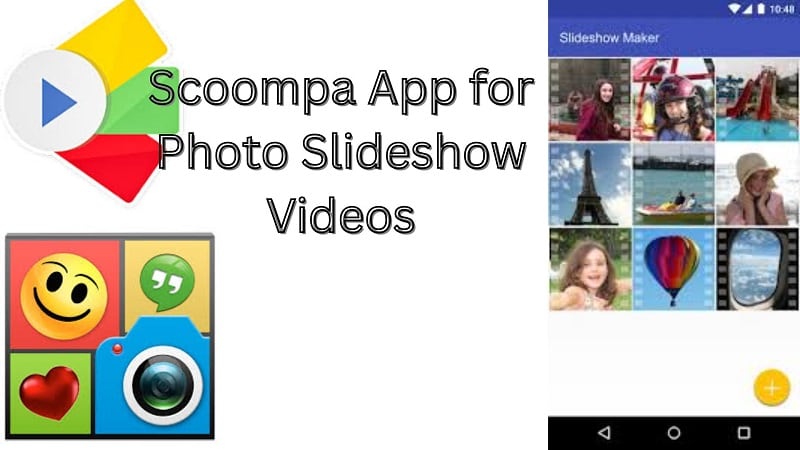
Part 1: What is Scoompa Video? Overview of the Slideshow Maker App
Scoompa Video is a mobile-only slideshow maker for Android. You add photos or short video clips, apply a video style, pick a soundtrack, throw in some stickers or text, and the app stitches it into a video. No timeline, no layer system, and no keyframes. It's intentionally made simple.
The Scoompa app is free to download. In-app purchases (Scoompa Pro) are available for watermark removal, ad-free experience, and premium templates. It costs from $0.99 to $11.99.
Core Features of Scoompa Video Maker
- Add Photos and Videos: The Scoompa video maker lets users add photos and video clips from the gallery. Users can also capture media using the camera or import content from the web.
- Instant Playback: The Scoompa video app allows instant preview. Users can play the video and see changes right away.
- Styles and Frames: The Scoompa slideshow maker offers many video styles and animated frames. These help improve the look of the slideshow.
- Stickers: The Scoompa video editor includes over 100 stickers. Users can also search and add more stickers from the internet inside the app.
- Music: The Scoompa video maker app lets users choose from different soundtracks. Users can also import their own music.
- Text and Fonts: Users can add text using more than 55 fonts. This helps personalize the slideshow.
- Filters and Gestures: The Scoompa video app provides many filters to enhance photos. Simple gestures make editing fast and easy.
- Sharing and Editing: The Scoompa video maker allows users to share videos with friends and family. Users can also edit the video anytime after
Part 2: How to Use Scoompa Video Maker (Step-by-Step)
Using Scoompa Video Maker is simple. The app is made for quick slideshow creation and basic photo/video editing. Here is a basic step-by-step guide.
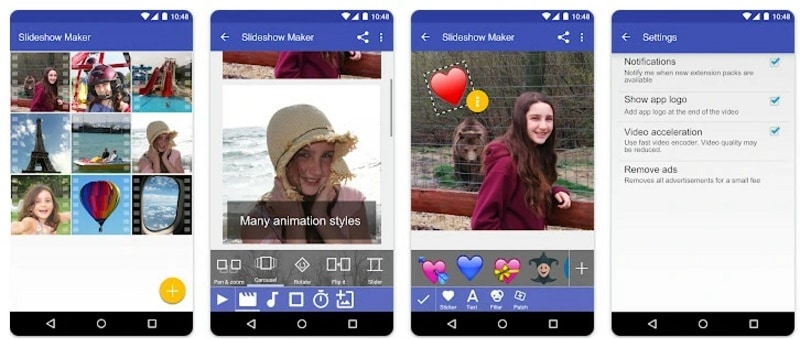
- Apply filters
- Add stickers
- Overlay text
- Choose an animation style for the text
Part 3: Scoompa Video vs Professional Video Editors
The Scoompa video app is built for fast slideshow creation. It focuses on simple tools and quick results. You can make videos in minutes. However, it does not offer deep editing control. It also does not have the advanced AI features found in modern video production.
More control and flexibility are available on a professional editor like Wondershare Filmora. Filmora offers timeline editing, advanced effects, and AI tools. These features aid in producing improved videos with enhanced visuals and audio.
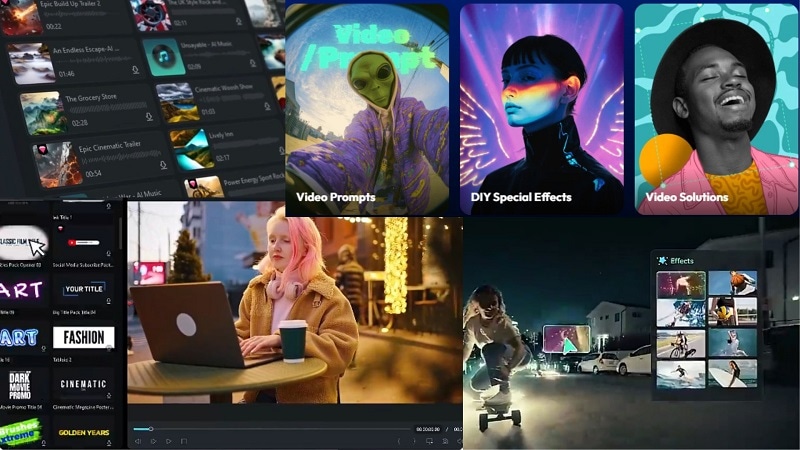
Why We Recommend Filmora
Filmora is a professional editor for both mobile and desktop. It covers the full range of video production, including slideshow creation, video editing timeline, color grading, AI-powered features, and audio work.
Filmora Mobile for Quick Edits
Filmora Mobile is designed for easy editing on phones, available for both Android and iOS devices. It offers tools that improve simple slideshows:
- Quick filters and visual effects
- Stickers and text overlays
- Music editing and sound adjustments
- Ready formats for social media videos
These tools help refine a basic Scoompa video maker project without complex steps.
Filmora Desktop for Advanced Editing
 Secure Download
Filmora Desktop provides more powerful features for final editing on Windows or Mac:
- AI Video Enhancer improves video clarity
- AI Text-to-Speech adds voice narration
- Auto Captions generate subtitles automatically
- Advanced transitions and effects create cinematic results
- Audio tools balance music and voice
These features are part of Filmora’s AI-powered editing system, which helps users improve both video and audio quality efficiently. Using both tools together can turn a simple slideshow into a polished video.
Scoompa vs Filmora
| Scoompa | Filmora | |
| Platform | Android only | Android, iOS, Windows, Mac |
| Slideshow creation | ||
| Video Templates | ||
| Timeline editing | ||
| Assets | 100+ | 2.9M+ |
| AI Tools | ||
| Export quality | Standard | Up to 4K (mobile) and 8K (desktop) |
| Free Version | Yes (with ads + watermark) | Yes (with watermark) |
| Best for | Quick mobile slideshows | Full video production |
Secure DownloadPart 4: Scoompa App Download & Platform Availability
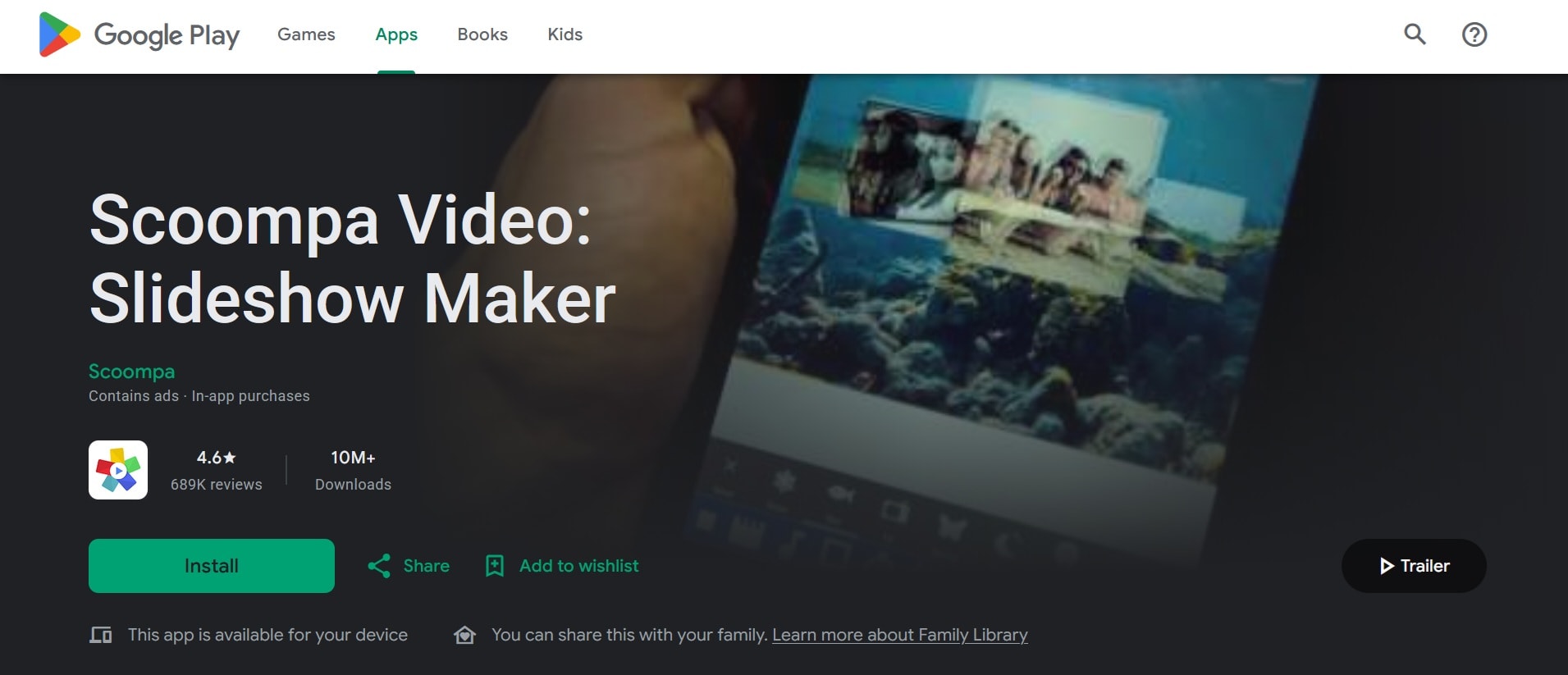
The Scoompa app download is officially available on Google Play for Android devices. The current version (34.1 as of early 2026) requires Android 8.0 or higher.
⚠️ Security Warning
Avoid using any Scoompa video APK from third-party sites, since they carry some risks, including:
- Modified code that can steal personal data or login credentials
- Malware or spyware bundled inside the APK file
- Outdated versions with unpatched security vulnerabilities
- No automatic updates, meaning bugs and exploits go unfixed
- Voided app permissions that behave differently from the official version
Always download from trusted sources. It's free, it updates automatically, and you know exactly what you're installing.
Scoompa Video PC Availability
There is no official Scoompa video app download for the PC version. If you need to edit on a computer, your options are running it through an Android emulator or using a desktop video editor like Filmora directly, which is the more practical option for most people.
Part 5: Pros and Cons of Scoompa Video
The Scoompa video app comes with some limitations that users should understand before choosing it for video creation.
- The Scoompa video app has a simple interface. It is easy to use and navigate.
- Offers many templates and themes for slideshows.
- Users can add music, voice, and sound effects to their videos.
- Supports both photos and video clips in one project.
- Allows direct sharing to social media platforms.
- The app gets updates with new features and improvements over time.
- The app does not have many advanced editing features.
- Video quality on high-definition TVs may not be satisfactory.
- Certain features and templates require in-app purchases to unlock.
- Use of the app is disrupted by ads if you don’t pay for the free version.
- It does not include a comprehensive help guide or tutorial to start for novice users.
Part 6: Scoompa Video Reviews: User Feedback
User feedback for the Scoompa video app comes mainly from Google Play and software review platforms. Reviews show a clear trend. Users value speed and simplicity, but they also point out limits when creating more detailed videos.
Common Positive Feedback
Positive reviews tend to mention how easy it is to pick up. One reviewer noted they searched through at least 20 slideshow apps before landing on Scoompa and found it the best of the bunch.
A recurring theme is that the app is useful for personal milestones like birthdays, anniversaries, and travel memories. A lot of users also appreciate being able to re-edit a project after saving it without rebuilding it from scratch.
Common Complaints
Critical reviews are fewer. Some users point to limited control when adjusting how photos fit inside frames, specifically the inability to align a photo horizontally within a frame. Others mention the ads as disruptive. A few reviewers note that the app hasn't changed significantly over the years and feels dated next to newer apps.
No major complaints about crashes or data loss appear prominently in recent reviews, which suggests the stability improvements in recent updates have helped.
Part 7: Best Use Cases for Scoompa Video Maker
The Scoompa video maker is best for quick and simple slideshow creation on mobile devices. It suits users who need fast results with minimal editing effort for this kind of use:
- Personal slideshows. Birthday videos, anniversary tributes, travel recaps, family moments.
- WhatsApp and Facebook sharing. Short, casual videos for messaging or posting on personal social media accounts that don't need to be cinematic.
- Beginners who've never edited video. No prior knowledge needed. The flow is intuitive enough that most people can figure it out without reading a tutorial.
- Students or hobbyists. For school projects, quick class presentations, or hobby content where production quality isn't the priority.
- Situations where a phone is the only tool available. If you're traveling and need to put together a slideshow from your phone photos on the spot, Scoompa handles this faster than most alternatives.
Where it doesn't fit: Content creators making YouTube videos, reels intended for a professional profile, or anything that needs tight control over timing, color, and audio.
Conclusion: Is Scoompa Video Still Worth Using?
Scoompa video keeps things simple. It helps users turn photos into videos fast. The process is easy. The results are good enough for everyday sharing. It fits well for quick slideshows and casual content.
But simple tools have limits. When more control or better quality is needed, basic editing may not be enough. Some users then move their videos into tools like Filmora to refine details, improve visuals, or adjust audio more precisely.
Scoompa works well for starting a video. What you do next depends on how polished you want the final result to be.
FAQs
-
Is app Scoompa video free?
Yes, the scoompa photo editor is free to download and use on Android. It includes basic slideshow tools. Some features need in-app purchases. These remove watermarks or unlock extra options. The free version may also show ads. -
Can Scoompa create slideshow videos with music?
Correct, the scoompa video editor allows adding some music for slideshows. You can stick with built-in tracks or load your own songs. You can also dub for sound quality if you choose or edit in Wondershare Filmora, some users prefer to do this for more control over audio. -
Is Scoompa available for PC?
There is no official Scoompa video maker for pc version. The app is only available on Android. Some users run it on PC using emulators, but this is not supported. For direct desktop editing, tools like Wondershare Filmora are often used to edit and enhance slideshow videos. -
What does “Created with Scoompa Video” mean?
“Created with Scoompa video” is a watermark added to videos made with the free version. It shows the video was created using the app. Users can remove it by upgrading through in-app purchases.
