

 TL;DR:
For quick casual posts, apply Instagram's trending Satin Skin or Retro Glow filters at lowered intensities to achieve realistic enhancements, but creators building a brand should transition to Wondershare Filmora to overcome in-app editing limitations with precise, layer-based texture and color control.
● Choose the Satin Skin effect to subtly conceal imperfections while retaining natural pore texture for everyday selfies, or apply Retro Glow for film-like grain and warm golden highlights suited for sunset and lifestyle shots.
● Prevent the unrealistic alteration of standard Instagram effects by prioritizing natural front lighting, avoiding tools that dramatically reshape jawlines or noses, and manually sliding the on-screen intensity down before recording.
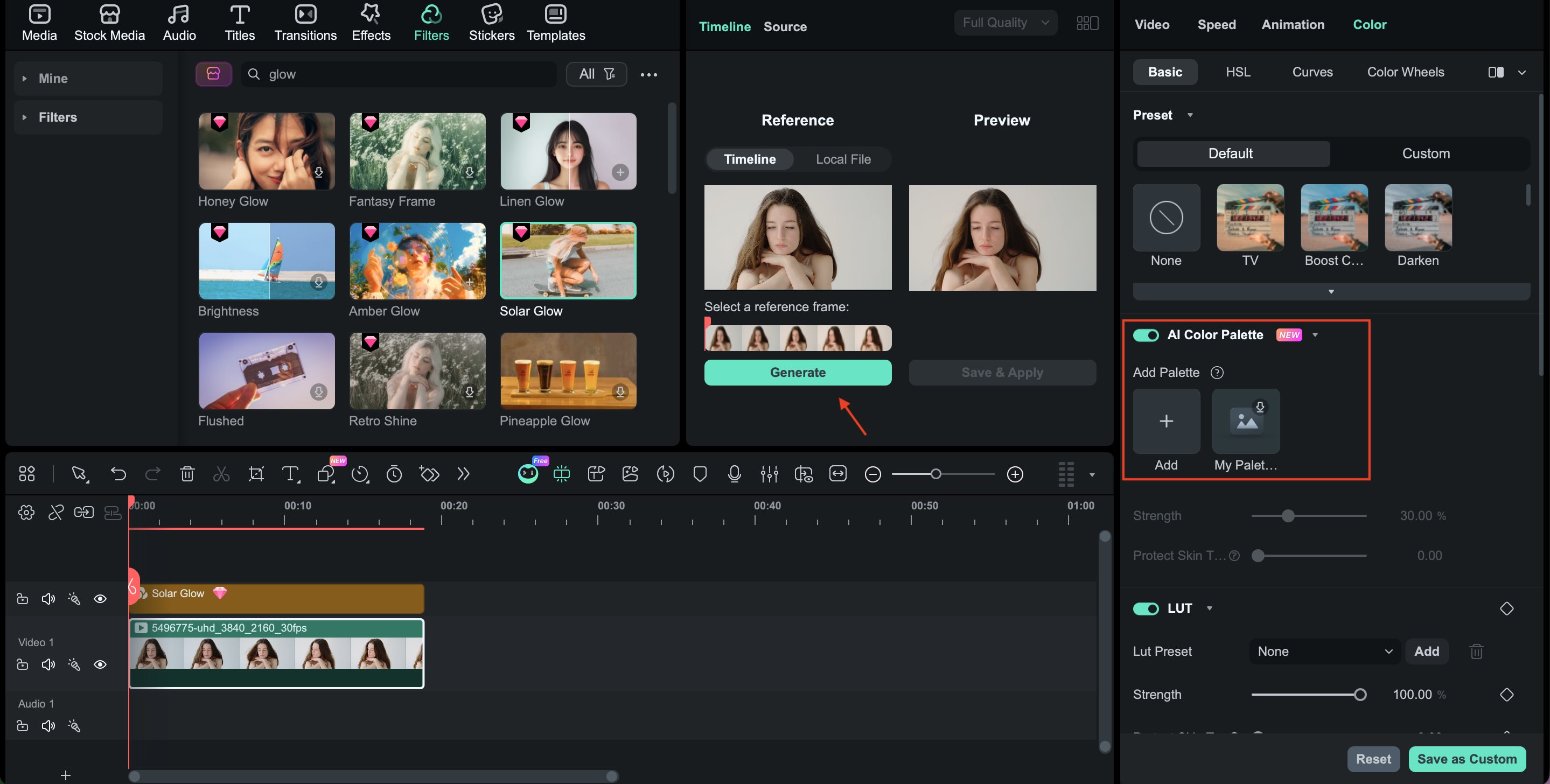
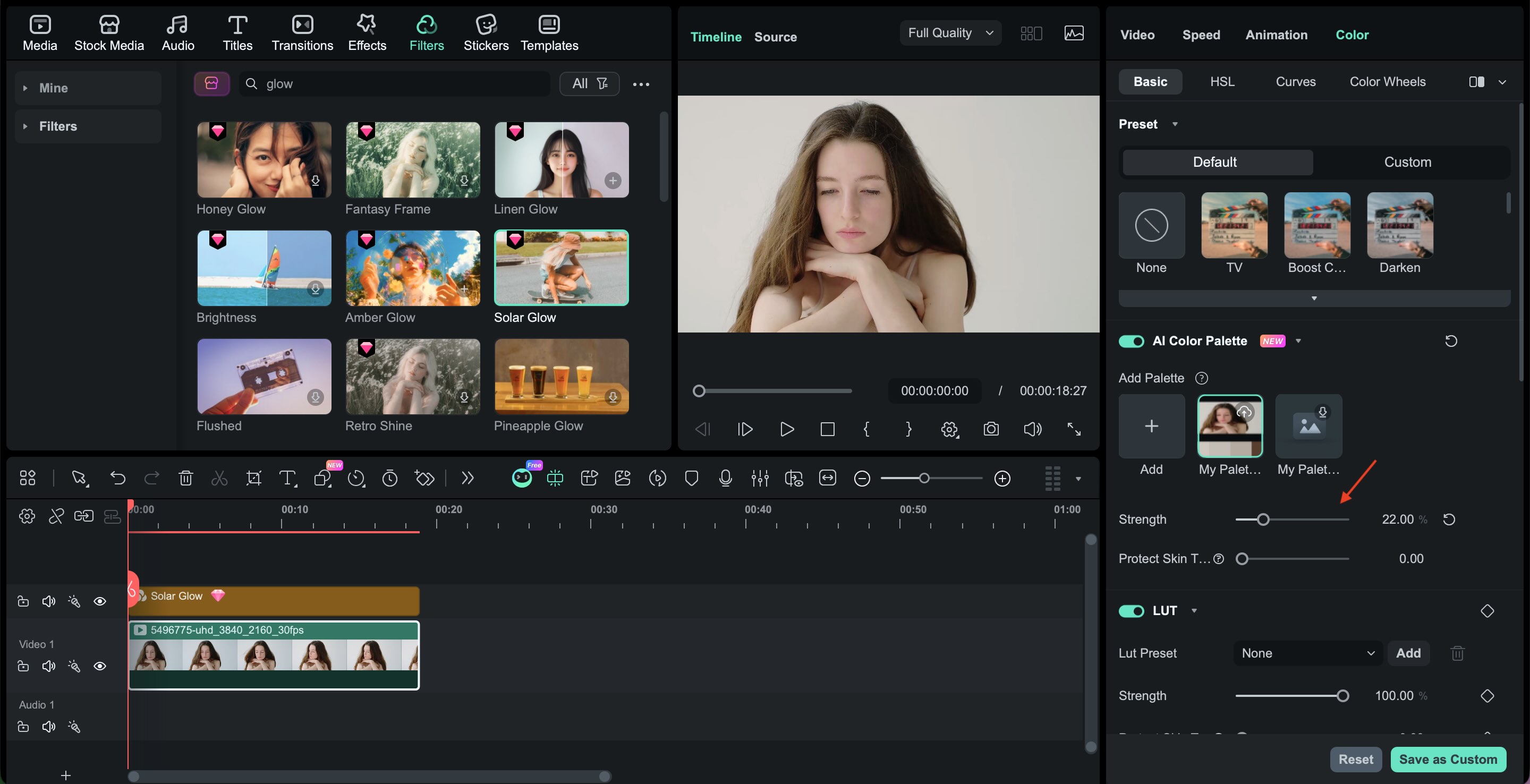
● Upgrade to Wondershare Filmora when your content requires separating skin smoothing from color grading, allowing you to use AI color palettes to match specific skin hex codes and correct uneven tones without artificially altering your background or clothing.
Ask AI for a summary
 ChatGPT
 Perplexity
 Gemini
 Claude
 Grok
Grok
In 2026, Instagram beauty filters have evolved into sophisticated tools that prioritize "elegant realism." Whether you are looking for the best beauty filters on Instagram to smooth skin or a retro glow for your Reels, choosing the right effect is key to staying authentic. In this guide, we'll explore trending effects, show you how to find Instagram beauty filters, and explain why a professional video editor like Wondershare Filmora is the secret to high-end, natural-looking beauty enhancements.
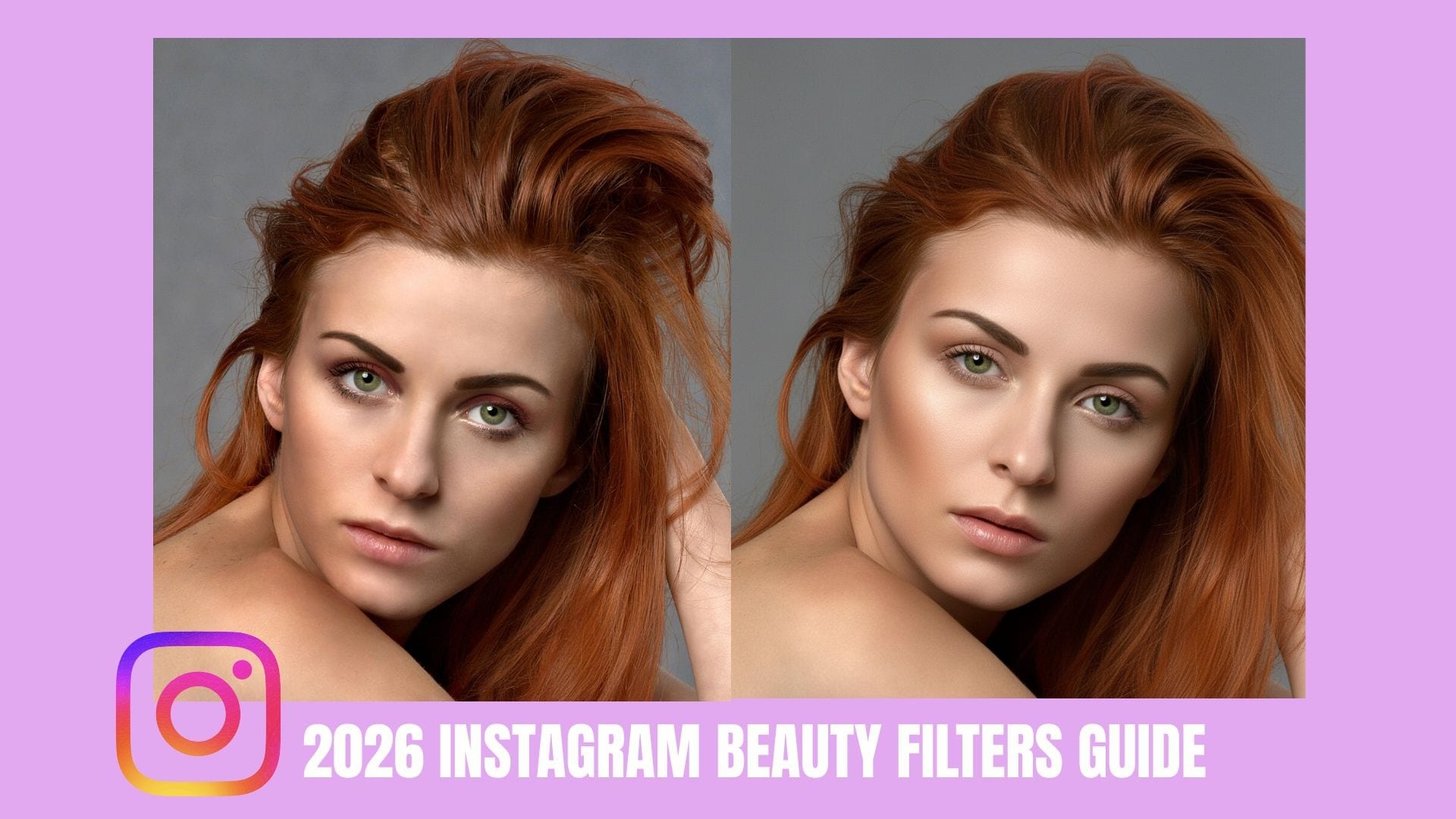
Part 1. Top 2026 Trends: What Are the Best Instagram Beauty Filters?
Beauty trends on Instagram move quickly, but in 2026, the shift is clear: lighter editing, more elegant realism. Today's most popular Instagram beauty filters are designed to enhance, not erase. They refine your features, improve lighting, and add mood without making your face look overly filtered.
Two standout trends are leading the way: Satin Skin and Retro Glow.
Satin Skin: Soft, Polished, and Natural
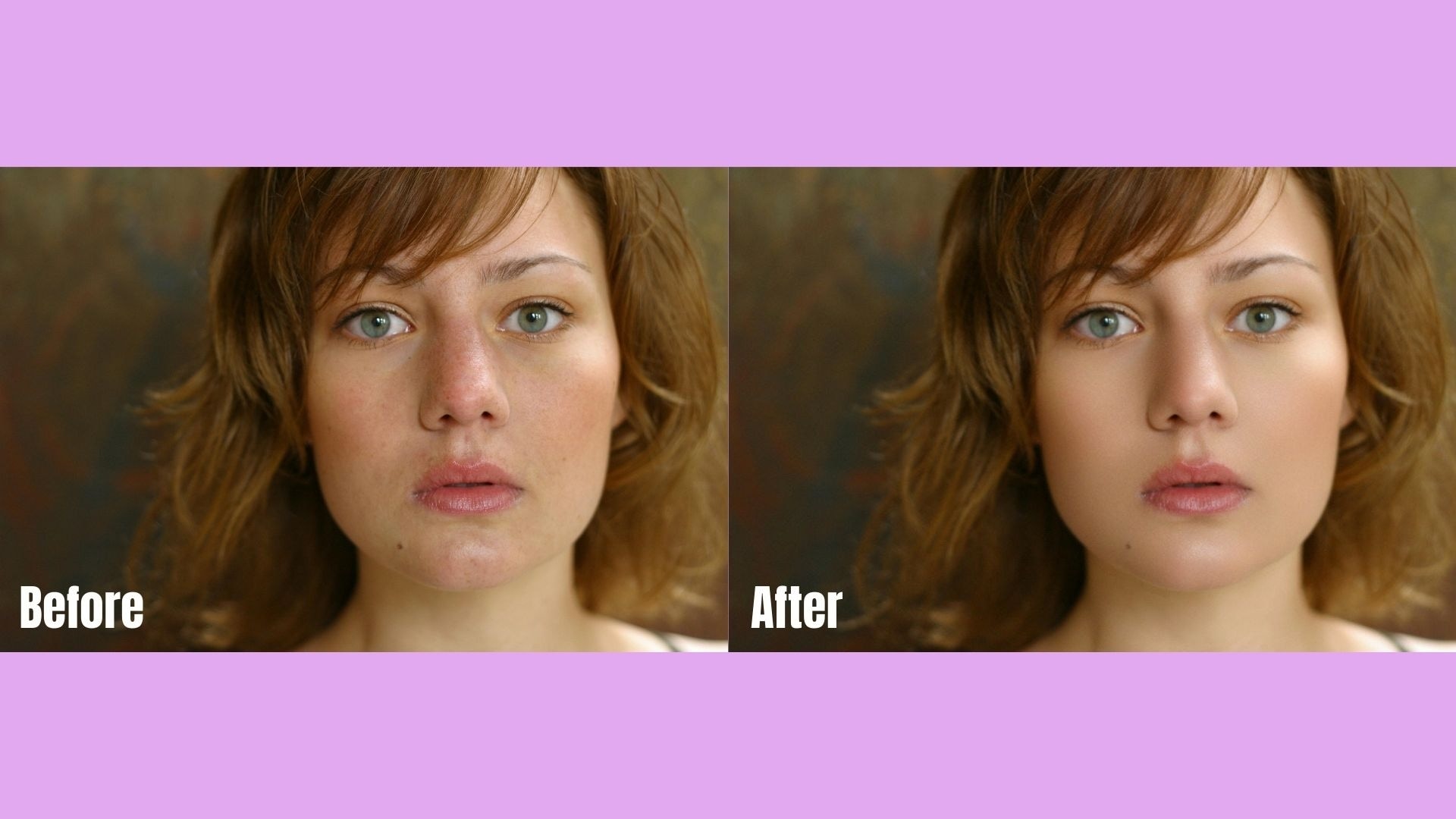
Satin Skin is all about balance. It smooths just enough to conceal imperfections while keeping your natural texture visible. Instead of the overly airbrushed look from past years, this trend focuses on a breathable, luminous finish.
These are often considered the best beauty filters on Instagram for everyday selfies because they:
- It subtly balances skin tone
- Reduce redness without flattening the dimension
- Add a gentle highlight to cheekbones
- Keep pores and natural contours visible
When comparing before and after using the Instagram beauty filter, Satin Skin looks natural. You still look like yourself, just fresher and more radiant.
Retro Glow: Warm and Nostalgic Radiance
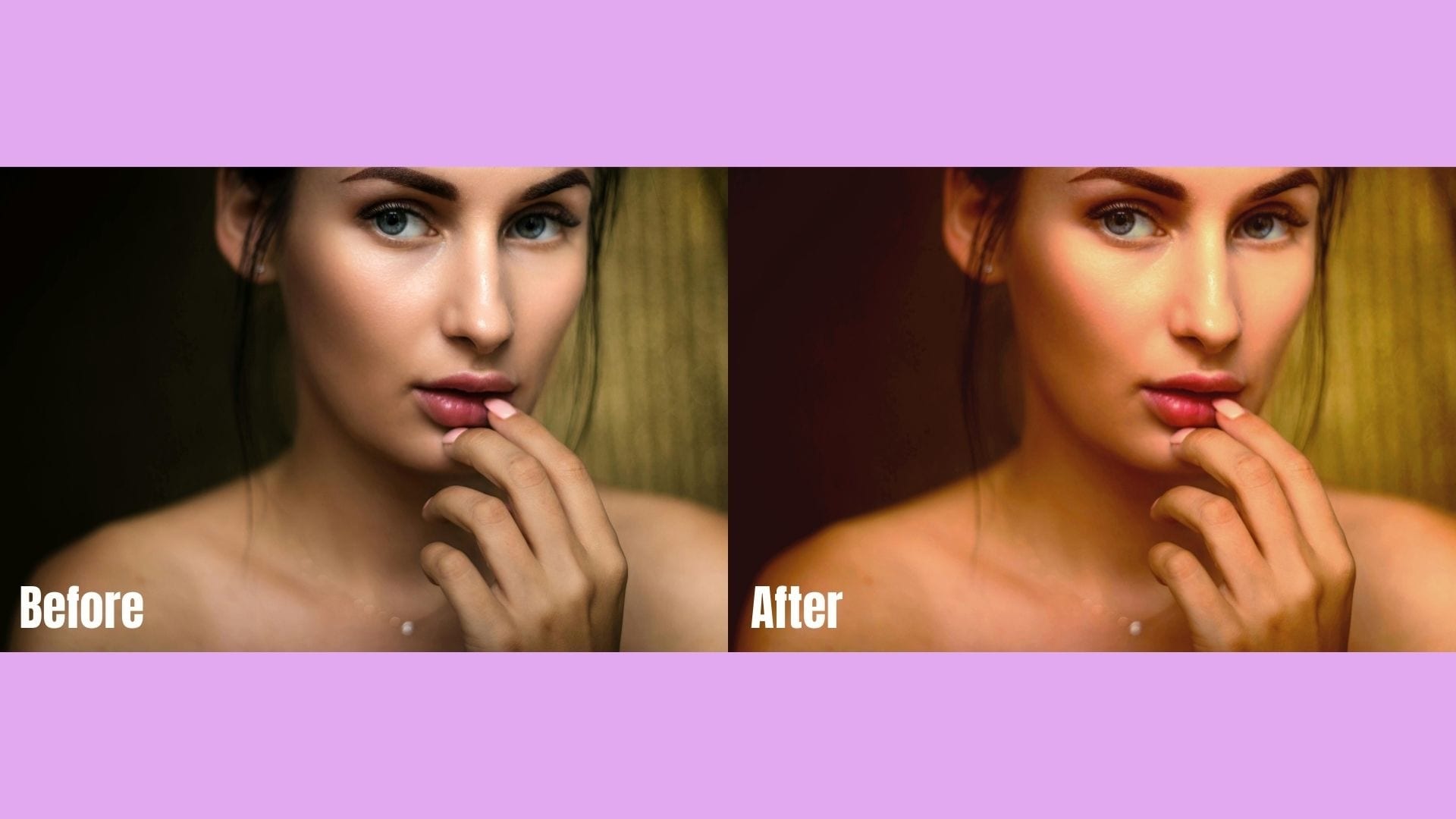
If Satin Skin is minimal and modern, Retro Glow brings personality. Inspired by early 2000s flash photography and film tones, this style adds warmth, golden highlights, and a dreamy light bloom effect.
The best Instagram beauty filters under this trend often include:
- Warm undertones and soft golden light
- Subtle grain for a film-like feel
- Slight eye brightening
- Glossy and radiant skin
Retro Glow works beautifully for sunset photos, café shots, and lifestyle reels. It adds mood and character while still highlighting your natural features.
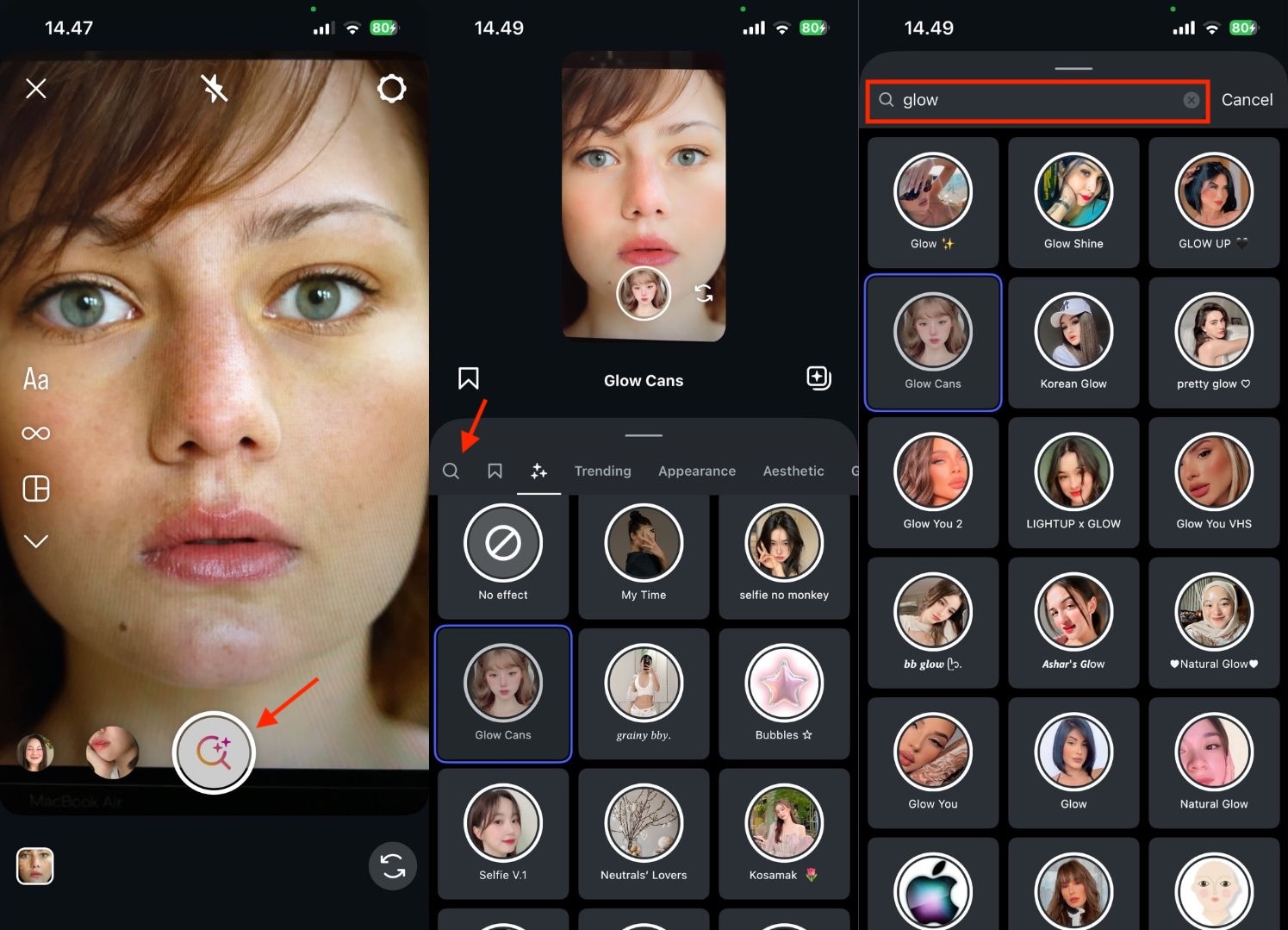
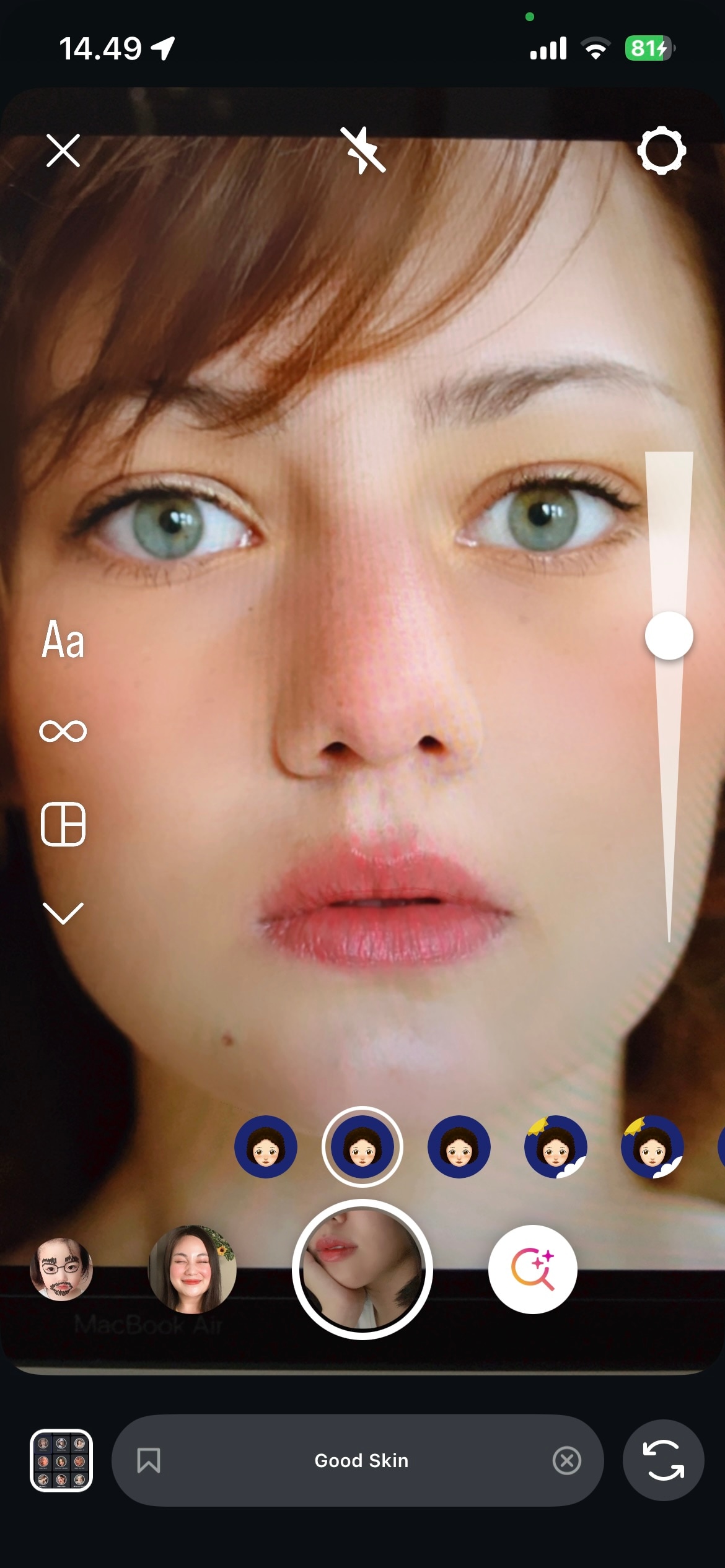
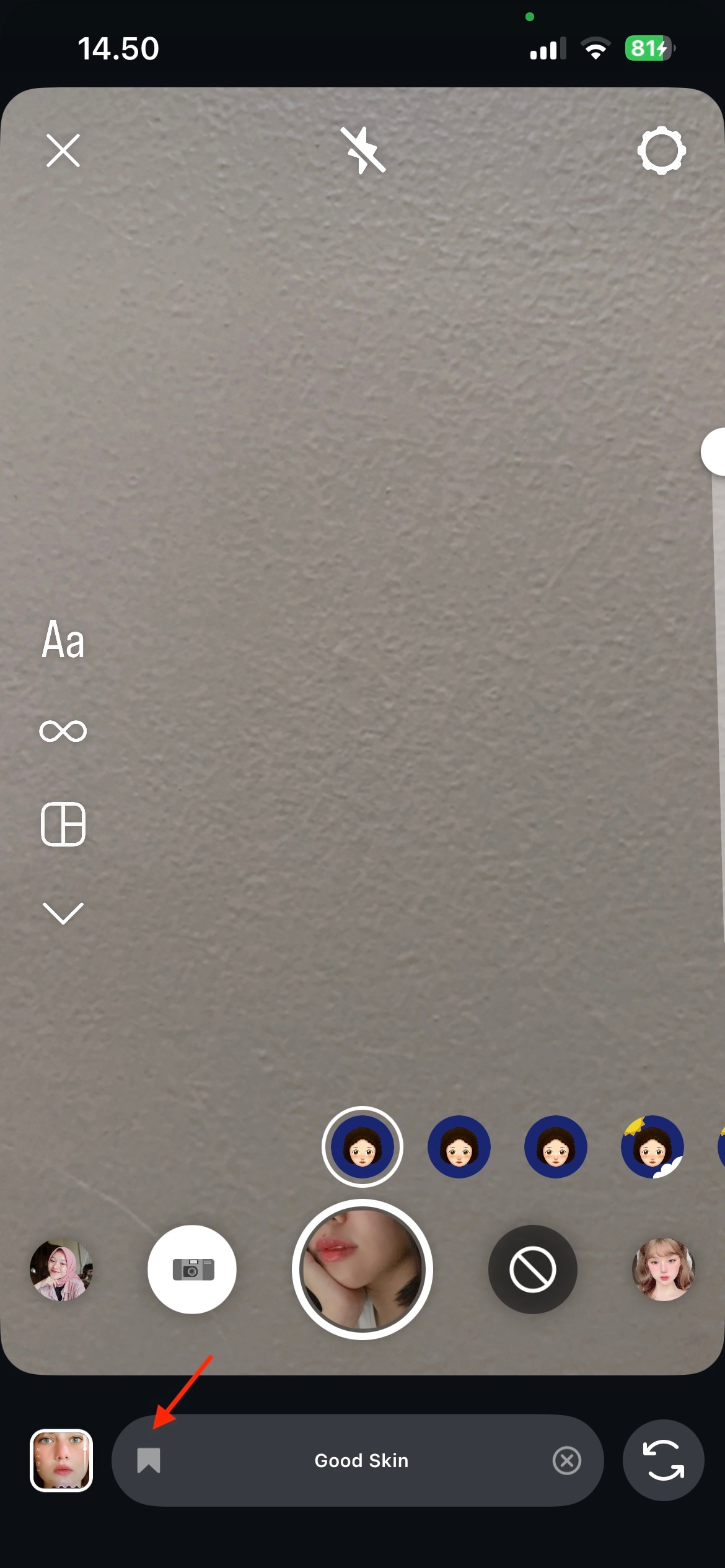
Part 2. How to Find and Use Instagram Beauty Filters (Step-by-Step)
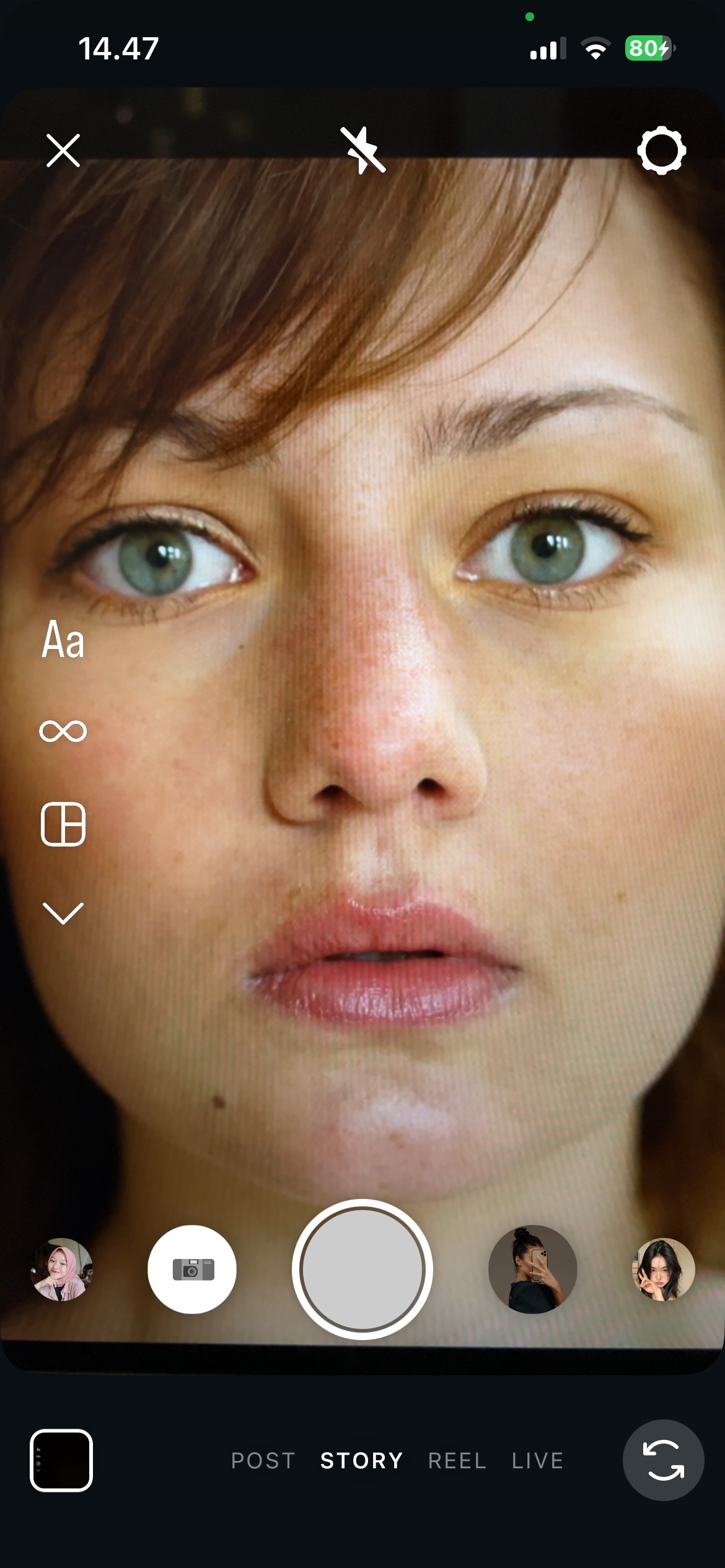
Now that you know what's trending, the next step is to find the right filter and use it well. The good news? It only takes a few taps. Here's a simple, practical guide to using Instagram beauty filters effectively.
Part 3. The "Filter Dilemma": How to Balance Beauty with Authenticity
As Instagram beauty filters become more advanced, so does the conversation around them. What started as a fun way to enhance selfies has become a broader discussion about self-image, confidence, and digital identity.
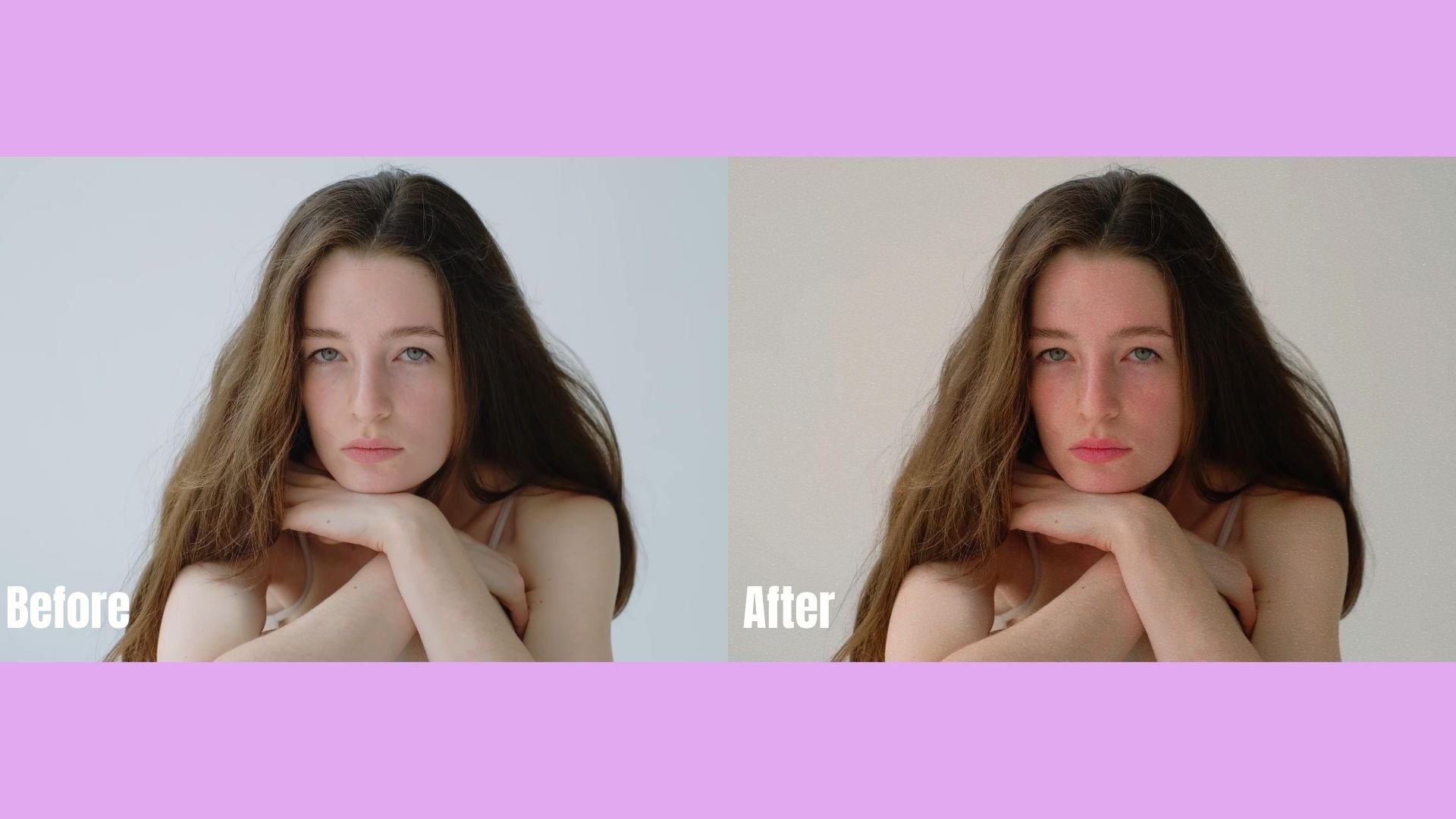
In 2026, users are more aware of the gap between filtered and unfiltered reality. The viral trend of sharing a before-and-after Instagram beauty filter comparison has sparked mixed reactions. Some see it as a creative expression. Others worry it sets unrealistic standards.
This is the filter dilemma: How do you enjoy enhancement without losing authenticity?
1. Filters as Tools, Not Masks
The healthiest approach is to treat beauty filters on Instagram like lighting or makeup. They are tools to enhance a moment, not to replace your real appearance. A subtle Satin Skin effect can boost confidence on camera. But relying on extreme reshaping filters can slowly shift how you see yourself in the real world.
The key question to ask yourself is simple: "Does this filter refine me, or does it redefine me?"
2. The Impact on Self-Perception
Studies and social conversations continue to highlight "filter dysmorphia," where people start comparing themselves to their edited versions. When the best Instagram beauty filters dramatically reduce the size of noses, enlarge eyes, or reshape jawlines, the line between enhancement and alteration blurs.
This is why 2026 trends are moving toward realism. Users are choosing softer effects that keep skin texture and natural proportions.
3. Building Trust with Your Audience
If you create content regularly, authenticity directly affects engagement. Audiences connect with relatability. When every post looks heavily altered, trust can slowly decrease.
You do not need to abandon filters. Instead:
- Lower intensity for a more natural look
- Avoid extreme facial reshaping
- Occasionally share no-filter content
- Focus on lighting and angles first, filter second
Part 4. Beyond Instagram: Take Your Content to the Next Level with Filmora
Instagram's built-in tools are great for quick edits. You can swipe, tap, adjust intensity, and post within seconds. However, as your content grows, you may start to notice the limitations of standard Instagram beauty filters.
Built-in filters are designed for speed, not precision. You can't fully control skin smoothing levels, selectively adjust facial features, fine-tune color grading, or layer multiple enhancements with accuracy. For casual posting, that is enough. For creators building a brand, it often is not.
 Secure Download
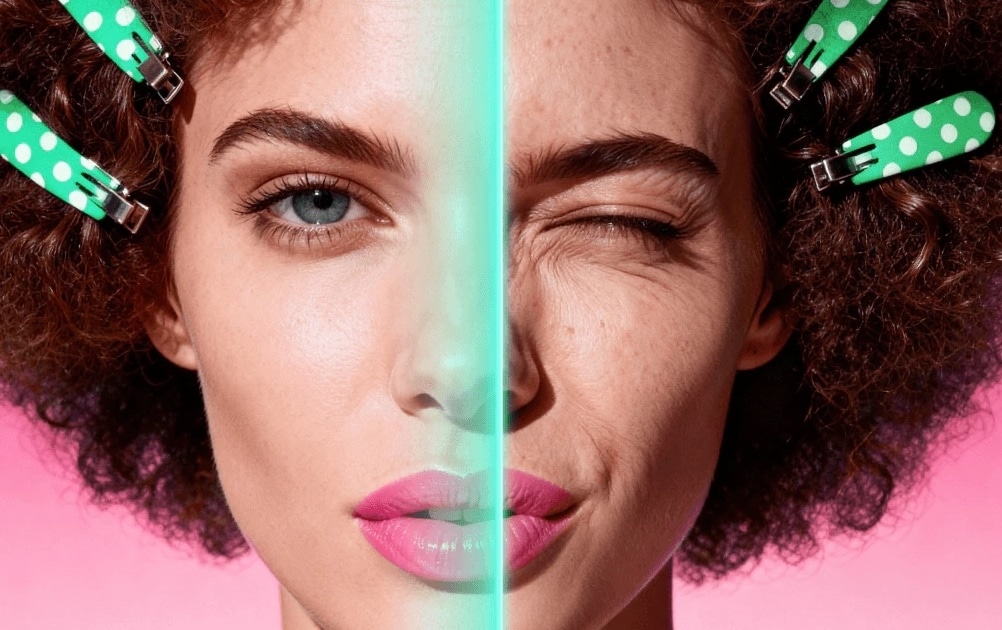
While in-app effects are convenient, Wondershare Filmora offers professional-grade AI beauty filters that surpass standard social media limitations. Unlike basic Instagram beauty filters, Filmora allows for precise skin retouching, intelligent AI portrait masking, and custom color grading. This ensures your before and after beauty filter results look cinematic rather than artificial. For creators aiming for a "Pro" look, transitioning from Instagram's presets to Filmora's advanced toolkit is essential.
- Adjustable skin retouching with more natural control
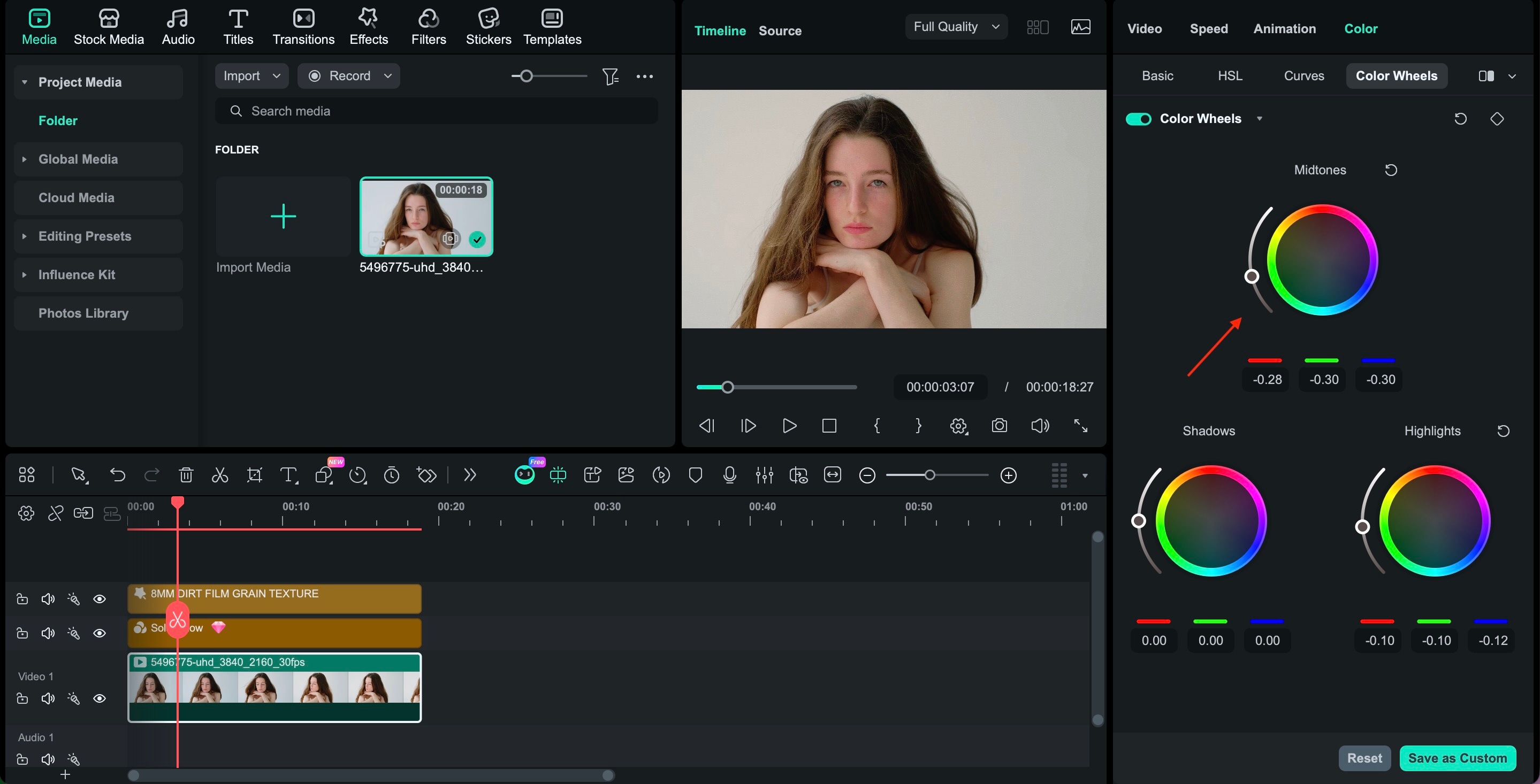
- Advanced color correction beyond simple warm or cool tones
- Lighting refinement for uneven environments
- AI-powered beauty tools that enhance without distorting
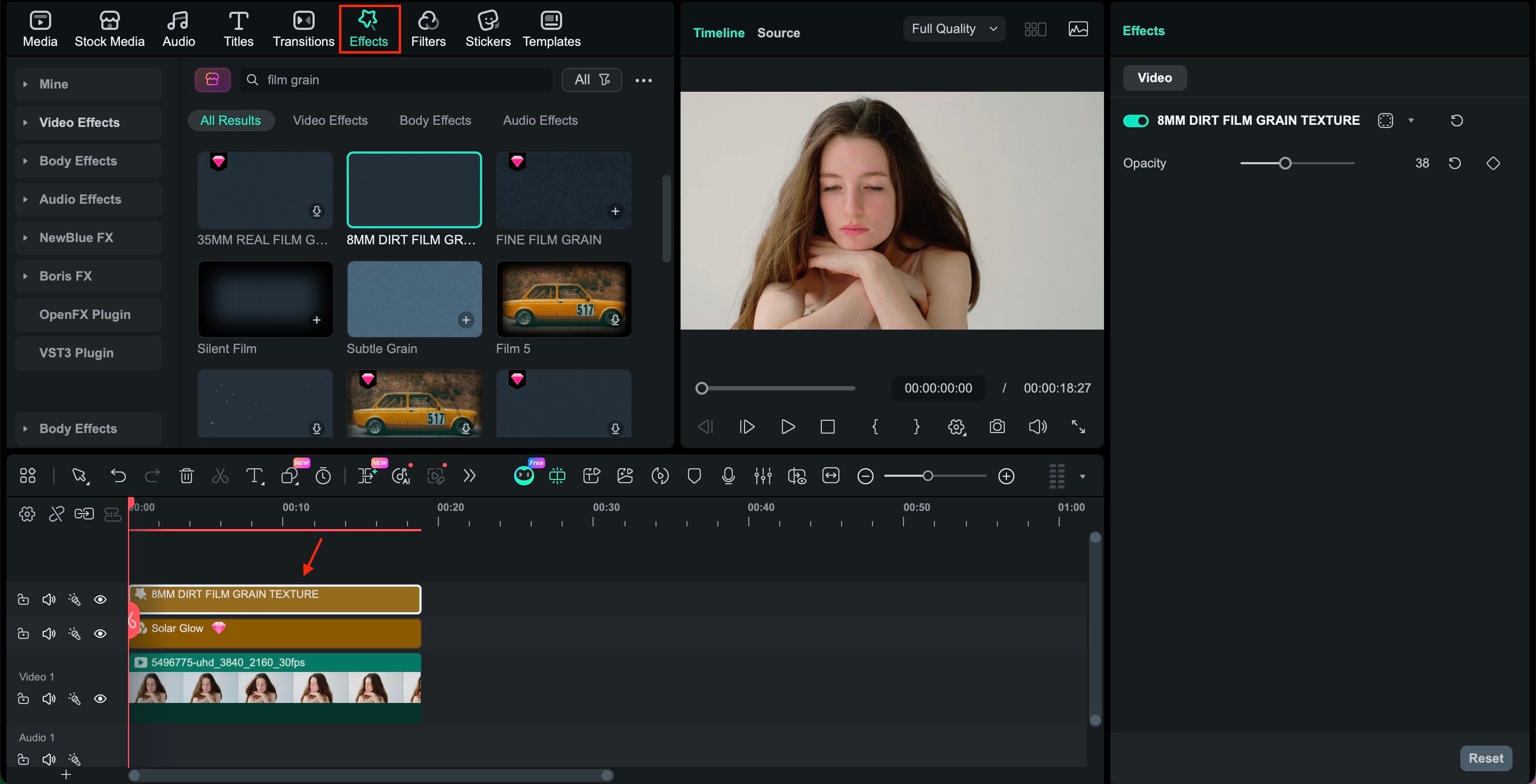
- Layer-based editing for full creative flexibility
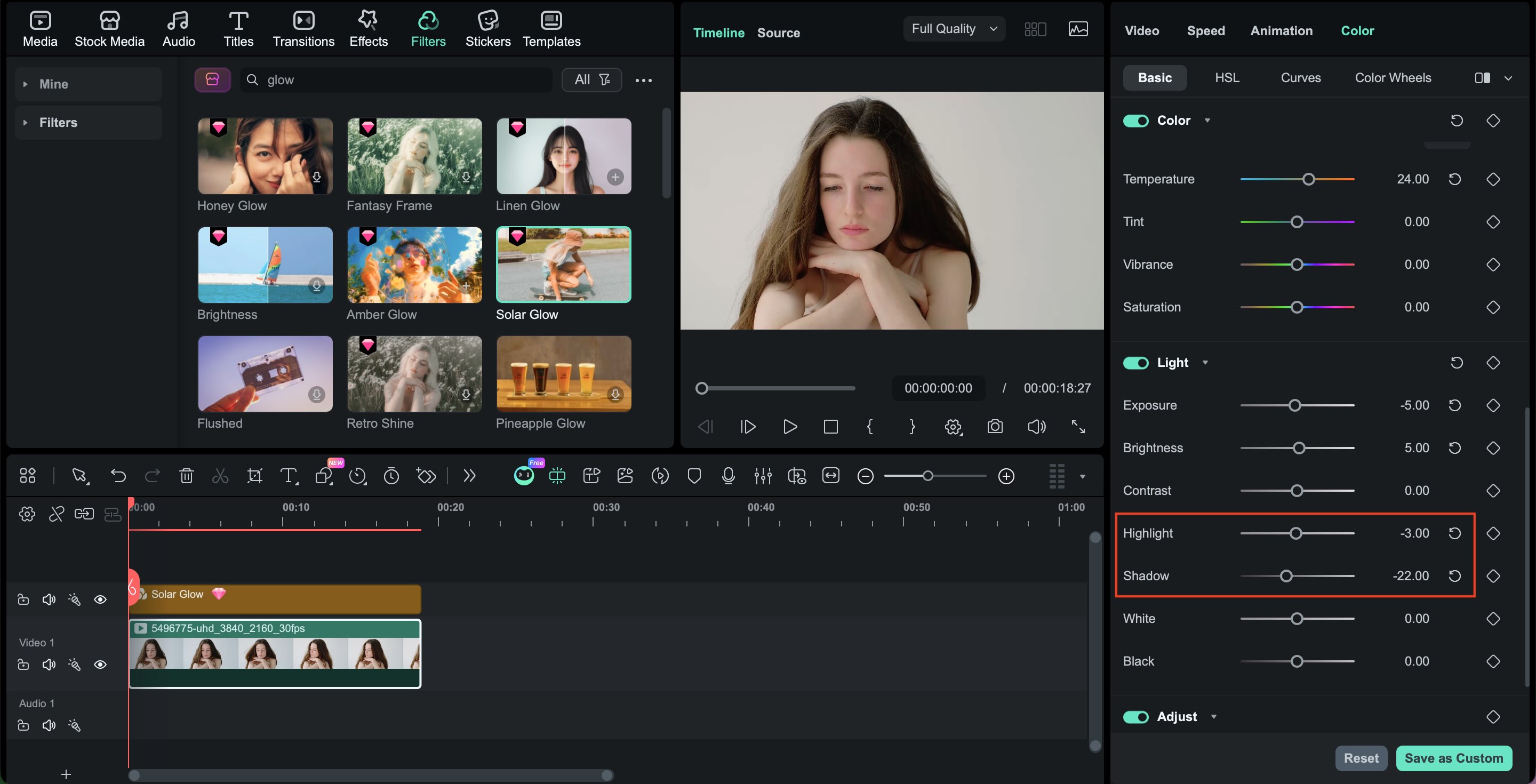
In contrast to standard beauty filters on Instagram, professional editing tools let you separate skin smoothing from color grading, and color grading from lighting. This means you can keep texture while improving tone, or brighten your under-eye area without changing your entire face.
For creators who care about consistency, brand identity, and high-quality visuals, upgrading from in-app filters to professional editing is the natural next step.
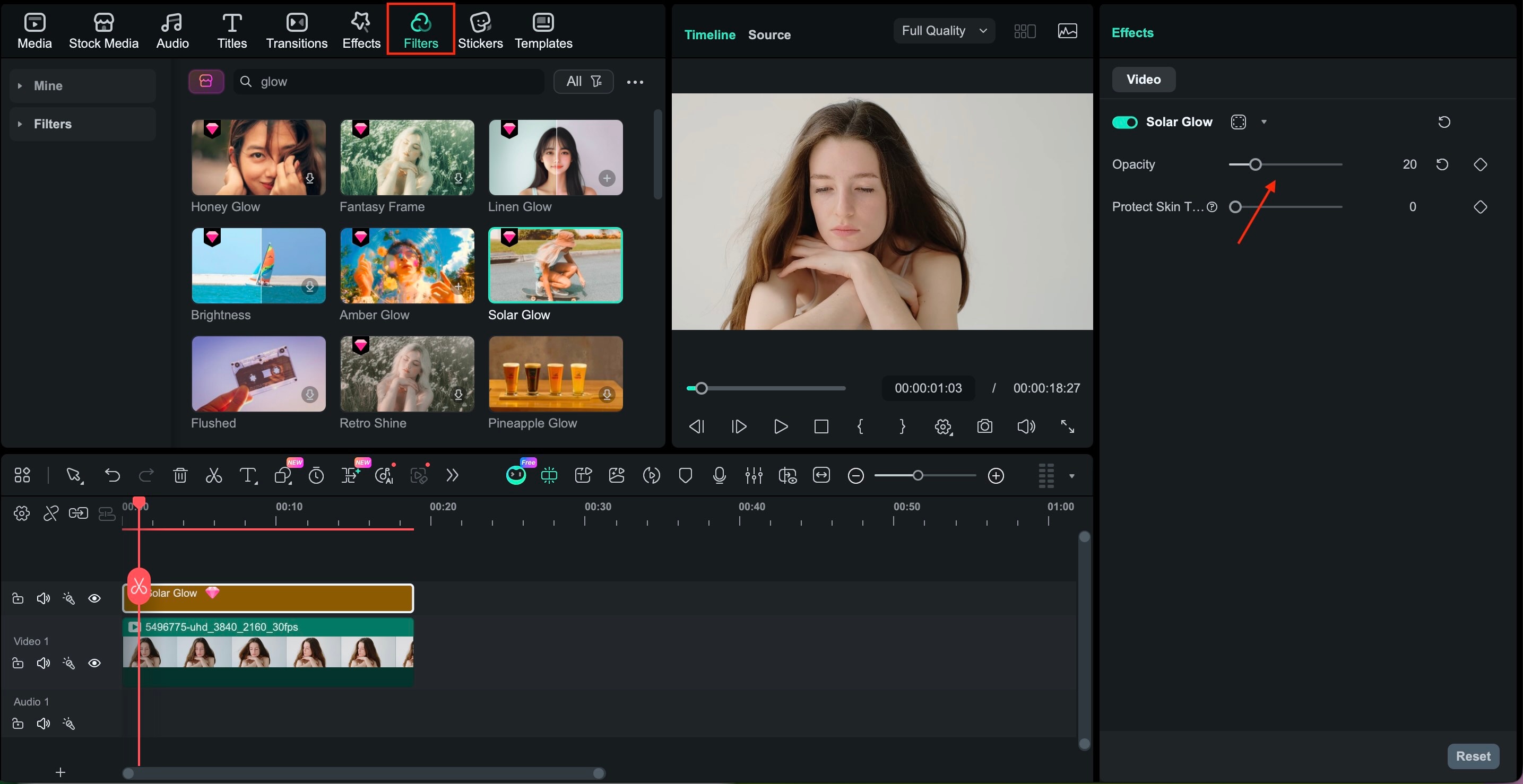
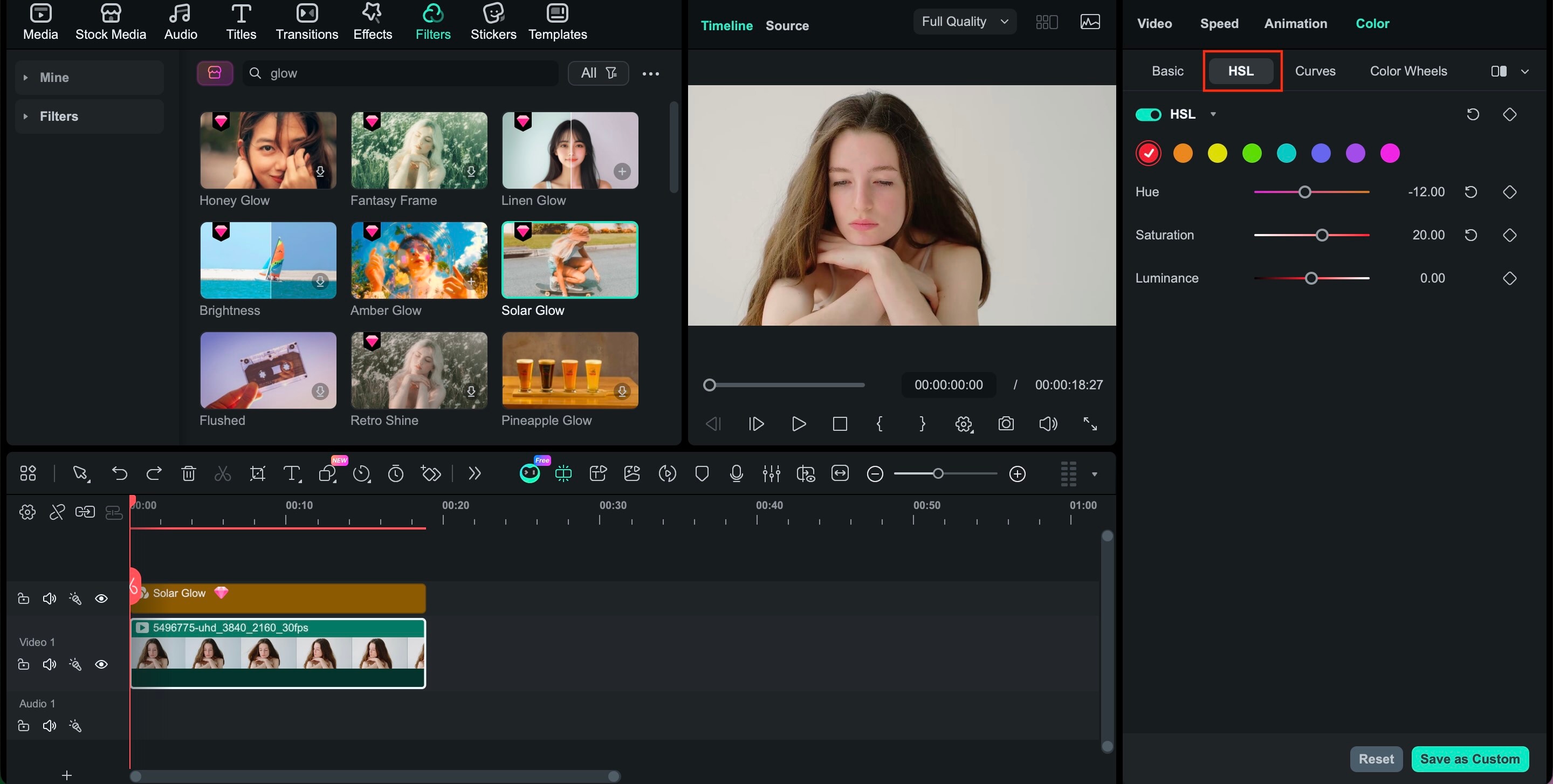
Part 5. Tutorial: Achieving Professional-Level Beauty Edits with Filmora
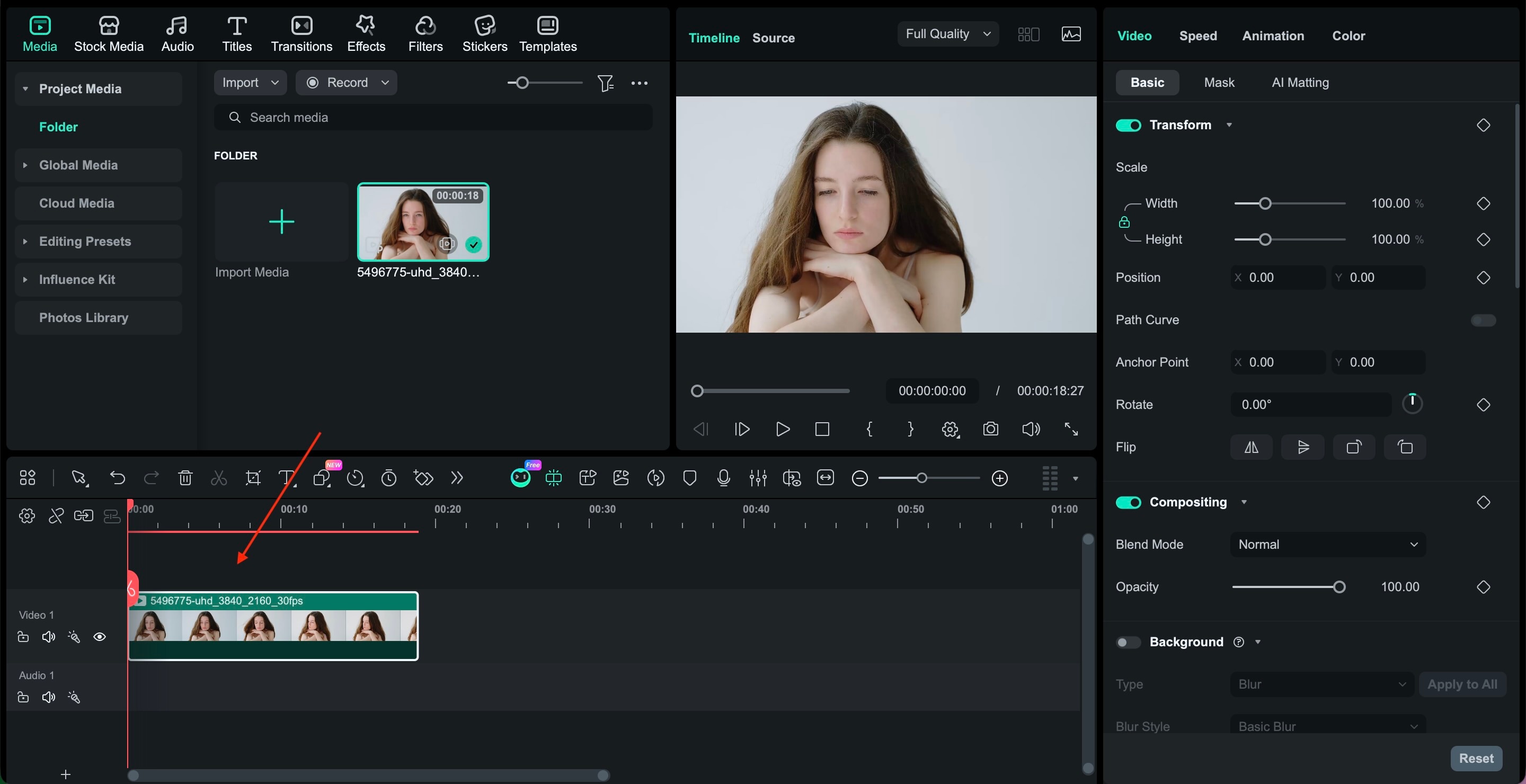
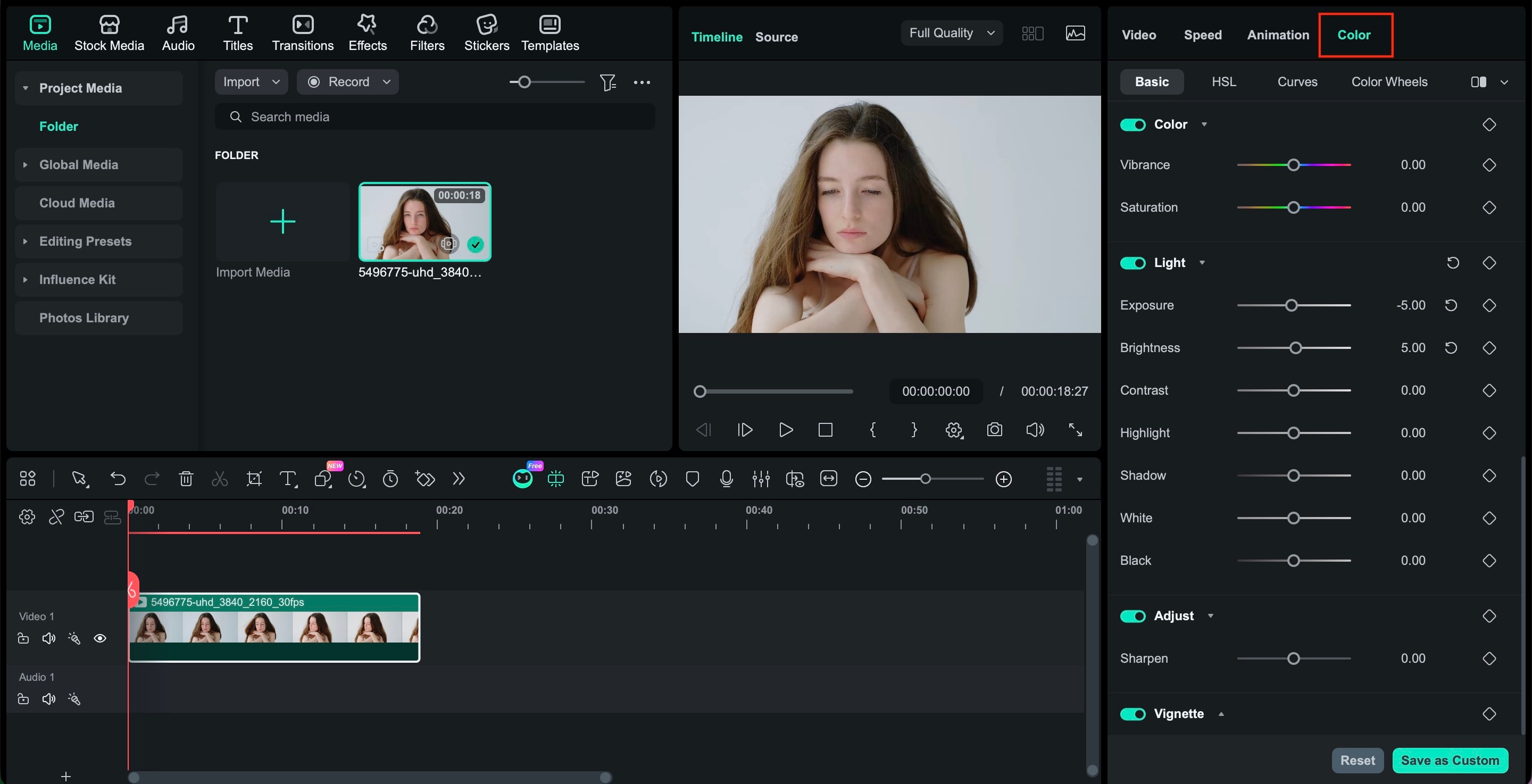
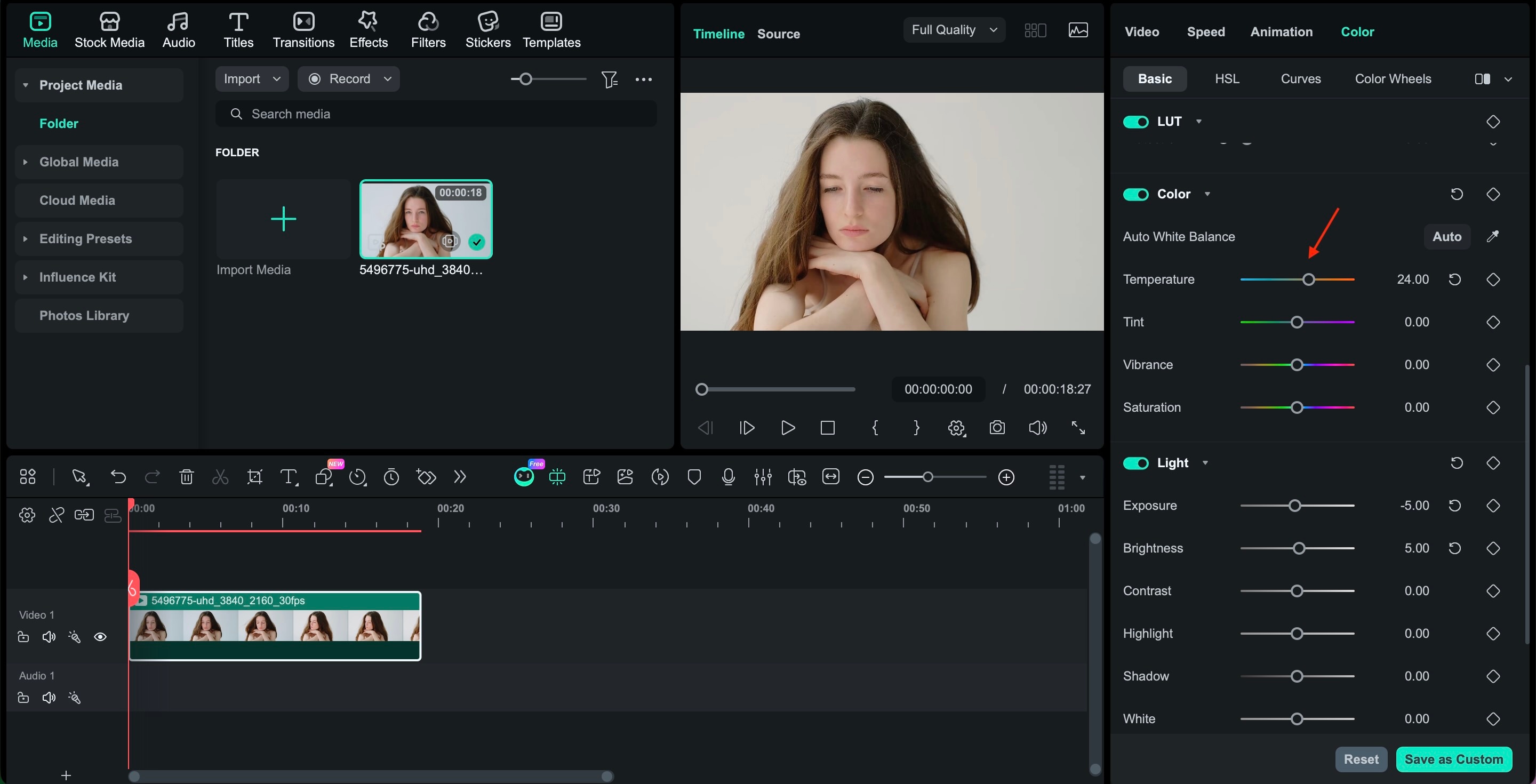
If Instagram filters give you instant polish, Filmora gives you precision. You can create your own glow, refine skin tone naturally, and create a cinematic finish that feels intentional rather than automated. Here's how to enhance your look step by step using Filmora.
Conclusion
Instagram beauty filters are fun, fast, and sometimes exactly what you need before hitting post. From the softness of Satin Skin to the warmth of Retro Glow, the key is to choose effects that highlight your facial features without covering them up.
Trends will change, from Satin Skin to Retro Glow and whatever comes next. What stays consistent is your personal style. If built-in filters start to feel limiting, tools like Filmora give you room to shape your look more intentionally, without losing what makes you. In the end, it is not about chasing perfection. It is about feeling confident in what you share.

FAQs
-
Do Instagram beauty filters affect the algorithm?
No, filters themselves do not affect Instagram's algorithm. What matters more is engagement, such as likes, comments, shares, and watch time. It's okay to use Instagram beauty filters as long as your content connects with your audience. -
Are Instagram beauty filters safe for privacy?
Yes, the filters inside Instagram are generally safe to use. They only change how your photo or video looks. To stay safe, use filters from Instagram's official Effect Gallery and avoid unknown third-party apps. -
How do I save my favorite Instagram beauty filters?
You can save filters in a few steps:- Open the Instagram camera.
- Choose a filter you like.
- Tap the filter name at the bottom.
- Select "Save Effect."
-
Can I use the same filter for Reels, Stories, and Posts?
Yes. Most beauty filters on Instagram work for both Stories and Reels. You can also apply filters before posting to your feed. Many creators use the same filters to maintain consistency in their content style.
