


 TL;DR:
Since DJI does not offer an official desktop version of LightCut, you must either run the mobile app via an Android emulator on Windows or switch to native desktop alternatives for smoother 4K video handling and full timeline control.
● Using BlueStacks or LDPlayer emulators retains familiar templates but breaks the DJI wireless connection for live previews, and is impractical for Mac users because BlueStacks 5 lacks macOS support.
● Wondershare Filmora serves as the closest equivalent for users wanting AI tools and template-driven workflows, whereas Adobe Premiere Pro fits commercial editors who need Lumetri Color support for DJI D-Log footage.
● Kdenlive offers completely free, open-source editing across Windows, macOS, and Linux without watermarks, though you must export final videos from LightCut first because raw project files cannot transfer directly into any desktop software.
Ask AI for a summary
 ChatGPT
 Perplexity
 Gemini
 Claude
 Grok
Grok
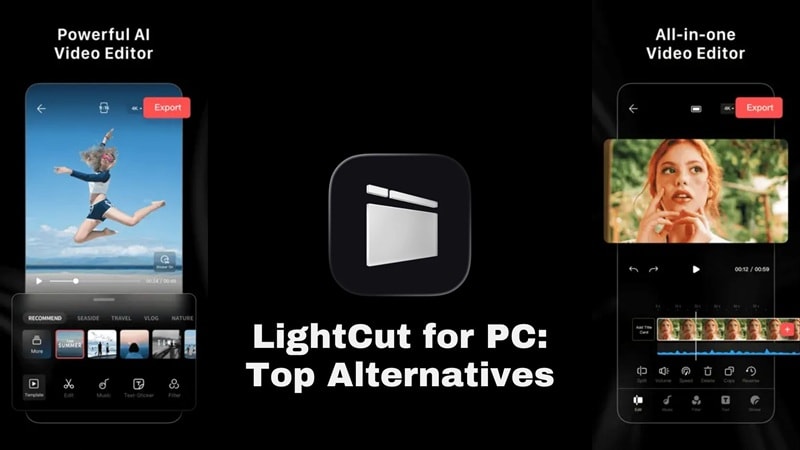
LightCut is a video editing app officially recommended by DJI, and it makes a lot of sense for creators who shoot with DJI drones, Osmo cameras, or mobile devices. But the problem is, when you search for Lightcut for PC download, you will find nothing. That's because this app is only available for mobile use.
So, what should you do if you want LightCut for the PC Windows version or LightCut for Mac? You have two realistic options: run the mobile app through an emulator, or choose a real PC/Mac editor that gives you more control. This guide covers both solutions so you can decide which works for you.
Part 1. How to Run LightCut on PC Using an Emulator
If you absolutely love the specific templates in the app and aren't ready to say goodbye, you can actually trick your computer into running it. Since there’s no official Lightcut for PC free download, using an Android emulator is your only ticket.
Tools like BlueStacks and LDPlayer create a virtualized Android environment on your Windows PC (and in some cases macOS), letting you install and run mobile apps as if they were desktop software. It's not ideal, but it works well enough for light use.
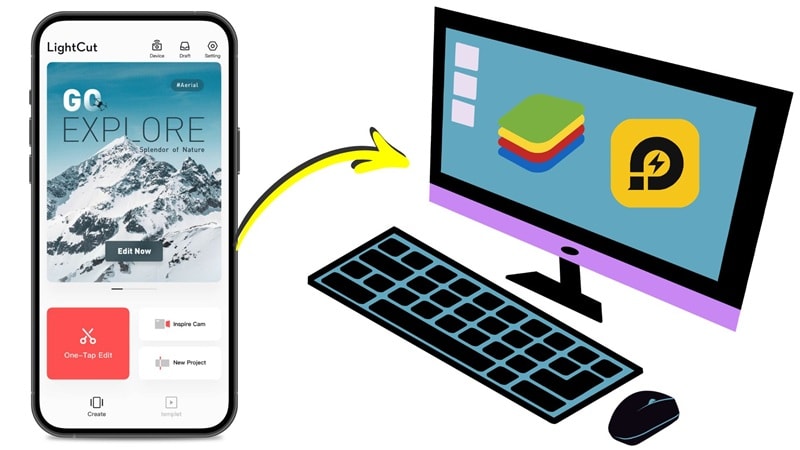
How to install the Lightcut app for PC using BlueStacks
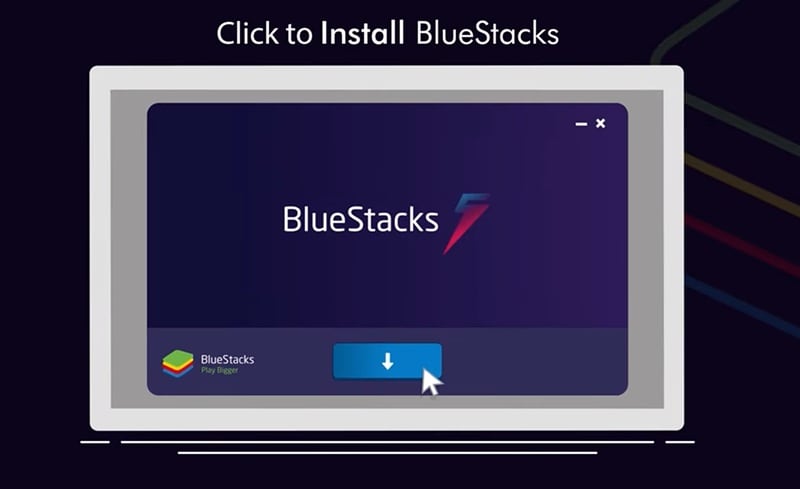
Step 1: Go to bluestacks.com and download the installer for your OS.
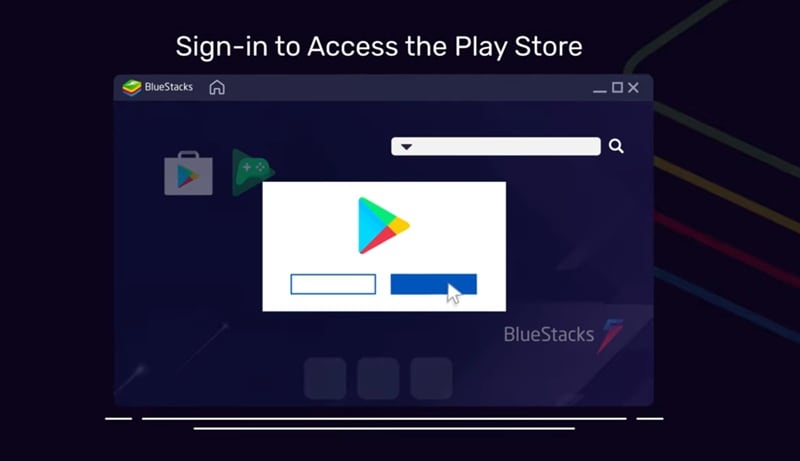
Step 2: Launch the emulator and sign in with a Google account to access the Play Store.
Step 3: Open the Play Store, search 'LightCut video editor for PC free download', and install it.
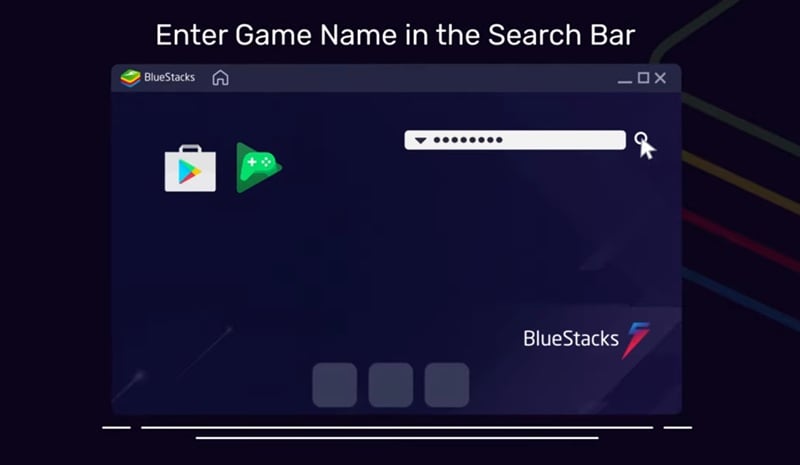
Step 4: Once installed, you can run it like a mobile app on your Windows laptop or desktop.
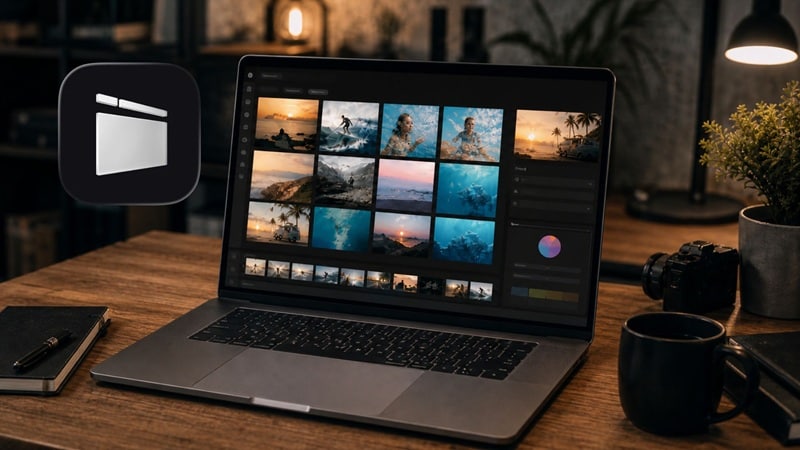
Is the Emulator Method Worth It?
The steps may look simple, but using an Android emulator is not always smooth. Here’s the honest breakdown:
- Free to Use: BlueStacks and LDPlayer are free to download.
- Works on Windows: This can be a workaround for users searching for LightCut for PC Windows 10 or LightCut for PC Windows 11.
- Same LightCut Interface: You can keep using the templates, tools, and layout you already know.
- No True DJI Device Connection: LightCut's wireless device-to-app connection (for real-time footage preview from DJI cameras) will NOT work in an emulator.
- Not Ideal for Mac: BlueStacks 5 does not support macOS, so DJI LightCut for Mac via emulator is not a practical option.
- Not Officially Supported: App updates may break features or change how well the emulator works.
Part 2. Best LightCut Alternatives for PC and Mac
Sometimes, instead of forcing a mobile app to work on a PC, it’s smarter to use a tool actually built for your mouse and keyboard. You get better file management, stronger timeline control, easier keyboard shortcuts, smoother 4K handling, and more room to build polished videos.
The trade-off is that no native PC editor offers LightCut's direct DJI wireless connection for live footage preview. But for post-flight editing, which is what most desktop editors actually do, they match or exceed LightCut in every meaningful way.

To keep this fair, the tools below were judged based on the things LightCut users usually care about:
- AI Editing Features: Auto-cut, smart templates, AI captions, scene detection, one-tap tools.
- DJI / Drone Footage Handling: Native 4K import, H.264/H.265/D-Log support, color correction for aerial footage.
- Ease of Use: Time from install to first export; learning curve for non-professionals.
- Pricing: Free tier availability, value for money, and hidden costs.
- 4K Video Handling: Smooth 4K timeline playback; hardware acceleration; export options.
Our Top 3 Picks of LightCut for PC Alternatives
We're not picking three Lightcut alternatives for PC tools that are all roughly the same and hoping you pick one. These three lead the list for different specific reasons:



LightCut Video Editor Alternatives for PC: Comparison
| LightCut Alternatives | Platform | Free Tier | Video Templates | Ease of Use | Best For |
| Filmora | Windows, macOS, Android, iOS | Available (watermark) | Massive Library | Very easy | All-around creators |
| Premiere Pro | Windows, macOS, iOS | Free trial for 7 days | Limited compared with template apps | Advanced | Professional editors, agencies, YouTubers |
| Kdenlive | Windows, macOS, Linux | Available | Limited | Moderate | Open-source power users, budget-zero creators |
| Shotcut | Windows, macOS, Linux | Available | Limited | Moderate | Format-diverse footage, older hardware |
| Clipchamp | Online, Windows, iOS | Available | Extensive | Easy | Windows 11 users, quick social clips |
| Adobe Express | Online, Android, iOS | Available | Extensive | Easy | Social media graphics + short video clips |
| Picsart | Online, Android, iOS | Available | Wide Range | Easy | Visual creators mixing photo + short video |
|
Show More
Show Less
|
|||||
 Secure Download
1. Wondershare Filmora
If you want a natural Lightcut AI video editor for PC, especially if you like templates and AI tools, then Filmora is the closest desktop equivalent to it. Filmora added AI video generation powered by Sora 2, Veo 3.1, and Seedance 2.0. Plus, it also has a dual-timeline system, and a massive 2.3 million creative asset library, all from a timeline interface that beginners can pick up in under an hour.
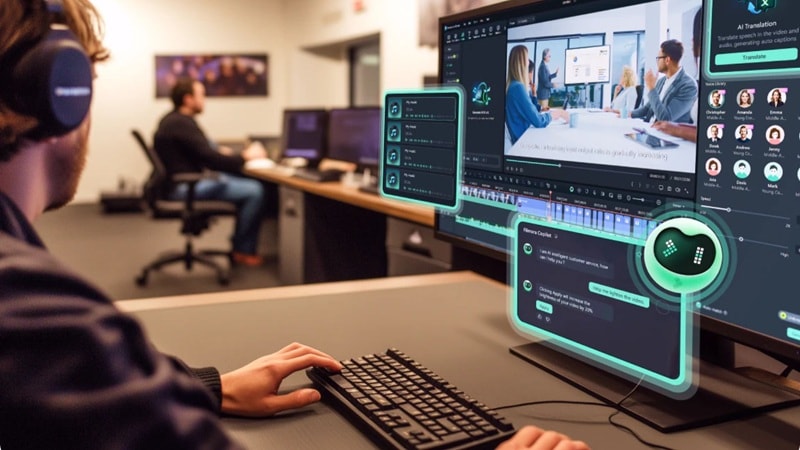
- AI Smart Short Clips auto-highlights from long drone footage.
- AI Captions, AI Video Translation, AI Color Palette (match any film's grade).
- AI video generation via Sora 2, Veo 3.1, Kling 2.5 integrated in-timeline.
- 4K timeline support with hardware-accelerated playback.
- 2.3M+ built-in stock assets, templates, transitions, titles, filters, and effects.
- The best balance of AI features and usability in this comparison.
- Handles DJI 4K footage cleanly with color tools built for aerial and action cameras.
- You can make quick edits or build more detailed projects on a timeline.
- You will need a paid plan for watermark-free export.
- AI features require AI credits.
Free version available, with affordable and flexible paid plans listed on the Filmora pricing page.
Secure Download2. Premiere Pro
Premiere Pro is not the closest tool to LightCut in terms of simplicity, but it is one of the strongest Lightcut video editors for Mac and Windows alternatives if your editing needs are growing. If you're editing DJI footage for commercial clients, broadcast submissions, or collaborative agency workflows, Premiere Pro is the benchmark against which everything else gets compared.
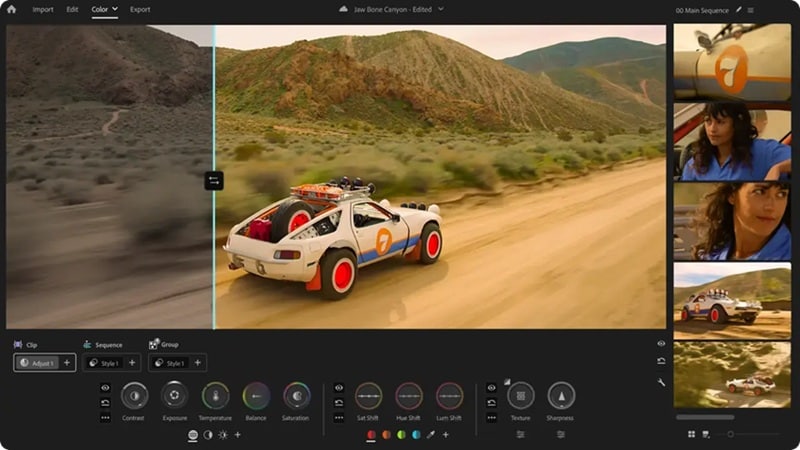
- Lumetri Color, professional color grading with LUT support for D-Log DJI footage.
- Auto Reframe and Scene Edit Detection (AI-powered tools for social repurposing).
- Supports virtually every video format and codec, including DJI's ProRes and RAW.
- Massive community, tutorials, and template ecosystem built up over decades.
- Best choice if you're already inside Adobe Creative Cloud (Photoshop, After Effects, Audition).
- Not approachable without a dedicated learning period.
- Long-term use can become expensive.
No free plan. Annual (paid monthly): $22.99/month. You can also get Premiere in the Creative Cloud Pro plan, which comes with 20+ additional creative apps like Photoshop and After Effects at $34.99/month.
3. Kdenlive
Kdenlive is a hidden gem for those who want a Lightcut for Mac free or Windows free alternative that is completely open-source. There are no watermarks. There are no export limits. There's no subscription. You just download it and use it.
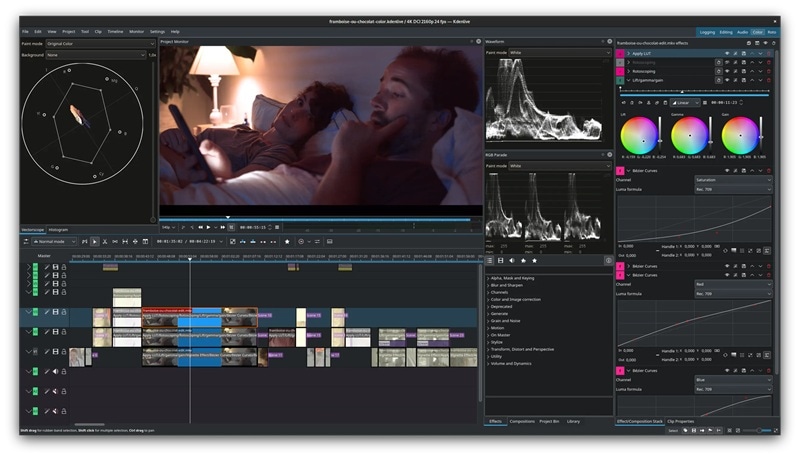
- Multi-track timeline with keyframe animation and full audio mixing.
- Custom LUT support for DJI D-Log and color profile correction.
- Proxy editing for smooth 4K timeline playback on mid-spec hardware.
- Wide format support via FFmpeg, handles virtually any DJI output format.
- Available on Windows, macOS, and Linux (cross-platform, single download).
- Active open-source development with regular updates (4,800+ GitHub stars).
- No AI features, auto-cut, smart templates, and AI captions are absent entirely.
- The interface looks a bit dated and takes time to learn.
100% Free with the option to donate.
4. Shotcut
This is another great Lightcut for PC free version that doesn't cost a dime. It is not flashy, and it will not give you LightCut-style AI templates, but it is useful for trimming, arranging, filtering, exporting, and working with many video formats. And with a 13,700+ GitHub star count, it reflects a large and stable user community.
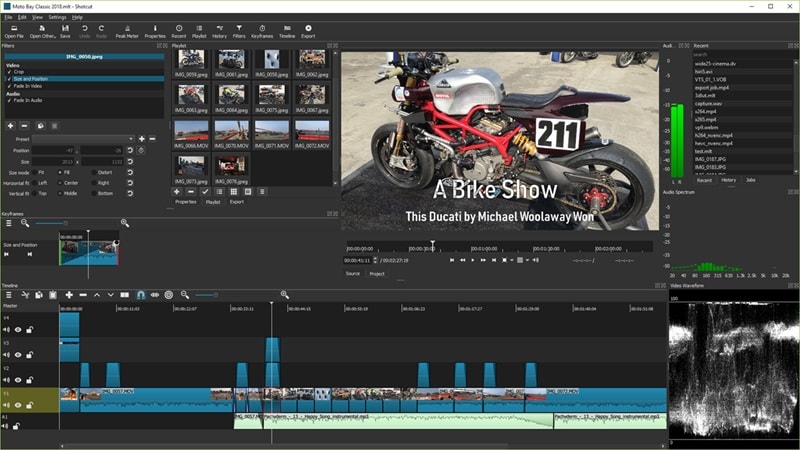
- Native support for an exceptionally wide range of video formats via FFmpeg.
- Multi-track timeline with filters, transitions, and keyframe animation.
- Hardware acceleration for playback and export (NVIDIA, AMD, Intel support).
- 360-degree video editing support is useful for certain DJI spherical footage.
- Useful when working with footage from different cameras and phones.
- Supports 4K resolutions and ProRes.
- No AI features, entirely manual editing workflow.
- Performance on complex 4K multi-track timelines can degrade on lower-spec machines.
Completely free.
5. Clipchamp
Clipchamp is Microsoft's video editor, acquired in 2021 and now built directly into Windows 11, which means if you're on Windows 11, you already have it installed. It is a good choice if you want something easier than Kdenlive or Shotcut, but more PC-friendly than using DJI LightCut for PC through an emulator.
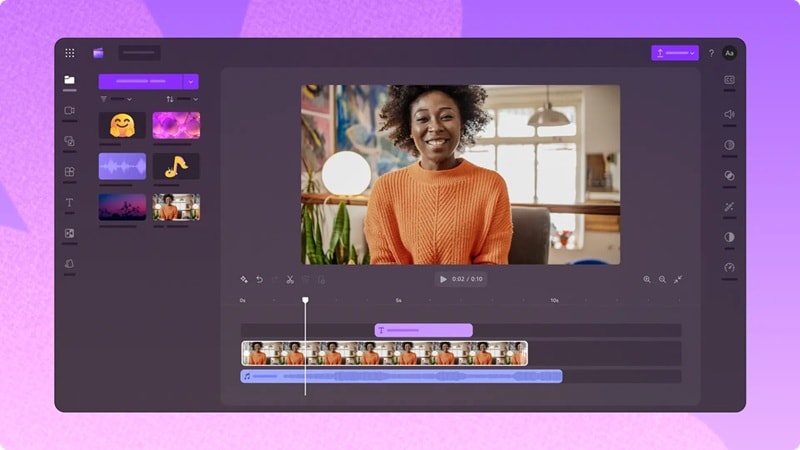
- Auto-captions powered by Azure AI speech recognition.
- Built-in stock footage and music library (Getty Images integration).
- Social media export presets (YouTube, TikTok, Instagram, LinkedIn).
- Browser-based version also available (app.clipchamp.com) for any OS.
- Free tier is genuinely useful for 1080p social content without any watermarks.
- The familiar Microsoft interface makes it immediately accessible to Office users.
- Limited audio tracks and no advanced color grading.
- Not available as a native macOS app, Mac users must use the browser version.
Free tier available. Paid plans start at $9.99 per month by accessing Microsoft 365 Personal and Family plans.
6. Adobe Express
This is the best Lightcut video editor online alternative if you care more about design and graphics than deep video technicals. After all, Adobe Express is Adobe's answer to Canva; a browser-based and desktop creative tool built around speed and visual polish rather than timeline depth. The free tier is reasonably generous, and you can unlock Adobe's premium asset library with the premium version.
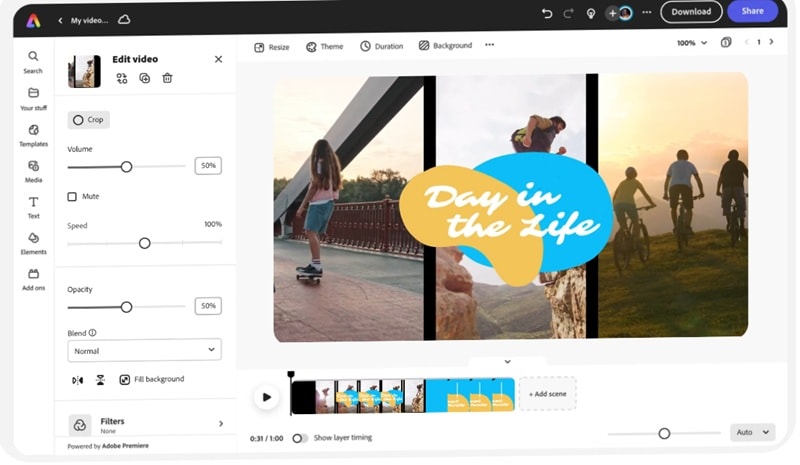
- Template-driven video creation, hundreds of social-optimized video templates.
- Adobe Firefly AI integration for image and text effect generation
- Brand Kit support, including consistent fonts, colors, and logos across all exports.
- One-click resize to multiple aspect ratios (9:16, 1:1, 16:9).
- Useful for quick posts, promos, ads, and simple branded videos.
- Shares Creative Cloud libraries with Premiere and Photoshop for team workflows.
- It is not the best choice for long drone edits.
- Advanced audio, color, and multi-track control are not the focus.
Free version available. Paid plans start at $9.99 per month.
7. Picsart
Picsart is best known as a creative platform for photo editing, design, AI visuals, and social media content, but it also includes video editing tools. It is a good LightCut for laptop alternative if your videos are more social-first than cinematic. For drone photographers who also shoot footage, Picsart's unified photo-and-video editing environment means you stay in one app rather than juggling two.
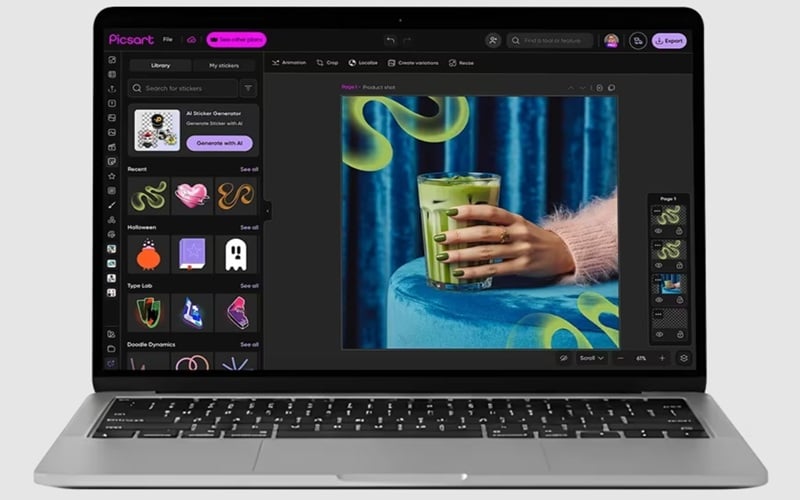
- Unified photo and short video editing in a single interface.
- AI Background Removal, Magic Eraser, and AI Replace for both images and video frames.
- AI video and image generation from text prompts.
- Template library with animated and video-based social templates.
- Very "Gen Z" aesthetic with cool and creative templates.
- Useful for thumbnails, posts, and short clips.
- Not a dedicated video timeline editor, long-form video assembly is out of scope.
- Advanced features and watermark-free exports require a paid plan.
Free version available. Paid plans start at $5 per month.
Part 3. Picking the Right LightCut Alternative for Your Setup
Seven Lightcut PC alternative options is a lot. And the thing is, the right choice depends more on what you're trying to do than on any objective ranking. After all, different creators have genuinely different needs, and a tool that's perfect for one workflow is actively wrong for another.

Below are the three questions worth working through before you download any Lightcut for PC alternatives.
1. What’s Your Editing Style?
Different tools fit different editing habits. So, ask yourself what you usually do: quick clips? cinematic edits? Or anything that fits the budget?
| Your Editing Style | Best Fit |
| Quick edits, social clips, auto cuts | Filmora, Clipchamp, Adobe Express, Picsart |
| Full editing control, effects, captions, transitions | Wondershare Filmora |
| Professional workflow and advanced color/audio | Filmora, Adobe Premiere Pro |
| Free open-source manual editing | Kdenlive, Shotcut |
|
Show More
Show Less
|
|
If you want something that feels simple or apps like Lightcut for PC, Filmora is the safest middle ground. If you want free editing and do not mind learning, Kdenlive or Shotcut make more sense.
2. Check AI Features (If That Matters to You)
LightCut’s biggest appeal is speed. Its AI-powered One-Tap Edit can analyze clips, pick highlights, and match them with templates. So, when choosing a Lightcup for PC DJI alternative, look for tools that can speed up boring tasks:
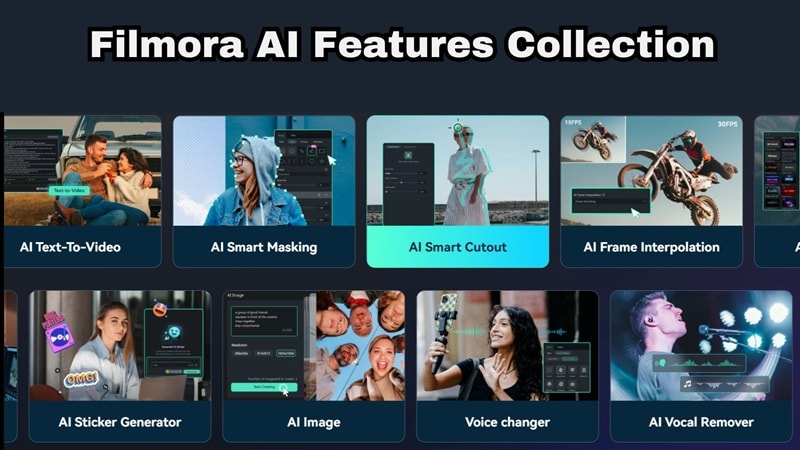
- Auto captions.
- Text-to-speech.
- Smart templates.
- AI music or sound tools.
- Auto cut or highlight tools.
- Background removal.
- Noise reduction.
- AI image/video generation.
- Social media resizing.
Thankfully, there’s one editor that supports all these features: Filmora.
3. Consider Your Hardware & Budget
If you edit 4K DJI videos, your laptop matters. A lightweight web editor may be fine for short clips, but long drone footage can become heavy fast. Refer to our recommendation below for a quick guide:
| Your Setup | Better Choice |
| Low-end laptop | Clipchamp, Adobe Express, Picsart, or proxy editing in Kdenlive |
| Mid-range Windows PC | Filmora, Shotcut, Kdenlive |
| Powerful Windows PC | Filmora, Premiere Pro, Kdenlive |
| MacBook with Apple silicon | Filmora, Premiere Pro, Kdenlive, Shotcut |
| Zero budget | Kdenlive or Shotcut |
| Beginner with budget | Filmora |
| Professional editor | Filmora, Premiere Pro |
Conclusion
LightCut for PC in the true sense doesn't exist, and it's unlikely DJI will change that soon. Although technically you can download Lightcut for PC through an emulator, that is only a workaround. For smoother editing, stronger 4K handling, and better timeline control, choosing a native editor as Lightcut PC alternatives is a much better option.
For most creators making that switch to desktop, Wondershare Filmora is the strongest direct replacement. It brings AI-powered auto-editing, 4K drone footage support, and a template-driven workflow that mirrors LightCut's philosophy without the mobile limitations.
Secure DownloadFAQs
-
Is using LightCut on PC with an emulator worth it?
It can be worth it if you only want to use the LightCut mobile app on a bigger screen. But it is not ideal for serious editing because it still runs like a mobile app inside an emulator. For 4K footage, long projects, or smoother desktop control, a native editor like Filmora will save you time from day one. -
What's the best free alternative to LightCut for PC?
For a completely Lightcut for PC free option with no watermarks and no feature limits, Kdenlive is the most capable choice. It handles 4K DJI footage, supports custom LUTs for color correction, and has a genuine multi-track timeline. -
Can I transfer projects from LightCut to PC editors?
Usually, you cannot transfer a full editable LightCut project directly into PC editors like Filmora, Premiere Pro, Kdenlive, or Shotcut. The practical method is to export your clips or final video from LightCut, then import the video files into your desktop editor for further editing. -
Can you edit DJI videos on PC?
Absolutely. Most desktop editors handle DJI’s MP4 and MOV files perfectly. Just move your SD card to your computer, and you’re ready to roll!
