


 TL;DR:
Filmmaker Pro is a freemium, iOS-exclusive video editing application that equips iPhone and iPad users with professional-level capabilities like 4K resolution support, keyframe animation, and motion tracking.
● While basic timeline edits are free, unlocking advanced tools like chroma key, premium visual assets, and higher-quality export settings requires a paid subscription ($15.99/month or $59.99/year) or a $119.99 lifetime purchase.
● The application processes video files directly on local device storage to protect user privacy without utilizing external servers, though complex multi-track edits can occasionally trigger app crashes or loading lags.
● Creators who require cross-platform synchronization across Windows, Mac, iOS, and Android, or those seeking AI-powered background removal and auto-cut tools, should consider Wondershare Filmora as an alternative.
Ask AI for a summary
 ChatGPT
 Perplexity
 Gemini
 Claude
 Grok
Grok
Mobile video editing is growing fast as creators look for quicker, more flexible ways to produce content on the go. One app that stands out is Filmmaker Pro. Built exclusively for iPhone and iPad, it brings desktop-level tools like keyframe animation, motion tracking, and chroma key into a mobile-friendly interface.
In this review, we’ll take a closer look at Filmmaker Pro’s key features, pricing, supported devices, pros and cons, and ultimately help you decide if this is the right video editing app for your needs.
Part 1. What Is Filmmaker Pro?
Filmmaker Pro is a mobile video editing app built for creators who want more control and flexibility when editing on their phones. Developed by Tinkerworks Apps, it’s designed specifically for iOS devices and has become a popular choice among iPhone and iPad users who need advanced tools without desktop software.
The app is commonly used to create YouTube videos, short films, social media content, and even simple promotional clips. What sets it apart is its ability to bring professional-level features into a mobile interface. You can edit in 4K resolution, work with multiple tracks, and fine-tune projects using tools beyond basic trimming and filters.
Supported Devices and Platforms
- iOS (iPhone & iPad): Filmmaker Pro is primarily designed for iOS devices and runs smoothly with full feature support
- PC (Windows) & Mac: If you are looking for Filmmaker Pro for PC, there is no official desktop version available.
If you prefer editing on a computer, you can use desktop video editors that offer more advanced workflows and a larger editing workspace.
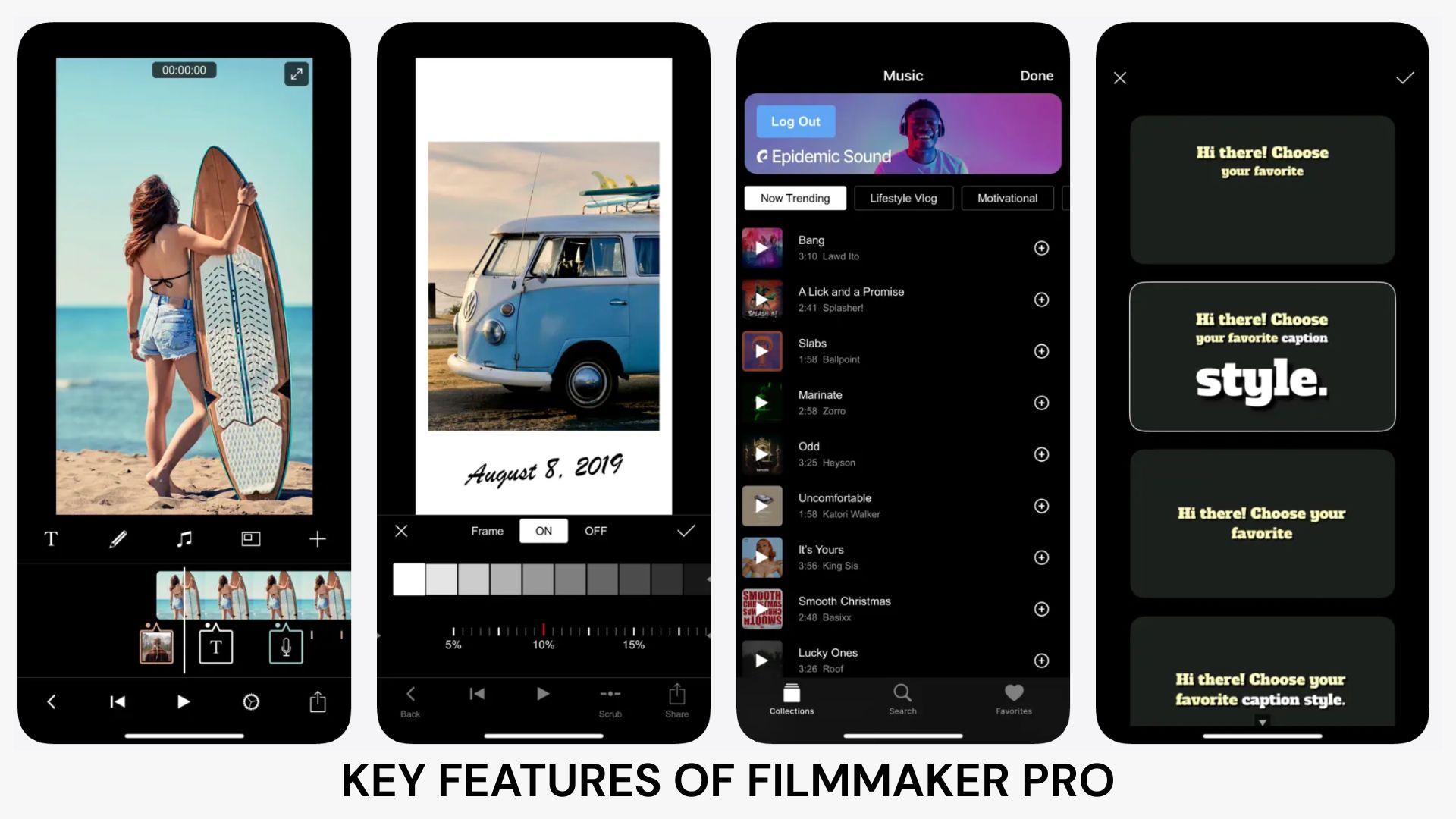
Filmmaker Pro stands out for combining essential editing tools with advanced features, giving users the flexibility to create both simple and professional-looking videos directly on mobile. Here’s a closer look at what you can expect from each key feature.
Advanced Video Editing Tools
These are the core tools for organizing and structuring your video. Filmmaker Pro Movie Maker makes it easy to handle clips and apply basic edits with precision.
- Trim, split, and rearrange clips on a timeline
- Adjust playback speed for slow motion or fast effects
- Apply 30 beautiful filters, and visual effects in real time
- Duplicate or reverse clips for creative edits
Professional Editing Features
For users seeking greater control, Filmmaker Pro includes advanced tools typically found in desktop software. These features help enhance your content to a more professional level.
- Keyframe animation for precise movement and transitions
- Motion tracking to follow objects within a video
- Chroma key (green screen) for background replacement
- Picture-in-picture for layered video effects
Audio Editing Tools
High-quality audio is essential to any video, and Filmmaker Pro provides tools to help you easily manage and enhance it.
- Record voice-overs directly within the app
- Adjust volume levels for different audio tracks
- Add background music and sound effects
- Use audio ducking for better voice clarity
Text and Graphics
To make your videos more engaging, the app offers a variety of customizable visual elements to suit your style.
- Add text overlays with different fonts and styles
- Apply animations to titles and captions
- Use stickers and graphic elements
- Customize colors, size, and positioning
Project Management
Filmmaker Pro also focuses on workflow efficiency, helping you stay organized while editing multiple projects.
- Create and manage multiple projects
- Autosave to prevent losing progress
- Customize export settings like resolution and frame rate
- Easily revisit and edit previous projects
Part 3. User Interface and Editing Experience
In addition to its features, Filmmaker Pro focuses on delivering a smooth, intuitive editing experience. The app is designed to balance powerful tools with an easy-to-navigate layout, even on a smaller screen.
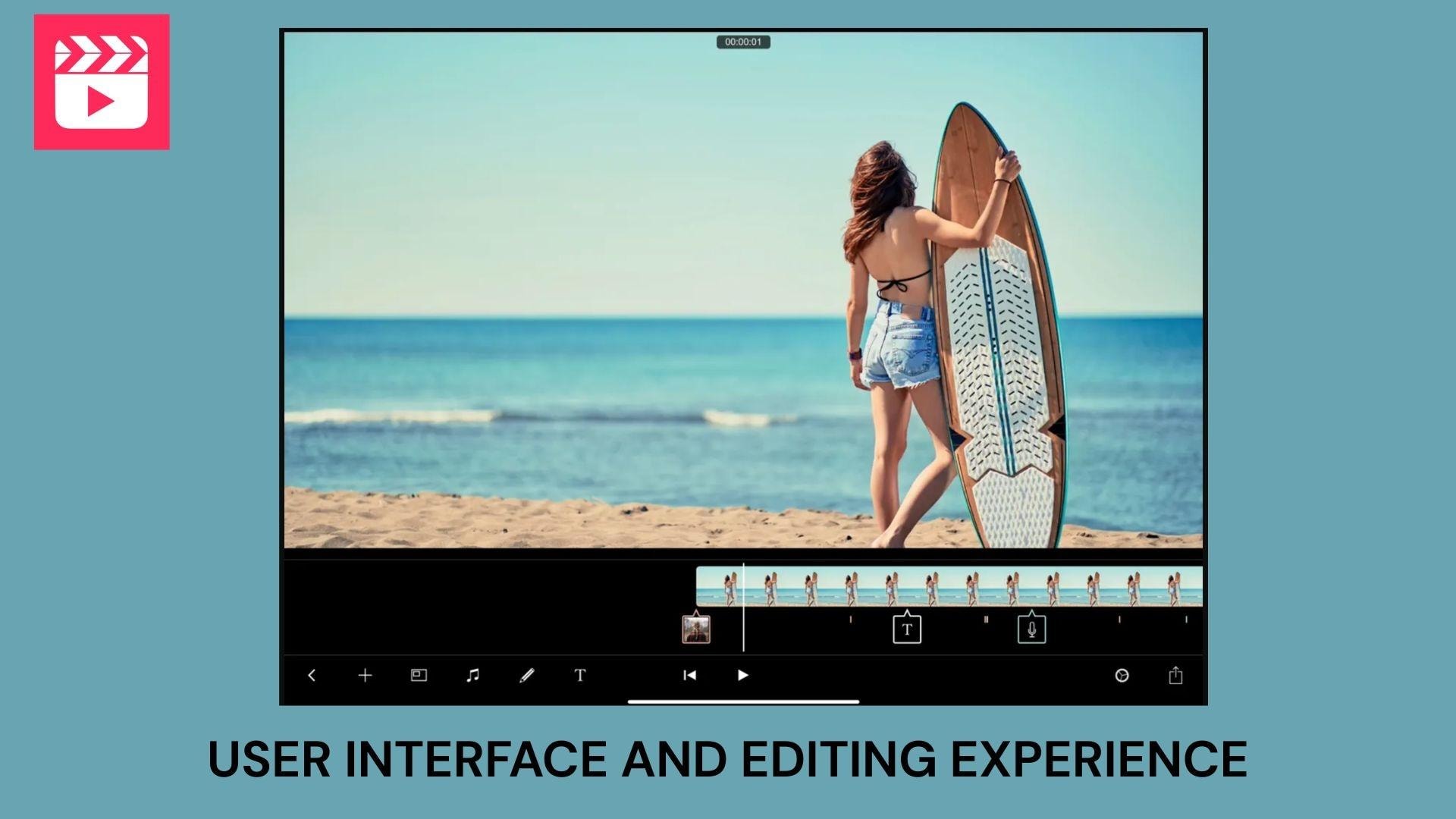
One of its standout elements is the timeline-based interface, which gives users a clear view of their clips, audio, and effects in one place. This makes it easier to manage complex edits without feeling overwhelmed.
- Timeline-based editing: Arrange clips, audio, and effects in a structured timeline for better control
- Color-coded layers: Different elements are visually separated, helping you stay organized while editing
- Drag-and-drop functionality: Move clips, adjust timing, and reposition elements with simple gestures
- Real-time preview: Instantly see changes as you edit, reducing the need for constant exporting
Overall, the interface feels responsive and flexible, suitable for both beginners learning the basics and advanced users seeking precise control over their edits.
Part 4. Filmmaker Pro Pricing: Is It Available for Free?
Before downloading any video editing app, one of the biggest questions users have is whether it’s free or requires payment. Filmmaker Pro uses a freemium model, which means you can start using it for free, but some advanced features are only available in the paid plan.
Filmmaker Pro’s Free Version
The free version gives users access to basic editing tools, suitable as a starting point for beginners or casual creators.
- Available for free download from the App Store
- Includes essential editing tools such as trimming, splitting, and simple effects
- Limited access to premium assets and advanced features
- May include restrictions on certain exports or features
How Much Does Filmmaker Pro Cost for Paid Subscription?
To unlock the full experience, Filmmaker Pro offers in-app purchases or a subscription plan. For $15.99/month or $59.99/year, you can get premium benefits, such as:
- Access to all advanced features like keyframes, motion tracking, and premium effects
- Expanded library of music, filters, and assets
- More control over export settings and higher-quality outputs
If you prefer not to deal with recurring payments, there’s also a lifetime option available for $119.99. This is a one-time purchase that gives you permanent access to premium features.
Note: Pricing may vary depending on the region and ongoing promotions.
Part 5. Pros and Cons of Filmmaker Pro (Honest Review)
After exploring its features and overall user experience, Filmmaker Pro clearly offers a lot for mobile creators. However, like any editing app, it comes with both strengths and limitations. Here’s an honest review based on its features and user feedback.
- Advanced features on mobile. Includes keyframes, motion tracking, and chroma key, which are typically found in desktop editors
- 4K editing support. It allows high-quality video production directly on iPhone and iPad
- Multi-track timeline. Supports unlimited video, audio, and text layers for complex edits
- User-friendly interface. Color-coded timeline and drag controls make editing easier to manage
- Rich asset library. Filmmaker Pro offers filters, music, fonts, and graphics to enhance content
- Available only on iOS. No official versions for Android, Windows, or Mac
- Freemium limitations. Many advanced features require a paid subscription
- Performance issues. Some users report crashes, lag, or project loading problems
- Subscription concerns. Occasional complaints about pricing and access to premium features
Part 6. Is Filmmaker Pro Safe to Use?
When choosing a video editing app, safety and privacy are just as important as features. Filmmaker Pro is generally considered when downloaded from official sources like the App Store.
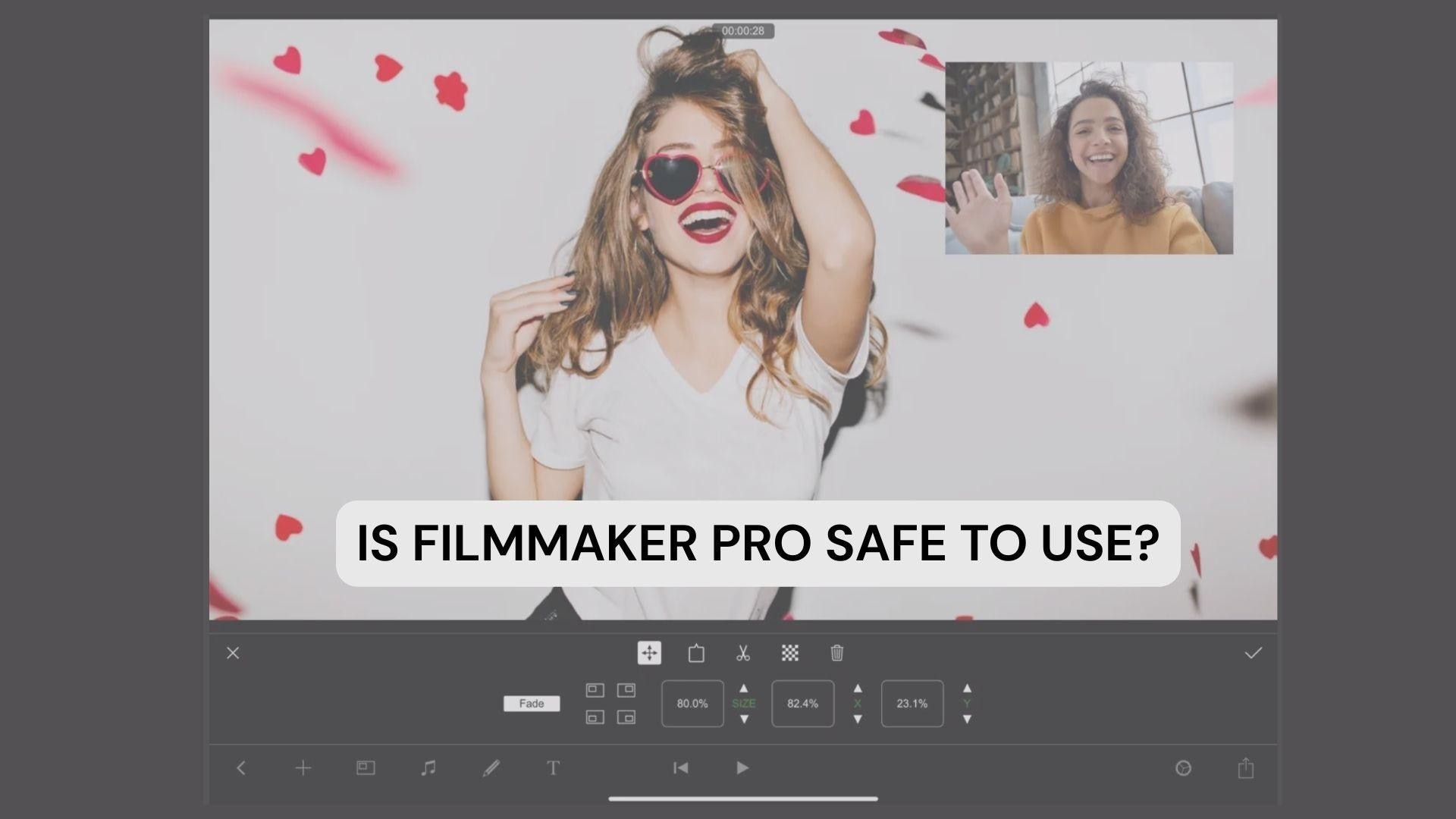
This app processes edits directly on your device, meaning your videos and projects remain stored locally on your phone or tablet. This reduces the need to upload files to external servers during the editing process. Additionally, according to the app’s description, Filmmaker Pro does not collect or store users’ personal data, which helps protect your privacy while using the app.
However, it’s important to be cautious when downloading Filmmaker Pro. Files from unofficial third-party websites may have been modified, unsafe, or contain malware that could damage your device or compromise your data.
To stay safe, you should never install Filmmaker Pro MOD APK from third-party sources. It’s recommended to always download Filmmaker Pro only from trusted platforms like the official App Store.
Part 7. Best Filmmaker Pro Alternative for Advanced Editing
Despite Filmmaker Pro’s strong capabilities for mobile editing, some users may eventually require more flexibility, especially for larger projects or cross-device workflows. If you are looking for more options, Wondershare Filmora is a great alternative worth considering.
Filmora is a creator-friendly video editor available on Windows, Mac, iOS, and Android. It combines ease of use with advanced tools like keyframing, motion tracking, and AI-powered features, so it's suitable for both beginners and more experienced users.
 Secure Download
Why We Recommend Filmora
- Cross-platform support: Works seamlessly on Windows, Mac, iOS, and Android. Edit across multiple devices without losing your workflow.
- Beginner-friendly interface: Clean, intuitive layout that makes it easy to get started without a steep learning curve.
- Advanced editing tools: Includes keyframing, motion tracking, and multi-track timeline for more complex, professional-level projects.
- AI-powered features: Smart tools like auto-cut, AI background remover, and auto captions help speed up your editing process.
- Rich asset library: Access to thousands of effects, transitions, music tracks, and templates to enhance your videos.
- Flexible export options: Export in various resolutions and formats, including 4K.
Conclusion
Filmmaker Pro proves that mobile editing has come a long way, offering powerful tools once limited to desktop software. From advanced features like keyframes and motion tracking to a flexible timeline interface, it delivers a solid experience for iOS creators who want to edit on the go.
However, this app has its limitations, especially regarding platform support and full access to premium features. For quick edits and creative projects, it’s a strong choice. But if you need more flexibility or advanced workflows, exploring alternative tools might be the next step to level up your content.
FAQs
-
1. Is Filmmaker Pro free to use?
Yes, Filmmaker Pro is free to download and offers basic editing features. However, many advanced tools and assets are only available through a paid subscription.
-
2. Is Filmmaker Pro available for Android?
No, Filmmaker Pro is designed exclusively for iOS devices such as iPhone and iPad. There is currently no official Android version available.
-
3. Can I use Filmmaker Pro on PC or Mac?
There is no official desktop version of Filmmaker Pro. If you want to edit on a computer, you’ll need to use alternative video editing software.
-
4. Is it safe to download Filmmaker Pro APK?
It’s not recommended to download APK files from unofficial websites, as they may contain security risks. Always install the app from trusted sources such as the App Store.
