


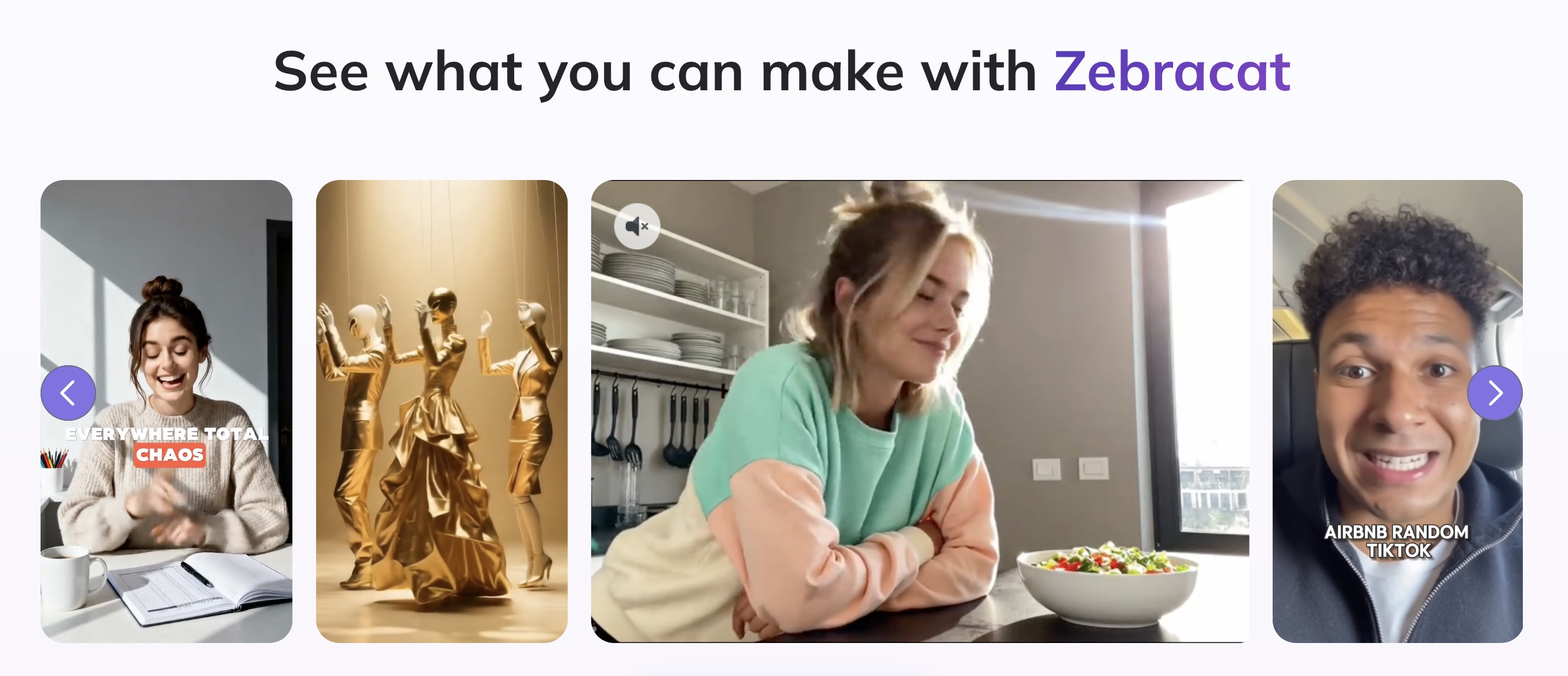
Video editing usually means cutting clips, syncing audio, and tweaking timelines for hours. But with Zebracat, you skip straight to a finished draft. Give it an idea, a script, a webpage, or an audio file, and it builds the video for you, complete with visuals, narration, captions, music, and an optional AI presenter.
If that interests you, this Zebracat AI review will see how effectively the platform handles that transformation. We will look at its different input methods, the quality and flexibility of its generated videos, its editing and branding tools, pricing and credits, and the types of creators who are most likely to benefit from it.
Part 1. What Is Zebracat AI?
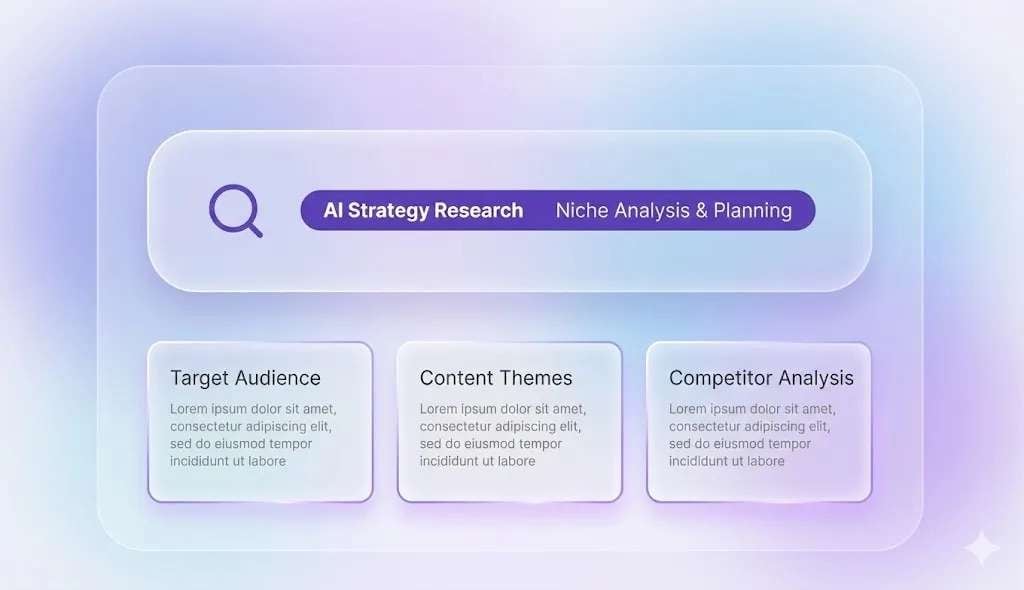
Zebracat AI video generator is an online platform accessible at https://www.zebracat.ai/ that helps you plan and create videos for social media. It begins by analyzing your website, existing content, and niche. Then, it uses that information to suggest content ideas and decide what types of videos may be worth creating.
Zebracat also aims to help with the step before users provide a complete idea. It reduces the work required before editing even begins. You don’t always need to research a topic, write a complete script, find clips, record narration, and arrange every scene yourself. Zebracat handles much of that process and gives you a draft to review and adjust.
Part 2. What Zebracat Adds to the Video
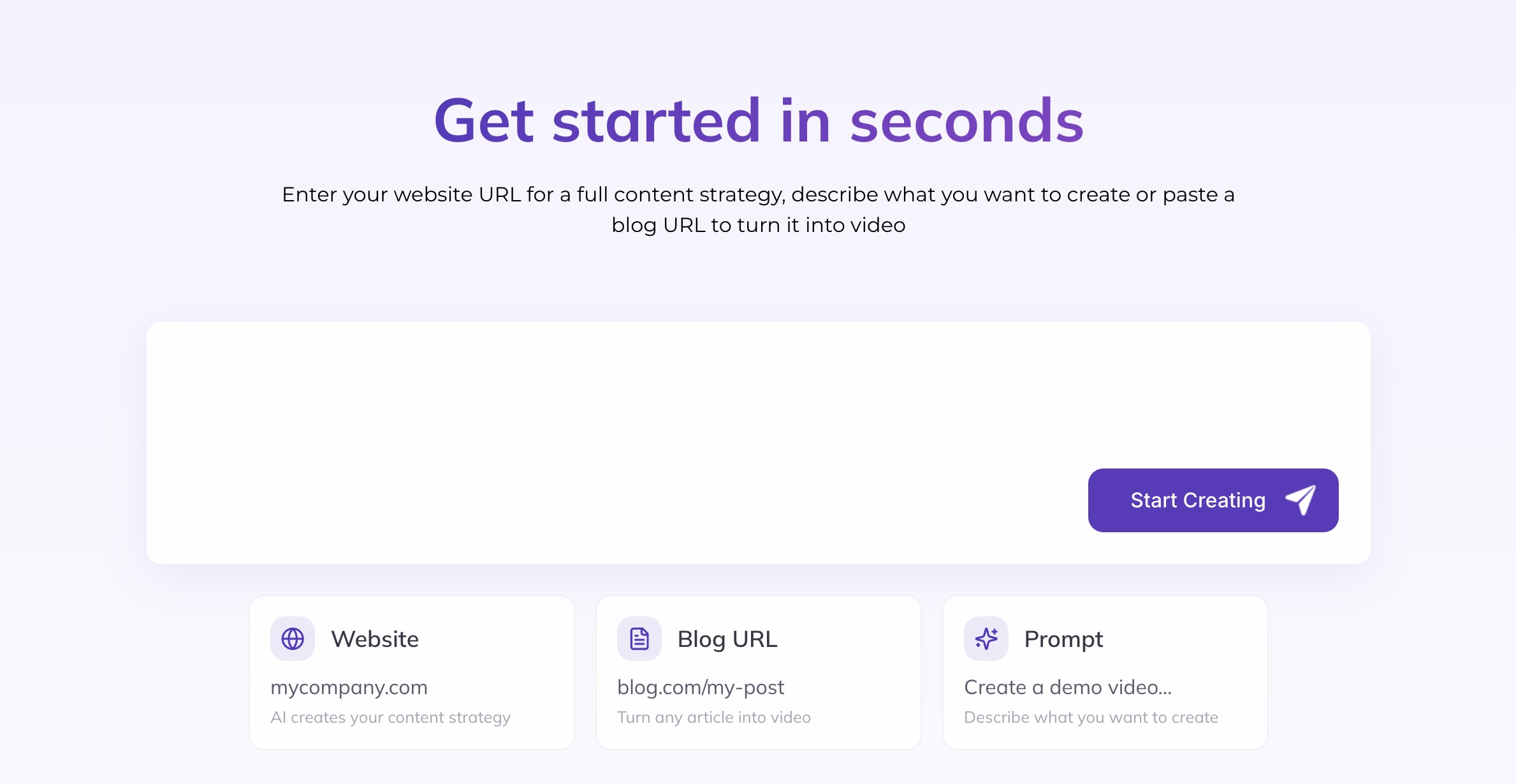
Once you approve a topic or content idea, Zebracat starts building the video inside the Zebracat AI studio (https://studio.zebracat.ai/). It can write the script, break it into scenes, add narration and captions, and prepare a complete first draft, which you can adjust if something doesn’t feel right.
The generated video is still a draft, so it is worth watching from beginning to end. If there’s a scene that still feels unrelated to the message, you can replace the visual, change the wording, or adjust the pacing before publishing.
Zebracat AI also offers some additional features, including:
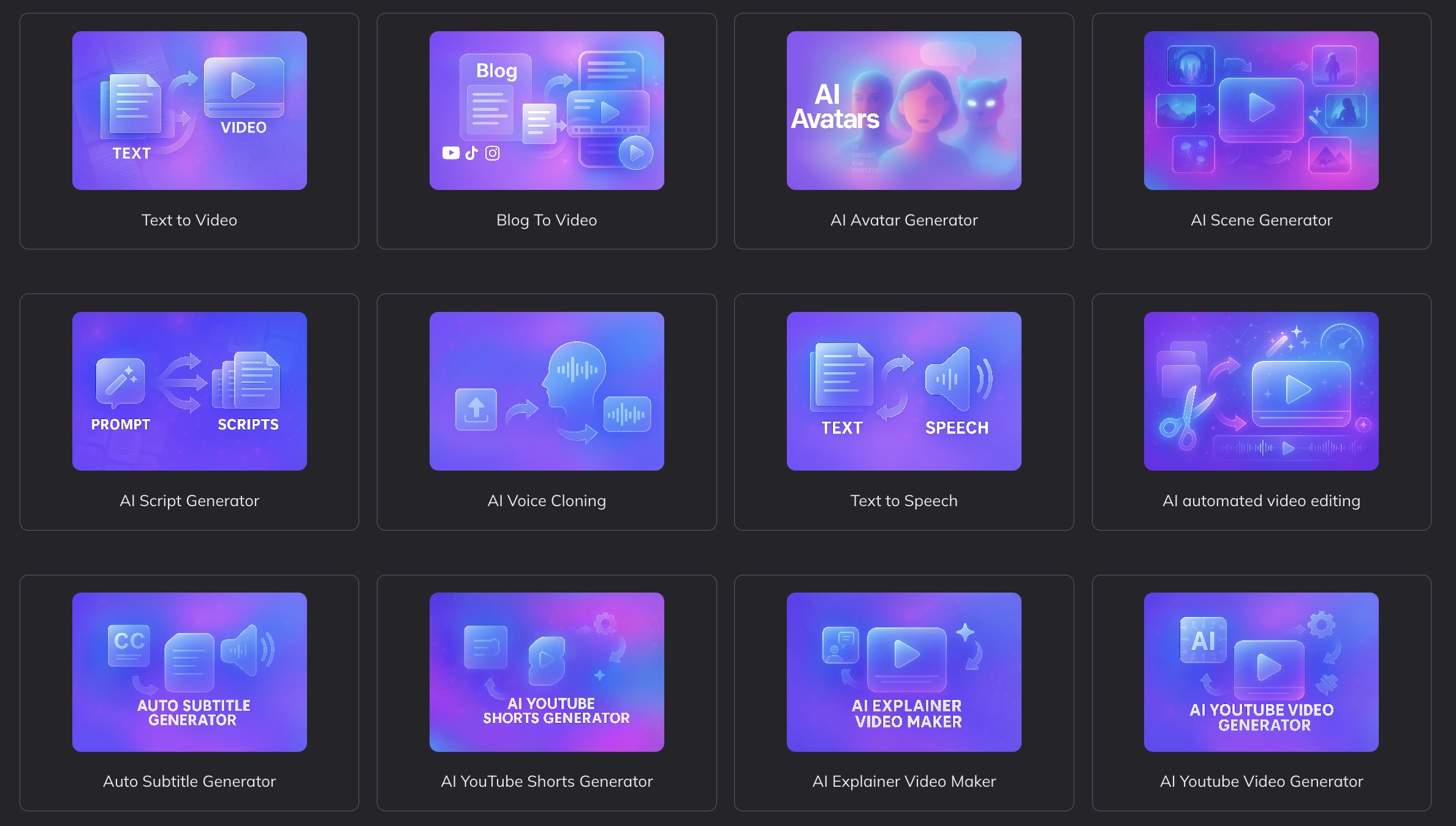
- Zebracat AI Text to Video: You can enter a prompt, paste a script, or import written content, and Zebracat turns it into a scene-based video with visuals, narration, captions, and music.
- AI Script Writing: Give Zebracat a short prompt, article, webpage, or basic idea, and it can turn the material into a video script. It also organizes the content into shorter sections and adds an opening hook for social media.
- AI Scenes: Zebracat creates visuals for each part of the script. These may include AI-generated scenes, stock footage, animations, or text-based graphics, depending on the topic and style you choose.
- AI Avatars: You can add a human-like digital presenter to speak the script. This can be useful when you want a presenter-led video without recording yourself on camera.
- Voice Cloning: Zebracat AI voice cloning lets you create narration that sounds similar to your own voice. This can help keep the voice consistent across several videos without recording every script manually.
- AI Auto Captioning: The platform adds subtitles automatically. You can then review the text and correct any names, technical terms, or words that were not recognized properly.
After the video is ready, Zebracat can also help with scheduling and posting. You can connect social media accounts, choose when the video should go live, and follow how the content performs after publication.
With Zebracat, you still need to review the result, but much of the repetitive production work is already handled for you.
Part 3. Is Zebracat AI Free?
Yes, Zebracat has a free option that lets you test the basic video workflow without entering a credit card. However, it is mainly designed for testing. Exports include a Zebracat watermark, while features such as premium voices, custom avatars, voice cloning, 1080p exports, and faster processing require a paid plan.
Check out Zebracat’s paid subscriptions:
| Cat Mode | Super Cat | Unlimited Cat | Enterprise | |
| Price | $39/month or $19/month annually | $99/month or $49/month annually | $199/month or $99/month annually | From $599/month |
| Monthly Videos | 15 videos | 40 videos | Unlimited videos | Unlimited videos |
| Monthly Credits | 350 AI credits | 1,400 AI credits | 3,600 AI credits | custom |
| Main Features | Videos up to 2 minutes, 1080p exports, standard AI voices, basic stock media, and one brand kit | Videos up to 5 minutes, premium voices and avatars, five custom avatars, five voice clones, video translation, full stock access, and five brand kits | More custom avatars and voice clones, unlimited brand kits, faster processing, and priority support | API access, team permissions, custom AI models, unlimited custom avatars and voice clones, priority processing, and dedicated support |
|
Show More
Show Less
|
||||
Part 4. Who Is Zebracat’s Automated Workflow Best For?
Zebracat is most useful when you want to create social media videos without managing every production step yourself. However, Zebracat's convenience will not suit every creator. It is better suited to users who prioritize fast, consistent production than to those who want detailed control over each scene.
✅ Zebracat may be suitable for:
- Small businesses: You can turn website pages, product information, and blog posts into short videos without hiring a full production team.
- Social media marketers: Zebracat brings ideas, scripts, video creation, scheduling, and performance tracking into one workflow. This can make regular posting easier to manage.
- Faceless content creators: AI voices, avatars, stock footage, and generated scenes let you create videos without appearing on camera.
- Beginners: You do not need to arrange every clip on a timeline. Zebracat builds the initial video, then lets you replace visuals, revise the script, switch the voice, correct captions, and adjust the music.
- Teams producing content regularly: Brand kits, custom voices, and reusable visual styles can help keep several videos consistent.
❌ Zebracat may be less suitable for:
- Professional editors: The platform focuses more on automation than detailed editing. You may find it limiting when you need precise control over timing, layers, audio, and effects.
- Creators with a specific visual direction: The footage and AI-generated scenes may not always reflect the style or mood you want.
- Long-form video producers: Zebracat is better suited to short social videos than interviews, documentaries, or complex tutorials.
Verdict: Should You Try Zebracat?
- Turns prompts, scripts, articles, webpages, and audio into videos
- Helps with both content ideas and video production
- Includes AI scripts, scenes, avatars, voices, captions, and editing
- Supports branding, scheduling, and social publishing
- Useful for faceless and short-form content
- Offers a free option for testing
- Generated visuals may not always match the message
- Videos still need to be reviewed and corrected
- Timeline editing is limited
- AI credit use may be difficult to predict
- Less suitable for long or complex projects
Part 5. Zebracat AI vs Filmora: Automation vs Editing Control
If it feels too automated for the way you prefer to work, Wondershare Filmora offers a more hands-on Zebracat AI alternative. Filmora still uses AI to speed up tasks such as video generation, captioning, background removal, and audio cleanup, but it gives you more control over what happens after the first draft is created.
Zebracat is designed to handle more of the process for you, while Filmora takes a different approach. It can help you create the starting material, but the result opens in a full editing workspace. From there, you can trim clips, move scenes, layer media, adjust sound, add effects, and refine the pacing yourself.
Zebracat AI vs Filmora (Comparison)
| Category | Zebracat AI | Filmora |
| Primary Strength | Automates the workflow from content input to a ready-to-review draft | Combines AI assistance with more detailed manual editing |
| Prompt to Video | Creates the script, visuals, voiceover, captions, music, and first edit | Generates a starting video that can be refined in the editor |
| Editing Tools | Replace scenes, revise scripts, change voices, correct captions, and adjust music or style | Offers tools for trimming clips, adding effects and transitions, editing text and audio, adjusting colors, and layering media |
| Timeline Editing | Uses a simpler scene-based workspace for quick changes | Provides a multi-track timeline for arranging video, audio, text, and effects |
| Best For | Users who want to produce social videos with less manual work | Users who want AI support without giving up creative control |
|
Show More
Show Less
|
||
With Zebracat, most of your work begins after the draft is generated. You review the video, replace unsuitable visuals, correct the script or captions, and adjust the overall style. This can be useful when speed matters more than controlling every cut.
With Filmora, the generated result is only the starting point. You can decide how long each clip stays on screen, where the narration begins, how the music changes, and how different visual elements are layered. This requires more editing, but it also gives you more freedom to shape the final video.
 Secure Download
Conclusion
Zebracat can turn ideas, scripts, articles, webpages, and audio into short videos with much less manual work. Its AI handles the script, scenes, narration, captions, and first edit, while its wider workflow can also support scheduling and performance tracking. It is best suited to creators, marketers, and small businesses that value speed and regular output.
However, the results still need review, and the editing controls are more limited than those in a traditional editor. For more hands-on refinement, Filmora offers a better balance between AI assistance and creative control.
FAQs
-
Does Zebracat support videos in different languages?
Yes. Zebracat supports video creation and AI voices in more than 70 languages. You can use this to create content for different regions without recording each version yourself. -
Can you change the visual style after generating a video?
Yes. After the first draft is ready, you can change the scenes, captions, text, music, voice, and aspect ratio. You can also replace individual visuals without generating the entire video again. -
Can several team members work in one Zebracat account?
Team controls are mainly available through the Enterprise plan. Zebracat includes features such as team permissions and business support, but larger teams should confirm the number of available seats and collaboration options before subscribing.
