

 100% Security Verified | No Subscription Required | No Malware


 ChatGPT
 Perplexity
 Gemini
 Claude
 Grok
Grok
YouTube is one of the most potent platforms for creators today. Millions of videos are uploaded daily, but only a few stand out and leave a strong impression. One element that often gets overlooked is the end screen. It’s the final part of your video and what your viewers remember before they click away. A well-designed end screen can boost engagement, encourage subscriptions, and guide viewers toward more of your content.
The challenge, however, is creating one that truly fits your channel. Many creators struggle to design an end screen that feels unique and professional. A signature style not only ties your videos together but also helps strengthen your brand identity. Without it, your videos might feel incomplete, and viewers may lose interest before taking the next step.
That’s where this article comes in. We’ll guide you through ready-to-use YouTube end screen templates and a reliable tool that makes designing these videos extra simple.
In this article
Examples, Resources, and Ways To Make YouTube End Screen Templates
Making a YouTube end screen is more than just picking a clip and dropping it in. It takes planning. You need to consider your channel’s tone, audience, and how you want viewers to act once the video ends. Do you want them to subscribe? Watch another video? Visit your site? Your end screen is the place to make that happen.
This section will walk you through examples of end screen templates and where to find them. You’ll get ideas that fit your channel by looking at designs and resources.
 secure download

Examples of YouTube End Screen Templates
The following YouTube ending screen templates come from Filmora, a tool that offers pre-made designs you can customize. These examples show different styles built for specific content types or moods.
Creative YouTube End Screen
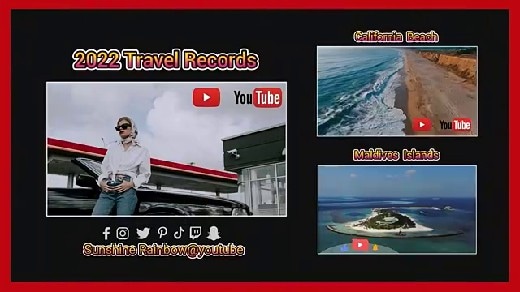
This template features a striking red border. At its center is one large frame highlighting your main video, with two smaller frames for extra recommendations. The clean design makes it perfect for creators who want a bold, straightforward way to push content.
YouTube End Screen 11
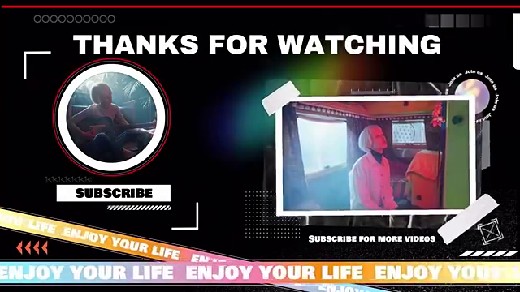
This template adds personality. It has “enjoy your life” strips across the screen, resembling police tape. At the same time, a large “thanks for watching” message sits in the middle. You’ll find two frames: one for a subscription button and one for another video. The playful design feels fun but still direct.
YouTube Game End Screen 06
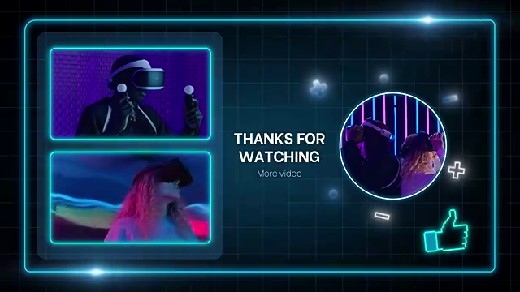
This YouTube video ending template fits perfectly if your channel leans toward tech or gaming. The design is hi-tech and sci-fi inspired. It features two rectangular frames plus a circular frame for a featured video or profile picture. The futuristic look makes it stand out in competitive gaming content.
YouTube Tech End Screen 03
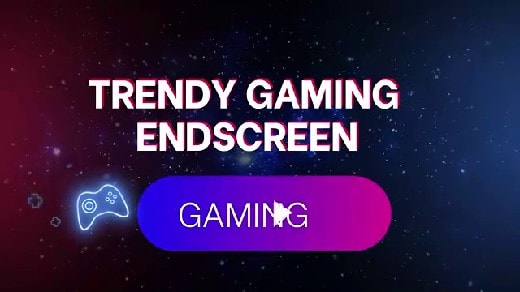
This one comes with a space background and animated design elements. While its default theme is “gaming,” you can adapt it for other tech-related topics. The style feels modern, giving your videos a sharp edge right at the finish.
YouTube Music End Screen 04
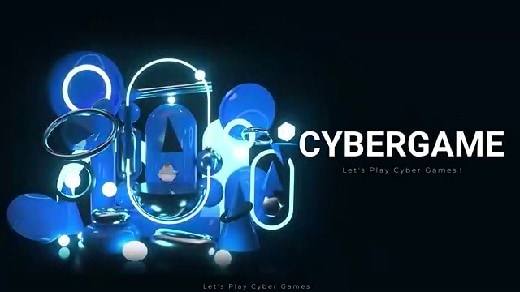
This template carries a futuristic black background with “cybergame” elements. At the center is a prominent placeholder for any icon, making it flexible for music, entertainment, or podcast channels. Its sleek design gives a polished, professional vibe.
Resources for Finding End Screen Templates
Templates aren’t limited to one platform. There are many other sources where you can browse, download, or design YouTube end screen templates. Some are free, while others offer premium features.
YouTube Creator Studio
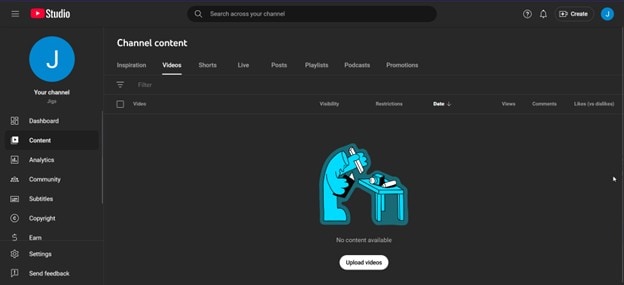
YouTube itself offers basic end screen options through Creator Studio. They aren’t as flashy as third-party templates, but they work if you want quick setups. You can add video suggestions, subscription prompts, and links to playlists. The options are built in, so you don’t need any extra tools.
Canva’s YouTube End Screen Templates
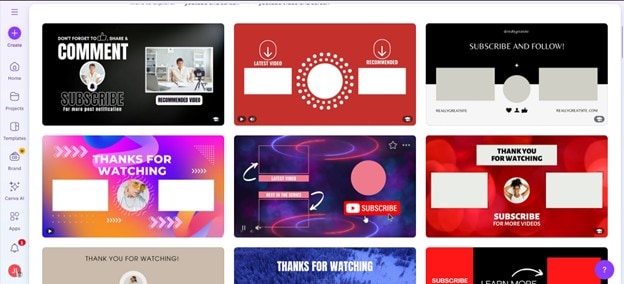
Canva provides a wide range of customizable templates. You can pick a design, drag and drop your elements, and download it within minutes. Canva is great for creators who want a unique look without starting from scratch. The drag-and-drop interface makes it beginner-friendly.
Filmora
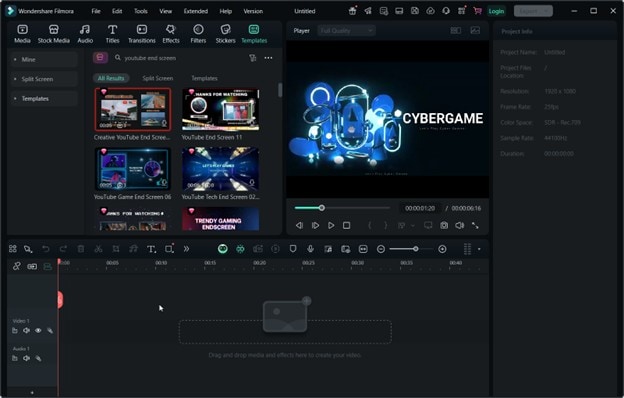
Beyond the examples listed earlier, Filmora has a growing library of templates. You can edit them directly in the software, making the process smooth. Since Filmora also works as a full editing suite, you can adjust your end screen alongside your entire video.
Pixabay
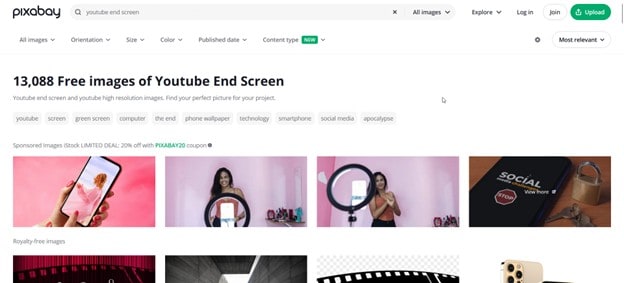
Pixabay offers free graphics and design resources. While it doesn’t focus on YouTube templates, you can find backgrounds, images, and elements to create your end screen design. It’s a good option if you like to build from scratch.
Snappa
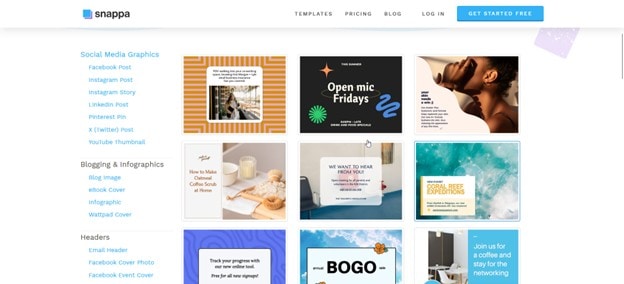
Snappa is another design tool that comes with ready-to-use YouTube end screen templates. Similar to Canva, it’s built for simplicity. You can edit templates online, export them, and add them to your video.
Ways To Make YouTube End Screen Templates
There are several approaches to creating your own end screens. Each has strengths and trade-offs, depending on your needs and skills.
The Traditional Way: Using Video Editing Software
Video editing software, like Filmora or Adobe Premiere, lets you build end screens from scratch. You can add frames, animations, text, and music in one place.
Some of the known good sides about the traditional way of making YouTube end screens are:
- Full creative control over layout and design
- Ability to match the end screen perfectly with your video’s style
However, it can also have some downsides related to skill and time consumed, such as:
- Requires editing knowledge and practice
- Can take longer compared to using pre-made templates
Online Template Builders
Tools like Canva or Snappa allow you to create designs quickly in your browser. You choose a YouTube ending template, customize it with text and graphics, then export it for your video.
Of course, here are the obvious pros of using this method:
- Beginner-friendly with drag-and-drop features
- Saves time with pre-designed layouts
On the other hand, the cons may be the following:
- Limited customization compared to professional software
- May not always match your exact branding needs because it limits creativity
Hiring Professional Designers
Hiring a designer is another option for creators who want a polished and unique look. A professional can craft end screens that align with your brand identity.
Professional designers offer a lot of upside. After all, they’re paid to create beautiful outputs for you. Some of these pros are:
- High-quality, custom design tailored to your channel
- Saves you time and effort
However, you may face the following cons:
- More expensive than using free tools or templates
- May take longer due to communication and revisions
Filmora AI: A Simpler, Quicker Way To Make YouTube End Screens
The methods above work fine, but they still take time and effort. With the rise of AI tools, creating YouTube end screens has become much easier. Instead of designing everything manually, AI can generate layouts and visuals for you. This makes the process faster while keeping your videos professional.
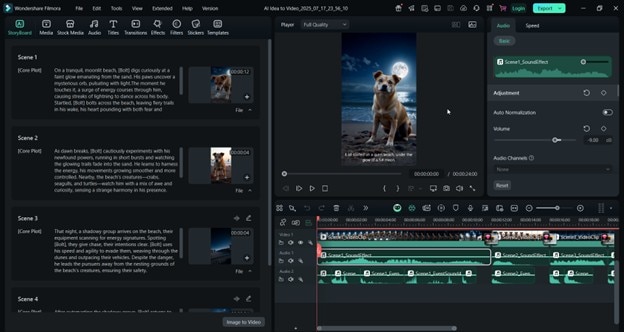
Filmora is an excellent example of this. As you've seen earlier, the software already offers traditional editing tools and ready-made YouTube video end screen templates. It also includes AI-powered features that simplify how you build end screens. You don’t need advanced design skills. Filmora’s AI can do most of the heavy lifting.
Key Filmora AI Features
- AI Smart Cutout. Remove backgrounds around your video frames instantly. This is helpful when placing video previews neatly into your end screen layout.
- AI Color Palette. Make sure your end screen matches your video’s colors and mood. With one click, Filmora adjusts tones for consistency.
- AI Stickers and Effects. Add animated elements, icons, or graphics that fit your channel’s style. Perfect for making your screen eye-catching without extra design work.
- AI Idea-to-Video. This one is a flagship product of Filmora. You can give it an idea or prompt, and it will generate a complete video with script and visuals.
- AI Music and Sound Effects Generator. Create royalty-free music and sound effects and add them to your videos—no more licensing hassles.
Conclusion
You’ve seen examples, resources, and ways to make end screens. Whether you prefer templates, online builders, or even hiring a designer, the options exist. But if you want something quick, flexible, and professional, Filmora makes the process simple. Its AI tools and template library give you everything you need to create end screens that fit your channel perfectly.
At the end of the day, your videos deserve a strong closing. A polished end screen ties everything together and helps your channel grow. With Filmora, you can make that happen with ease. Explore its expansive library of YouTube ending templates today.
secure download 