Find a Filter That Matches the Webcam Toy Vibe
Browse webcamtoy filters and similar quirky overlays for portraits, vlogs, social posts, and funny edits. Preview each asset over your own footage to check its motion, clear area, and visual balance before adding it to the timeline.
Loading more effects...
 Category:
 Duration:
 Aspect Ratio:
Transform Your Captured Media with Similar Effects
Unlike real-time webcam sites that only let you snap a quick picture, Filmora gives you the freedom to apply playful styles to any photo or video you already have. Beyond its core editing tools, Filmora provides an extensive collection of filters—over 1,000+ to be exact—empowering you to add unique visual effects and styles to your already-shot webcam footage.
Apply Retro and Quirky Styles to Old Photos

Apply Retro and Quirky Styles to Old Photos
Did you capture a great moment but wish it had a fun vibe? You can replicate filter webcam toy aesthetics by dragging our overlay assets directly onto your imported photos in Filmora. Adjust the size, opacity, and blending mode to make the effect look like it was captured live.
- Import high-resolution photos and keep the subject clear.
- Use webcam toy snapchat filters style overlays to add ears, glasses, or retro borders.
- Combine multiple effects for a truly customized look.
Turn a Static Photo into a Dynamic Video
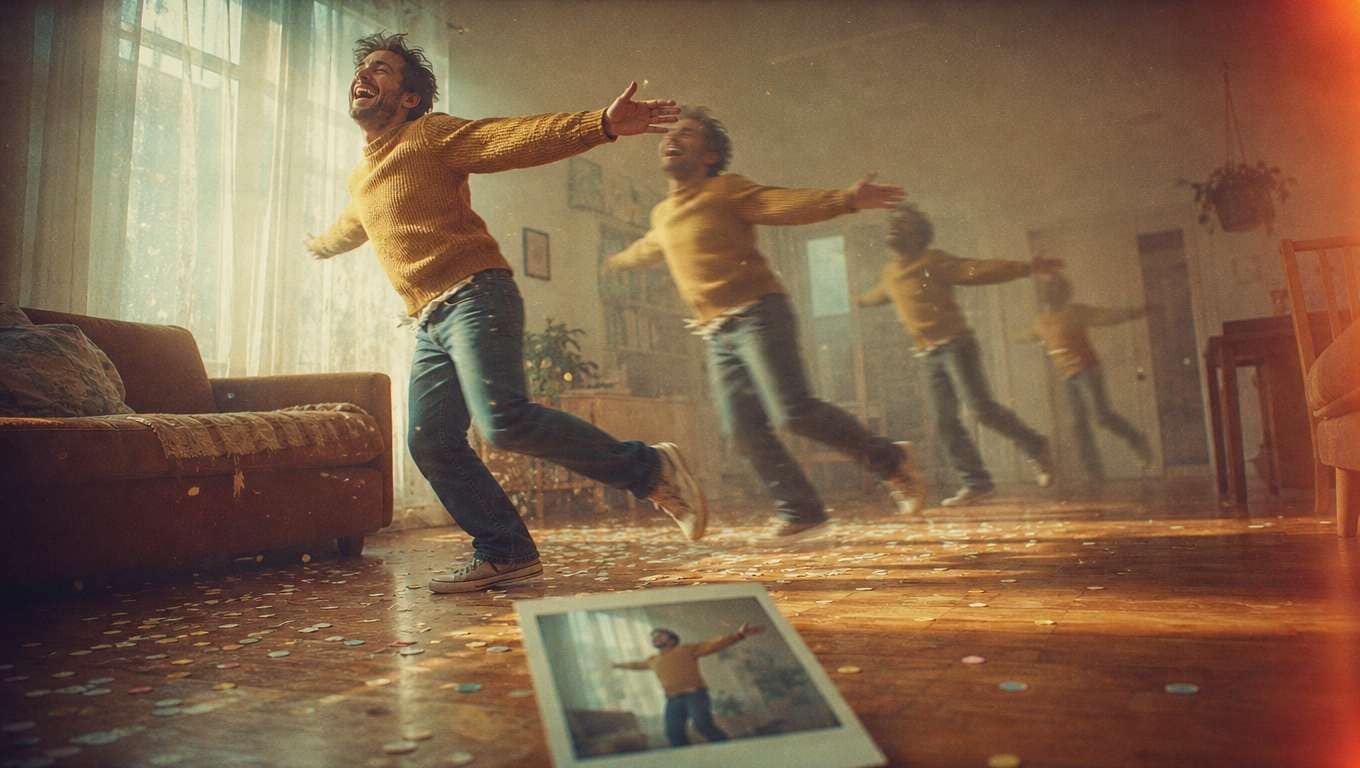
Turn a Static Photo into a Dynamic Video
Webcam Toy only takes photos, but Filmora lets you take those static images and bring them to life. Apply a webcam toy filter, add motion with keyframes, and turn your snapshot into a fun, shareable video clip. Filmora's text animation tools can even add playful captions.
- Drag and drop your photos onto the timeline.
- Add a fun overlay to recreate the webcam experience.
- Export a short video ready for TikTok, Instagram, or YouTube.
Enhance Real Videos with Fun Overlays

Enhance Real Videos with Fun Overlays
You don't need to rely on a webcam site to get that live-stream look. You can apply webcam toy filters to standard video footage you've already recorded with your phone or DSLR. Use Filmora's video editor to sync the effect perfectly with your movements.
- Track the overlay so it follows your face or hands.
- Adjust the timing so the funniest moments hit the hardest.
- Preview the full video to ensure the effect doesn't distract from the main subject.
Frequently Asked Questions About Webcam Toy Filters
How to Apply Webcam Toy Style Filters in Filmora
Import your photo or video, choose your favorite effect, and bring the fun to life.
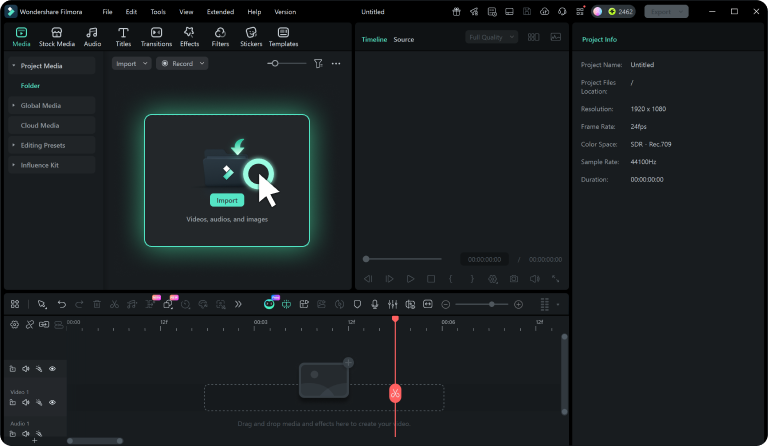
Step 1 Import Your Media
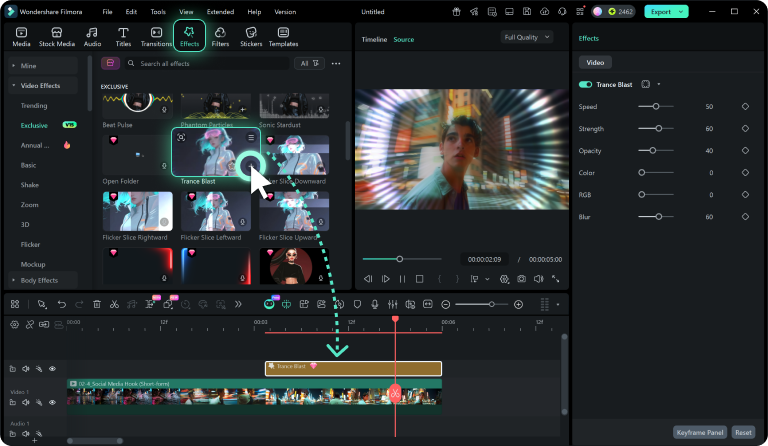
Step 2 Find the Perfect Filter
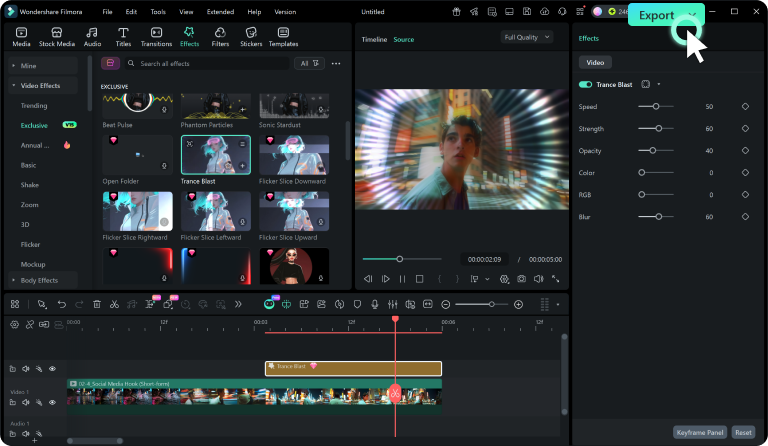
Step 3 Apply and Refine
-
1: Import Your Media
Open Filmora and import the photo or video you want to enhance. Drag it onto the timeline to get started. -
2: Find the Perfect Filter
Browse Filmora's Effects library to find overlays and filters that match the quirky, fun style of Webcam Toy. -
3: Apply and Refine
Drag the filter onto a track above your media. Adjust its size, position, opacity, and duration, then preview and export.