
Fireworks Festival Video Examples & Guides
Explore popular celebration templates and how-to guides for your night sky edits
Loading more fireworks festival video examples...
 Category:
 Duration:
 Aspect Ratio:
Everything You Need to Create a Dazzling Fireworks Festival Video
A spectacular fireworks festival video requires more than just pointing a camera at the sky. Filmora equips you with advanced AI Video Editing tools that effortlessly enhance low-light footage, making every burst of light pop. Whether you're documenting a New Year's Eve celebration or a local summer festival, Filmora's professional video templates and comprehensive suite of features empower you to craft high-quality content quickly and seamlessly.
Cinematic Color Grading for Low-Light Skies
Cinematic Color Grading for Low-Light Skies
Fireworks often suffer from grainy, underexposed backgrounds. With Filmora, you can effortlessly balance the contrast, bringing out the deep blacks of the night sky while intensifying the neon colors of the explosions. Access powerful Creative Assets to amplify the visual impact of your celebrations.
- Vibrant Color Correction - Boost the saturation and luminescence of individual firework trails without washing out the dark background.
- Noise Reduction - Instantly clean up low-light grain to ensure your footage looks crisp and professional.
- Glow Effects - Add dynamic light flares and glow presets to make every pyrotechnic display feel magical.
Boom and Crackle: Immersive Audio Design
Boom and Crackle: Immersive Audio Design
The sound of a fireworks festival is just as important as the visuals. Elevate your project using Filmora's vast library of Stock Media, or generate custom tracks using the AI Music Generator to match the rhythm of the visual explosions perfectly.
- Beat Syncing - Automatically sync the bright bursts in your video to the heavy beats of your music track.
- Vocal Enhancements - Use the Text to Speech feature for exciting narrations before the show starts.
- Audio Ducking - Lower the music automatically when someone is speaking or during a massive firework finale.
Next-Level Visuals with AI Generation

Next-Level Visuals with AI Generation
Need extra B-roll or unique visual elements? Leverage Filmora's AI Image functionality, powered by versatile models like ChatGPT/DALL-E 3, Nano Banana 2, and Nano Banana Pro. You can even transform these generations into dynamic clips using the AI Image to Video tool to complete your masterpiece.
- AI Scene Extension - Generate supplementary night sky visuals or crowd reactions to fill gaps in your timeline.
- AI Video Generator - Create stunning abstract light shows from scratch by inputting a simple prompt.
- Smart Motion Tracking - Pin dynamic text or celebratory stickers directly to ascending fireworks.
Frequently Asked Questions About Fireworks Videos
How to Edit a Breathtaking Fireworks Festival Video in Filmora
Follow these simple steps to import your night sky footage, apply stunning effects, and export a mesmerizing fireworks festival video that will dazzle your audience.
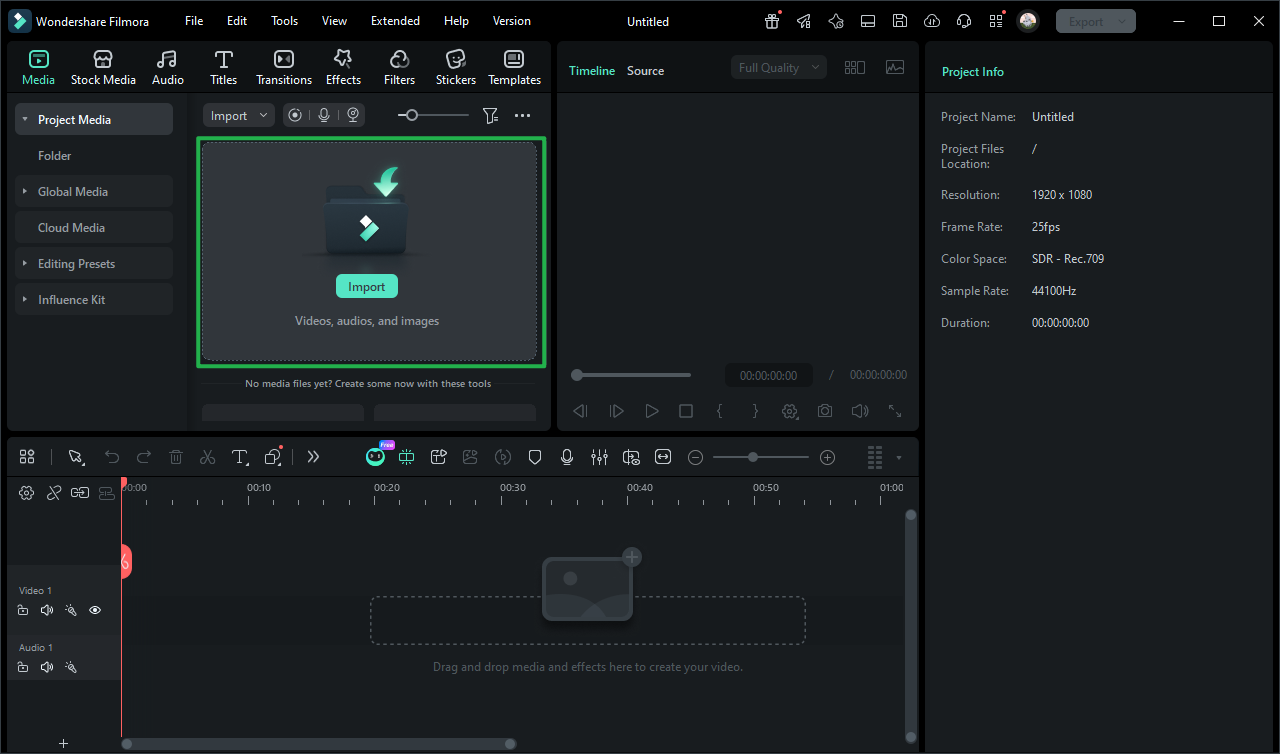
Step 1 Import Your Festival Footage
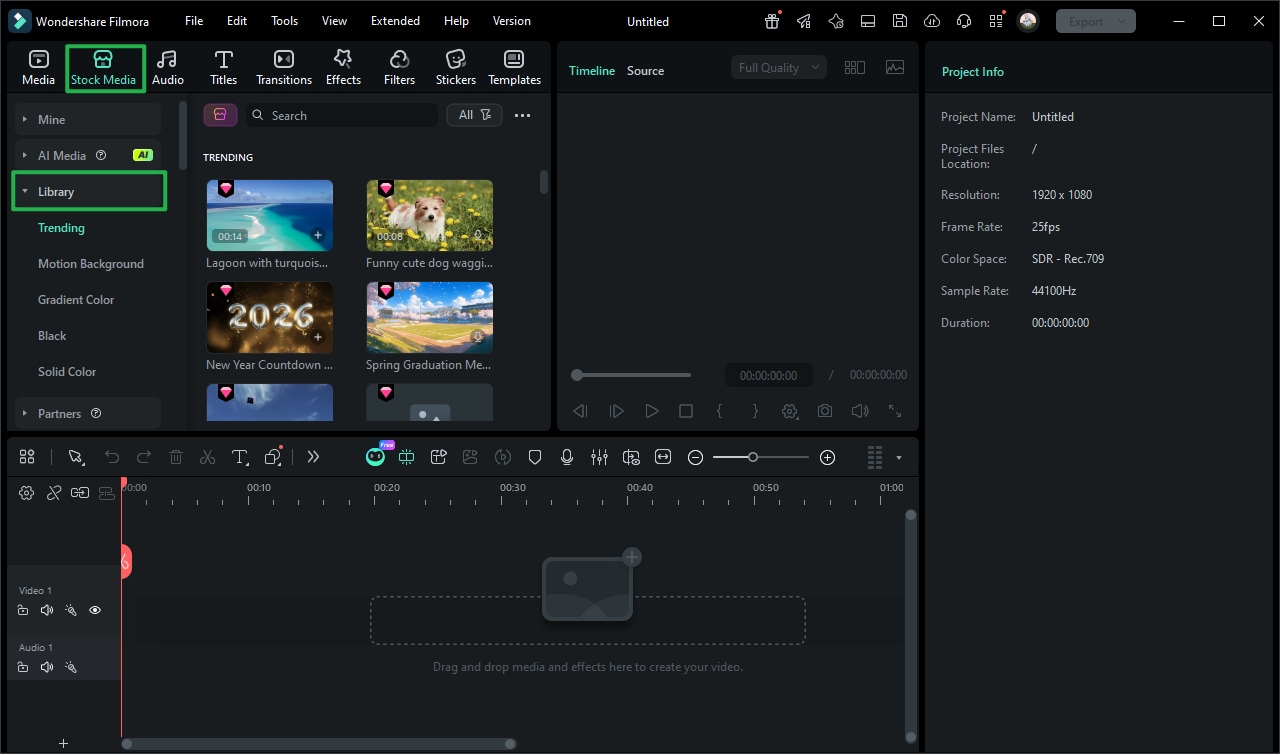
Step 2 Enhance Colors and Add Effects
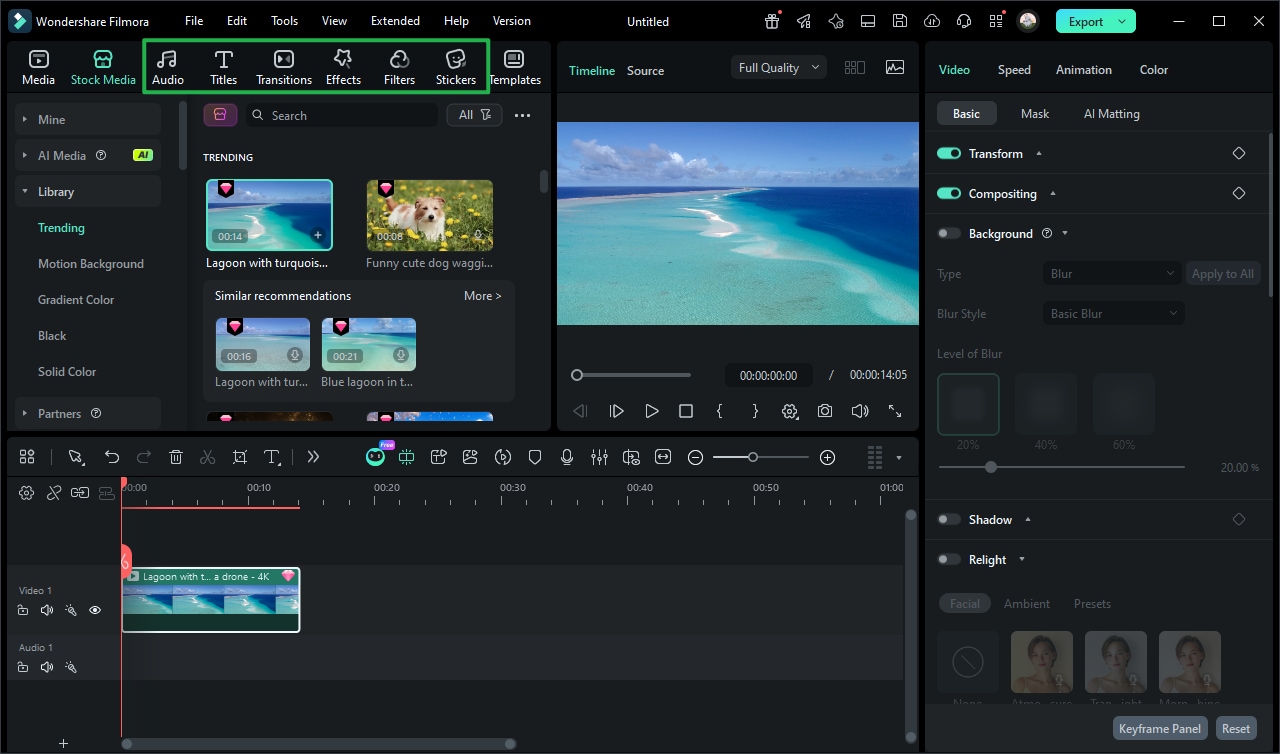
Step 3 Export Your Spectacular Edit
-
1: Import Your Festival Footage
Launch the Filmora Video Editor and drag your fireworks festival video clips into the media library. You can also use the Screen Recorder to capture livestreamed celebrations online. -
2: Enhance Colors and Add Effects
Place your clips on the timeline. Apply vibrant color grading to make the explosions pop against the night sky, and use Auto Caption to add stylishly synced text for a music-driven edit. -
3: Export Your Spectacular Edit
Once your fireworks festival video is perfectly synced and color-corrected, click Export. Choose 4K resolution to maintain the crisp, brilliant details of the pyrotechnics for your viewers!
Elevate Your Celebration Edits with Advanced Tools
Filmora goes beyond standard cutting and trimming. You can layer atmospheric light leaks to add visual depth to your night sky footage, add subtle glow effects that mimic the dazzle of real-life explosions, and apply cinematic transitions that keep the energy high. Create immersive festival videos by fine-tuning luminescence curves to crush your blacks with precision, using color channel mixing to shift your pyrotechnics toward vibrant neon hues, and adding dramatic slow-motion effects that amplify the cinematic weight of your footage. Whether you're building a New Year's vlog, a summer festival recap, or a cinematic celebration short — everything you need to craft your ultimate fireworks festival video is available in one streamlined editing workspace.








