
Hanabi Taikai Video Examples & Guides
Discover stunning templates and effects to elevate your fireworks festival footage
Loading more Hanabi Taikai video templates...
 Category:
 Duration:
 Aspect Ratio:
Everything You Need to Edit the Perfect Hanabi Taikai Video
A well-edited Hanabi Taikai video can turn an ordinary night clip into a mesmerizing, professional-looking cinematic experience. Filmora gives you a full library of features to reduce low-light noise, apply stunning Video Effects, and seamlessly blend breathtaking firework explosions with your favorite music tracks. 🎇
Whether you're creating a travel vlog, documenting a summer festival, or editing an artistic short film, Filmora positions you as the ultimate creator. Access premium Stock Media, utilize intuitive AI capabilities, and easily publish your masterpiece directly to social media.
Enhance Night Skies With AI Video Editing
Enhance Night Skies With AI Video Editing
Shooting fireworks often results in grainy, dark footage. Filmora's AI Video Editing capabilities analyze your nighttime shots to instantly reduce noise and clarify colors. Make the neon reds, bright golds, and deep blues of your Hanabi Taikai video truly pop against the night sky without complicated manual adjustments.
- AI Denoise Toolkit - Effortlessly clean up low-light grain from night sky shots.
- Vibrant Color Grading - Apply preset LUTs tailored specifically to enhance glowing fireworks.
- Dynamic Frame Blending - Smooth out shaky handheld festival footage in one click.
Add Magic With Motion Tracking & Creative Assets
Add Magic With Motion Tracking & Creative Assets
Want to create something truly unique? Utilize Motion Tracking to attach glowing text, dates, or fun stickers directly to ascending firework rockets. Filmora's extensive library of Creative Assets and dynamic Video Transitions ensures your festival vlog flows flawlessly from one mesmerizing explosion to the next.
- Smart Rocket Tracking - Pin dynamic glowing graphics directly onto moving fireworks.
- Stunning Overlays - Incorporate bokeh flares, glowing particles, and magical transitions.
- AI Sticker Integration - Decorate your footage with intelligent, auto-generated festival stickers.
Generate Festival Elements With Advanced AI Image Models

Generate Festival Elements With Advanced AI Image Models
If you couldn't capture the perfect establishing shot or need beautiful B-roll, Filmora is your all-in-one savior. Use the robust AI Image functionality powered by integrated models like ChatGPT, DALL-E 3, Nano Banana 2, and Nano Banana Pro to generate stunning scenes—like a beautiful Yukata portrait or glowing festival lanterns. You can even bring these static creations to life with AI Image to Video or use the complete AI Video Generator for cinematic intros.
- Multiple AI Models - Choose between DALL-E 3, Nano Banana 2, or Nano Banana Pro for the perfect artistic style.
- Custom Festival Avatars - Easily generate anime-style or realistic Yukata portraits.
- AI Storytelling - Use AI Copywriting tools to generate engaging YouTube descriptions or TikTok captions.
Frequently Asked Questions About Hanabi Taikai Video
How to Edit a Hanabi Taikai Video in Filmora
Transform your raw summer festival memories into a cinematic Hanabi Taikai video using Filmora's professional editing timeline and AI-powered enhancements.
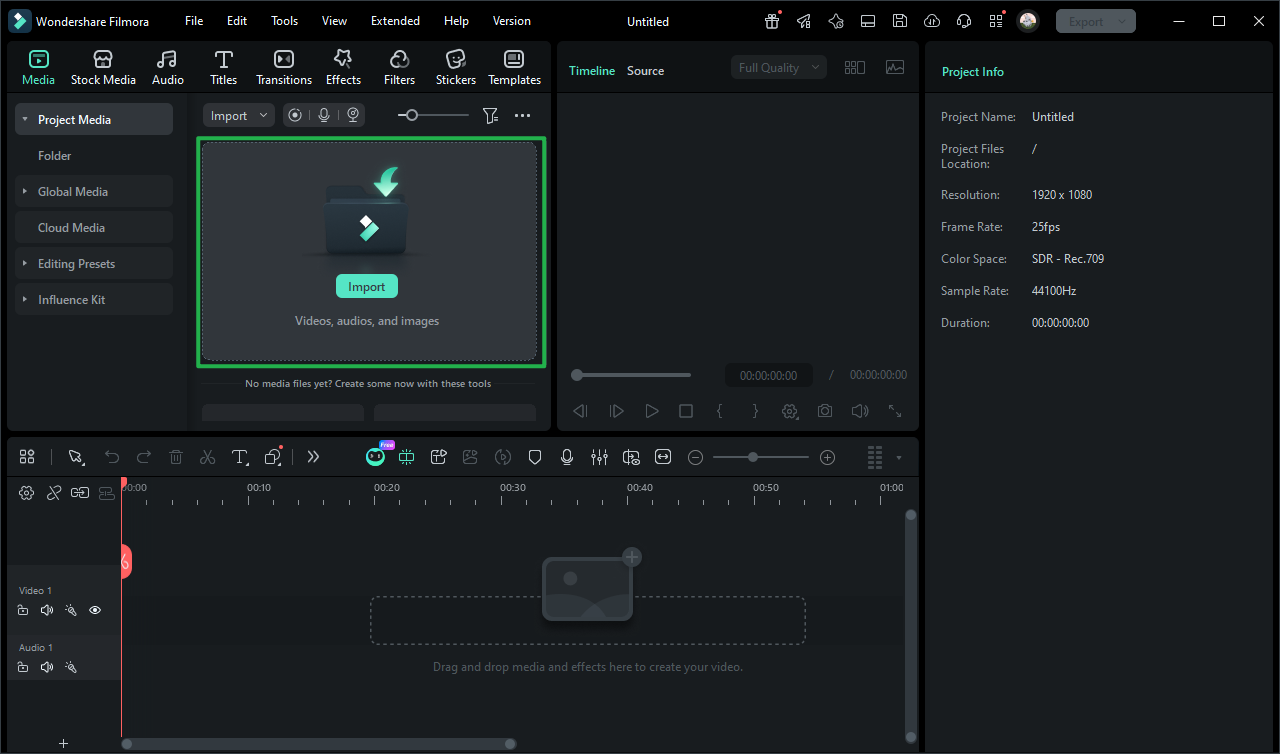
Step 1 Import Your Fireworks Footage
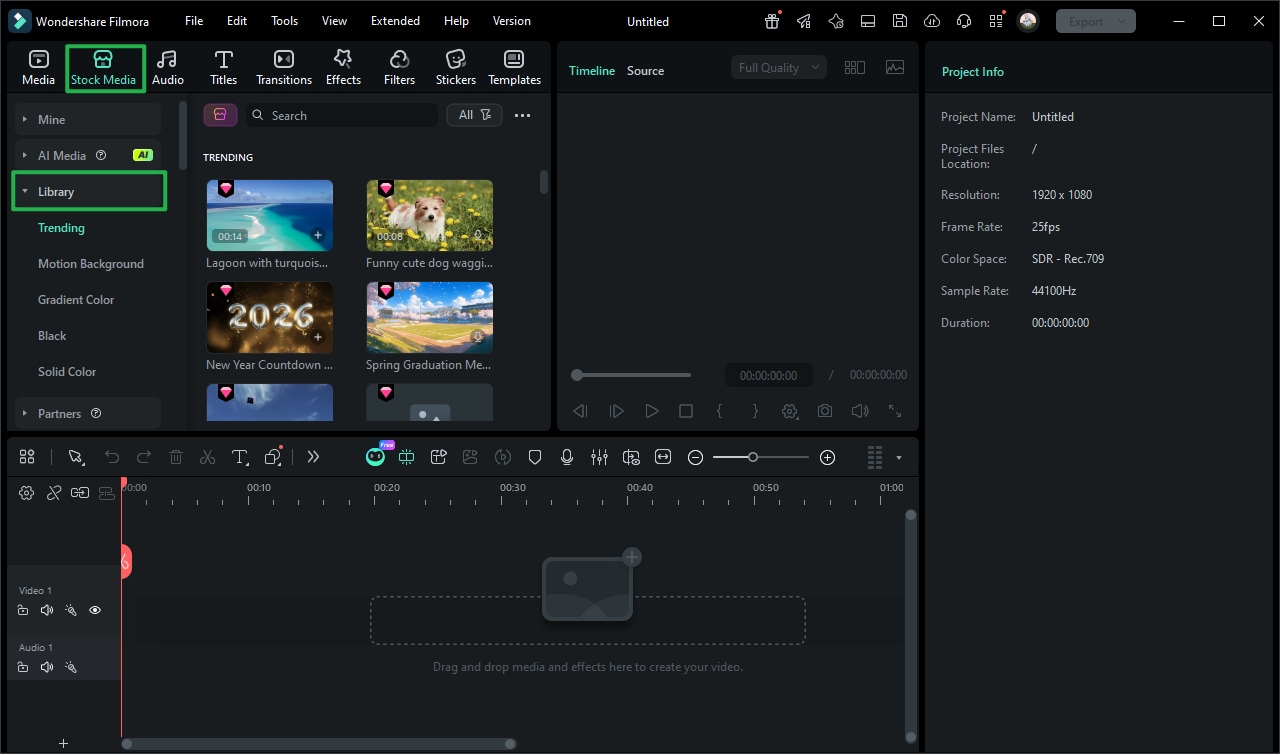
Step 2 Apply Effects and Adjust Colors
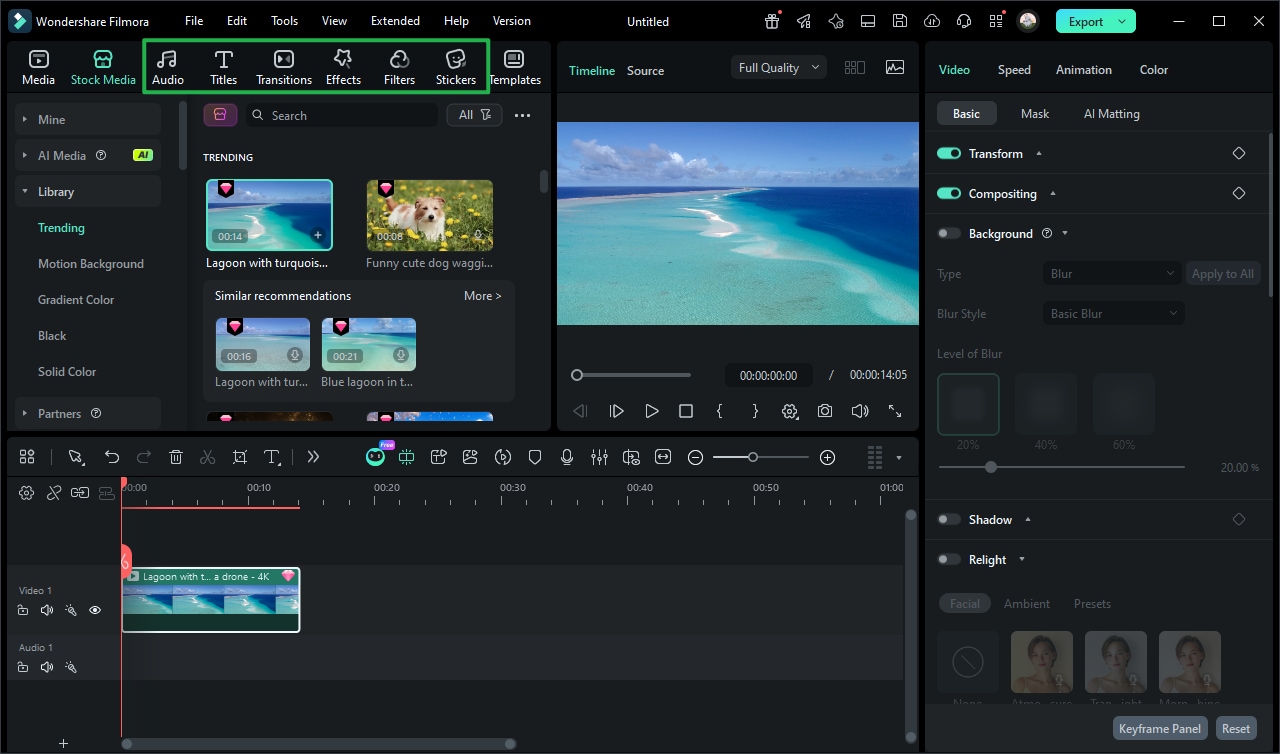
Step 3 Export Your Festival Masterpiece
-
1: Import Your Fireworks Footage
Launch Filmora and bring your raw clips to the timeline. Find perfect Video Templates or extra media to set the mood for your Hanabi Taikai video. -
2: Apply Effects and Adjust Colors
Place the festival footage on the timeline. Use color grading and AI denoise tools to highlight the vibrant firework colors against the dark sky. -
3: Export Your Festival Masterpiece
Finalize your project with epic music and sound effects. Export in 4K resolution to produce a stunning, professional-level festival video.
Go Beyond Basic Fireworks Footage
Filmora goes beyond simply applying a dark filter to your Hanabi Taikai video. You can record online festival streams with the Screen Recorder, add a captivating documentary-style voiceover using Text to Speech, and seamlessly blend everything into a cinematic journey. Whether you are generating highly detailed AI images of festival grounds or producing a stunning vlog filled with glowing trails and booming soundscapes, Filmora provides an all-inclusive toolkit to elevate your creativity without boundaries.








