
Sparkler Video Effects & Examples
Browse brilliant Video Templates and dynamic assets to illuminate your festive edits.
Loading more sparkler video examples...
 Category:
 Duration:
 Aspect Ratio:
Everything You Need for Glowing Sparkler Videos
A well-placed sparkler overlay can turn an ordinary night clip into a magical memory. Filmora gives you a massive library of Creative Assets and intelligent editing features that drop straight into your timeline. Harness the power of AI Video Editing to quickly mask, track, and amplify your glowing light effects.
Seamlessly Blend Sparkler Overlays Into Dark Scenes
Seamlessly Blend Sparkler Overlays Into Dark Scenes
Avoid harsh edges and unnatural lighting. Filmora's advanced blending modes allow you to composite sparkler video clips flawlessly over night footage. If your subject stands out against a cluttered environment, use the AI tool to remove video background instantly, letting the brilliant sparkles shine through without distraction.
- Instant Screen Blending - Drop sparkler assets on the timeline and set the blend mode to "Screen" for instant magic.
- Color Grading Match - Match the temperature and tint of your sparkler effects to the ambient lighting seamlessly.
- Dynamic Lighting - Add realistic glow filters and lens flares to elevate the festive, cinematic atmosphere.
Generate Custom Sparkler Effects With AI
Generate Custom Sparkler Effects With AI
Need a specific light shape or magical spell effect? Use the Filmora AI Image Generator to craft custom sparkler designs. Powered by versatile internal models like ChatGPT/DALL-E 3, as well as Nano Banana 2 and Nano Banana Pro, Filmora gives you unparalleled flexibility. You can even morph static designs into motion using the AI Image to Video tool or describe a complete scene with the AI Text to Video function!
- Multiple AI Models - Choose from DALL-E 3, Nano Banana 2, or Nano Banana Pro to match your desired visual aesthetic.
- AI Video Generator - Type a prompt and let Filmora create an entirely unique sparkler sequence.
- Custom Particle Physics - Simulate realistic falling sparks, smoke, and light bursts without complex third-party plugins.
Complete the Magic With AI Audio and Captions

Complete the Magic With AI Audio and Captions
A visual spectacle needs an equally enchanting soundtrack. Easily pair your glowing sparkler videos with royalty-free tracks generated by the AI Music Generator to match the exact mood of your celebration. Need to add a narration? Use Text to Speech for a cinematic voiceover, or generate glowing subtitles with Auto Caption to highlight your message in the dark.
- Custom AI Soundtracks - Generate mood-specific ambient music that complements your sparkling visuals beautifully.
- Voice & Subtitles - Instantly transcribe spoken words or create AI voiceovers for story-driven edits in seconds.
- Live Capture - Grab live footage of fireworks directly on your PC with the built-in Screen Recorder.
Frequently Asked Questions About Sparkler Video
How to Create a Dazzling Sparkler Video in Filmora
Find mesmerizing sparkler assets in the Stock Media library, overlay them on your footage, and export a brilliant cinematic experience.
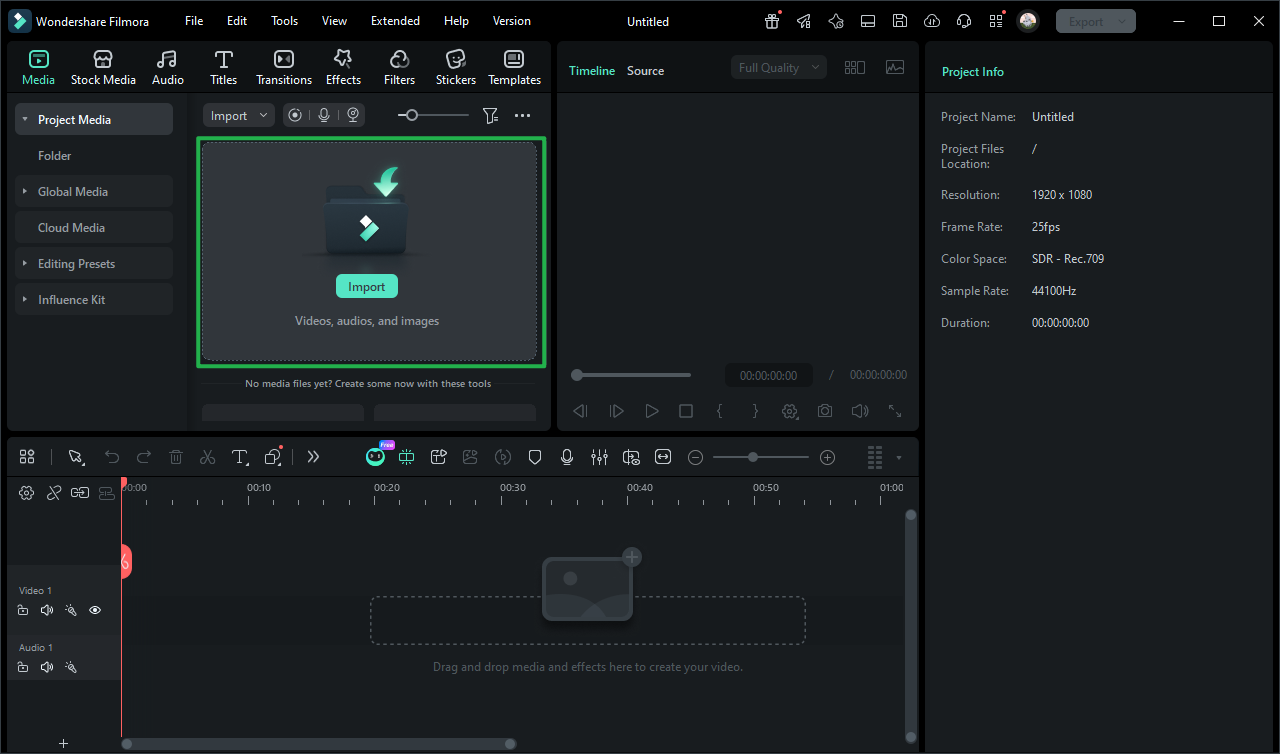
Step 1 Open the Stock Media Library
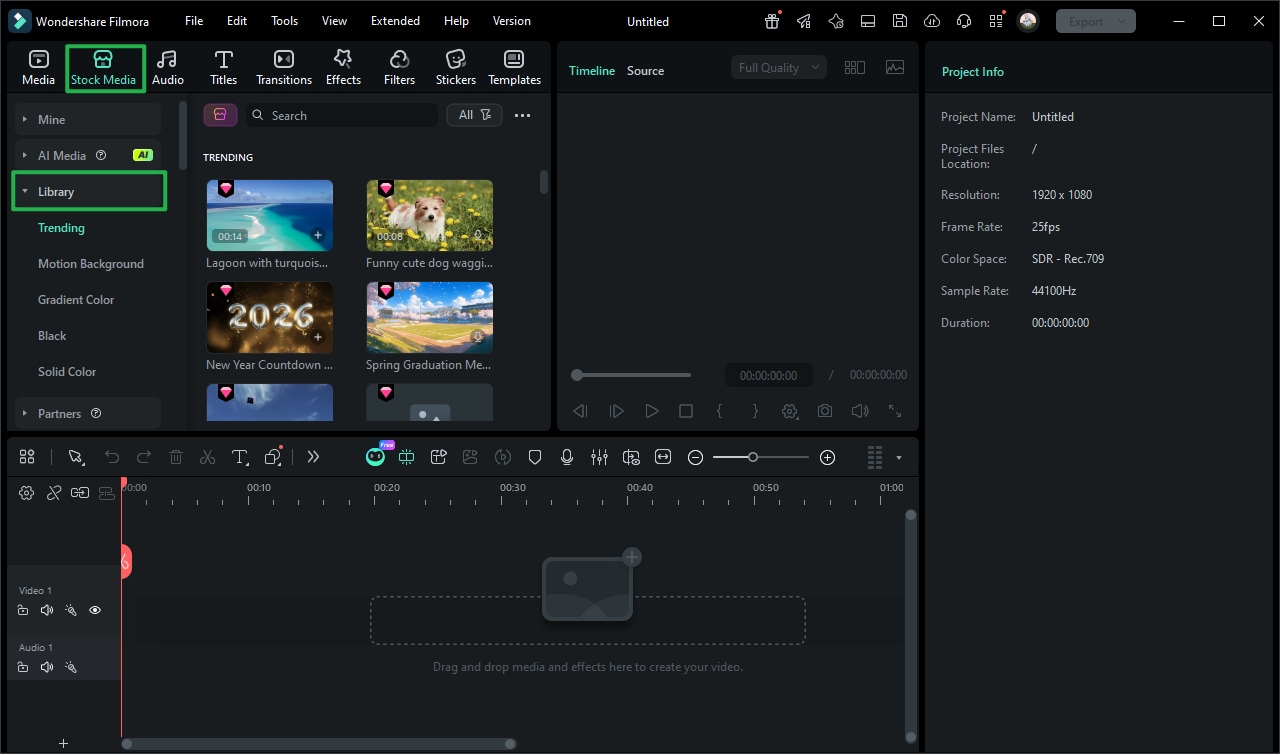
Step 2 Edit and Track Sparkler Trails
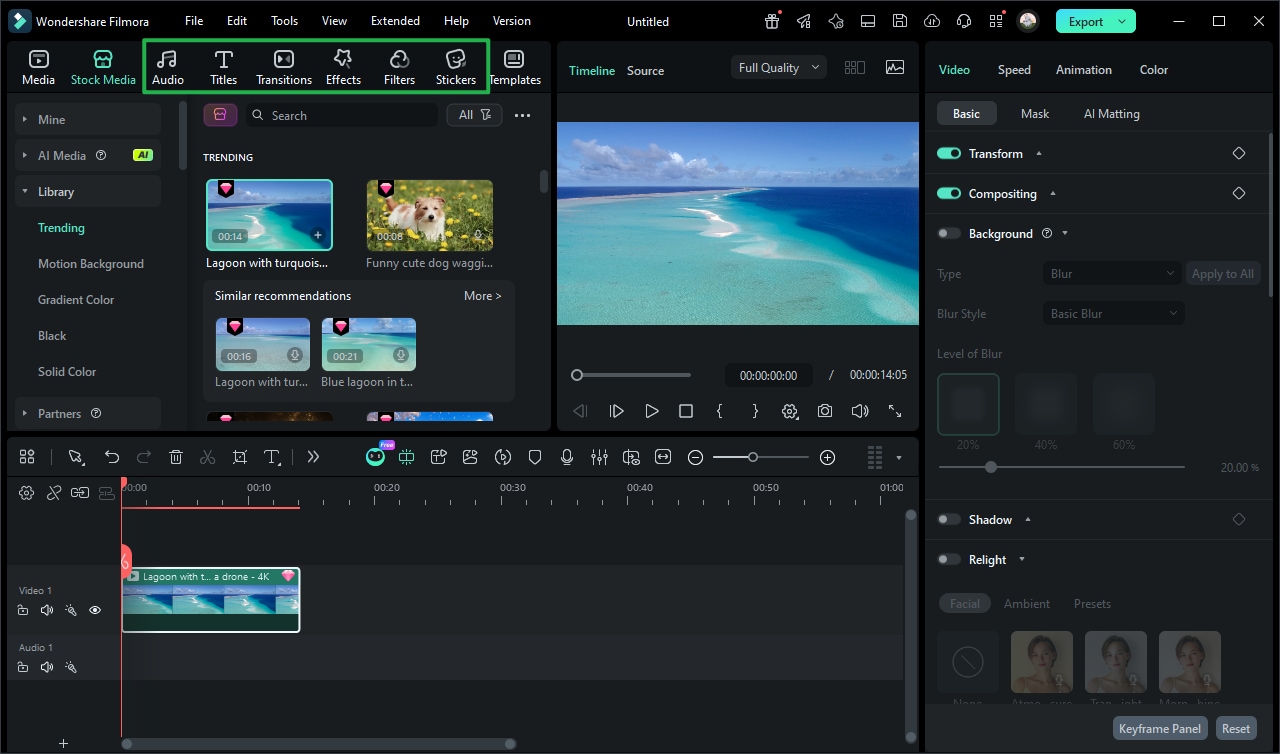
Step 3 Enhance With Effects and Export
-
1: Open the Stock Media Library
Launch the Filmora Video Editor and navigate to the "Stock Media" tab. Search for glowing sparkler video assets to find high-quality elements for your celebration clips. -
2: Edit and Track Sparkler Trails
Drag the sparkler footage onto your timeline. Utilize Motion Tracking to attach magical light trails to hands or moving objects, ensuring perfect synchronization. -
3: Enhance With Effects and Export
Add glowing Video Effects and immersive sound. Once finalized, export your vibrant sparkler video in stunning 4K resolution to dazzle your audience.
Ignite the Night With Dazzling Sparkler Videos
Filmora goes beyond basic trimming. You can layer atmospheric light leaks to add visual depth to your nighttime clips, apply subtle glow effects that amplify the heat of the flame, and utilize cinematic color grading to ensure the golden sparks pop against the dark background. Create immersive celebration videos by fine-tuning luminance curves, blending multiple sparkler video overlays, and adding dramatic slow-motion effects that capture every bouncing particle of light. Whether you're producing a festive New Year's reel, a magical wedding recap, or an eye-catching social media aesthetic — everything you need to craft your ultimate glowing masterpiece is available right here in Filmora.








