

 TL;DR:
Viral face shape filters provide quick estimations of your facial structure for social media trends, but differing AI models and lighting conditions mean dedicated apps or manual editors like Wondershare Filmora are necessary for consistent styling and video reshaping.
● Instagram no longer supports official face shape AR filters, requiring users to either search Reels for analysis videos or record their results using TikTok's MyFaceShape or Snapchat's native lenses before cross-posting.
● Dedicated analysis tools serve different user needs: Hiface is best for pure shape detection and styling advice, YouCam Makeup is ideal for cosmetic previews, and Facetune's shape detector is restricted entirely to its web platform and requires account creation.
● To implement face shape insights into video content using Wondershare Filmora, apply the Beautify effect from the Body Effects tab and manually adjust specific Face sliders like V-Shape, Shrink Cheekbone, and Jawline to balance proportions naturally.
Ask AI for a summary
 ChatGPT
 Perplexity
 Gemini
 Claude
 Grok
Grok
If you spend even a little too much time scrolling TikTok or Instagram, chances are you've already seen the viral face shape filter trend on your mobile screen. Whether you're looking for the best face shape filter app to find your look or curious about the TikTok face shape filter accuracy, you're in the right place. In this 2026 guide, we'll break down how these AI filters work, review the top-rated apps, and show you how to enhance your videos using professional tools like Filmora.
Part 1. What is the Viral Face Shape Filter Trend?
The viral face shape filter trend started on TikTok and is about AI filters that scan your face and label it as oval, round, square, heart, diamond, or long. The filter looks at things like your jawline, cheekbones, forehead, and face length, then makes a quick guess in real time.
The TikTok face shape filter didn't blow up overnight, but once people started posting their results, it spread fast and jumped to other platforms too.
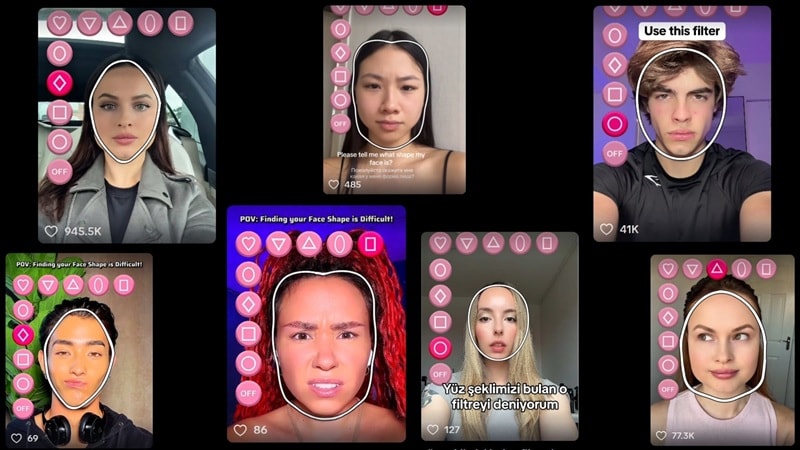
Why Do Face Shape Filters Go Viral?
- You can try it in seconds with no setup.
- The results feel personal, like the filter is talking about you.
- It gives people something to react to and argue about.
- Short videos make it easy to post and repost.
- Beauty and style topics always grab attention.
Part 2. Top 5 Viral Face Shape Filters on TikTok, Instagram, and Snapchat (2026)
Trends on social media only stick around when people keep posting, and that's exactly what's happening with the face shape filter trend right now. Most of the hype comes from three short-form platforms that move trends fast: TikTok, Instagram, and Snapchat.
Each one puts its own spin on the face shape filter, which is why the same person can get different results depending on where they try it. So, let's take a look at the top five face shape filters people keep using and sharing across social media right now.
How to Find the Face Shape Filter on TikTok
The face shape filter TikTok trend is really where everything kicked off. This is the platform where the filter first took over feeds, so it makes sense that most people head to TikTok when they want to try it for themselves.
If you're curious and want to see what the hype is about, the steps below will help you find and use the filter in just a few taps.
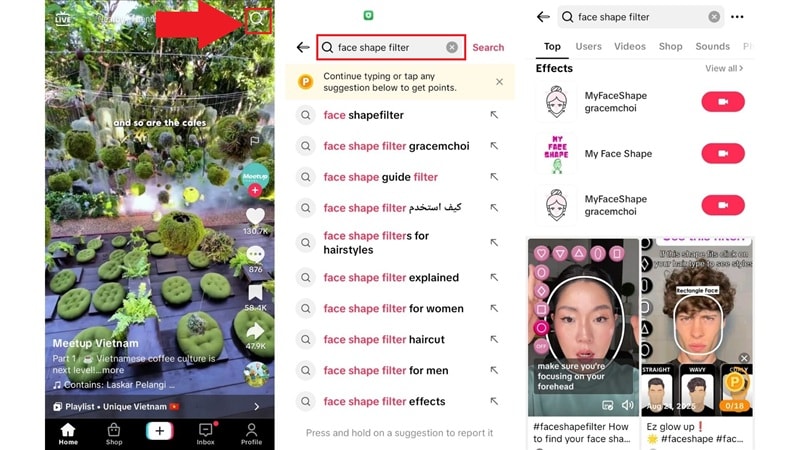
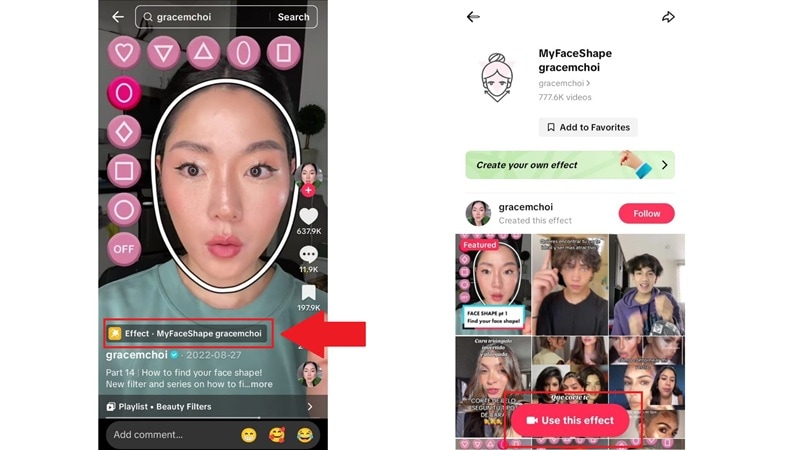
And just like that, you can now join in on the trend as well! TikTok actually has a few versions of this trend, but two filters show up way more than the rest:
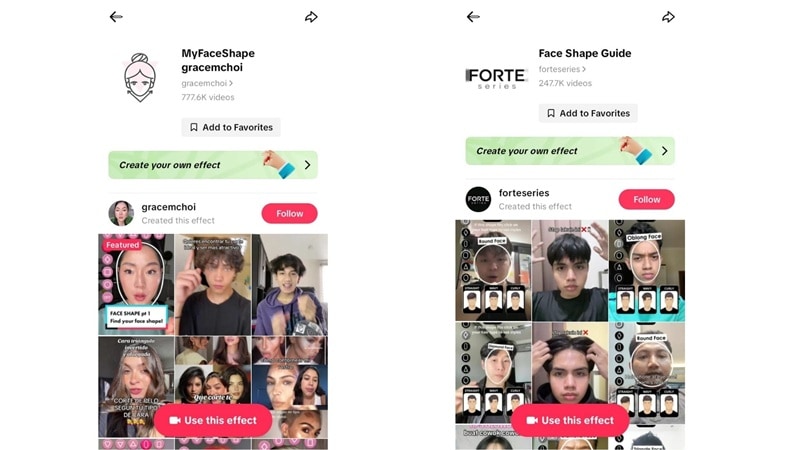
- MyFaceShape by gracemchoi: This is the one most people start with. It's the original face shape filter everyone recognizes, showing shapes like oval, triangle, diamond, and heart. You can tap through each shape and see which one feels closest to your face.
- FaceShapeGuide by forteseries: This filter works in a similar way but adds a bit more context. It shows fewer face shapes on the side, but it also lets you preview hairstyles that might match each shape, which makes it feel more practical than just labeling your face.
Using the Instagram Face Shape Filter for Style Tips
Actually, the original Instagram face shape filter is not officially around anymore because of platform changes and AR updates. That said, people still find ways to get a similar experience on Instagram, especially if they want style tips instead of just a face label.
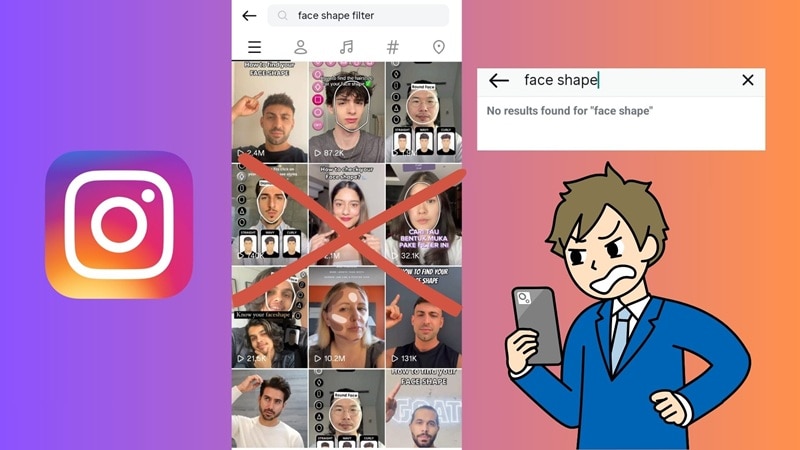
Some workarounds you can try to experience the face shape filter on Instagram, even without the effect are:
- Record on Another App and Post on Instagram: You can use a face shape filter on TikTok, save the video, and post it on Instagram. It's an easy way to keep the trend going on your feed.
- Search Reels for Face Shape Videos: Look up face shape analysis videos on Reels and watch how creators explain what each shape means. It's a good way to learn how people read facial features without relying on a filter.
Face Shape Filter Snapchat: Unique Lenses to Try
Other than TikTok, Snapchat is still one of the most fun places to play around with face filters. The face shape filter in the Snapchat scene feels more experimental, and trying one out is pretty simple. Just open Snapchat, tap the search icon, type face shape, and you will see a bunch of lenses pop up right away.
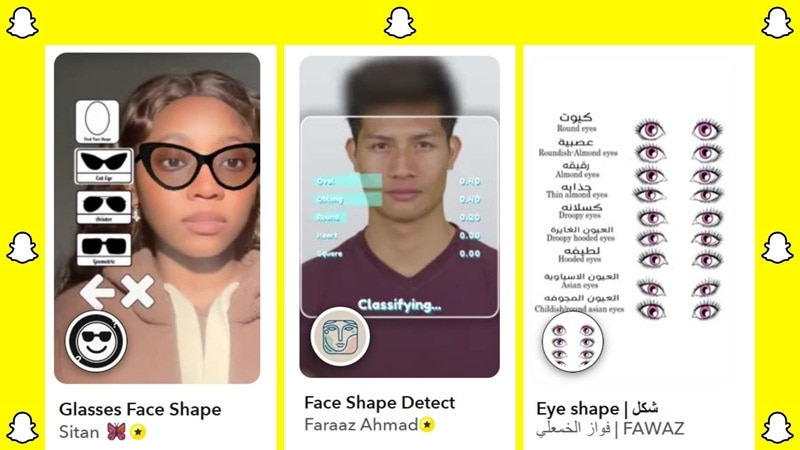
Check out three of the most interesting ones people keep using:
- Glasses Face Shape: This lens suggests eyewear based on the face shape you pick, like oval, round, diamond, or heart. Each shape comes with three different glasses styles, so you can quickly see which frames feel like the best match for your face.
- Face Shape Detect: This one gives a more technical breakdown of your face. It shows percentage scores for different shapes, like oblong, oval, round, or square, so you can see how your face leans instead of getting just one label.
- Eye Shape: This lens zooms in on your eyes instead of your whole face. It shows different eye shapes like round eyes, almond eyes, or droopy eyes, which makes it fun if you want a more detailed look at just one feature.
Part 3. Best AI Face Shape Filter Apps & Online Analysers (Free & Paid)
The face shape filters we learned about so far are fun to play with, but if you really want to understand your face shape, dedicated tools usually feel more reliable. Compared to casual AR effects, these face shape filter apps are built more for analysis than for quick entertainment.
Let's break down some of the top tools people keep using when they want something more than just a viral filter.
1. YouCam Makeup
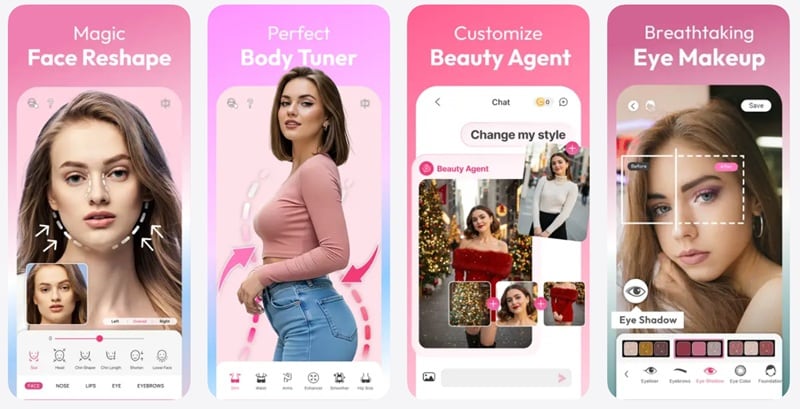
YouCam Makeup is a beauty editor that a lot of people already use, and it earns a spot here because it comes with AI face reshaping tools that let you tweak your eyes, brows, nose, lips, and smile for a more balanced look. While it is not a pure face shape filter app, it still helps you understand how small changes affect your overall face shape.
- Filters for lipstick, blush, eyeshadow, foundation, and more.
- AI face retouch tools to smooth skin, remove wrinkles and blemishes, brighten eyes, and whiten teeth.
- Body editing tools to slim the waist, lengthen legs, and enhance curves with simple sliders.
Android and iOS.
Free version available, with Pro starting at $5.99 per month.
Strong for beauty and hairstyle previews.
- Great for previewing hairstyles and outfits before making real changes.
- Has a large library of makeup and style presets.
- Feels more like a photo enhancer than a true face shape filter.
- Many useful features sit behind the paywall.
2. Hiface
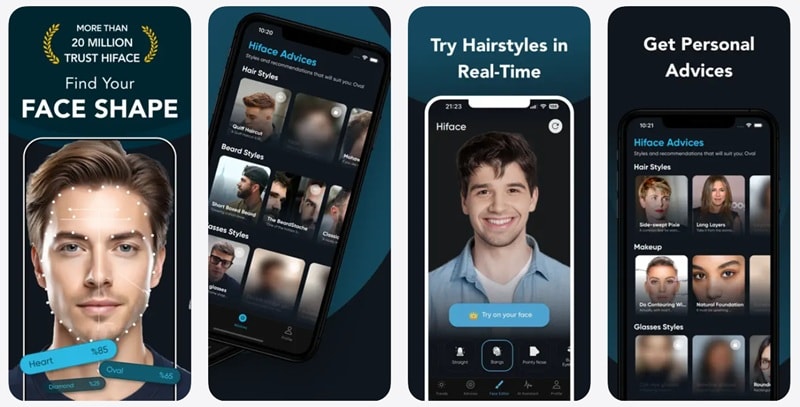
Now here's the face shape filter app tool that sticks closest to pure face shape analysis. Hiface uses AI measurements to look at your jawline, cheekbones, forehead, and face length, then sorts your face into shapes like oval, square, heart, or diamond. All you have to do is take a selfie and upload it, and the app does the rest.
- Gives style suggestions based on your unique facial features.
- Delivers results in under ten seconds after uploading a photo.
- Processes data securely and does not store your images.
Android and iOS.
Free version available, with paid plans starting at $4.99 per week.
People who want a clear face shape result and simple style guidance for hairstyles, glasses, and makeup.
- Offers real-time try-ons for hair and makeup.
- Includes an AI assistant that shares makeup tips, skincare advice, and style ideas.
- The scoring system can feel confusing and sometimes inconsistent.
- The free version feels too limited to be truly helpful.
3. Facetune
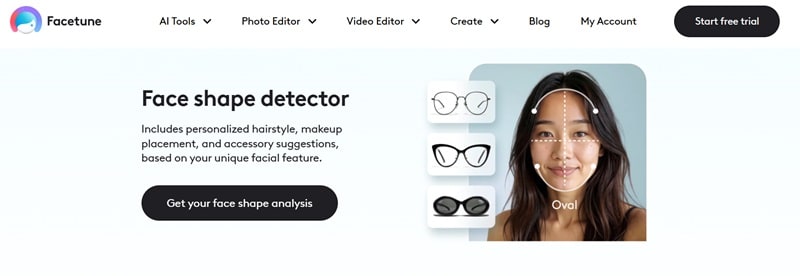
Most people know FaceTune as an AI photo editor for polishing selfies, so it might not be the first name you think of for face shape analysis. But it actually has a face shape detector feature that can analyze your facial structure instead of just letting you reshape things manually.
It feels like a mix of a face shape filter app and a guided analysis tool, which is why it earns a spot on this list.
- Ask a few extra questions along with your selfie to improve accuracy.
- Gives clear guidance on how to take your photo for better results.
- Includes a wide range of AI photo editing tools for touch-ups and enhancements.
Online.
Free trial available, with paid plans starting at $25 per month.
Works well for creating polished selfies after analysis.
- Combines face shape detection with powerful photo editing tools.
- Helpful instructions that make it easier to get a clean result.
- The face shape detector only works on the web version, not inside the mobile app.
- You have to create an account before you can use the face detector.
4. Airbrush
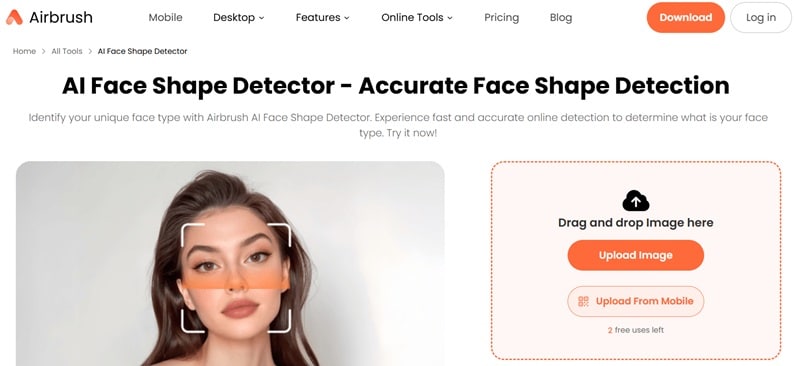
For the last pick, here's a really handy option if you want to try a face shape filter for free without downloading anything. Airbrush is a web tool that comes with an AI Face Shape Detector, and it does a solid job of reading your face type in just a few seconds. It feels simple and quick, but still detailed enough to be useful.
- Detects six face types including round, oval, oblong, diamond, square, and heart.
- Analyzes eyes, eyebrows, lips, and nose for more detailed insights.
- Helps you explore hairstyles and makeup styles that match your personality.
Online.
Free trial available, with a credits-based system starting at $3 for three credits.
Creators who need fast results for content or comparisons.
- The analysis feels mostly accurate and goes into good detail.
- Includes tips to improve proportions based on your results.
- You only get three free tries before you need to buy credits.
- No mobile app version if you prefer using apps over websites.
Part 4. Why You Need a Face Shape Analysis: Beyond the Filter
After trying a few face shape filter apps and online tools, it's easy to think the result is the final answer. But those labels are really just a starting point, not something set in stone. That's why it's a shame if people join the trend or post a quick video, without realizing it can be useful outside of social media.
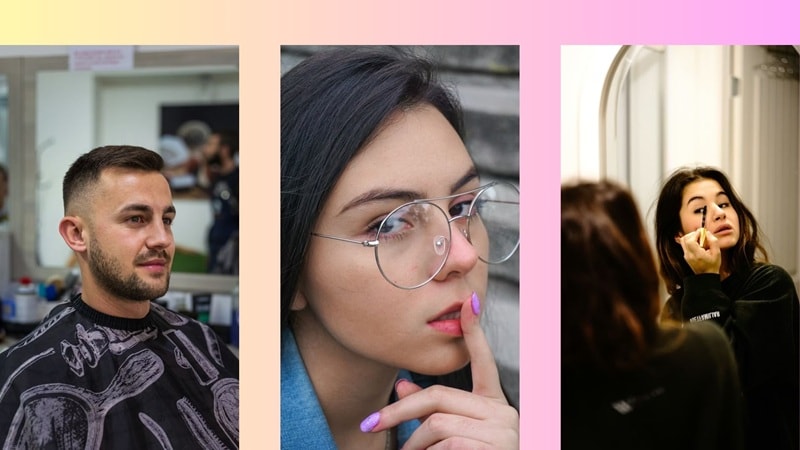
The thing is, once you understand your face shape, it becomes easier to make small style choices that actually work for you. Such as:
- Finding The Right Hairstyle: A face shape filter helps explain why some styles balance your features better, so you are not just guessing anymore. Once you understand your face shape, choosing a haircut feels much easier.
- Choosing Glasses That Fit: Knowing your face shape makes picking glasses more straightforward. Face shape analysis shows why certain frames sit more naturally on your face while others feel a bit off.
- Placing Makeup More Naturally: When you know your face shape, makeup starts to look more balanced and less forced. In that sense, a face shape filter can guide where contour, blush, and highlight should go.
- Keeping Your Look Consistent: For content creation, knowing your face shape helps keep your style consistent across photos and videos. Meaning, using a face shape filter as a reference makes your content feel more polished without extra effort.
Part 5. How to Reshape Your Own Face with Wondershare Filmora
So now that you actually know your face shape and why it matters, the fun part is doing something with that info. You can take those insights and turn them into real edits on your own videos.
While mobile apps offer a quick fix, Wondershare Filmora provides professional-grade control for creators. Its advanced AI Face Reshaper and AI Video Beauty Filter allow you to fine-tune your appearance with precision. Beyond a simple face shape filter, you can naturally adjust jawlines, lift cheekbones, and balance proportions to match your unique face shape analysis. This makes Filmora the ultimate tool for turning social trends into polished, high-quality video content.
 Secure Download
It feels more like a smart face shape filter built into a full video editor, so you stay in control of how subtle or bold the changes are. If you want to put your face shape analysis into action and see the difference right away, just follow the simple steps below and you'll be good to go.
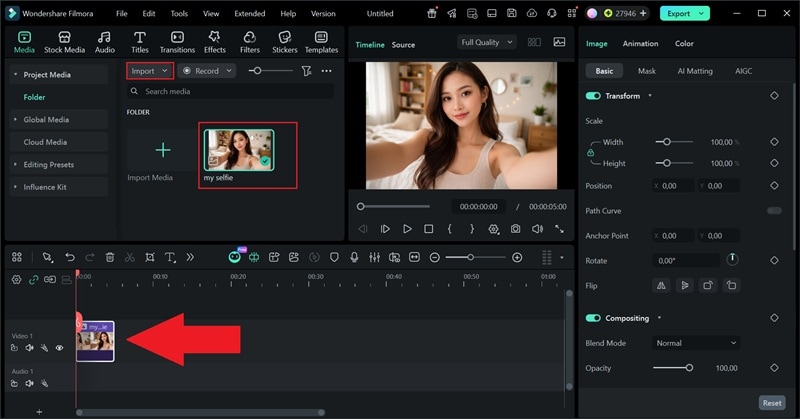
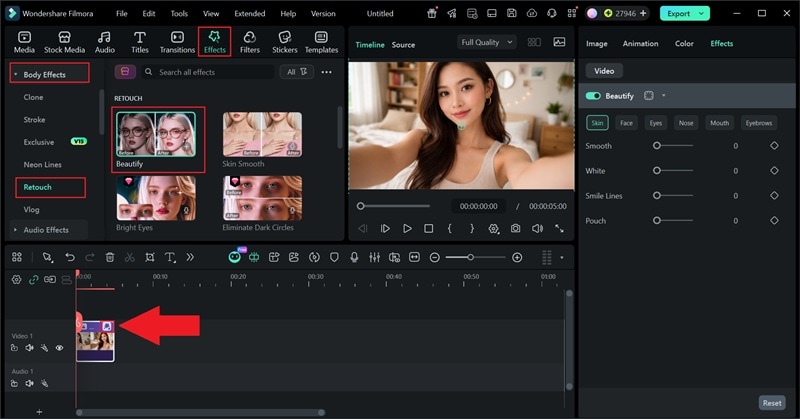
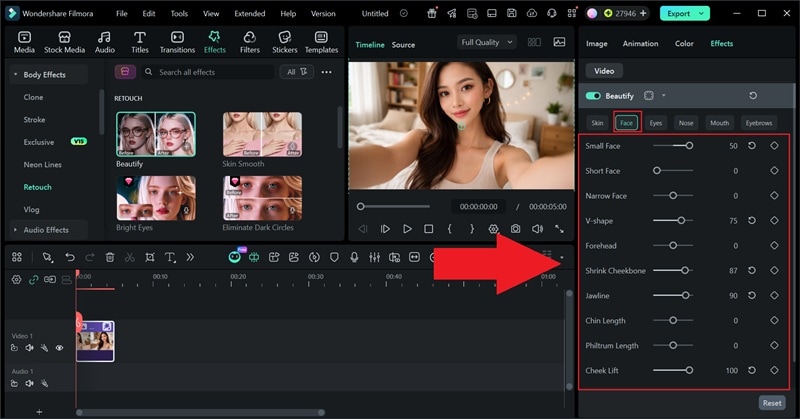
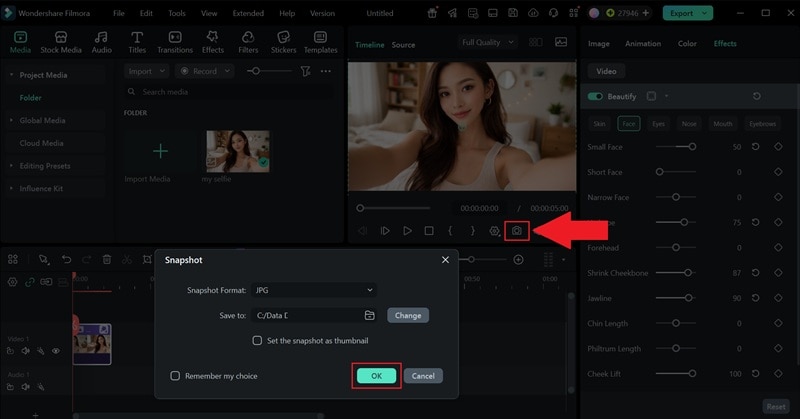
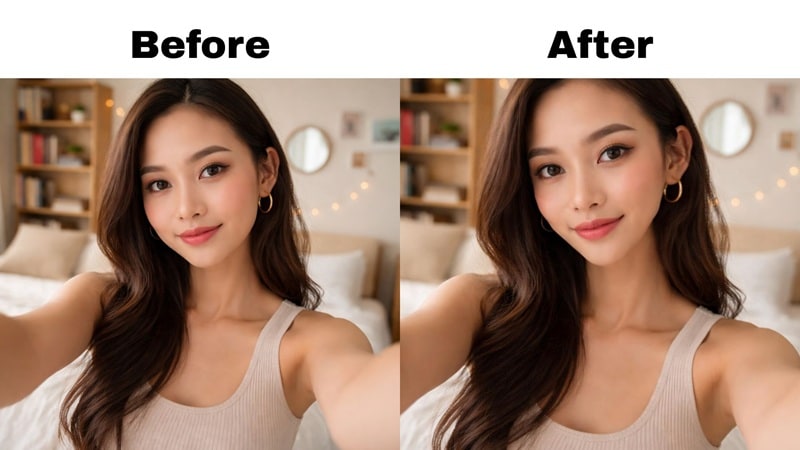
Now, check out the before-and-after below and see how a few small tweaks can change the whole vibe without making it look edited or overdone.
Conclusion
This guide broke down the face shape filter trend from where it started and how it spread across TikTok, Snapchat, and Instagram. We also looked at different face shape filter apps that go beyond just fun effects and actually help you understand your face shape in a more useful way.
What makes it even better is that you can take those results and do something with them right away. With Filmora, you can use the AI Video Beauty effect to slim your face, shape your jawline, and make small adjustments that match your face shape naturally. It feels like a simple way to turn a face shape filter from a trend into a real editing tool you can actually use for your photos and videos.

FAQs
-
Are face shape filters actually accurate?
A face shape filter only gives a rough idea, not a final answer. It looks at angles and proportions from one moment in time, so lighting, camera angle, and expression can easily change the result.
-
Why does my face shape change between apps?
Each face shape filter app uses its own AI model and rules to read your face. That's why the same face can look oval in one app and round in another.
-
Can face shape filters work on videos not just photos?
Yes, many face shape filter tools now work on video and scan your face frame by frame. This is why filters on TikTok and Snapchat react as you move.
-
Do face shape filters change your actual face?
Definitely not, a face shape filter only analyzes or overlays effects on your screen. It does not change your real facial structure at all.
