

 TL;DR:
To participate in the 2026 TikTok ghost trend, search for the Facial Detection or AI Manga filters in the app's Effects menu to trigger accidental entity detections, or use Wondershare Filmora to generate controlled, realistic paranormal scenes.
● The Reality Ripple filter, which creators previously used to track unseen energy via colorful movement distortions, is no longer available to use on TikTok.
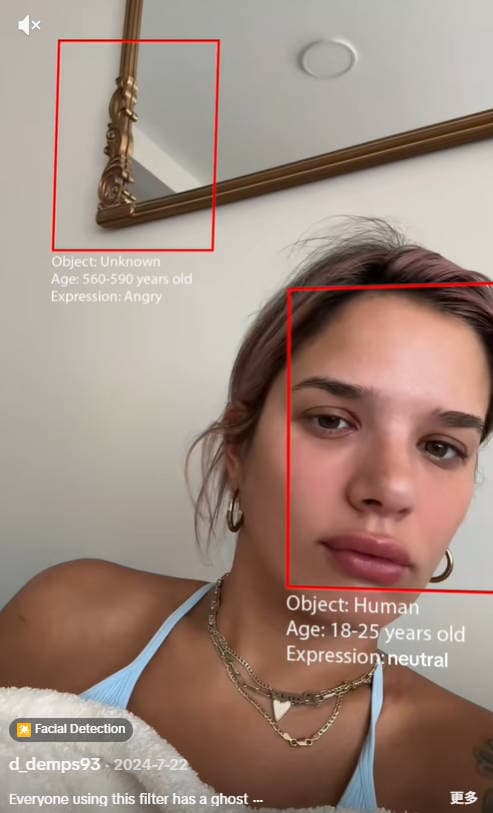
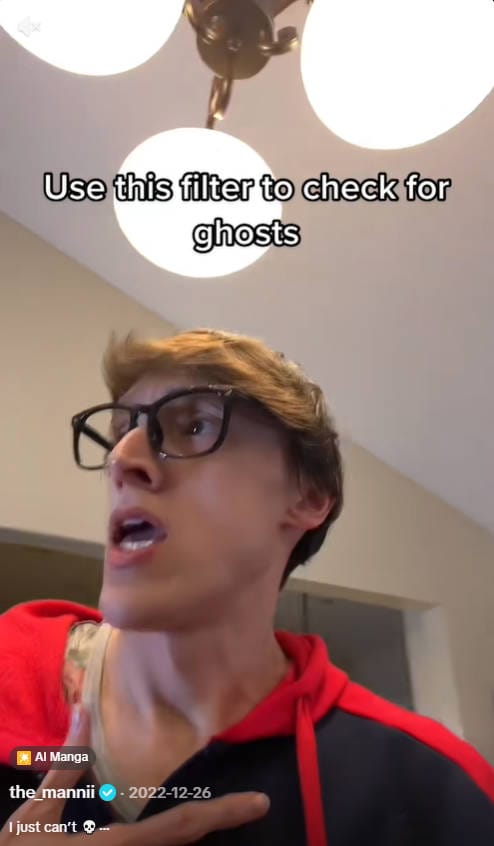
● The Facial Detection filter creates a scary effect by labeling empty background spaces as angry 560-590-year-old unknown objects, while the AI Manga filter offers a comedic alternative by misreading random shapes as human illustrations.
● For creators wanting more control than real-time filters allow, Wondershare Filmora provides an AI Image to Video tool under the Video Inspiration tab to generate ghosts from reference images, alongside adjustable opacity overlays and intense whisper sound effects.
Ask AI for a summary
 ChatGPT
 Perplexity
 Gemini
 Claude
 Grok
Grok
Have you seen the viral TikTok ghost filter that claims to detect spirits in empty rooms? This spooky trend is taking the For You Page (FYP) by storm in 2026. If you want to boost your views and engagement, learning how to use the ghost filter on TikTok is essential. Just look at the views these videos get; many of them rack up hundreds of thousands, even millions of views on TikTok.
For those who have trouble finding or triggering the filter, don't worry. We'll show you how to use the ghost filter on TikTok and make your video feel creepy beyond the filter itself.
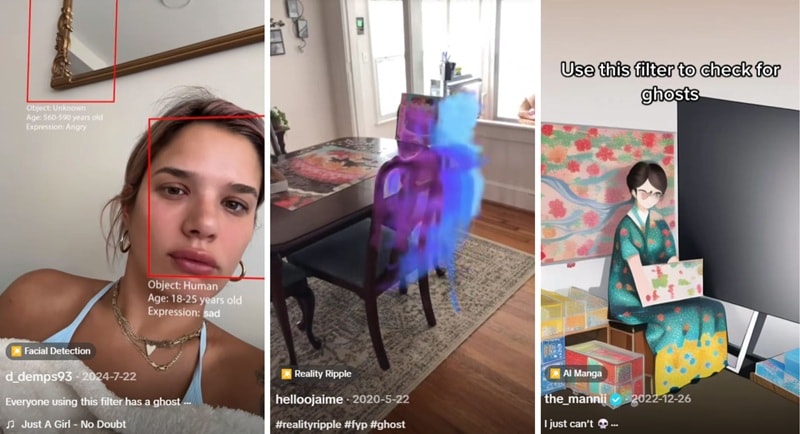
Part 1. Top 3 Viral TikTok Ghost Filters: Names & How to Find Them
Aside from just being a place to scroll and post videos, TikTok is also known for its filters. There are actually a few different "ghost" filters on TikTok that have been going viral, depending on what you're looking for and the kind of content you want to create.
1. Facial Detection
By design, the Facial Detection filter isn't meant to create "ghost" effects at all. It's supposed to detect faces and estimate details like the name of the object, age, and expression. However, the filter often also locks onto the background, where there's clearly no one there!
Usually, it's labeled as an "unknown" object, aged 560–590 years, with an angry expression. People then use the filter as a "ghost detector," and many creators now use it on purpose to hint that something unseen might be in the frame.
2. Reality Ripple
Reality Ripple is a TikTok filter trend where people use a filter to add a colorful ripple effect around themselves. The filter is built to react to human movement, so when a person appears in the frame, it creates a moving, colorful distortion that follows them as they move.
But similar to facial detection, the filter sometimes still goes off even when you point it at an object. People are saying that it's because the filter detects "energy," which is why it's often used for paranormal activity content that plays on the idea of detecting something unseen in the scene.
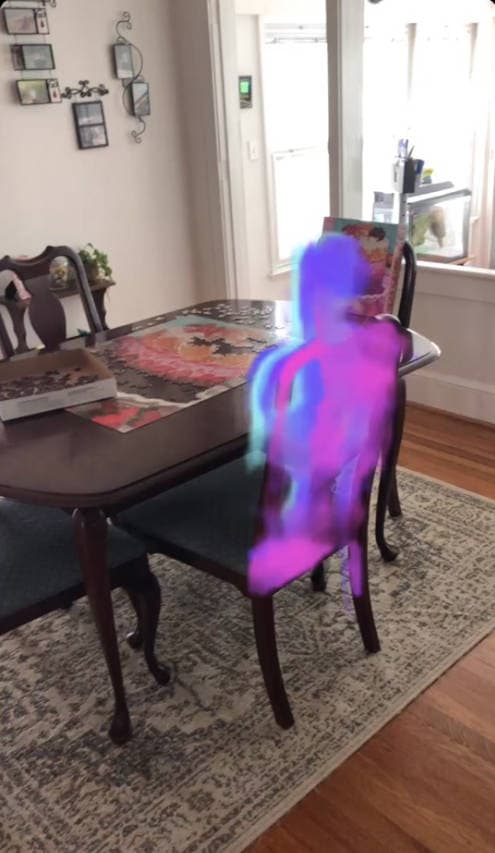
Note: The Reality Ripple filter is no longer available to use on TikTok.
3. AI Manga
AI Manga is basically an AI filter that turns the photo you snap into a manga-style illustration. However, the results can look very different from the original image. The AI often misreads objects or shapes and turns them into something that looks like a person.
Because of that, some users started using it as a kind of AI ghost filter on TikTok, just to see what the AI might "accidentally" reveal. This trend is more funny than scary, though, since most of these "ghosts" are simply the AI mistaking random objects for human figures.
Part 2. Step-by-Step: How to Use Ghost Filter on TikTok
After knowing what the ghost filter on TikTok is called, it's now easier to understand how to use it in your videos. We'll walk you through the process in detail below.
How to use the ghost filter on TikTok
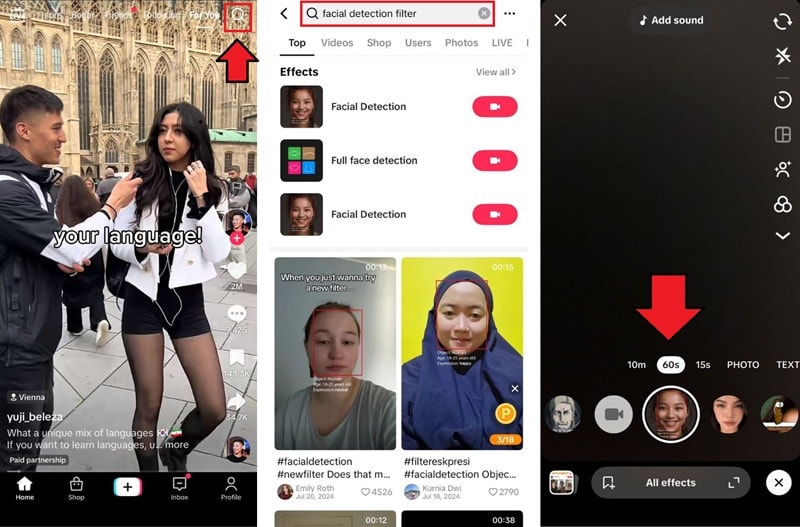
Part 3. Beyond Filters: Creating Realistic AI Ghost Videos (New 2026)
Feeling like the TikTok ghost filter is not enough? The next thing you can try, especially if you want a better watch time, is creating a ghost video that actually blends into the scene. Since it looks more real, your viewers will stop scrolling and take notice!
With Wondershare Filmora, you can take your spooky content to the next level using the AI Image to Video feature. You can even use AI Text to Video to generate entire paranormal scenes from scratch.
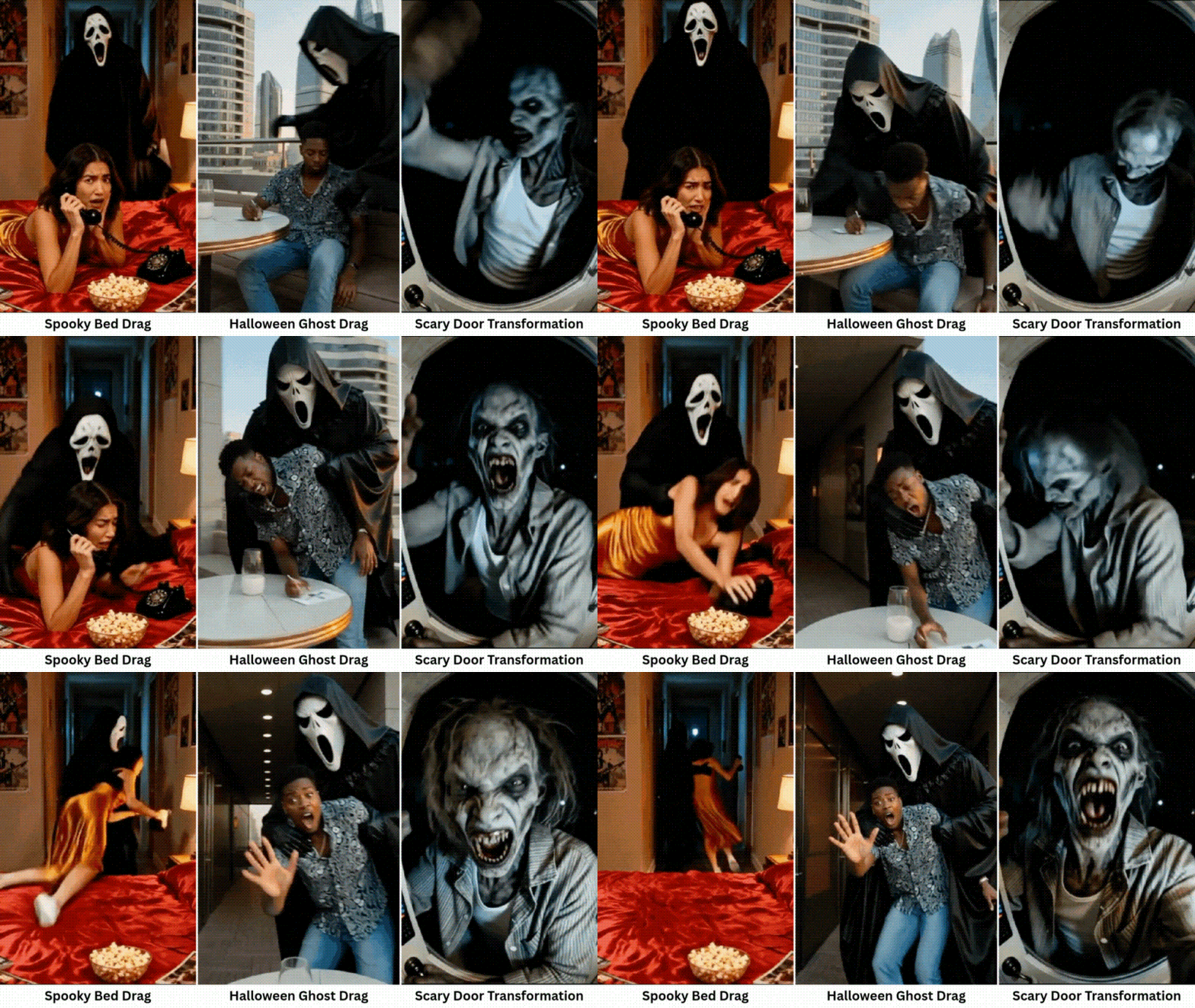
 Secure Download
How to Apply the AI Ghost Filter for Your Video
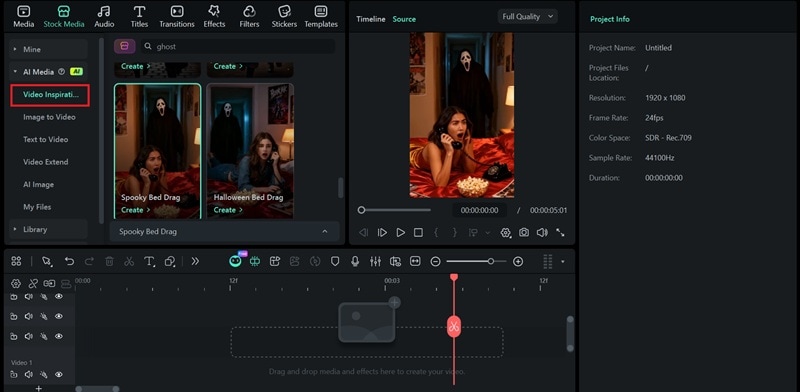
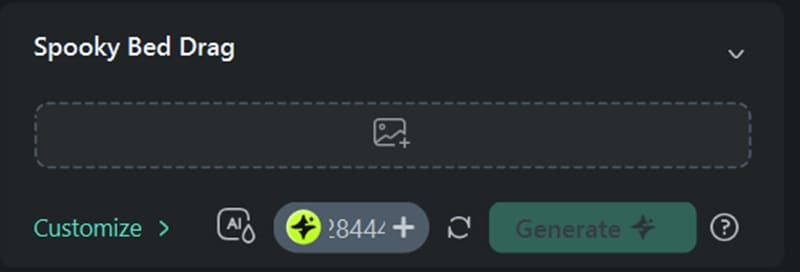
You'll find the AI ghost filter result on the My Files panel. Add it to the timeline if you want to edit it further.
Note: Filmora is also available as a mobile app, so you can try these ghost effects right from your phone.
Part 4. Pro Tips: Enhance Your Horror Videos with Filmora Effects
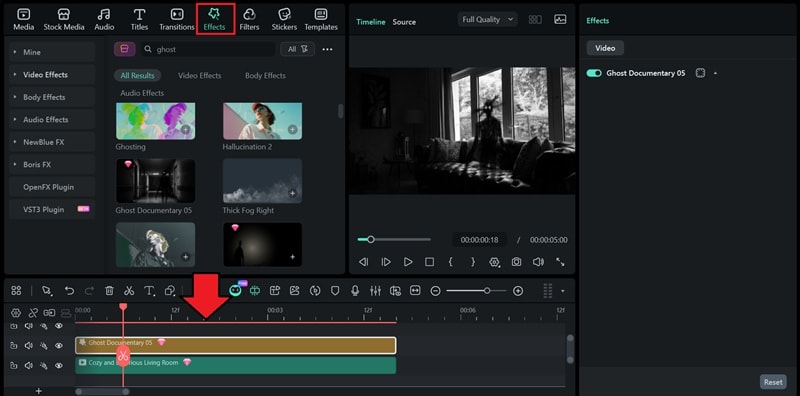
Other than blending using AI to create a ghost video, Filmora also includes various ghost-style effects and overlays you can apply during editing.
Unlike real-time TikTok ghost filters, you have more control over the result to create a scary ghost video. You can adjust the opacity, movement speed, and even layer multiple ghost effects for building a chilling atmosphere.
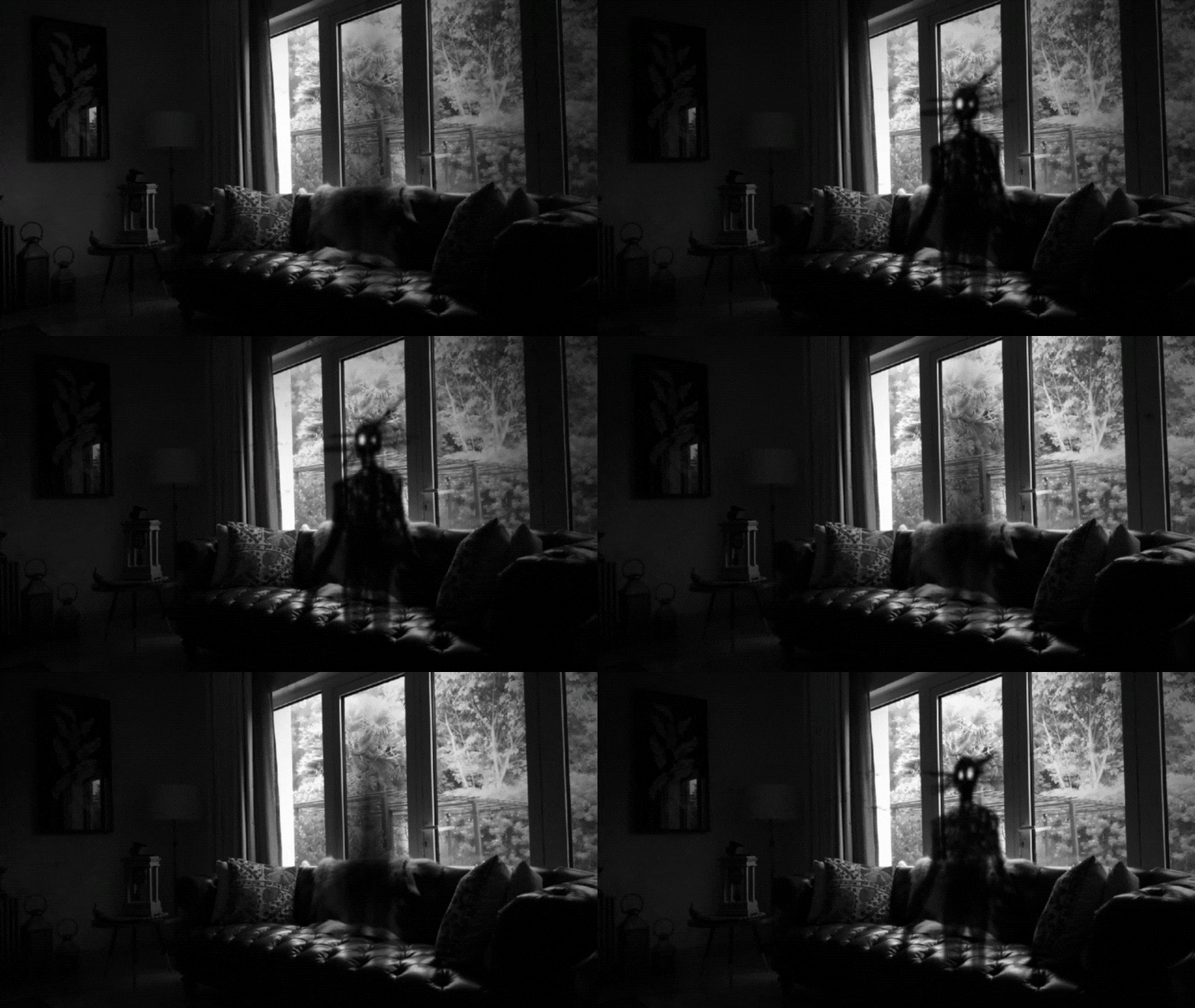
These kinds of ghost effects can be found under the Effects tab. Search for "ghost" or "horror" to filter the results, then drag the effect onto the timeline above your video track. Layer several effects to add more depth.
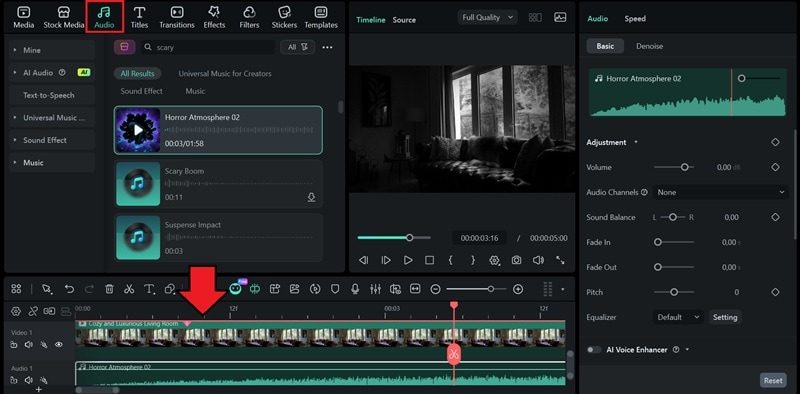
To make the effect feel more immersive, you can also add scary sound effects like whispers that make the moment feel more intense! Download them from the Audio tab, and then drop the sound onto your timeline.
Conclusion
Now you have several content ideas to post for your next TikTok video. Try the TikTok ghost filters and see what unexpected moments may show up in your space! They can be spooky, surprising, or even funny, depending on what the filter picks up in the frame.
Even better, you can take more control with AI ghost videos that blend naturally into the scene and keep viewers engaged longer. To do it, Filmora offers AI Image to Video tools and ready-made ghost templates that help you create believable spooky scenes without complex editing.

