


 TL;DR:
Clipfly AI is a web-based video generator best suited for creators needing fast, template-driven short clips, but users requiring multi-track editing, 4K exports, or advanced AI models should choose Wondershare Filmora instead.
● Clipfly restricts outputs to 1080p resolution and operates on a rigid credit system where the Pro plan ($49.99/year) provides 200 monthly credits, with each video generation typically consuming 10 credits.
● While the platform enables rapid creation of AI Ghibli animations and talking avatars, its lack of advanced timeline controls forces users to completely regenerate clips to make changes, and its AI voices lack natural emotional depth.
● Wondershare Filmora serves as a superior desktop alternative for complex editing, integrating Veo 3.1 and Sora 2 for text-to-video generation, Topaz technology for 4K video enhancement, and Nano Banana Pro for precise image synthesis.
Ask AI for a summary
 ChatGPT
 Perplexity
 Gemini
 Claude
 Grok
Grok
Creators once lived by “fake it till you make it.” Now, it’s “generate it and publish fast.” Audiences expect polished video without delay. One AI tool that makes this possible is the Clipfly AI video generator.
As of 2026, Clipfly app rating of 4.6 based on the user’s reviews on the App Store that indicate its popularity. The rating reflects strong interest in features like Clipfly AI Ghibli and Clipfly AI talking avatar.
In this Clipfly AI review, we’ll look at the features and pricing as well as strengths and limitations of it to see if speed will get you where you want creatively.
Part 1: Get to Know Clipfly AI At A Glance
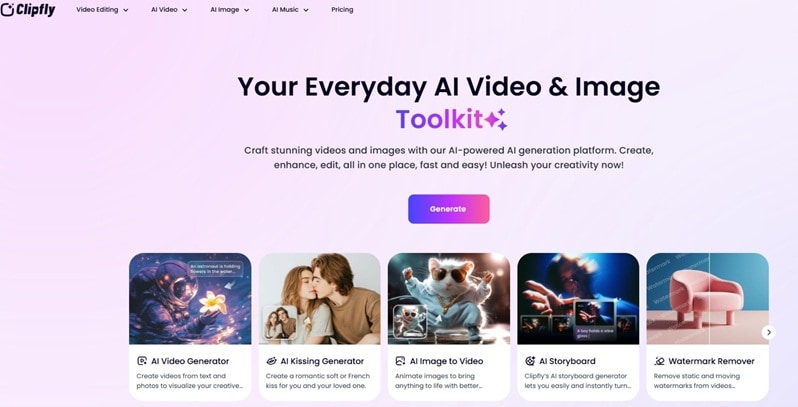
Clipfly AI is a creative platform built to simplify video and image production. It works as one unified studio. You can generate, edit, and enhance content in the same space. This configuration is created for content creators, influencers and brands who are looking for an easier path to content creation.
Quick Overview of Clipfly AI
| Features | Details |
| Editing Features | AI-based generation with preset templates and basic editing tools. No advanced multi-track timeline editor |
| AI Capabilities | Supports text-to-video, image-to-video, AI avatars, and stylized animation (including anime-style outputs) |
| Performance & Speed | Cloud-based processing. Short videos can be generated quickly without high local hardware requirements |
| Value for Money | Excellent value, especially compared to freelancers' rates. |
| Compatibility | Web-based platform with mobile apps available on iOS and Android |
Clipfly AI Free Plan Limits & Subscription Pricing
Clipfly offers a free plan and two paid tiers: Pro and Business. The free version allows basic access, but export limits and feature restrictions apply. Paid plans unlock higher credits, more storage, and full AI model access.
Clipfly AI Plan Comparison (Free vs Paid)
| Category | Basic (Free) | Pro ($49.99/year) | Business ($389.99/year) | Limitations |
| Cost | $0 | $49.99/year | $389.99/year | Annual billing only shown publicly |
| AI Credits | None | 200/month | 4000/month | Heavy generation depends on credit usage |
| Watermark | Watermark-free exports listed | No watermark | No watermark | Free tier still limited in AI access |
| AI Model Access | Limited | Full | Full | No public disclosure of model hierarchy |
| Export Quality | Up to 1080p | Up to 1080p | Up to 1080p | No 2K/4K export option listed |
| Cloud Storage | 1 GB | 4 GB | 100 GB | Limited storage for media-heavy users |
| Asset Library | Limited stock assets | Full library | Full library | Asset counts fixed, no custom upload expansion noted |
| User Licenses | 1 user | 1 user | 5 users | No unlimited team plan listed |
| Credit Discounts | No | 10% | 20% | Still a credit-dependent model |
Part 2. Core Features of Clipfly AI
Now, let’s examine the main features behind the popularity of Clipfly.
Video Editing and Enhancement
Clipfly brings editing and AI tools into one workspace. It uses artificial intelligence to handle key visual tasks. The system can detect scenes automatically. It adjusts color tones to improve visual balance. It also smooths motion with frame interpolation.
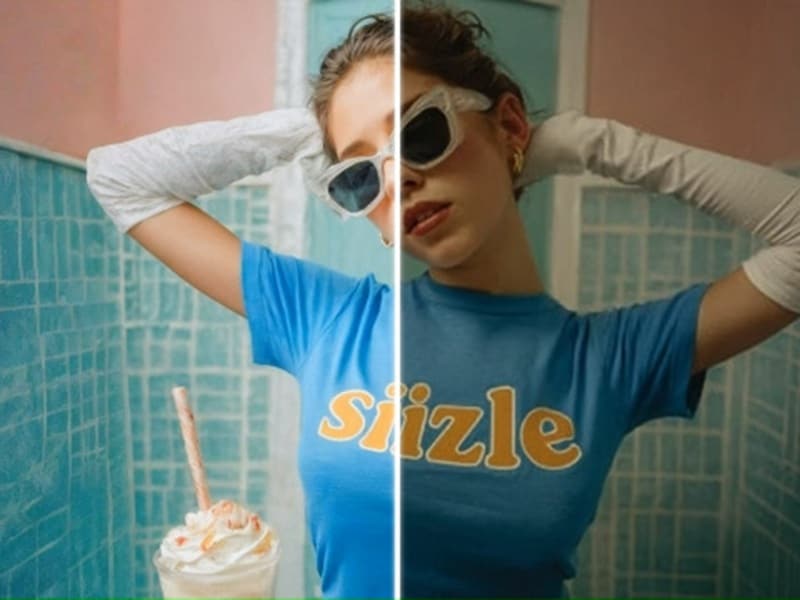
For images, it supports AI upscaling and automatic enhancement. Users can sharpen details or improve clarity without manual adjustments. These tools reduce editing time and simplify basic post-production work.
AI Video Generation
The Clipfly AI video generator allows users to create videos from text or images. The process is fast and requires minimal setup.
1. Text to Video
Users enter a short script or idea. The system generates matching video scenes.
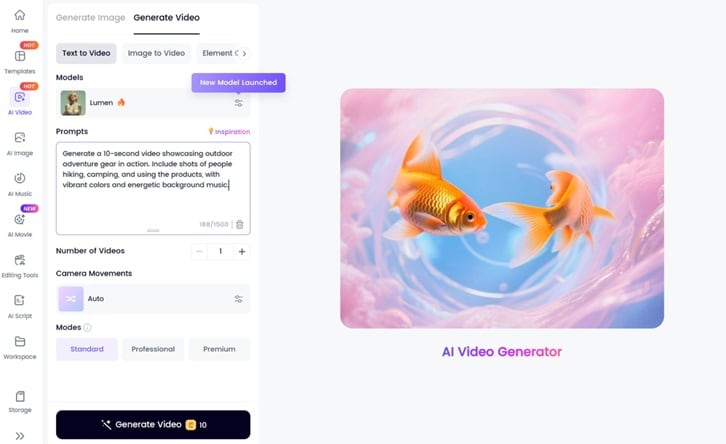
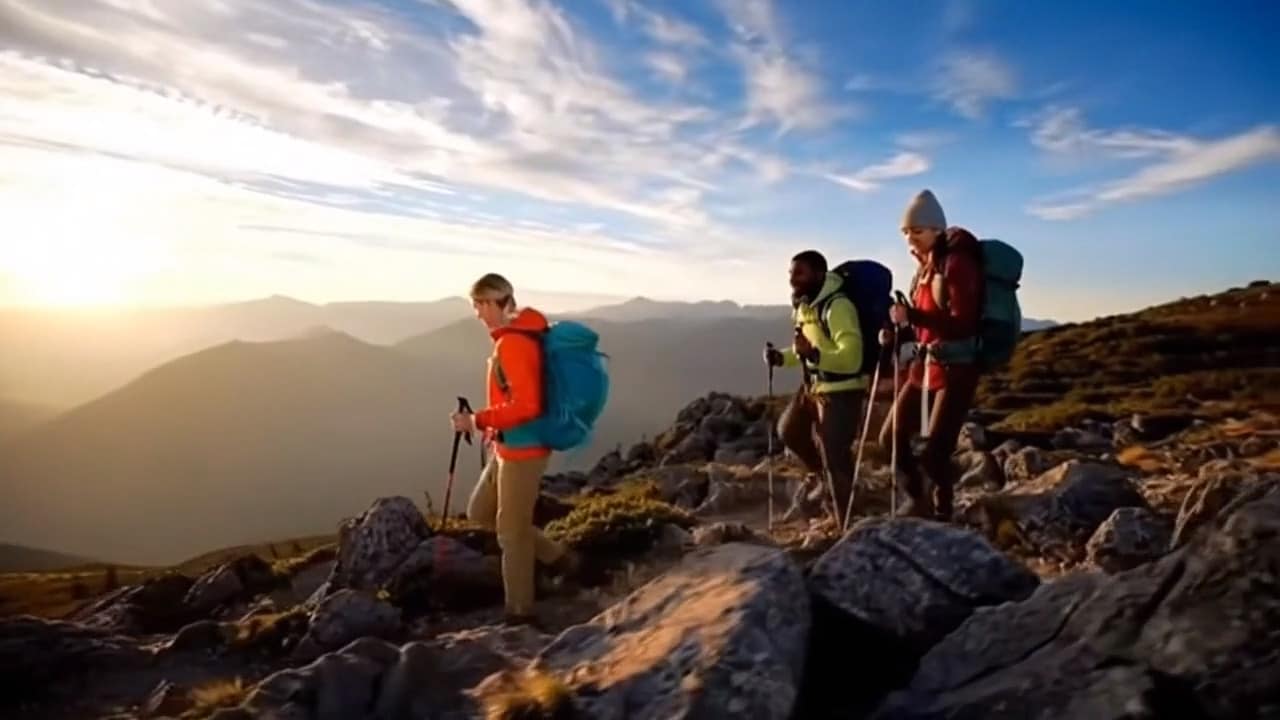
Example Prompt:
“Create an 8-second video showing outdoor adventure gear in use. Include hiking and camping scenes with bright colors and upbeat music.”
Result:
2. Image to Video
With Clipfly Image to Video, you can upload one or more images, and the platform will turn them into short animated clips. This works well for product photos or infographics that need motion.

Available AI Video Effects
Besides generating videos from prompts, Clipfly also includes several quick AI video effects that you can apply instantly to create AI videos:
- AI Ghibli Generator: Clipfly AI Ghibli is known for its animation style output. It recreates soft lighting, detailed nature scenes, and gentle motion. The style reflects classic hand-drawn animation themes, giving creators a dreamy, cinematic look.
- AI Kiss: The Clipfly AI Kiss tool animates uploaded photos into short, realistic kissing clips, transforming still images into moving romantic scenes.
- AI Anime Video Generator: Create anime-style videos from text or images, producing cinematic scenes inspired by classic Japanese animation visuals.
AI Voiceover & Auto Captions
Clipfly provides a built-in AI voice library. Users paste a script and select a voice. The system generates clear narration without recording. It also creates automatic captions from the same script.
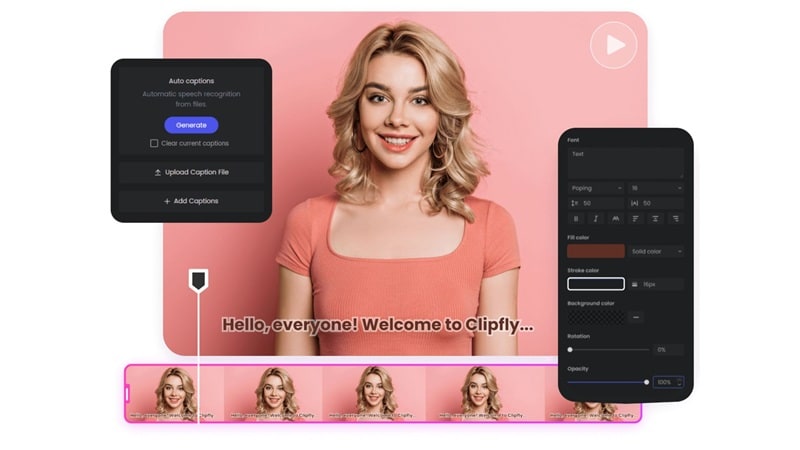
Voice clarity is strong in neutral and professional tones. Emotional variation is limited. When selecting an “excited” tone, the system mainly increases speed and pitch rather than adding natural expression. This may reduce realism in expressive content.
AI Video Background Remover & Watermark Remover
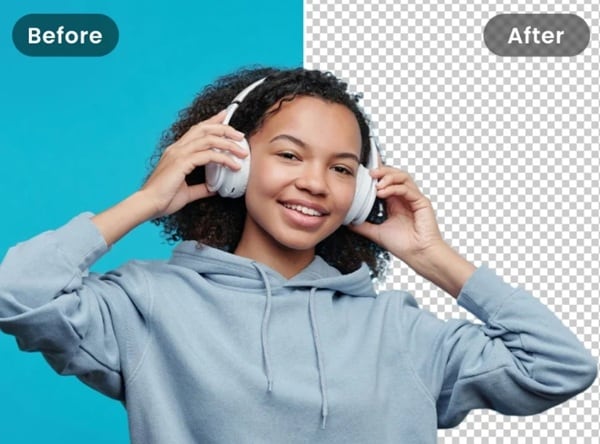
Clipfly includes an AI-powered background removal tool. It automatically detects the subject and separates it from the background. You can delete or replace the backdrop without manual masking.
It also offers a Clipfly AI watermark remover that removes watermarks, text, logos, and other unwanted elements from videos without adding blur. This eliminates frame-by-frame editing and speeds up green-screen or scene replacement tasks.
AI Character & Avatar Generator
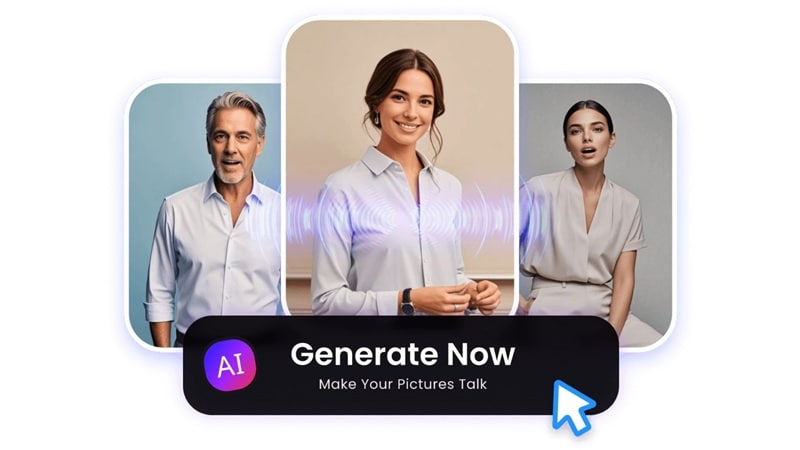
Clipfly includes an AI avatar tool that turns a still portrait into a talking character. You just need to type a script, choose a voice, and the system will convert it into speech and sync it with the avatar’s mouth.
The Clipfly AI talking avatar works best for formal content like business presentations, training videos, or tutorials. The voice is clear and neutral, but the emotional range is limited, so it may feel stiff for casual or influencer-style videos.
Customization is also basic, with limited control over outfits, backgrounds, and branding.
Editing & Customization
Clipfly supports basic adjustments. Users can trim clips, add music, insert captions, and apply simple transitions. Brightness and contrast can be adjusted. This setup helps beginners quickly shape content. It is efficient for short videos.
However, advanced editing tools like detailed masking, multi-track audio control, or precise keyframing are not available.
Part 3. How to Use Clipfly AI Video Generator
Using the Clipfly AI video generator is simple. Follow these steps:
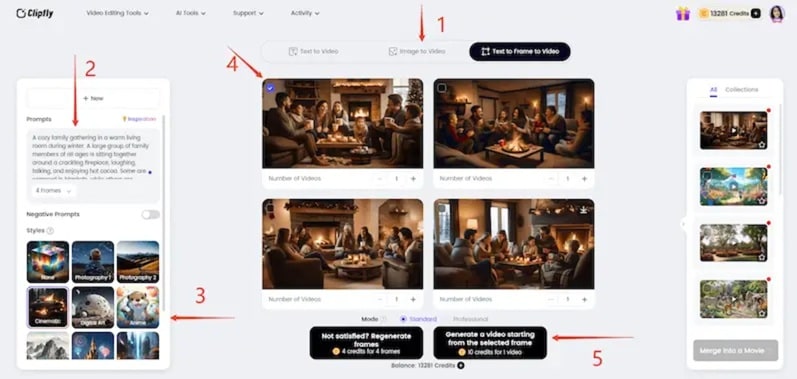
Step 1: Choose your generation mode.
Select how you want to create the video. You can use text, images, or a text-to-frame-to-video option. The text-to-frame method gives more creative control.
Step 2: Enter your idea.
Type your concept into the prompt box. If you are unsure, use the “Inspiration” option to explore sample ideas first.
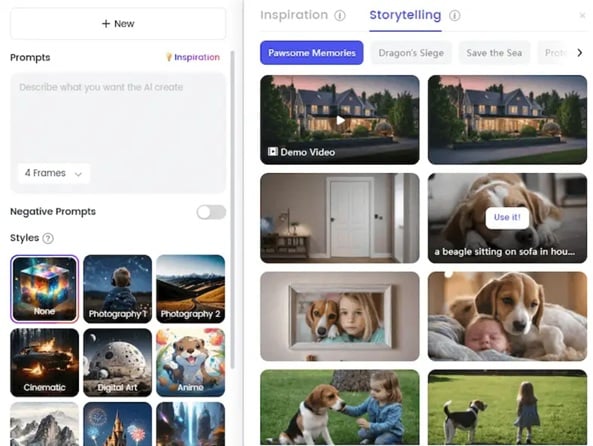
Step 3: Select a style.
Pick a visual style. The same prompt can produce different looks depending on the style chosen.
Step 4: Review the frames and generate the video.
Preview the generated keyframes and choose the ones you prefer. Then, click “Generate” to create the final clip. Each video usually uses ten credits.
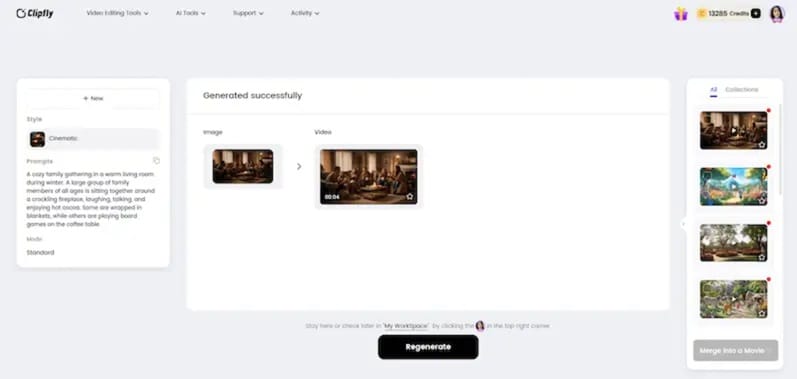
Part 4. Clipfly AI Review: Output Quality & User Experience
Let's see how good the results are in real use. Creation is easy but quality and control matter more once the video is produced.
Output Quality
The clipfly AI video generator produces strong results for short clips. Visuals look sharp when scenes are simple. Quality depends on three factors:
- Clear prompts with specific actions
- Limited scene complexity
- Willingness to try multiple generations
Simple scenes stay consistent. Complex prompts may need two to five attempts for better alignment. If you iterate quickly, results improve. If you expect perfect output on the first try, you may feel friction.
Scene detection and color adjustments are accurate for basic edits. Motion smoothing works well in short sequences.

Ease of Use
Clipfly is beginner-friendly. You enter text or upload an image. Click “Generate,” and the clip appears in seconds. For professionals, controls may feel limited. There is no deep camera control or strict character consistency management.
Workflow
The interface guides users toward finishing short social clips. Entry points are clear. The process feels direct and focused on speed.
Stability and Speed
Generation is fast. Processing time is short for standard clips. Cloud handling reduces technical setup. Performance remains stable during short video creation.
Styles and Consistency
The platform offers multiple visual styles, including anime-inspired, digital art, cinematic, and illustrated looks. Style output is strong in short scenes. Long or complex narratives may show variation across frames.

Verdict: Pros & Cons of Clipfly AI
- Very easy to use; minimal learning curve
- Reduces mental load with a simple prompt-based workflow
- Combines video generation, voiceover, captions, and basic editing in one place
- Fast production suitable for trend-based content
- No software installation required; browser-based access
- Limited fine-tuning control; requires full regeneration for changes
- AI voices and avatars lack strong emotional depth
- Basic editing only; no advanced timeline control
- Risk of repetitive template-style content
- A credit-based system may limit heavy usage
Who should use Clipfly AI:
- Marketers: Ideal for fast promo videos, product demos, and multilingual social ads created from simple text using the Cliply AI video generator.
- Educators: Useful for turning lesson scripts or diagrams into narrated explainer videos with captions, without technical editing skills.
- Content Creators: Suitable for influencers, small businesses, and vloggers who want quick reels, intros, or short branded clips without complex software.
Part 5. Want More Options? Why I Recommend Wondershare Filmora
If speed is where Clipfly ai shines, control is where many creators start asking for more. Short clips are easy. Quick drafts are simple. But shaping a video with precision often requires deeper tools. We recommend Wondershare Filmora as a strong Clipfly ai alternative.
Filmora is the next AI generation tool that goes beyond just generating images or videos. It gives you a full editing timeline to actually shape the results. You can generate AI content, then fine-tune pacing, trim scenes, add text, effects, music, and polish everything in one place.
 Secure Download
Filmora’s Advanced AI Editing Tools
Improves video clarity using dual AI models integrated with Topaz technology. It can upscale footage to 4K, restore old clips, and improve low-light scenes by rebuilding missing detail.
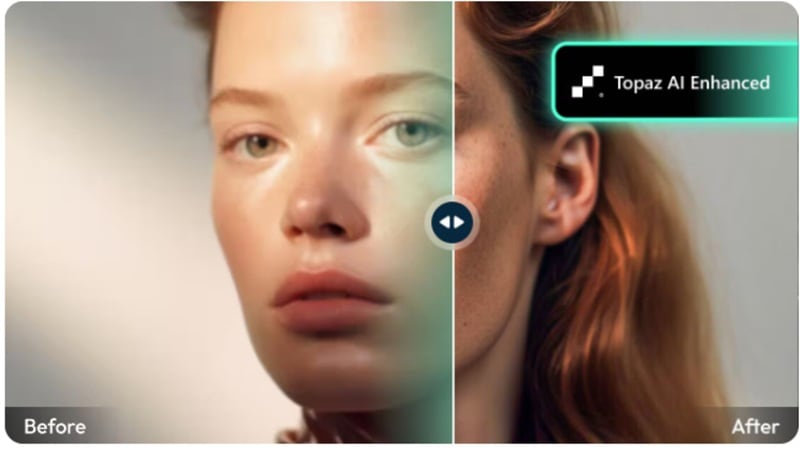
Background Remover (Chroma Key, AI Portrait, Smart Cutout)
Removes video backgrounds, with or without a green screen, since Filmora supports chroma keys as well. AI Portrait automates the process of separating the subject from the background. Smart Cutout allows quick object separation with a brush tool.

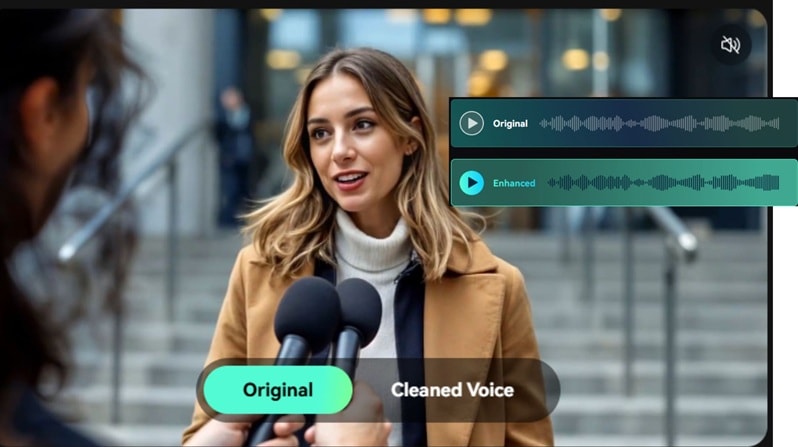
Enhances sound quality with AI noise control and effects. Supports music editing, podcast workflow improvements, and audio format conversion.
AI Motion Tracking & Smart Masking
Tracks moving subjects and attaches text, graphics, or elements to motion paths. Smart Masking isolates objects automatically without manual edge tracing.
Next-Gen AI Creation Models
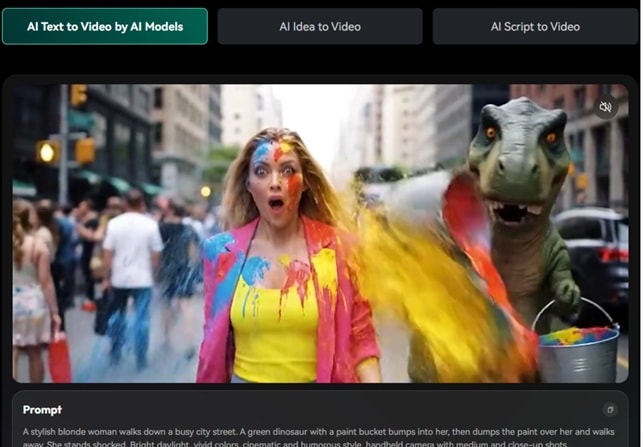
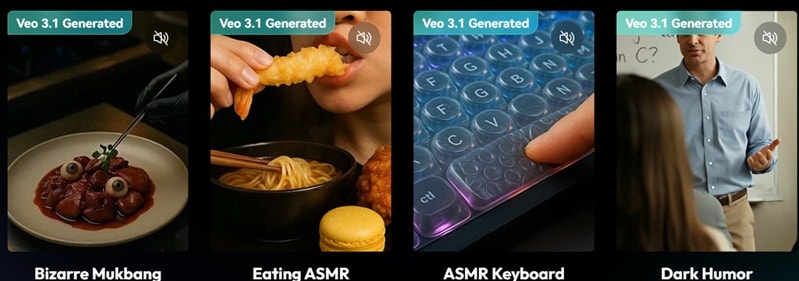
AI Text-to-Video (Veo 3.1 & Sora 2)
Supports advanced models, including Veo 3.1 and Sora 2. Users can turn short ideas, keywords, or full scripts into ready-made videos. The system converts text directly into structured visual scenes with minimal setup.
AI Image-to-Video (Veo 3.1 & Sora 2)
Analyzes uploaded images and transforms them into animated clips. Built-in motion effects like AI Hug and AI Kiss add movement and sound automatically. Ideal for social media content.
AI Image Generator (Nano Banana Pro)
Uses Nano Banana Pro for improved image creation and styling. Users upload a reference image and add a prompt. The model generates refined visuals with preset artistic styles.
Creates custom sound effects directly inside projects. Supports exporting in formats such as WAV and MP3. Saves time compared to manual audio search.
Produces scripts, titles, and descriptions directly within the editor. Helps streamline content planning during production.
Creates custom stickers from text prompts. Offers multiple visual styles, from simple vectors to detailed 3D designs.

Part 6. Clipfly AI vs Wondershare Filmora: Should You Use Clipfly AI?
| Category | Clipfly AI | Wondershare Filmora |
| Platform Type | Browser-based AI generator | Desktop video editor with AI + full timeline |
| Editing System | Template-based, limited manual control | Full multi-track timeline editor |
| Text-to-Video | Yes | Yes (Veo 3.1 & Sora 2 supported) |
| Image-to-Video | Yes | Yes (AI Image-to-Video models integrated) |
| AI Image Generator | Basic stylized outputs | Nano Banana Pro integrated for advanced synthesis |
| Background Removal | AI subject detection | Chroma Key + AI Portrait + Smart Cutout |
| Motion Tracking | Not listed as advanced tool | AI Motion Tracking with object follow |
| Video Enhancement | Basic adjustments | AI Video Enhancer with Topaz integration, 4K upscale |
Final verdict:
- If you want simple and “good enough fast,” Clipfly is a comfortable choice.
- If you want choice and the ability to match the model to the task, you may want to look for alternatives like Wondershare Filmora as a smarter long‑term option.
Secure DownloadConclusion
This detailed clipfly AI review shows a tool built for speed. It performs well for short clips, simple prompts, and quick social posts. The workflow is smooth. Setup is easy. Results can look impressive when scenes stay clear and focused. But limits appear with complex storytelling, fine control, and emotional depth. The credit system and 1080p cap also shape long-term value.
For creators who need fast drafts, Clipfly works. For those who want deeper editing, model selection, and stronger polish, Wondershare Filmora offers more room to grow without leaving a single platform. The real decision comes down to how much control your content truly needs.
