


 TL;DR:
Downloading a Dreamina Mod APK to bypass credit limits or watermarks is highly unreliable because Dreamina AI relies on cloud-based server processing, causing modified apps to consistently fail during content generation.
● Premium tools and credit balances are tied directly to backend accounts rather than the installation file, meaning fake unlocked features will freeze mid-generation or break after an official update.
● Modified versions promising no watermarks frequently fail during the final processing stage, resulting in corrupted exports or reapplying the branding after rendering.
● A secure alternative workflow is to generate initial visuals using the official Dreamina AI app and import them into Wondershare Filmora for unrestricted editing, motion tracking, and clean final exports.
Ask AI for a summary
 ChatGPT
 Perplexity
 Gemini
 Claude
 Grok
Grok
Dreamina AI is a ByteDance-owned creative platform that runs several of its AI models under one roof, including Seedance. But since most of its best features require paid credits or a subscription, the interest in Dreamina Mod APK is also growing, driven by users hoping to unlock premium features, remove watermarks, or bypass credit limits without paying.
It does sound like a great deal, until you look at what you're actually installing on your phone. This article takes a closer look at those claims, what actually works, and the safer ways to create content without unnecessary risks.
Part 1. Why "Dreamina Mod APK" Is Trending
Mod APK is a modified version of an app's original installation file, altered by a third party to unlock features that are normally paid or restricted. Because it’s something that doesn’t come from the official developer, there’s no guarantee it’s safe, stable, or even fully functional.
Even with the obvious risks, many still go out of their way to find Dreamina APK Mod for two common reasons:
- Money. Using AI tools like Dreamina is not free, and the subscription cost isn't justified for casual or occasional use.
- Access. Some features are region-locked or unavailable on their current plan. Many then look for a Dreamina APK for a workaround.
For the cost side, new users actually often get free credits or a limited trial. But it's barely enough to cover a full production run. And to unlock more, the subscription price isn't cheap. Not everyone's willing to commit to that, which is why they start searching for "Dreamina Mod APK." People are trying to get full access without paying a dime.
Part 2. What Dreamina Offers (And Where It Feels Limited)
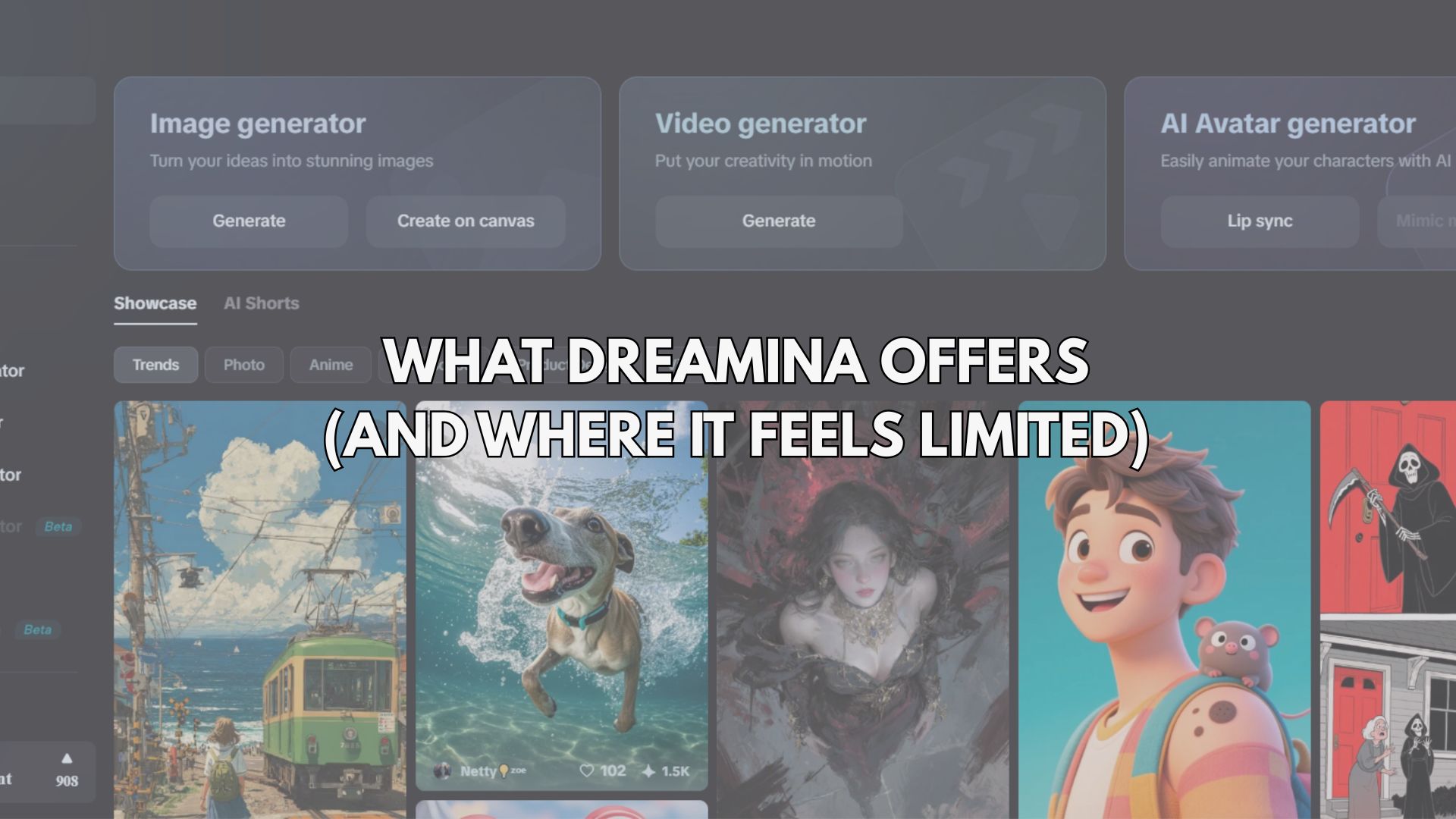
Before looking into terms like Dreamina premium APK, it’s worth understanding why Dreamina AI is getting so much attention in the first place. The app is designed to make visual creation feel almost instant, which is exactly why many creators rely on it for quick ideas and content drafts.
What Dreamina does well:
- AI image generation from simple text prompts
- AI-powered short video creation
- Built-in styles that instantly change the visual mood
- Ready-to-use templates for faster content creation
Dreamina limitations:
- Credits run out quickly when experimenting with multiple prompts
- Some advanced styles and features require payment
- Exported content may include watermarks
- Less control when refining or polishing the final output
These limitations aren’t major obstacles, but they do affect how smoothly you can create, especially when you’re trying to produce content consistently.
Part 3. Mod APK Promises" vs Reality
Once those limitations start to feel frustrating, you can understand why the Dreamina mod APK sounds appealing. They promise a smoother, unrestricted experience. But when you look closer, the gap between what’s advertised and what actually works becomes pretty clear.
"Unlocked Premium for Free"
What’s promised: Full access to paid features without a subscription
What actually happens:
- Most premium tools in Dreamina AI rely on server systems, not just the app itself
- Even if the interface looks "unlocked," the core AI processing still depends on official backend access
- Result: features may appear available, but don’t function properly
"No Watermark"
What’s promised: Clean exports without branding
What actually happens:
- Watermarks are often added during final processing, not just in-app
- Some modified versions:
- - Failed to export correctly
- - Reapply watermarks after rendering
- Result: inconsistent or unusable outputs
"Unlimited Credits"
What’s promised: Generate content without limits
What actually happens:
- Credits are typically associated with user accounts, not the APK file.
- Modified versions cannot reliably bypass this system.
- Common issues include the generation process failing midway, the app crashing during processing, or requests being blocked.
Key takeaway: Most of these "unlocked" features don’t fail due to bad luck, but because they’re controlled outside the app itself. That’s why the experience often feels unstable, even if the app initially appears to be fully unlocked.
Part 4. Does Dreamina Mod APK Actually Work?
If the promises don’t fully hold up, does the Dreamina mod APK still work at all? Sometimes these APKs do work, but not in a way you can rely on.
Some versions will install and open just like a normal app. The interface may even look identical to Dreamina AI, which can make it seem legitimate at first glance. But once you start using it, the experience tends to break down.
What many users commonly run into are:
- Interfaces that look real but don’t connect properly to core features
- Image or video generation that fails, freezes, or produces incomplete results
- Buttons or "unlocked" features that don’t respond at all
- Apps that work briefly, then stop functioning after an update or login attempt
In some cases, the app isn’t even a true modified version, but a repackaged or cloned interface designed to mimic the original without delivering the same functionality.
So, while a Dreamina mod APK might appear to work on the surface, the reliability is usually inconsistent and only temporary, especially for something as dependent on real-time processing as AI content generation.
Part 5. A Safer Workflow Upgrade for Creators
Instead of trying to force unlocked features through unstable versions like Dreamina mod APK, many creators take a different route: they keep Dreamina AI for what it does best, then refine the final output using a specialized editing tool like Wondershare Filmora.
Filmora is a video and image editing software built for creators who need professional results without a steep learning curve. It covers everything from basic trimming to AI-powered features like background removal, motion tracking, and auto-reframe. You get a clean, intuitive interface without sacrificing the tools that actually matter for content production.
 Secure Download
How to Combine Dreamina and Filmora for Your Project
- Use Dreamina to generate visuals quickly from prompts
- Import the results into Filmora for refinement
- Add transitions, effects, and motion to make the content feel more dynamic
- Build a clearer narrative with text, music, and timing control
- Export clean, polished videos without relying on unstable modifications
The difference shows in the final result. Rather than being limited by in-app restrictions, you get more control over how your content looks and feels. It’s a more reliable way to achieve "premium-quality" results, without relying on unofficial apps that may not even work consistently.
Part 6. Dreamina Alone vs Combined Workflow
Once you look beyond quick fixes like Dreamina mod APK, the real difference lies in how much control you want over your final content. Using Dreamina AI on its own is great for speed, but combining it with the right tools completely changes the outcome.
| Approach | What You Get | Limitations / Risks |
| Dreamina only | Fast AI image and video generation using Dreamina AI | Limited control over final output, watermark, and credit restrictions |
| Dreamina Mod APK | Claims of unlocked premium and no limits | Unstable performance, broken features, security risks, inconsistent results |
| Dreamina + Wondershare Filmora | Full creative control, polished visuals, better storytelling, clean exports | Requires an extra step, but delivers more reliable and professional results |
Secure DownloadConclusion
Chasing something like a Dreamina mod APK might seem like the fastest way to unlock more features, but in reality, it often leads to unstable results and unnecessary risks. Tools like Dreamina AI are designed around cloud systems, meaning most "unlocked" versions simply can’t deliver what they promise.
A more reliable approach is to work with the app as intended, then enhance your output using tools like Wondershare Filmora. This way, you not only remove limitations but also improve quality, control, and consistency in your content creation process without compromising security.
FAQs
-
Is Dreamina Mod APK actually safe to use?
Not really. Most versions come from unknown and unverified sources, unlike the official Dreamina AI. Even if it installs successfully, there’s always a risk of hidden code, data leaks, or unstable performance behind the scenes. -
Why do Dreamina Mod APK versions stop working after a while?
Because the app relies heavily on a cloud-based system. When the official version is updated, the modified version can't keep up, which often leads to broken features, login errors, or the app failing to function entirely. -
Can a mod APK really unlock unlimited credits or premium features?
In most cases, no. Credits and premium tools are tied to the account on the server side, not just the app file. That’s why many "unlocked" features don’t work or stop working quickly. -
Why is "Dreamina Mod APK" so popular in search?
It usually comes down to convenience. Users want fewer restrictions, such as no watermarks or more credits, without paying. However, rather than a real shortcut, it often leads to a less reliable experience.
