


One product photo in, a full ad campaign out. With QuickAds AI, you can start with a product photo and end up with a complete ad campaign without opening five different tools. It combines ad research with AI-generated images, videos, UGC-style creatives, and product photoshoots.
But the real test is what happens after you hit generate. Do the results look good enough to use? Is the workflow practical, or will you spend more time fixing AI-generated content? We tested how QuickAds AI ad generator performs in practice, what the platform offers, how much it costs, and where it falls short.
Part 1. What Is QuickAds AI?
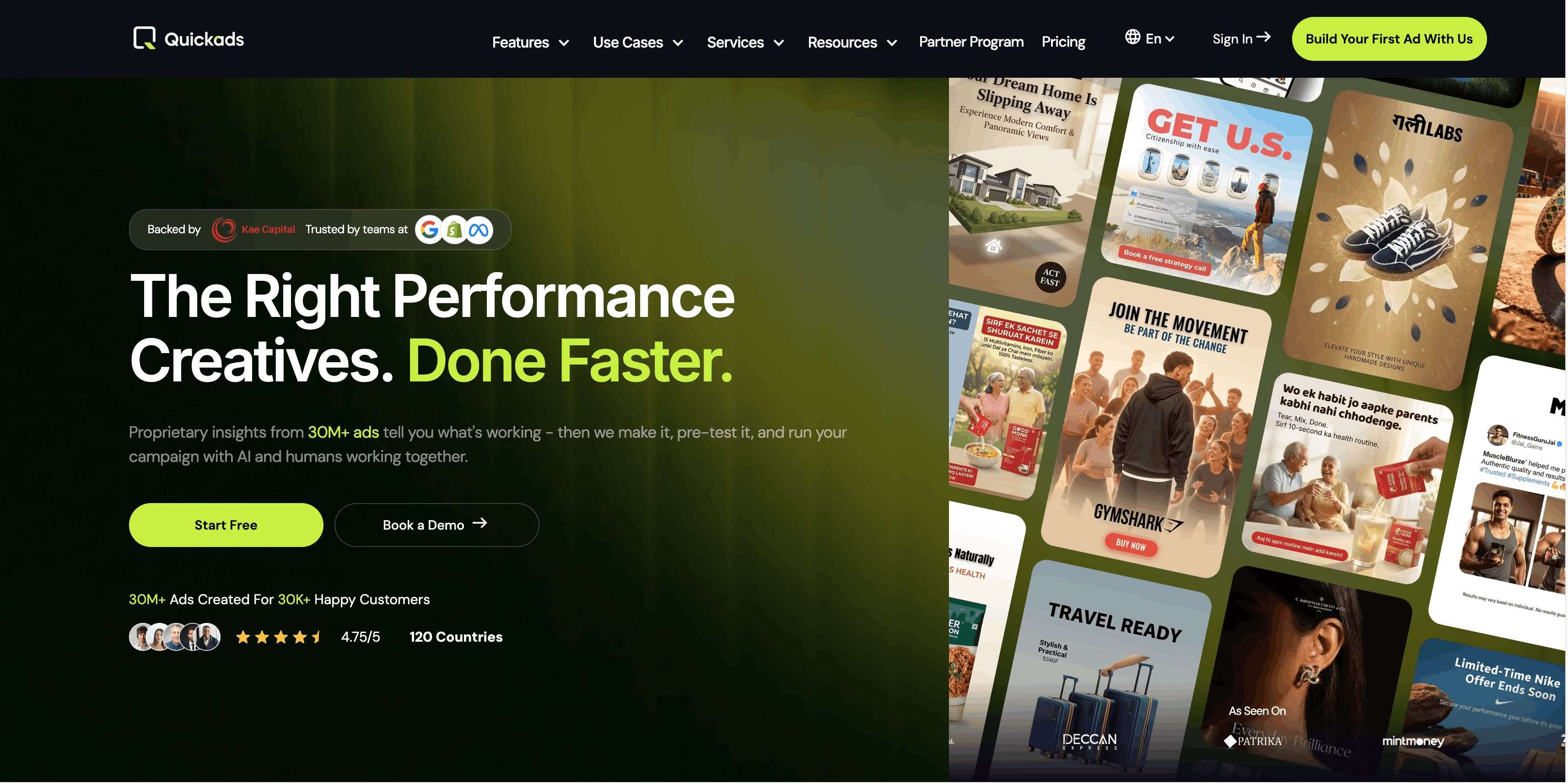
QuickAds AI is designed for teams that want to create ads based on what already works, rather than just generating random creatives from a prompt. It combines ad-performance data, AI creative tools, and human input to assist with everything from finding winning ad ideas to producing and optimizing new creatives.
- 30M+ ads: QuickAds says its ad library contains insights from more than 30 million ads, giving users a vast collection of ad content to research before creating their own.
- AI ad creation: Generate image and video ads, UGC-style content, and product photoshoots from the platform.
- AI + human support: Its premium creative services add human strategists and creative teams to the AI workflow.
- Global reach: QuickAds claims to have partnered with 30K+ brands across 120 countries.
- Browser-based: QuickAds is accessed through app.quickads.ai in a web browser, with no desktop installation required.
Part 2. Key Features and Capabilities
QuickAds AI integrates several ad creation and research tools into its workflow. These key tools are useful for generating ideas, creating new ad content, and preparing it for testing.
Ad Discovery Library
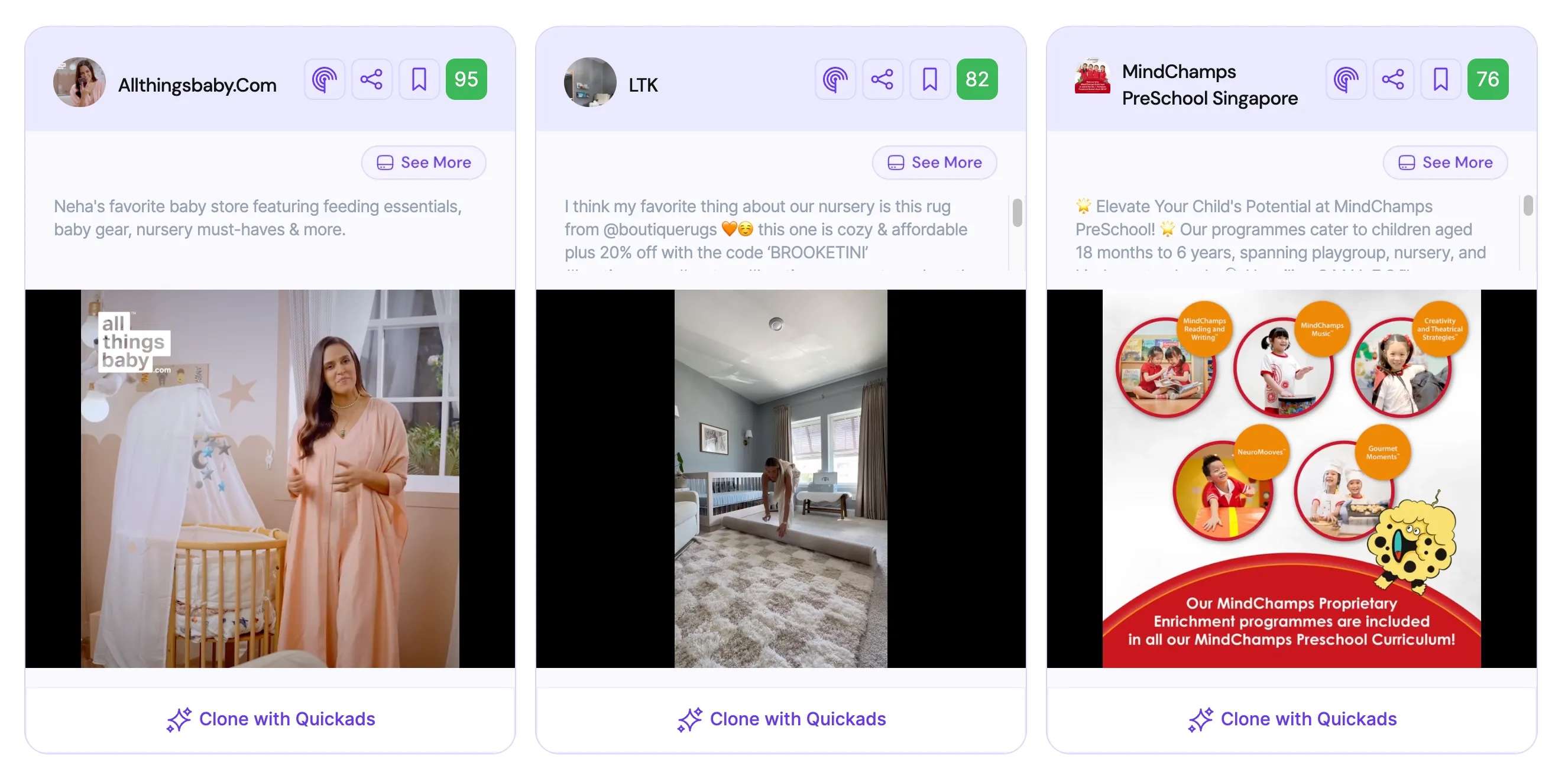
QuickAds gives you access to a library of 30M+ ads to browse for creative ideas and competitor research. You can filter ads by factors such as industry, platform, and format to find examples relevant to your campaign.
AI Image Ad Generator
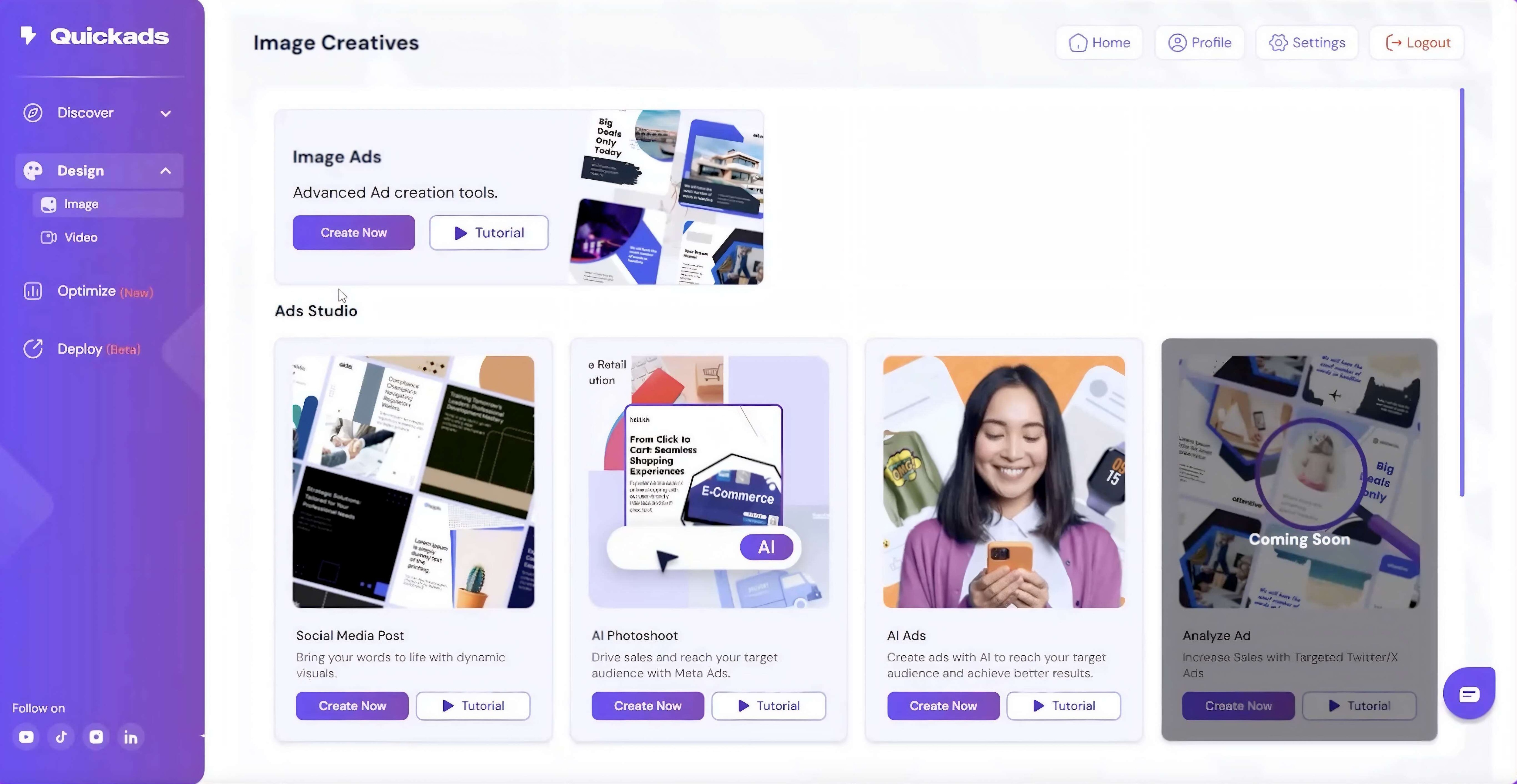
The image generator can turn a product image, URL, or prompt into ad creatives. It also supports virtual product and fashion photoshoots, letting you create new settings and product visuals without an actual shoot.
AI Video Ad Generator
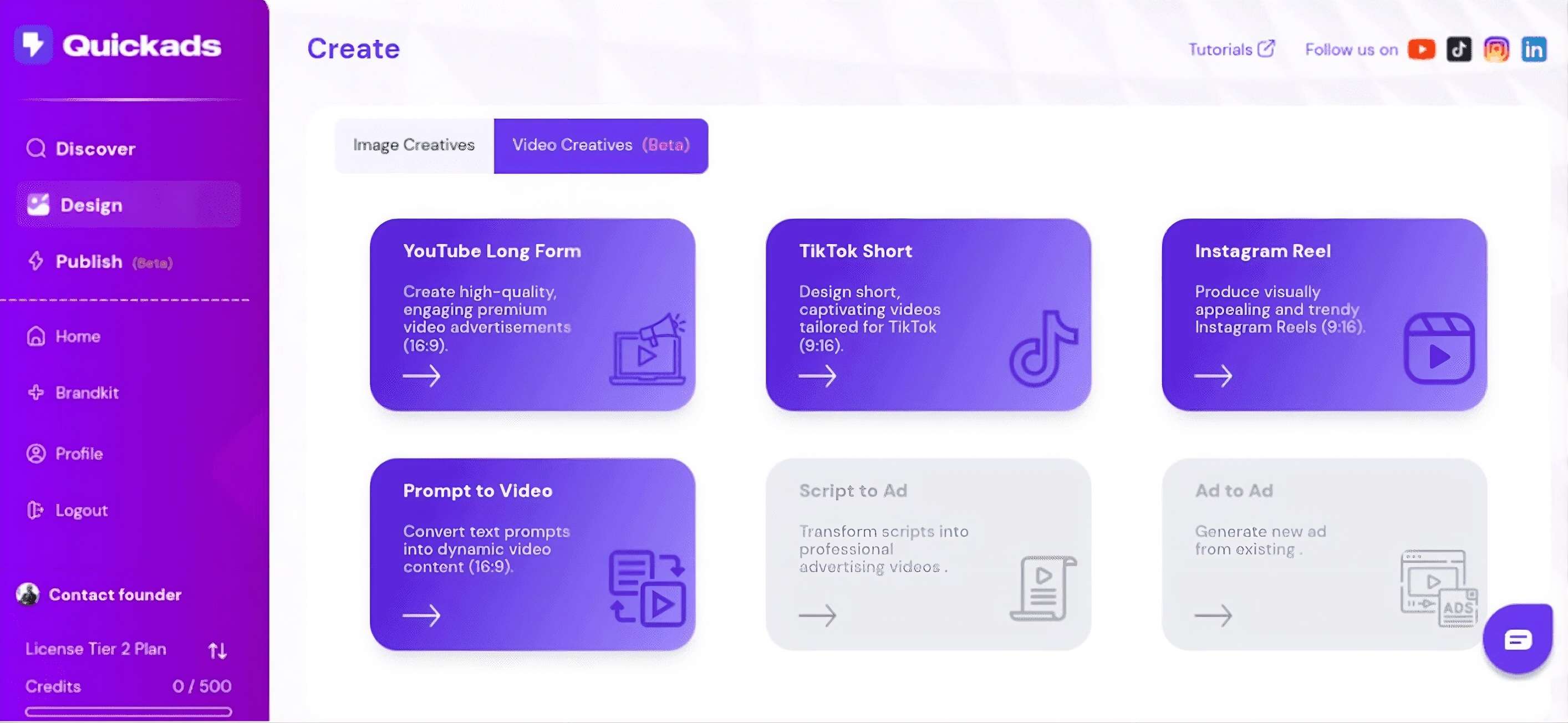
QuickAds can create video ads using stock footage, AI avatars, voiceovers, and UGC-style formats. You can generate different hooks, scripts, and creative variations for short-form advertising.
Optimize & Publish
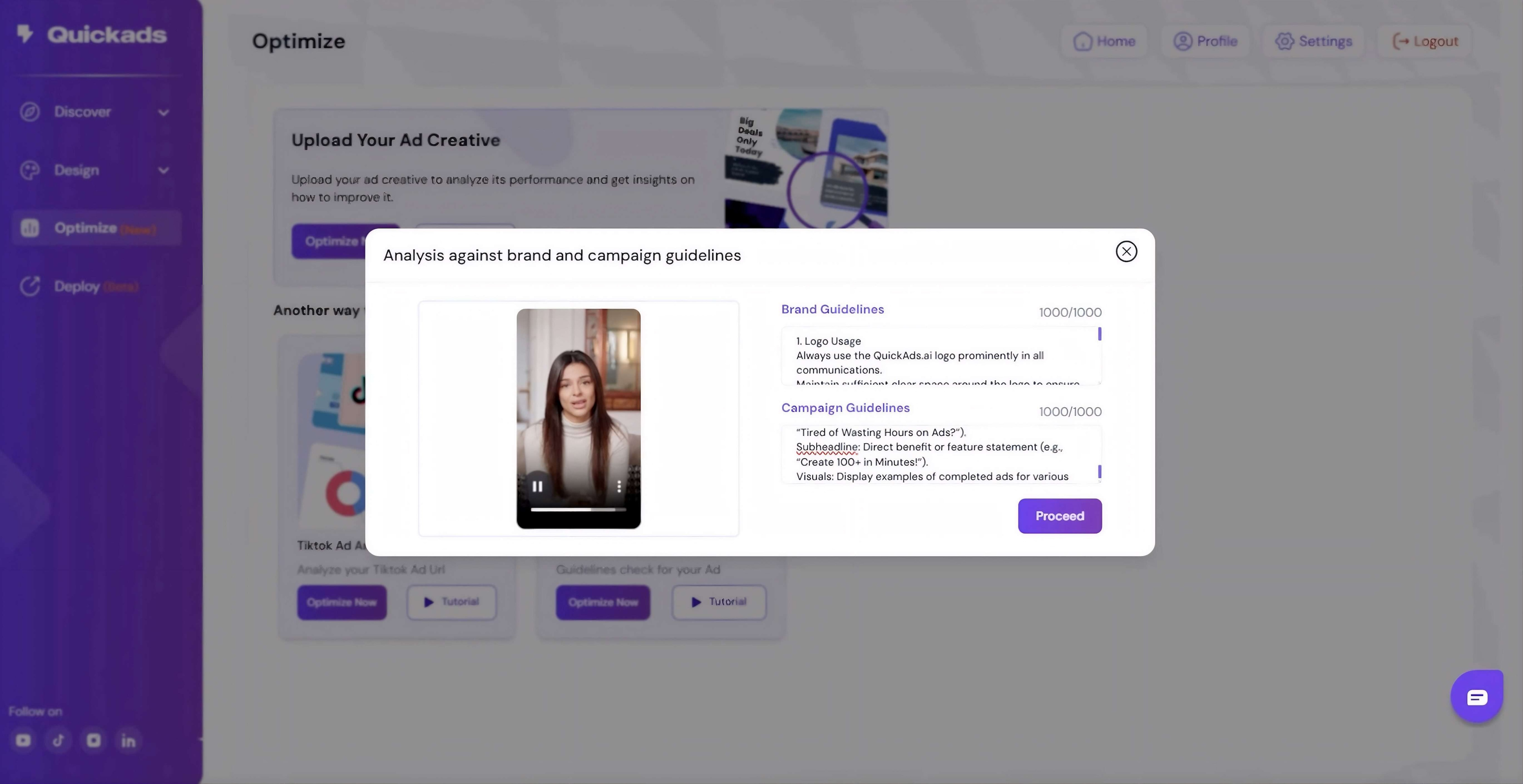
Before launching, QuickAds can analyze and score creatives to help identify stronger variations. Its campaign tools also support publishing and management across platforms including Meta, TikTok, and Google.
AI Photoshoots
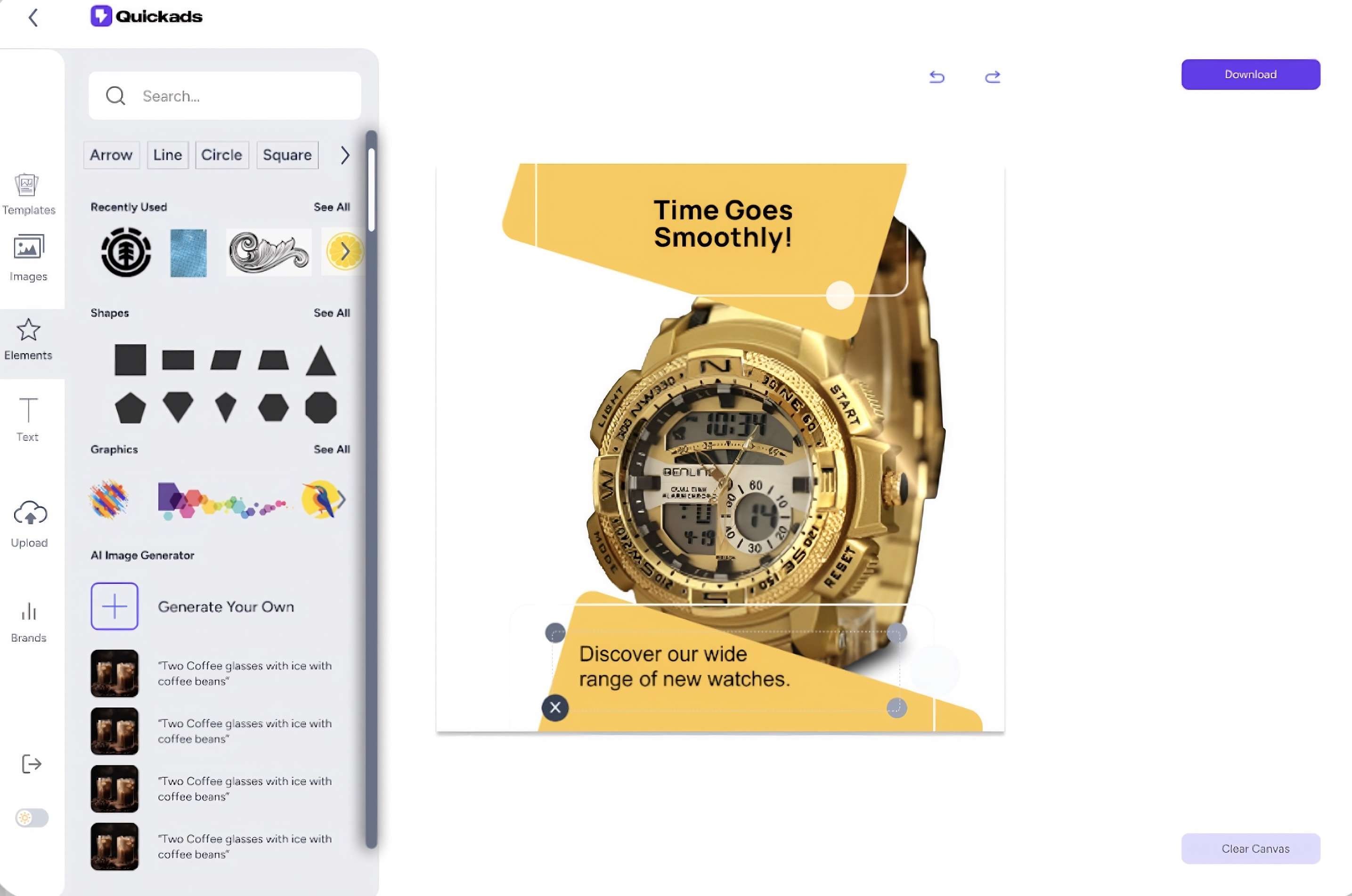
The AI Photoshoot tool creates product and fashion images from uploaded products, with different scenes, backgrounds, and compositions to choose from.
Tools
QuickAds AI also includes several smaller creative tools that are useful for specific content needs:
- Promo Video Ads for turning products or ideas into short promotional videos.
- Social Media Post Generator for creating branded social content.
- Product Photoshoot for generating product-focused visuals without a traditional photoshoot.
Part 3. QuickAds AI Pricing
QuickAds AI pricing offers a free DIY option, as well as paid plans and managed services for businesses that need more creative assets or hands-on support.
| DIY Creatives | Performance Creatives | Creatives + Campaign | |
| Pricing | Get started free, and subscribe for $99/month | Custom pricing | Custom pricing |
| Features | QuickAds’ AI tools for ad research, image and video creation, photoshoots, pre-testing, and publishing | Content created by a professional team, UGC videos, product photo shoots, creative strategies, and performance testing. | Campaign setup, monitoring, optimization, and A/B testing across platforms including Meta, Google, Amazon, and TikTok. |
|
Show More
Show Less
|
|||
For most users testing the platform themselves, the DIY plan is the relevant starting point. Businesses seeking ad creation or campaign management services tailored to their needs should request a custom quote.
Promo Code & Affiliate Program
If you’re looking for a QuickAds AI promo code, there isn’t one listed on the pricing page right now. However, QuickAds offers a 5-day $1 trial for its Performance Creatives service. It also has a partner program for affiliates who want to earn commissions by referring customers.
Part 4. QuickAds AI Platform Experience (Our Review)
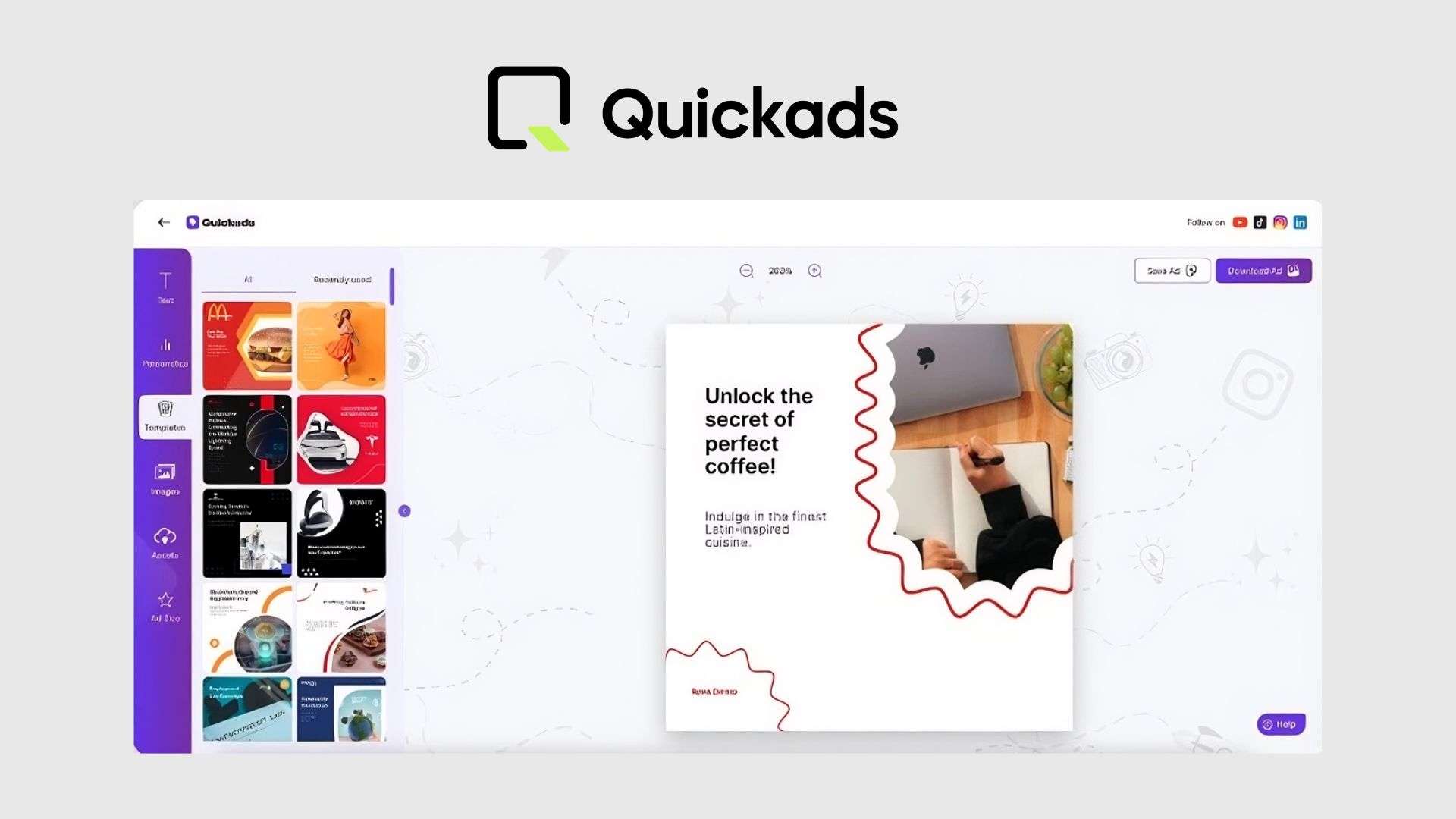
QuickAds AI has plenty of tools on paper, but the real test is the creative it produces. We tried its workflow to see how quickly we could get usable ads and how much manual work still needed afterward.
First Impression (★4.2/5)
- Lots of tools: The platform covers ad research, image and video generation, photoshoots, and optimization inside one workspace.
- Easy starting point: You can begin with a product image, URL, or creative idea instead of building everything from scratch.
- Some learning curve: The number of tools can feel overwhelming at first, especially if you only need a simple ad.
Output Quality (★4.4/5)
- Strong for variations: QuickAds is useful for quickly producing multiple ad concepts, hooks, and formats.
- Images generally look polished: Product visuals can work well for social ads and promotional creatives.
- Videos need checking: UGC-style videos and AI-generated elements may still lack some detail, so review the final result before publishing.
Ease of Use vs. Manual Editing Needed
- Fast first drafts: Most of the production work is handled automatically once your inputs are ready.
- Not completely hands-off: You may still need to adjust text, pacing, visuals, captions, or voiceovers.
- Best for speed: QuickAds works well for generating options quickly, while a dedicated editor gives you more control over the final cut.
Part 5. Pros and Cons of QuickAds AI
After testing the platform, our QuickAds AI review found a few clear strengths and some limitations worth knowing before you sign up.
- QuickAds lets you explore multiple creative directions without having to start each one from scratch
- The ad library provides a starting point when you’re unsure what style or messaging to try.
- You can go from a product asset to multiple ad variations relatively quickly.
- You can handle the creative work yourself or pay for QuickAds’ team to take on more of it.
- Some creative materials still require changes to the text, visuals, pacing, or voice-over.
- If you only need an occasional social ad, the range of tools may feel excessive.
- Detailed adjustments are better handled in a dedicated editing tool.
- The more hands-on options don't have clear public pricing.
Who Should (and Shouldn't) Use QuickAds AI
QuickAds AI is best suited for businesses that need to produce and test ad creatives regularly, but want to reduce some of the manual work involved.
✅ Good For:
- Small e-commerce brands: Create product ads without a large creative team.
- Solopreneurs: Handle ad research and creative production in one place.
- Small teams: Produce more ad variations for testing.
- Quick testing: Experiment with different hooks, visuals, and formats.
❌ Not Ideal For:
- Media buyers who need ready-to-run ads: Some ad materials still require refinement.
- Designers who want full control: QuickAds does not replace detailed manual editing.
- Teams with their own creative team: Some features may overlap with tools you already use.
Part 6. Refine and Complete Your Ads with Filmora
QuickAds AI can handle the first draft, but you may still need a few finishing touches before it feels ready for a real campaign. Wondershare Filmora works well as a finishing editor for exported QuickAds videos, especially when you need more control over timing, audio, captions, or formatting.
What You Can Do with Filmora
- Adjust color, brightness, and tone so clips from different sources look more consistent.
- Generate, edit, and style subtitles to match your ad’s pacing and branding.
- Add music and sound effects, adjust audio levels, or replace an AI voiceover that doesn’t fit.
- Trim unwanted sections, rearrange scenes, and adjust transitions.
- Reframe the same creative for vertical, square, or landscape formats.
- Apply text, overlays, effects, and branding elements to give the generated ad a more refined look.
 Secure Download
Conclusion
QuickAds AI works well for brands that need to produce multiple ad variations and test different creative ideas. Its ad library can help with competitor research, while its tools for images, videos, and photo shoots speed up the production process.
However, some generated ads still need adjustments before they are ready for a paid campaign, especially when you want tighter control over visuals, pacing, or audio. If you use QuickAds AI for generation and Filmora for the final edits, you get a workflow that combines fast AI production with more detailed video editing.
FAQs
-
Does QuickAds AI have a mobile app?
QuickAds AI is accessed via its web app at app.quickads.ai. There is currently no dedicated iOS or Android app, so you’ll need to use a browser to access the platform. -
Is Quickads AI good for small businesses?
It can be a good fit for small businesses that need regular ad creatives but have a limited creative team. You can use the DIY tools for ad research, product visuals, and creative variations. -
Does QuickAds AI support multiple languages?
Yes. QuickAds AI can create ad content in multiple languages, which is useful when you’re running campaigns for different markets. -
Can you collaborate with multiple team members?
QuickAds AI supports team-based workflows, so multiple team members can work on creative and advertising tasks from the same account.
