


 TL;DR:
Remini AI is a fast, one-tap mobile and web tool best suited for unblurring faces and restoring old photos, while content creators needing advanced video enhancement or full editing workflows should opt for desktop software like Wondershare Filmora.
● While the deep learning models excel at reconstructing missing facial details, they are less reliable for landscapes or objects and can sometimes generate over-processed, unnatural-looking results on already clear images.
● The free version is strictly limited by daily processing caps, mandatory ads, and watermarks, requiring a Personal ($17.99/month) or Business ($24.99/month) subscription to unlock commercial use, batch edits, and PNG or TIFF output formats.
● Remini restricts video enhancement to short clips of 60 to 120 seconds and requires cloud processing, making Filmora the better choice for video projects due to its integration of Topaz Starlight AI, audio denoising, and granular manual controls for skin and facial retouching.
Ask AI for a summary
 ChatGPT
 Perplexity
 Gemini
 Claude
 Grok
Grok
Got an old, blurry photo that looks beyond saving? Remini AI claims it can fix it in seconds, sharpening faces and bringing back details you thought were gone.
Created by Bending Spoons, Remini AI is designed to refine your photos by sharpening details, cleaning up faces, and boosting overall quality in just a few taps. We were a bit skeptical at first, so we tested Remini AI Photo Enhancer on real blurry photos to see how it actually performs, what it gets right, and where it still struggles. Here's our review.
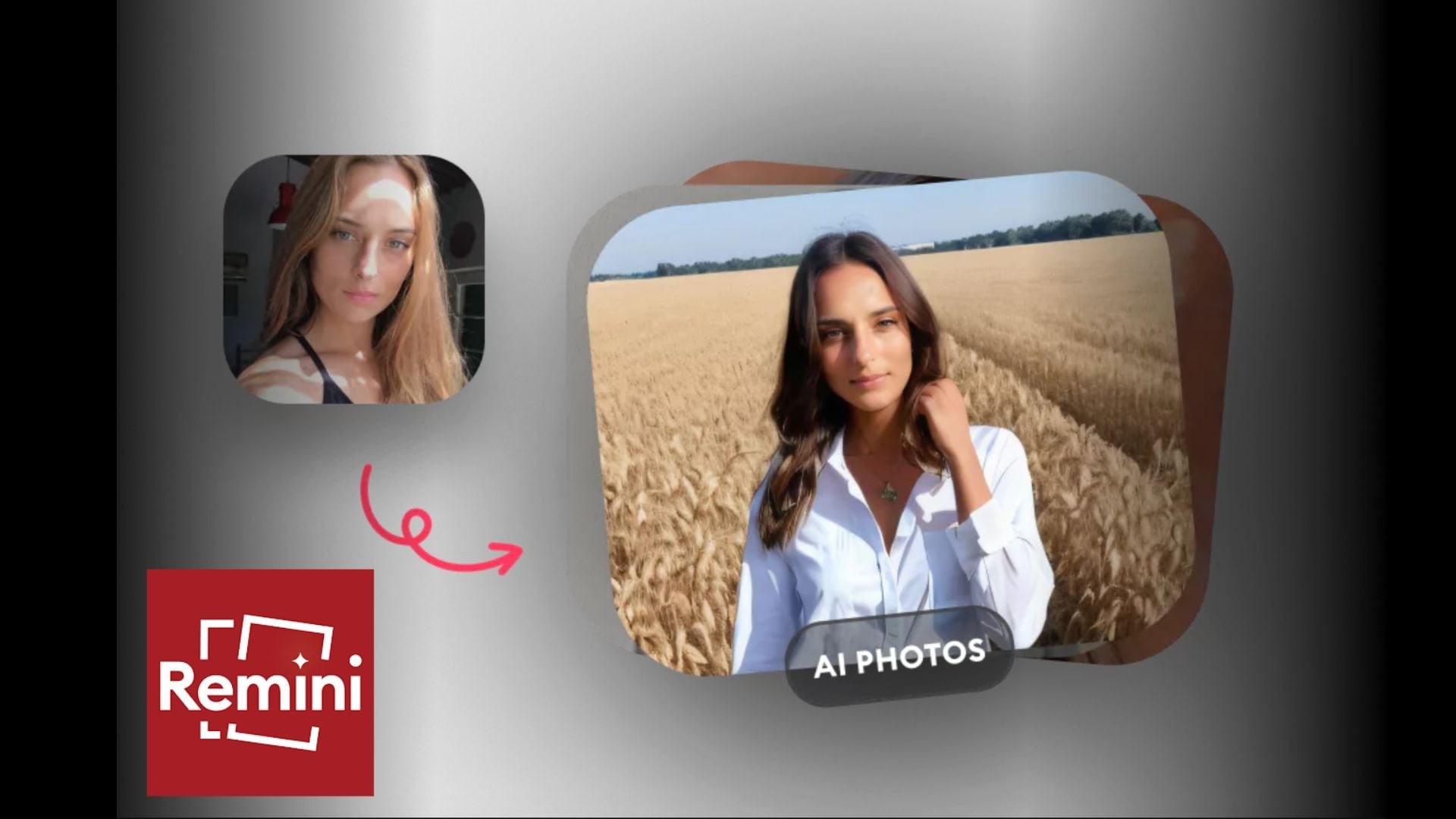
Table Overview of Remini AI
Before getting into the test results in detail, it's worth taking a quick look at what Remini AI actually offers at a glance. Here's a brief overview of its key features, pricing, and overall experience so you know what to expect before diving deeper.
| Feature | Details |
| Platform | iOS, Android, and web (Remini AI web) |
| Primary use | AI photo enhancer and video enhancer for restoring blurry or low-quality media |
| Key features | Face enhancement, photo unblur, AI upscale, photo restoration, Remini video enhancer |
| Pricing | Free version with limits, premium subscription (Remini AI Pro) for full access |
| Privacy | Cloud-based processing, images may be uploaded for AI enhancement |
| Ratings | Highly rated on app stores, popular among users for quick photo fixes |
Part 1. What is Remini? Why Is It Popular?
Remini AI is basically an AI photo and video enhancer that focuses on fixing what is usually hard to fix. Blurry selfies, old family photos, and low-res images, the app works to rebuild the details and make them look sharper, especially on faces.
Its popularity didn’t happen slowly. Around July 2023, Remini AI started popping up all over TikTok, mostly through those before-and-after videos that were hard to ignore. The results looked dramatic, sometimes even a bit too perfect, and people got curious. That wave pushed it to the #1 spot on the US App Store, even passing Threads, with millions of downloads in a short time.
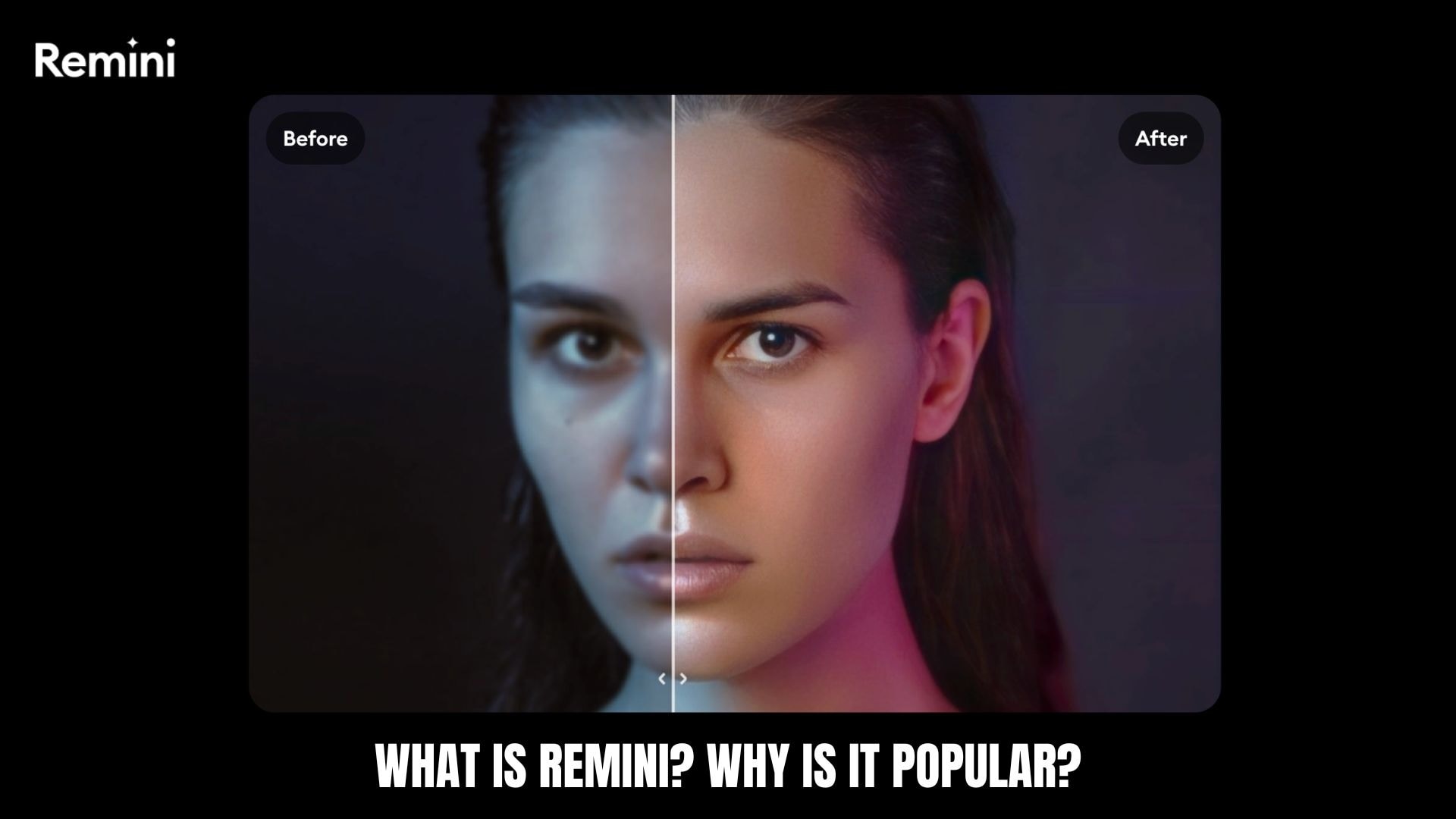
Right now, you can use the app Remini AI on iOS, Android, or directly in a browser through Remini AI web, so it fits pretty easily into whatever setup you already use.
Part 2. Key Features and Capabilities of Remini AI
Essentially, Remini AI uses deep learning models and GANs trained on millions of high-quality images. Rather than simply sharpening, it predicts and rebuilds missing details, especially on faces, which is why the results can look very clean and sometimes a bit too perfect.
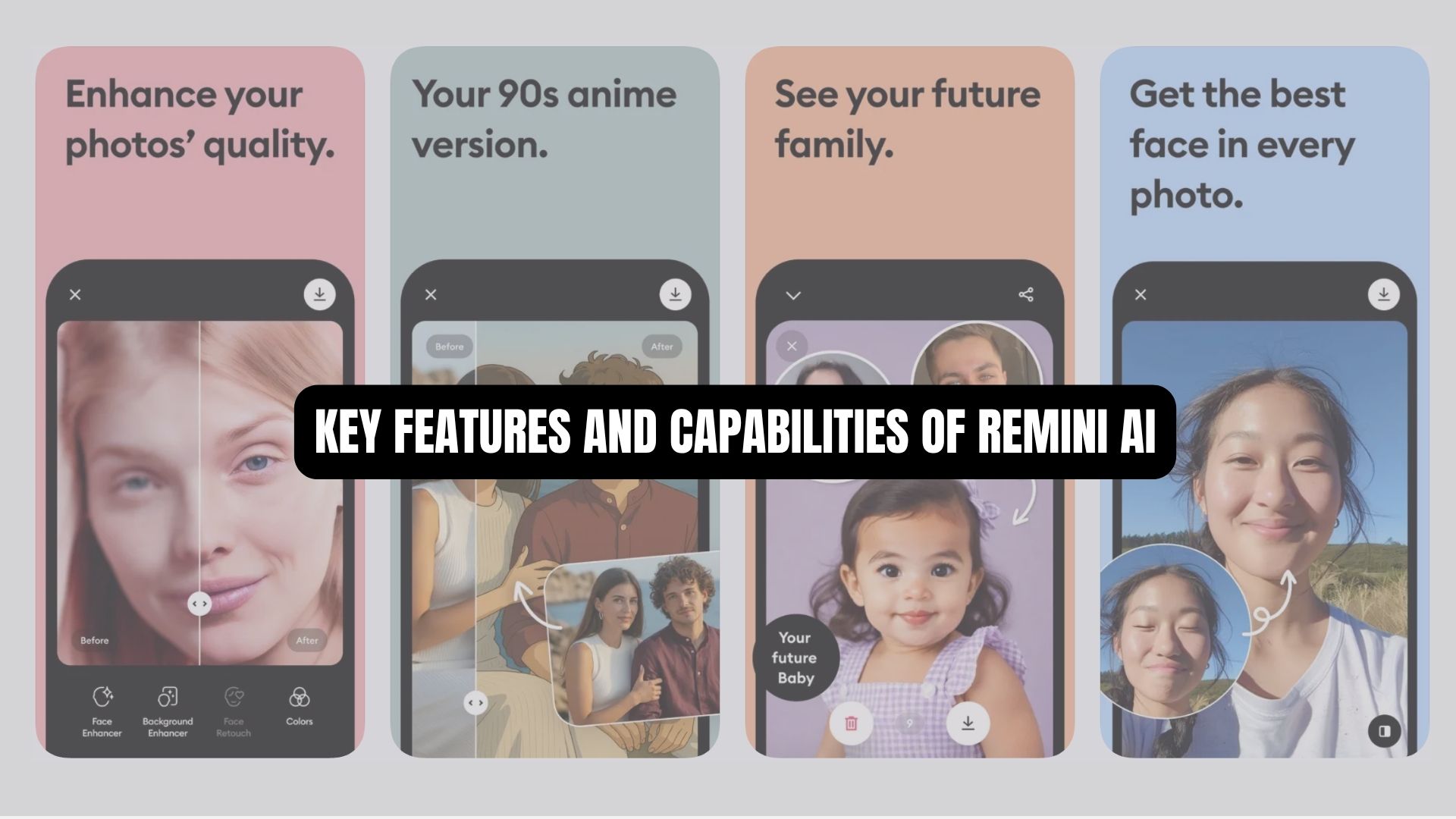
Core Enhancement Tools
Remini's core AI enhancement tools cover the most common photo and video fixes, including:
- Unblur & Sharpener: Feature like Unblur image in Remini focuses on facial details like eyes, skin, and hair. Works best on portraits, but can feel slightly over-processed on already clear photos.
- Old Photos Restorer: Reduces noise, restores faded colors, and adds clarity to vintage images. Impressive results, though faces can look a bit “refreshed.”
- Color Fixer: Improves dull or uneven tones. Subtle, but helpful for balancing overall color without extra edits.
- Video Enhancer: Remini online video enhancer can enhance video frames to make them sharper and clearer. Results depend heavily on the original video quality.
AI Photos
This feature focuses more on creative editing rather than simple enhancement.
- Generates stylized portraits based on your photo
- Offers different looks, like studio shots, trendy styles, or dramatic lighting
- Ideal for profile pictures or social media content
- The results can look very polished, but they don’t always look completely natural
Part 3. Remini Pricing: Can You Use It for Free?
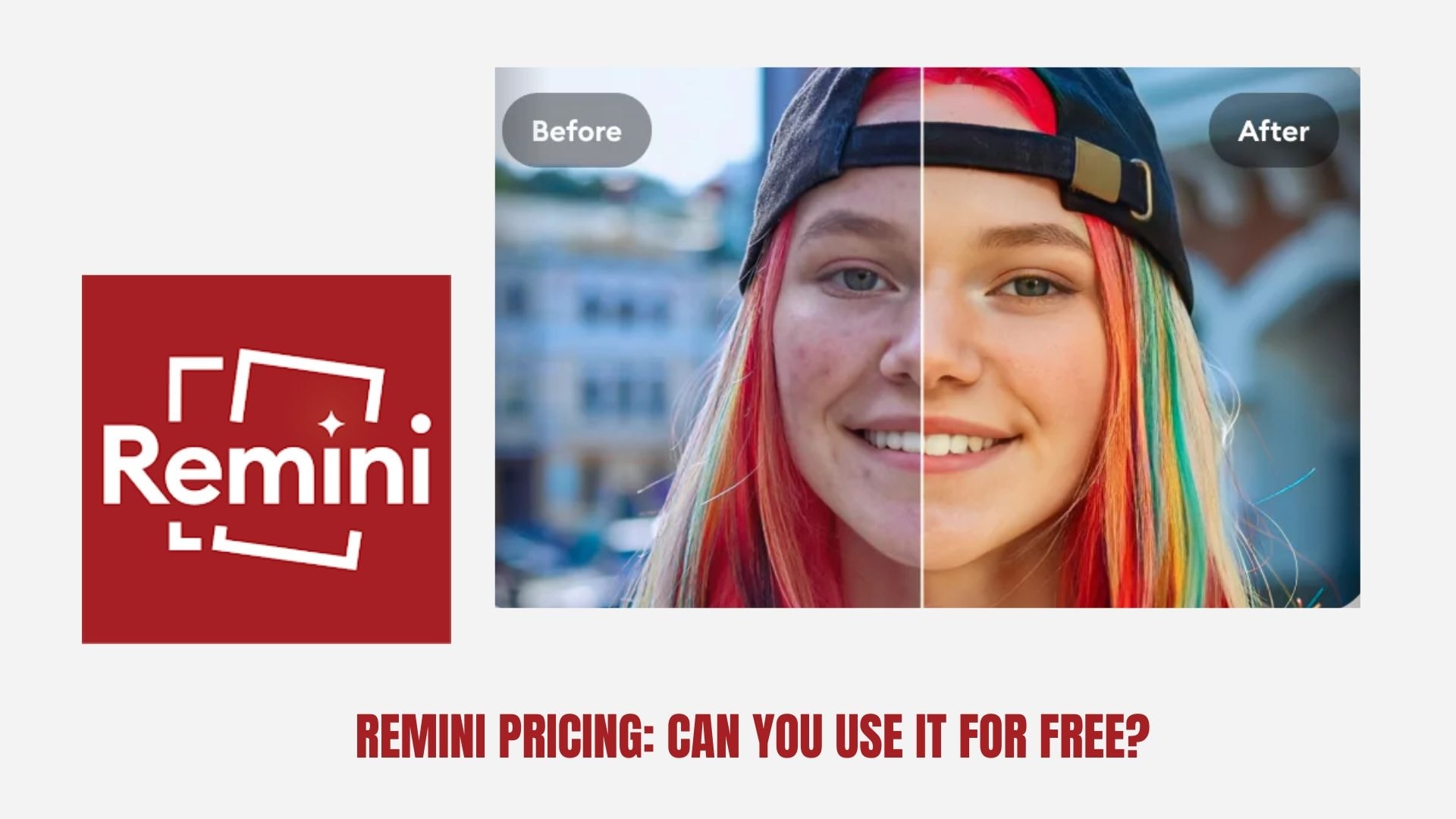
Remini AI uses a freemium model, which means you can use Remini for free without paying, but not without limits:
- Free access is available on mobile and web
- Includes basic tools like photo enhancement and unblur
- Limited number of edits per day
- You usually have to watch an ad before processing
- Some features, such as advanced restoration or batch edits, are restricted
- Watermark on exported photo results
For casual use, a free Remini photo enhancer is enough to test how well it works. However, if you plan to use it frequently, you may need to upgrade your plan or look for another photo enhancer online free like Remini.
Subscription Pricing Tiers & What You Get
Remini AI splits its subscription plans into Personal and Business tiers. The Personal plan is aimed at everyday users who want better quality and faster processing. The Business plan is built more for creators, agencies, or anyone handling content at scale.
| Personal | Business | |
| Pricing | $6.99/wk / $17.99/mo / $179.99/yr | $9.99/wk - $24.99/mo - $249.99/yr |
| AI Photo Enhancement | Up to 20 photos/week | Unlimited |
| Output Image Format | JPG only | JPG, PNG, TIFF |
| Individual Video Limits | 60s/60MB | 120s/120MB |
| AI Models | All Access | All Access |
| Bulk Upload | ||
| Commercial Use | ||
| Photoshop Plugin |
Note: Prices may vary depending on the region, platform, and current promotions.
Part 4. Our Experience with Remini AI: Pros & Cons
After testing Remini AI on various blurry selfies, compressed images, and a few short videos, the results were immediately apparent. Faces became sharper, details looked cleaner, and older photos felt more “alive.” However, the app isn’t perfect yet, and the results can vary depending on what you start with. Here's a summary based on our experience.

Pros and Cons
- Strong facial enhancement results. Remini excels at sharpening eyes, skin, and facial details, especially in low-quality portraits.
- Very easy to use. The one-tap process makes it accessible even if you’ve never edited a photo before.
- Noticeable improvement in seconds. Processing is quick, and the before-and-after difference is often immediately apparent.
- Can look over-processed. Some results feel too smooth or artificial, especially on already decent photos.
- The free version feels limited. Daily limits, watermark, and ads can interrupt the experience pretty quickly.
- Not consistent on all images and videos. Works best on faces, but less reliable for landscapes, objects, or very low-quality videos.
Part 5. Is Remini the Best AI Enhancer? Here's How It Compares to Filmora
If your goal is quick photo fixes, Remini AI does its job well. But if you’re working with both photos and videos, especially for content creation, Wondershare Filmora offers a much more complete workflow.
Filmora isn’t just a photo enhancement tool. It's a full editor with built-in AI tools that let you enhance, edit, and finish your content in one place. You can find photo enhancers like Remini that work on both mobile and PC.
Why Filmora Stands Out
1. Works on Videos, not Just Photos
Remini's core strength is photo enhancement, faces in particular. Its video editing capabilities are limited, with short clip restrictions and performance issues. Filmora, on the other hand, handles better full-length video projects with the same AI enhancement tools applied across the entire timeline.
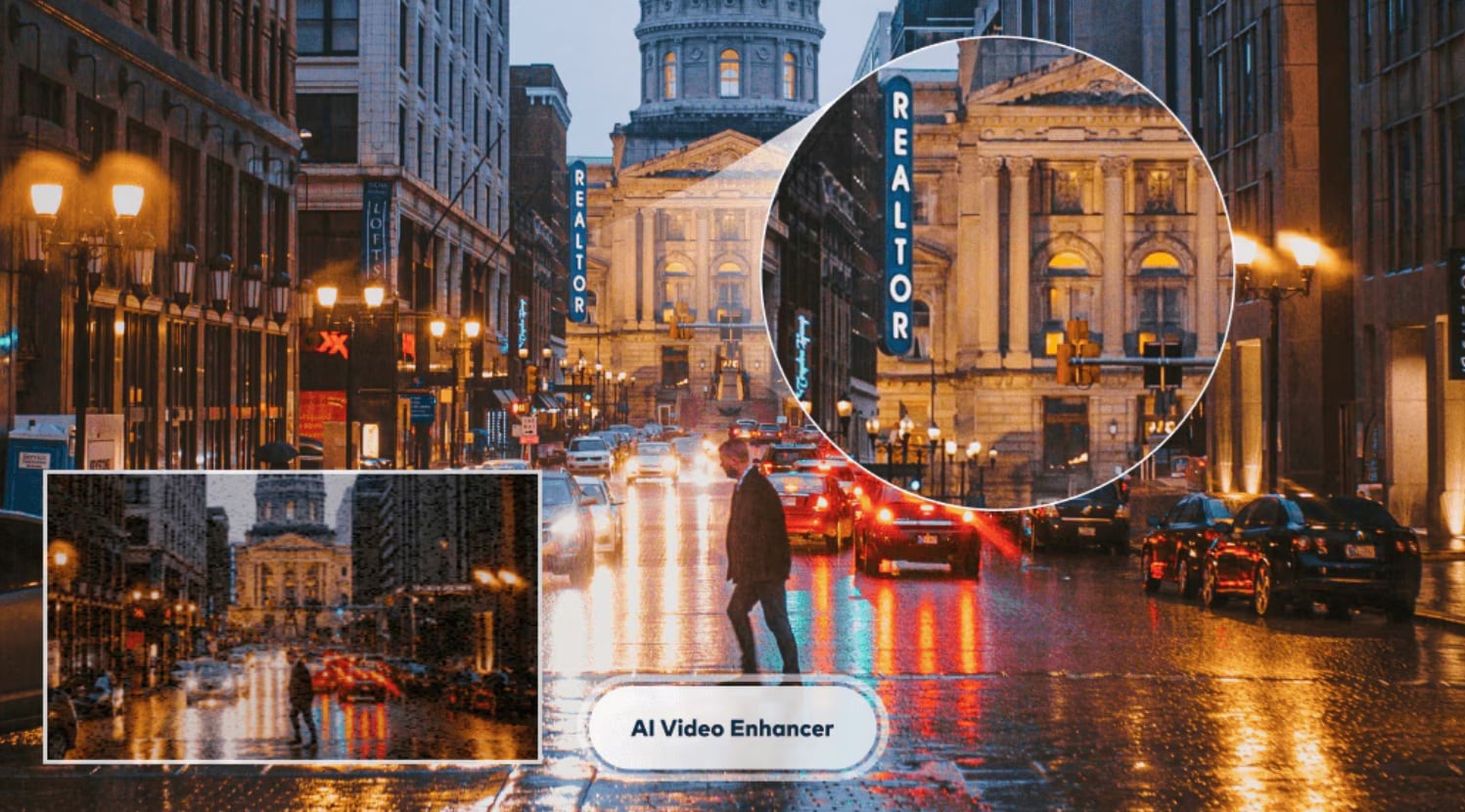
2. Advanced AI Video Enhancer powered by Topaz Starlight
Filmora's AI Video Enhancer integrates Topaz Starlight, which uses diffusion-based AI that rebuilds motion and detail instead of just sharpening pixels. It can produce results that look smoother and closer to how the footage should have originally looked.
3. Audio Tools
Since Filmora works primarily as a video editor, it also includes audio editing and enhancement tools, such as AI Audio Denoiser. You can use it to clean background noise from your recordings, which is a basic need for anyone making videos that Remini simply doesn't address.
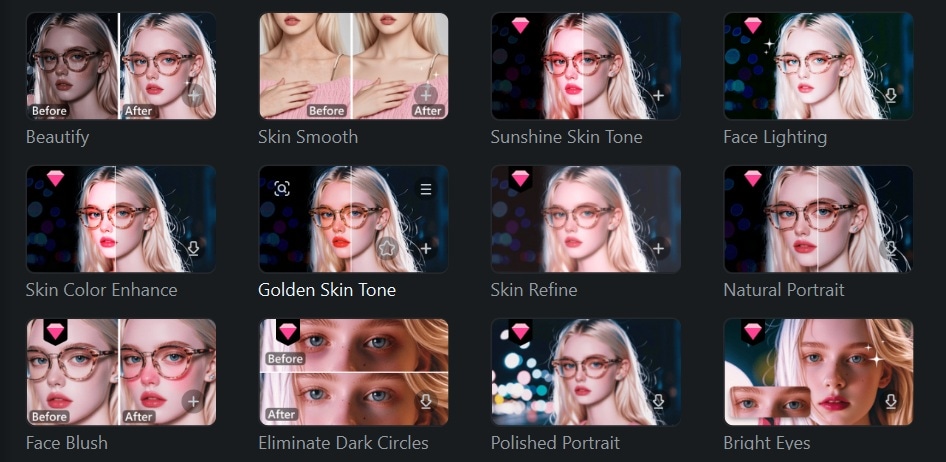
4. AI Retouch (or Beautify Effect on Desktop)
This is the closest Filmora gets to what Remini photo enhancer does for faces, but can be applied to both images and video. The Beautify effect (Photo Retouch) gives you granular controls over skin texture, tone, smoothing, face shape, and bone structure, along with adjustments for eyes, nose, mouth, and eyebrows. You can also reduce eye bags, whiten teeth, and smooth smile lines directly within your edits.
 Secure Download
Remini vs Filmora Comparison Table
| Remini | Filmora | |
| Platform | Mobile + Web | Desktop (Windows, Mac) + Mobile |
| Best for | Quick photo enhancement | Full editing + video enhancement |
| Photo Enhancement | Strong for faces, automatic | More control with manual + AI tools |
| Video Enhancement | Basic | Advanced AI with Topaz Starlight |
| AI Features | Focused on enhancement | Enhancement + generation + editing tools |
| Output Quality | Can look over-processed | More natural and balanced |
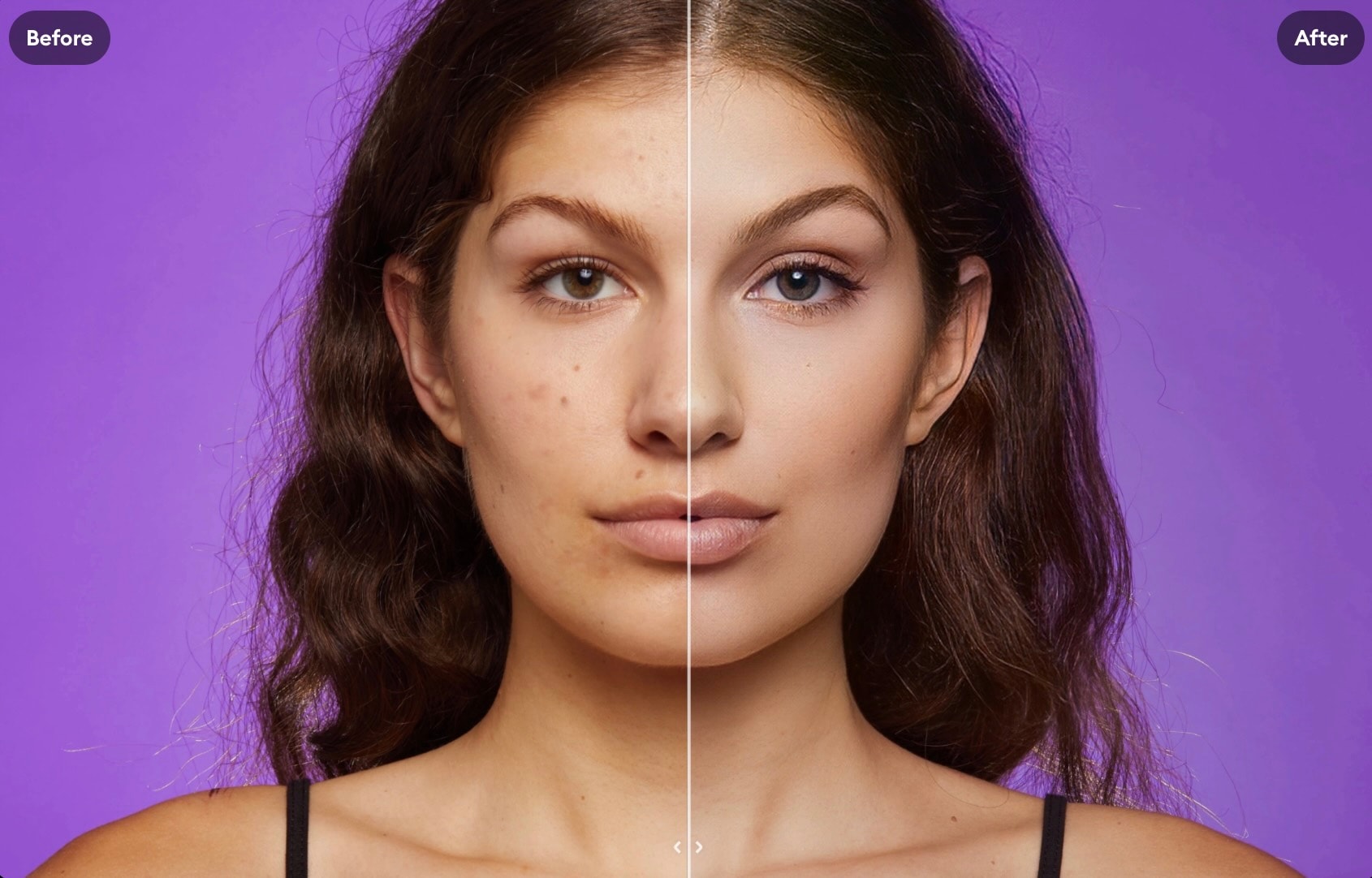
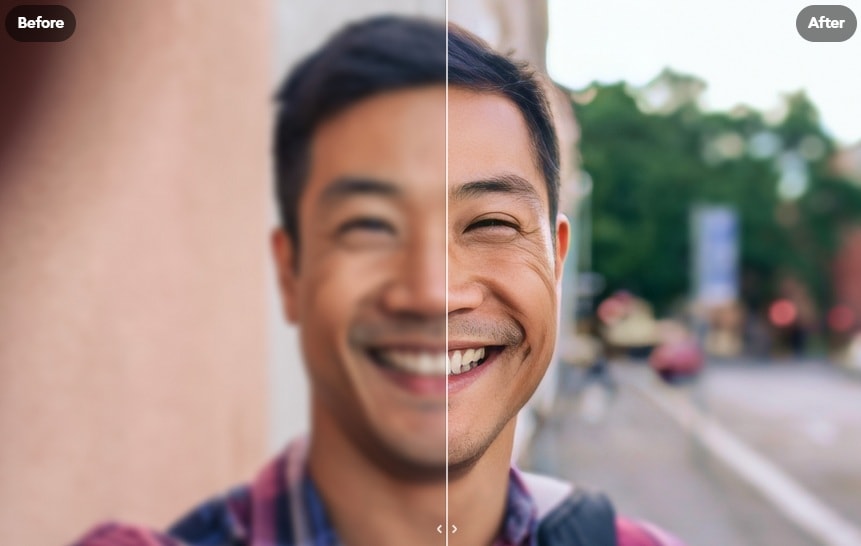
Secure DownloadRemini's AI Enhancement Result:
Smoothen Skin:
Unblur Photo:
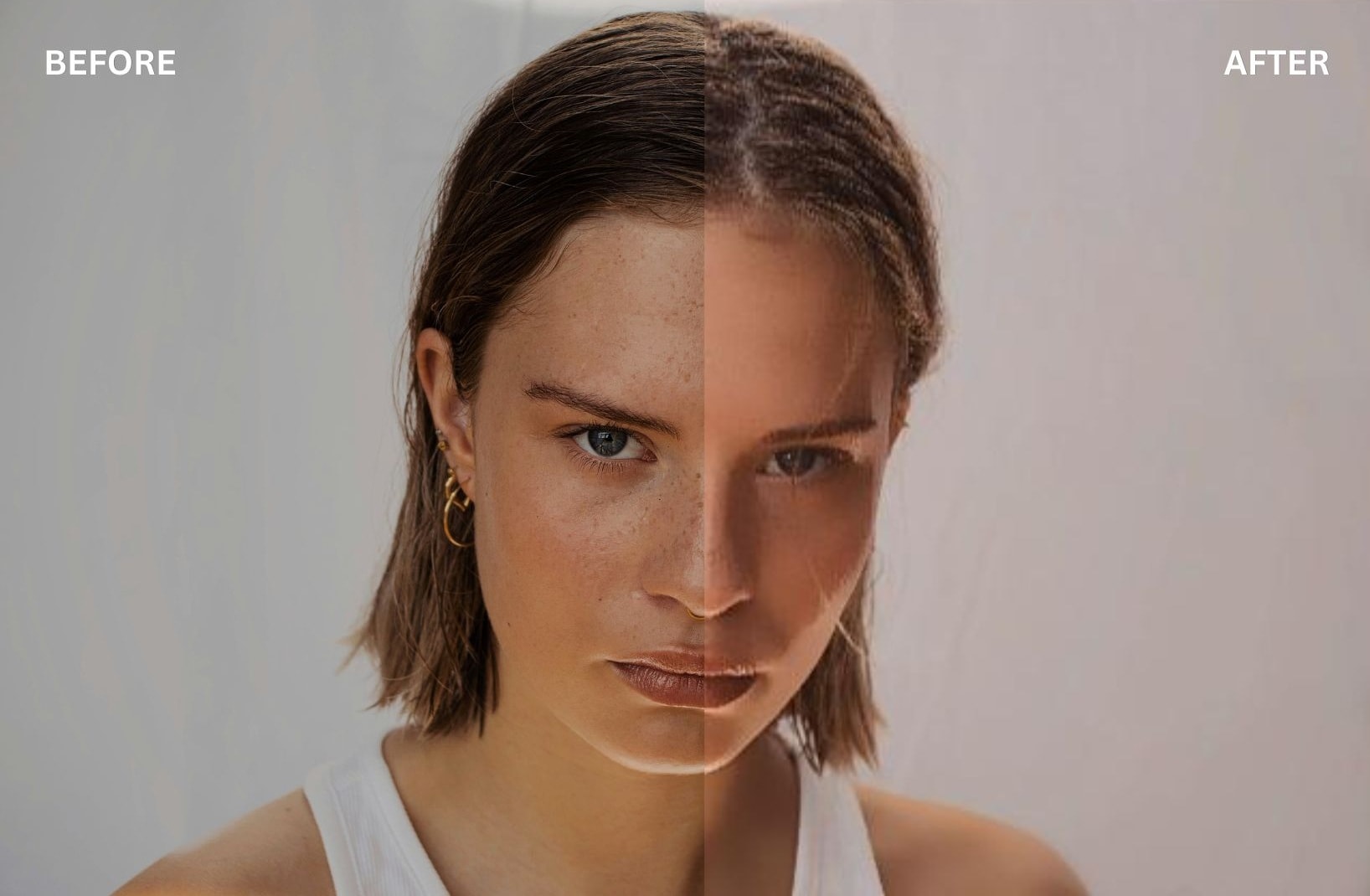
Filmora's AI Enhancement Result
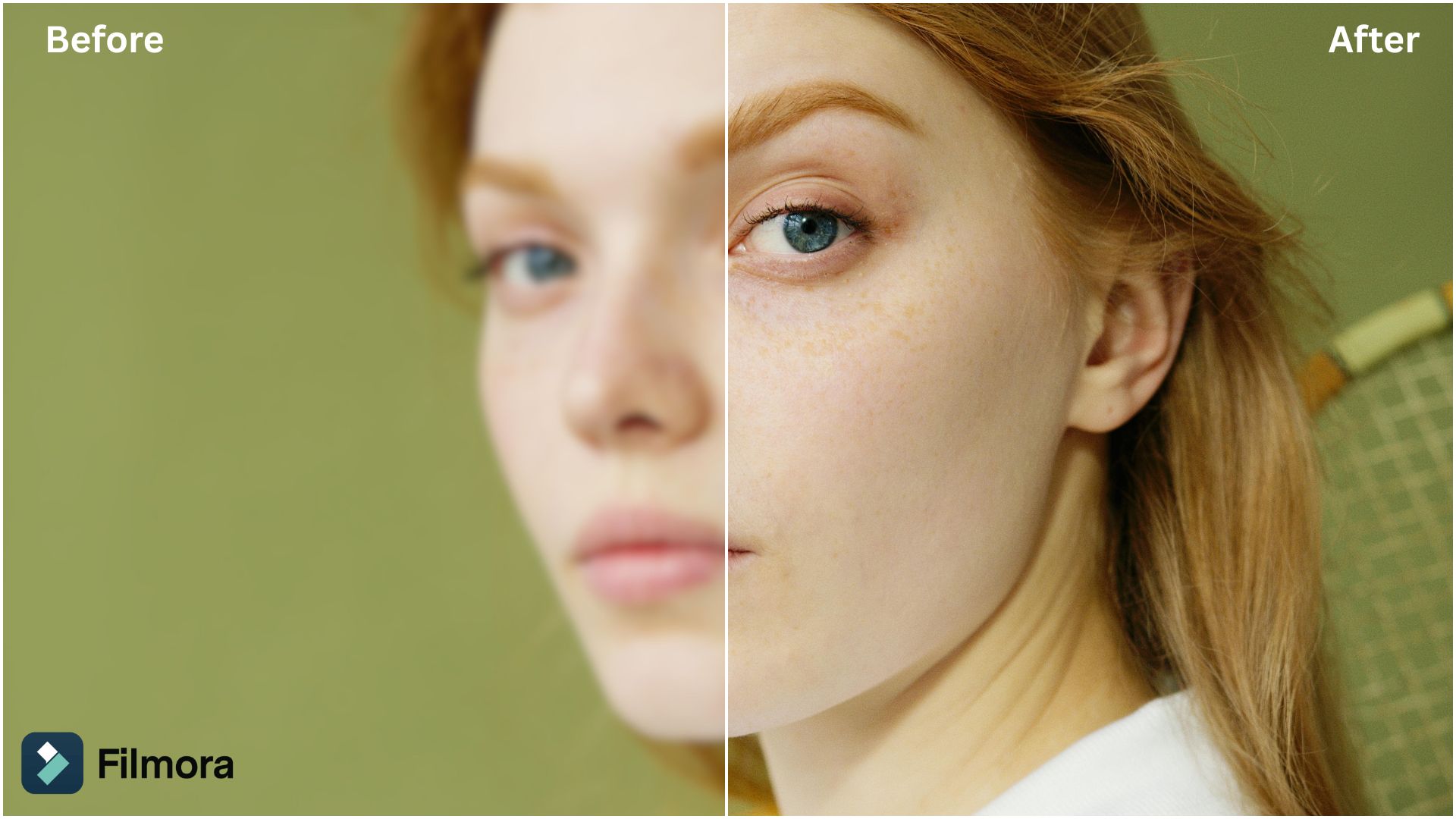
Smoothen Skin:
Unblur Photo:
Conclusion
At the end of the day, Remini AI does exactly what most people come for. It quickly fixes blurry photos and makes faces look sharper with almost no effort. That alone makes it worth trying, especially if you just need fast results.
But once you move beyond quick fixes, Filmora can be a better long-term option. It gives you more control, better video enhancement, and a complete editing workflow. And since there's no dedicated software of Remini AI photo enhancer for PC, Filmora can be a good substitution.
FAQs
-
1. Does Remini work on group photos?
Yes, but the results may vary. Remini tends to focus on faces, so it may enhance some people better than others, especially if faces are small or not clearly visible. -
2. Can Remini colorize black-and-white photos?
Yes. Remini includes a colorization feature that can add color to old black-and-white photos. It works quite well for basic restoration, although the colors may not always be historically accurate. -
3. Does Remini work offline?
No. Remini relies on cloud-based AI processing, so you need an internet connection to enhance photos or videos. -
4. How long does it take to enhance a photo?
Usually just a few seconds. Processing time depends on your internet speed and the image quality, but most edits can be completed pretty quickly.
