


 TL;DR:
Topview AI is a web-based, fully automated video generator ideal for quickly turning product URLs into short-form marketing drafts, but its restrictive credit system and lack of timeline control make it less suitable for finalized brand-ready content.
● Paid plans start at approximately $16 per month billed annually and operate on a strict usage system where regenerating videos to fix unnatural avatar lip-syncing or repetitive templates quickly drains your credit quota.
● The tool functions exclusively through a browser dashboard without an official mobile application, specifically generating 9:16 vertical videos formatted with fast-paced structures for TikTok, Instagram Reels, and YouTube Shorts.
● Topview AI is strictly for marketers needing rapid UGC ad variations for campaign testing, while Wondershare Filmora is the recommended alternative for users requiring precise timeline editing and customizable storytelling.
Ask AI for a summary
 ChatGPT
 Perplexity
 Gemini
 Claude
 Grok
Grok
Topview AI is getting attention as an AI video generator for marketing and UGC-style ads. It turns simple ideas, product images, or scripts into ready-to-use videos with avatars, voiceovers, and automated editing. And according to The AI Journal, Topview has raised $14 million in Series A funding, including an additional $5.5 million led by Kamet Capital.
But does it actually deliver? That’s what we’re trying to find out in this Topview AI review. We'll break down its features, Topview AI pricing, limitations, and better alternatives so you can decide if it’s worth it.
Part 1. What Is Topview AI?
Topview AI is designed around automation. You input basic material, and the platform assembles a complete video with integrated scenes, pacing, and narration. Here's what you can do with it:
- Automatically creates marketing videos from a product link, image, or short prompt.
- Uses AI avatars to present content on screen.
- Generates scripts and voiceovers without manual writing or recording.
- Builds short-form videos formatted for TikTok, Reels, and similar platforms.
You can access the platform online at https://www.topview.ai. Once you complete your Topview AI login, you’ll be taken directly to the dashboard to start creating. Keep in mind, it’s a web-based tool only. There’s no official Topview AI app. It’s best to avoid any “Topview AI mod APK” versions, since they can pose security risks and aren’t supported by the platform.
Part 2. Topview AI Key Features
The strength of the Topview AI tool lies in the number of processes it can automate. Instead of creating step-by-step videos, you work with a system that generates most of the content for you. Each feature plays a specific role in speeding up the process, although the level of control users have remains quite limited.
AI Video Generator
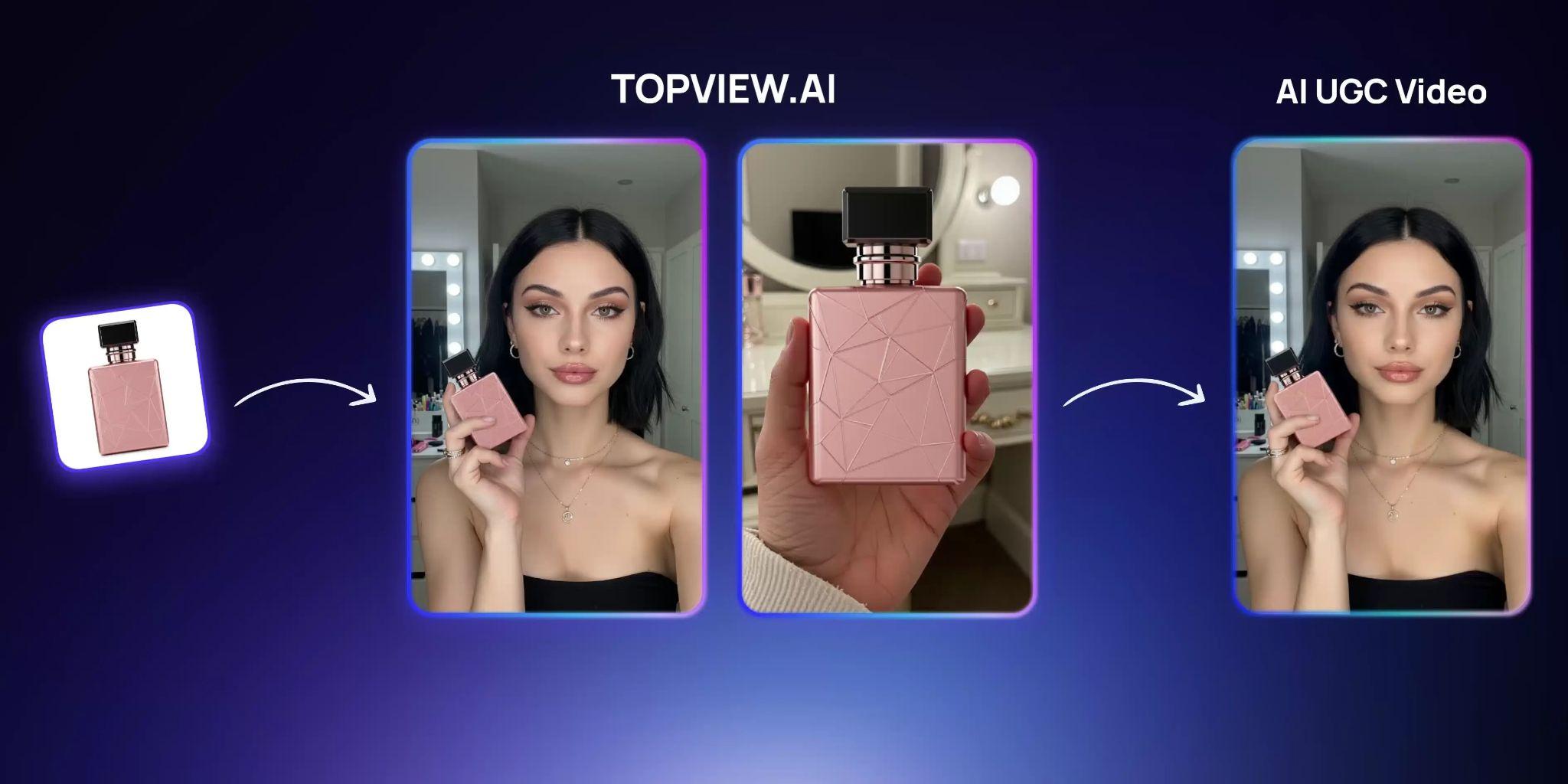
This is the core system behind the platform. It takes basic input and transforms it into a structured video with pre-set visuals, pacing, and transitions.
Key Features:
- Accepts product URLs, images, or short prompts.
- Automatically selects scenes and visuals.
- Builds a complete video timeline without manual editing.
- Generates ready-to-use marketing or ad-style videos.
Its speed is impressive, but the results depend heavily on the input. If the source material is weak, the final video often feels generic.
AI Avatars & Voiceovers

Topview AI includes digital presenters and built-in narration, so you don’t need to record yourself or hire a narrator.
Key Features:
- AI avatars act as on-screen hosts.
- Multiple voice styles and tones available.
- Automatic lip-sync with generated scripts.
- Supports different languages for broader reach.
It works well for simple ad content, though avatar realism and syncing can feel slightly off in some cases.
Script Generation
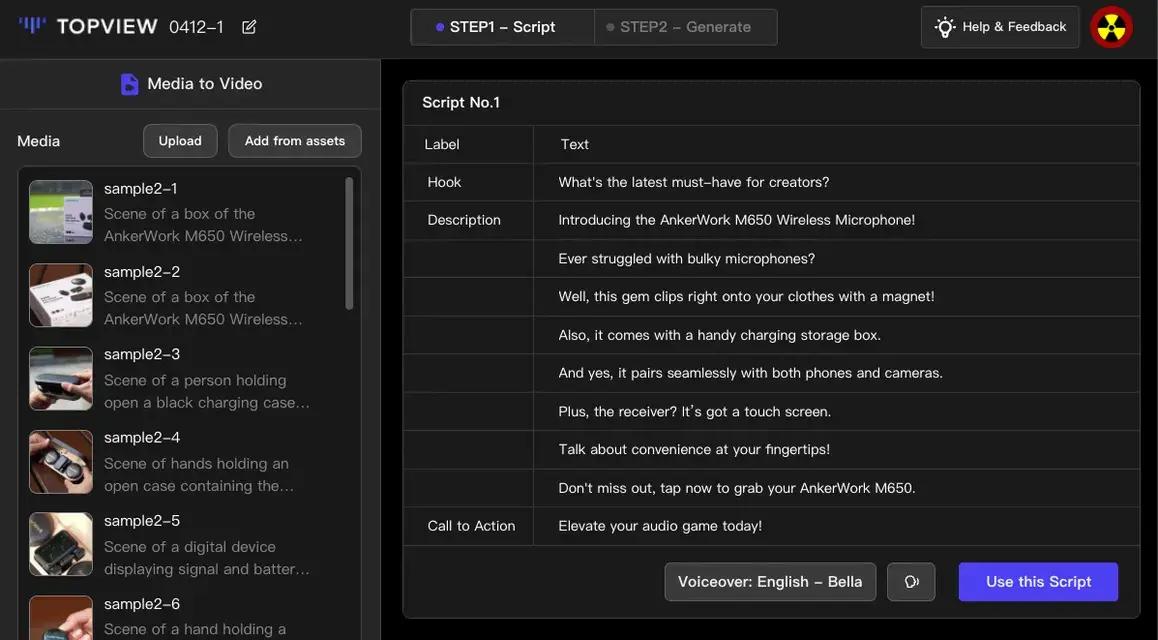
The platform can generate scripts automatically, which helps speed up the ideation process for marketing content.
Key Features:
- Generates scripts based on product links or prompts.
- Focuses on ad-style messaging and user-generated content (UGC).
- Includes hooks and call-to-action elements,
- Can be edited before generating the final video.
Though it is useful for quick drafts, most scripts follow similar patterns, so they may need refinement to feel less repetitive.
Short-Form Content Optimization
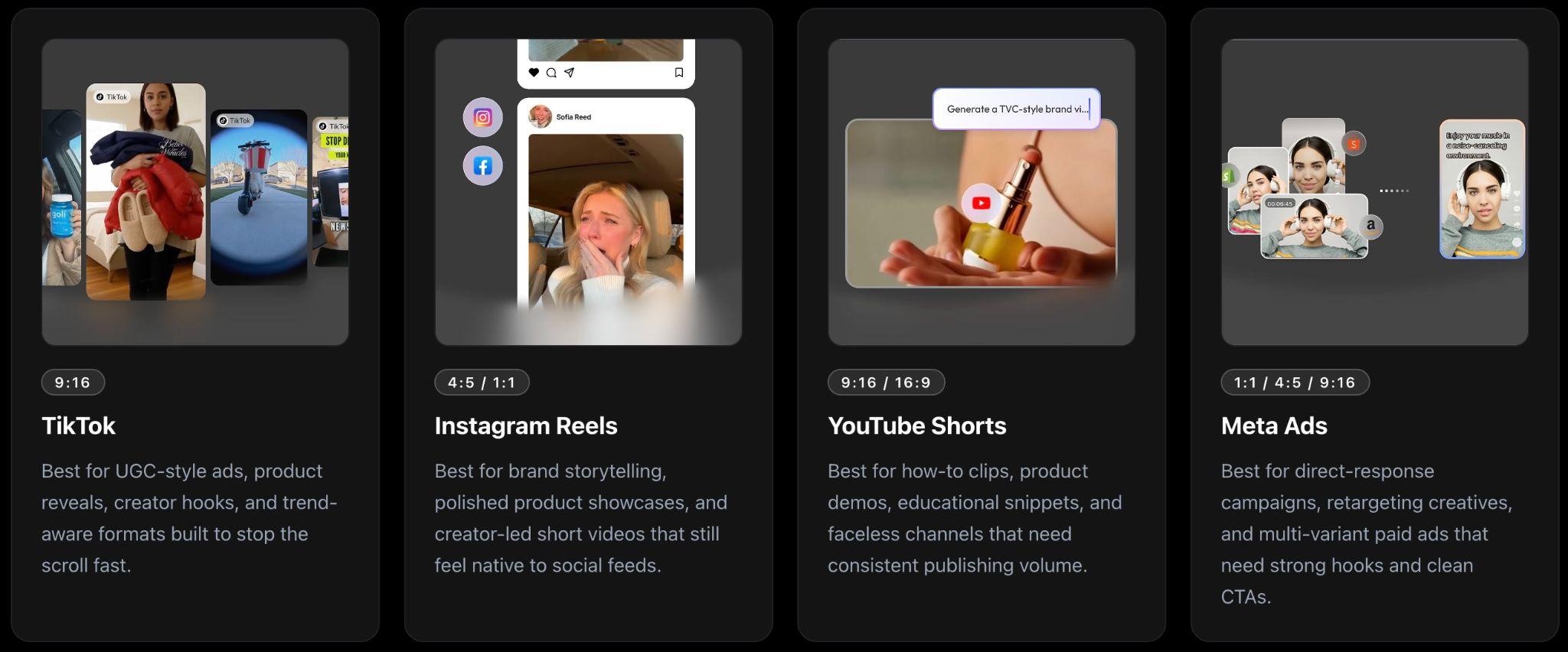
This content is specifically designed for short-form video platforms, which influences both its format and narrative flow.
Key Features:
- Vertical (9:16) video output.
- Fast-paced structure for attention retention.
- Optimized for TikTok, Instagram Reels, and YouTube Shorts.
- Includes an engaging opening and quick transitions.
Automation Workflow
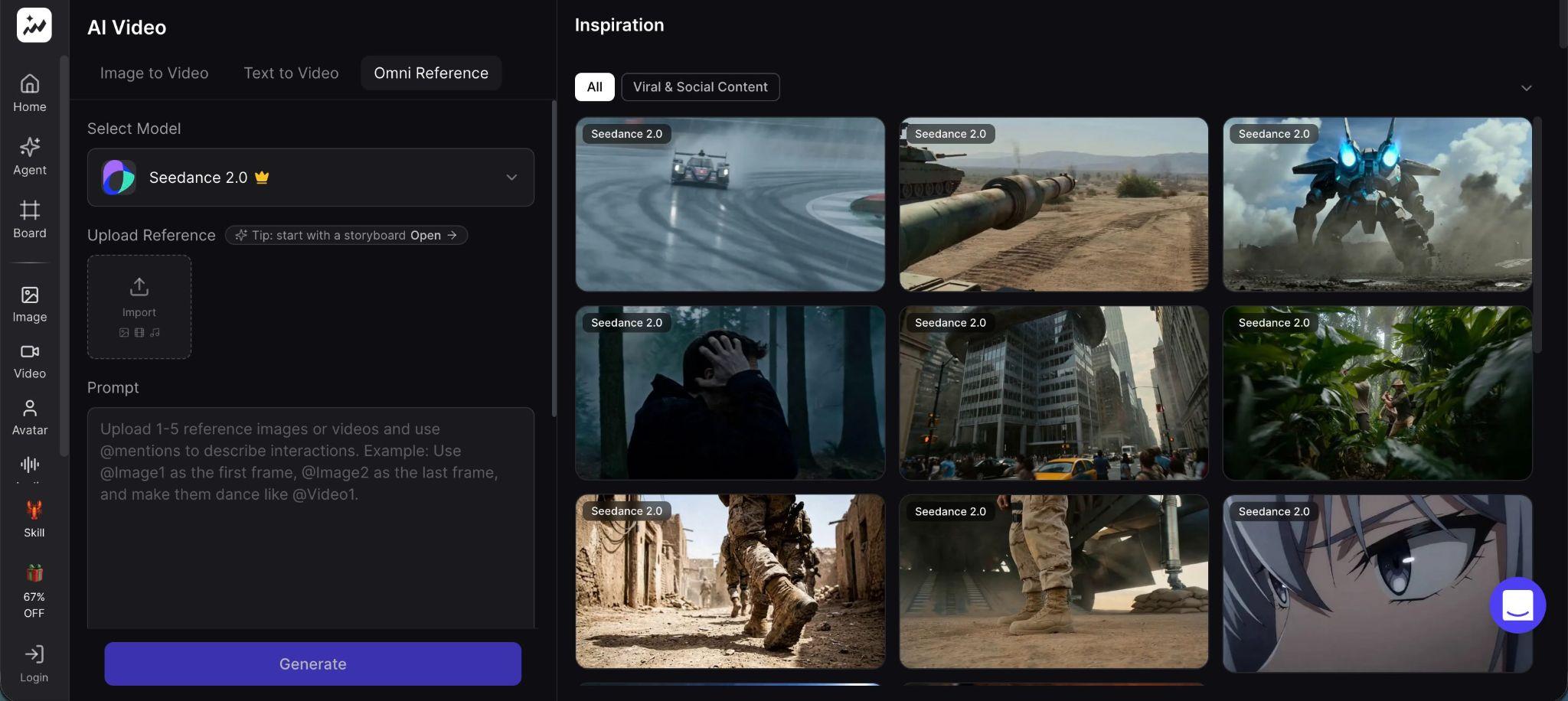
All features are integrated into a single workflow, reducing reliance on external tools or editing software.
Key Features:
- End-to-end generation from script to final video.
- Requires minimal manual adjustments.
- Allows batch creation of multiple videos.
- Focused on speed and scalability.
Part 3. Topview AI Pricing (Is It Worth It?)
Topview AI pricing turns out to be a bit more complicated than it first appears. The packages seem straightforward at first glance, but the platform uses a credit system that directly affects the actual number of videos you can produce.
| Plan | Price | Credits | Key Features | Limitations | Best For |
| Free | $0 | 10 credits (one-time) | Partial access to video & image models, 1 task at a time | Watermark, no commercial use, very limited output | Testing only |
| Pro | ~$16/month (billed annually) | 960 credits/year (~80/month) | Full access to all models, 4 concurrent tasks, 5 voice clones, watermark-free export | Credits run out quickly on high-quality videos | Individuals, small teams |
| Business | ~$44/month (billed annually) | 3,000 credits/year (~250/month) | Full access, 8 concurrent tasks, 30 voice clones, faster processing | Still credit-limited for heavy video use | Brands, content teams |
| Ultra | ~$50/month (annual, discounted) | 500 credits/month | All models, 12 concurrent tasks, API & automation support, discounted credit packs | Credits expire monthly | High-volume creators |
|
Show More
Show Less
|
|||||
Note: If the pricing feels high, you can try using a Topview AI promo code to get a discount (availability may vary).
Part 4. Pros and Cons of Topview AI
Before deciding whether Topview AI is worth trying, it’s more helpful to see how it performs in real-world use, rather than just what its feature list promises.
Essentially, the tool is built to generate videos quickly with minimal effort, and in some cases, that speed really shows. At the same time, the experience isn’t always consistent. Some users get solid results with quick content, while others run into issues with quality, control, or the speed at which their credit quota runs out.
- Fast video production: Videos can be generated in minutes from links or prompts, which is much faster than traditional editing
- Beginner-friendly workflow: No filming, no editing skills required. Everything runs in one system
- Good for high-volume content: Users report being able to create multiple ad variations quickly for testing campaigns
- Cost-efficient vs traditional production: Significantly cheaper than hiring creators or a production team
- URL-to-video automation: Turning product pages into ready-to-use videos is one of its most practical features
- Inconsistent avatar realism: Lip-sync and facial movement can feel unnatural, especially in longer videos
- Limited customization: Fine control over edits, timing, and creative direction is restricted
- The credit system can get expensive: Regenerating videos or testing variations quickly consumes credits
- Performance issues: Reports of slow rendering, lag, or failed generations affect workflow reliability
- Output can feel repetitive or templated: Multiple videos often follow a similar structure, which can impact originality
Part 5. Real User Experience & Performance
The experience of using Topview AI varies depending on what you expect from it. If you use it to create quick, ready-to-use drafts, it can save you a lot of time. However, if you’re expecting polished, publish-ready Topview AI video content, the experience can be frustrating.

What the User Experience Is Like:
- Great for quick drafts: You can turn a product link into a full video in minutes, which is why some users highlight speed as its main advantage.
- Not ideal for polished content: The results often require several regenerations to look presentable, which increases time and credit usage.
Expectation vs Reality
Topview AI is often promoted as a tool that can automatically create “viral-ready” videos. In practice, it sits somewhere in between automation and templated output. Various reviews consistently point out that it’s useful in certain workflows, but not a complete replacement for real editing or creative control.
Best-Case Scenario
- You need fast ad variations for testing.
- You don’t mind visuals that are a bit generic.
- You prioritize speed over perfection.
In this case, the tool can help scale content quickly, especially for e-commerce or UGC-style ads.
Worst-Case Scenario
- You need consistent, high-quality output.
- You rely on avatars looking realistic.
- You expect instant results without retries.
6. Best Alternative to Topview AI
Topview AI is useful when speed matters, especially for generating quick drafts or testing ideas. The limitations become apparent once you need more control over how the video actually looks and feels. Editing options are minimal, outputs can feel repetitive, and getting consistent quality often takes multiple tries, which also uses up credits faster.
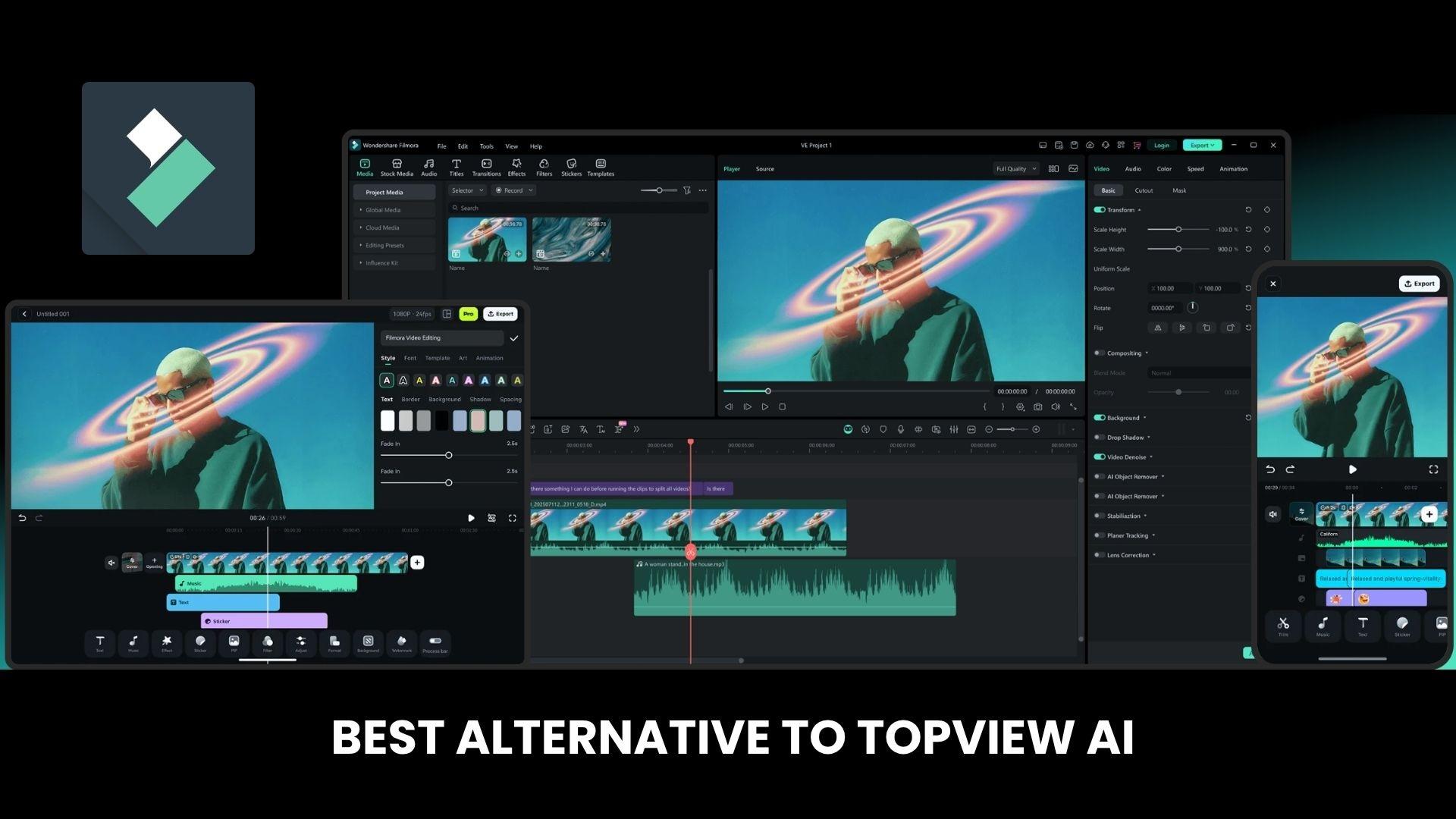
Wondershare Filmora takes a more flexible approach. It doesn’t lock you into a fully automated process. Instead, it gives you a full editing timeline, along with AI tools that help speed things up without removing control. You can adjust pacing, refine visuals, and shape the final output to match your style or brand. All of that combined makes Filmora the ideal Topview AI alternative.
 Secure Download
Where Topview AI Falls Short
- Limited control over scenes, timing, and edits.
- Outputs often follow similar structures.
- Avatar realism and consistency can vary.
- The credit system limits how much you can produce.
Where Filmora Wins
- Full timeline editing with precise adjustments.
- AI features that support, not replace, editing.
- More consistent and polished results.
- Better for branding, storytelling, and longer content.
A common workflow is to use Topview AI to generate rough concepts, then move into Filmora to refine everything into a finished video. The difference becomes clear during editing, where small adjustments can completely change how the content feels.
Topview AI vs Filmora (Quick Comparison)
| Feature | Topview AI | Filmora |
| Core approach | Fully automated video generation | AI-assisted + manual editing |
| Ease of use | ⭐⭐⭐⭐⭐ | ⭐⭐⭐⭐ |
| Customization | ⭐⭐ | ⭐⭐⭐⭐⭐ |
| Output quality | ⭐⭐⭐ | ⭐⭐⭐⭐⭐ |
| Ai features | Strong (automation-focused) | Strong (editing + enhancement) |
| Best use case | Quick ad drafts, UGC testing | Polished videos, branding, storytelling |
|
Show More
Show Less
|
||
Secure DownloadConclusion
Topview AI is easy to like at first, especially when you need videos quickly. It handles the heavy lifting and can turn rough ideas into something usable in minutes. After a few projects, however, its limitations become apparent. Outputs can feel similar, small details are hard to adjust, and credits run out faster than expected if you keep regenerating clips. It works best for testing ideas or creating quick ad variations.
When the goal shifts to consistency and polish, most users eventually polish their results elsewhere, often with tools like Filmora.
FAQs
-
1. Does Topview AI automatically create full videos?
Yes. Topview AI can turn a link, image, or prompt into a full video with script, visuals, and voiceover. Most outputs are usable right away, though some tweaking is often needed. -
2. Is Topview AI good for beginners?
Yes. It’s easy to use and doesn’t require editing skills. Everything runs in one workflow, so beginners can create videos quickly without learning complex tools. -
3. What is the best alternative to Topview AI?
If you want more control, Wondershare Filmora is a strong option. It lets you edit and refine videos more precisely while still offering AI features. -
4. Why are people searching for Topview AI alternatives?
Most of the reasons relate to output quality, limited control, and the credit system. Some users feel the videos look repetitive or require multiple attempts, which causes credits to run out quickly.
