

 TL;DR:
For creating AI doodles, use Wondershare Filmora to animate text and image prompts into timeline-based videos, Fotor to convert existing photos into static sketches, or Ilus AI to generate professional web illustrations.
● Wondershare Filmora and Animaker are the only listed options for video creation, but Filmora generates custom animated sequences using paid AI credits, whereas Animaker restricts users to arranging pre-built doodle assets within scene-based templates.
● If you require scalable vector graphics for UI or web design, Ilus AI uniquely exports to SVG format through a pay-as-you-go credit system, unlike alternatives such as insMind or Dzine that only output standard PNGs.
● Free plans across all mentioned platforms restrict commercial viability by enforcing watermarked outputs, capping daily generation limits, and locking high-resolution downloads behind paid subscriptions.
Ask AI for a summary
 ChatGPT
 Perplexity
 Gemini
 Claude
 Grok
Grok
Want to turn your ideas into hand-drawn sketches without picking up a pencil? An AI doodle generator is the perfect solution for creators who need fast, stylized visuals for social media, education, or marketing. Whether you're looking for an AI doodle generator from photo or a full-scale AI doodle video maker, this guide covers the 10 best tools in 2025. We'll compare free AI doodle generator options and paid suites to help you find the right fit for your workflow.
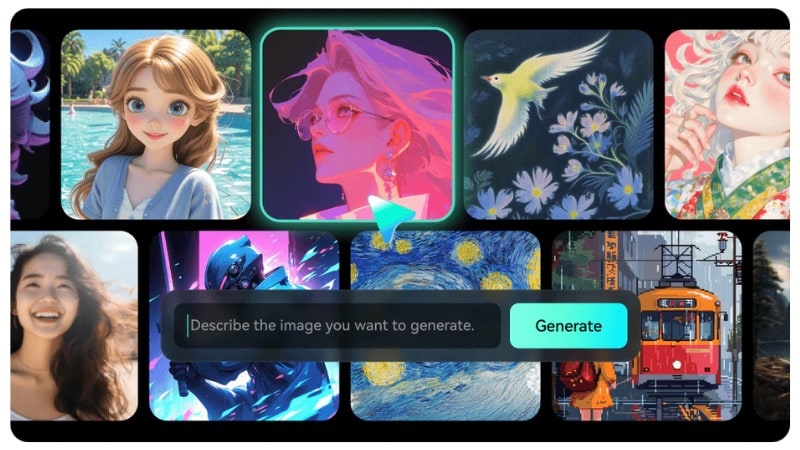
Our Top 3 AI Doodle Generator Picks
To help you choose the best AI doodle generator, here are three top picks that stand out for different reasons:
Part 1. AI Doodle Generators Comparison Chart: Find the Best Tool
Many AI doodle generator comes with different strengths, so it helps to compare them side by side. This chart provides a quick overview of each tool's input options, free plan, output quality, and best use case. Use it to find the one that suits you before diving into the full reviews.
| Tool Name | Input Type | Free Plan | Output Quality | Platform | Best For |
| Filmora | Text and Image | Available with a watermark. AI credits are required for AI generation. |
Quality depends on the AI model and the clarity of your prompt. | Windows, Mac, Android, and iOS. | Anyone who wants AI generation and video editing in the same software. |
| Fotor | Text and Image | Available with watermarks. Download limits on the free tier. |
Quality depends on photo clarity and prompt detail. | Web browser, Windows, Mac, Android, and iOS. | Quick doodle images for social posts or presentations. |
| Template Net | Text | Basic AI doodle generation, limited downloads, and features. | Simple doodle-style images. | Web browser | Best for basic layouts and quick designs, static image output only. |
| Animaker | Text and pre-built doodle assets | Available with watermarks, export, and quality limits. | Clean doodle-style animated videos; quality depends on plan and asset selection. | Web browser | Doodle-style explainer videos, presentations, tutorials, and short story videos. |
| Pixazo AI | Text | Available with limited AI generations per day. | Simple doodle and line-art images. | Web browser | Best for rough sketches and concept visuals. |
| Getimg AI | Text | Available with limitations. | Clean doodle and outline images, support multiple variations per prompt. | Web browser | Concept visuals, thumbnails, and creative drafts. |
| Open Art | Text | Available with limited image generations. | Varies by selected AI model and has a wide range of doodle styles. | Web browser | Explore visual direction and creative concepts before final artwork. |
| insMind | Text | Available with limited usage and watermarked outputs. | Clean and colorful doodles or simple sketch styles. | Web browser, Android, and iOS. | Kids' projects, school activities, simple crafts, and casual doodling. |
| Dzine | Text | Available with limited daily credits and basic image exports. | Doodle and sketch visuals, with higher resolution and video support on paid plans. | Web browser | Quick doodle images from text ideas. |
| Ilus AI | Text | Available with limited credits and basic generation access. | Consistent doodle and illustration images in SVG or PNG formats. | Web browser | Creators who need professional doodle and illustration visuals. |
|
Show More
Show Less
|
|||||
Part 2. Top 10 AI Doodle Generators
An AI doodle generator should let you turn your ideas into quick sketches without a long setup. Each tool in this list offers a different way to create doodles, from simple drawings to animated clips. This section walks you through the top picks so you know exactly what each one can do.
1. Wondershare Filmora: The Top AI Doodle Video Maker for Creators
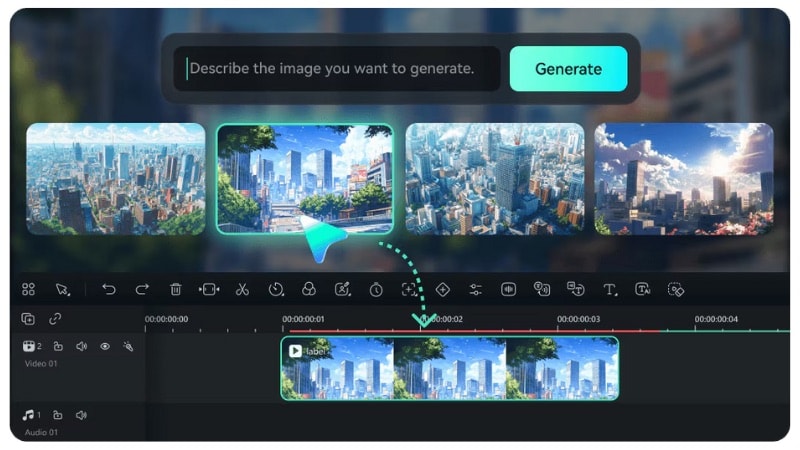
Filmora is an all-in-one creative suite that combines video editing and AI-powered generation tools. It can turn text prompts or photos into doodle-style images or video animations without switching to another app. It suits creators who want sketch-style visuals and doodle videos in one place.
 Secure Download
- AI Image Generator: Create doodle-style images from a text prompt. You can describe a character, object, or scene, and the generator produces a sketch-like result that fits a doodle theme.
- AI Image to Video: Use Filmora as an AI doodle video generator and turn an image into a doodle video animation. You can use your own photo or the images you generate inside Filmora.
- AI Text to Video: Build a doodle-style animation from a text prompt. Type a description, and Filmora turns it into an animated sequence. This helps you create doodle content even when you don't have a starting image.
- Full Video Editing Tools: After generating your doodle images or videos, you can refine them with trimming, keyframing, effects, transitions, color tools, and audio adjustments.
- Built-in Creative Assets: It also provides a large library of creative assets. These include background music, sound effects, stickers, and overlays to enhance your doodle content and make it more lively.
- Works as both an AI doodle generator and a full video editor in one place.
- Easy workflow for turning prompts or photos into doodle-style images and animations.
- Large library of music, stickers, overlays, and captions for finishing your doodle content.
- Available on desktop and mobile, making it easy to create videos on any device.
- Creates short AI clips, so you need to stitch several outputs together if you want a longer loop.
- AI generation uses Filmora AI credits.
- The free plan includes export limits and a watermark.
AI generation features use AI credits, which are not included in the free plan. You can buy credits separately or get them through a paid subscription. Since Filmora's prices vary by region, it's best to check the official website for the most updated options and local rates.
2. Fotor
You can use Fotor's AI image generator as an AI doodle generator from a photo to create doodle-style artwork. You can upload an image or enter a text prompt, then generate a sketch-style result without complex settings or editing tools.
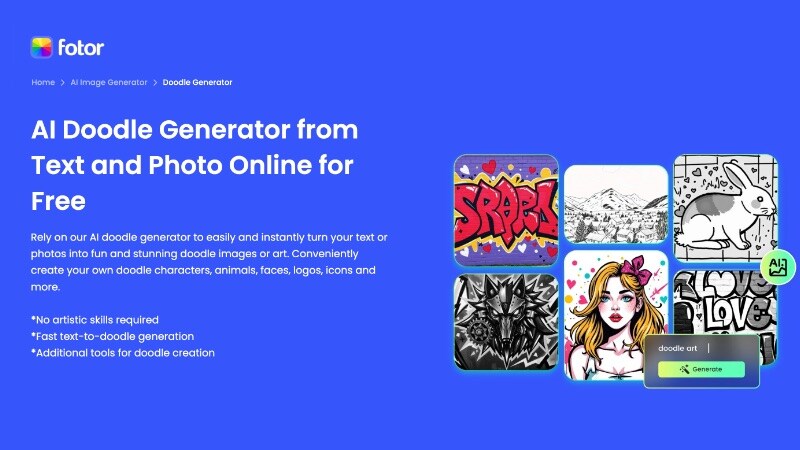
- AI Doodle Generator: Upload a photo and a text prompt, then turn it into a doodle or line-art style image. The AI traces shapes and edges to create a sketch-like look.
- Multiple Doodle Styles: Choose from different sketch, line, or hand-drawn looks depending on the result you want.
- Basic Editing Tools: Add text, crop images, adjust layout, or resize for social media and presentations.
- Web, Desktop, and Mobile Access: Available online, on Windows and macOS, and through mobile apps.
- No installation is needed when using the Fotor web version.
- Quick results for social posts, slides, or thumbnails.
- Supports both photo input and text prompts.
- Limited control over line detail and stroke style.
- Free plan includes usage limits and watermarks.
Fotor offers a free plan with limited AI generations and watermarked exports. Paid plans also unlock higher-resolution downloads, more styles, and higher usage limits. Prices vary by plan and region, so checking the official site gives the most accurate details.
3. Template Net
Template Net offers an AI doodle generator for free that helps you create simple doodle images from short text prompts. It runs in the browser and pairs AI generation with ready-made layouts. It suits users who want fast doodle visuals without advanced editing tools.
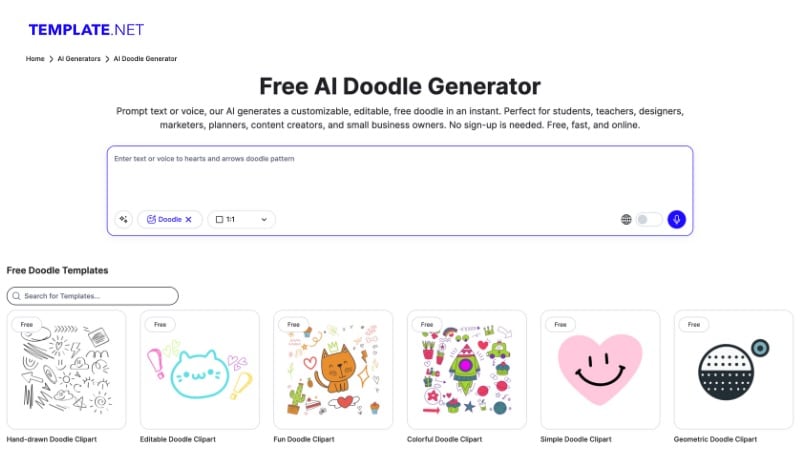
- AI doodle generator from text prompts: Enter a short description and generate simple doodle-style images. It works well for generating icons, illustrations, or decorative elements.
- Extensive template library: Includes ready-made templates for posters, worksheets, presentations, and social media graphics. So, you can place doodle images into real designs right away.
- Built-in design editor: Adjust text, fonts, colors, icons, and layout directly on the canvas without switching tools.
- Fully web-based tool: Runs in the browser with no download or setup, making it easy to use on any device.
- Quick export options: Download finished designs in common image formats for sharing or printing with minimal steps.
- Free access for basic AI doodle generation.
- Fast workflow for turning prompts into ready-made layouts.
- Useful for quick posters, worksheets, or social graphics.
- Easy to use for beginners and non-designers.
- Limited control over line thickness, stroke style, or detail.
- Doodle output fits simple visuals better than complex illustrations.
- No animation or video creation tools.
4. Animaker
You can use Animaker if you're looking for an AI doodle video generator for free. It lets you create simple animated doodle videos online by turning text ideas into scene-based animations. This tool fits users who want short explainer videos, presentations, or story-based doodle clips.
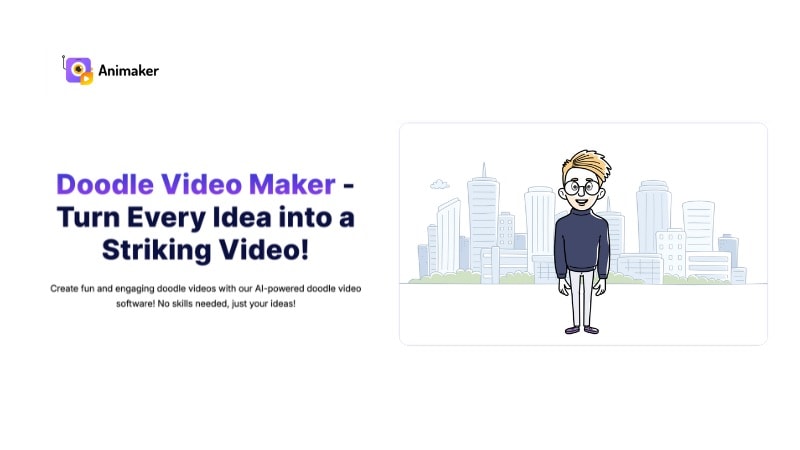
- Doodle video maker with hand-drawn assets: Choose from doodle-style characters, icons, arrows, and props to build animated scenes.
- Scene-based editor: Create videos one scene at a time, adjust timing, and arrange elements on a simple timeline.
- Text to speech voiceovers: Turn written scripts into voice narration with multiple voice options and languages.
- Caption and text animation tools: Add titles, subtitles, and animated text that match the doodle style.
- Music and sound effects library: Insert background music and sound effects to support explainer-style videos.
- It lets you build doodle videos by arranging scenes instead of drawing frames.
- Helpful for explainer videos with scripts, captions, and voiceovers.
- Asset library covers common use cases like education, marketing, and onboarding.
- Browser-based workflow works well for team or classroom use.
- You cannot import custom doodle drawings and animate them as strokes.
- Scene structure limits fine control over timing compared to timeline editors.
- Free plan restricts export quality and adds platform branding.
Animaker offers an AI doodle video generator free plan with basic features and watermarked exports. Paid plans unlock higher resolution, more scenes, extra assets, and watermark removal. The plan starts from $15/month to $43/month, depending on the plan level and feature limits.
5. Pixazo AI
Pixazo AI serves as an AI doodle generator that can turn written ideas into sketch-style images. It leans toward speed and simplicity, which makes it useful for drafting concepts, visual notes, or rough illustrations. It's useful for brainstorming, concept drafts, or quick illustrations.
- Text-based AI doodle generation: Enter short prompts to generate line-art or doodle-style images based on written ideas.
- Sketch-style output options: Supports simple hand-drawn looks suited for icons, concepts, or rough illustrations.
- Prompt-first workflow: No templates or timelines, just prompt input and image generation in one step.
- Browser-based tool: Runs online without downloads, making it easy to use on any device.
- Works well for brainstorming, mood boards, and early concepts.
- A clean interface helps you generate images without setup steps.
- Useful when you need a fast sketch instead of a finished design.
- Not suited for polished illustrations or final artwork.
- Few controls to refine line detail or composition.
- Cannot extend images into animations or videos.
Pixazo AI provides a free tier with capped usage. Paid plans raise generation limits and allow higher-resolution downloads. Prices depend on the region, so checking the official website gives the most accurate information.
6. Getimg AI
Getimg AI works as an AI doodle generator from text that turns written prompts into sketch-style images. It runs in the browser and centers on text-based generation. You describe an object, character, scene, and style, then generate many variations.
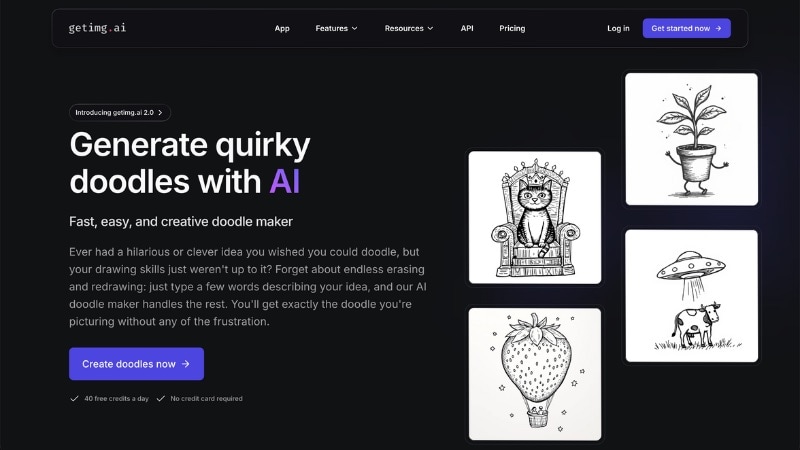
- Text to doodle image generation: Enter a description and generate sketch-style or line-art images based on your prompt.
- Style selection: You can describe many artistic styles, such as doodle, sketch, outline, or hand-drawn looks to change the visual mood.
- Multiple output options: Generate several variations from the same prompt, so you can compare different interpretations.
- Prompt editing and reuse: Save and modify existing prompts to refine results without starting from scratch.
- Image export: Download finished images in common formats for use in designs, slides, or social posts.
- Good balance between simplicity and creative control.
- Helpful for testing different doodle styles from one idea.
- Supports repeat generation to refine results.
- Works well for concept art, thumbnails, and visual drafts.
- Text input only, no photo-to-doodle conversion.
- No animation or doodle video output.
- Output quality depends on prompt structure and wording.
Getimg AI offers a free plan with limited generations each month. Paid plans increase generation limits, unlock higher-resolution outputs, and allow more frequent use. Plans start from $10 to $175 per month, and yearly subscriptions reduce the overall cost.
7. Open Art
You can use OpenArt as a free AI doodle generator that turns text prompts into doodle-style images. Instead of locking you into one look, it lets you test how various models interpret the same idea. Use it to compare styles before settling on a direction.
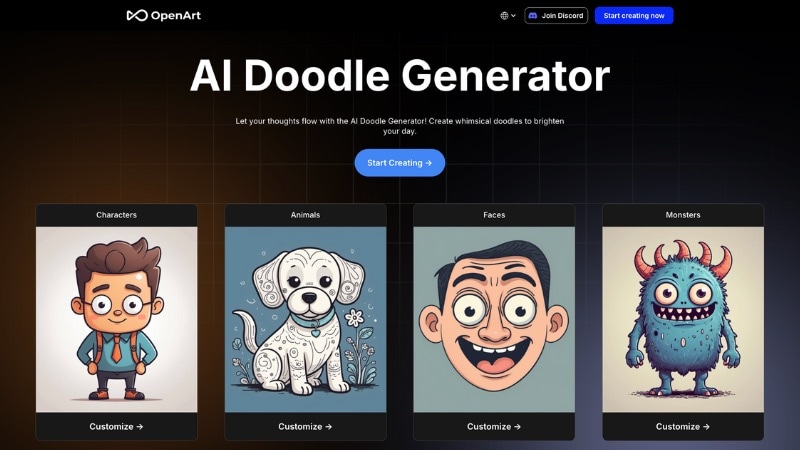
- Text to doodle image generation: Enter written prompts to generate doodle-style or sketch-like images based on your description.
- Multiple AI models: Choose from different models trained on varied artistic styles, which change how each doodle looks.
- Style presets: Apply preset styles to guide line quality, composition, and overall doodle appearance.
- Community prompt library: Browse and reuse prompts shared by other users to speed up idea testing.
- Prompt remix tools: Modify existing prompts and regenerate images to explore variations without starting over.
- Community prompts help test ideas without writing from scratch.
- Useful for choosing an art direction before final production.
- Free access supports early experimentation.
- Results change a lot between models, which reduces predictability.
- Fine line control stays limited across outputs.
- Image-only generation with no motion features.
OpenArt offers a free plan with limited daily image generations. Paid plans start at a low monthly cost and scale based on usage limits, model access, and speed. Check the official pricing page for current plans.
8. insMind
insMind also works as an AI doodle generator that lets you turn text prompts into simple doodle-style images. It targets casual users, kids, parents, teachers, and creators who want quick, playful visuals without drawing skills.
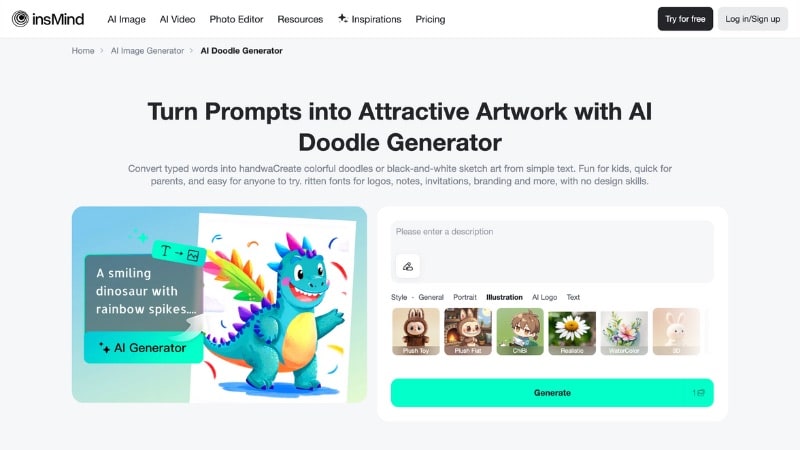
- Text-based doodle generation: Turn short phrases into doodles, sketches, or line art without drawing skills.
- Wide style selection: Pick from cartoon, crayon, watercolor, sketch, comic, line art, and other visual styles to match different moods.
- Kid-friendly output: Styles favor bright colors, soft shapes, and playful details that suit children's projects and learning materials.
- Simple generate workflow: Type an idea, select a style, generate the doodle, and preview results in just a few clicks.
- Easy export options: Download finished doodles for printing, school worksheets, crafts, social posts, or sharing with family and friends.
- Very easy for kids and beginners to use.
- Style options suit playful and educational content.
- Works well for school projects, stickers, and greeting cards.
- No design or drawing skills needed.
- Limited control over fine details and composition.
- Image output only, no doodle animation or video.
- Not built for professional illustration workflows.
insMind offers a free plan with basic usage and watermarked outputs. Paid Pro plans start from $6.99/month and drop to about $3.31/month with annual billing. It also offers one-month purchases and credit-based plans. Check its pricing page for the latest options and details.
9. Dzine
Another AI doodle generator from text that lets you turn short prompts into doodle and line-art images is Dzine. You describe what you want, pick a style, and generate doodles that suit notes, posts, learning materials, or light design tasks.
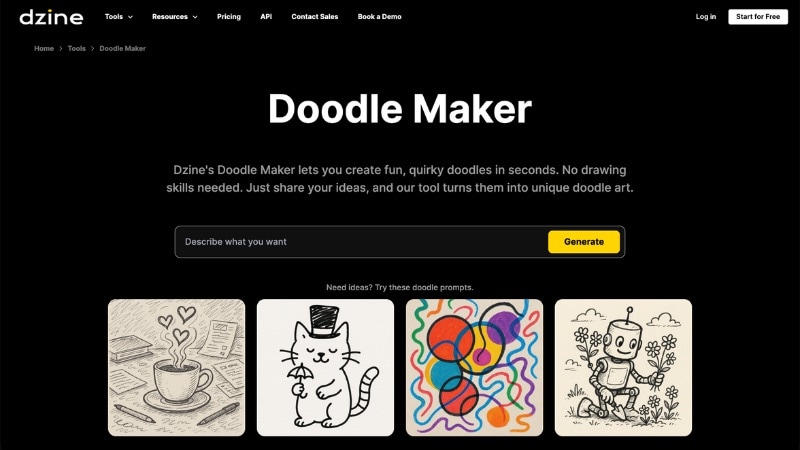
- Text-based doodle creation: Enter a simple prompt to generate doodles without drawing or design skills.
- Various doodle style models: Choose from sketch-like, cartoon, minimalist, or general models to change the mood.
- Prompt customization: Add details such as colors, themes, objects, or moods to guide the doodle result.
- Regenerate and compare results: Create multiple versions from the same idea until one fits your needs.
- Built-in image editing support: Pair doodles with Dzine's image editor to adjust layout, size, or composition.
- Works well for notes, social posts, kids' materials, and light design tasks.
- Simple interface keeps the workflow short and direct.
- Flexible style choices help match different creative needs.
- Doodle output aims at casual or playful use, not detailed illustration work.
- Video features sit outside the doodle tool and need extra steps.
- Fine control over stroke detail remains limited.
Dzine offers a free plan with basic access and limited credits each month. Paid plans start from $8.99 up to $59.99 per month, depending on credits, export quality, and video generation limits. Check out its official pricing page for the latest details.
10. Ilus AI
Ilus AI is an AI doodle generator that lets you create doodle illustrations from text prompts. Instead of playful or random sketches, it delivers a unified visual style that works well for websites, landing pages, blogs, and product interfaces.
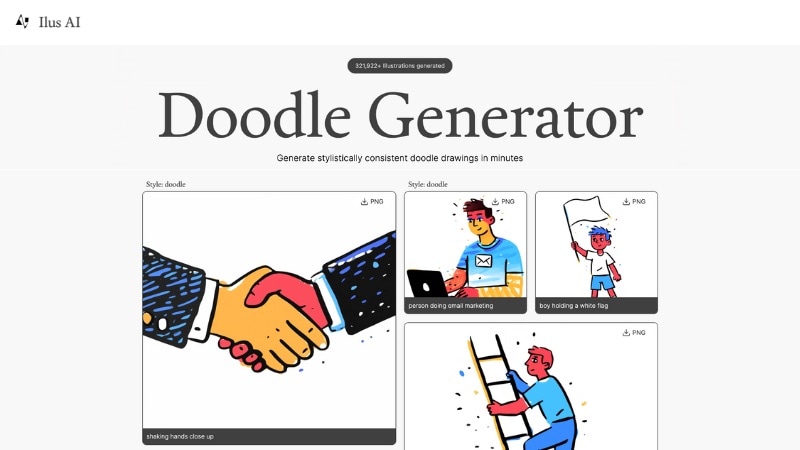
- Text-based doodle generation: Enter a short prompt and generate doodle-style illustrations.
- Consistent illustration style: Outputs follow a clean, minimal look that fits web design and UI projects.
- Various illustration styles: Choose between doodle, ink drawing, or flat illustration styles to match different design needs.
- SVG and PNG export: Download illustrations as SVG for scalable design work or PNG for quick use in content and layouts.
- Strong consistency across generated doodles.
- SVG exports suit web design and UI projects.
- Custom style training helps brands keep a unique look.
- Targets professional illustration use, not casual doodling.
- No built-in animation or video output.
Ilus AI uses a pay-as-you-go credit system without subscriptions; credits do not expire. You can buy 150 credits for $9, and 500 credits for $25. Each generated image or edit uses a set number of credits; SVG exports use more credits than PNG.
Part 3. Buyer's Guide: How to Choose the Best AI Doodle Generator for Your Needs
Choosing the right AI doodle generator depends on how you plan to use it and what kind of output you need. Some tools suit quick sketches, while others support full animations or videos. Use the guide below to narrow down the best option for your workflow.

- Choose Based on Input Type: Start with how you want to create: text-only, photo-to-doodle, or video scenes. If you want simple sketches, an AI doodle generator from text is a good option. If you want the doodles based on real objects or people, pick a tool that supports photo input.
- Check Style Options: Style choices decide how "doodle" your output looks. Some tools lean into crayon, cartoon, and colorful kid-friendly looks, while others lean into sketch, line art, or minimalist ink.
- Look at Free vs Paid Features: An AI doodle generator with a free plan helps you test results, but it often limits exports, quality, or usage. Paid plans usually add higher resolution, more variations per prompt, and better download options.
- Think About Where You'll Edit the Final Output: Decide if you want to finish the design inside the tool or in a separate editor. If you need posters, worksheets, and social layouts, pick a tool with templates and a built-in canvas editor. If you plan to animate, choose an AI doodle video generator.
Conclusion
Choosing the right AI doodle generator can significantly speed up your creative process. From static AI doodle images for social posts to engaging AI doodle videos for storytelling, these 10 tools offer the best features in 2025. If you need full creative control and animation capabilities, Wondershare Filmora is our top recommendation for pro-level results.

FAQs
-
Are AI doodle generator outputs allowed for commercial use?
Yes, in many cases, but rules change by tool and plan. Check the tool's license or terms and any model rules. Then keep proof of your plan and prompt history for client work.
-
Why do some doodle results look inconsistent?
Different models and style presets create different line weights and shapes. Short prompts, vague style words, and new seeds also change results. So, reuse one model and one style preset and keep prompts consistent.
-
Can AI doodle generators create transparent backgrounds?
Some AI doodle generators export PNG with transparency or offer a "transparent background" option. If your tool exports a solid background, generate on white and remove the background in an editor.
