

 100% Security Verified | No Subscription Required | No Malware


 ChatGPT
 Perplexity
 Gemini
 Claude
 Grok
Grok
Have you ever seen a photo that is almost perfect but feels a little too cramped? Perhaps it doesn't fit the platform dimensions or just needs a little extra space to look balanced. AI extends image tools here to solve that problem.
This tool can smartly extend the edges of a photo and fill the new area with realistic details that blend naturally with the original image. What once required hours of manual editing can now be done with just a few clicks.
For creators, marketers, photographers, and brands, this obviously helps you a lot in transforming a good image into a seamless visual ready for posting on any platform, from Instagram posts to advertising banners. Let’s learn more about this tool.
In this article
Part 1. How AI Image Extension Works (and Why It's a Game Changer)
AI extends image technology, which is changing the way creators edit visuals, especially images. Rather than being limited by the original frame, it allows images to be expanded beyond their boundaries while retaining every detail naturally and realistically.
This becomes useful when a photo feels too cramped or doesn't fit the platform's dimensions. With just a few clicks, AI can make an image look as if it were meant to be larger.
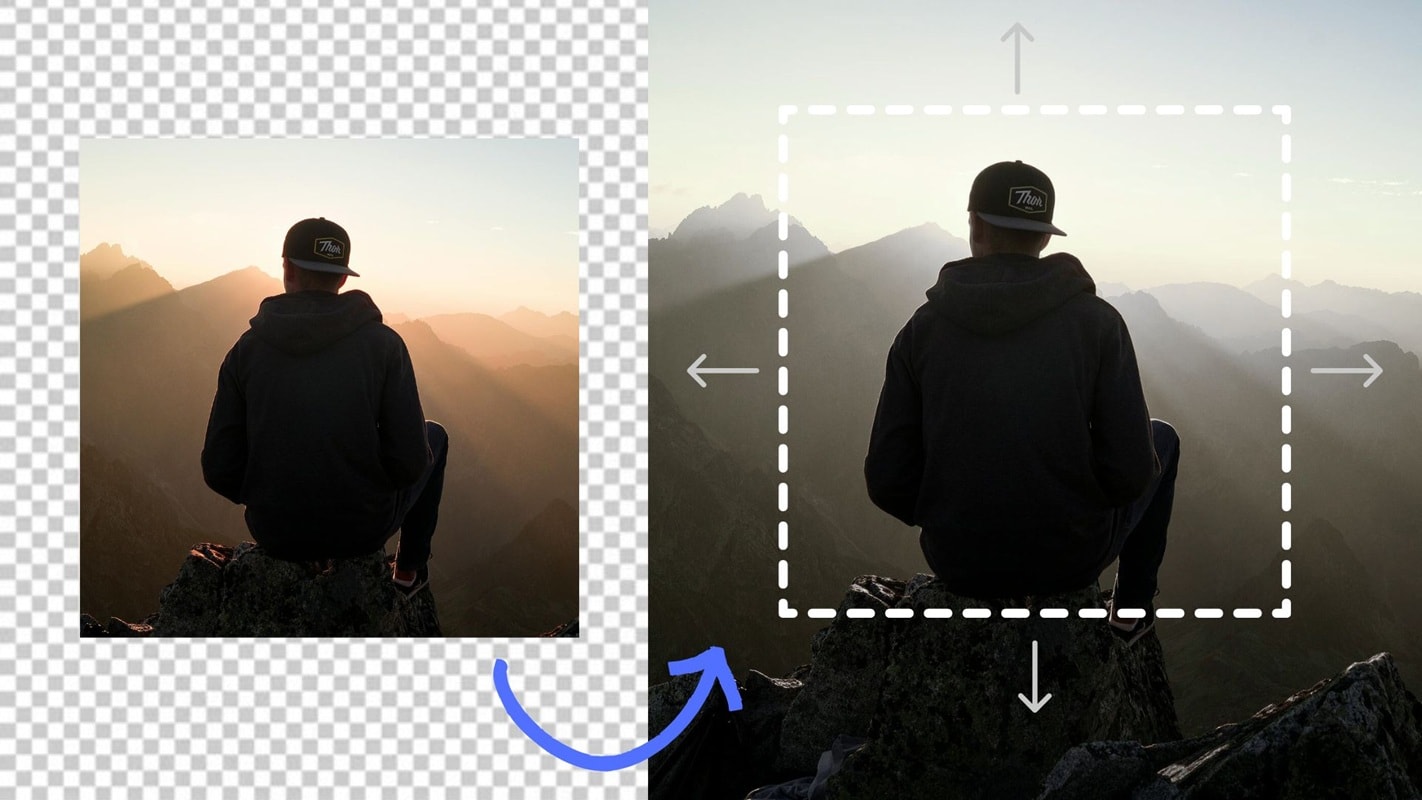
Here's how extending an image with AI works:
- Detect image structure – AI analyzes the edges of the photo to understand patterns, colors, lighting, and objects.
- Predict what comes next – Using techniques such as outpainting and generative fill, AI generates new pixels that match the existing background.
- Expand the frame – The image is expanded with realistic details, blending seamlessly with the original content.
- Final touches – AI automatically adjusts shadows, lighting, and textures to maintain consistency.
Part 2. Best AI Tools to Extend Images in 2025
AI image extending isn't just about expanding the edges of photos; it's also important to find tools that can do it naturally and accurately. That way, we can maintain the visual harmony and realism of our images.
Below are AI image extender tools that are worth trying today:
1. Pixelcut AI Uncrop Tool — Quick, Clean, and Great for Social Media Images
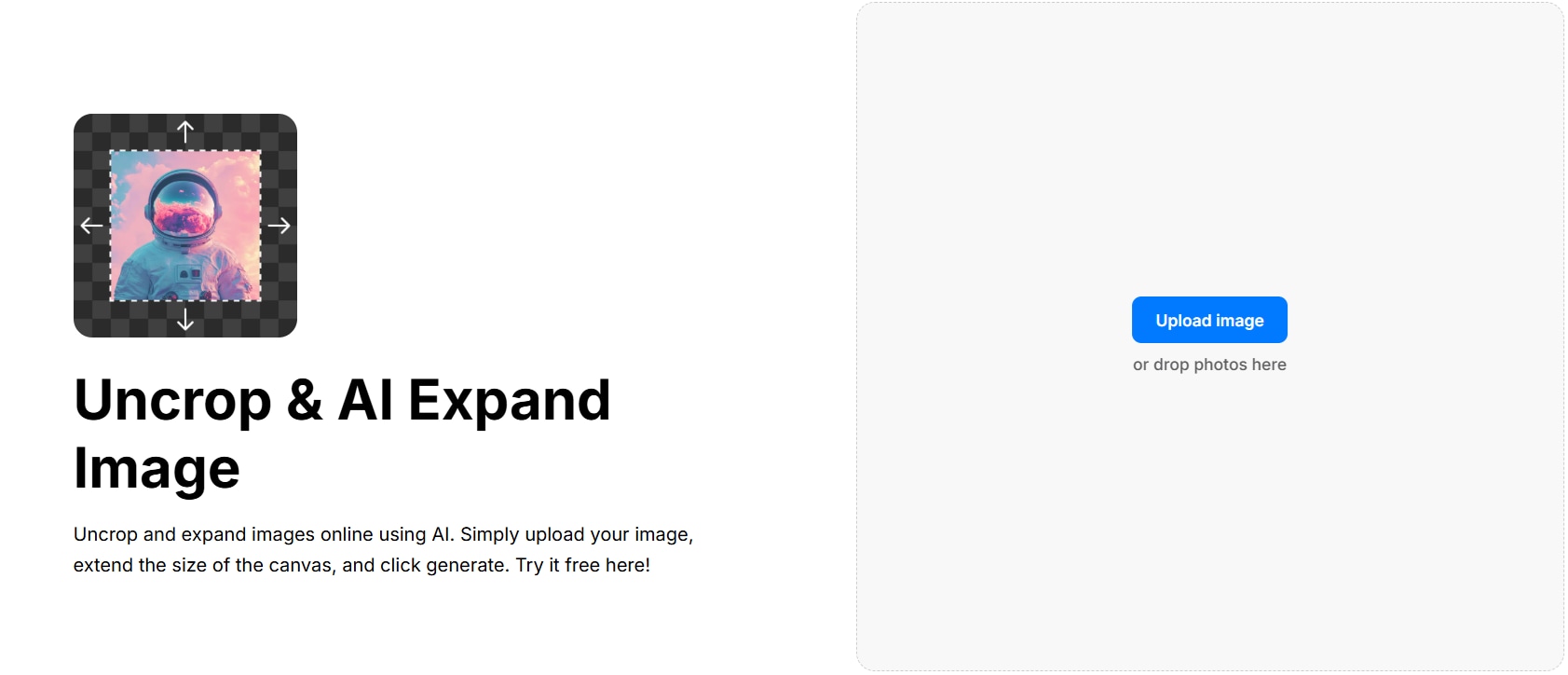
When it comes to quick and clean image expansion, Pixelcut AI Uncrop is one of the most reliable options. This extended image AI tool was designed for creators who frequently repurpose visuals for Instagram, TikTok, or online stores. It automatically predicts what should appear outside the frame, so it creates a smooth extension.
How it works:
Pixelcut’s Uncrop tool uses a predictive AI model to rebuild the parts that are outside the visible frame of the photo. It recreates patterns, tones, and depth with high precision, so that the extended parts are indistinguishable from the original.
Key Features:
- Adaptive edge detection for smooth expansion
- Social media dimension settings (Instagram, TikTok, YouTube Shorts)
- Instant preview for various frame options
2. AirBrush AI Image Extender — Realistic Background Expansion with Minimal Effort
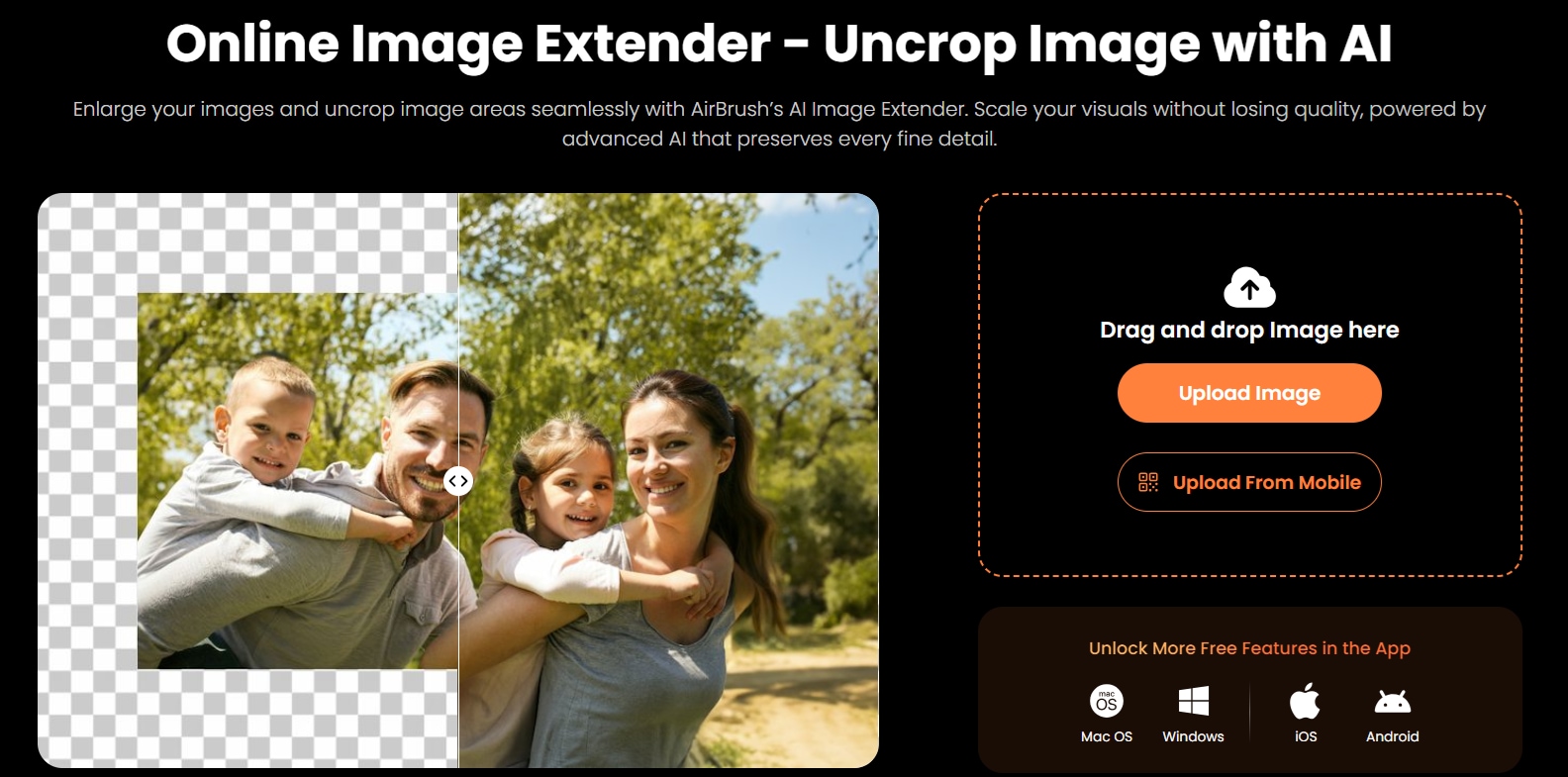
If you need an AI image extender that can naturally extend photos, even in cases with gradients, shadows, or textured surfaces, then Airbrush AI Image Extender is your best choice. This AI prioritizes realism, focusing on skin tones, natural lighting, and background continuity.
How it works:
The tool uses a lighting-sensitive algorithm to analyze the natural gradations and shadows in a photo before expanding its background. You can preview several versions and pick the one that best matches your original image.
Key Features:
- Intelligent light and texture mapping
- Realistic skin and surface color adjustments
- Automatic adjustments for depth and perspective
3. Picsart AI Image Extender — Solid for Creators Who Want Flexibility and Filters
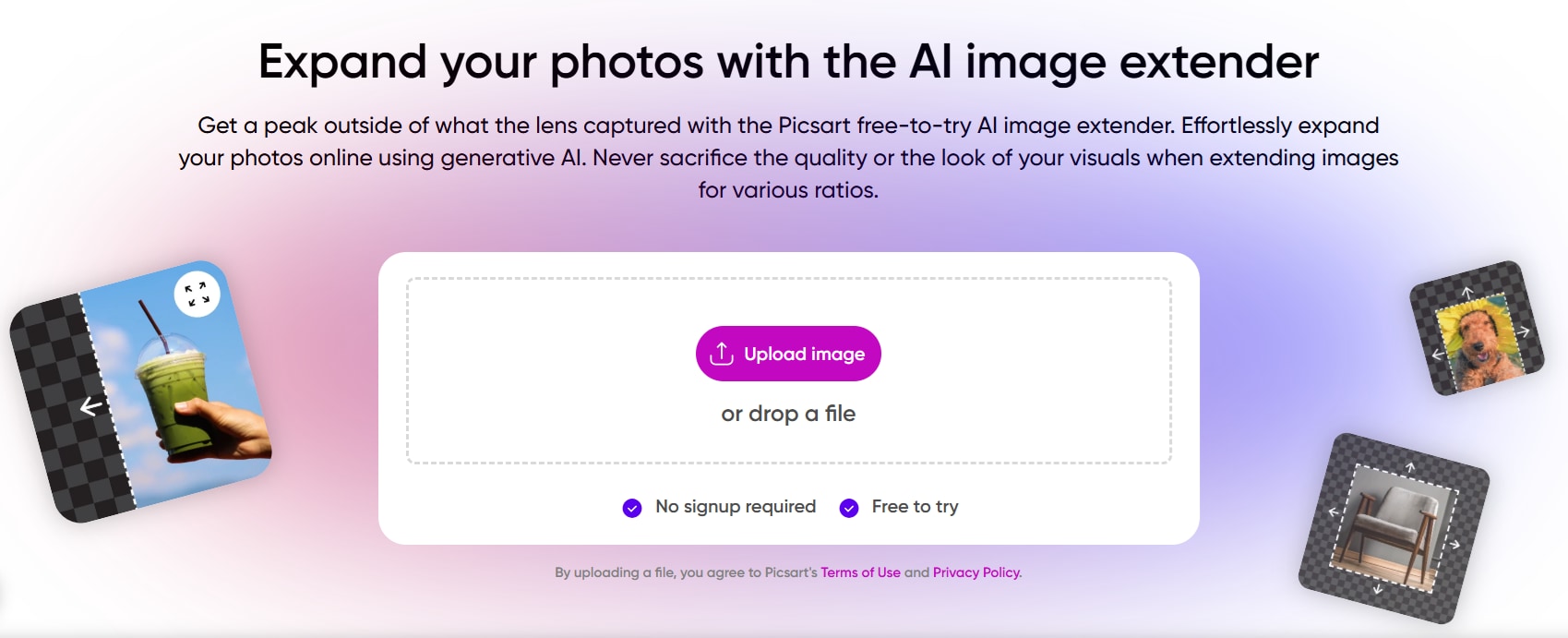
For creators seeking an AI Image Extender that lets you expand images and instantly edit them with filters, overlays, or effects in one platform, Picsart's AI Image Extender is the answer. It combines creativity with automation, which makes it ideal for creators who want to experiment with artistic depth.
How it works:
Upload your image, select the extension area, and Picsart AI will predict and generate what naturally fits outside the frame. From there, you can refine the results using Picsart's various creative tools.
Key Features:
- Style presets (realistic, dreamy, cinematic) for extended parts
- Layer-based editing for precision
- Integration with filters and visual effects
4. PxBee AI Image Extender — Smart Composition Control (Perfect for Resizing)
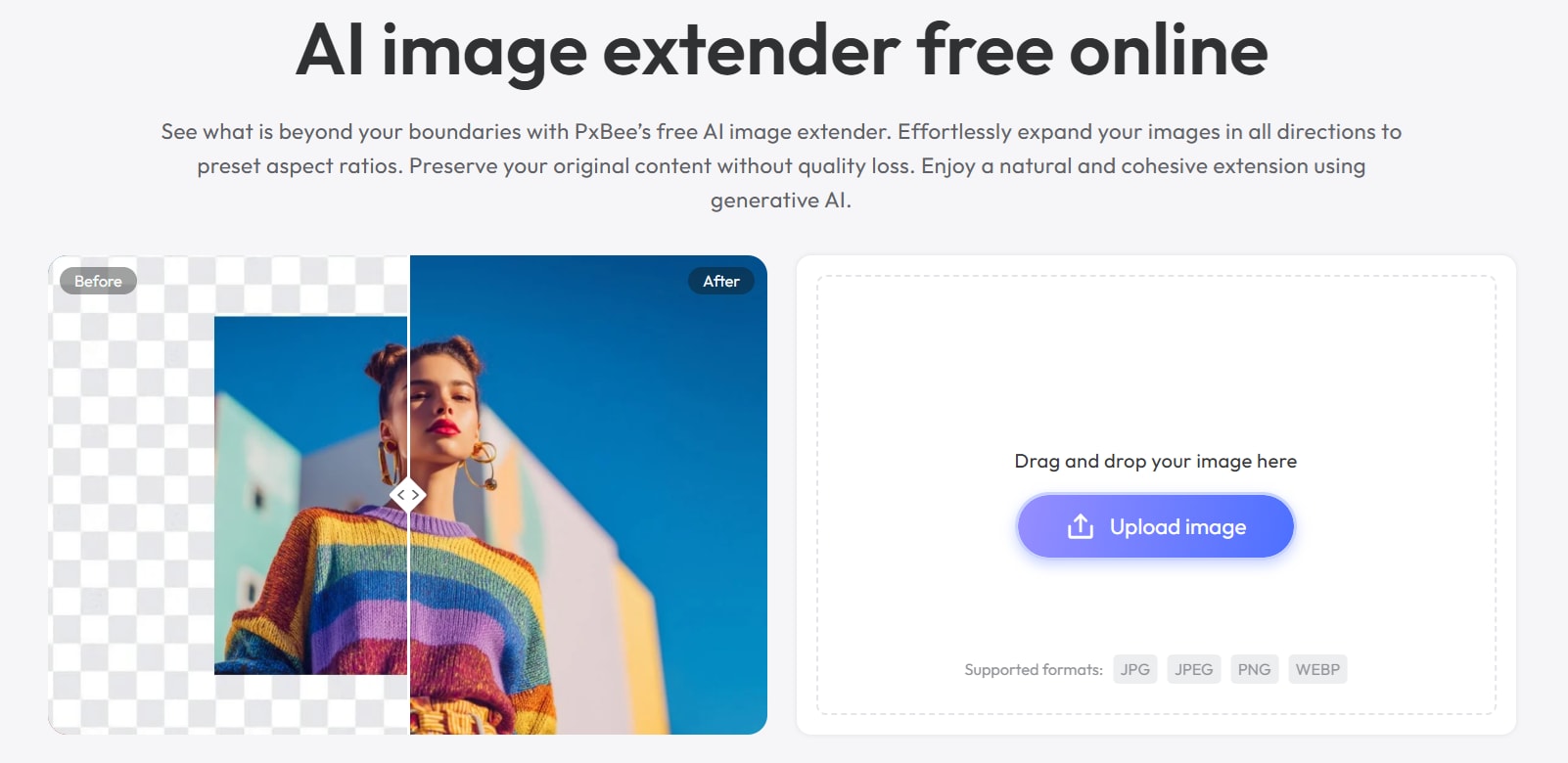
When precision and balance are paramount, PxBee AI Image Extender stands out. Compared to many AI image extender tools that only focus on filling in the background, PxBee also maintains the composition and placement of the subject, thus making it ideal for professional photographers and designers who are concerned with framing and proportions.
How it works:
PxBee’s AI performs in-depth composition analysis before generating the extended part. It ensures the visual weight remains consistent, so your subject stays centered and the overall image feels intentional.
Key Features:
- Features an “Smart Composition Engine” for balanced extensions
- Multi-ratio support for print and digital layouts
- Generates multiple expansion variants with different focus balances
5. Canva AI Image Expander — Best for Designers who want Seamless Project Integration
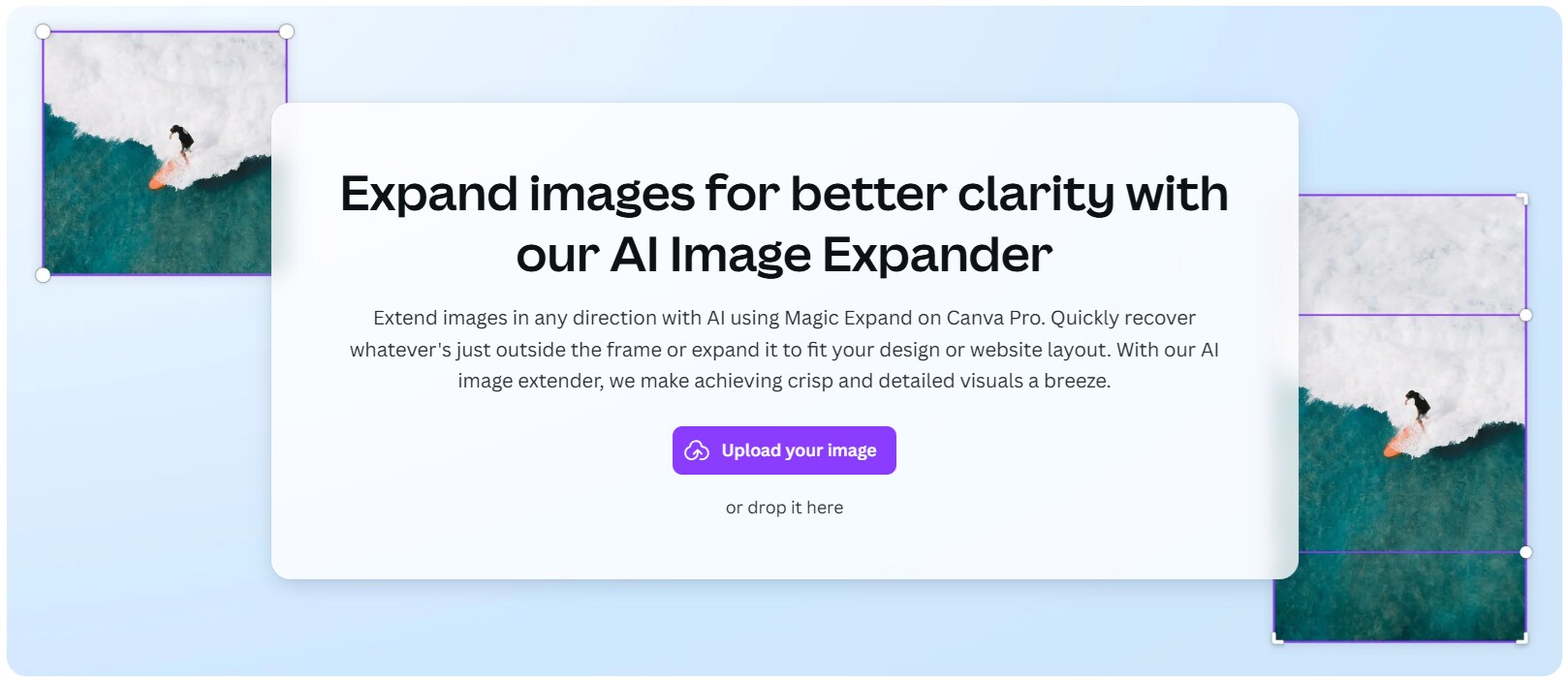
For marketing teams and designers, Canva's AI Image Expander is the most integrated extended image AI option available. You don't need external software, as Canva allows you to expand, resize, and repurpose visuals directly in the Canva design environment.
How it works:
Select an image in Canva, click “Magic Expand,” and the AI automatically fills the extended area with textures and patterns that blend seamlessly with the original design. You can repeat this process if the results don't match your layout.
Key Features:
- Direct integration with Canva templates and layouts
- Customizable frame guides for accurate scaling
- Consistent color correction to maintain visual harmony
Part 3. Use Cases for AI Image Extender
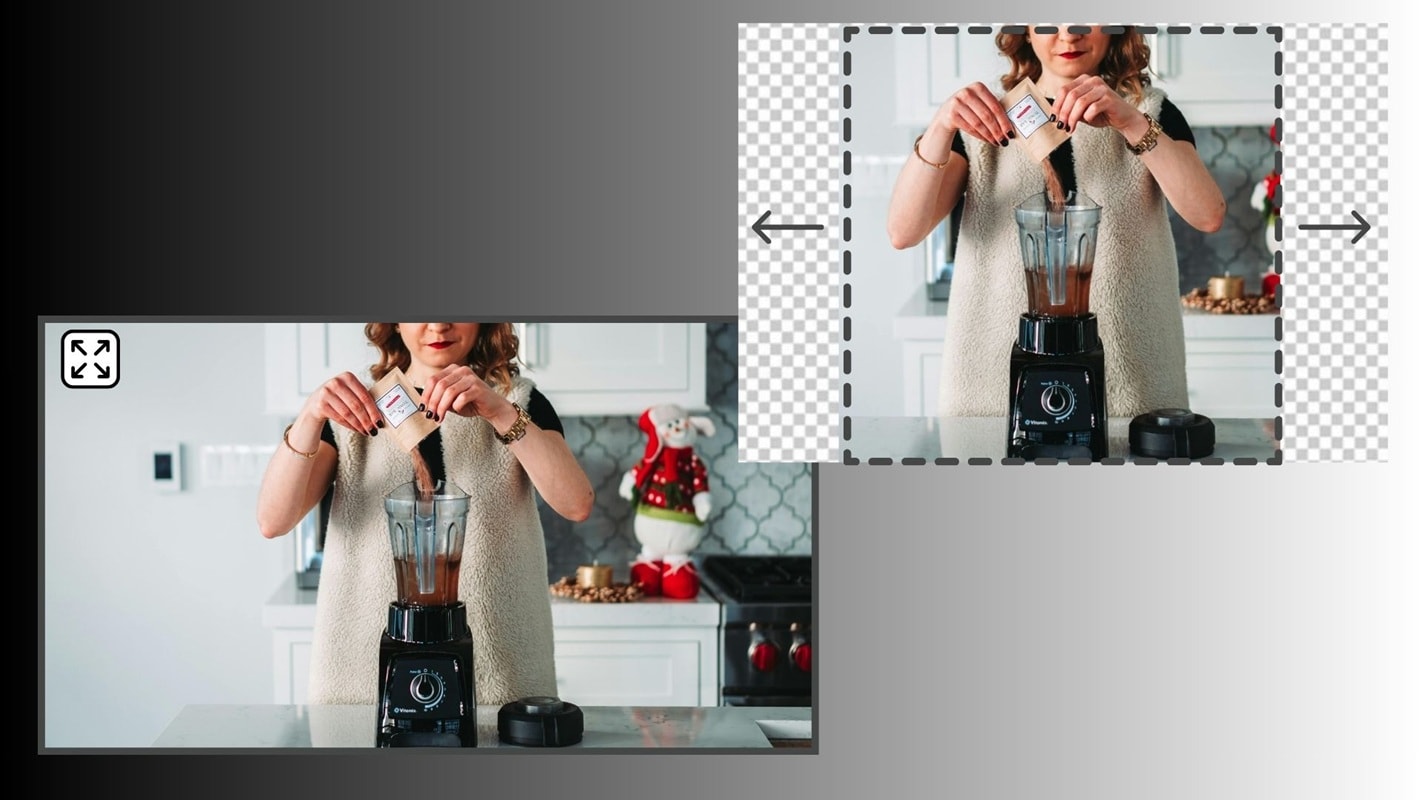
In visual presentation, AI image extenders are essential for expanding the borders of an image while preserving its style, lighting, and perspective. Below are some of the most common use cases and guidelines on choosing the right tool for your needs:
1. Social Media Optimization
Creators and marketers often use AI image extenders to adjust aspect ratios for platforms like Instagram, TikTok, and YouTube. Without cropping out important details, they can expand images to fit vertical or square formats while maintaining balance and composition.
2. E-Commerce Product Images
Online stores highly benefit from AI image extenders. It allows sellers to add space around product photos for cleaner layouts, consistent backgrounds, or additional text overlays without needing to reshoot or redesign images.
3. Photography and Art
Photographers and digital artists use AI image extenders to enhance compositions or restore incomplete photos. The tool can seamlessly extend backgrounds such as skies, landscapes, or textures, and it helps artists achieve a wider framing without distortion.
4. Marketing and Advertising
For advertising campaigns, AI image extension helps to adjust visuals to multiple formats and resolutions required by various platforms. This ensures consistent branding and design flexibility for banners, posters, or digital ads.
Choosing the Right AI Image Extender Tool
When choosing an AI image extender, consider these key factors:
- Customization options: Some tools offer creative control over how images are extended, to allow users to refine textures and lighting.
- Output quality: High-quality results are essential, especially for professional or commercial use.
Recommendations Based on Needs
- For quick and free fixes: Use tools like Pixlr AI Expand, which is simple, quick, and optimized for your canvas with a single click.
- For professional design projects: Go with AirBrush AI Image Extender. This tool excels at keeping subjects intact while generating natural backgrounds.
- For high customization: Choose Picsart AI Image Extender, as it combines extension features with styling tools and workflow integration.
Part 4. Related Tools for Video Content: Featuring Filmora's Video Extend
The same concept of image extender also applies to moving visuals. While AI can easily extend images, Wondershare Filmora brings this capability to video through its AI Video Extend feature. It allows editors to adjust and enhance video content with the same ease, simplifying content preparation for various formats without the need for reshoots.
n
From Static Images to Moving Frames
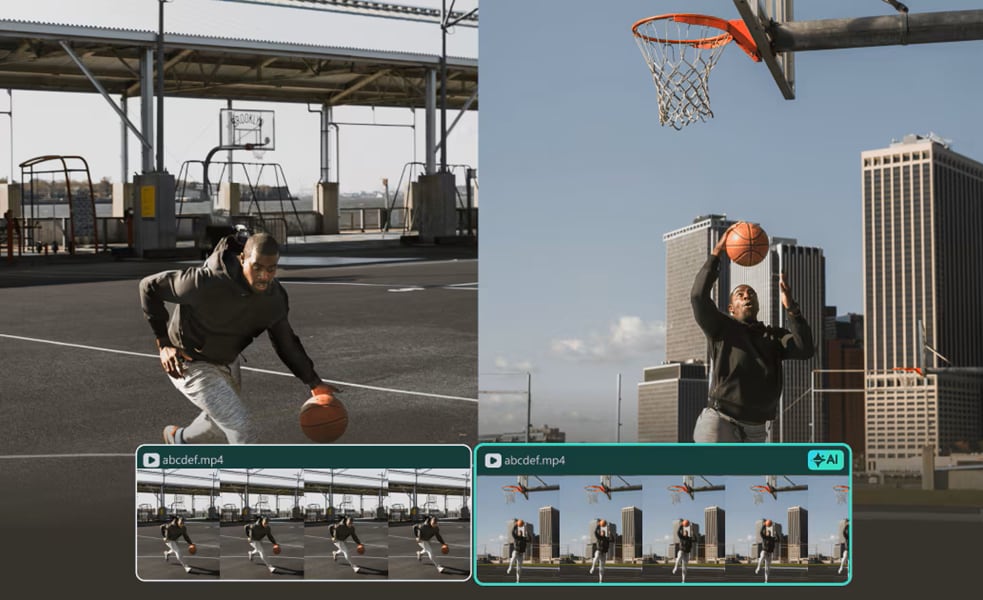
As an AI image extender helps create balanced compositions for photos, product shots, and social media posts, the same challenge often appears in video content. Some clips often don’t match the platform aspect ratio, the object is too close to the edge, or additional space is needed for text, graphics, or overlays.
Filmora brings this convenience to video editing, as it lets creators extend or fill the edges of the frame with AI and seamlessly adjust footage to new formats.
When to Use Filmora's AI Video Extend:
- The subject appears too close to the edge of the frame.
- You need extra space for text, graphics, or overlays.
- You want to adjust the framing without cropping important details.
- You’d like to expand a scene smoothly without reshooting.

 secure download

What Is Filmora's Video Extend?
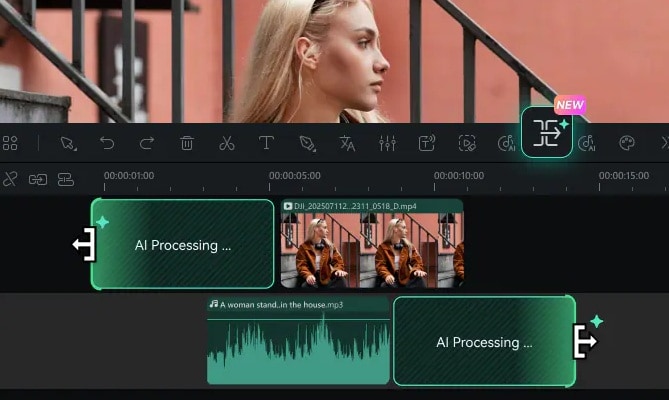
Filmora's AI Video Extend is AI-powered and designed to extend video clips intelligently by analyzing the original content and generating additional frames that match the existing motion, background, and audio.
Unlike most AI video extenders that generate results on their own, you get to guide the result yourself in Filmora. By writing a detailed text prompt, you can describe exactly how the scene should continue. The feature can currently generate up to 5 seconds of additional footage per extension.
Key benefit: Highly recommended for creators, marketers, and social media editors as it saves editing time while maintaining quality.
How to Access and Use the Video Extend Feature
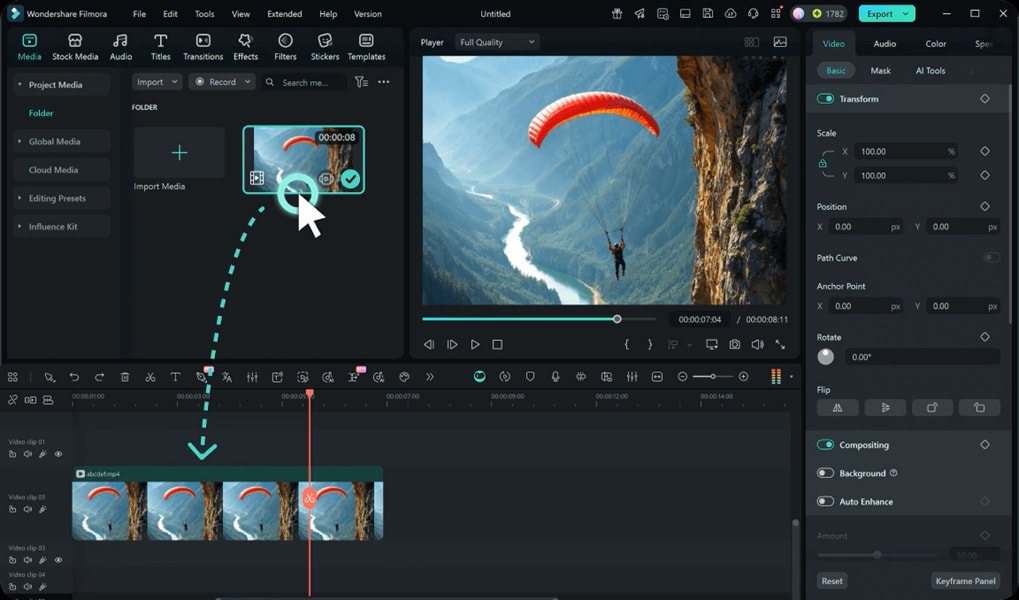
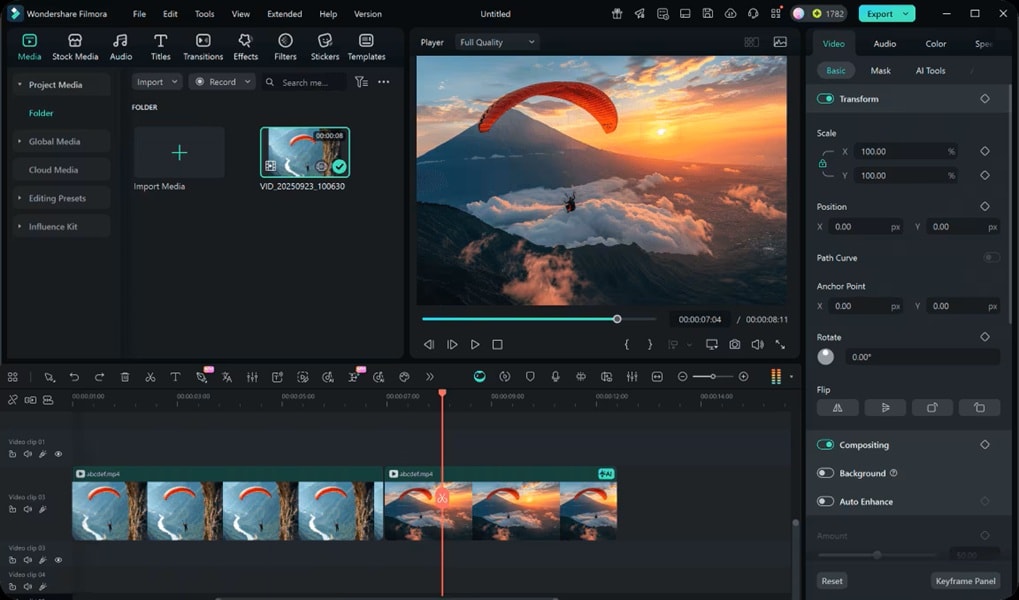
- Step 1. Add Your Clip to the Timeline
Import your video into Filmora. If you created it using Filmora's AI tool, the clip will automatically appear on your timeline.
 secure download
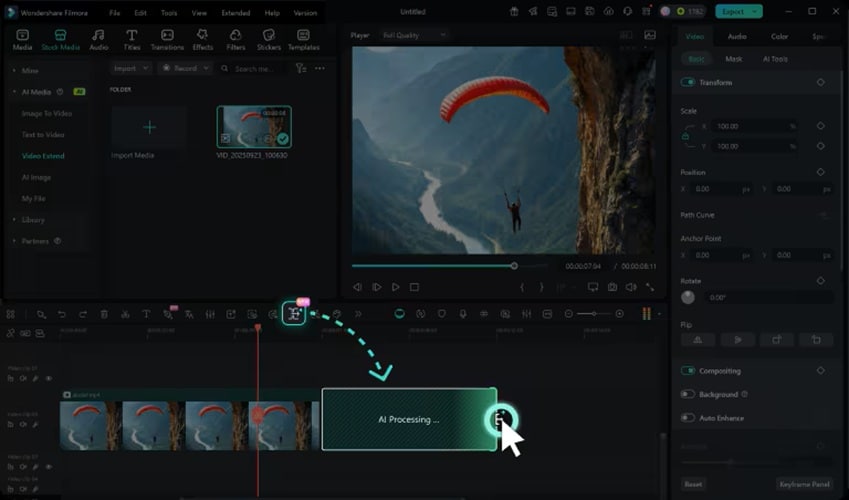
 - Step 2. Use the Smart Pen to Extend
Click the AI Extend icon on the toolbar. Hover over the edge of your clip, then drag left to extend backward or right to extend forward. Adjust the extension length according to your project needs.
- Step 3. Enter a Prompt
You will then be directed to Stock Media > AI Media > Video Extend. Here, type a description of how you want the video to continue.
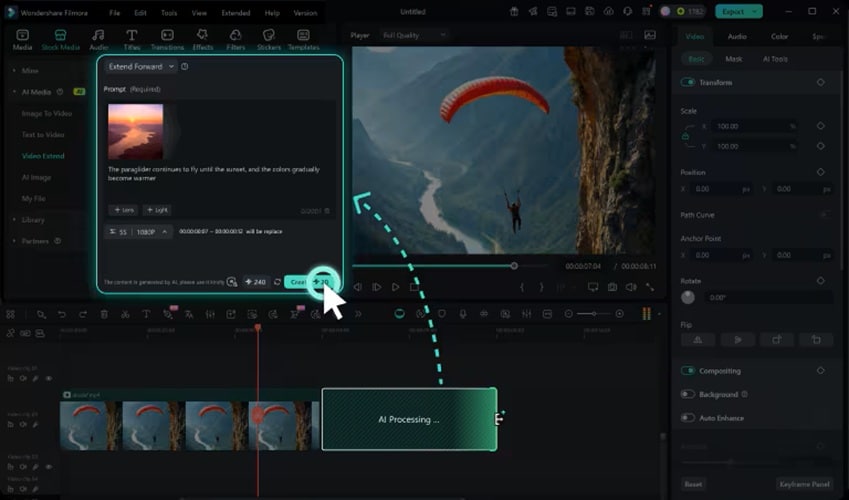
- Step 4. Generate the Extended Footage
Click the Create button. Filmora will use your clip, prompt, and chosen duration to generate extended video footage that blends seamlessly with your original content.
When to Use Video Extend Instead of Reshooting
Platform Optimization
Quickly adjust landscape clips to vertical formats (e.g., Reels, Shorts, TikTok) without having to re-shoot.
Reframing Content
When the subject is too close to the edge, cropping is undesirable.
Creative Design
Add space for logos, animated titles, or background effects to enhance the visual appeal.
Time Efficiency
For creators who want a clean result without re-editing or re-recording, this saves valuable time.
Conclusion
AI image extenders are very helpful for creators in editing and repurposing visuals, turning limited frames into flexible compositions that suit any platform or creative goal. From the AI image extender tools discussed in this article, you can utilize them based on your goals and make the process quick and natural, from expanding a photo for social media to resizing a product image for marketing.
Along with expanding images, video creation is just as important. Video creators need tools like Filmora's Video Extend, which offers the same features for your motion content, so your clips can adapt and appear complete without reshooting.
