

 100% Security Verified | No Subscription Required | No Malware


 ChatGPT
 Perplexity
 Gemini
 Claude
 Grok
Grok
We have all watched a romantic comedy movie and wanted to recreate the scenes. Some rom-coms have a witty commentary in the background that makes it even more impactful. The all-new Narrator Trend AI Prompt on TikTok has taken the internet by storm. It is perfect for people who romanticize this genre and want to replicate the scenes.
The blog below covers the details of this trend and the top tips to help you create a video following this challenge. We will also explore a tool that provides just the right features to make a post of this challenge.
In this article
Part 1. What is the Narrator Trend AI Prompt?
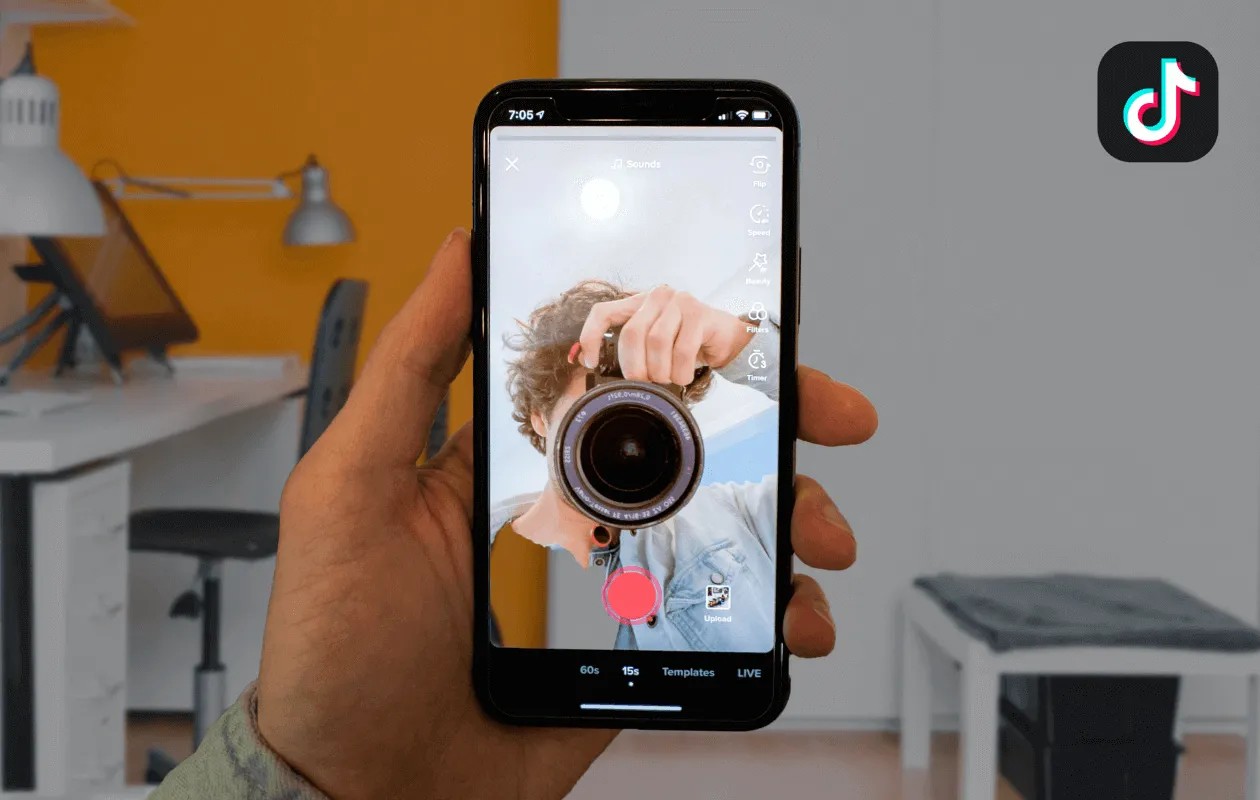
It is a social media format in which AI receives a request to compose a small, humorous script in the manner of a movie narrator. The producer then matches this narrative to the simple clips of daily life, transforming ordinary scenes into fun and cinematic ones. The TikTok Narrator trend is particularly widespread on TikTok and Instagram since it seems to be a combination of jokes and narration.
- Origin of the Narrator Trend AI Prompt: The trend originated in 2023 when users started playing around with AI tools and started using them to create humorous, rom-com-style voiceovers. It became viral there with constant influencers and brands using it to tell relatable and ad-style stories.
- Why People Love the Narrator Trend AI Prompt: Audiences love it because it transforms mundane scenarios into entertaining moments that feel instantly relatable. The narrator's playful commentary makes videos funny and easy to share. It also gives creators a fresh way to connect with viewers without feeling like they are forcing an ad or scripted content.
Part 2. Styles of Narrator Trend AI Prompt
Each trend on social media comes in one style, but users recreate it and add their personal touches. As these tweaks result in the emergence of a new style, users get a variety of themes to follow. The following styles will enlighten you on using the top styles on this Narrator trend:
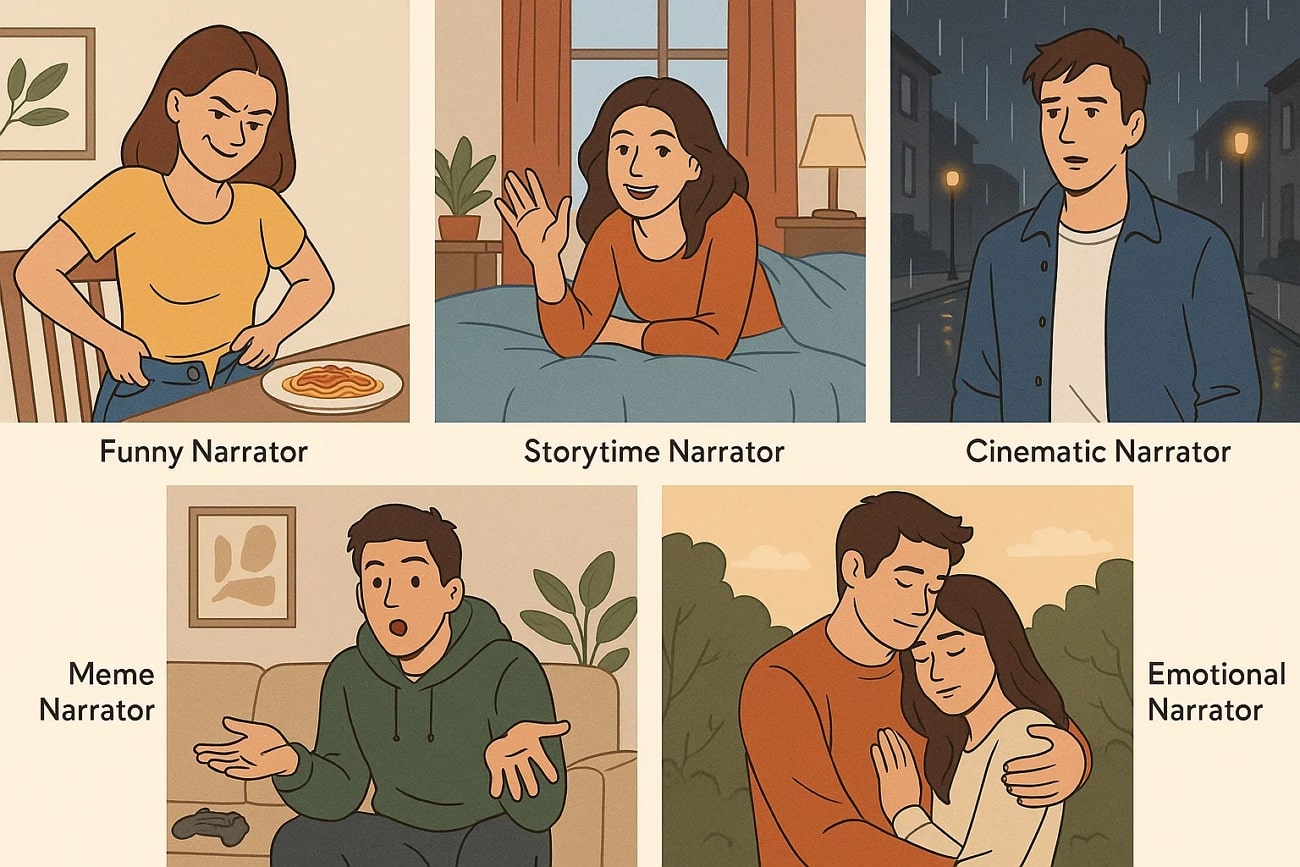
Funny Narrator Trend AI Prompt
This style leans on humorous and sarcastic commentary to make everyday situations entertaining. The AI script often exaggerates small struggles, making content lighthearted and instantly relatable.
Storytime Narrator Trend AI Prompt
Here, the narration adopts a storytelling tone, as if telling a short story about the person in the video. It sets up a beginning, middle, and end, often with a twist or playful conclusion like mini rom-com episodes.
Cinematic Narrator Trend AI Prompt
This approach mimics dramatic film trailers, complete with epic phrasing and scene-setting. The narrator makes ordinary everyday activities sound larger than life. It appeals to viewers who love the mix of drama and comedy.
Meme Narrator Trend AI Prompt
The meme version of the Narrator trend uses inside jokes or viral internet references to connect with online culture. The narrator mocks the situation or playfully breaks the fourth wall. It works well because it ties into trends audiences already find funny.
Emotional Narrator Trend AI Prompt
This style uses heartfelt or reflective narration to turn simple clips into cinematic moments. It highlights emotions like love and nostalgia. People connect with it because it feels sincere and creates a deeper bond with the audience.
Part 3. 15 Creative Ideas For Narrator Trend AI Prompt You Can Use For TikTok, Reels, Or Shorts
We know that this trend is viral, so you need the wow factor to make your version stand out. The following ideas will help you create a unique take on the narrator trend voice:
"Little Did She Know…"
This classic setup makes the narrator sound like they are revealing an unexpected twist. It works perfectly for funny or ironic clips where the outcome is the opposite of what is expected.
Pet Adventures
Follow this style and use narration to dramatize your pet's silly or cute behavior to add humor and personality to content. The narrator can make it sound like an epic quest when your animal knocks over a cup or your dog chases its tail.

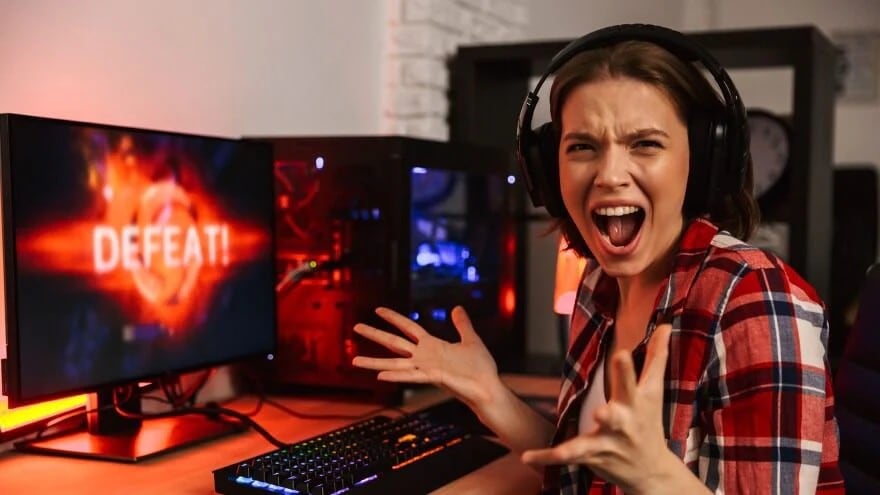
Gaming Fails
Narration can turn a missed jump or in-game blunder into a hilarious cinematic moment. The contrast between dramatic narration and silly gameplay can get you big laughs.
The Food Struggle
Relatable food moments always perform well on social media, so you can show clips of cooking disasters, late-night snacks, or fast-food cravings. The narration in the TikTok Narrator trend video will add comedy by making it sound like a life-or-death mission.

Room Makeover Reveal
A narration in this style can add drama to before-and-after transformations of bedrooms or living spaces. The story-style commentary builds anticipation for the final reveal and makes the makeover feel more like a TV episode.

Relationship Comedy
Playful arguments, funny habits, or other couple dynamics become funnier with a narrator commenting on them. The script might exaggerate one partner's side for comedic effect to make it relatable, entertaining, and perfect for short-form video.

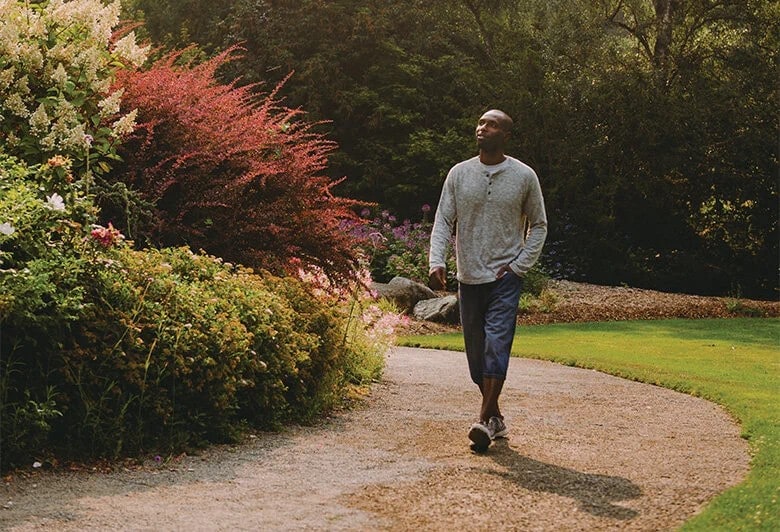
Epic Walks
You can turn a simple walk down the street or into a room into a slow-motion, dramatic event. A narrator in your Narrator trend video can describe it as if it's a movie entrance scene, making ordinary movements feel iconic.
Study/Work Struggles
Combine entertainment and relevance in one by showing clips of procrastination, late-night studying, or work-from-home chaos. The narrator frames it as a battle or an endless saga, making the audience feel like they have been there and done that.

Travel Clips
A funny or cinematic script about travelling adds personality to scenic shots or airport chaos. Narration can make even small trips feel like a grand journey. This style of videos creates mini travel documentaries with humor or flair.

Sibling Drama
Sibling fights and drama are real and highly relatable. Clips of arguments, pranks, or bonding moments become funnier with narration. The AI script can exaggerate the rivalry as if it's a movie plot, making anyone who has siblings laugh.

Shopping Spree
You can showcase a haul or funny shopping trip with a narrator, turning it into a high-stakes adventure. The voiceover can poke fun at overspending or silly purchases, giving the shopping content more personality and humor.

Fitness Fails
From missed lifts to awkward yoga poses, this type of content frames the moment as if the person is in an action movie gone wrong. Such a narrator trend tutorial resonates with fitness audiences, as they love the mix of humor and relatability.

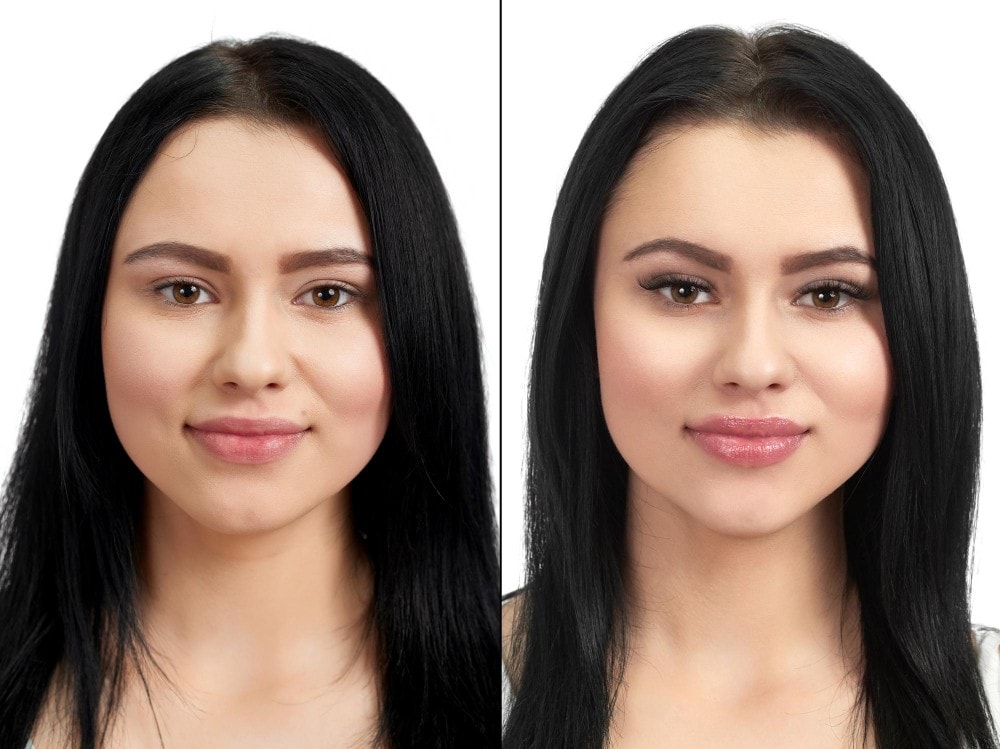
Before & After Glow-Ups
A narrator can add story-like buildup to any kind of transformation. The voiceover will dramatize the "before" and celebrate the "after" to glorify the post-process results. You can make the glow-up videos more engaging and cinematic with the voice.
Meme Narration
To replicate this style, you can combine the narrator trend with existing memes or viral jokes. The AI voiceover can exaggerate or mock the situation in a meme-like tone. This keeps the content aligned with what's already trending online.

Everyday Relatable Moments
From spilling coffee to forgetting keys, include small daily struggles with a narrator making it sound epic. These clips are highly shareable because everyone has lived them. The narration turns life's little inconveniences into entertaining stories.

Part 4. How to Create Content with Narrator Trend AI Prompt
After having the knowledge of the top narrator trend AI prompt styles, it is natural to want to make one of such videos. But before you jump straight to the process, it is helpful if you know how to create these videos. The following points feature some useful strategies for making narration videos.
Choosing the Right Video for Narrator Trend AI Prompt
Start by picking a video clip that has a clear, relatable situation or everyday struggles. The best clips are simple and visually easy to follow, so the narration stands out. Short, punchy videos work better than long, complex ones for this trend.
Best AI Tools for Narrator Trend AI Prompt
There are many popular tools that have the ability to generate cool narrator trend voice videos, but Wondershare Filmora is the most reliable option. With its simple interface and easy functionality, this tool stands out for its all-in-one features. It offers voice cloning options and built-in AI speakers. With this tool, you can enhance the film using one-click Video Enhancement features and audio denoisers.
Writing the Perfect Script for Narrator Trend AI Prompt
The AI copywriter offered by Filmora is capable of creating short scripts in the style of a narrator, which would be ideal for transforming a regular clip into a movie. When you have the script, generate the automated voice-overs that sound natural and fit into the mood using Filmora. This avoids the necessity of having to record your own voice but still makes the narration interesting.
Trend AI Narrator Trend AI Prompts: Editing & Timing.
The narration must match the most important actions in the video so as to get the best out of it. The editing capabilities on Filmora, such as auto-sync, allow one to align on-screen action with narration. To make your Narrator trend AI Prompt content more cinematic, you can then add transitions, effects, and captions to the text in Filmora.
Part 5. Amplify Your Narrator Trend Videos with Filmora's AI Text-to-Speech & Voice Cloning Tools
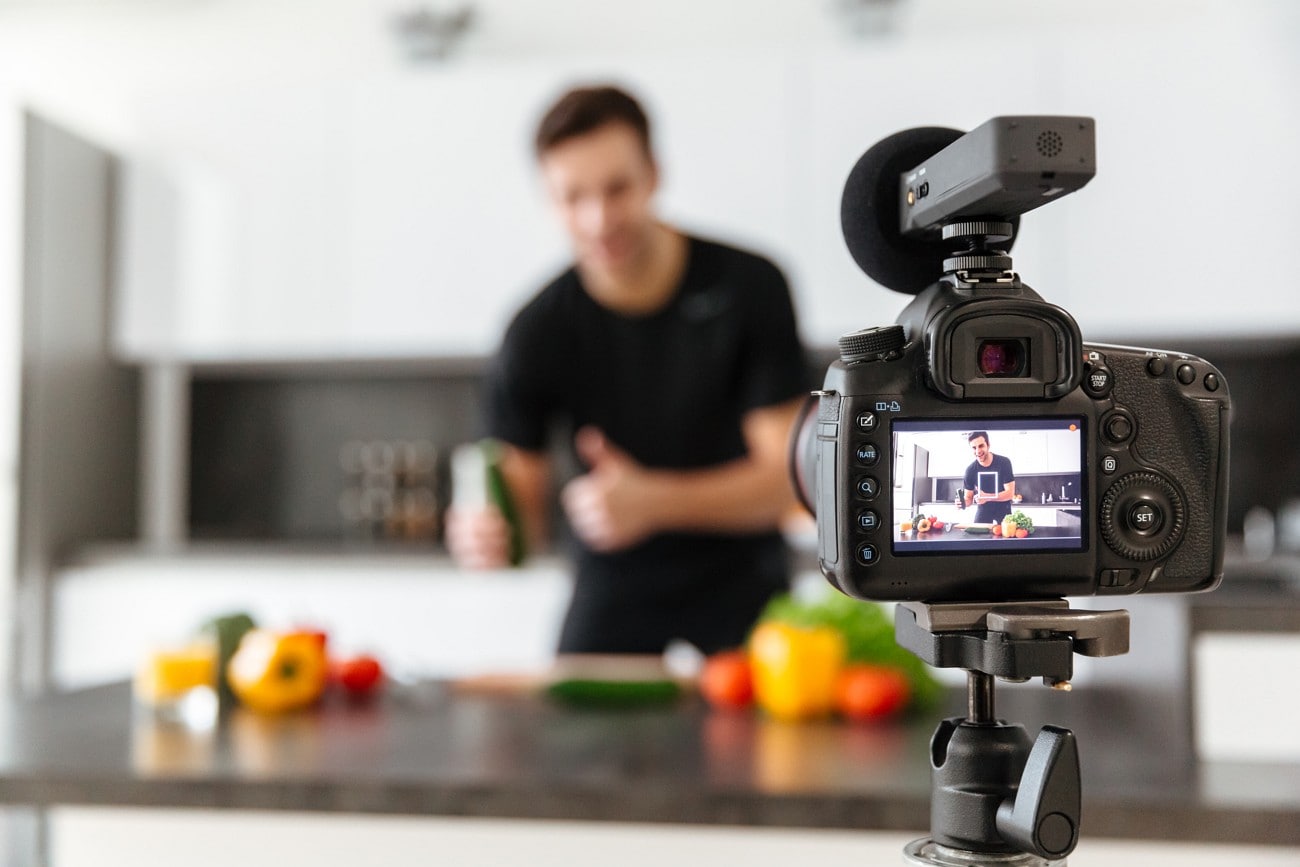
To create a video following this challenge, you must find a hands-on tool. Filmora is a robust video editor that serves as an all-in-one solution for such videos. It combines script-writing with voice-generation to give you a comprehensive result. Its AI Copywriting tool generates a script for your vlogs in the desired language. Once the script is generated, you can use it to create a voiceover using its life-like AI speakers.
If you are looking to get similar outcomes on the phone, use the Filmora App [iOS/Android]. You just need to input a 10-second audio sample, and the app will clone it for you. Users can pick the language and the tone of the generated results to get precise outcomes. Once the narration is generated, you can sync it with your vlog.
Using the Desktop Version of Filmora to Generate a Narrator AI Prompt Video
The desktop version of Filmora offers a combination of generating an AI script and a voiceover. Follow the steps below to learn how you can use this tool to create a Narrator trend tutorial video:
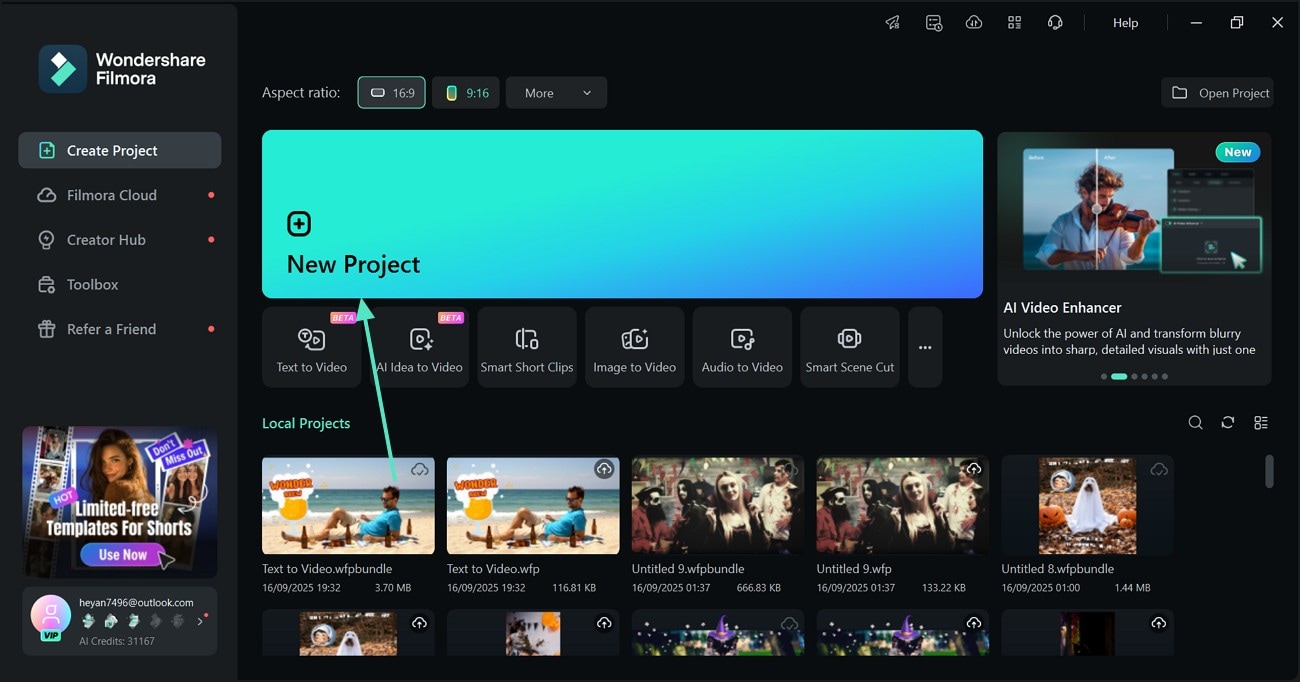
- Step 1. Initiate a New Project to Import Your Vlog. Using the main interface of the tool, select the "New Project" button and import the vlog in the next window.
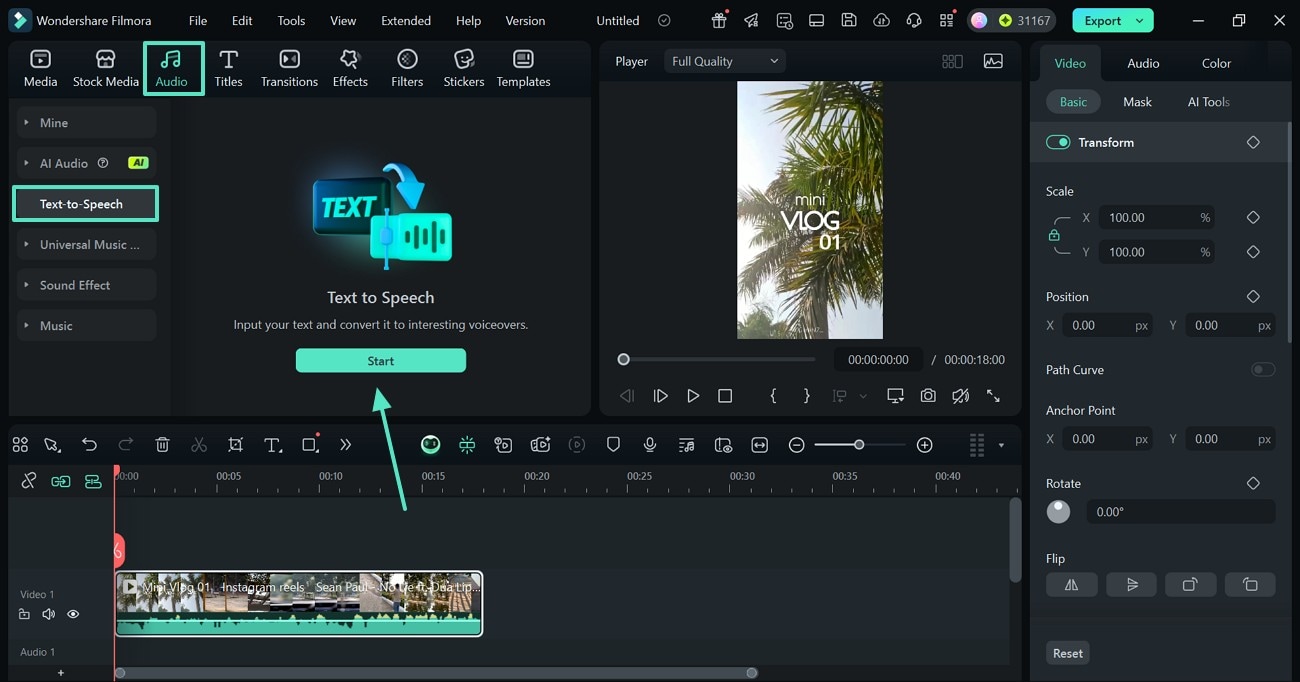
- Step 2. Access the Text-to-Speech Feature. From the top toolbar, enter the "Audio" tab and "Start" generating "Text-to-Speech."
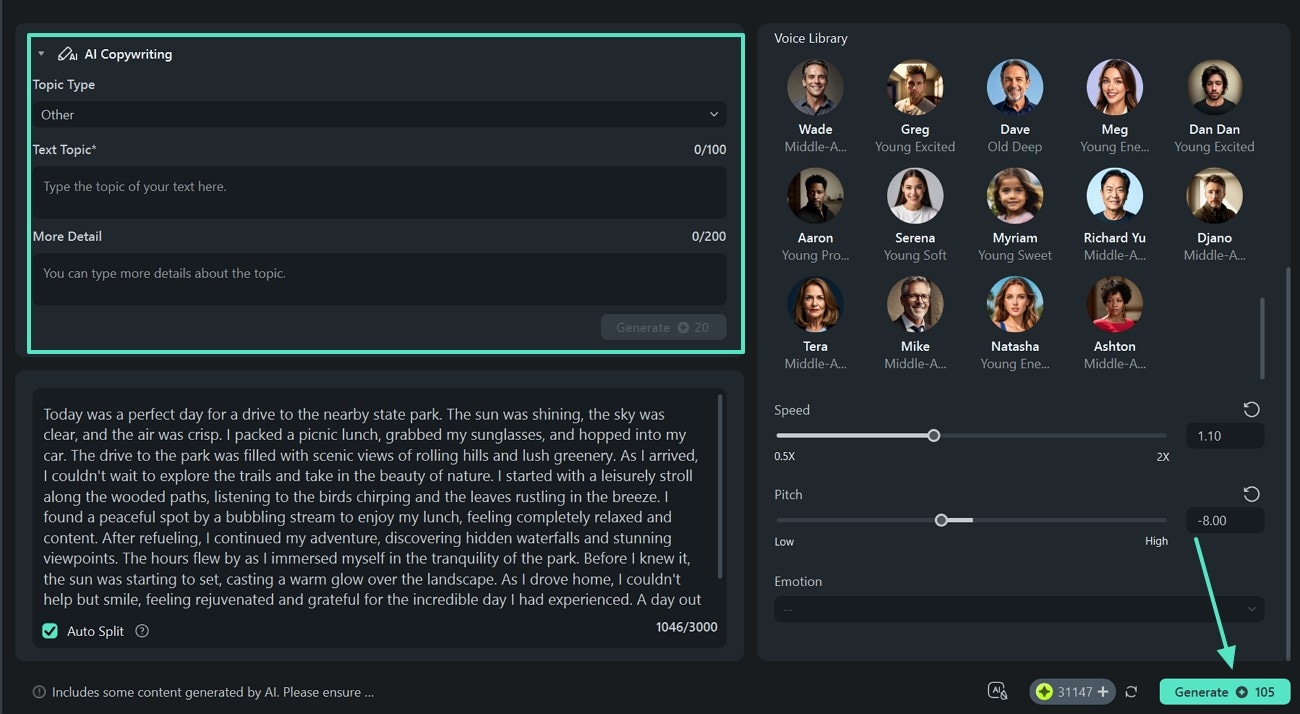
- Step 3. Generate the AI Script and Assign an AI Speaker. When the next window opens, uncover the "AI Copywriting" section to input the video details and hit the "Generate" button to create a script. When the script is created, select an AI speaker from the right panel and customize it to "Generate" outcomes.
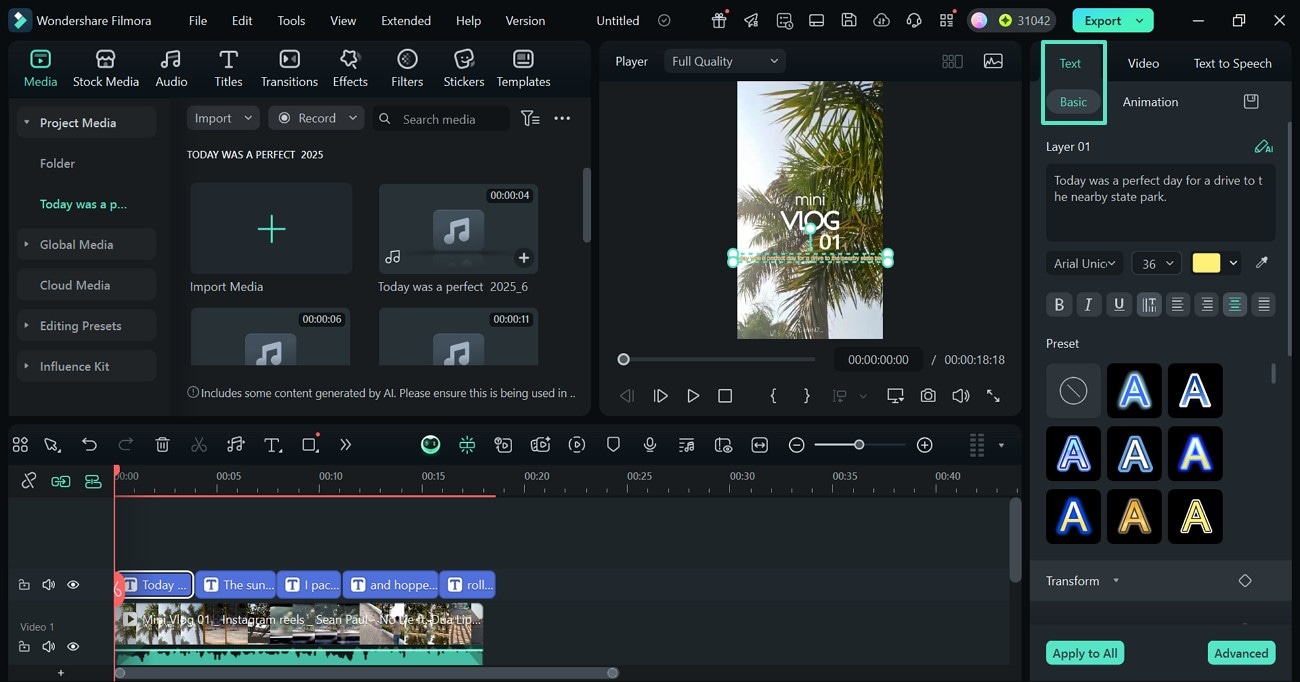
- Step 4. Polish the Voice for Professional Outcomes. Your generated video will be on the timeline with auto-generated captions. Using the "Audio" section from the right panel, enable the "Voice Clarity" toggle and set the value for clarity. You can further explore this panel to make more sound adjustments.

- Step 5. Enter the Text Panel to Customize the Captions. Select the auto-generated captions and unfold the "Basic" "Text" panel to customize the text.
- Step 6. Add a Title Template for Your Vlog. To explain the contents of your video, press the "Titles" tab at the top and apply a template. From the right panel, customize the text and the font.

- Step 7. Save the Narrator Trend AI Prompt Video. As the video is ready to be shared, use the top right part of the screen to "Export" it to your device.

 secure download

Using the Filmora App to Generate a Narrator AI Prompt Video
The mobile version allows you to keep your video edits on the go, while ensuring professional results. The following section is a detailed guide on using this version to generate a Narrator AI Trend Prompt video using Filmora app:
- Step 1. Start with the Toolbox. To start the process, open the main page of the Filmora App and select the "AI Voice Cloning" feature. On reaching the next screen, tap the "Record Now" option to proceed.
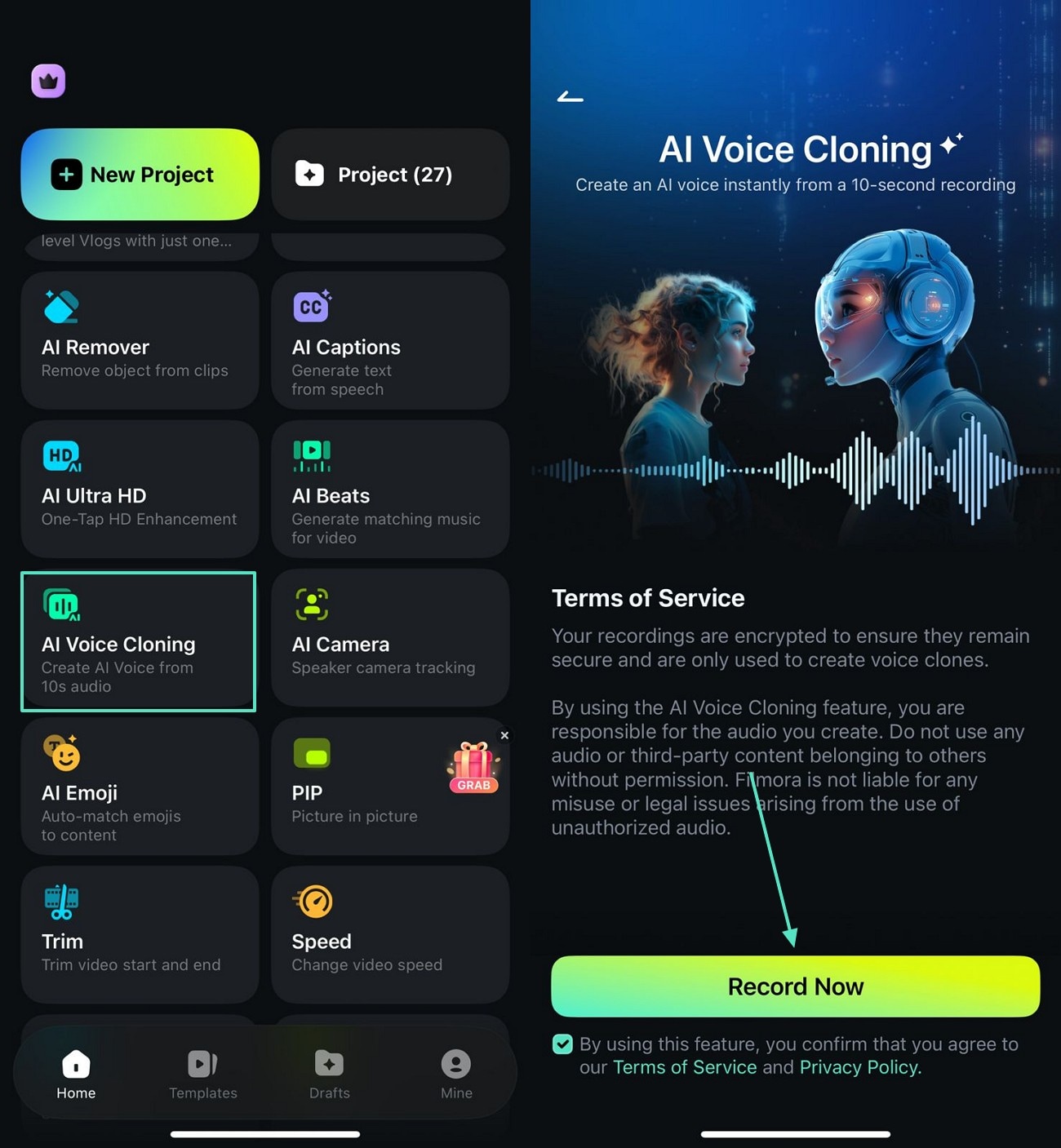
- Step 2. Record an Audio Sample. Next, unveil the "Tone" menu and select the desired option. Tap the red "Record" button to start recording and use the same button to abort it.

- Step 3. Create and Save the Voice. Once you have recorded the sample, select the "Create" button to "Create Video" in your desired language.

- Step 4. Decide What You Want to Do with the Cloned Voice. Using the following pop-up, select the "Text-to-Speech" option and import a video. From the next interface, select the voice you want to use to "Generate" a TTS video.
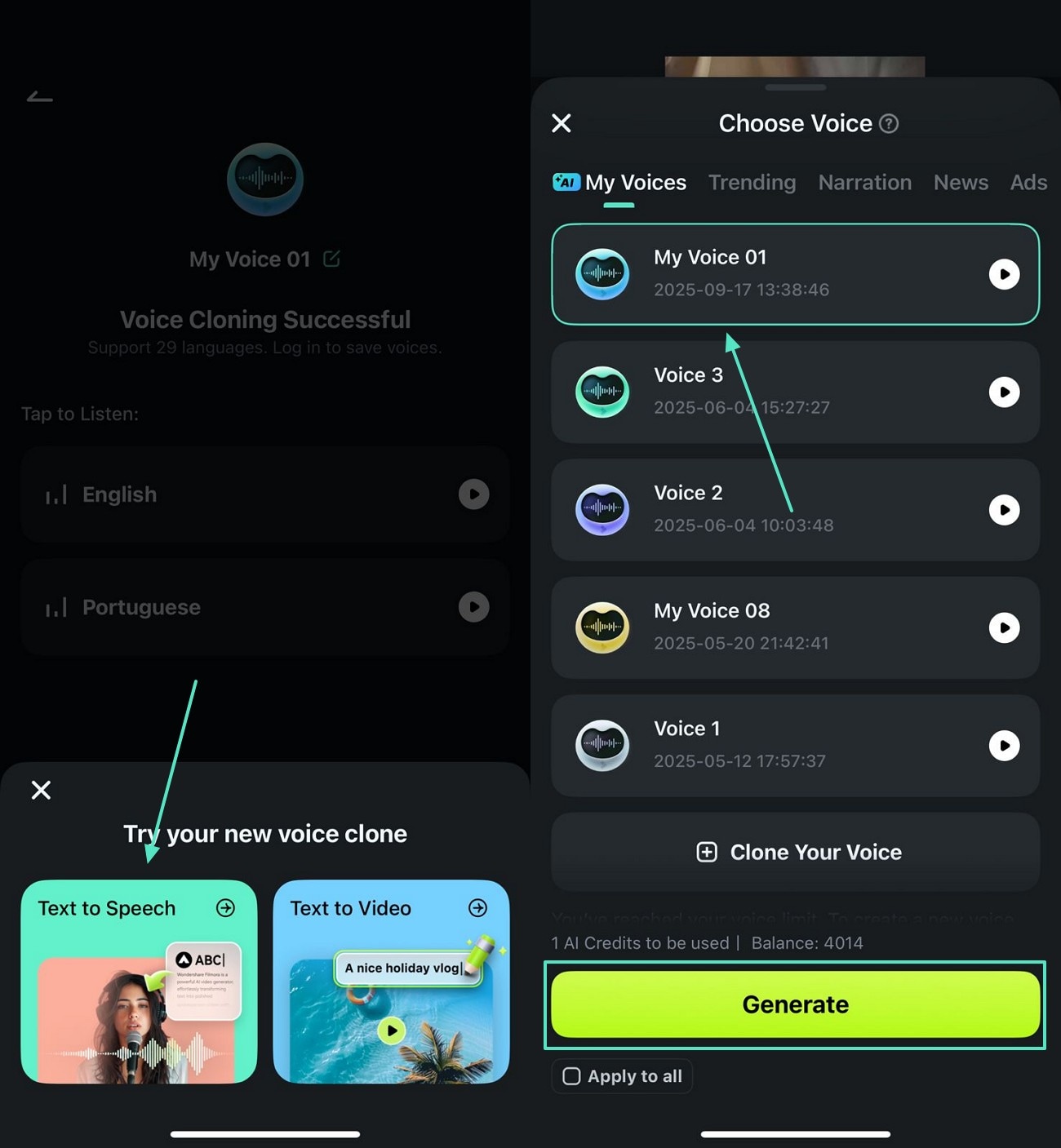
- Step 5. Add Text to Generate a Voiceover. When your video is imported to the editing interface, select the "Text" tab and type the description. Using the bar above the keypad, style and animate the text.
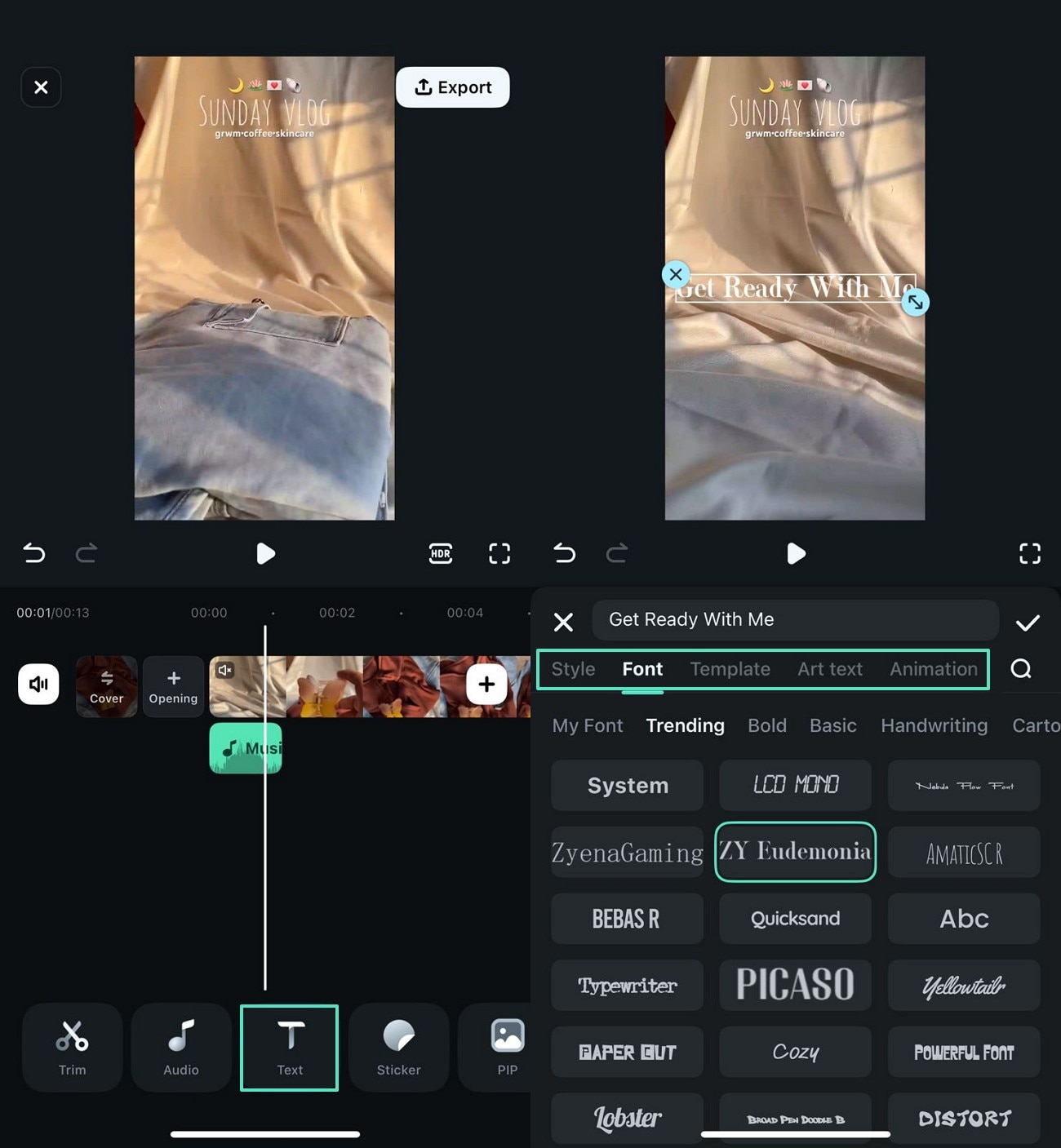
- Step 6. Apply the Denoiser. To get rid of the background noise in the voiceover, use the bottom toolbar and enable the "Noise Reduction" option.

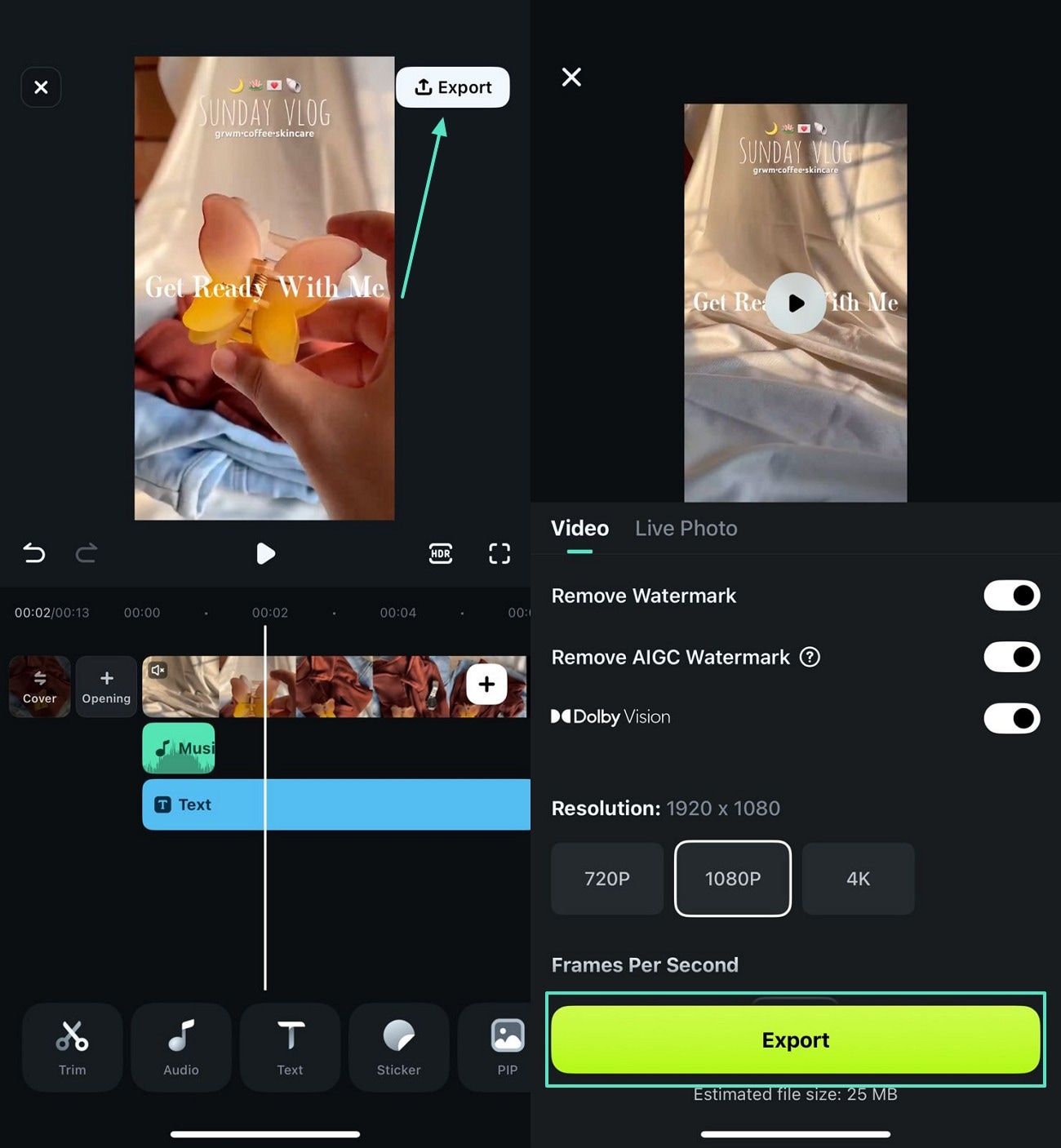
- Step 7. Save the Edited Vlog. As you are done editing the vlog, select the "Export" button at the top right to save the video on your phone.
secure download
Conclusion
All in all, the Narrator Trend AI Prompt is ruling all social media platforms that offer short-form videos. This article explored the top styles that can be used while making videos following this trend. After learning about the details of this trend, it is important to pick the right editing tool.
Wondershare Filmora offers its intelligent AI tools to generate a voiceover for your videos. This tool also combines video-editing features that complement its ultra-realistic narration.
