

 100% Security Verified | No Subscription Required | No Malware


 ChatGPT
 Perplexity
 Gemini
 Claude
 Grok
Grok
The Rosalia font Instagram style is one of the most exciting updates to hit the app. Launched worldwide in July 2025, it came from a creative collaboration with Spanish pop star, Rosalia. The font is bold, handwritten, and full of energy, giving even a story or reel a personal touch. With its messy, stroky, inky texture, and hidden doodles, it feels playful and fun.
Moreover, you don't need extra apps to use it, just update Instagram and start exploring. This font makes posts stand out instantly and engages the audience with ease.
In this article
Part 1. What is Rosalía Font?
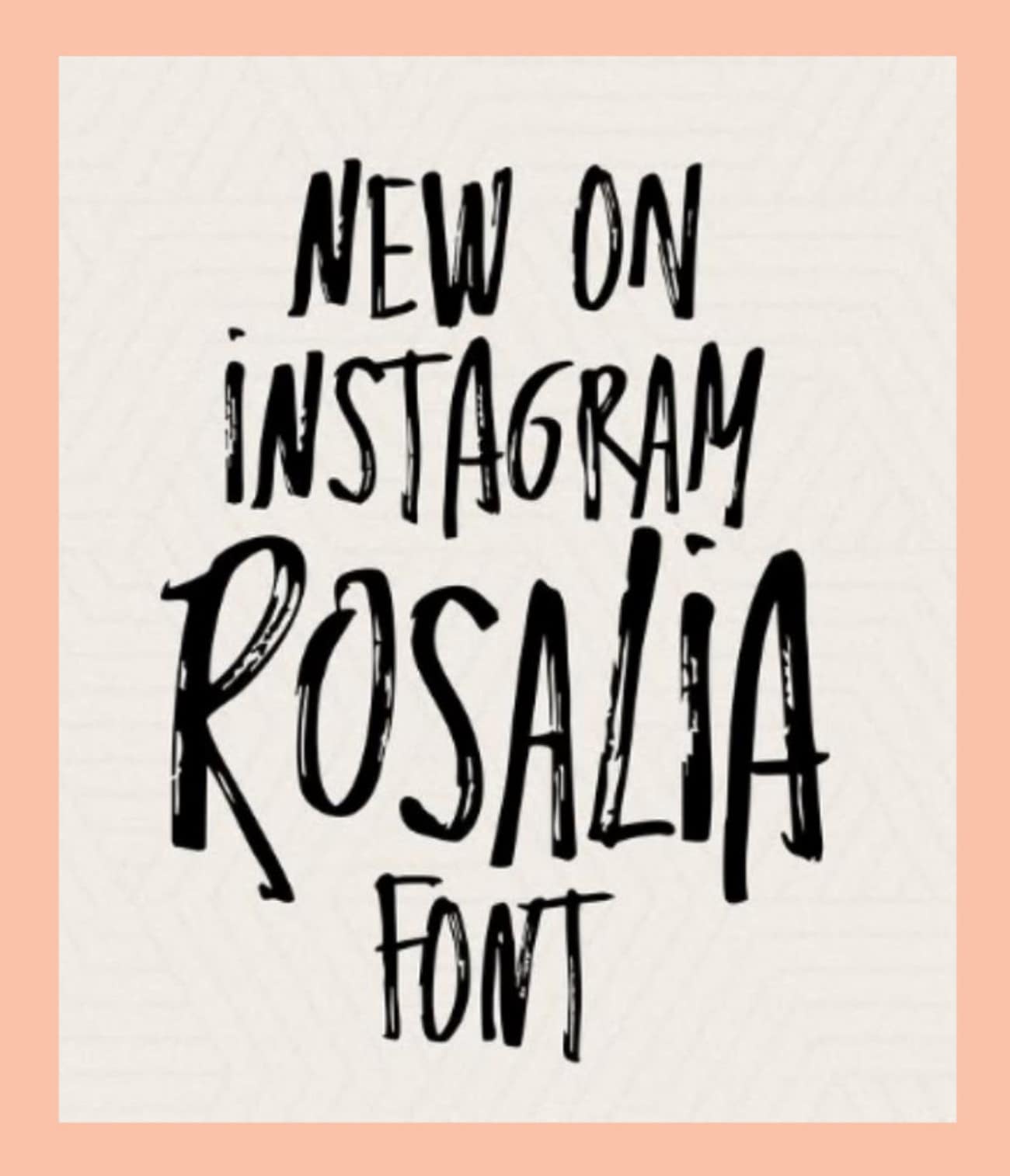
Imagine wanting your stories or reels to feel more personal, almost like handwriting on paper. That is where the Instagram Rosalia font shines, with bold, messy, all-caps letters that look expressive and raw. The ink-like strokes and rough shapes give the font a natural, handmade feel. It is more than just text; it is a piece of creative identity. When you use it, you show energy, passion, and individuality.
In addition, this font adds hidden surprises, like typing symbols such as <3 or *** that can unlock hand-drawn doodles of hearts and stars. Co-designed with Rosalia, this limited-time style brings culture, emotion, and personality to Instagram posts.
Part 2. How to Get Rosalía Font for Instagram - Detailed Guide
Suppose you are sharing a reel or a story and want it to feel fresh, not ordinary. The regular fonts just don't capture the mood or match your style. This is where the Rosalia font makes a difference with its bold, handwritten look, and instantly gives your post personality. If you want to use the Rosalia font for your posts to stand out on Instagram, then follow the steps below:
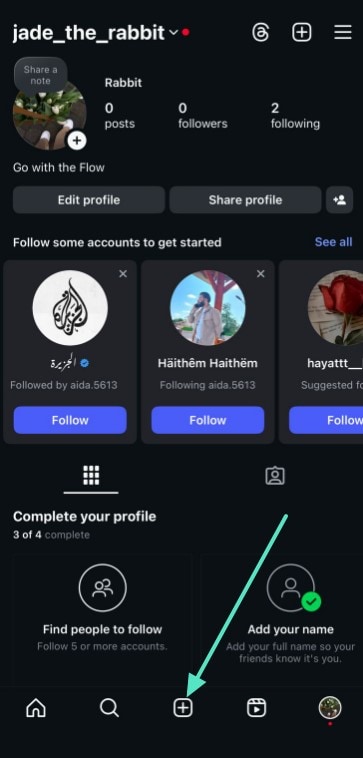
- Step 1. Tap the "+" icon at the bottom centre of the toolbar to access creation options after opening the Instagram app on your phone.
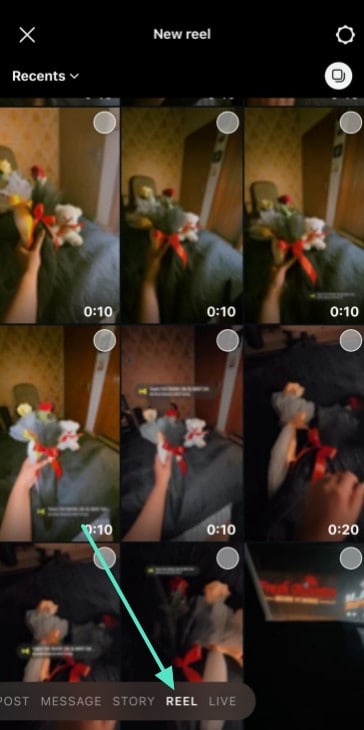
- Step 2. Here, pick the reel from your gallery by selecting the "Reel" option at the bottom screen. To record a new reel, simply select the camera icon and hold the capture button.
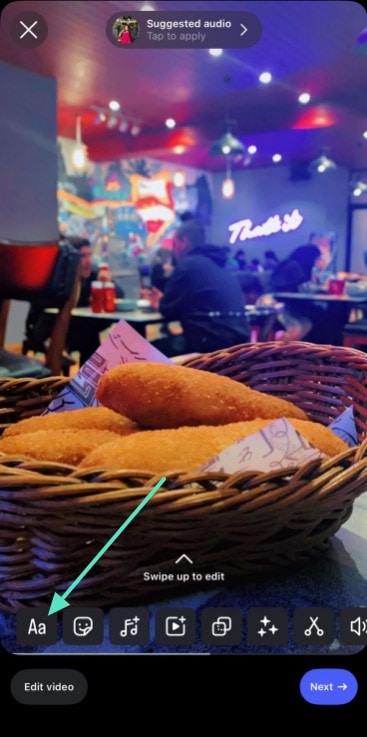
- Step 3. Next, when you are on the editing screen, tap the "Aa" option in the lower menu to add text to your reel
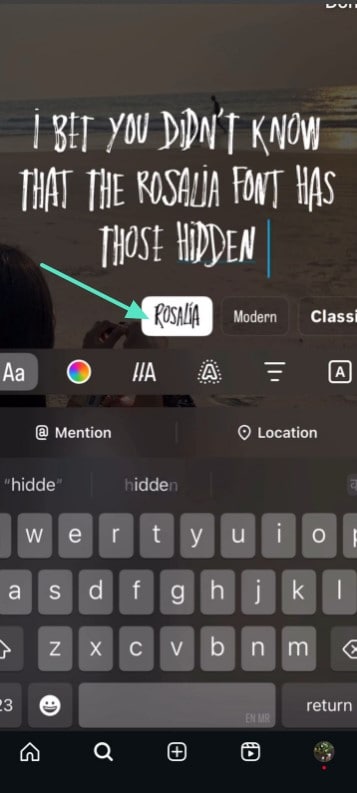
- Step 4. Once you write your text, select the "Aa" icon to access the font styles. From font styles, choose the "Rosalia" font by scrolling sideways to apply it to your text.
Part 3. How to Get Rosalía Font on Instagram Story?
Stories are where people share daily moments, and standing out here matters the most. Fonts play a vital role in making stories eye-catching, and the Rosalia font Instagram has become the go-to choice for artistic updates.
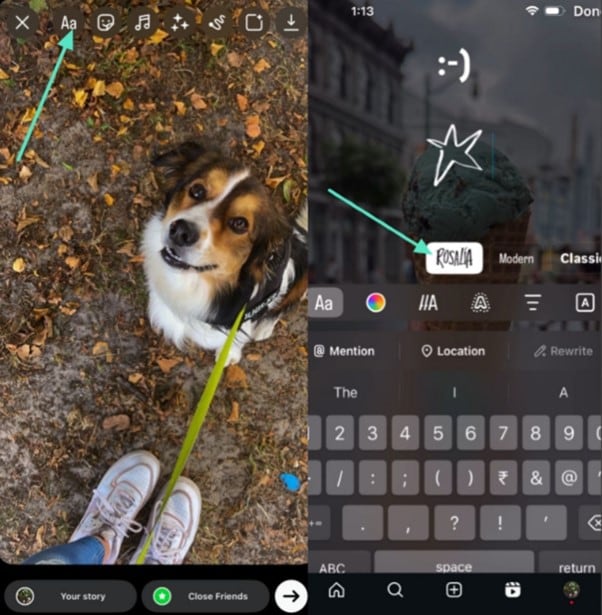
Now, imagine adding even more flair with Rosalia's hidden doodles, which will be a creative statement for your story. Type :-) and a playful smiley appears, or use <3 to create a hand-drawn heart. To know how to create one, you should do the following steps:
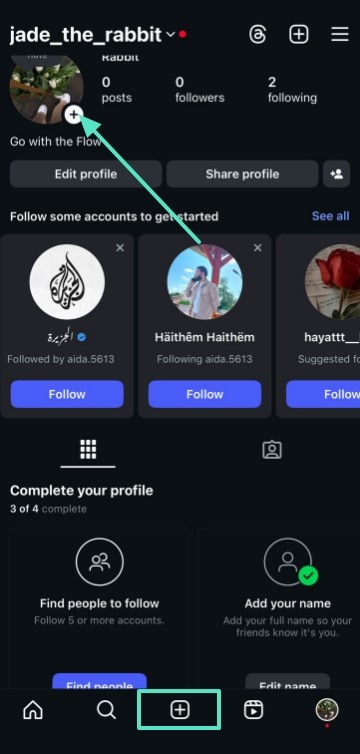
- Step 1. After accessing Instagram, tap on the "+" icon next to your profile picture, or select the "+" icon at the centre of the toolbar to access the content creation menu.
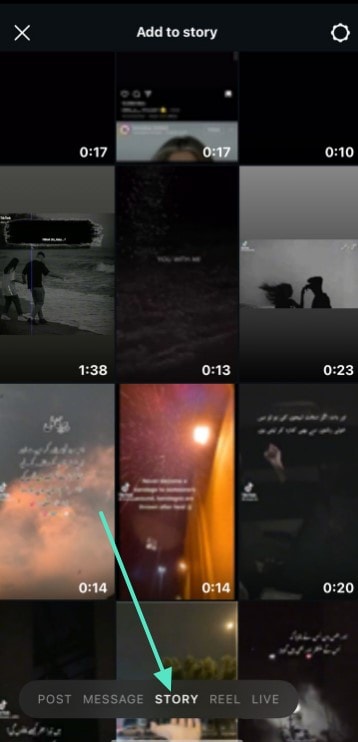
- Step 2. From here, swipe or tap "Story" at the bottom of the screen to select a video or picture for your story. Once you have decided, tap on "Next" to access the editing screen.
- Step 3. In the last step, select the font by tapping on the "Aa" option to add text and swiping sideways until you find the "Rosalia" label. Tap on the "Rosalia" and create doodles for your story with the Rosalia font.
Part 4. Create Your Own Custom Rosalía Font for Instagram
If you're searching for how to get Rosalia font on Instagram, the process is simple. This handwritten style makes bios, captions, and posts stand out with a bold Rosalia-inspired look. Let's explore some tools with a detailed guide to help you create your own custom Rosalía Font for Instagram:
1. TextStudio
This is an online app designed to create custom text effects, 3D text styles, and animated font logos with ease. It helps users enhance social media and websites with creative text visuals, without requiring advanced design skills. TextStudio provides templates and font libraries so anyone can produce eye-catching text for digital content in just a few clicks.
Adhere to this guide to create your own customer Rosalia font that can be used for Instagram posts and stories.
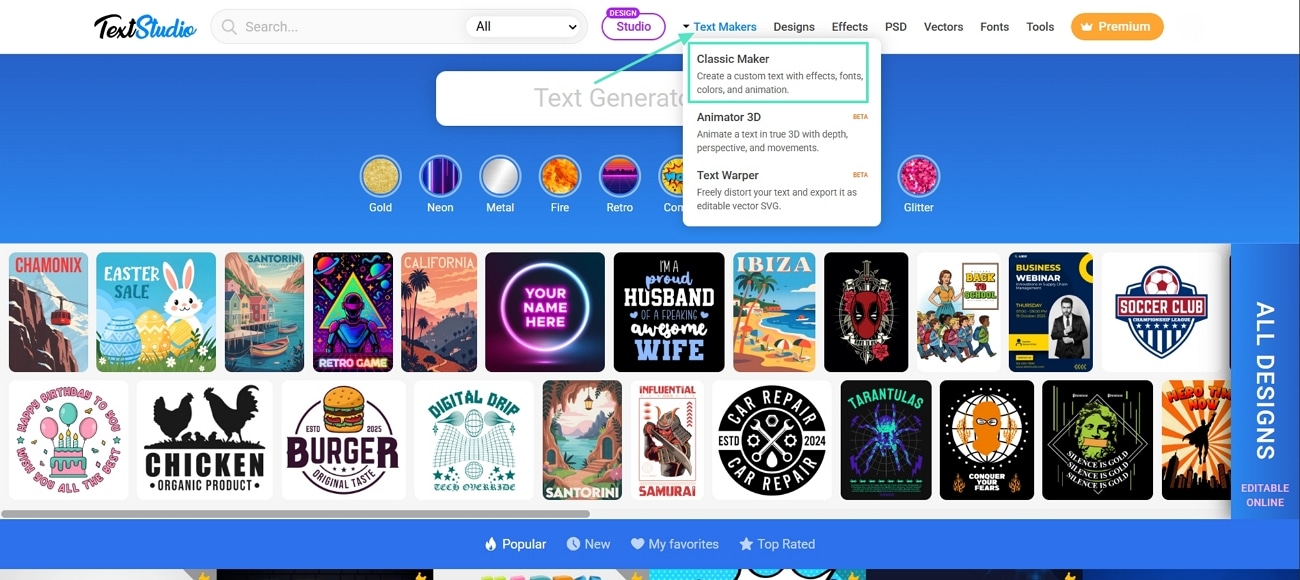
- Step 1. Access the TextStudio website, hold your pointer on the "Text Makers" on the toolbar, and press the "Classic Maker" from the drop-down menu.
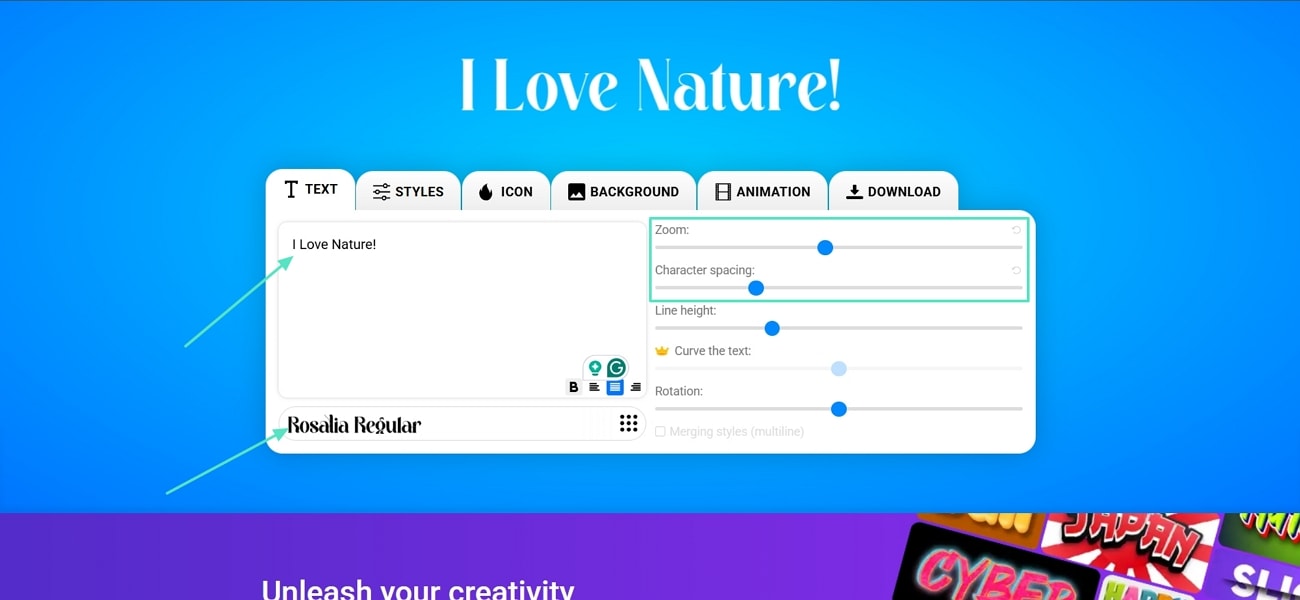
- Step 2. Enter your text and choose the "Rosalia Regular" font from the "Font Library", then adjust the Zoom and Character Spacing.
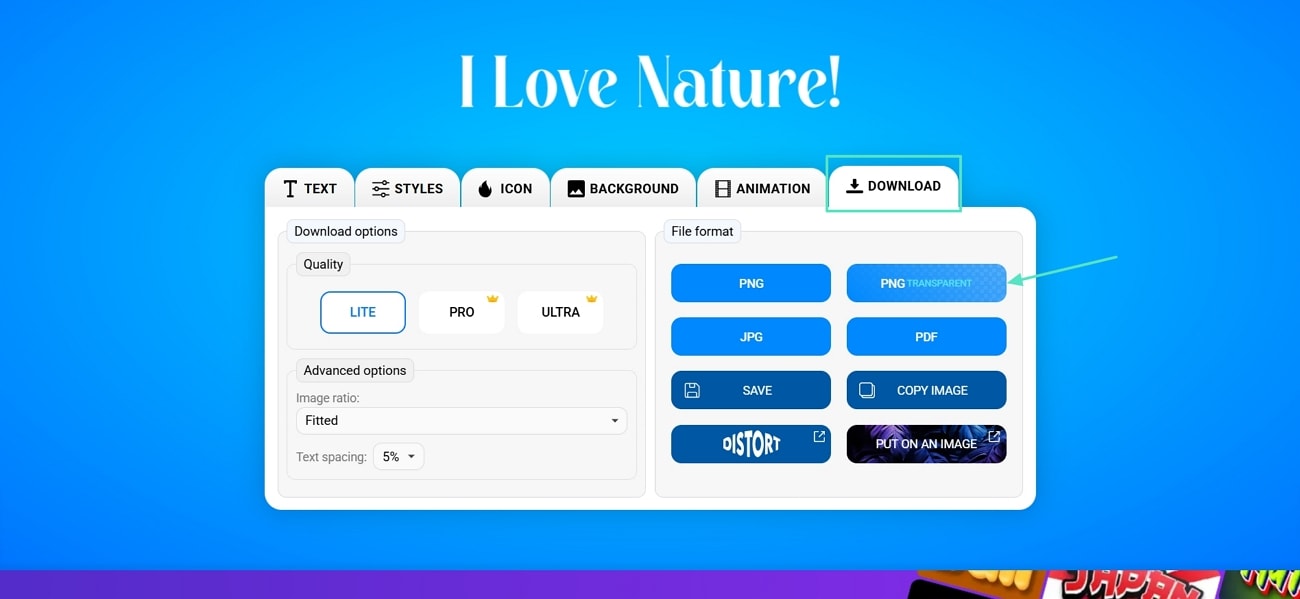
- Step 3. Now, click the "Download" tab and press the "PNG Transparent" button to download the font for Instagram use.
2. Font Meme
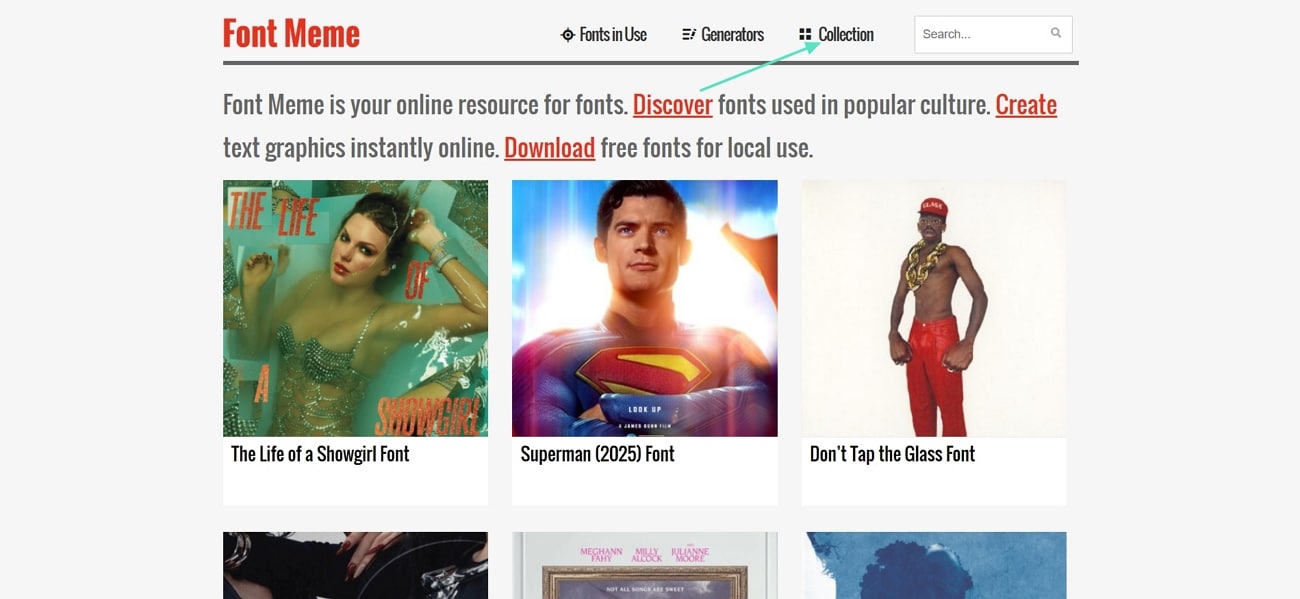
It is a Rosalia font generator that lets users instantly create text graphics and access fonts from movies, TV, brands, and pop culture. This tool allows its users to download free fonts or use tools for generating stylish text for creative projects. Font Meme serves as an online resource for fonts and typography. Follow this step-by-step guide to craft a Rosalia font for Instagram with this tool:
- Step 1. Go to its main website and go to the "Collection" tab to proceed further.
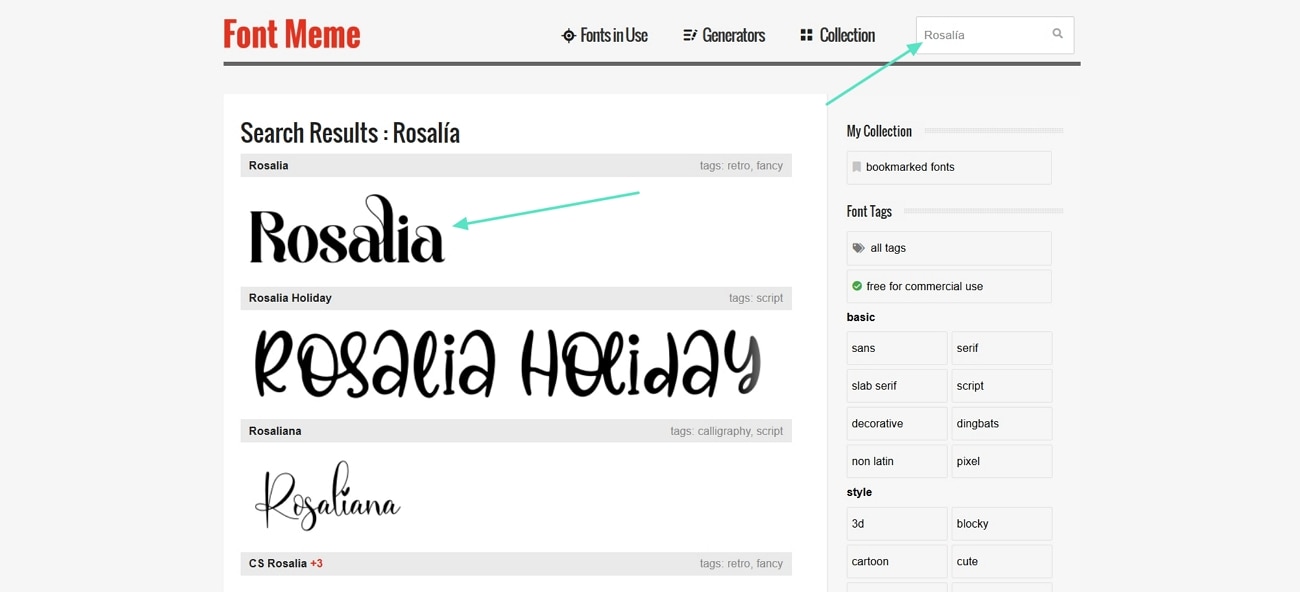
- Step 2. Search for the Rosalia font from the "Search Fonts" bar and press the first search result.
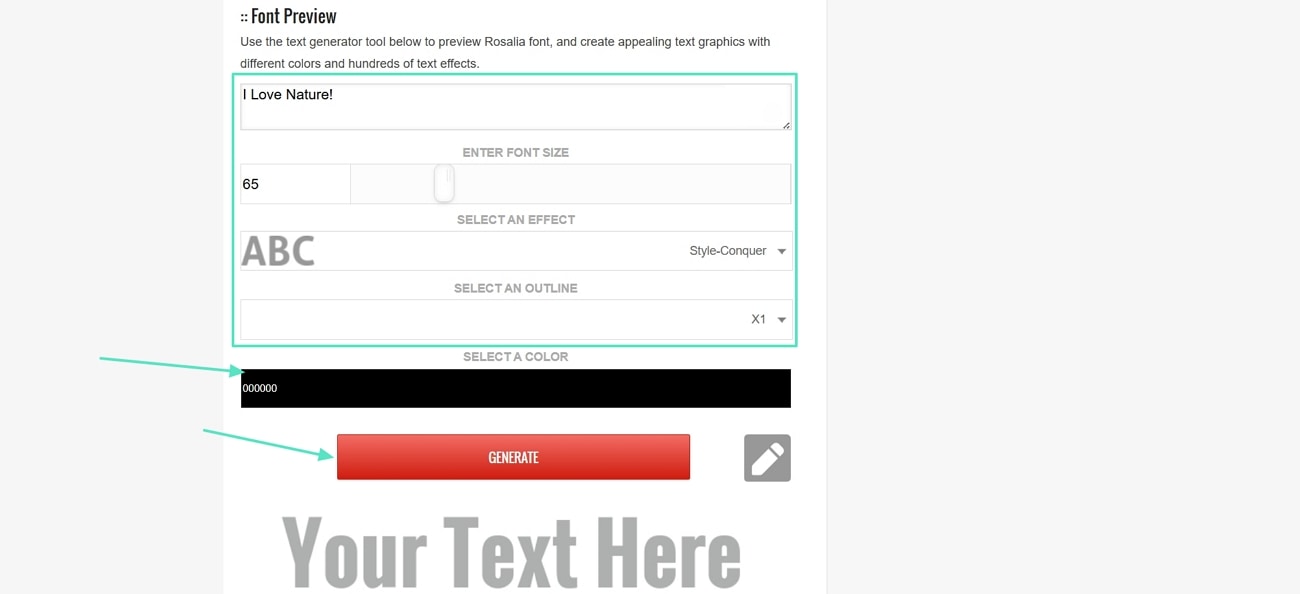
- Step 3. In the next window, scroll down and enter your text in the text box, select font size, effect, and color. Next, press the "Generate" button.
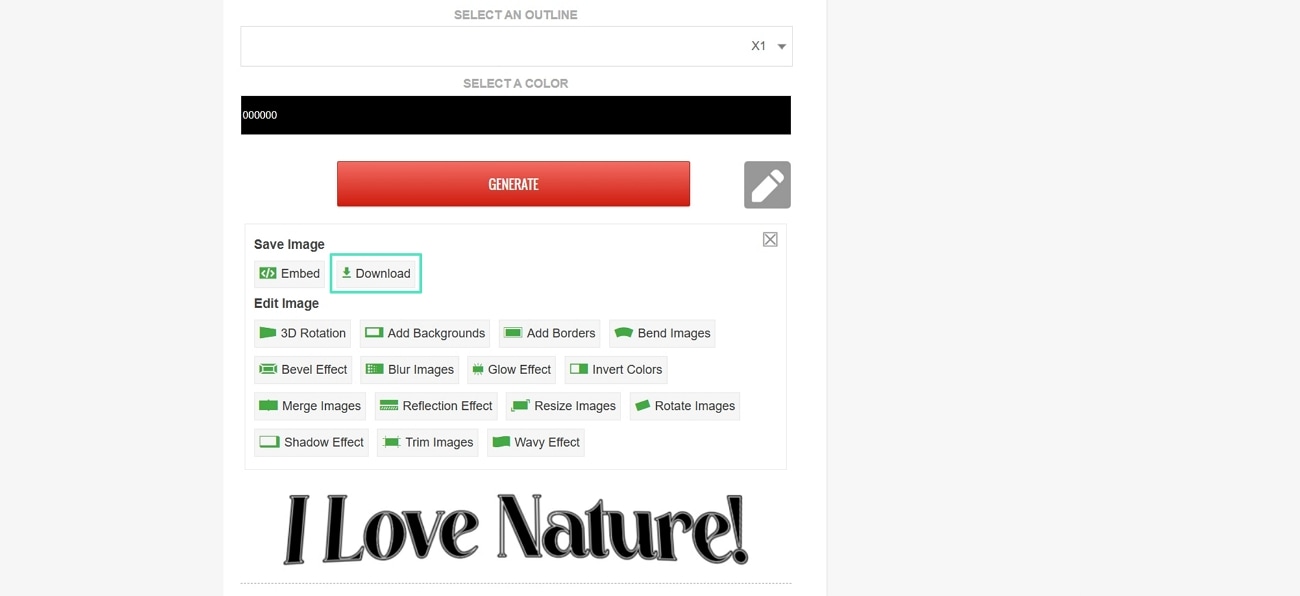
- Step 4. Once your font is generated, hit the "Download" button to save your font image.
3. Kapwing
Kapwing allows easy creation and editing of videos, pictures and audio. It provides AI-based features to perform such operations as trimming, adding subtitles, and resizing videos to fit social media. The editor works in your browser with no installation needed and supports team collaboration. Let's look into how you can create a custom Instagram Rosalia font in this tool.
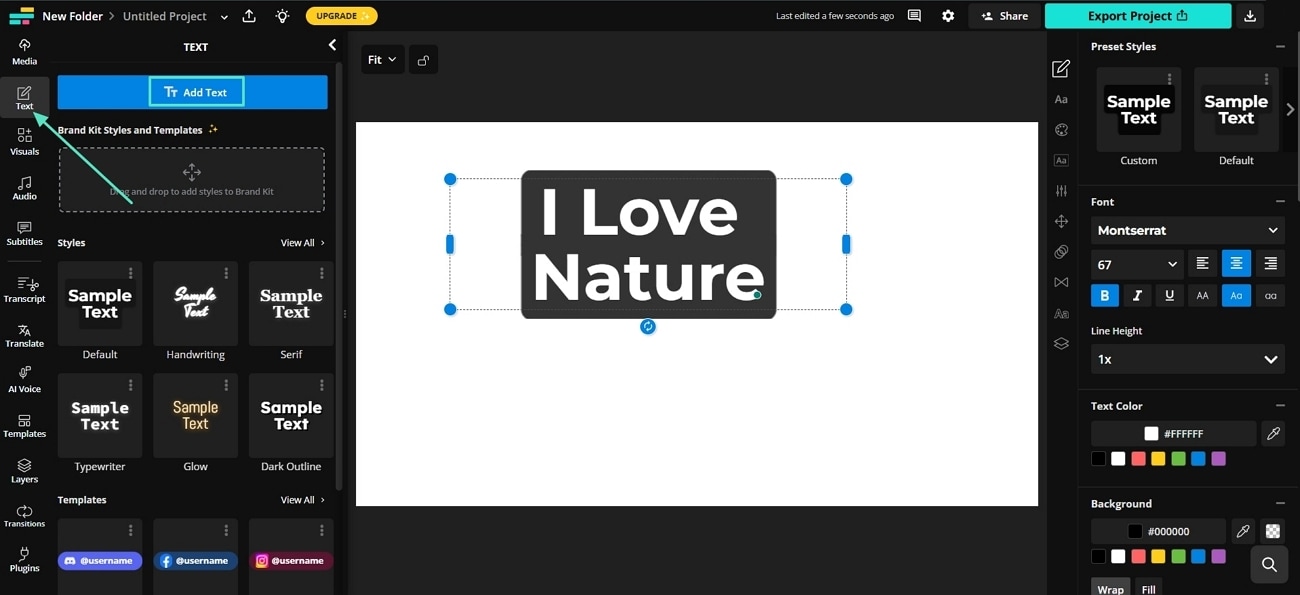
- Step 1. Access the Kapwing Studio and hit the "Text" button from the side menu. Next, click the "Add Text" button and enter your text in the text box.
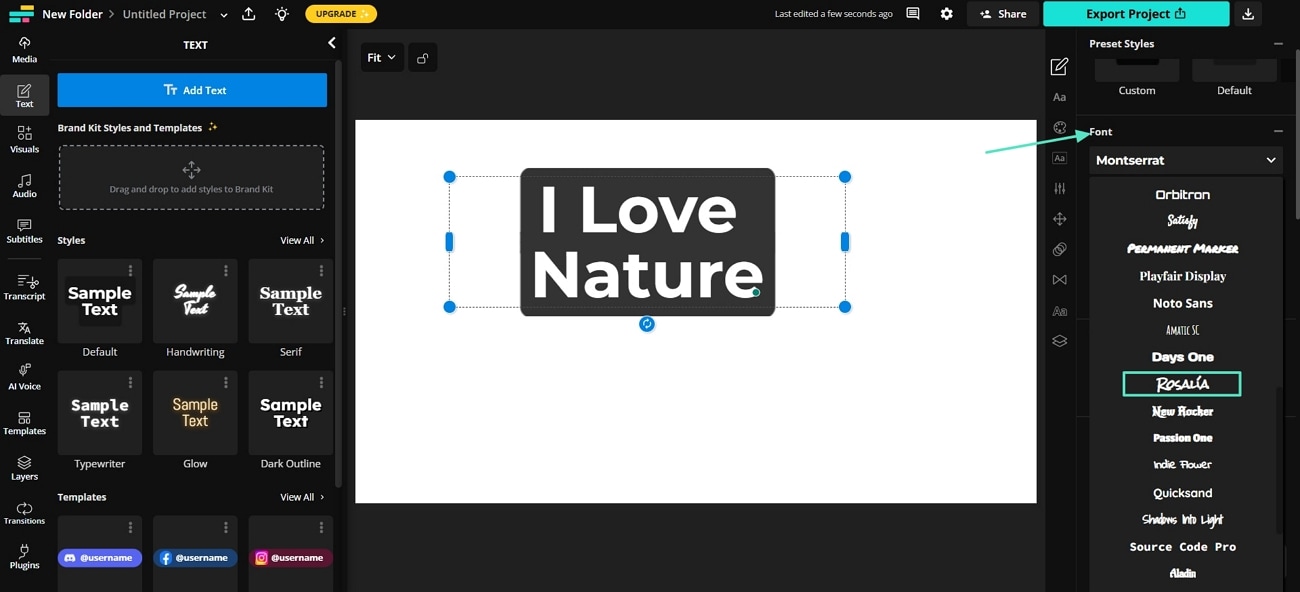
- Step 2. Choose the "Rosalia" font from the left-side menu.
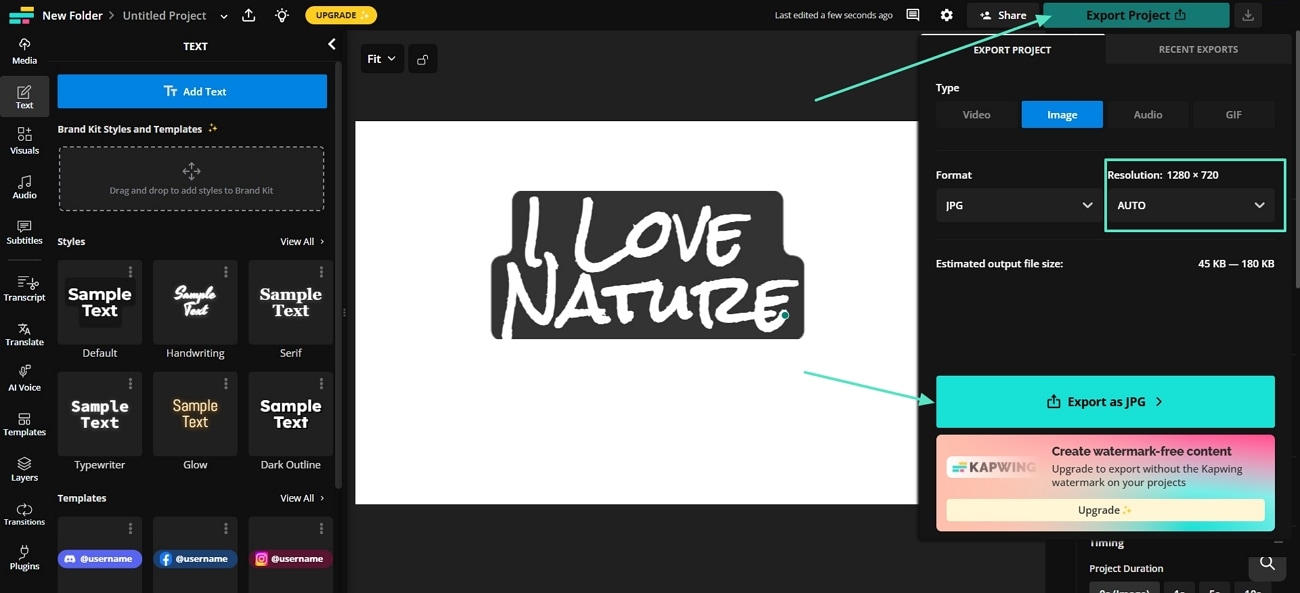
- Step 3. Hit the "Export Project" button and choose a desired resolution. Next, press the "Export as JPG" option to download your font.
4. Flaming Text
This is an online platform that provides logo design, name generation, and text styling tools for free. It allows users to create custom 3D logos, gradients, and various stylish designs in just a few minutes, without any expertise required. If you want to create your own Rosalia Motomami font, follow these simple steps below.
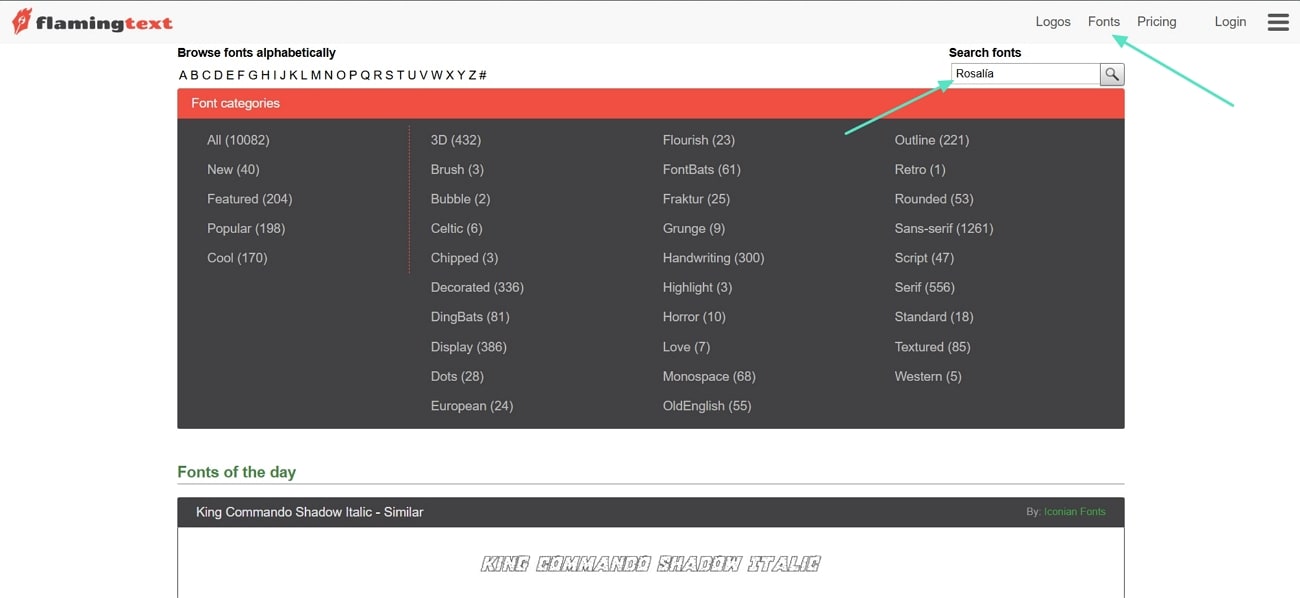
- Step 1. Open Flaming Text's website and click the "Fonts" option in the header. Next, type Rosalia in the Search fonts box and press "Enter."
- Step 2. Choose the Rosalia option from the search results.
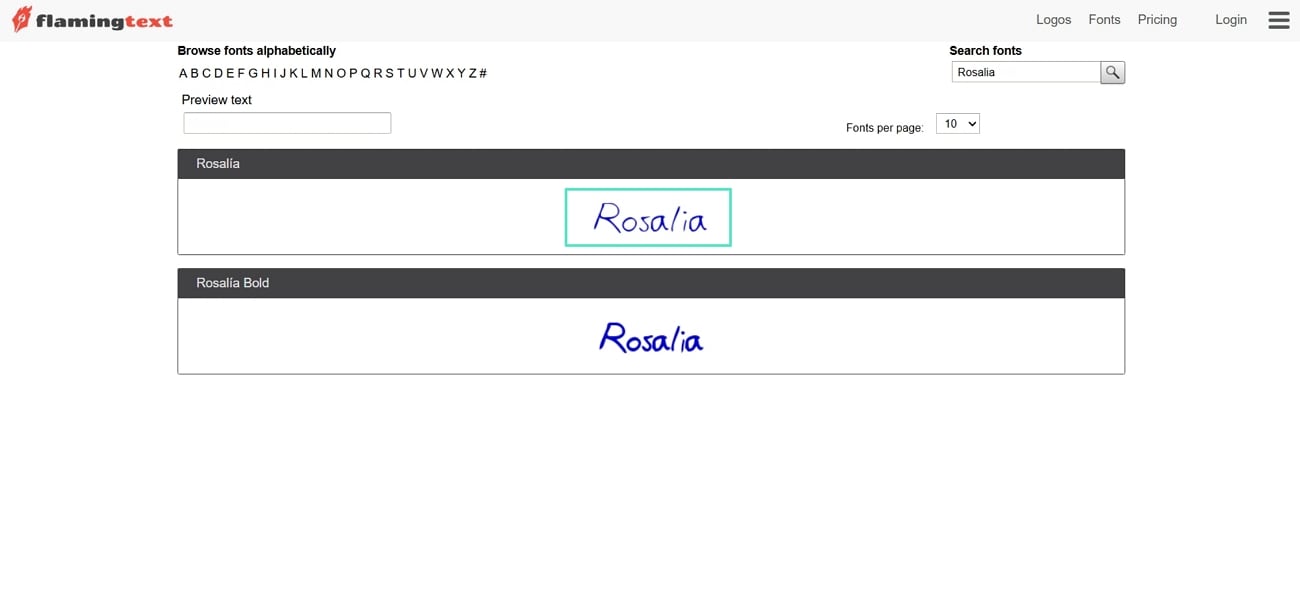
- Step 3. Enter your text in the Preview text box and select a desired text style.
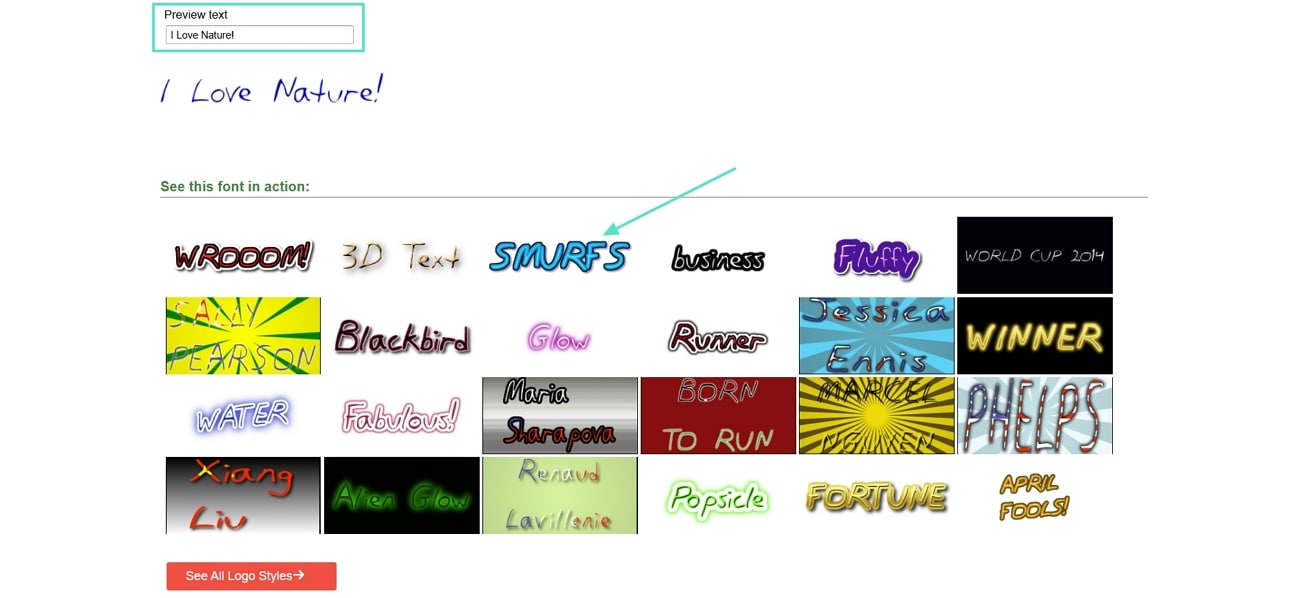
- Step 4. In the next screen, press the "Image" tab and click the "Next" button.
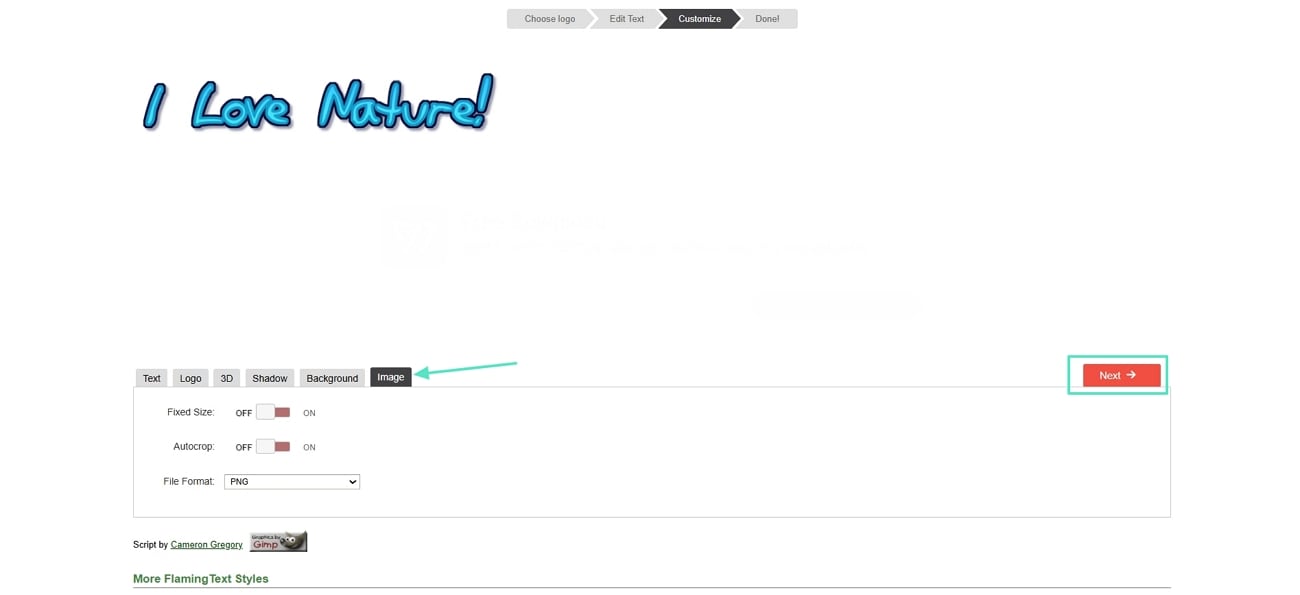
- Step 5. Once the font is finalized, hit the "Download" button to save the font.
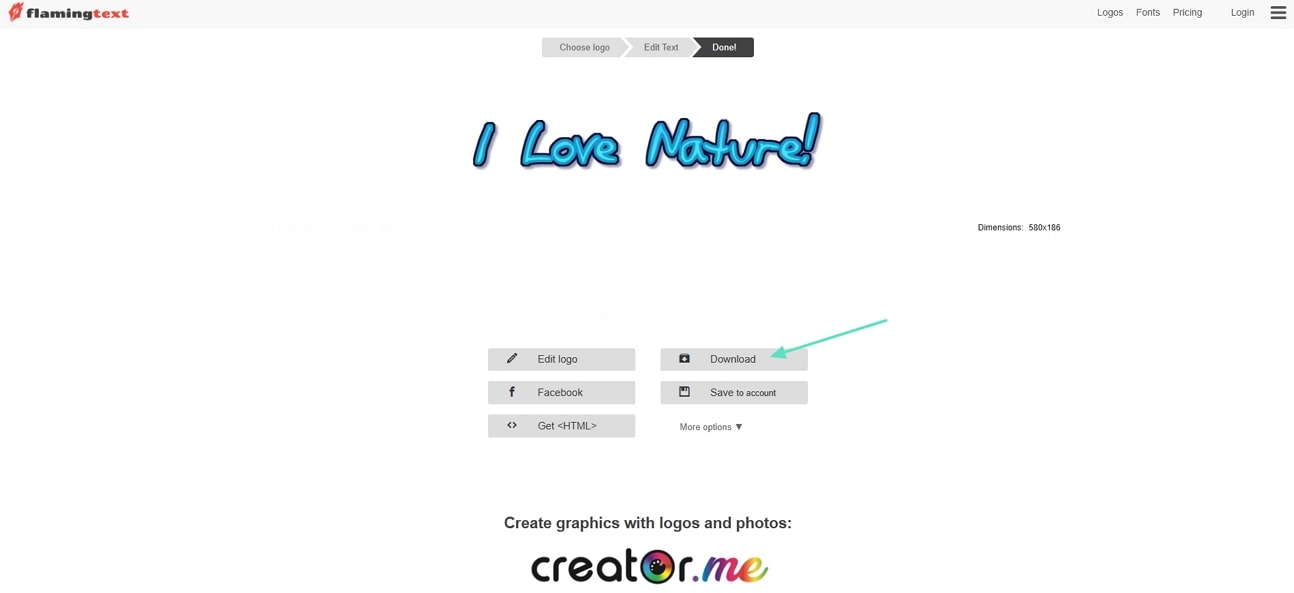
5. Picsart
Picsart is a web-based application where plain text can be converted immediately to stylish, unique, and visually appealing fonts at no cost. It is a free tool used to personalize web pages or any other creative tasks by choosing between a myriad of styles and effects. Look at these simple steps to generate your custom Rosalia font with Picsart.
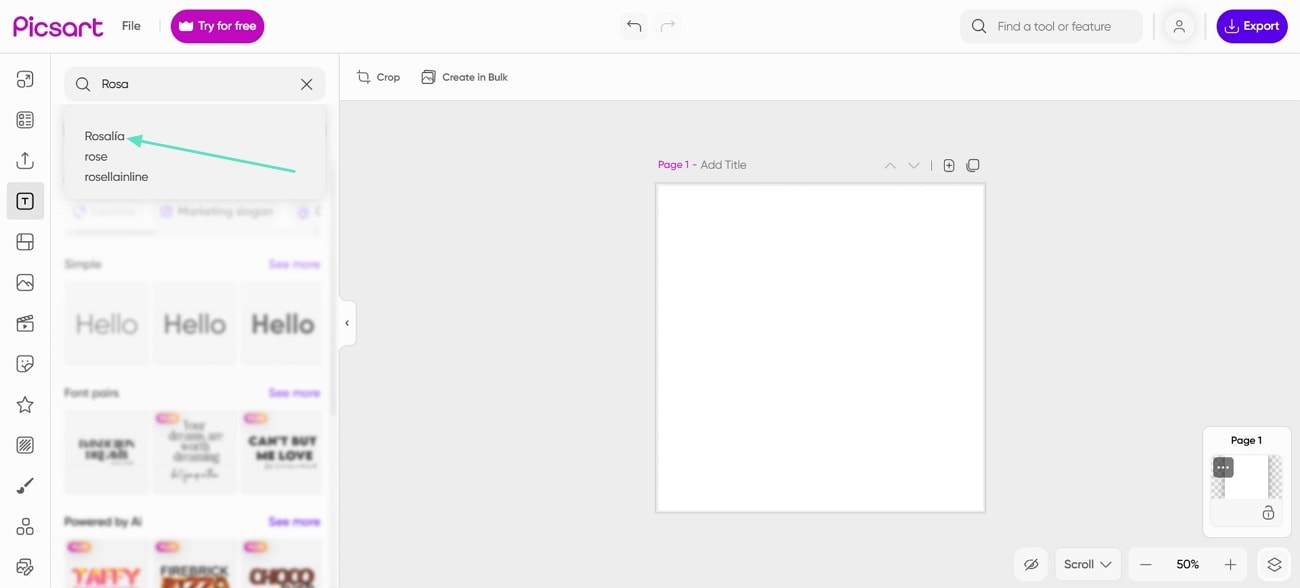
- Step 1. Access the Picsart main interface, search for "Rosalia" font in the search font box and select it.
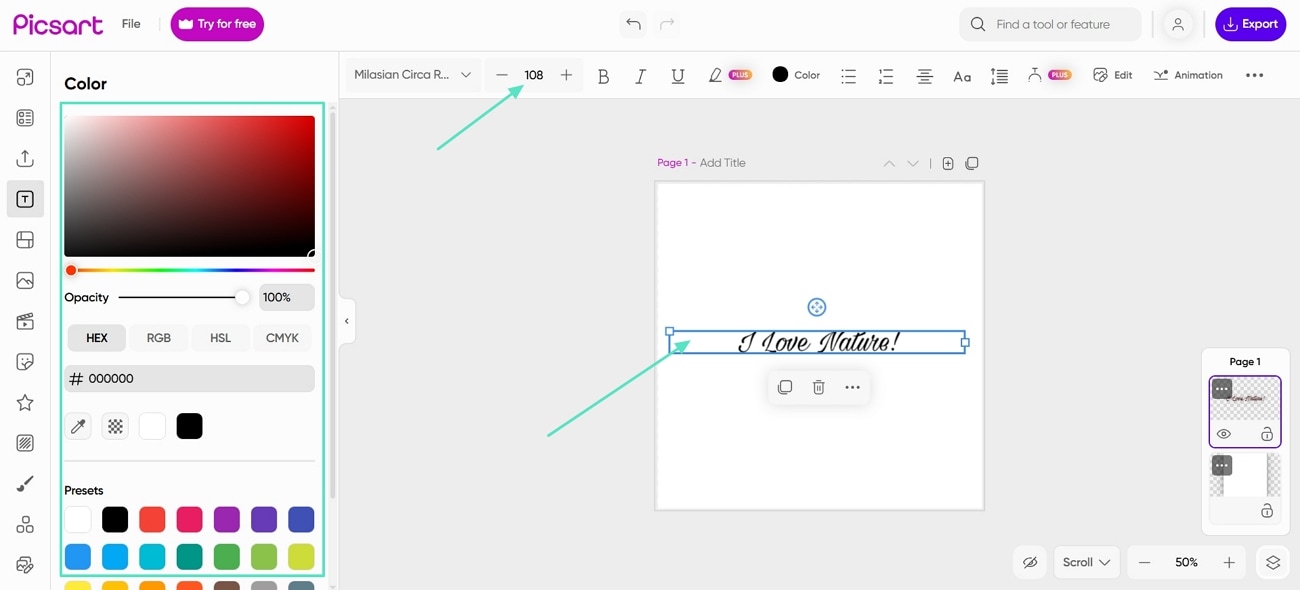
- Step 2. Enter your text in the text box, adjust the sizing of the text, and choose the colour of the text.
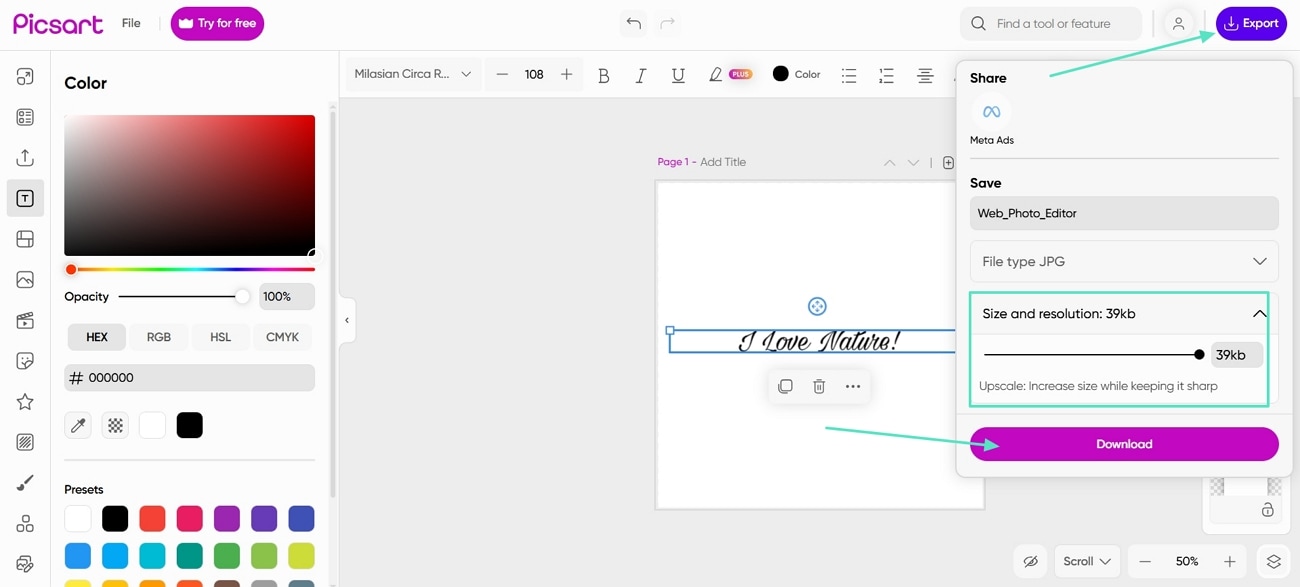
- Step 3. Once your font is finalized, hit the "Export" button. Next, set the size and resolution, and click on the "Download" button to download the font.
Bonus Tip: Use Rosalía Font for Instagram and Create Content for Instagram with Filmora
When aiming for eye-catching Instagram content with the Rosalia font style, focus on unlocking the full creative potential inside the app. For standout posts, finish your creative process with Wondershare Filmora to combine the vibrant Rosalia font with editing features and advanced visual effects. It allows users to add animations, borders, and shadows for a completely unique look.
Key Features
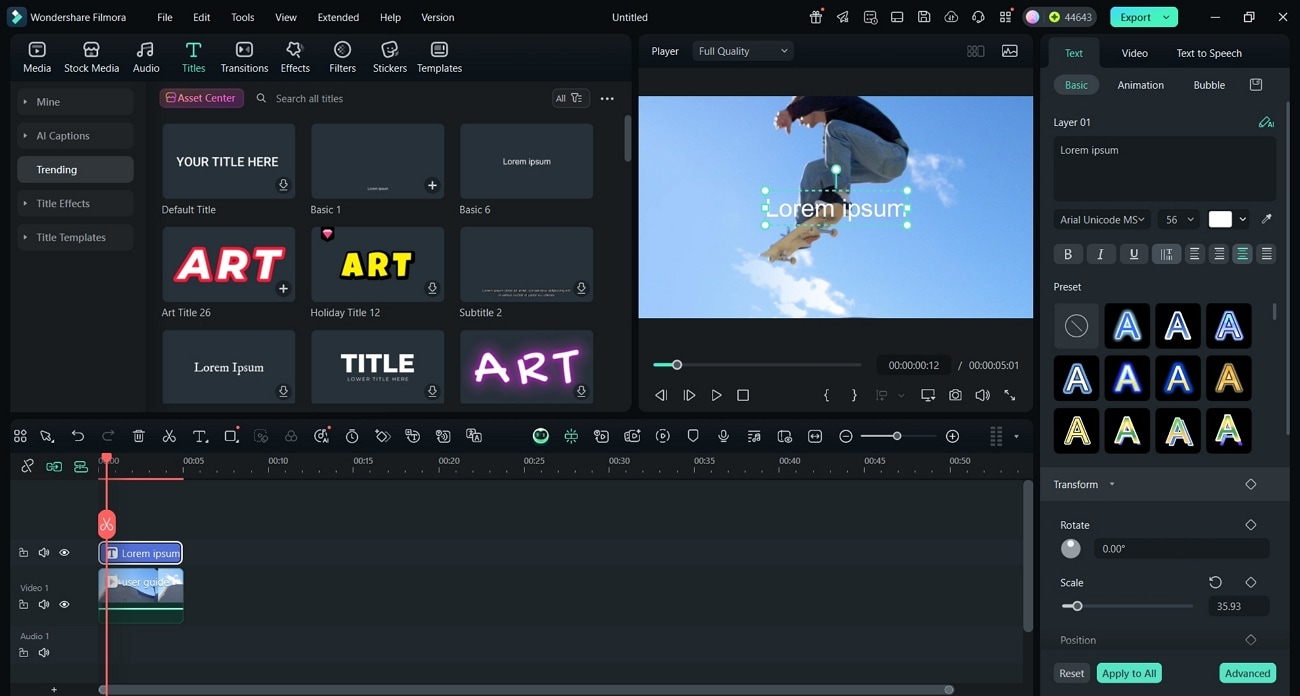
- Add Text to Videos: This tool allows you to insert text and messages with different font styles, sizes, and colors to make your Instagram posts stand out.
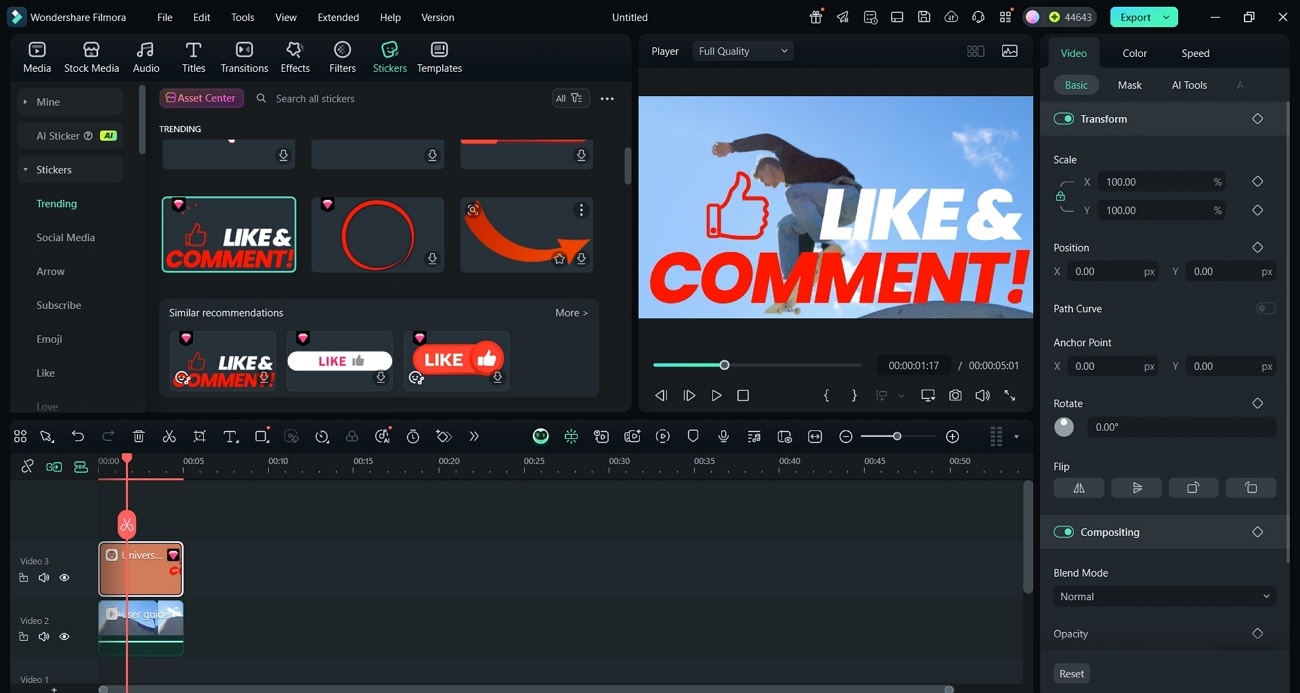
- Sticker Overlays: Users can use animated stickers on their videos to individualize their Instagram posts.
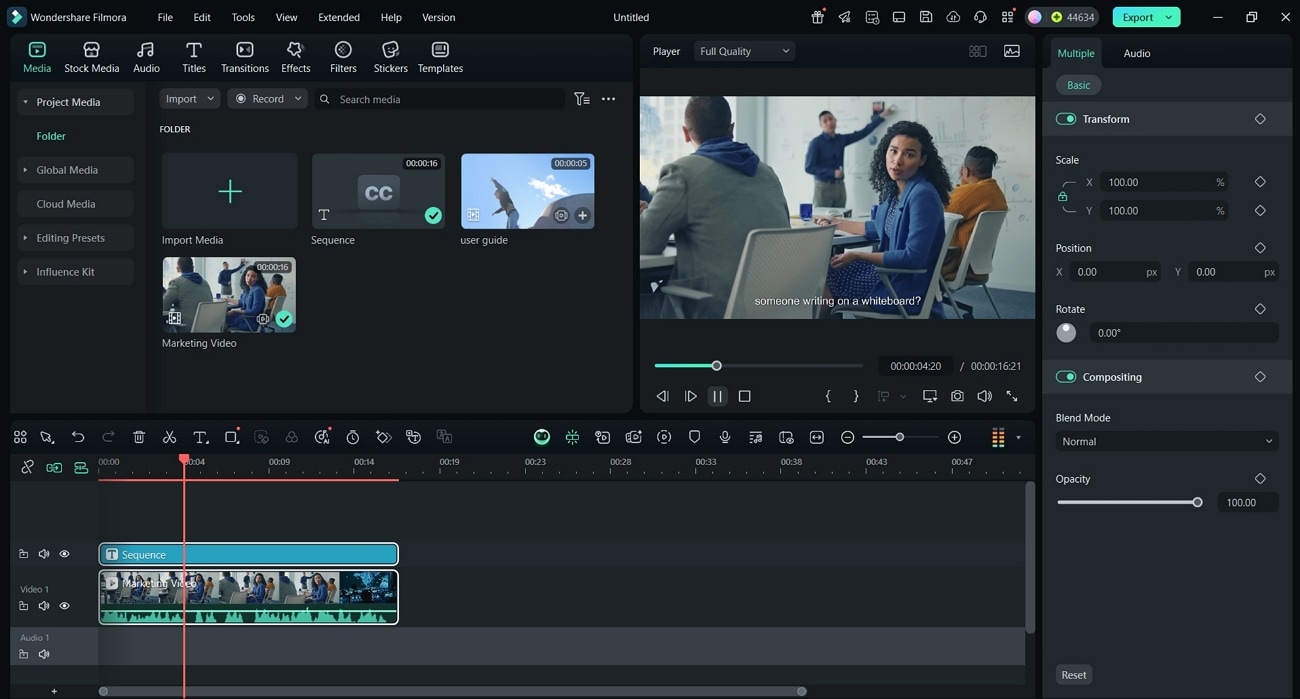
- AI Captions: Automatically generate accurate and animated subtitles for videos that save time and make content more engaging and accessible.
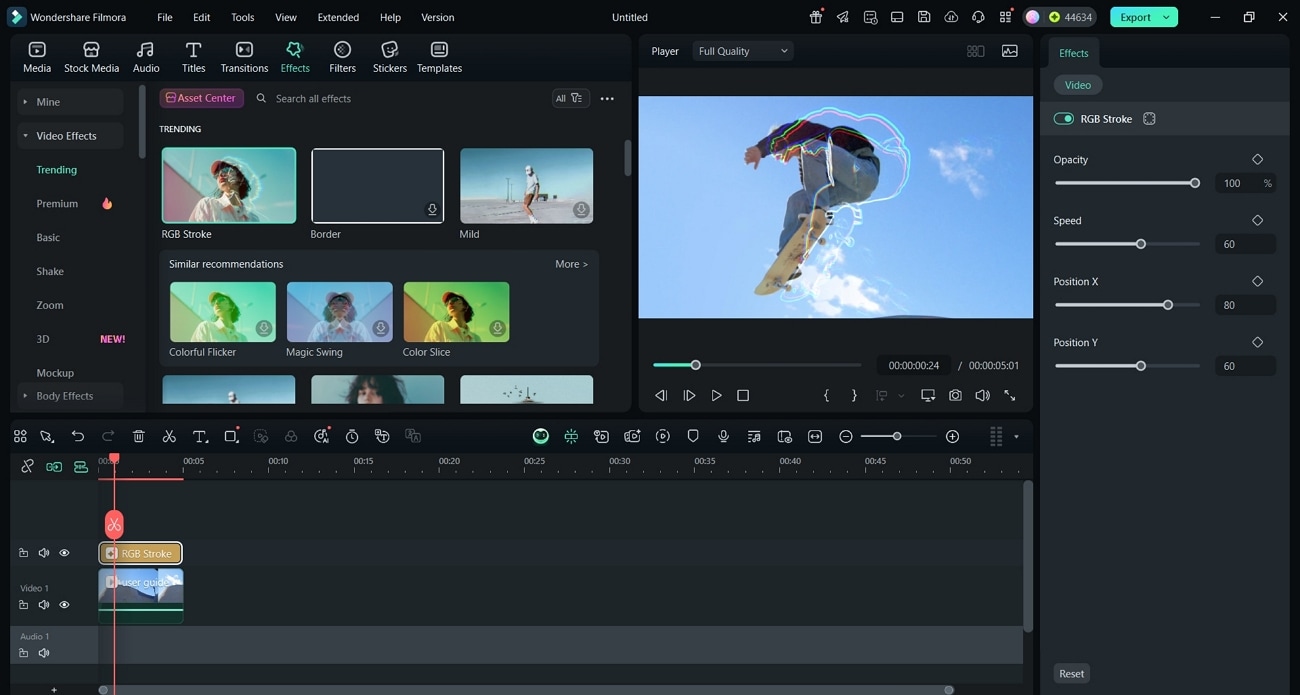
- Video Effects: Offers a massive library of creative visual effects, including blur, pixelate, VHS, bokeh, and slow motion.
 secure download

Guide to Use Rosalía Font for Instagram with Filmora
Now, we'll see how to add the Rosalia Motomami font on Instagram videos without losing quality.
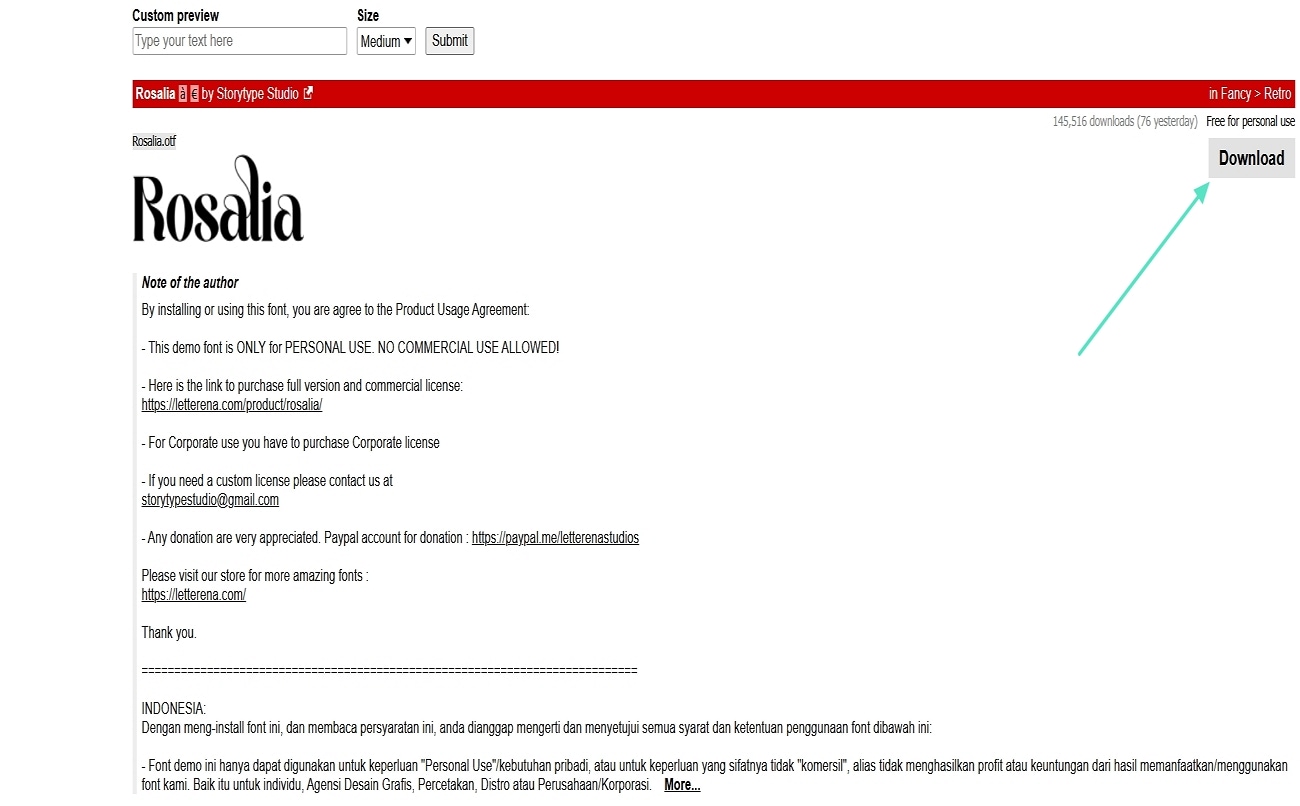
- Step 1. Download the Familiar Font with Rosalia. Start by downloading the font that looks similar to the Rosalia font from a free website. Have it added across Filmora so that it appears across the font library.
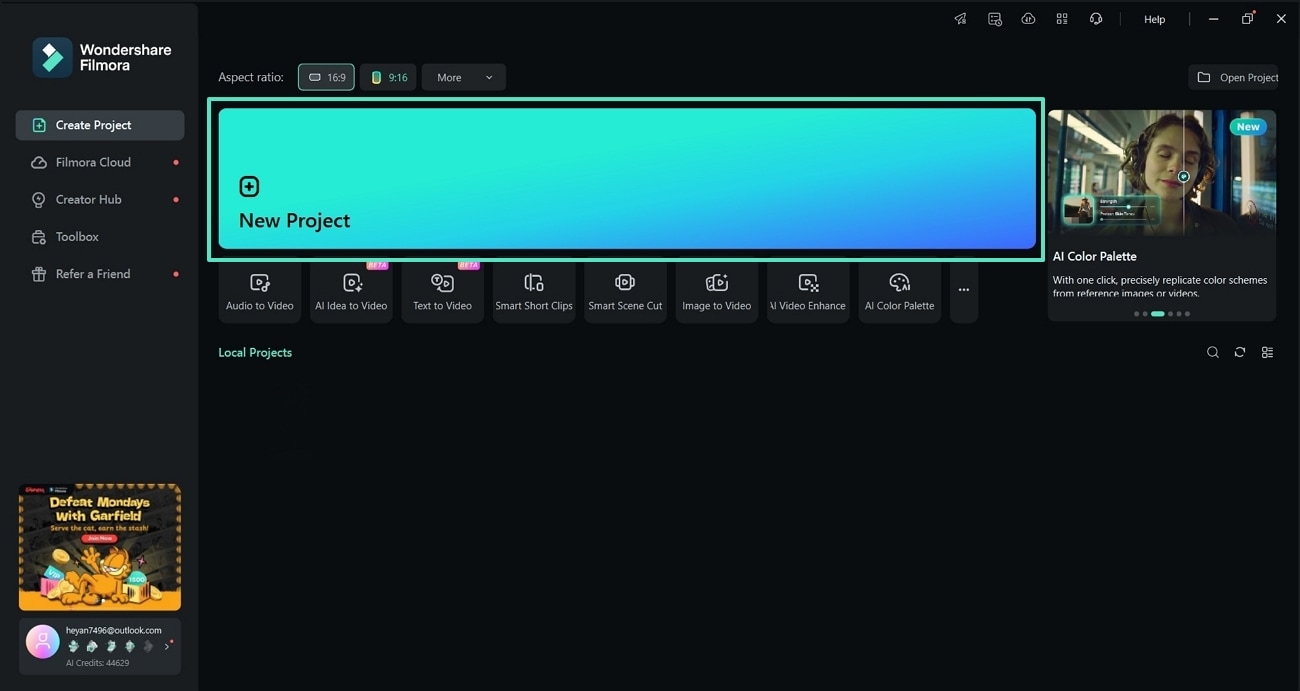
- Step 2. Open Filmora. Launch Filmora and click the "New Project" button to proceed further.
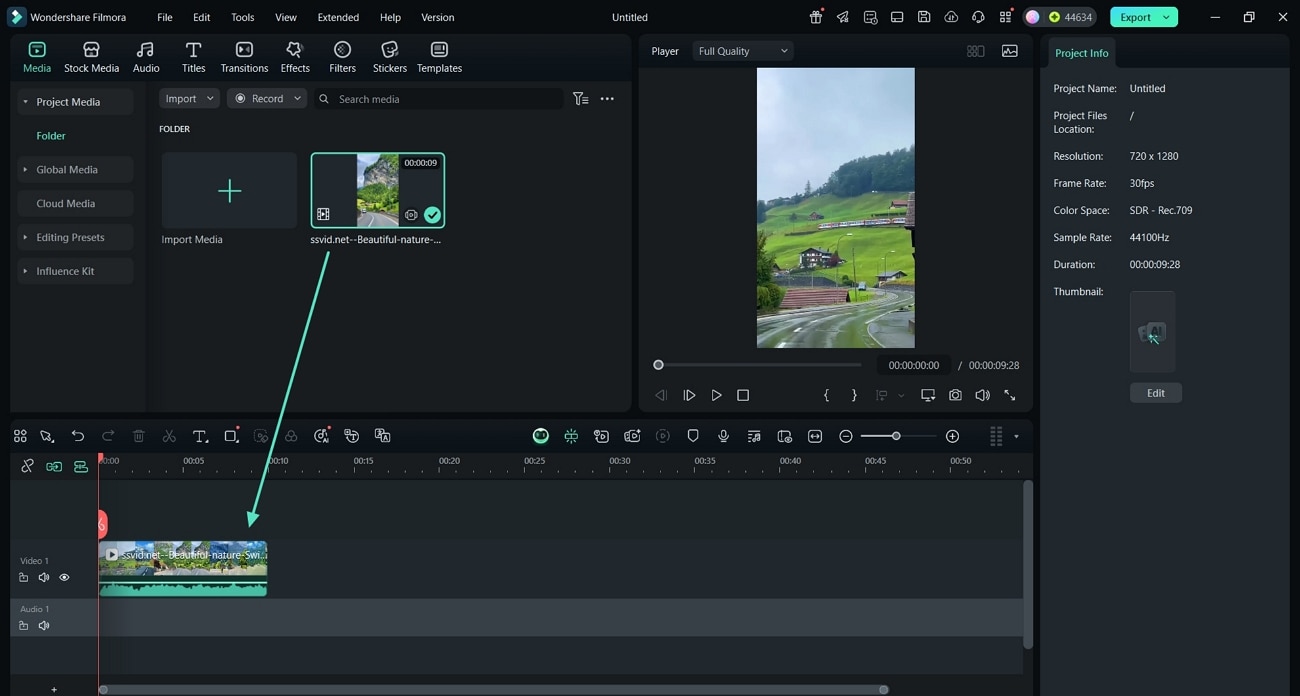
- Step 3. Import Your Video and Drag it to the Timeline. Next, import your video from your device, then drag it to the timeline.
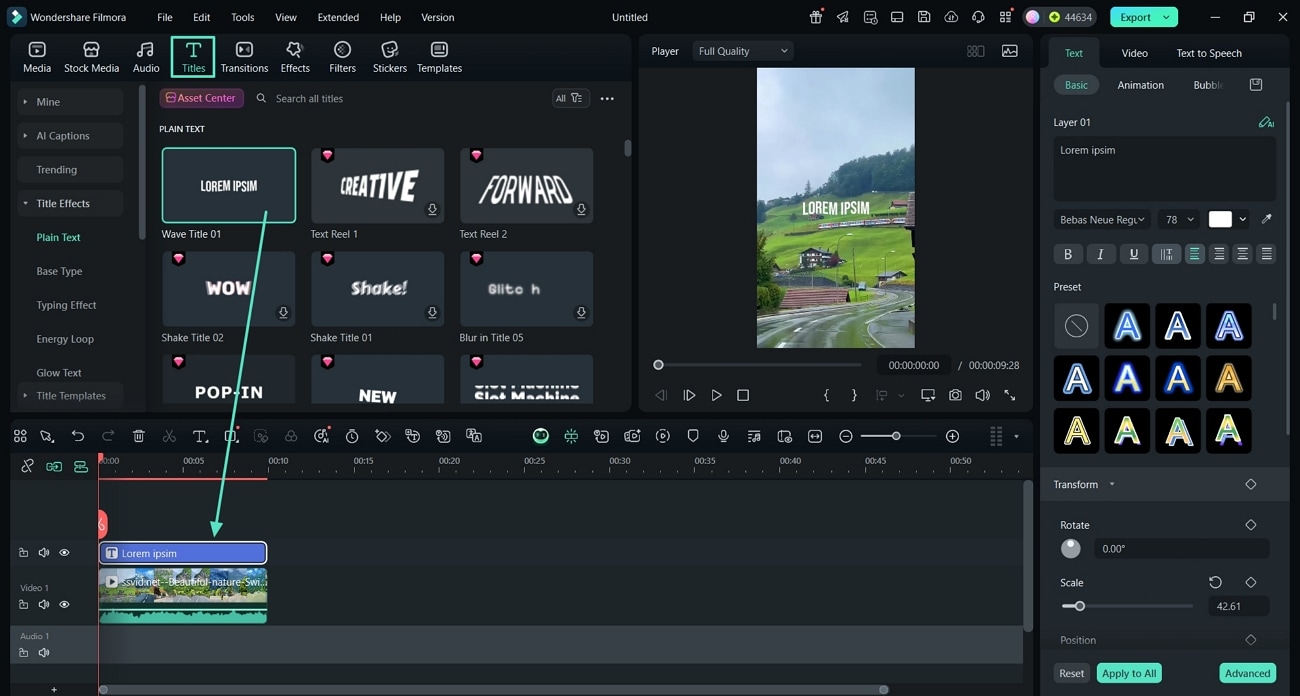
- Step 4. Add Text to Your Timeline. Now, click the "Tiles" option from the upper toolbar and drag it to the timeline.
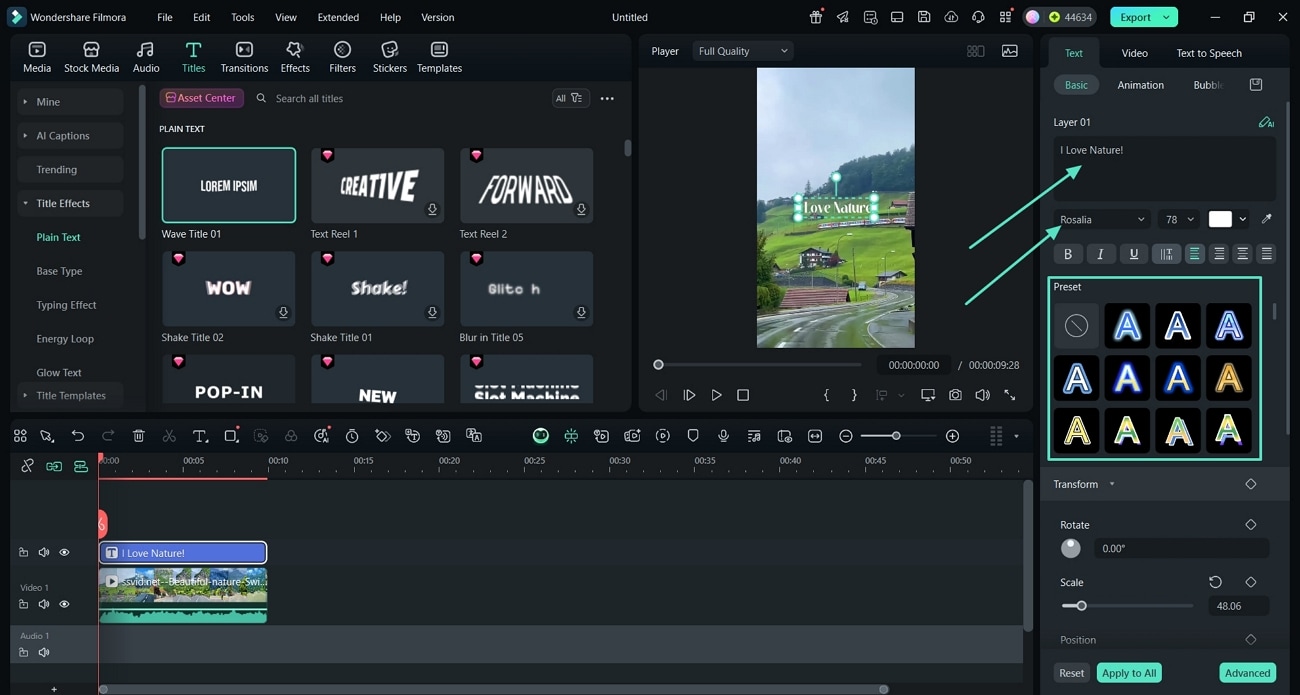
- Step 5. Enter Your Text and Choose the Rosalia Font. Type your text in the text box on the upper left corner and choose the "Rosalia" font from the font's dropdown menu.
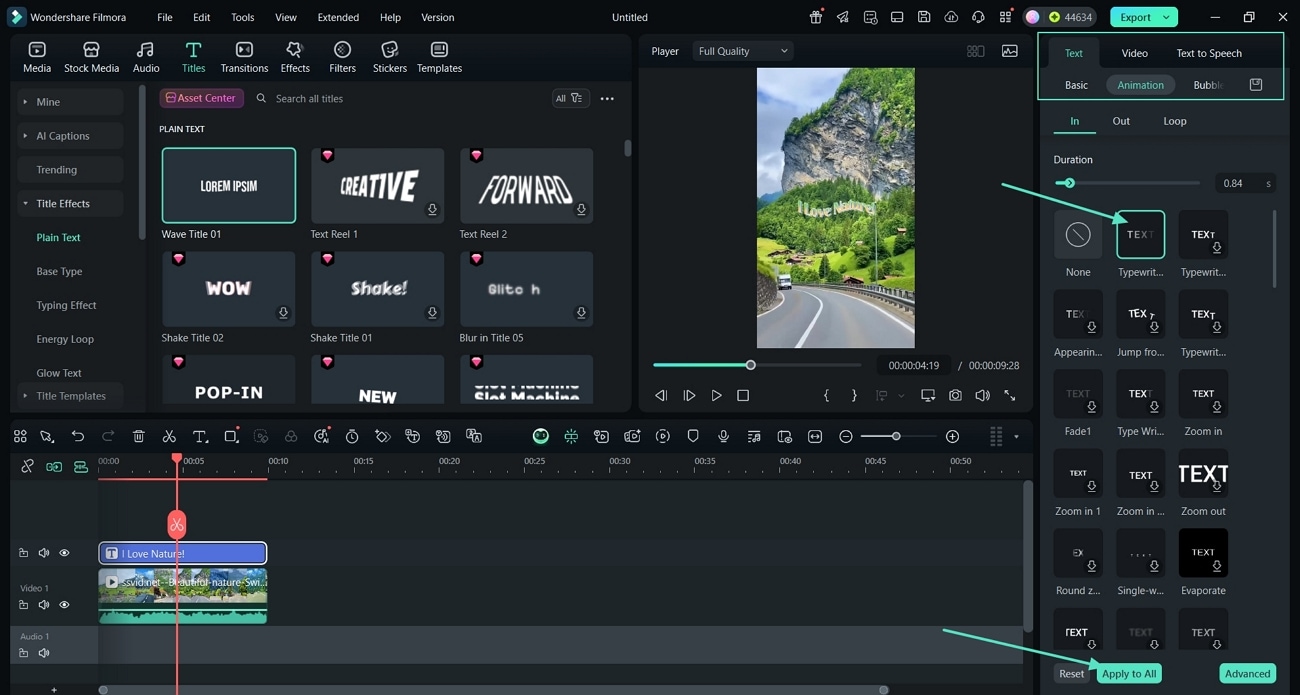
- Step 6. Animate Your Video Text. Hit the "Text" tab, press the "Animation" options, and select an in and out animation for your video. Then, press the "Apply to All" button to apply the animation to the video.
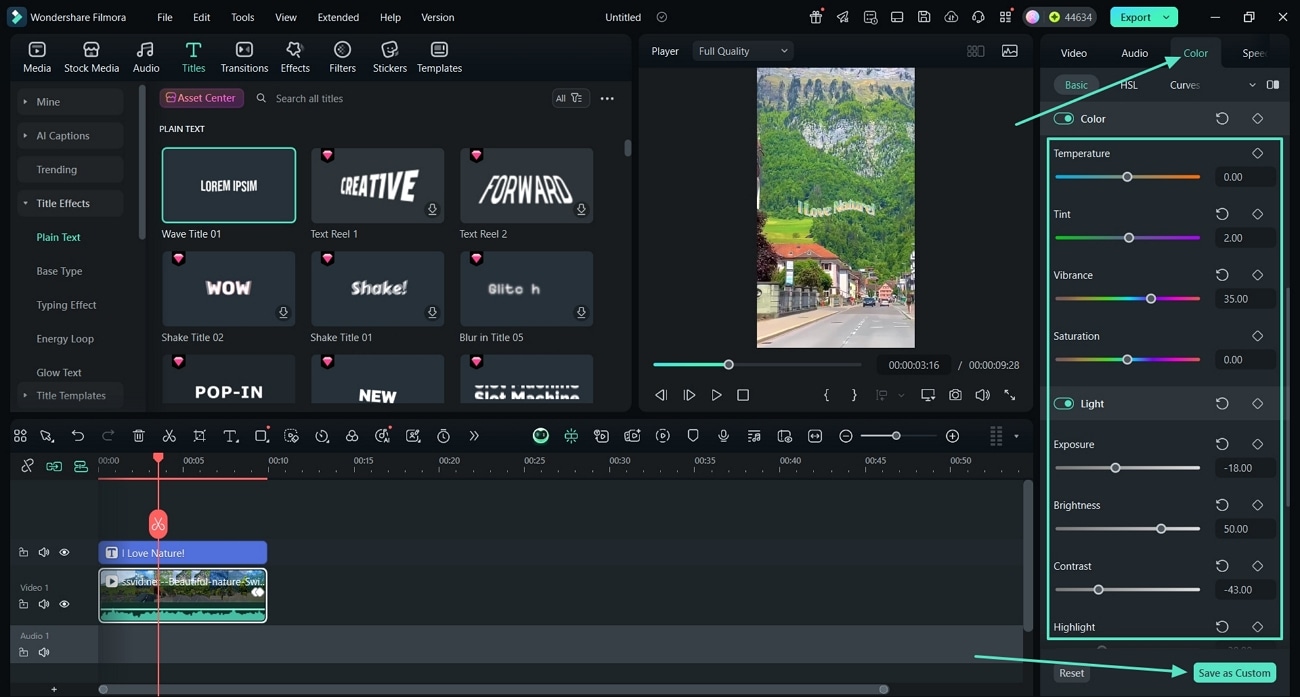
- Step 7. Edit Video Colors. Click the "Color" tab in the upper left corner and adjust Exposure, Brightness, Contrast, and Vibrance via simple sliders. Then, press the "Save as Custom" button to save the settings.
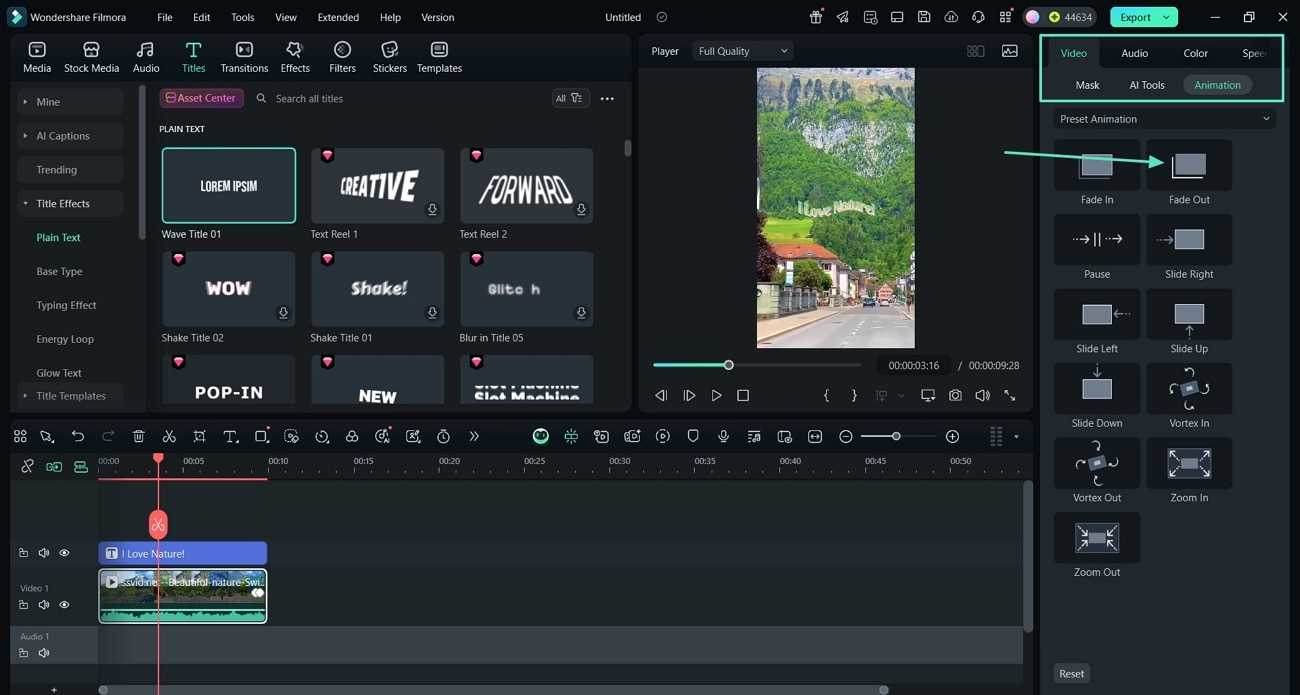
- Step 8. Add Ending Animation. Next, click the "Video" tab and then press "Animation." Now, hit the "Fade Out" option to add the animation at the end.
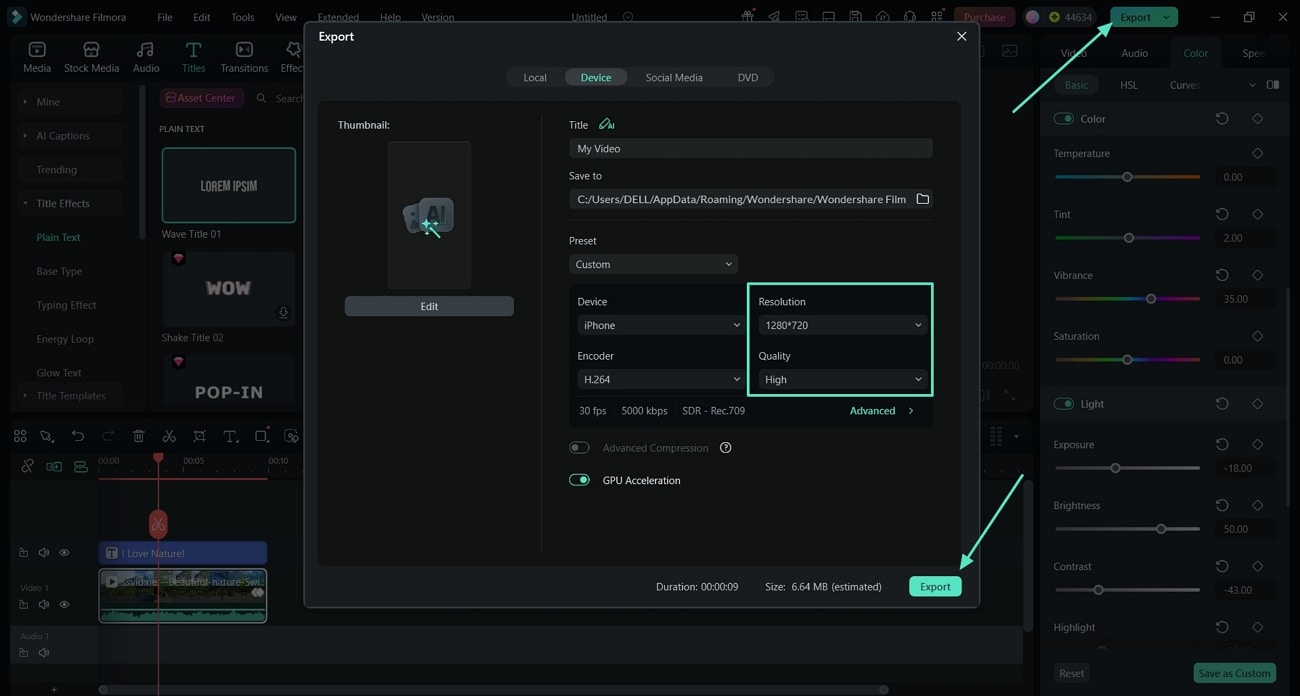
- Step 9. Export Your Instagram Video. Once the video is finalized, click the "Export" button. Set the Resolution and Quality and hit the "Export" button again to download the video.
secure download
Conclusion
This article covered the detailed steps on how to get Rosalia font on Instagram, with different tools used to generate custom fonts. The Rosalia font has become a way to express creativity across Instagram stories, reels, captions, and bios. As a bonus point, we also explored a video editing tool, Filmora, which you can use to add Rosalia fonts to your Instagram videos, along with advanced editing features.
