

 TL;DR:
Selecting an effective NSFW content filter requires matching the tool's blocking method to your specific setup: use BlockerX for browser-level keyword and image blocking, CleanBrowsing for zero-cost network-wide DNS filtering, or Canopy for real-time AI scanning of embedded media.
● For strict personal accountability, Covenant Eyes monitors screen activity to send blurred reports to a chosen partner, while Freedom synchronizes cross-platform web sessions using a tamper-resistant Locked Mode.
● Standard domain blocklists cannot filter individual images on mixed-content sites like Reddit and are easily bypassed by standard VPNs, whereas browser extensions require users to manually grant permissions in settings to monitor Incognito mode.
● Platform developers must integrate REST APIs like SightEngine to automatically moderate user-uploaded content, while offline video creators can utilize Wondershare Filmora's AI Face Mosaic to manually obscure sensitive visuals prior to export.
Ask AI for a summary
 ChatGPT
 Perplexity
 Gemini
 Claude
 Grok
Grok
The internet is full of ads, pop-ups, and unexpected content, so even if you're not looking for it, you might still come across NSFW images or other explicit material. If you'd rather avoid that kind of content, it can make browsing pretty frustrating.
In that case, installing a reliable explicit content filter is the best solution. But with so many options out there, which NSFW content filter is actually worth using? Below, we've rounded up the top tools to help you block NSFW content for good and reclaim control over your browsing.
How We Test & Evaluate the Best Explicit Content Filters
Choosing the right adult content blocking tool isn't just about finding something that stops explicit websites, it's about finding software that works reliably without breaking your everyday browsing. To make sure our recommendations deliver real protection, we use these criteria:
- Filtering Accuracy & AI Detection: How well does the tool block adult websites, explicit images, and other NSFW material? Does it rely on website lists, DNS filtering, or AI detection?
- Cross-Platform Compatibility: Does it work on Chrome, Windows, macOS, Android, iOS, or across an entire network?
- Tamper Resistance: How effectively does the tool prevent easy bypasses, uninstalls, or disabling during moments of temptation?
- Performance: Does it interfere with normal browsing, block legitimate websites, or leave gaps in protection?
- Value & Pricing Flexibility: Is there a useful free plan, a trial, or a subscription that's worth the money?
Top 3 NSFW Blockers: Quick Recommendations

Part 1. Top Adult Content Filters (Side-by-Side Comparison)
The three picks above are a useful starting point, but the right mature content filter tool depends on where you encounter explicit content and how much control you need. But before looking at each option in detail, use this chart to compare their main features side-by-side.
| Tool | Best For | Key Specialty | Filtering Method | Tamper Proofing |
| Freedom | Cross-platform focus & habits | Multi-device sync & custom block sessions | App & IP domain blocking | High (Locked Mode) |
| BlockerX | Chrome & mobile browser control | Keyword blocking & accountability support | Browser extension & VPN loop | Medium-High |
| BlockP | Windows desktop protection | Native PC filtering with password protection | AI detection plus site lists and DNS | Medium-High |
| CleanBrowsing | Free website filtering | Zero-cost family-safe DNS resolution | Network DNS filtering & SafeSearch | High (Router locked) |
| Canopy | Smart visual media filtering | Real-time AI image & text scanning | Smart local AI media analysis | High (Removal locks) |
| Covenant Eyes | Personal accountability | Screen activity monitoring & reporting | Screen analysis AI & partner reports | Very High |
| SightEngine | Developers & platform moderation | Real-time image/video moderation API | Cloud REST API scanning | Depends on the Developer API |
|
Show More
Show Less
|
||||
Part 2. 7 Best Adult Content Filters to Block NSFW Content Online
Now that you've seen how the options compare, let's look at each explicit content filter on its own. Every tool gets the same layout, so you can compare them fairly. The important thing is to choose a tool that matches the kind of content you want to avoid, rather than paying for features you don't need.
1. Freedom
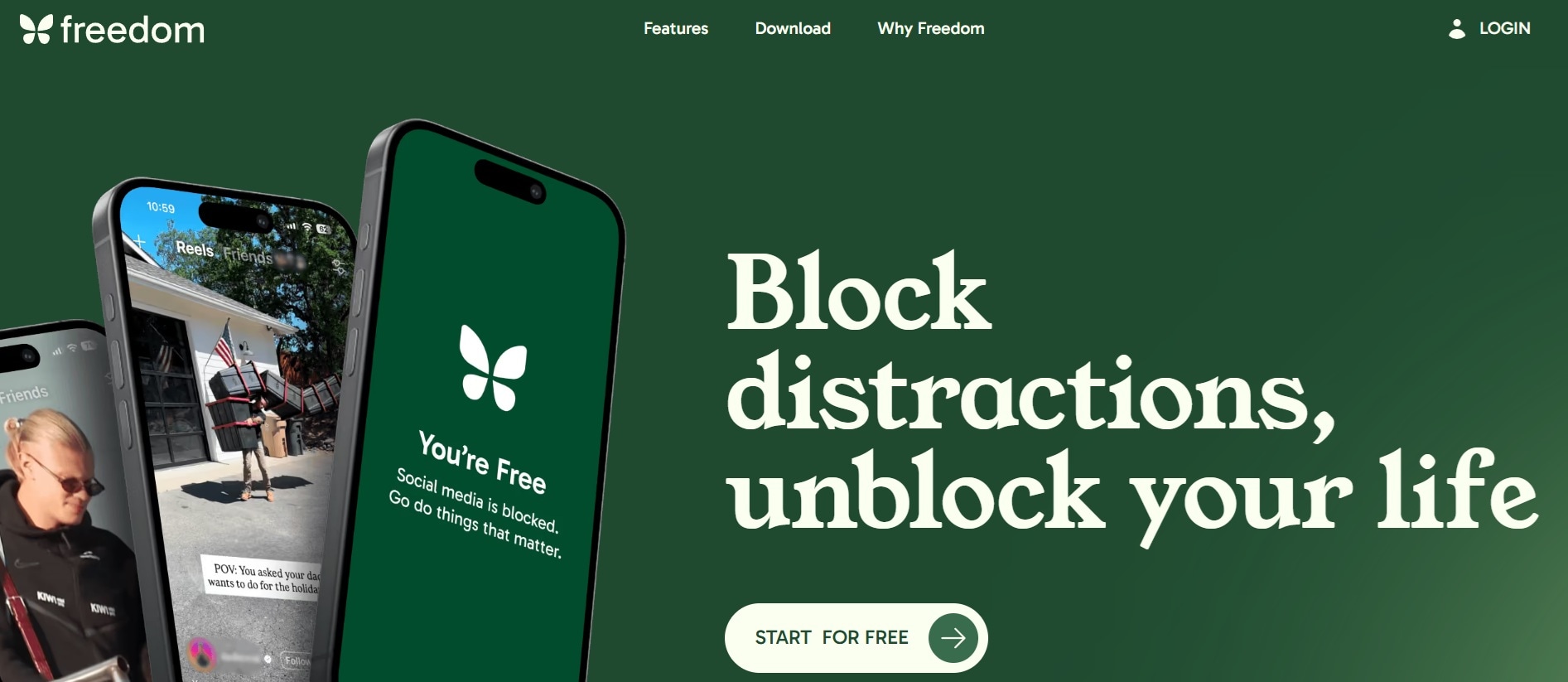
To begin our list, we have Freedom, a blocker that treats adult content blocking as one more thing to keep off every device you own. It syncs your sessions across phones, tablets and computers so you can't just hop to another screen. Plus, Freedom doesn't just stop at adult sites; it helps you block distracting apps and custom web domains during scheduled sessions so you can stay productive and safe.
- Synchronized blocking sessions across all connected devices at once.
- Locked Mode to prevent ending a block session prematurely.
- Custom blocklists for specific websites, keywords, or entire web categories.
- Advanced session scheduling for daily recurring routines.
Windows, macOS, iOS, Android, Chrome, Firefox, Edge.
Free trial available; Premium subscription starts at $3.33 per month (billed annually) or $39.99 per year.
- Free access includes custom blocklists and website and app blocking.
- Covers every major platform at once, so there's no "just use the other device" escape.
- Requires manually installing the client app on every individual device for full coverage.
- Does not perform live AI visual scanning on safe web pages.
2. Blocker X
If you want an NSFW filter Chrome extension that does more than a plain site blocker, we recommend BlockerX. Instead of relying on a single trick, it stacks a list of more than 2 million adult sites with keyword blocking, forced SafeSearch and real-time image blocking, all inside the browser where most accidental exposure happens.
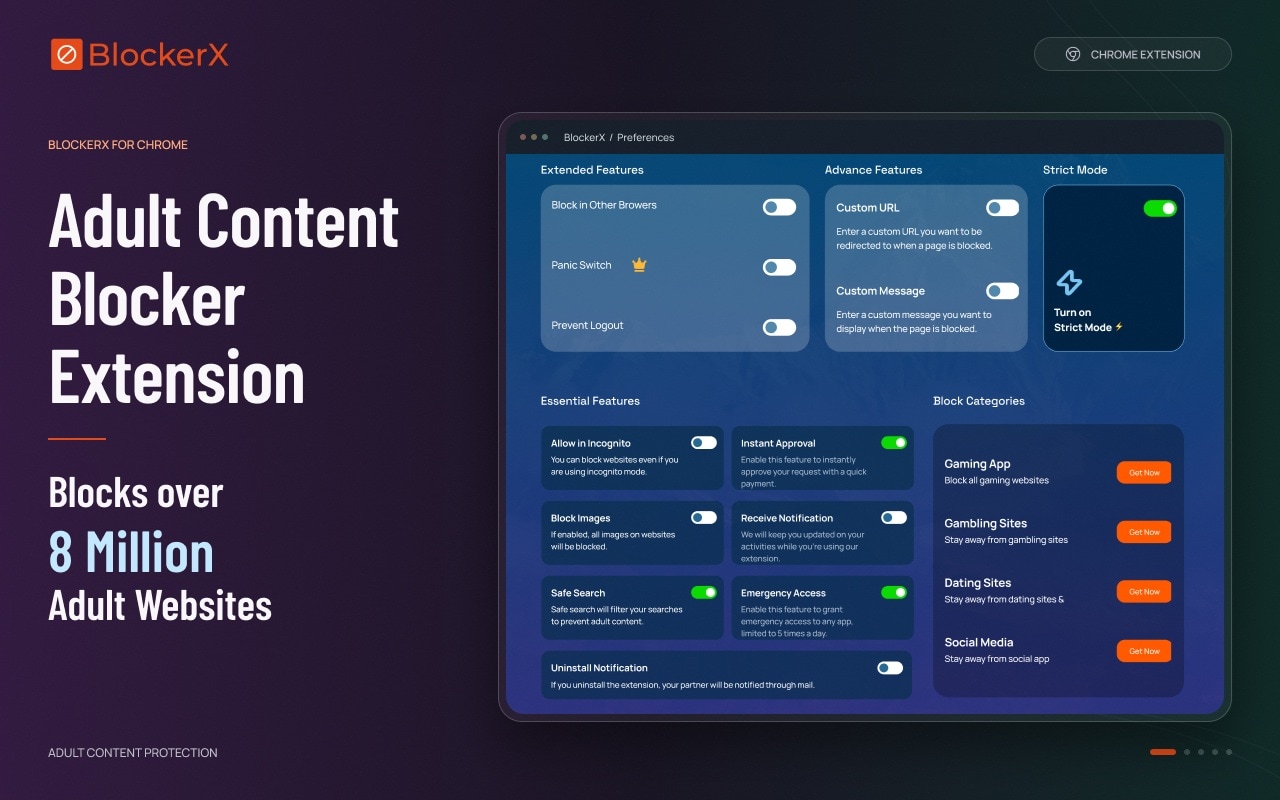
- One-click adult content blocking for pornographic domains and adult search terms.
- SafeSearch helps restrict explicit search results on supported search engines.
- Whitelist allows websites that are mistakenly blocked.
- Real-time image blocking using Chrome's web request tools, and it's described as working in Incognito.
Chrome, Android, iOS, Windows, macOS.
Free version is available with limited custom blocking; Premium version is available at $109.92 per year or $199.97 for a lifetime plan.
- Super quick setup as a browser extension.
- Accountability partner and uninstall alerts make it harder to quietly quit.
- Free version has limited custom block slots.
- Requires setting up incognito permissions manually inside browser settings.
3. BlockP
Another strong choice for an NSFW image filter that uses AI instead of leaning only on keyword lists is BlockP. Its AI blocker is built to spot adult and explicit content as it appears, and the Windows version can also lock out other browsers so you can't just open a less protected one. It earned its spot for pairing AI detection with a free option, which is rare in this category.
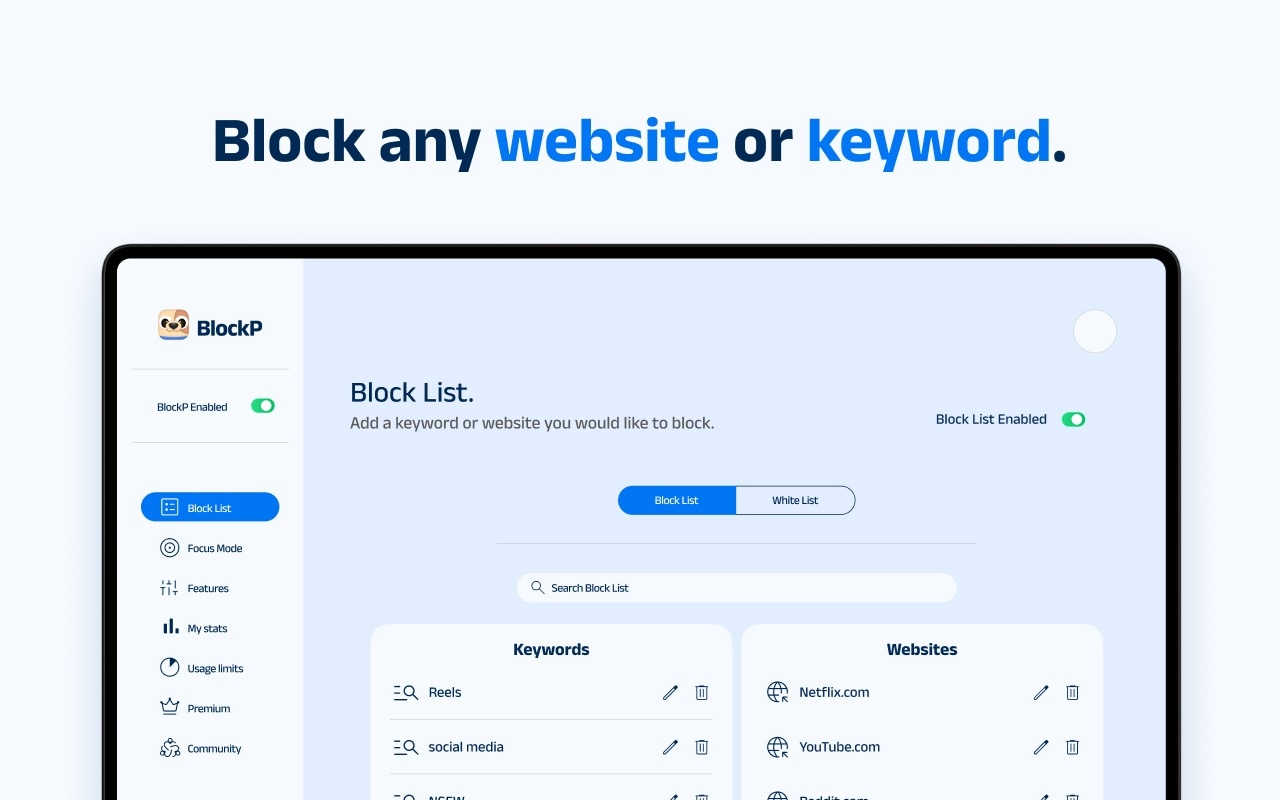
- AI blocker that detects adult and explicit content rather than only matching lists.
- Million-plus adult site list with a custom block list on top.
- Password-protected settings and uninstallation prevention options.
- Always-on VPN filtering on mobile, with uninstall alerts to an accountability partner on iPhone.
Windows (Microsoft Store), Android, iOS, Chrome Extension.
Free base download with optional paid upgrades starting at $9.99 per month.
- Reliable background protection that doesn't drag down PC performance.
- The AI layer catches things a static list misses.
- The desktop version is tailored primarily for Windows PCs.
- Advanced anti-tamper features require paid tier access.
4. CleanBrowsing
For an adult content block that covers your whole network without spending a cent, we recommend CleanBrowsing. It filters at the DNS level, which means you change one setting (ideally on your router) and every phone, laptop and smart TV on your Wi-Fi gets filtered. The Adult Filter focuses on adult websites, while the Family Filter adds SafeSearch enforcement and blocks mixed-content domains.
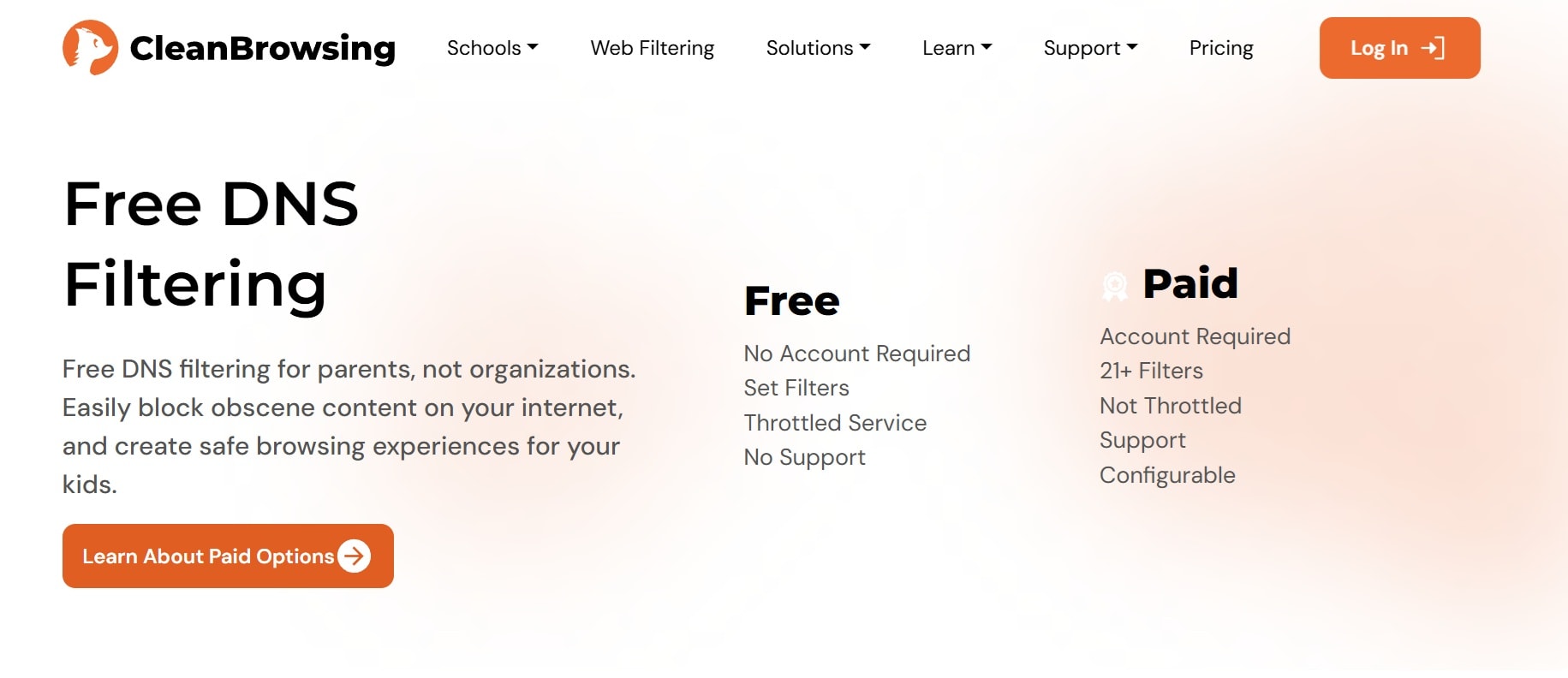
- Automatic blocking of adult domain names and malicious websites.
- Forced SafeSearch enforcement on major search engines like Google, Bing, and YouTube.
- Network-wide coverage for IoT devices, gaming consoles, and visitor phones.
- Custom blocking rules and reporting available on paid plans.
Any router, computer, or phone that lets you set custom DNS (Windows, macOS, iOS, Android Private DNS, Chromebook), plus a dedicated iOS app.
Free DNS filters are available without an account. Paid plans are available starting at $8.99 a month for the Families plan.
- Completely free base tier with zero software to install on individual devices.
- Very lightweight with zero impact on device CPU or battery life.
- The free tier is throttled and comes with no support.
- DNS blocks whole domains, not single images, so explicit images on an allowed site can still load.
5. Canopy
If you want a modern solution that relies on smart AI to provide an NSFW image filter, Canopy is built specifically for you. Its AI recognizes pornographic content in real time, including images on otherwise normal websites, and its signature extra is sexting prevention that catches nude or partly nude photos before they're sent or received.

- Smart AI image scanning that blocks explicit photos in real time.
- Sexting prevention alerts and image detection on mobile devices.
- Removal-prevention settings and password locks for guardians or self-control.
- Website and app management dashboard.
iOS, Android, macOS, Windows.
A seven-day free trial is available. Paid plans start at $8.33 per month for 1 device.
- Strong anti-tampering aimed at kids who try to remove it.
- More relevant than a basic domain blocker if explicit images appear on otherwise legitimate sites.
- Setup and removal-prevention settings need to be configured on the devices you want to protect.
- Some reviewers report image detection works more reliably on iOS than on Android.
6. Covenant Eyes
When filtering alone isn't enough, Covenant Eyes pairs an explicit content filter with a real person. It takes screenshots at random intervals, blurs them, and sends reports to an accountability partner you choose, while the filter blocks known porn sites and mixed-use sites like Reddit, plus any URLs you add. It's long been popular with faith-based communities, though anyone who wants a human ally can use it.
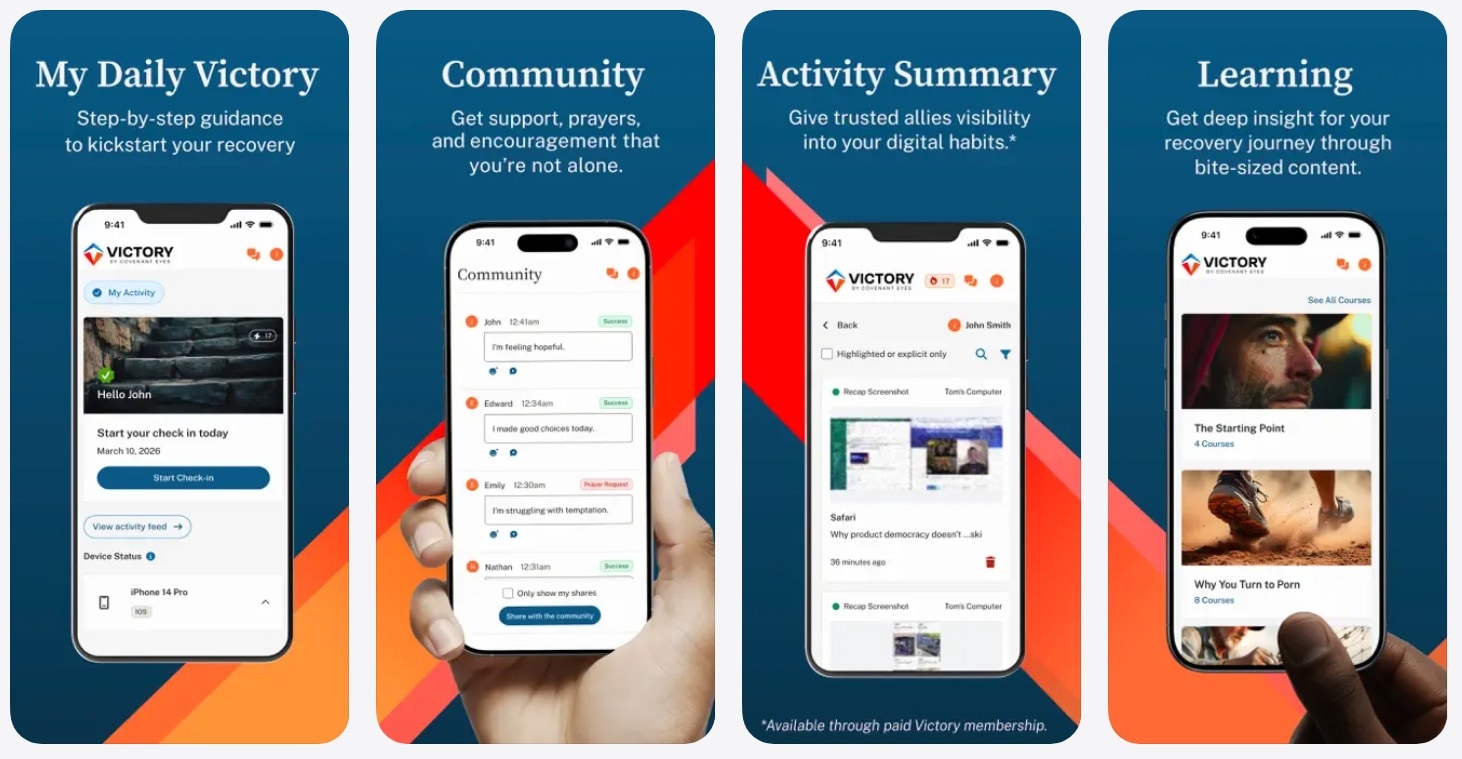
- Screen Accountability AI that scans screen activity for explicit media in real time.
- Automatic blurring of questionable images before inclusion in accountability logs.
- Domain filtering to block known adult sites.
- High-friction tamper alerts sent directly to your accountability partner.
Windows, macOS, iOS, Android.
A seven-day free trial is available. Paid plans start at $18 per month.
- Built specifically for deep accountability and overcoming habits.
- Almost impossible to secretly bypass without your partner being notified.
- Screen monitoring models may feel too invasive for casual household filtering.
- One of the pricier options in this list.
7. SightEngine
Finally, if you are an app developer or website owner looking to block NSFW content uploaded by your users, SightEngine is the premier tool. It isn't a browser plugin; instead, it offers a developer API that scans user-submitted photos, videos, and live feeds to detect explicit visual material before it goes public. So, if you run a community, marketplace or app, this is the kind of tool that keeps user uploads clean.
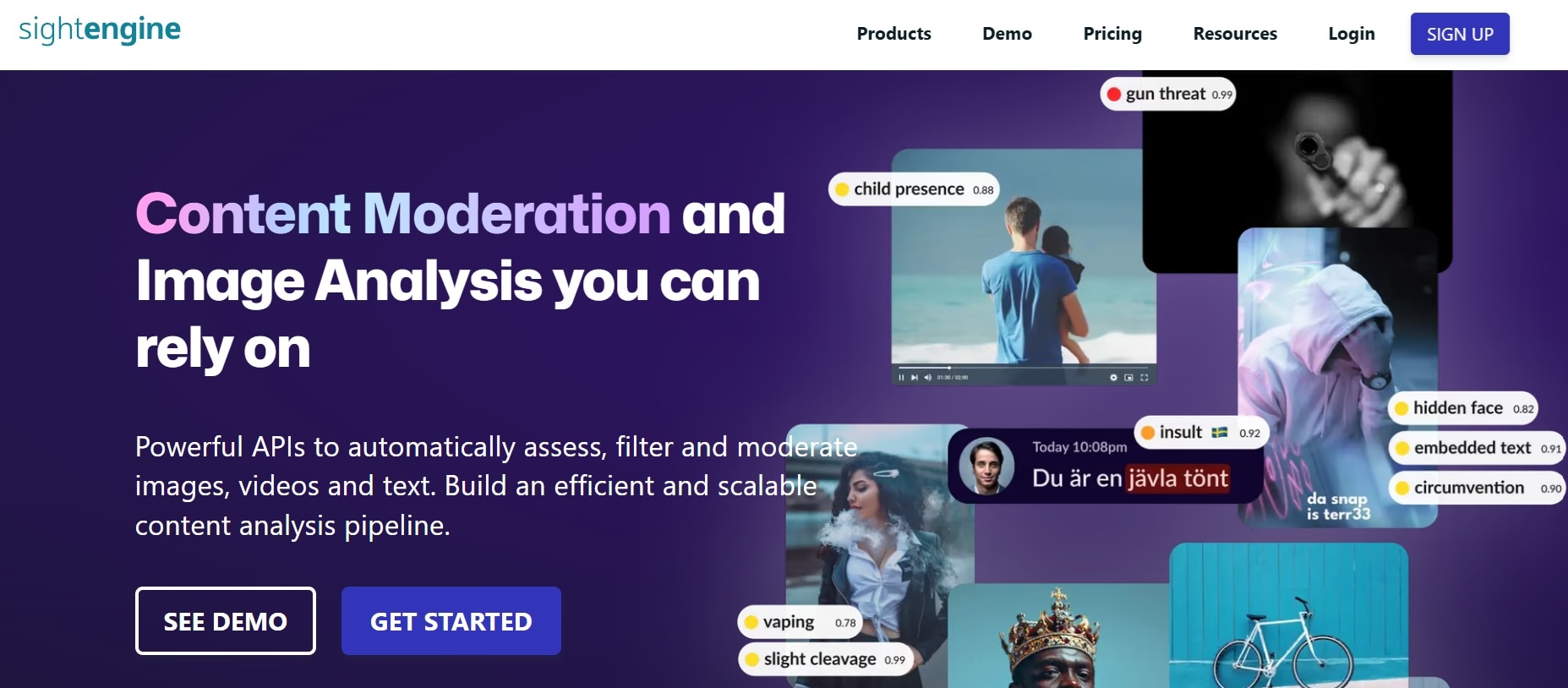
- Real-time detection of nudity, suggestive content, and explicit text.
- Live stream and video moderation frame-by-frame.
- AI-generated content detection for synthetic NSFW media.
- Granular score outputs for custom moderation thresholds.
Developer REST API (Works with Python, Node.js, PHP, cURL, etc.)
A free plan is available with 2,000 operations a month (500 a day). Paid plans start at $29 per month for 10,000 operations, with custom Enterprise pricing.
- Incredibly fast, enterprise-grade response times.
- Gives platform admin precise control over what gets flagged or auto-removed.
- Built strictly for developers; not designed for end-user web browsing.
- Requires coding knowledge to integrate into an app or website.
Part 3. Buyer's Guide: How to Choose the Best NSFW Content Filter
To find the right explicit content filter that totally fits you, you don't necessarily need the most expensive tool or the one with the longest feature list. What matters is how well it fits your browsing habits.
Here's a quick way to narrow down your options:
| Your Needs | Our Recommendation | Reasoning |
| For Personal Productivity & Self-Control | Freedom or BlockerX | Both tools offer locked modes, custom block timers, and keyword filters |
| For Whole-Home & Family Protection | CleanBrowsing | It covers every single phone, smart TV, and laptop in your house for free |
| For Deep Personal Accountability | Covenant Eyes | Combines traditional domain blocking with screen analysis and partner reports |
| For Smart Real-Time Filtering | Canopy | Offers AI-based filtering to catch explicit media without blocking every site entirely |
| For App Developers & Platforms | SightEngine | Offers automated API moderation for user uploads |
Bonus: Create More Controlled Video Content With Filmora
So, the explicit content filter tools above help you manage what you see online. But if you're a video creator, you also need to make sure what you publish stays free of accidental explicit material or visuals that break platform rules.
In that case, having an editor that actively assists you in catching and obscuring questionable footage is essential, and there is no better option for this than Wondershare Filmora.

 Secure Download
Filmora may not be an adult content blocker, so it won't automatically detect and remove every explicit image or guarantee that a video meets a platform's content rules. However, its editing tools can help you review footage, obscure faces, remove unwanted visual elements, and prepare videos for sharing.
Why Choose Filmora?
Analyze Your Content Safely with AI Media Analysis
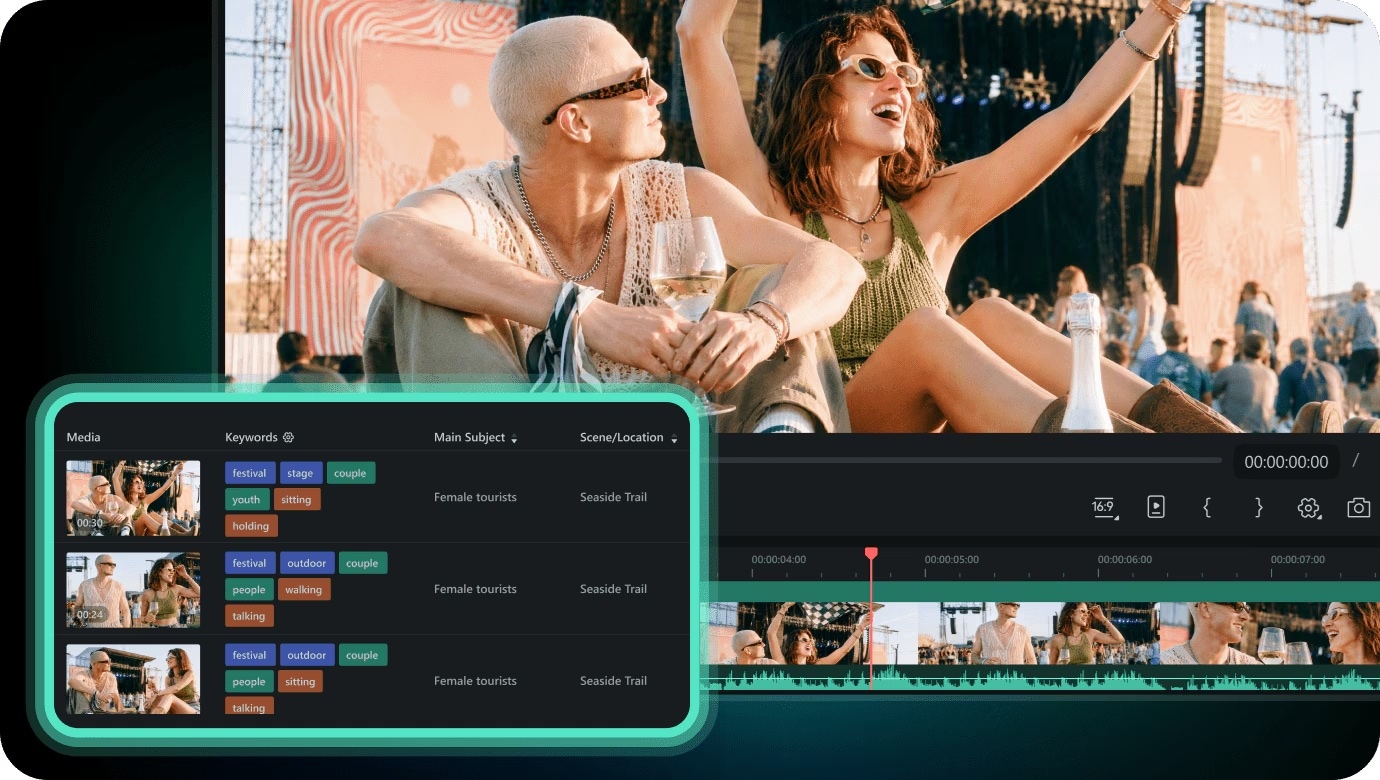
Filmora's smart AI Media Analysis scans your imported clips and image assets. It helps identify subjects, scenes, actions, and other useful visual context. It can generate keywords and descriptions to make footage easier to find and review.
Blur Sensitive Areas With Face Mosaic
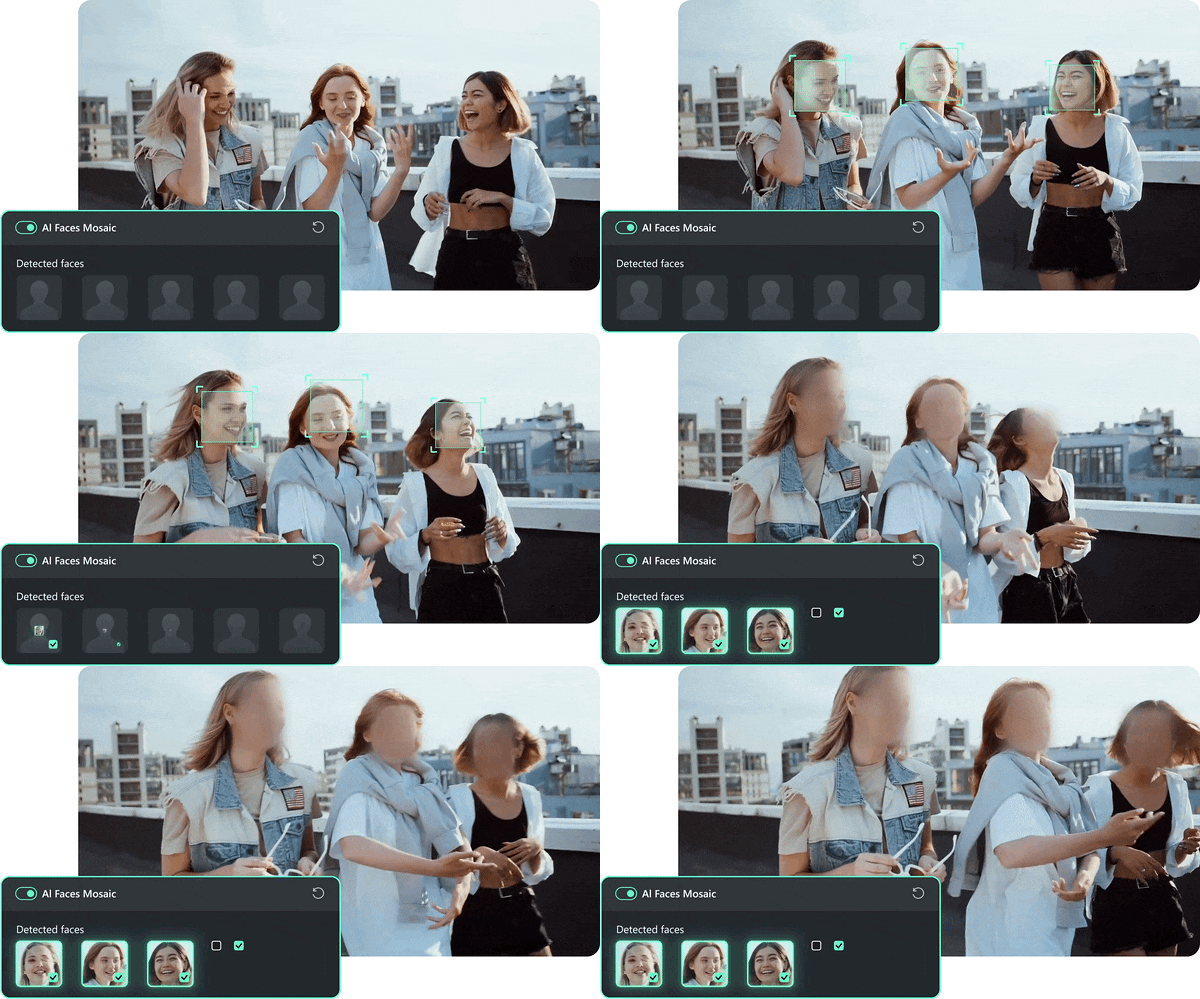
Sometimes a clip includes a bystander, a child's face, or another person's identity that shouldn't be visible in the final video. Filmora's AI Face Mosaic can detect faces and track them as they move, applying a mosaic or blur effect. It's ideal for obscuring background passersby, sensitive documents, or unintended visuals.
Advanced AI Features for All Editing Needs
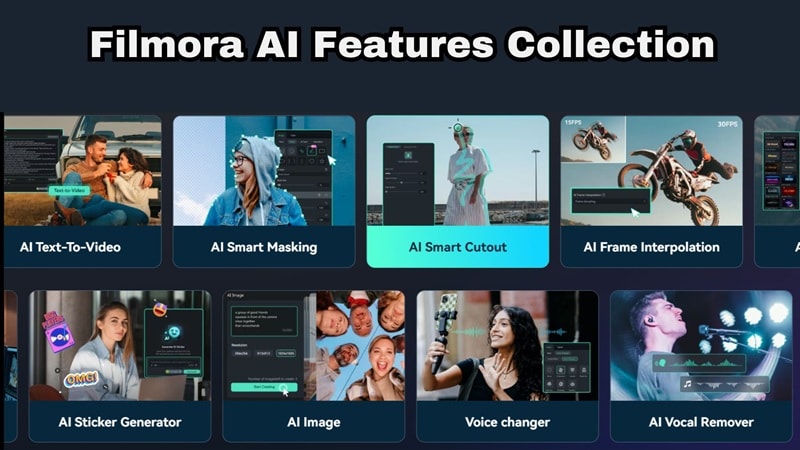
Filmora comes equipped with a comprehensive suite of AI editing tools designed to keep your production workflow clean and efficient. Here are some of them:
- AI Text-Based Editing: Work with spoken content through a text-based editing interface.
- Auto Caption: Generate captions to make dialogue easier to follow.
- AI Video Enhancer: Improve suitable footage that needs visual quality adjustments.
- Smart Scene Cut: Identify useful segments in supported footage.
- AI Copilot Editing: Get editing guidance and suggestions.
Access a Large Library of Creative Assets
Avoid sketchy stock sites that might expose you to NSFW pop-ups. Filmora gives you direct built-in access to millions of pre-cleared, safe stock images, video clips, and audio tracks that are 100% policy-friendly.

Export and Share With Ease
Once your video is clean and edited, use Filmora's integrated publishing tools and AI Content Planner to format and schedule your videos directly for platforms like YouTube, TikTok, and Instagram.
 Secure Download
How To Create Content Responsibly With Filmora
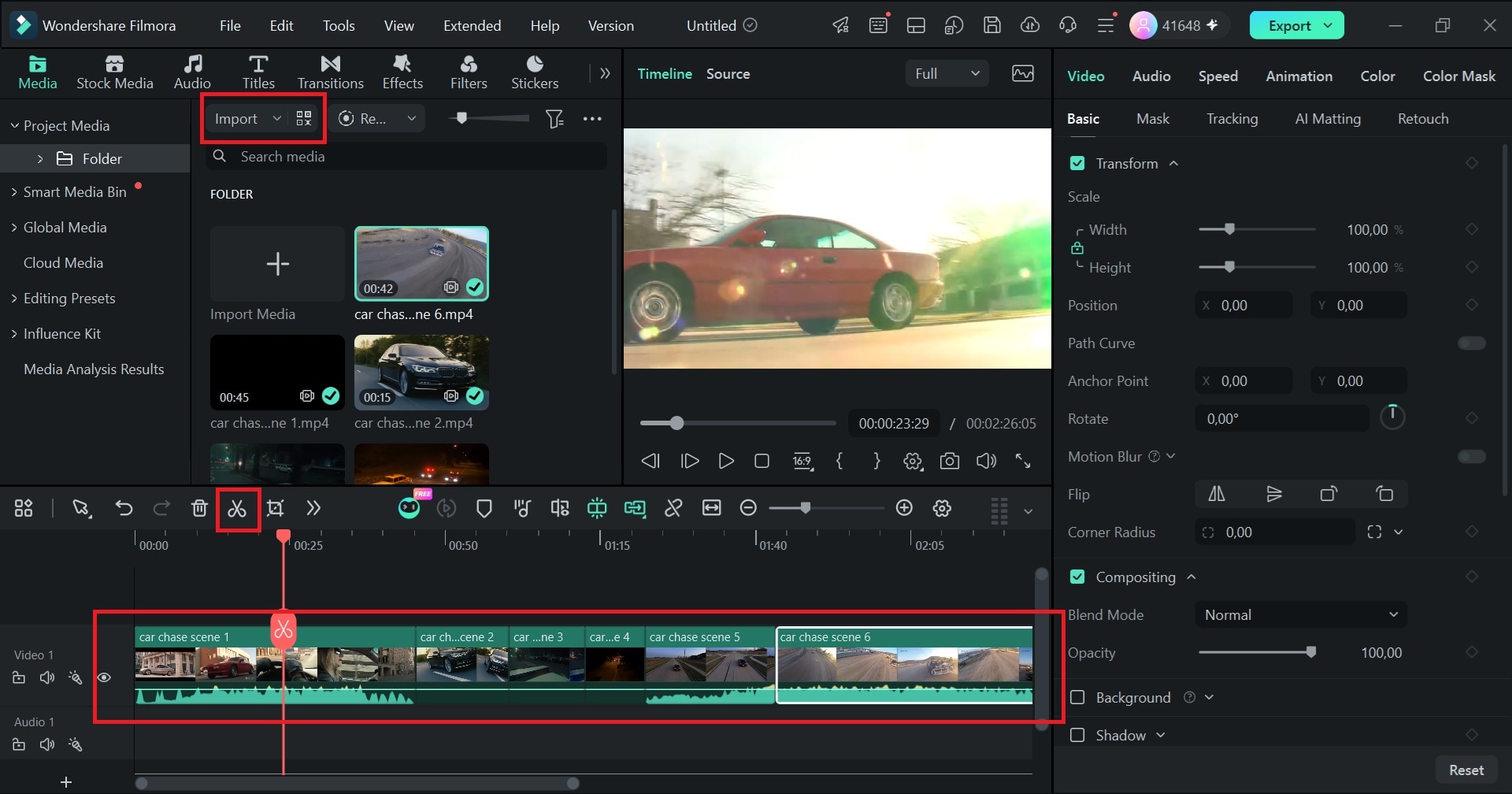
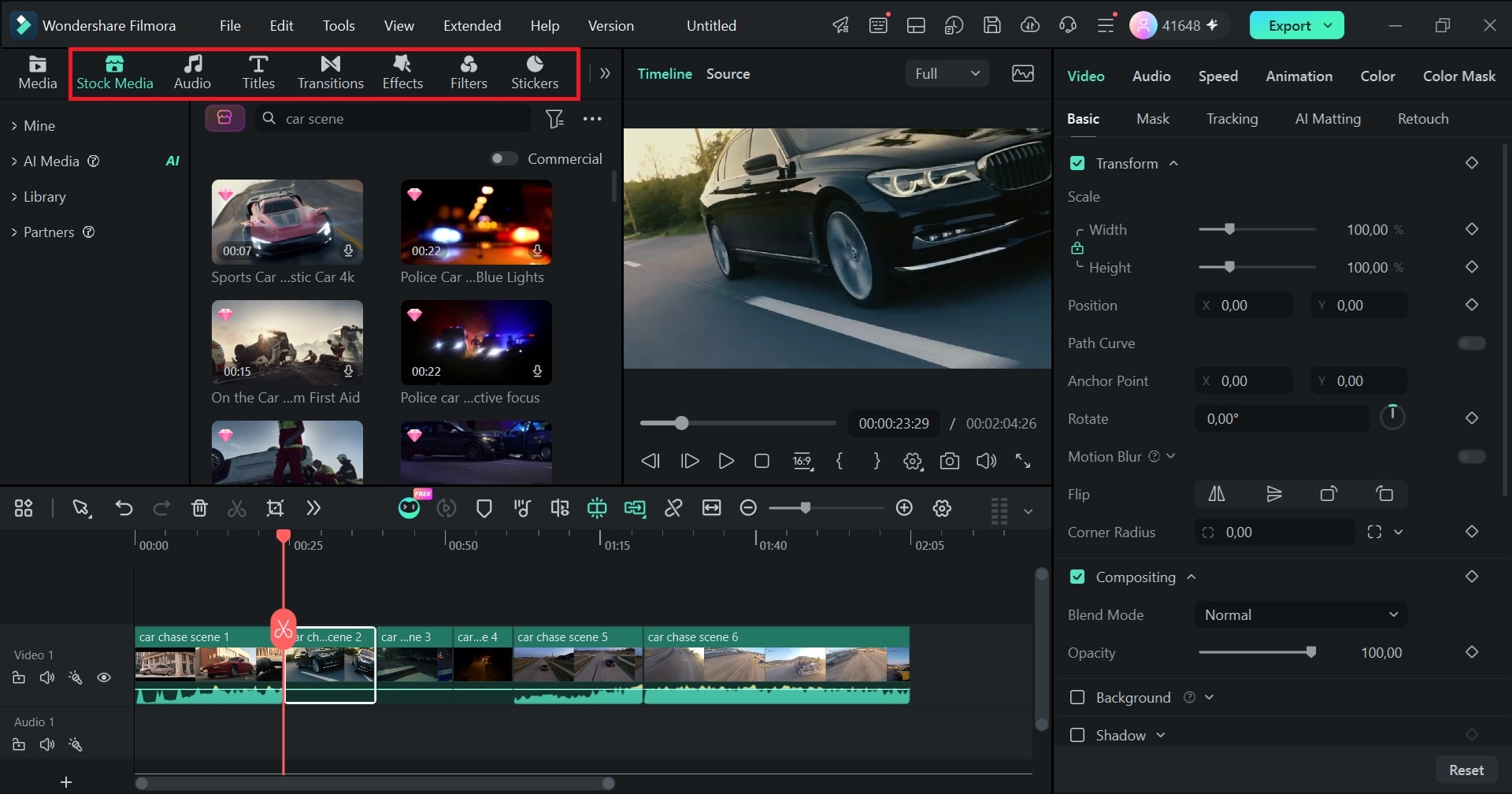
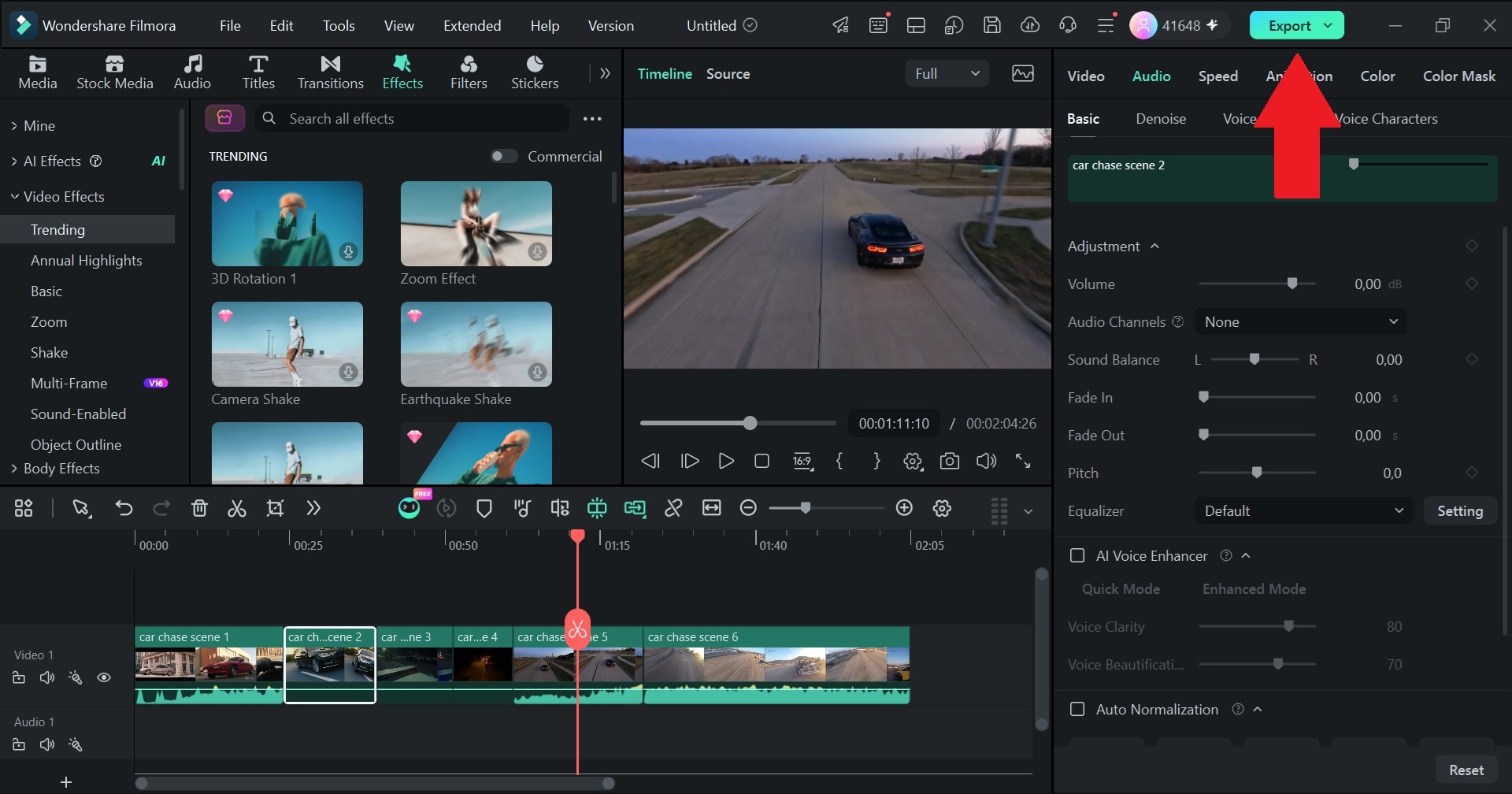
Conclusion
Taking control of your internet experience doesn't have to be overwhelming. Whether you want a quick NSFW filter Chrome extension like BlockerX, a free whole-house shield like CleanBrowsing, or smart visual protection like Canopy, installing the right explicit content filter lets you browse with complete peace of mind.
And if you create videos yourself, keep your own projects clean with Wondershare Filmora. This all-in-one editor can blur faces, skim long footage faster and polish everything in one editor. It ensures that the media you share with the world stays just as clean, professional, and safe.

FAQ
-
Can explicit content filters block adult material inside Incognito or Private Browsing mode?
It depends on the tool. Chrome extensions generally need permission to run in Incognito mode, which users must enable in the browser's extension settings. DNS filters operate at a different level, so private browsing alone doesn't normally bypass them. However, a VPN, different DNS settings, or other network changes may affect protection. -
How do adult content filters handle embedded media on sites like Reddit or Twitter (X)?
Standard domain blocklists will usually either block the whole social media platform or let it through entirely. However, smart AI filters (like Canopy) and keyword blockers scan individual elements and images on the page, allowing you to browse normal discussions while automatically blurring explicit media attachments. -
Will installing a DNS explicit filter slow down my internet connection?
For most people, not in a way you'll notice, since a DNS lookup is a tiny request that happens before a page loads. The catch is that free tiers can be slower: CleanBrowsing says its free service is throttled and paid plans are not. -
Can explicit content filters be bypassed using a VPN?
A standard VPN routes web traffic past network-level DNS filters. However, system-level apps like Freedom and Covenant Eyes include anti-tamper safeguards that can detect active VPN tunnels or prevent unauthorized network profile changes while a block session is active.
