
Beautiful Flower Transition Examples
Browse our curated collection of blooming floral effects and animations
Loading more flower transition templates...
 Category:
 Duration:
 Aspect Ratio:
Everything You Need to Create Elegant Flower Transitions
A carefully chosen flower transition can instantly elevate the mood of your project. Filmora offers an expansive library of floral animations that blend seamlessly into your timeline. Whether you want falling petals or blooming blossoms, Filmora provides the creative assets to make your vision a reality.
Effortless Floral Animations for Any Video Style
Effortless Floral Animations for Any Video Style
Stop wasting hours keyframing complex animations. Filmora provides instant floral presets that blend your scenes flawlessly. Powered by advanced rendering, these transitions ensure your cuts remain smooth and visually striking.
- Instant Application - Drag your preferred floral effect directly onto the timeline.
- Smooth Blending - Ensure flawless scene changes with refined animation dynamics.
- Versatile Formats - Adapt your blooming effects perfectly to portrait and landscape orientations.
Complete Control Over Your Blooming Visuals
Complete Control Over Your Blooming Visuals
Beyond basic templates, Filmora grants you complete creative freedom. Adjust the speed, shift the opacity, or even correct color tones of the petals to match your exact aesthetic.
- Precision Timing - Adjust the exact duration and momentum of your blooming effects.
- Color Customization - Modify petal hues and saturation to match your aesthetic theme.
- Layer Blending - Combine multiple tracks to create depth within your floral animations.
Advanced AI Tools for Unique Floral Aesthetics

Advanced AI Tools for Unique Floral Aesthetics
Generate custom assets instantly using the Filmora AI Image Generator, which harnesses powerful internal models like ChatGPT, Nano Banana, and Nano Banana Pro.
- Intelligent Generation - Produce unique botanical elements using internal AI models.
- Seamless Integration - Merge generated assets with timeline clips effortlessly.
- Smart Masking - Isolate subjects dynamically for intricate layered transitions.
Frequently Asked Questions About Flower Transitions
How to Add a Flower Transition in Filmora
Enhance your storytelling with elegant floral scene changes using intuitive AI video editing features.
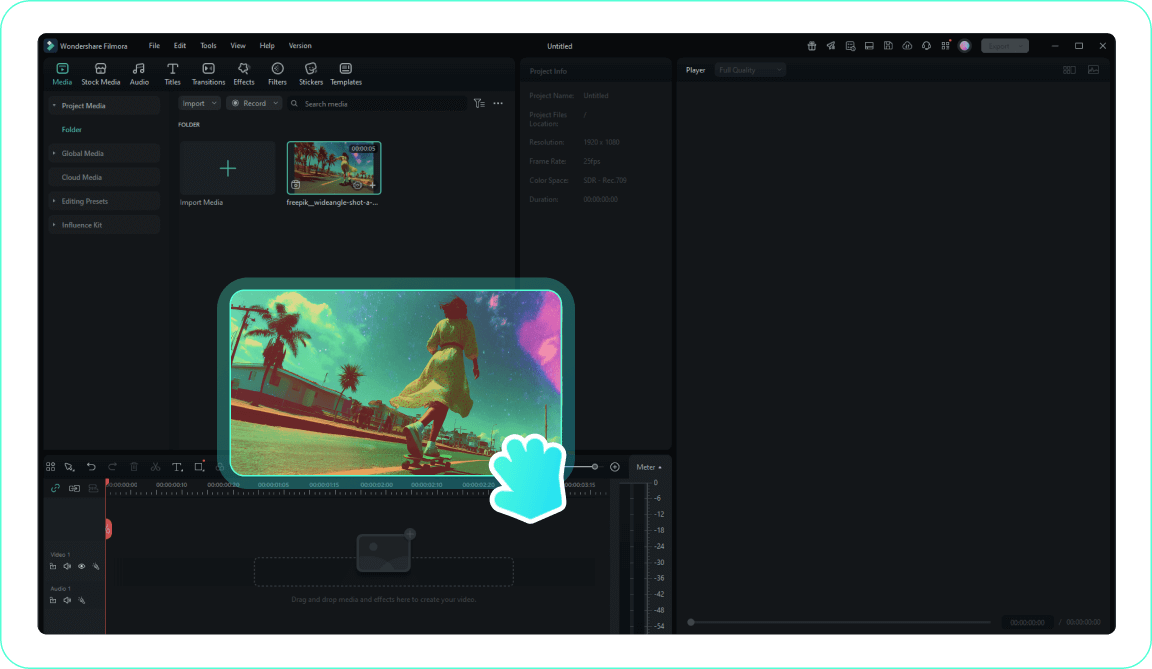
1. Import Your Media
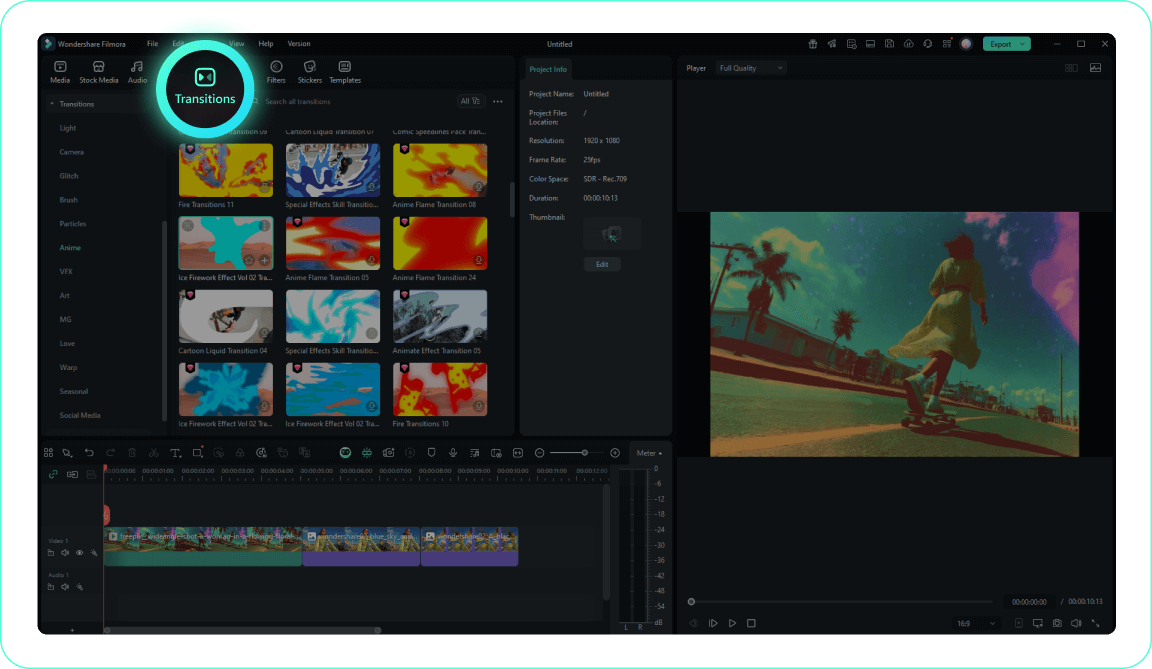
2. Locate the Transition Options
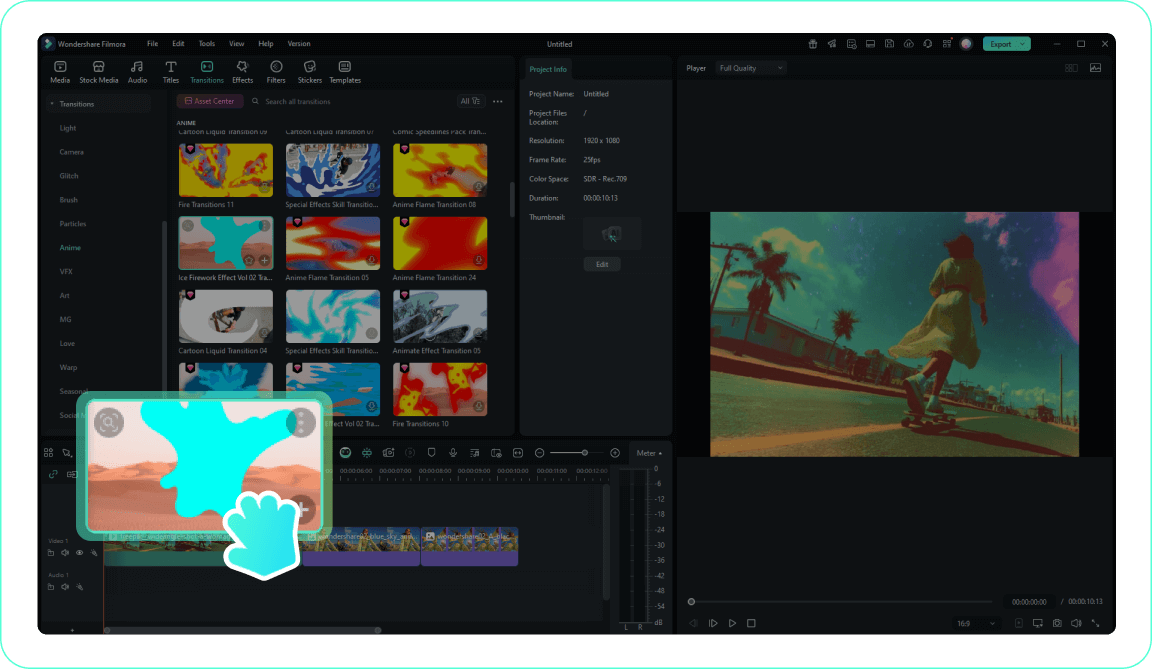
3. Apply the Floral Effect
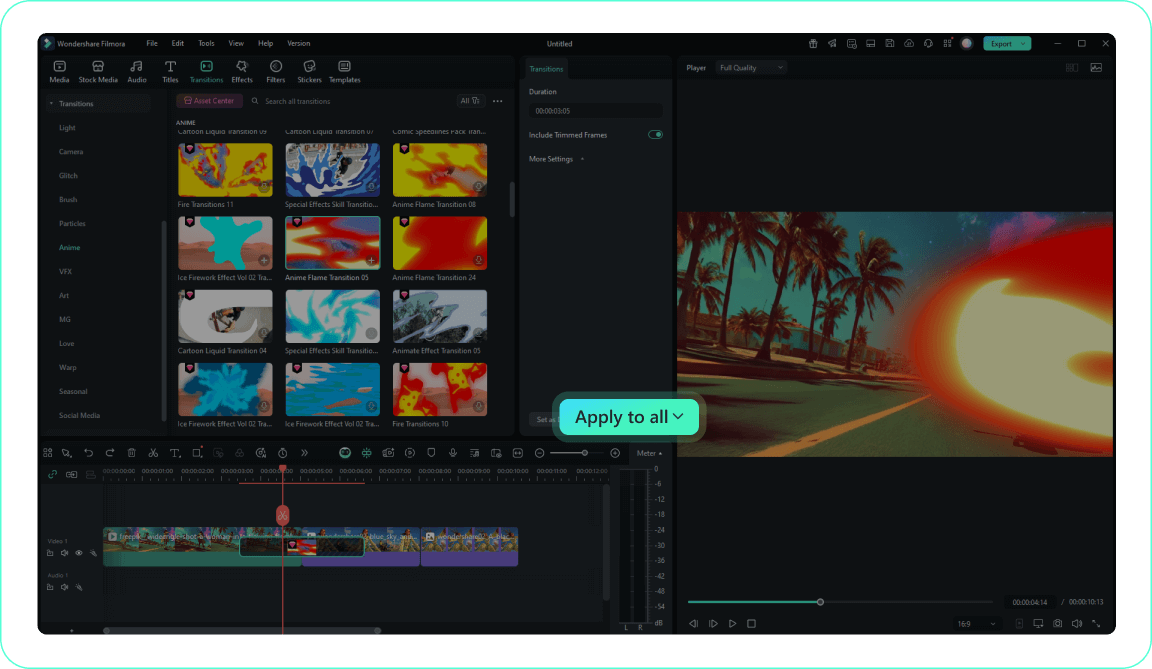
4. Adjust and Render
-
1. Import Your Media
Add your video clips to the media library and place them onto the timeline where you want the scene change to occur.Pro Tip: Organize your clips effectively to streamline the editing process. -
2. Locate the Transition Options
Open the transitions panel and search for floral or botanical effects to find the perfect animation. -
3. Apply the Floral Effect
Drag your chosen flower transition between two clips on the timeline to create a beautiful and smooth cut. -
4. Adjust and Render
Double click the applied effect to modify its duration and blending mode, then play back the sequence.Pro Tip: Save your modified transition as a favorite for quick access in future projects.
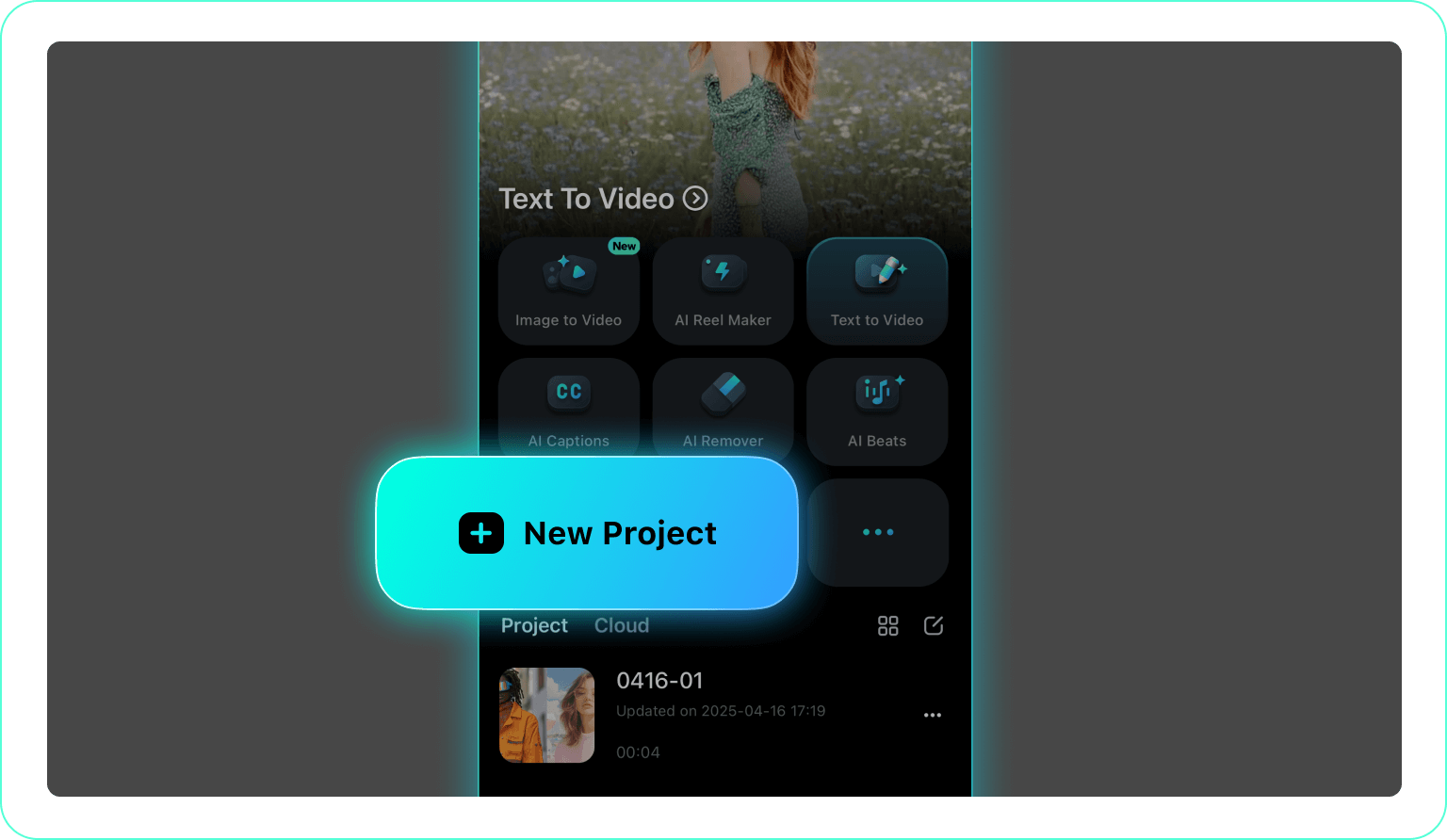
1. Start a New Project
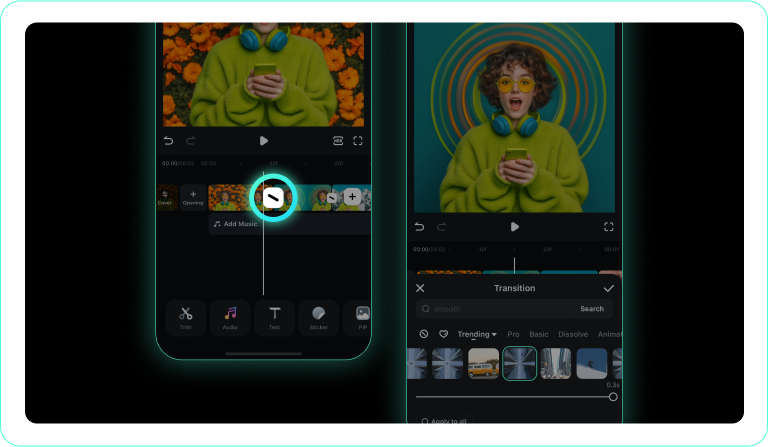
2. Access the Transitions Menu
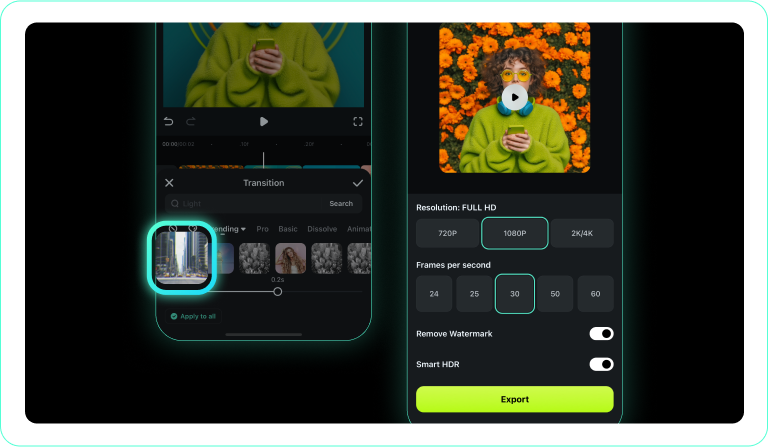
3. Select a Floral Style
-
1. Start a New Project
Open the Filmora mobile application and load the clips you intend to edit. -
2. Access the Transitions Menu
Tap the intersection point between your clips to reveal the transition library. -
3. Select a Floral Style
Pick a blooming effect, adjust its timing, and confirm the application to enhance your video.
Expand Your Creative Horizons
Beyond beautiful floral cuts, Filmora offers an expansive suite of tools to elevate your entire production. From dynamic visual effects to intelligent audio enhancement, everything you need is consolidated into one powerful platform. Generate stunning visuals and craft compelling narratives with absolute ease.








