

 TL;DR:
To apply the viral AI so cute miniature effect, use TikTok's Toy Touch or Instagram's Mini Me filters for quick mobile clips, or utilize Wondershare Filmora's AI Media Library templates for high-resolution, glitch-free video edits.
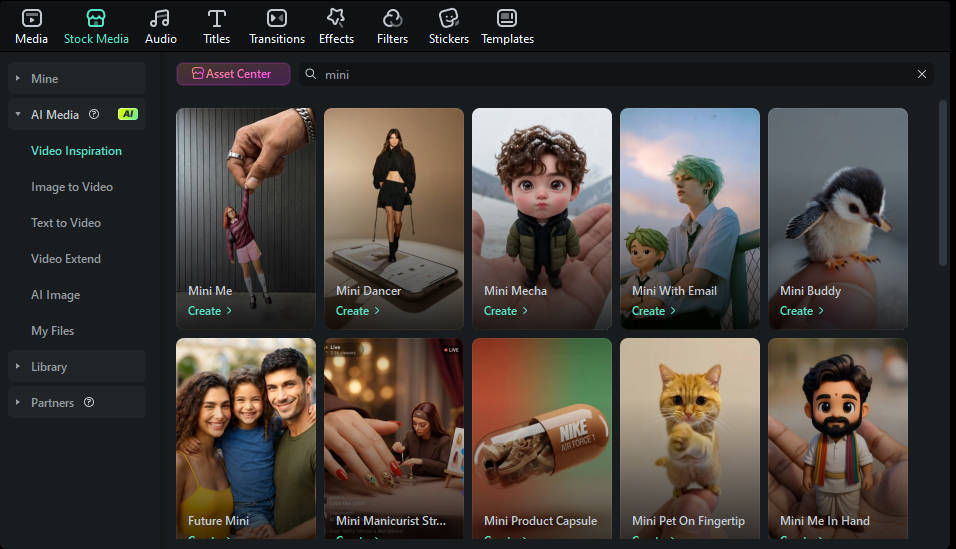
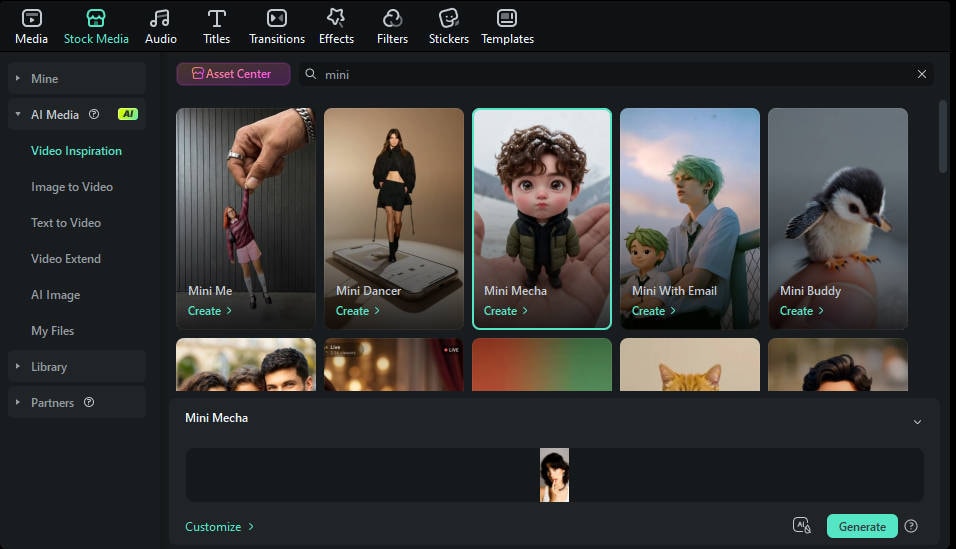
● Wondershare Filmora requires uploading a clear, front-facing portrait into preset templates like Mini Me Emoji or Mini Mecha to bypass the low resolution and watermarks common in native mobile app filters.
● The AI relies on Depth Mapping and Generative Adversarial Networks to segment the subject from the environment, meaning poor lighting or cluttered backgrounds with multiple people will cause the tracking and rescaling process to distort.
● While the style transfer is optimized for shrinking human torsos and enlarging heads with toy-like textures, creators can apply the effect to pets by using custom prompts in Filmora to ensure proper subject recognition.
Ask AI for a summary
 ChatGPT
 Perplexity
 Gemini
 Claude
 Grok
Grok
The digital landscape is currently being taken over by an adorable new phenomenon: the AI so cute filter. If you've spent any time on TikTok or Instagram recently, you've likely seen creators transforming themselves into tiny, toy-like versions of themselves—often referred to as the AI so cute mini trend.
This effect isn't just a simple distortion; it's a sophisticated blend of AI character generation and motion tracking that turns ordinary footage into something straight out of a high-budget animation studio. In this guide, we'll dive deep into how to find this effect, why the ai so cute mini effect is trending, and how you can use professional tools to make your content stand out from the crowd.
What Exactly is the AI So Cute Effect?
The AI so cute effect (predominantly known on platforms as the "Toy Touch" or "Mini Me" filter) utilizes generative artificial intelligence to re-render a human subject with stylized proportions. Characteristics typically include:
- Enlarged Heads: Emphasizing facial expressions for a "chibi" or doll-like appearance.
- Shrunken Bodies: Creating a "miniature" aesthetic that mimics collectible figurines.
- Textural Overlays: Applying a plastic, vinyl, or clay-like sheen to the skin and clothing.
Unlike previous filters that simply cropped a face onto a static body, the so cute mini ai technology now tracks movement in real-time, allowing users to dance, walk, and interact with their environment while maintaining the "tiny" illusion.
How to Get the AI So Cute Mini Trend Effect on Social Media
If you are looking for a quick fix for your social stories, the native apps are the easiest starting point. However, the names of these effects change frequently based on the developer.
1. Finding it on TikTok
To join the ai so cute mini trend effect on TikTok:
- Open the TikTok camera and tap Effects.
- Search for "Toy Touch" or "Tiny Toy".
- Alternatively, search for the hashtag #AISoCute and click on the effect link attached to popular videos.
2. Finding it on Instagram
Instagram's version is often community-created.
- Swipe to open the Story camera.
- Scroll to the end of the filter carousel and select Browse Effects.
- Type "Mini Me" or "Cute AI" into the search bar.
Level Up Your Content: Why Professional Editing Matters
While mobile filters are convenient, they often suffer from low resolution, "glitching" edges, and a lack of creative control. For creators looking to go viral or brands wanting to maintain a premium aesthetic, using a dedicated video editor is essential.
This is where Wondershare Filmora changes the game. Instead of relying on a pre-set filter that everyone else is using, you can create a unique, high-definition version of the ai so cute mini effect.
Introducing the AI So Cute Mini Trend Effect Transformation in Filmora

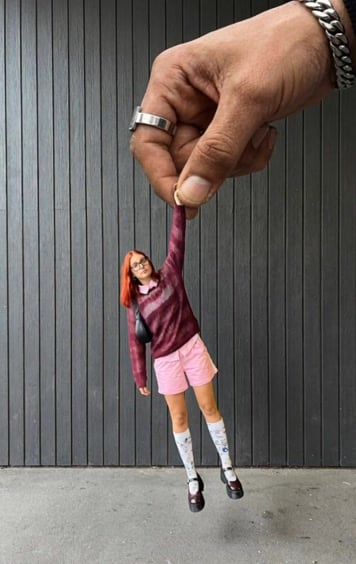
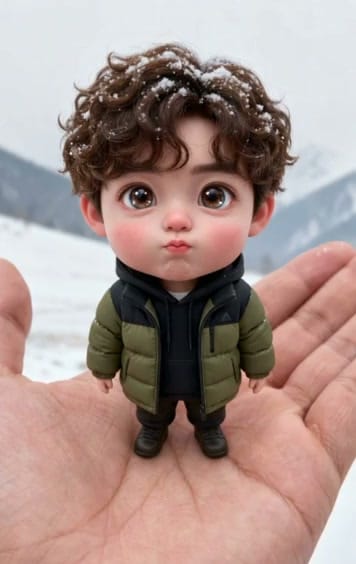
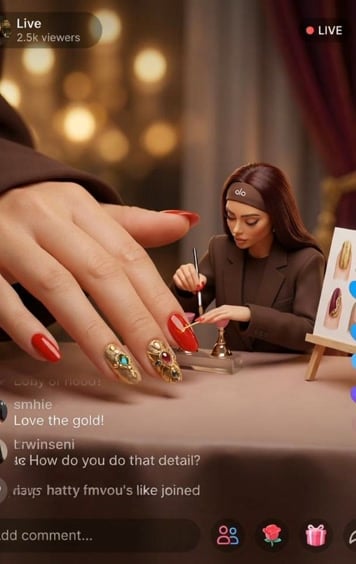
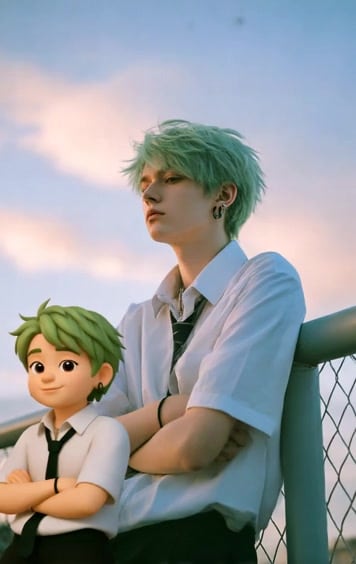

Filmora has integrated advanced AI generative tools that allow you to transform images and videos into stylized masterpieces. If you want to create a high-quality ai so cute mini effect, the feature is your best friend.
Method 1: Create an AI So Cute Mini Effect Video Using Preset Templates
 Secure Download
Technical Insights: How Does the AI So Cute Filter Work?
For the tech-savvy creators, the AI so cute filter is powered by a combination of Depth Mapping and Generative Adversarial Networks (GANs).
- Segmentation: The AI identifies the human subject and separates them from the background.
- Rescaling: It applies a non-uniform scale, shrinking the torso and limbs while maintaining or enlarging the head.
- Style Transfer: This is the "magic" part. The AI replaces the textures of your clothes and skin with pre-trained 3D assets (like plastic or vinyl textures).
By understanding this, you can better manipulate your environment—for example, standing next to a "giant" coffee cup—to enhance the AI so cute mini effect.
The Social Impact of the #AISoCute Trend
Why is everyone obsessed with being "mini"? Psychologists suggest that the "Kindchenschema" (baby schema)—large heads, big eyes, and small bodies—triggers a dopamine release in viewers. This makes the ai so cute mini trend effect inherently more "shareable" than standard filters. It's disarming, humorous, and visually striking.
Conclusion
The AI so cute filter is more than just a passing fad; it's a showcase of how accessible creative AI has become. Whether you are a casual user looking to have fun with the ai so cute mini trend or a professional creator aiming to dominate the AI so cute mini trend effect on social media, the tools are now at your fingertips.
Ready to see your "Mini Me" come to life? Explore the features today and start creating content that captures the imagination—and the hearts—of your audience.

FAQ
-
What is the most popular AI so cute filter name on TikTok?
The most popular version is currently called the "Toy Touch" effect. However, many users simply refer to it as the AI so cute mini effect or the Mini Me trend. -
How do I use the AI so cute mini trend effect without TikTok?
You can use professional video editing software like Wondershare Filmora. By using the tool and selecting the Mini Me template, you can achieve a similar—and often higher quality—result without needing the TikTok app. -
Is the AI so cute filter free to use?
Most social media versions are free but come with watermarks and limited export options. For a professional, ad-free experience with more customization for the so cute mini ai look, a tool like Filmora is recommended. -
Why is my AI so cute mini effect look glitchy?
Glitching usually happens due to poor lighting or a cluttered background. Ensure you are well-lit and that there aren't other people in the background, as the AI might try to "shrink" them too, causing distortion. -
Can I turn my pet into a mini version using the ai so cute mini trend?
Yes! While the filter is optimized for humans, many creators are using the AI so cute effect on their dogs and cats with hilarious results. In Filmora, you can use custom prompts to ensure the AI recognizes your pet correctly.
