


 TL;DR:
To effectively fix dark videos without amplifying grain, use Wondershare Filmora for an all-in-one AI Night View and timeline editing workflow, or Topaz Video AI for mission-critical, up to 8K archival restoration.
● For quick, browser-based social media corrections, Vidio.AI and Fotor offer automatic brightening, but Vidio.AI limits free users to 5-second, watermarked 720p clips, and Fotor lacks grain reduction, potentially oversaturating noisy shadows.
● Video Candy is the only completely free browser option but relies strictly on manual sliders without AI, whereas Wink provides cross-platform automated night enhancement but requires a paid VIP plan for HD and 4K output.
● No AI tool can recover details from 100% pitch-black footage; successful enhancement requires underlying visual data in the shadows to reconstruct edges, fix street light color casts, and apply smart noise reduction.
Ask AI for a summary
 ChatGPT
 Perplexity
 Gemini
 Claude
 Grok
Grok
We’ve all been there, you capture an incredible moment at a concert or a late-night hangout, only to realize later that it’s a muddy, dark mess. But thankfully, technology is getting smarter, and there’s an AI dark video enhancer to "fix" these situations now.
These tools can help you fix dark video, restore hidden details, reduce noise, sharpen low-light scenes, and make night footage easier to watch. But the moment you search online, you’ll find plenty of choices, from desktop editors to browser tools that promise to fix dark video online for free.
So, which one is actually worth trying? We’re here to guide you through the noise with a clear tutorial and our top recommendations to fix dark video once and for all.
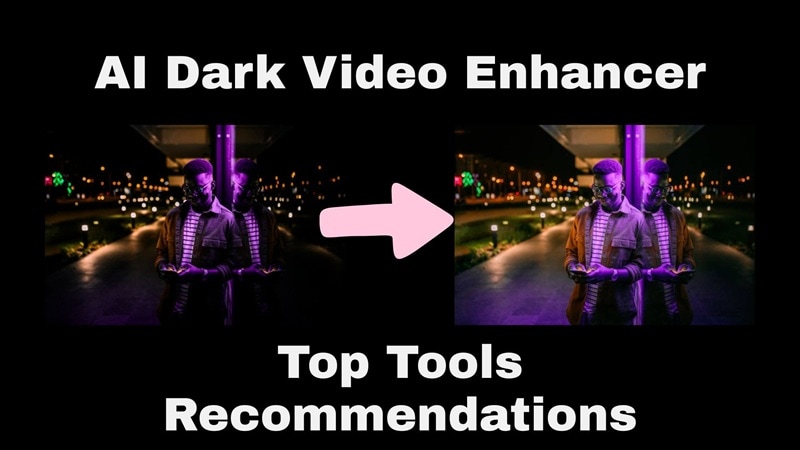
Before we jump into the list, we wanted to be transparent about our process. We didn't just pick names out of a hat; we put these tools through the wringer. After all, a good video brightener software needs to do more than just turn up the "exposure" slider.
We judged each tool based on these 6 essential criteria:
- Noise Control: Does it remove grain from low-light video or just make the grain brighter and uglier?
- Atmosphere Preservation: Does the video still look like nighttime, or does it look like a weird, washed-out day scene?
- Processing Speed: Will it take 10 minutes or 10 hours to render a 1-minute clip?
- Ease of Use: Can a beginner figure it out, or do you need a PhD in computer science?
- Detail Recovery: Can it sharpen edges and faces that were previously "invisible"?
- Cross-Platform Accessibility: Is it available for desktop, mobile, or as an online free option?
Our Top 3 Picks for Fixing Dark Videos
Some AI dark video enhancers are meant for deep professional restoration, while others are for quick social media saves. And from all our recommendations, these three stood out because each one solves a different problem clearly.



Part 1. Fix Dark Videos the Smart Way on Desktop: Filmora
If you want to learn how to fix dark video properly, it makes sense to start with the tool that gives you the most room to clean things up afterward. Plus, if you want the best results without jumping between five different apps, starting on the desktop is usually the smart move.
That’s why Wondershare Filmora is our top pick here. Filmora is introducing AI Night View as part of its AI video enhancer capabilities. This feature goes beyond exposure adjustment and actually reconstructs what the footage should look like. It reads the scene, identifies what's artificially lit, what's in shadow, and what's lost to noise, and treats each of those problems differently.
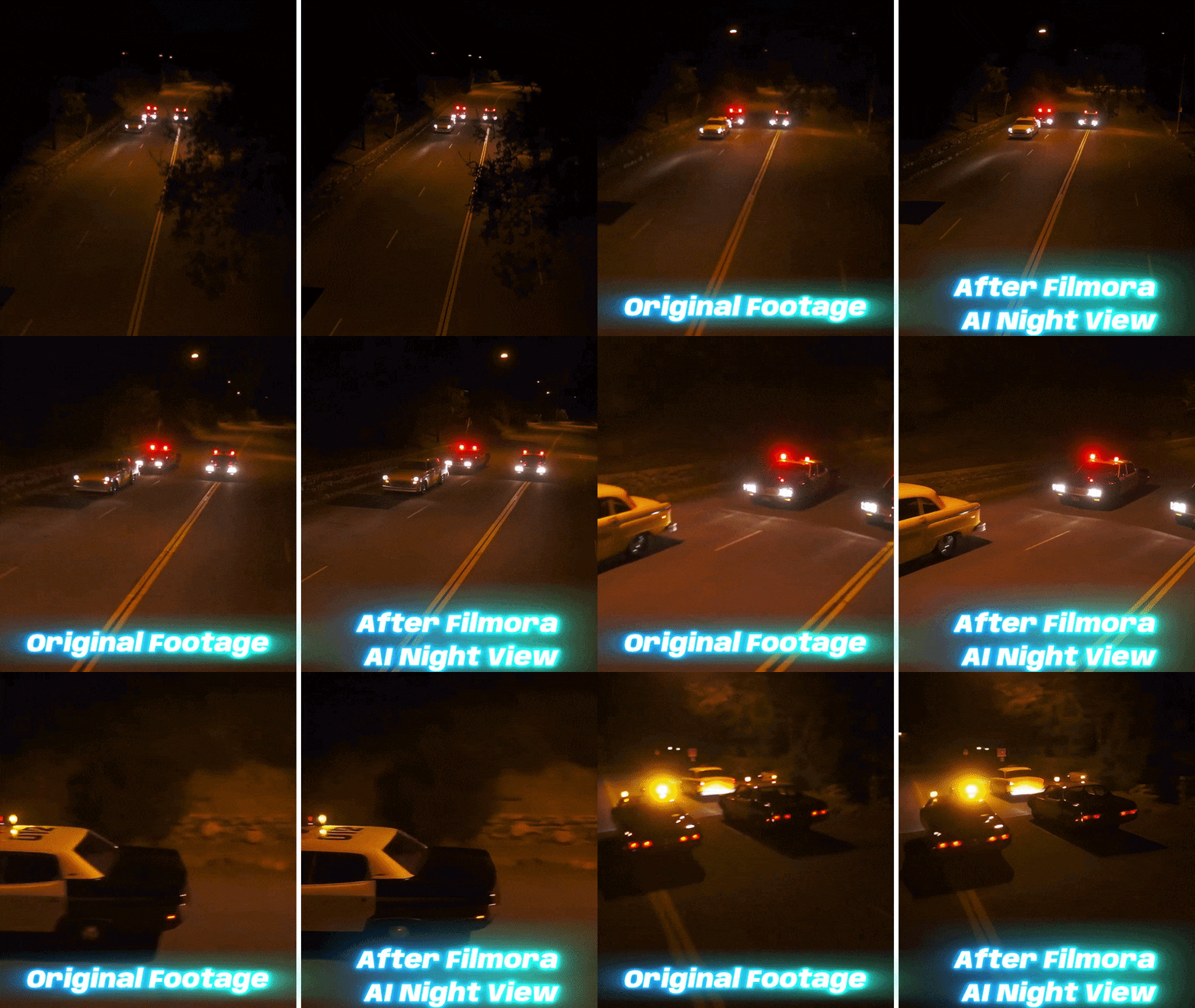
Here’s what makes it special:
- Night Color Restoration: The AI differentiates between light sources and corrects each one independently. Neon signs stop looking radioactive yellow. Skin tones under street lighting come back natural.
- Dark Area Quality Boost: The muddy, blocked-up shadows that eat into your footage? Night View fills them in with stable, realistic detail rather than just gray noise.
- Sharpness Enhancement: Edges on buildings, silhouettes, faces, and foreground objects get reconstructed. Not the over-sharpened crunchy look, but actual edge definition that makes the scene readable.
- Smart Grain Reduction: Grain is the enemy of every dark video fix. Night View handles it without sacrificing the exposure lift, you get brighter footage and less grain at the same time.
 Secure Download
Key Problems It Helps Solve
| Common Dark Video Problem | How AI Night View Helps |
| Footage looks too dark | Brightens underexposed areas so the subject and background become easier to see |
| Night lights look distorted | Helps correct harsh color casts from street lights, neon signs, indoor lamps, or mixed lighting |
| Video looks muddy or gray | Restores more contrast, depth, and color so the footage does not look flat |
| Details are hard to see | Sharpens outlines and textures around people, buildings, roads, and background objects |
| Grain appears after brightening | Reduces noise so the video looks cleaner instead of just brighter and rougher |
| Scene loses atmosphere | Keeps the nighttime feel instead of making the clip look overexposed or fake |
Best Scenes for AI Night View
AI Night View is not only for pitch-black footage. It can also help with mixed and tricky lighting, which is where many normal brightness tools struggle.
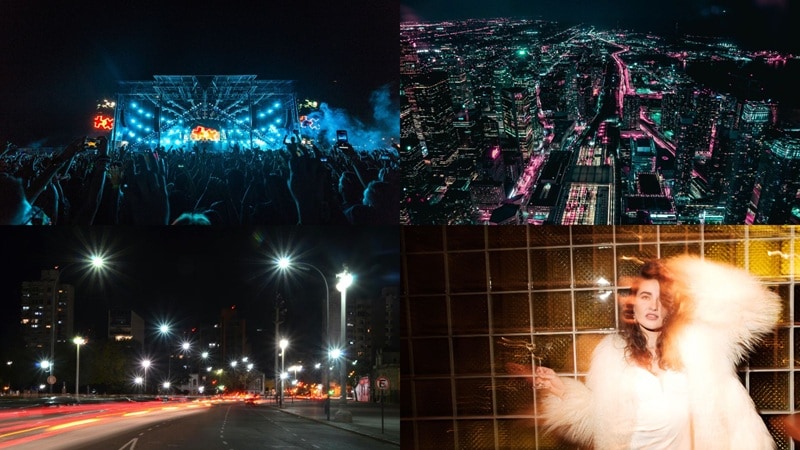
Best use cases include:
- Night street vlogs
- City night scenery
- Neon-lit streets
- Dusk videos
- Night portraits
- Night drone footage
- Travel videos
- Event recordings
- Low-light phone clips
- Short-form videos for TikTok, Reels, and Shorts
How to Fix Dark Video with Filmora
Our AI dark video enhancer review wouldn’t be complete without an actual tutorial. So, for those asking, ‘My night videos are too dark, how to fix them?’ Well, here it is. Just follow the simple guide below and you’ll have your footage brightened completely!
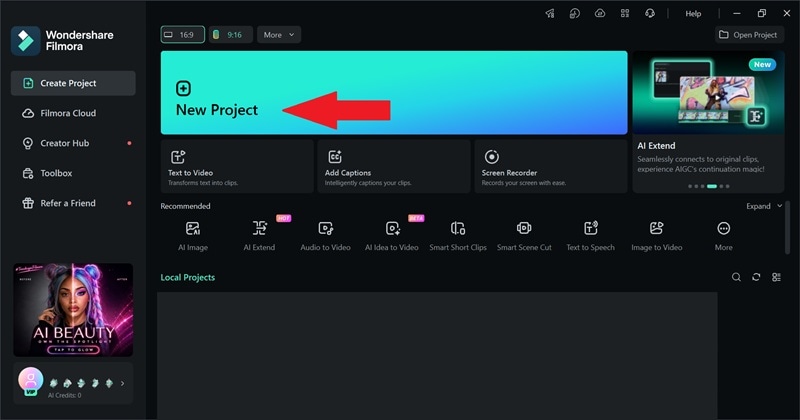
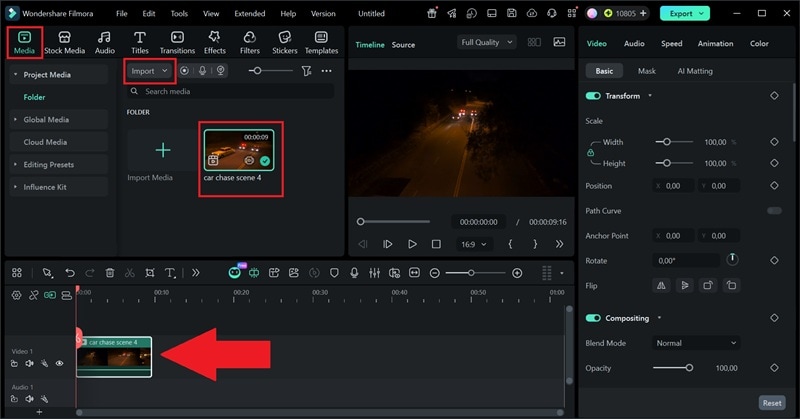
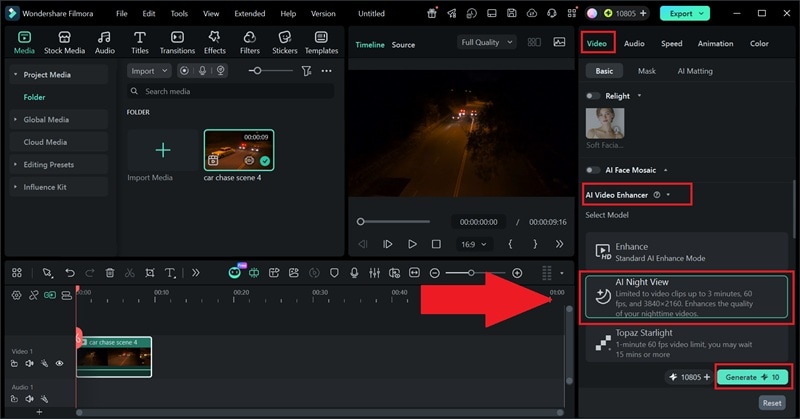
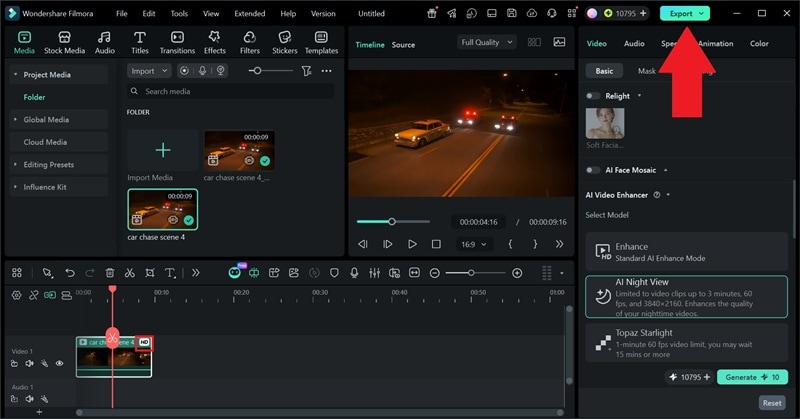 Secure Download
Why Filmora Works Well for Dark Video Repair
1. It Does More Than Brighten the Clip
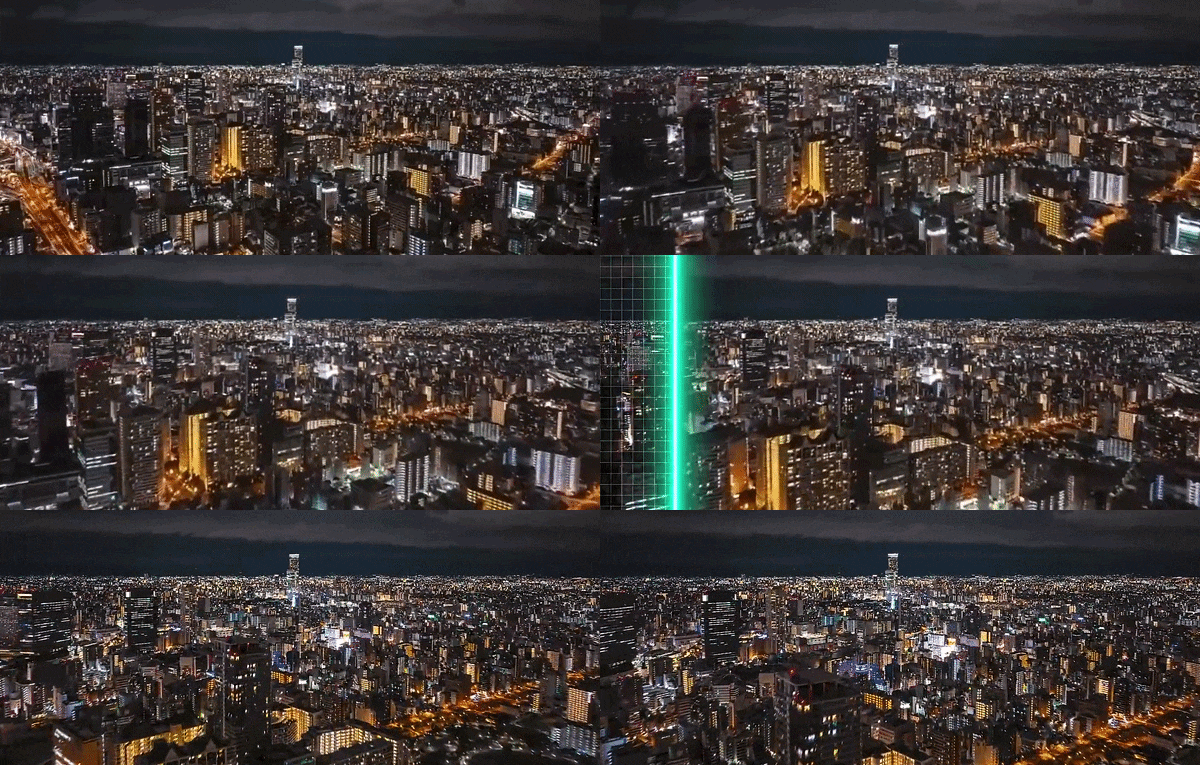
Dark footage usually has a bundle of problems. The clip may be underexposed, grainy, blurry, muddy, and full of weird color shifts. Filmora helps because it can deal with all kinds of problems. You can remove grain from low-light video, restore vintage footage, and much more.
2. It Keeps the Workflow Simple
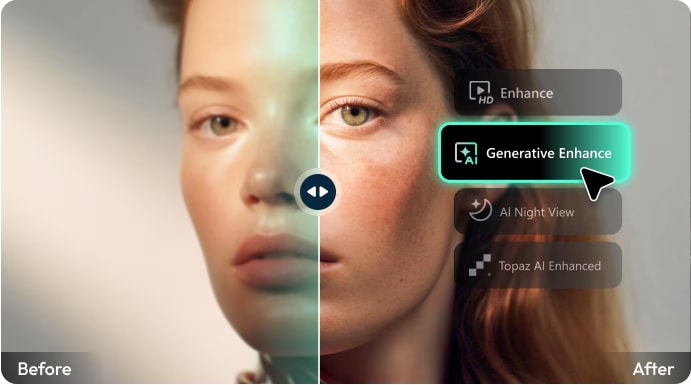
You don’t need to export your footage from one tool, upload it into another, then open a third app for editing. Filmora dark video repair is integrated with Topaz Starlight, and it lets you enhance and edit inside the same workspace. That’s useful for creators making vlogs, travel videos, Shorts, Reels, TikToks, event clips, or product videos.
3. It Feels Easier Than Manual Premiere Pro Fixes
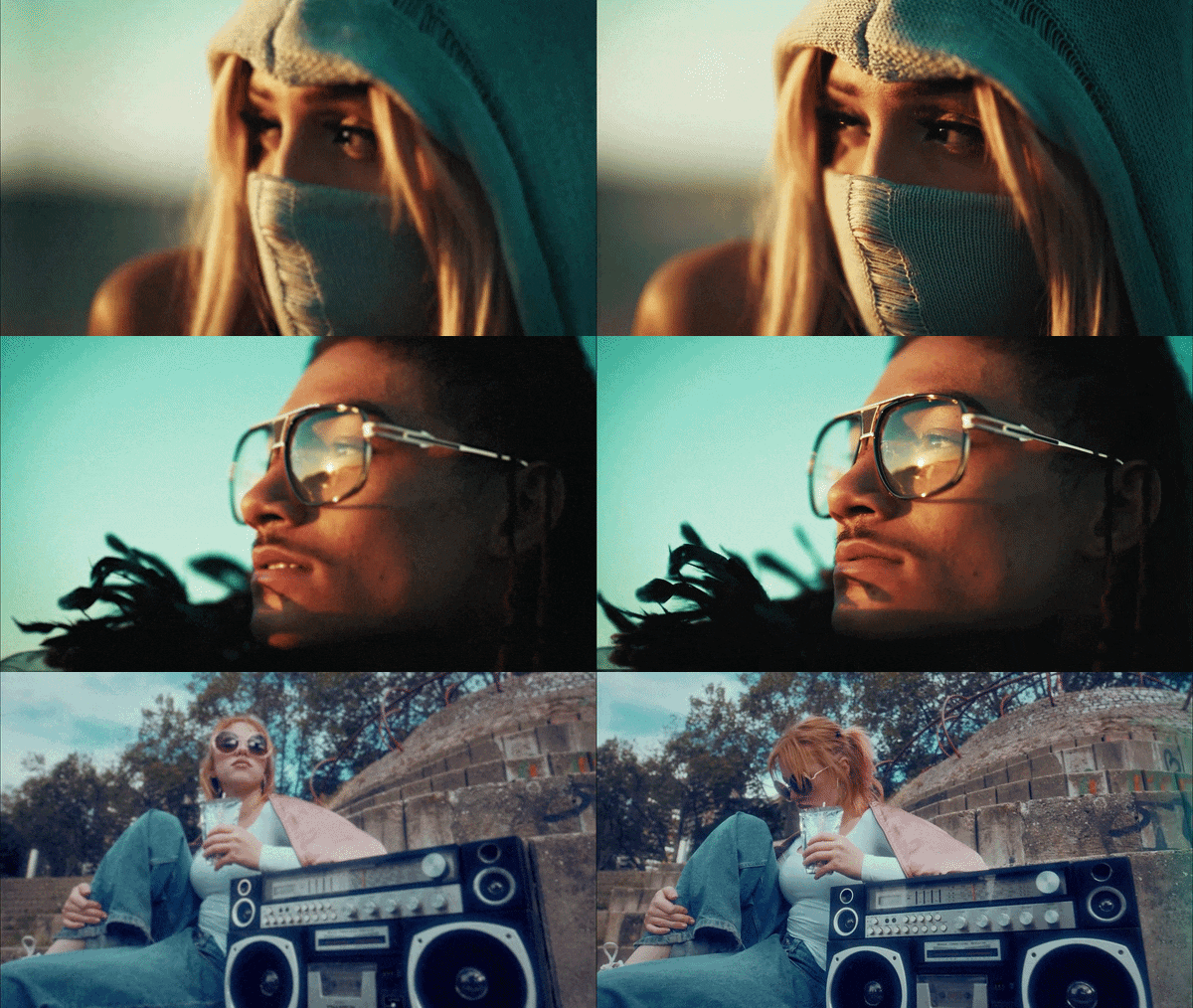
Yes, you can fix dark video in Premiere Pro, but the process usually involves Lumetri Color, exposure, curves, shadows, highlights, noise reduction plugins, and a lot of manual tweaking. Filmora is easier for beginners because the AI enhancement step can handle much of the heavy lifting first.
Secure DownloadPart 2. 5 More AI Tools to Enhance Dark Videos Online
So, Filmora is the best all-around choice when you want enhancement plus editing, but it is not the only option. There are plenty of AI dark video enhancer tools that are purely browser-based, and some focus specifically on deep-cleaning night scenes.
1. Topaz Video AI
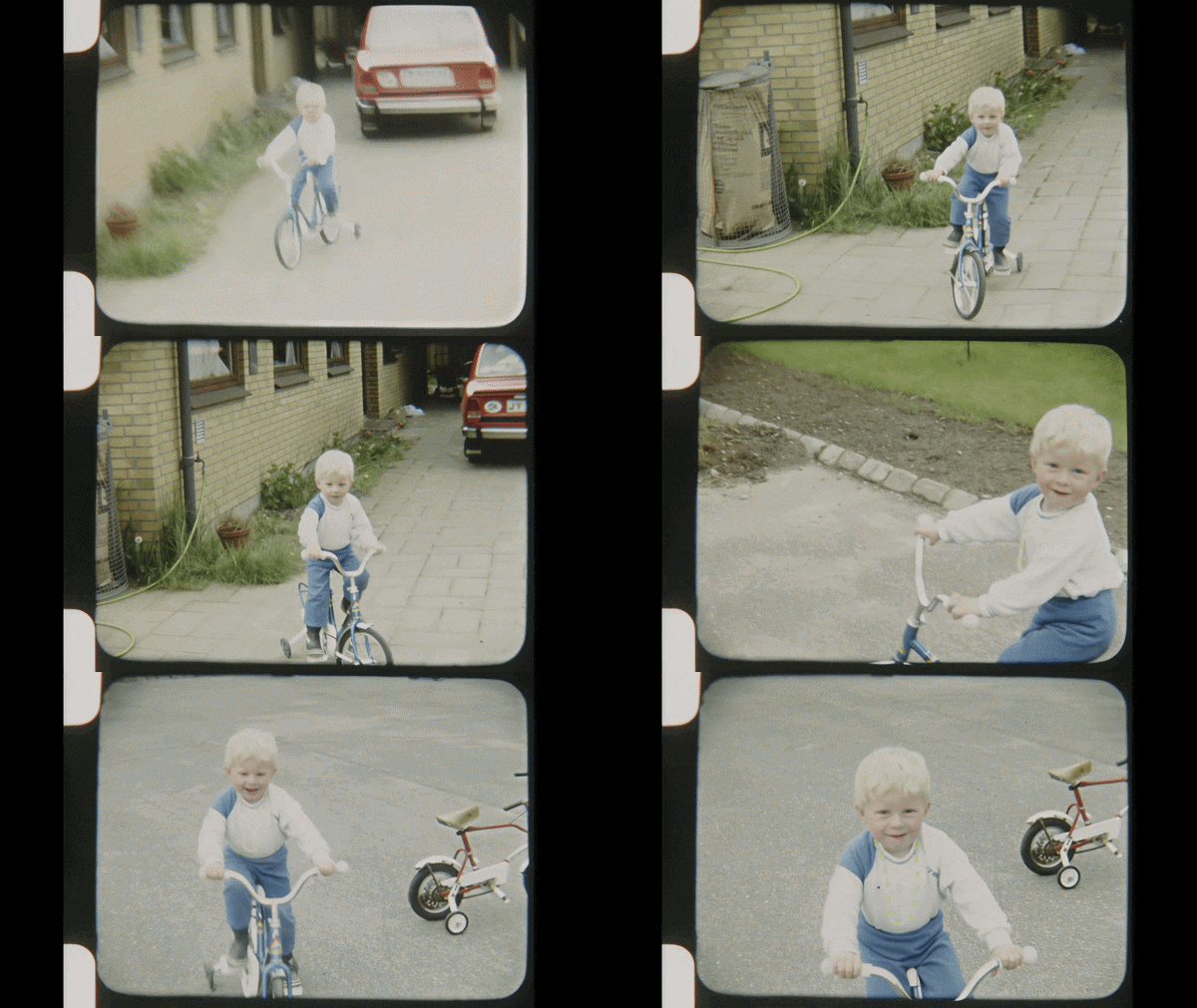
Let's start with the "Big Guns" of the industry. Topaz Video AI is built for users who want stronger restoration, not just a quick brightness boost. It uses machine learning to literally "guess" what pixels should be there. So, if you want to fix dark video, or your footage is old, noisy, shaky, soft, or low-resolution, Topaz is one of the strongest tools to test.
- 19+ Specialized AI Models: Nyx for denoising, Starlight for generative restoration, Hyperion for HDR enhancement.
- Up to 8K output.
- Premiere Pro & DaVinci integration.
Online, Windows, macOS.
Professional restoration, archival footage, low-light denoise, upscaling.
Free version not available; Paid plans start at $37 per month (billed annually).
- For seriously degraded or dark footage, nothing else consistently delivers results at this level.
- Useful for archival videos, old family clips, and low-resolution recordings.
- It has more technical settings than simple online enhancers.
- You may still need another editor for captions, transitions, music, and layout.
2. Fotor
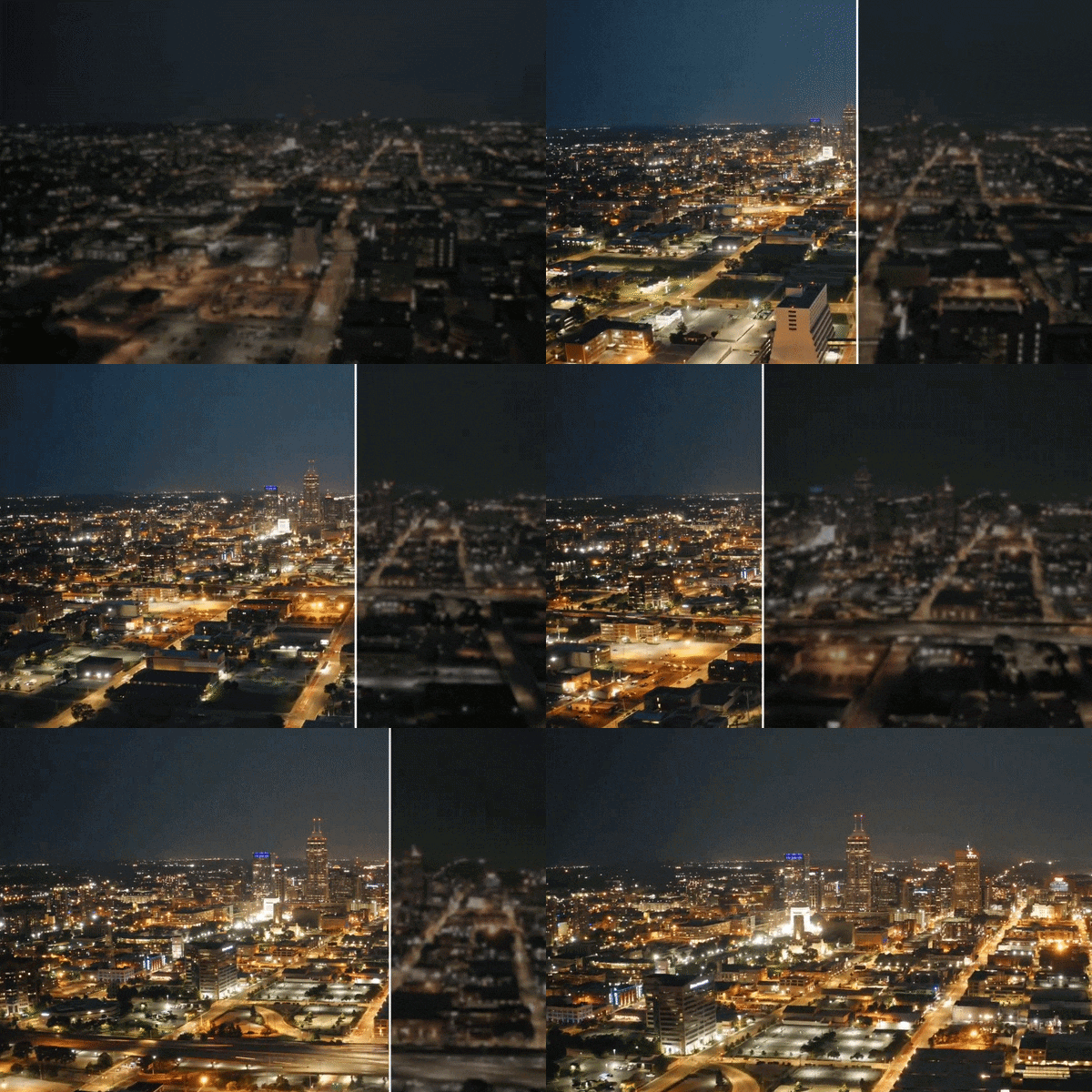
Next up, we have Fotor. Though it is primarily known as an online photo editor, Fotor does offer its own version of AI night video enhancer (video brightener) feature through its web platform. The approach is simple: upload a dark video, the AI analyzes it and automatically adjusts brightness, color, and saturation.
- Support for low-light or low-resolution clips, including 480p, 360p, and 240p videos.
- Supported formats: MP4, MOV, WebM.
- Adjust video contrast using slider for visual consistency.
Online.
Fast, casual social media fixes.
Free plan available with limitations; Fotor Pro starts at $7.19 per month.
- For footage that's just a bit dark, not severely underlit, Fotor's auto-correction produces clean, usable results.
- Handy for quick social posts or simple repairs.
- Heavily dark footage with grain will likely over-saturate or look washed out after processing.
- The video brightener doesn't address grain, so enhanced clips can look noisier.
3. Video Candy
For a simple way to fix dark videos online for free, Video Candy is worth trying. It’s one of the most straightforward tools on this list: open the site, upload your clip, and adjust the brightness level yourself using sliders. Just keep in mind that this is a manual video brightener, not an AI dark video enhancer.
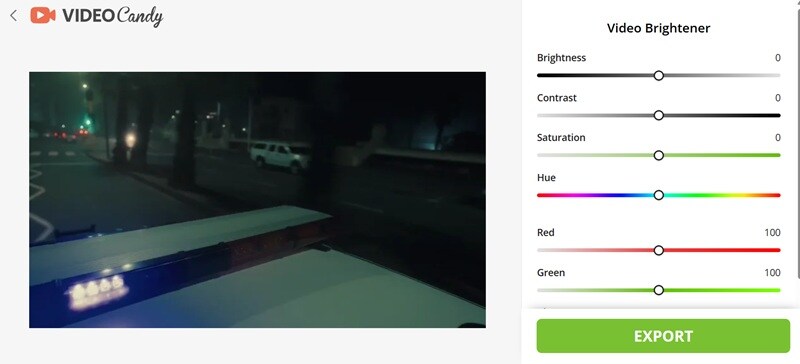
- Brightness and contrast control to make dark footage clearer and less flat.
- Saturation and hue control to adjust dull or strange-looking colors.
- Red and green controls to fine-tune color balance in low-light clips.
Online.
Quick manual brightness fixes, short social clips, and users who want a free browser-based tool.
Completely free.
- Real-time preview updates each time you make an adjustment.
- Simple enough for beginners who only need a quick fix.
- No AI involved, so you need to fix everything manually.
- Not ideal for badly damaged, extremely dark, or very grainy footage.
4. Wink
Another great AI dark video enhancer tool is Wink. It is a surprisingly capable multi-platform tool that includes a dedicated Night Enhancement mode for dark and low-light footage. Wink’s Night Scene tool can automatically detect low-light areas, reduce noise, remove glare, restore shadow details, preview enhanced night scenes in real time, and let users adjust settings before exporting.
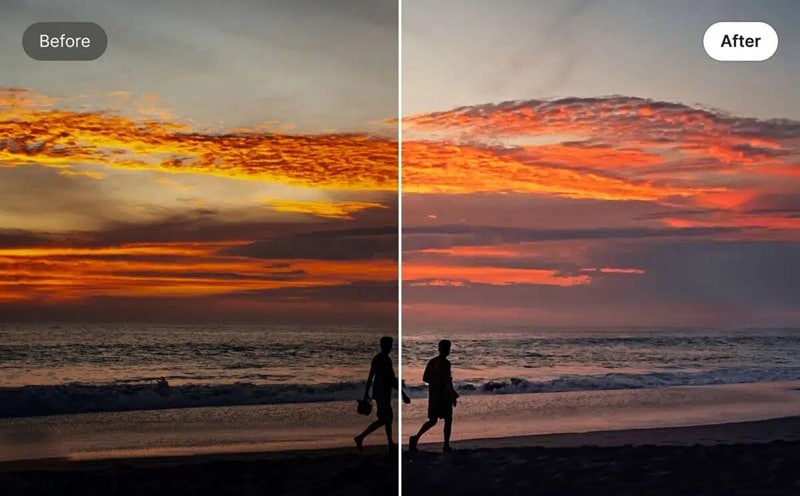
- Two enhancement modes: Medium for quick result and High for the best result.
- Real-time preview helps you judge the result before saving.
- Batch upload available.
Online, Windows, macOS, Android, iOS.
Night scenes, social video creators like TikTokers and Reel creators.
Free basic plan available; Wink paid plans starts at $15 per month.
- For standard-length social clips, Wink's processing time is genuinely fast, especially on the cloud processing tier.
- Flexible for creators who edit on different devices.
- It can improve dark footage, but cannot create detail from total black.
- Free users are capped at lower resolution exports and get a watermark. HD and 4K output require a paid VIP plan.
5. Vidio.AI
Last but not least, we'd like to recommend Vidio.AI. This is a good pick if you want to fix dark videos online for free. It’s clean, fast, and does exactly what it says on the tin without trying to be a full-blown editor. It has a simple three-step flow: upload, the AI brightens it, you download.
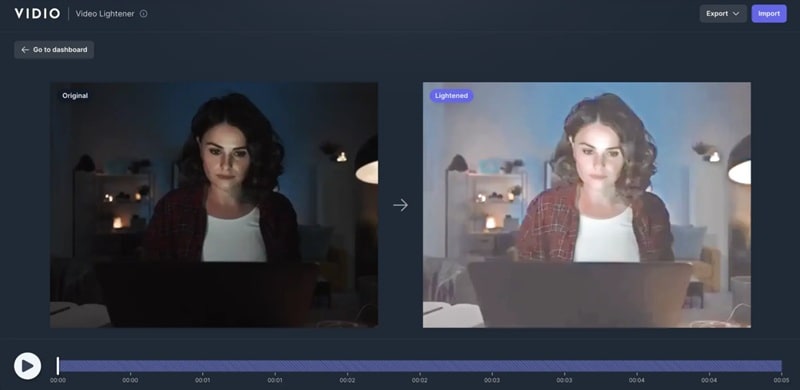
- It uses state-of-the-art AI algorithms to intelligently adjust exposure throughout the clip.
- Fast processing for simple clips.
- Exposure compensation and cloud rendering.
Online.
Social media creators and anyone who needs a fast, no-install dark video fix for short clips.
Free version available; paid plans start at $10 per month.
- Does one job without burying you in extra menus.
- Trusted by major organizations like Google, Microsoft, DeepMind, and Vox Media.
- The free tier caps at 5-second output duration, watermark exports, and 720p resolution.
- The free plan is still locked for some regional users.
Dark Video Enhancer Online Tools: Side-by-Side Comparison
| Tool | Platform | Editing Tools | Noise/Grain Reduction | Best User |
| Topaz | Online, Windows, macOS | Limited | Elite | Filmmakers, archivists |
| Fotor | Web (Browser) | Basic | Basic | Content creators, editors |
| Video Candy | Web (Browser) | Limited | Unavailable | Casual, quick online fix |
| Wink | Web, Windows, macOS, Android, iOS | Basic to moderate | Moderate | Content creators, editors |
| Vidio.AI | Web (Browser) | Basic | Moderate | Social media creators |
Part 3. How to Choose the Right AI Dark Video Enhancer
At the end of the day, the best tool to fix dark video isn't the one with the most features; it's the one that matches your specific situation. Are you fixing a casual phone video or restoring archival film? Working in a browser or a full editing suite? Need something free or willing to pay for serious quality?
The answers to those questions will point you straight to the right pick. Use this guide to find your best match.
Based on Ideal Users
| User | Tool Recommendation | Reasoning |
| Casual creator / social media user | Wink or Vidio.AI | Both are browser/app-based, need zero setup, and deliver solid results for short social clips in minutes |
| YouTuber or vlogger | Filmora | Best balance between AI enhancement, captions, timeline editing, and final export |
| Film archivist / professional restorer | Topaz Video AI | 19+ specialized AI models and 8K output make it the only real choice when footage quality is non-negotiable |
| Premiere Pro user | Wink (plugin) | It integrates directly with Premiere Pro, so you can enhance and edit without leaving your existing workflow |
Based on Ideal Use Cases
| Your Situation | Tool Recommendation | Reasoning |
| You need to remove grain from low light video | Filmora, Topaz, or Wink | These are better suited for low-light cleanup and noise reduction |
| You want to fix dark video online for free | Fotor or Video Candy | Both are browser-based and easier to test without installing software |
| You have night street or neon footage | Filmora or Wink | Both are better aligned with dark scenes and complex night lighting |
| Concert or event footage shot in dim light | Filmora or Vidio.AI | Both preserve atmosphere while recovering crowd, stage, and face detail, critical for that kind of footage |
| Professional client work / ad creative | Filmora or Topaz | Client-facing work needs precision. Filmora for editing control, Topaz for pure enhancement quality |
| Full video editing workflow after enhancement | Filmora | Best choice when you still need cuts, captions, music, effects, and color tweaks |
Secure DownloadConclusion
The right AI dark video enhancer can brighten shadows, recover hidden detail, reduce noise, improve color, and make your footage much easier to watch. If you want to fix dark video quickly, Fotor and Vidio.AI are easy to try. For heavier restoration, Topaz Video AI is the stronger technical option.
For most creators, though, Filmora gives the best balance. Filmora can repair dark video with AI, then keep editing in the same timeline with captions, trimming, color tools, effects, music, and export settings. Its AI Night View also makes it especially interesting for night videos, city clips, low-light vlogs, and social content. If you want one tool that can fix the clip and finish the whole video, Filmora is the easiest place to start.
FAQs About AI Dark Video Enhancers
-
Why does my video look grainy after I brighten it?
Dark areas often hide noise. When you increase brightness, that noise becomes more visible. That’s why you need a tool that uses AI to remove grain from low-light video rather than just a basic exposure slider. -
Can I fix dark video in Premiere Pro?
Yes. You can use Lumetri Color to adjust exposure, shadows, highlights, contrast, curves, and color temperature. For grainy footage, you may also need a noise reduction plugin. -
Will fixing a dark video change the file size?
It can. If you export at a higher resolution, higher bitrate, or cleaner codec, the file size may increase. If you export with stronger compression, the file may stay smaller, but you could lose some of the detail you just restored. -
Can AI fix a video that is 100% black?
Sadly, no. AI dark video enhancer tool can improve footage when some visual information still exists in the shadows. But if the camera captured no detail at all, the tool has nothing real to recover. It may guess or smooth the image, but it cannot magically restore a scene that was never recorded.
