


 TL;DR:
Wondershare Filmora stands out as the most comprehensive music video maker across desktop and mobile devices due to its AI audio synchronizer and 300,000-track library, while Tempo excels in quick Apple device edits and Adobe Express is best for online template-based commercial videos.
● Free users must accept watermarked exports on Filmora, Adobe Express, VEED, and Music Video Maker, whereas Video Guru for Windows, Video Maker Music Video Editor for iOS, and Video.Guru for Android offer watermark-free exports, though the Android app includes ads.
● Compatibility and feature access are strictly limited on certain platforms, with Video Maker Music Video Editor requiring an iPhone running iOS 16.2 or newer, and Canva restricting project resizing for different aspect ratios solely to its paid plan users.
● Creators requiring specific audio assets can use Filmora for copyright-free tracks from partners like Universal Music and Soundstripe, or utilize AI-driven online platforms like Media.io for text-to-sound generation and Canva for its AI Rap Generator.
Ask AI for a summary
 ChatGPT
 Perplexity
 Gemini
 Claude
 Grok
Grok
One simple way to make videos more engaging is to edit a video with music. Many creators use music for lyric videos, social media content, and vlogs to make their clips more expressive. Brands use it to make marketing videos more appealing, while artists turn their songs into creative music videos for wider reach.
That's why you need a good video editor with audio editing tools. It lets you add background music, match visuals to the beat, and fine-tune sound without extra tools. Some tools even offer AI for music video makers to make the process easier.
But with so many music and video makers on the market, choosing the right tool can be overwhelming. That’s why we’ve selected the most reliable video and music editors across all platforms.

Not every video editor for music videos works the same way. Some tools focus more on fast editing, while others offer stronger creative features.
Here is what we pay attention to when reviewing apps for music video editors:
- Audio Editing Controls: Trim audio, adjust volume, and apply fade effects with no trouble. Also, we look at how easy the sound editor for videos handles multiple audio tracks.
- Built-in Music and Sound Effects: We look for tools that offer a solid library of music, sound effects, and songs for video editing that fit different video styles.
- Ease of Use: A good song and video editor should be easy to understand. We check how easily users can learn the interface, get familiar with the tools, and complete simple edits.
- Platform Compatibility and Performance: We check how smoothly each editor for music video runs on desktop, online, or mobile platforms.
- Free Version Limitations: A free version should still feel usable for basic editing.
Our Top Three Picks
With so many song and video makers available, we narrowed it down to three tools that truly stand out. These picks offer a combination of creative features, smooth performance, and easy-to-use editing tools. They make video editing with audio simple, while still delivering great results.

Video Creator with Music: Top Tools Compared
We compared several music and video editors across different platforms. The table focuses on what each tool offers. This way, you can quickly see which one works best for you.
| Tool | Platform | Free / Paid | Key Highlight | Best For |
| Filmora | iOS, Android, Windows, macOS | Free & Paid | All-in-one editor with AI features, built-in music, and creative effects | Music videos, podcasts, social media content |
| Video Guru | Windows | Free & Paid | Image collages with audio | Slideshow videos |
| Music Video Maker | Windows | Free & Paid | Fun video filters, transitions, and sound effects | Fun music video clips |
| Tempo - Music Video Maker | iOS, iPadOS | Free & Paid | Editor with artistic filters | Music video with lyric, short-form content |
| Video Maker Music Video Editor | iOS | Free | Slideshow videos with sound effects or music | Travel memories, and event highlights content |
| Video.Guru | Android | Free & Paid | High-quality music video up to 4K | Music video for YouTube |
| Canva | Online | Free & Paid | Music video editor with massive templates | Song preview, music and lyric video |
| Media.io | Online | Free & Paid | AI-powered editor | Social media music content |
| Adobe Express | Online | Free & Paid | Access to template library Adobe assets | Music and lyric videos, promotional content |
| VEED | Online | Free & Paid | Clean and professional music video results | Video ads, product demos, explainer videos |
|
Show More
Show Less
|
||||
 Secure Download
Best Video Audio Editor for Windows and Mac
For you who prefer editing on a computer, desktop editors often feel more stable and offer better control over audio and video. A solid choice for bigger or more detailed projects.
Below are some of the best music video editing software available on PC:
1. Wondershare Filmora
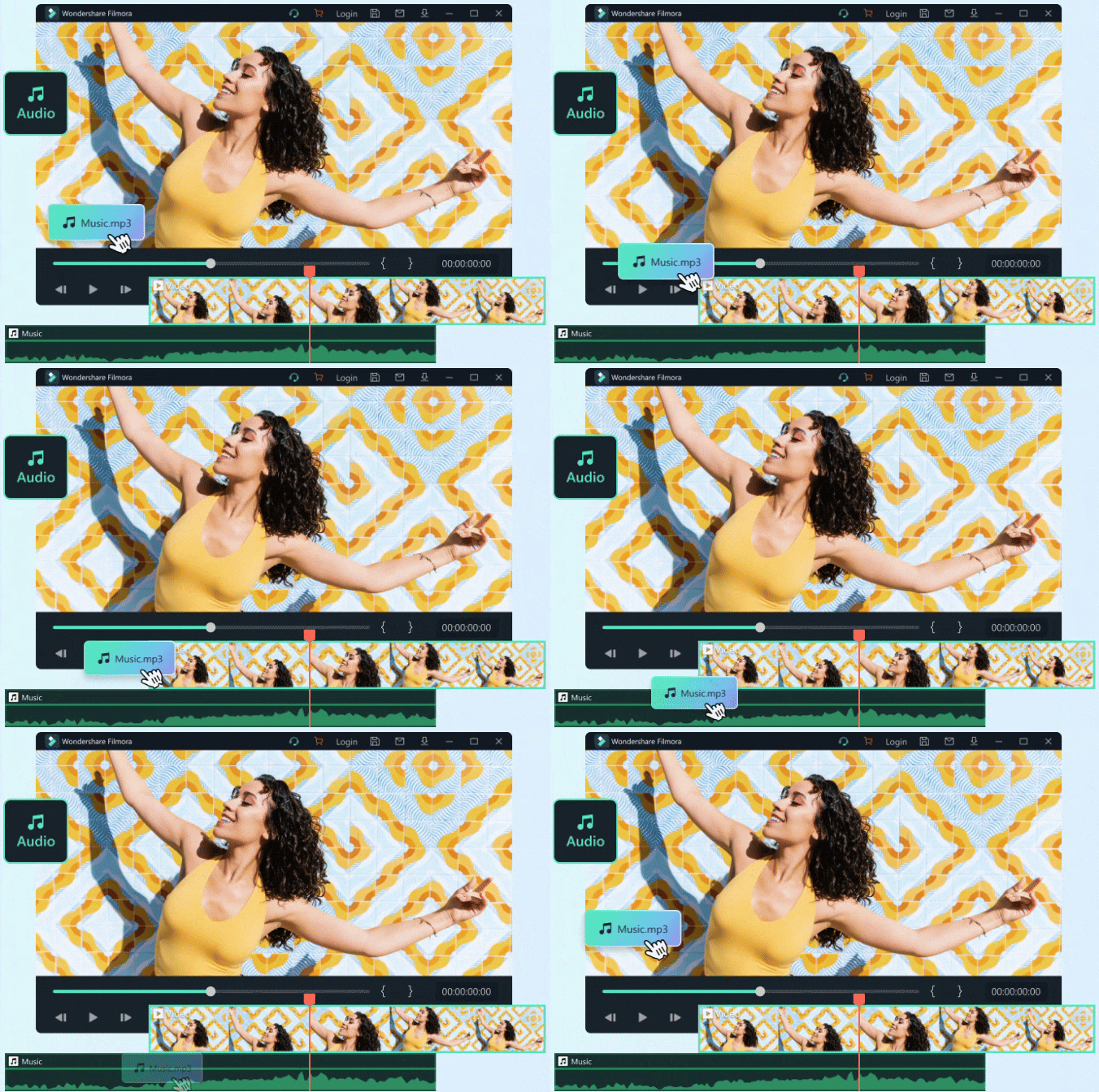
If you are looking for a powerful video editing software for music videos, Wondershare Filmora is the best app for adding music to videos. You can edit both video and audio in one workspace, making the process faster and more efficient.
Filmora also gives you better control over how your audio blends with your video. Balance the sound details and match them with your visuals for better flow. This helps create a more polished and professional result.
 Secure Download
- Huge Library of Music and Sound Effects
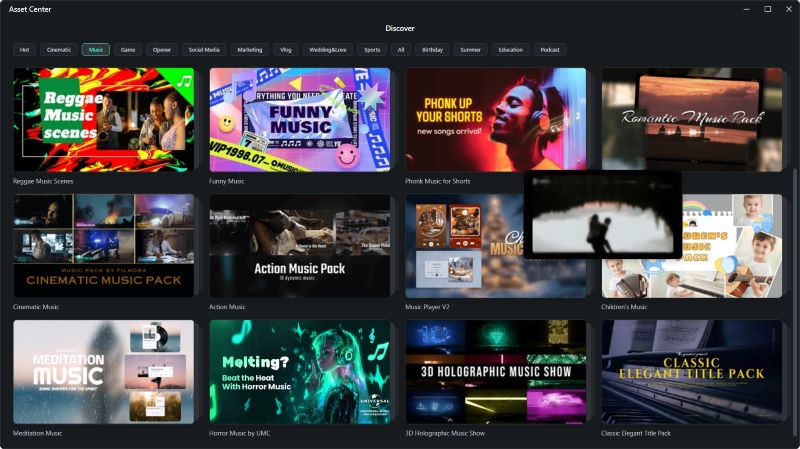
Get access to more than 300.000 music tracks and sound effects. The audio is copyright-free, so you can use it for content on YouTube, TikTok, podcasts, or even commercial projects. Filmora also partners with Universal Music for Creator, Soundraw AI Music, Audiostock, and Soundstripe to provide you with premium tracks.
- Audio Visualizer
This tool turns music into moving visuals that match the beat. It helps make your videos feel more dynamic and engaging. Many creators use it for lyric videos, music tutorials, song previews, and animated visuals for podcasts.
- Audio Synchronizer
Adjusting background audio by hand can take a lot of time. Filmora makes it easier with a one-click tool that automatically aligns your sound and visuals. You can even sync multiple audio tracks at once. This is helpful for creating music videos, interviews, podcasts, and film projects.
- AI Audio Tools
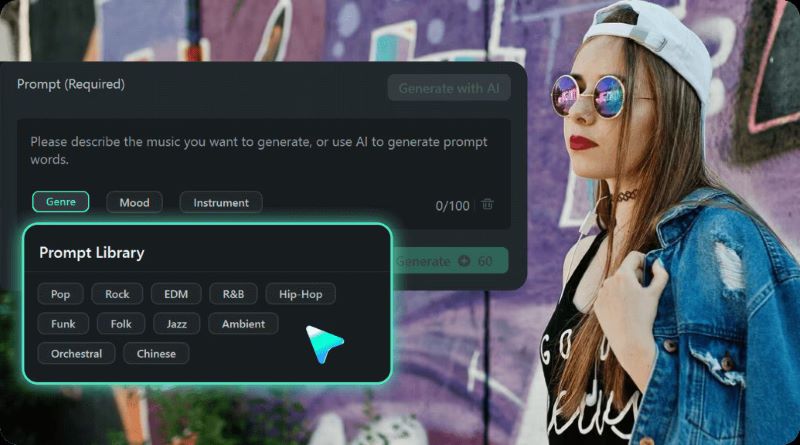
The AI Music Generator creates royalty-free tracks based on your preferred genre, theme, and mood. Smart BGM Generation analyzes your video and generates tracks that match its vibe and timing. You can create a custom sound effect by describing what you need to AI Sound Effect.
Music-related content, podcasts, social media content.
- Capable of doing both simple and advanced audio and video editing.
- Equipped with many built-in features and AI tools to make editing faster.
- Works across different devices and platforms.
- For free users, a watermark is visible when you export the music video.
Secure Download2. Video Editor Music - Video Guru
The next video and audio editing software you can rely on is Video Guru. The simple layout makes it easy to turn regular photos and videos into engaging music videos. You are also free to add background music, adjust audio details, and polish your clip with creative effects.
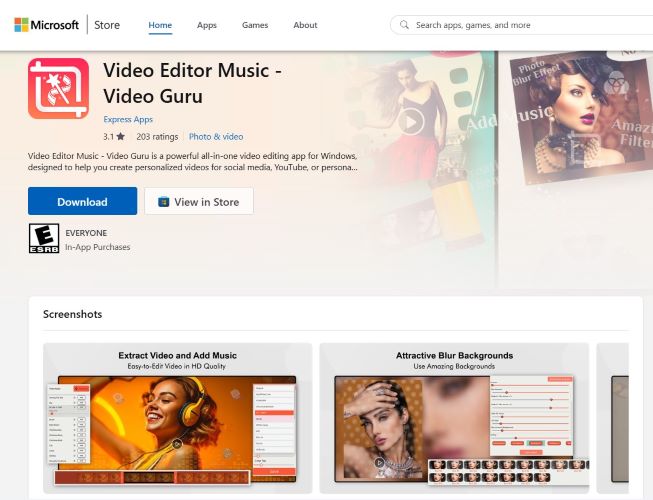
- Build photo collages with flexible grids and column layouts.
- Turn a series of images into slideshow videos with background music.
- Includes a collection of filters, blur background effect, text tools, and artistic overlays.
Photo slideshows with music.
- Supports many export formats, including 2D, 3D, and audio-only files in high-quality resolution.
- No watermark on videos, even for free users.
- No ready-made templates.
3. Music Video Maker
Our last pick for audio-video editing software is Music Video Maker. This tool lets you upload multiple videos and choose from the built-in music or your own audio to match your preferred theme. Share your finished clips to Instagram, Facebook, and Twitter.
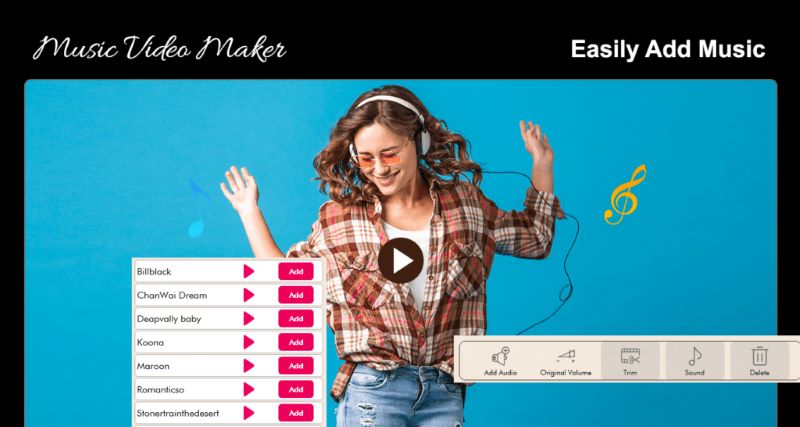
- Choose from various video filters, dynamic transitions, and background music for different themes.
- Rotate videos into different aspect ratios and export them in multiple file formats.
Fun music video clips.
- The simple interface makes editing easy.
- Compatible with all Windows devices.
- Paid plans to remove the watermark and unlock premium features.
Best Music Video Editor Apps for iPhone and Android
Mobile apps are perfect for those spontaneous ideas when you’re not sitting at your desk. Since most people carry their phones everywhere, recording and adding music feels effortless.
Here, we’ve curated some video editing apps with music you can try on iPhone and Android:
1. Tempo - Music Video Maker
Tempo is a popular video editor with music available on Apple devices. You can easily make quick edits on your phone, such as adding background audio to your photo and video, and creating a lyric video. It’s best for users who want easy editing on the go.
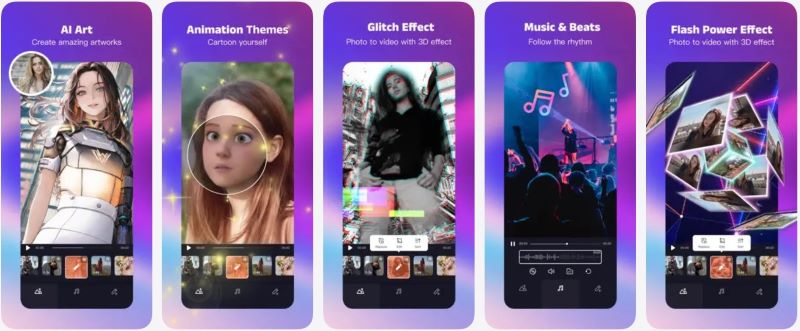
- Offers a wide range of face stickers, high-quality filters, transitions, and background. music to fit different video styles.
- Supports widescreen formats for YouTube videos.
- An AI Art Generator to turn photos or videos into digital artwork.
Lyric video, short-form content to publish on Instagram or TikTok.
- Easy to use and navigate.
- Exports video in high quality.
- Not suitable for advanced editing projects.
2. Video Maker Music Video Editor
Next, Video Maker Music Video Editor is a free video maker with music designed for iPhone users. Upload photos, turn them into videos, and add background music with ease. A practical option for quick and casual editing.
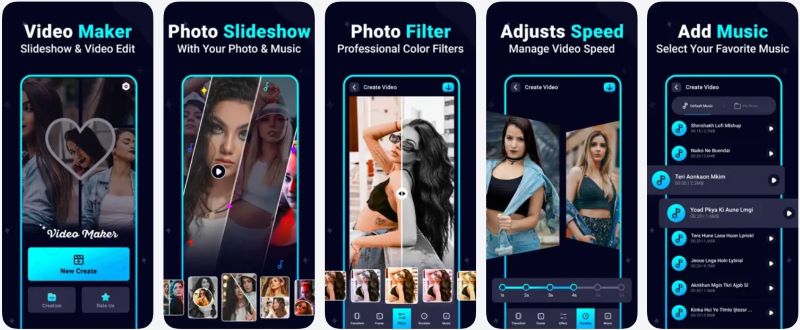
- Includes built-in audio tracks to add to your videos.
- Allows you to easily adjust video speed.
- Apply filters and transitions to individual clips or the entire video.
Travel memories and event highlights.
- The app is completely free to use.
- No watermark on exported videos.
- Only available for iPhones running iOS 16.2 or newer.
3. Video.Guru
The video maker music video that works on Android is Video.Guru. You can combine clips and add custom music, or turn photos into slideshow videos. The app supports multiple ratios and formats for Instagram, TikTok, YouTube, and more.
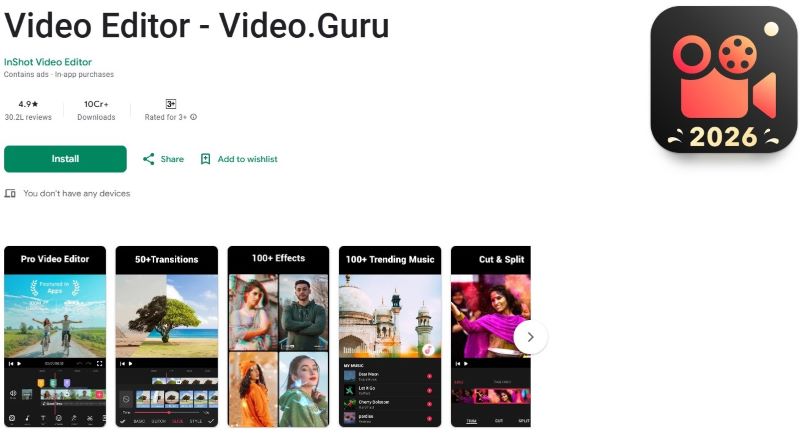
- Dozens of transitions, effects, and trending music to choose from.
- Voice changer for more entertaining videos.
- Includes AI tools to improve video quality.
Music video for YouTube.
- Export videos up to 4K quality.
- No watermark on videos.
- The free version contains ads.
Best Online Video and Audio Editors
If you’re looking for tools to edit music online for free, we’ve got you covered.
Music video makers online are popular because they don’t take up storage space on your computer. Also, access them from almost any device with an internet connection, making the process more flexible and convenient.
1. Canva
We start with Canva as one of the best online music video creators. If you want to make music videos while keeping the process simple, Canva provides over 1 million templates to choose from. Start from scratch if you prefer to have more creative control.
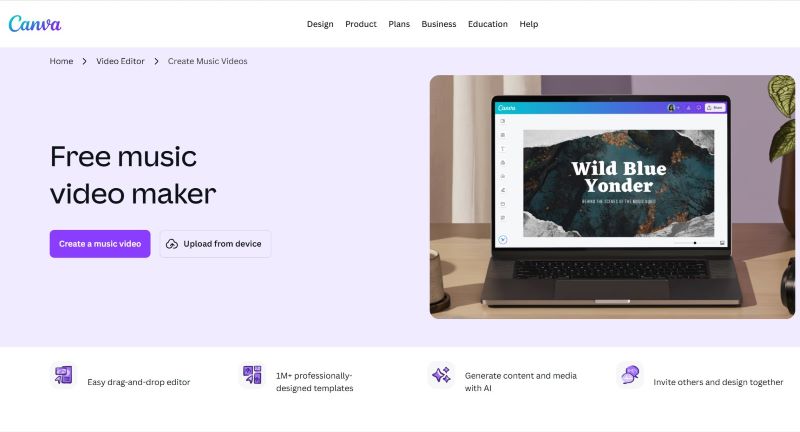
- Built-in AI tools to generate content and media, including an AI Rap Generator for creating rap lyrics.
- Automatic animation and transitions with Magic Animate.
- Team collaboration in real time.
Song preview, music and lyric video.
- The templates and AI tools make music video creation more efficient.
- Watermark-free exports when using free elements.
- You need the paid plan to resize the projects to different ratios.
2. Media.io
Next, we have Media.io as an AI music video maker. This tool is fully equipped with AI models that fit both casual and professional projects. Photos, videos, and audio all use AI generation tools to enhance the quality and speed up the creative process.
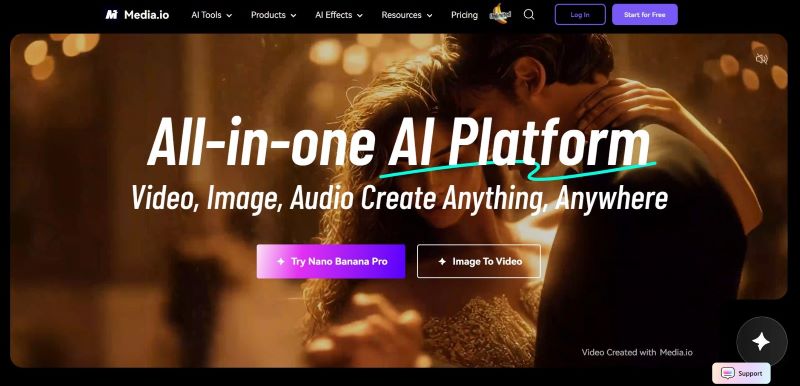
- AI Music Generator helps produce high-quality background music.
- Convert lyrics into a full song in different musical styles.
- Text-to-Sound Effects to generate custom audio that fits your content.
Social media music content.
- AI automation saves time and helps generate ideas.
- AI-generated content can be used for commercial purposes.
- Some advanced features require a paid plan.
3. Adobe Express
Adobe Express is known as a top choice for a video and audio editor online. You can access and edit anytime, with or without logging in. Use templates or start from scratch for your music or commercial videos.
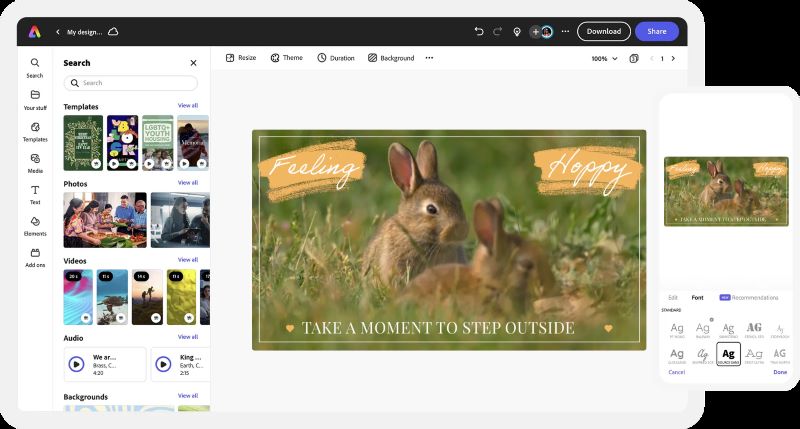
- Apply filters and animated effects with one click.
- Collaborate and edit together with invited team members.
- Plan and schedule posts for your social media platforms.
Music and lyric videos, promotional content.
- Even on the free plan, users can use many video templates along with Adobe stock images, icons, and animated elements.
- Supports multiple platform formats, making it easy to resize videos for different channels.
- Only paid users can export video without a watermark.
4. VEED
Last but not least, make videos online for free with effects and music using VEED. Trusted by companies like BBC, Netflix, and Meta, VEED delivers reliable performance for a variety of content. Perfect for users who want their videos to look sharp and well-produced.
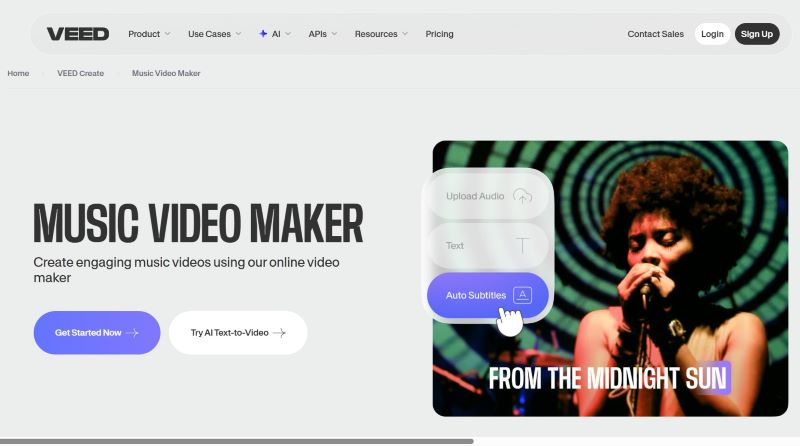
- Detailed audio controls for mixing tracks, adding sound waves, and removing silence or filler words.
- Auto Subtitles for instant caption generation on music videos.
Video ads, product demos, educational or pitching videos.
- The organized interface makes it easy to navigate for first-time users.
- Works well for various video types, including business and social media content.
- Requires a paid plan to remove the watermark on videos.
Conclusion
Creating music videos is now easier than ever, thanks to the wide range of music video makers available across different platforms. We’ve covered the best video editors for background music for desktop, mobile, and online use to suit various creative styles.
Among all the options, Wondershare Filmora remains the top choice. It offers advanced AI audio features, built-in visual and sound effects, and a rich media library in one platform. From song teasers and inspiring podcasts to entertaining lyric videos and cinematic music videos, Filmora makes it easy to produce high-quality, polished videos with minimal effort.
Secure Download