


 TL;DR:
Desktop applications like 4K Video Downloader Plus and Wondershare Filmora offer the most reliable video grabbing capabilities in 2026 for high-resolution and batch downloads, bypassing the severe platform limitations that restrict mobile apps and browser extensions.
● Apple's App Store strictly prohibits standalone video downloaders, forcing iOS users to rely on file managers like Total Files, while Android apps such as All Video Downloader 2025 still block YouTube downloads to comply with Play Store policies.
● 4K Video Downloader Plus is optimized for users running Windows 11 or macOS 12 who require 8K resolution and bulk playlist extraction, whereas ClipGrab serves as a lightweight, completely free alternative for users with minimal system requirements.
● Browser-based options and extensions like Video Downloader Professional provide instant access without installation, but they frequently cap output resolution, introduce intrusive ads, or entirely restrict downloads from major platforms like YouTube and Instagram.
Ask AI for a summary
 ChatGPT
 Perplexity
 Gemini
 Claude
 Grok
Grok
Watching videos over the Internet is not something that excludes anyone. However, if you want an offline copy of the videos, make an edit, or share them later, things usually get a bit complicated. Content creators, students, marketers or even regular viewers - to all of them a good video grabber has become an indispensable tool in 2026. The perfect tool can assist you to save time and maintain the quality, plus it will allow you to work on various devices quite effortlessly.
There is a plethora of video grabber tools for PC, Mac, Android, and iOS available, thus choosing the correct one may be a little confusing.
Some emphasize speed, some offer different formats, and there are also a few with features like batch downloads, 4K support, or built-in converters. This article covered the finest video grabber tools based on a thorough evaluation of the different needs and devices of users - be it iPhone, Android, Windows, or Mac.
Types of Video Grabbers You Should Know About
Video grabbers do not work in the same way. We can generally classify them into two major groups:
- Download-based video grabbers: These obtain video files directly from a website's data. They are quick, offer HD and 4K quality, and usually permit batch downloading or changing the format. Download-based grabbers are perfect for YouTube, Facebook, or educational sites where direct download is allowed.
- Screen capture (recording) grabbers: Screen grabbers are tools that capture whatever is on your screen at that moment. They come in handy when downloading directly is limited or not possible. Although recording-based grabbers provide more options, the recording process may take up more time, and the video quality could be slightly compromised when compared with direct downloads.
What to Consider When Choosing a Video Grabber
Picking a great video grabber is a pretty good excuse to look for one that balances these three: compatibility, quality, and ease of use. What really matters is what's most important and should be your reference:
- Output quality: In case a grabber enables HD and 4K, the pictures and sound you save will be very clear.
- Format support: A nice grabber will be able to save clips in popular formats such as MP4, MOV, and AVI, and additionally, it should be able to convert audio to MP3 if needed.
- Ease of use: Clear and simple controls, batch downloading, and choice of multiple formats can help you save your time, and you won't even get tired.
- Advanced features: Download playlist, scheduled recording, built-in editing, and annotations are some of the options that come with certain devices, which professional users will find quite handy.
- Legal transparency: The best approach is to select those tools which clearly disclose licensing terms and fair use policies so that you can avoid legal issues.
- Supported platforms: Check whether the tool works with your device, whether it is Windows, macOS, Android, iOS or a web-based one. A multi-platform tool will grant you more flexibility.
Best Desktop Video Grabbers for Windows and Mac
Video grabber software for desktops has been the leading preference of users who want great reliability, high efficiency, and a wide range of features. Compared to web-based ones, desktop applications are more reliable, allow for HD and 4K downloads, and can handle large files without any problem.
Best Overall Cross-Platform Video Grabbers
Filmora
Wondershare Filmora is more than just a video grabber. It is a multifaceted video editing, recording, and processing powerhouse. Filmora features a screen recorder, AI tools, and export options, thus giving it the ideal one-stop capability of people who want simply capture videos and then edit them for their immediate use.
- Windows 7 or later
- macOS 10.15 and above (latest versions macOS 26 supported)
- Built-in screen recorder for capturing online videos easily
- Supports HD and up to 4K output quality
- Powerful AI features (video enhancer, noise removal, subtitles, background removal)
- Easy-to-use interface suitable for beginners and pros
- Includes editing, trimming, compression, and format optimization in one tool
- Full features require a paid license
- More editing-focused compared to pure download-only grabbers
 Secure Download
4K Video Downloader
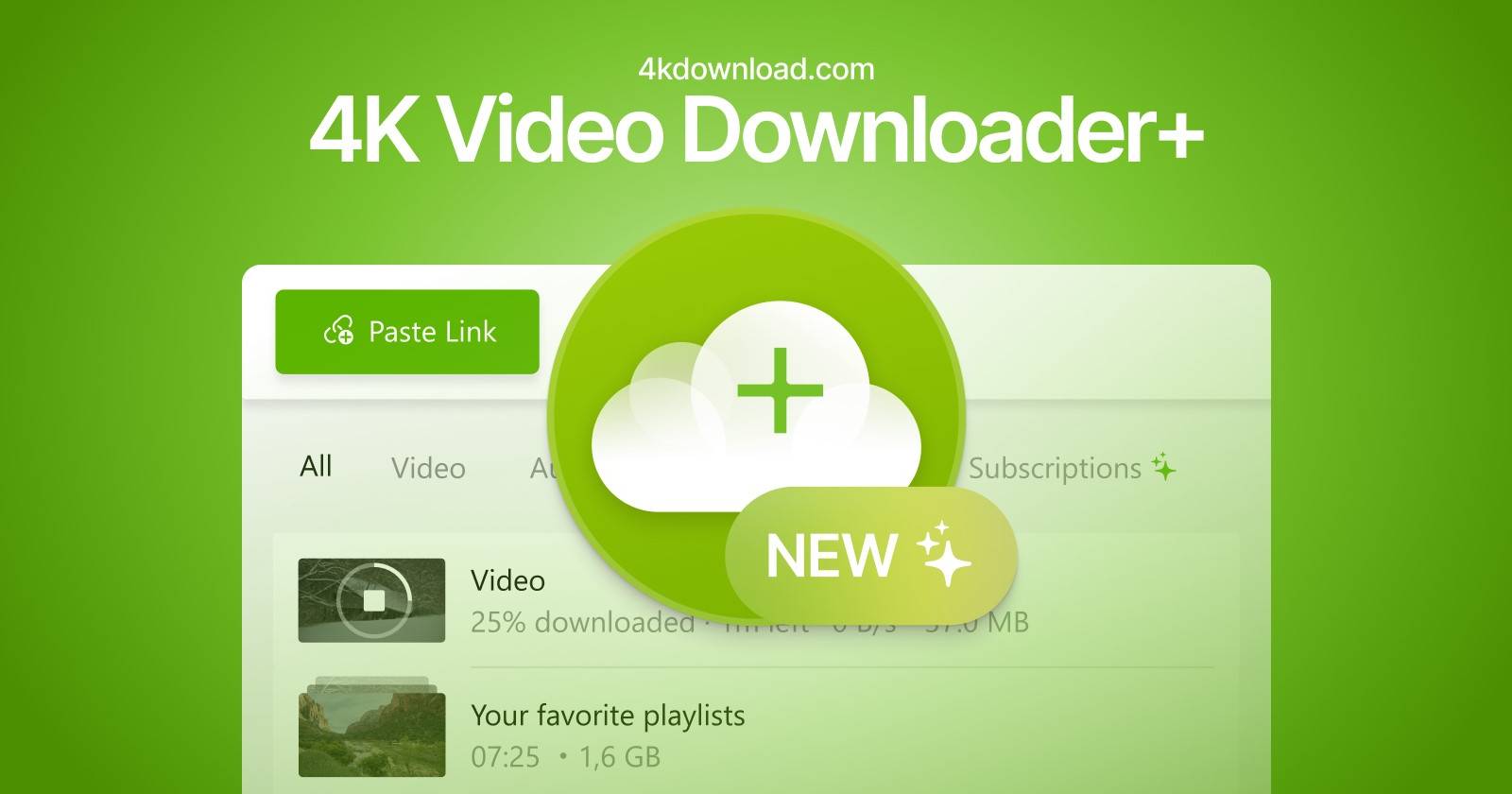
4K Video Downloader Plus is a robust and trustworthy desktop video grabber specially tailored for high-resolution downloads. The software has gained tremendous popularity for one-click, very quick downloads of entire playlists, channels, and even private content without compromising quality. 4K Video Downloader Plus suits best the users who are keen on high-res video grabbing, batch downloads, and extensive platform support.
- Windows 11 and newer
- macOS 12 and newer
- Ubuntu 22.04 (64-bit, GNOME)
- Supports HD, 4K, and even 8K video downloads
- Download entire YouTube playlists, channels, Shorts, and search results
- Extract subtitles (SRT) and multi-language dubbed audio
- Built-in browser for login-protected and private content
- Smart Mode for faster, one-click batch downloads
- Works with many platforms (YouTube, TikTok, Vimeo, Facebook, Twitch, SoundCloud, etc.)
- Free version has download limits
ClipGrab
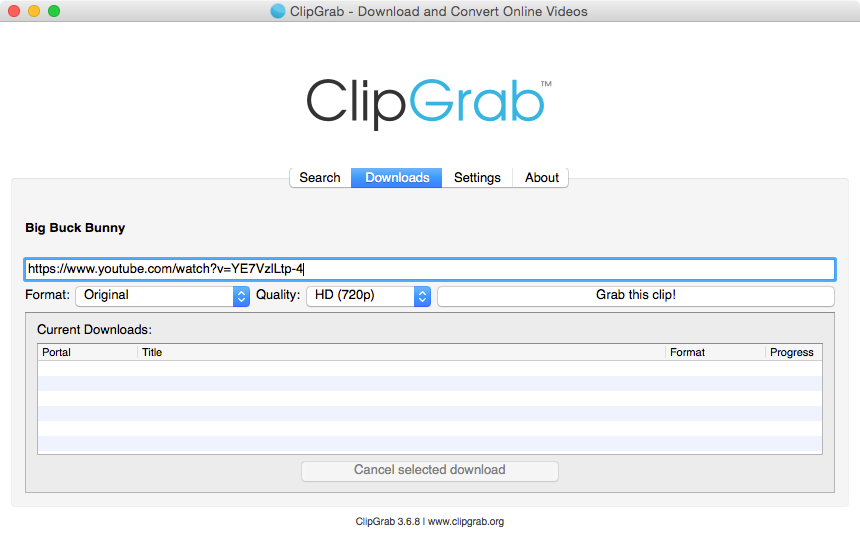
ClipGrab is a simple, no-cost, and freely accessible utility for downloading videos that targets people who want an easy method of getting videos without the need for complicated features. It is a perfect tool for novice users who like minimalistic layouts and rapid retrievals of clips from well-known websites.
- Windows
- macOS
- Linux
- Completely free to use
- Simple copy-paste method for downloading videos
- Supports multiple output formats and quality options
- Works with YouTube, Vimeo, and other popular video sites
- Lightweight software with minimal system requirements
- No built-in video editing or enhancement tools
- Limited advanced features like playlist or batch downloads
Best Video Grabbers for Windows
Video grabber tools for Windows PCs have a wide range, from simple downloading tools to the most advanced ones, which can record high-definition videos, download in batch, and even do scheduled recording. Here are the best tools for Windows users who want a powerful grabber and the freedom to choose from grabbing online videos.
Freemake Video Downloader
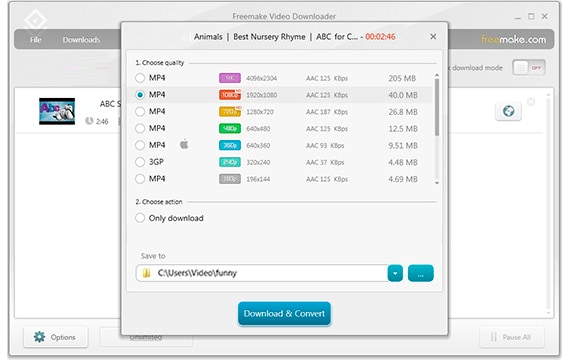
Freemake Video Downloader is a simple, cost-free all-in-one application for desktop video grabbing. It lets you work with more than 10,000 websites; therefore, it is the first option for Windows owners who want to get excellent downloads easily. It is well known for its fast execution, reliability, and user-friendly interface. Freemake Video Downloader is an excellent tool for those who seek a straightforward, free, and fast method to save clips from YouTube and many other sites retaining the original video quality.
- Windows 11, 10, 8.1, 7, Vista
- macOS
- Downloads videos in HD and 4K quality
- Supports multiple formats: MP4, AVI, MKV, WMV, 3GP, FLV
- Grab entire YouTube playlists or channels (up to 500 videos at once)
- Supports proxy, parental control, and cloud uploads (Dropbox, Google Drive)
- Free and regularly updated
- No built-in video editing tools
PowerDirector 365
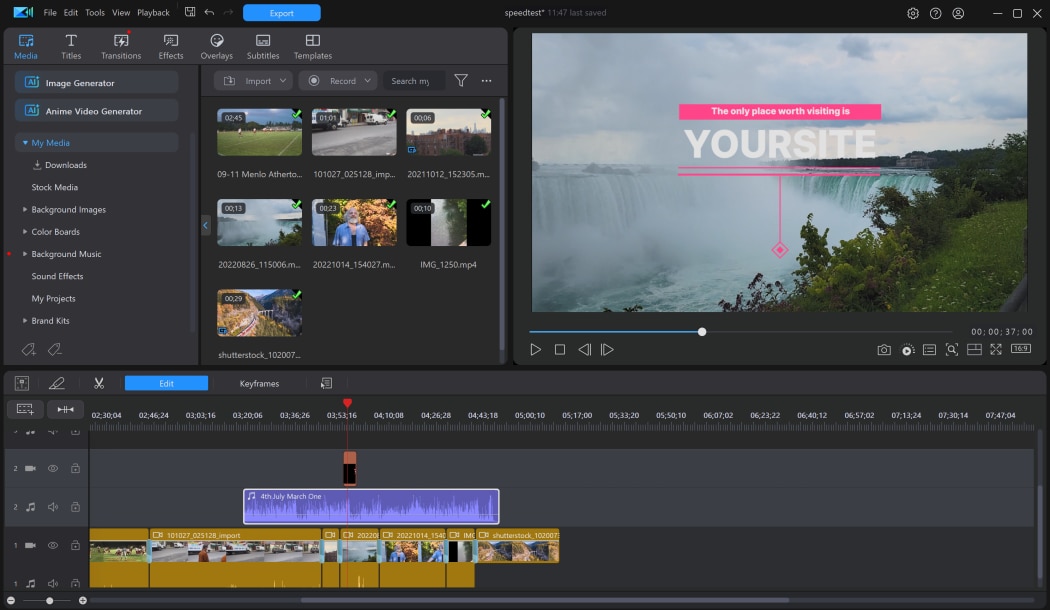
PowerDirector 365 is packed with all of the advanced AI-powered video editing tools you might ever need alongside great desktop features from CyberLink. It is compatible with both Windows and Mac. It is a great choice for those who want not only the creative use of editing but also high-quality downloads from a single platform.
- Windows (optimized for Windows 11 & Intel 12th Gen CPUs)
- macOS
- AI-powered video and audio enhancement (denoise, upscaling, voice improvement)
- Download and edit videos from online sources with enhanced screen recording
- Extensive export options for YouTube, TikTok, and other platforms
- Built-in library of royalty-free music, stock footage, templates, and animated assets
- Multi-cam editing, motion tracking, green screen, and keyframe controls
- Heavier software requires a powerful system for smooth performance
Best Video Grabbers for MacOS
The tools that can work on Mac will not only help you to get high-quality videos, but they also usually have features like video editing, batch downloads, and performance that is optimized for Apple hardware. We point out here the best grabbers that are designed for Mac users and that offer a combination of speed, quality, and ease of use.
SYC PRO
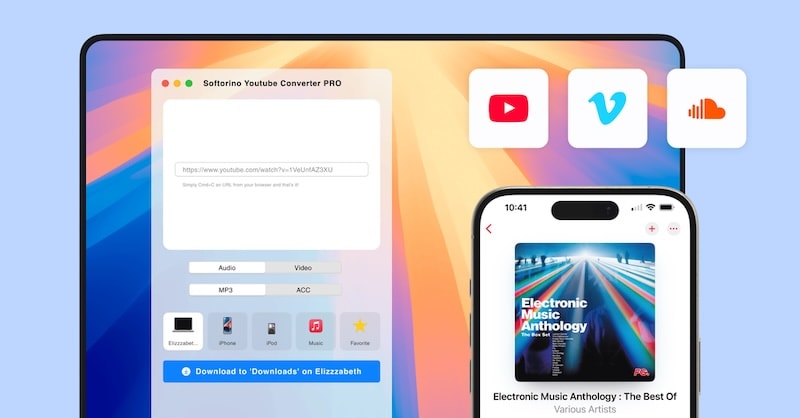
Softorino YouTube Converter PRO is simply SYC PRO, a professional-level YouTube downloader as well as a converter which is made for video and audio downloads without the least break in the flow. It works with direct YouTube videos (including Shorts) downloads to MP4 or music conversion to MP3/ AAC, and is equipped with AI-based features for automatically completing Metadata and organizing a music library.
- macOS, Windows, iPhone, iPad, and Android
- Intuitive and minimal User Interface for quick access
- Batch downloads for multiple videos or entire playlists
- AI-powered metadata auto-fill for music/video organization
- Direct transfer to iOS apps like Music and TV
- Built-in subtitles download for tutorials and foreign content
- High-quality downloads up to 4K with compression for storage efficiency
- Seamless integration with macOS clipboard and Wi-Fi transfer
- No support for 8K video downloads
- Limited platform support (YouTube, Vimeo, SoundCloud)
VideoProc
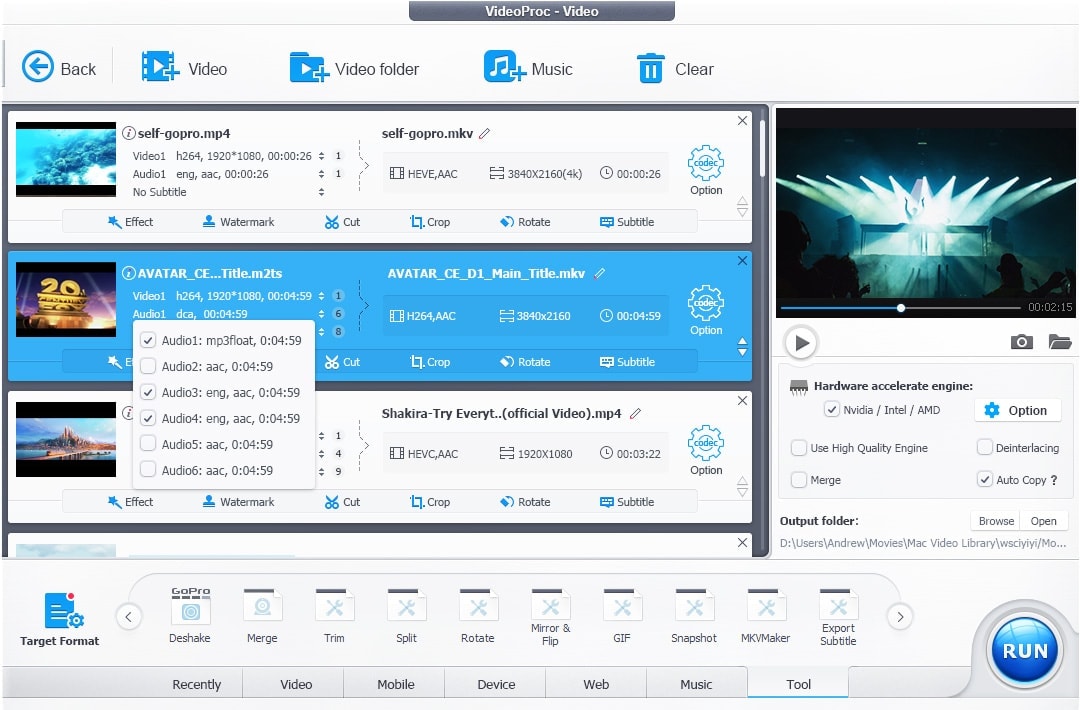
VideoProc Converter AI is the one-stop video solution that brings together video downloading of high speed, conversion, and AI-powered enhancement. The tool lets you download videos, music, playlists, and subtitles from more than 1,000 popular sites (and over 2,000 niche sites) in super HD, 4K, and even 8K, along with providing editing, upscaling, stabilization, and frame interpolation tools.
- macOS, Windows
- Supports downloads from 1,000+ popular sites and 2,000+ niche platforms
- High-quality output up to 8K resolution with AI Super Resolution
- AI-driven features for frame interpolation, stabilization, and video upscaling
- Batch downloads for videos, playlists, streams, and subtitles
- Convert videos to 420+ formats including MP4, MOV, MKV, and MP3
- Built-in editing: cut, crop, merge, rotate, watermark, and subtitle integration
- Free version has some limitations on output features
Top Mobile Video Grabber Apps for Android and iOS
Due to strict App Store restrictions, iOS apps are limited in direct video downloaders, which are rare. Android offers more freedom, so apps can download, convert, and even manage videos locally. Some iOS apps depend on cloud processing or file transfers through Mac/PC.
Best Video Grabber for Android Devices
Video Downloader (by InShot)
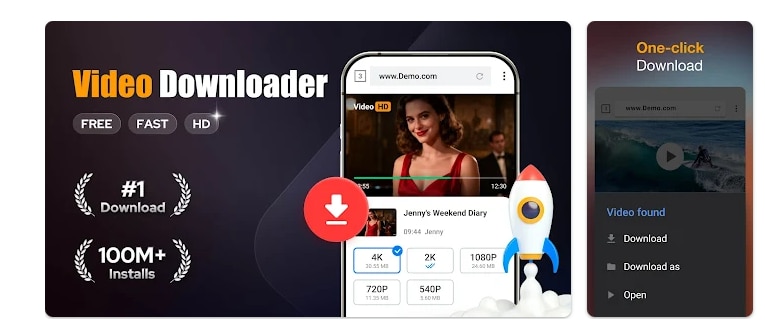
Video Downloader by InShot is a very capable Android application that helps you to download videos, music, and files from the web very easily. It supports all formats and comes with a built-in player; thus it allows you to swiftly and conveniently download, organize, and listen or watch your content offline totally free of charge.
- Android
- Auto-detect videos for one-click downloads
- Supports all formats (MP4, MP3, MOV, AVI, etc.)
- Built-in browser and offline player
- Pause, resume, and background downloads
- Supports SD card storage and password-protected folders
- HD and large file downloads supported
- Fast download speed with progress tracking
- Only available for Android
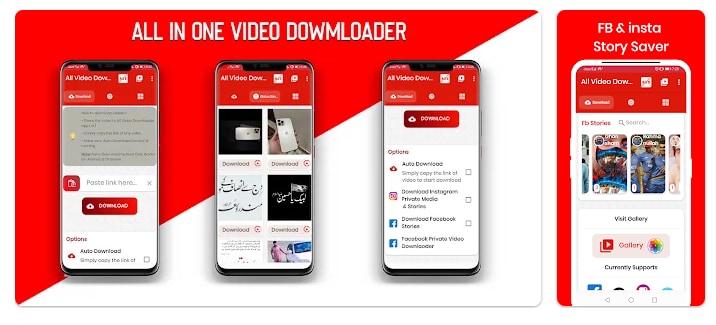
All Video Downloader 2025
All Video Downloader 2025 is essentially a multitasking Android tool that allows you to download videos at different resolutions such as 4K, MP4, and MP3, from several well-known social media platforms and websites in a quick and hassle-free manner.
- Android 7.0 and above
- Supports multiple platforms like Facebook, TikTok, Likee, Twitter, ShareChat, DailyMotion, and more
- Download videos in HD, 4K, MP4, MP3, and other formats
- Fast, one-click downloads with a built-in download manager
- Pause, resume, and download multiple files simultaneously
- Save WhatsApp status and private Facebook videos
- Free to use with optional in-app purchases
- Does not support YouTube downloads due to Play Store policy
Video Downloader – Downloader (by Simple Design)
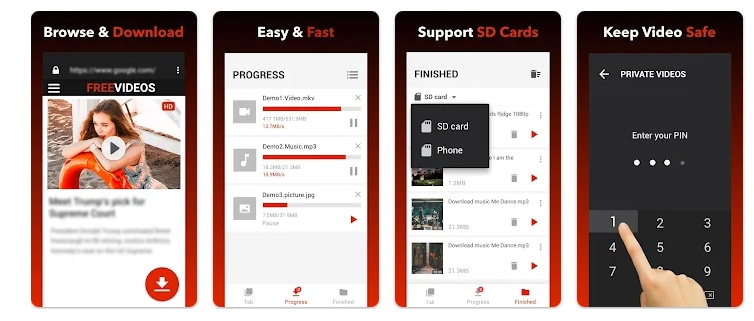
Video Downloader by Simple Design is an Android application offered for free that lets you save videos, songs, and other types of files from the web in any format. It comes with a download manager that is fast, HD ready, and supports the background downloading of multiple files simultaneously.
- Android 6.0 and above
- Supports all major video and audio formats (MP4, MP3, AVI, MOV, M4A, and more)
- Auto-detect videos for one-click downloads
- Built-in browser and offline video player
- Pause, resume, and download multiple files simultaneously
- Save files in a password-protected folder or SD card
- Contains in-app purchases
Best Video Grabber for iOS Devices
Downloading videos on iOS devices is more restricted than on Android due to Apple's App Store rules that do not permit standalone video downloader apps. Still, a few reliable apps have managed to get around these limitations and give iPhone and iPad users the ability to save videos for offline viewing comfortably.
Video Saver: Video Downloader
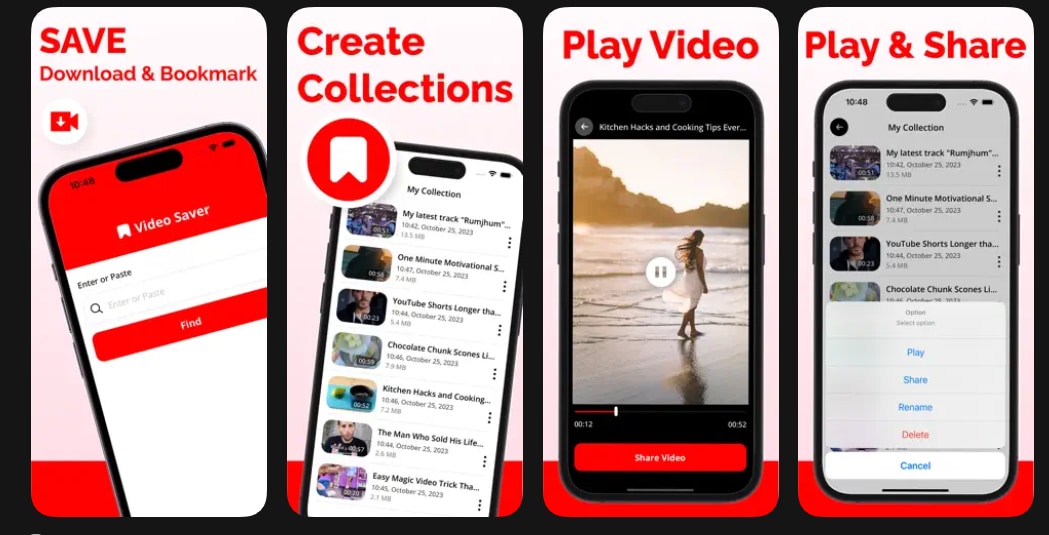
Video Saver: Video Downloader is a casual iOS app that enables you to directly save and manage videos on your iPhone. It provides quick video saving, offline playback, and a built-in manager for organizing downloaded content with no effort.
- iPhone (iOS 13.0 or later)
- Simple and intuitive interface for iPhone users
- Fast video saving with built-in playback
- Full save manager to pause, resume, and delete downloads
- Create collections and bookmarks for saved videos
- Minimal data collection in most versions
- Requires in-app purchases for premium features
- Limited support for some platforms due to iOS restrictions
All Video Downloader
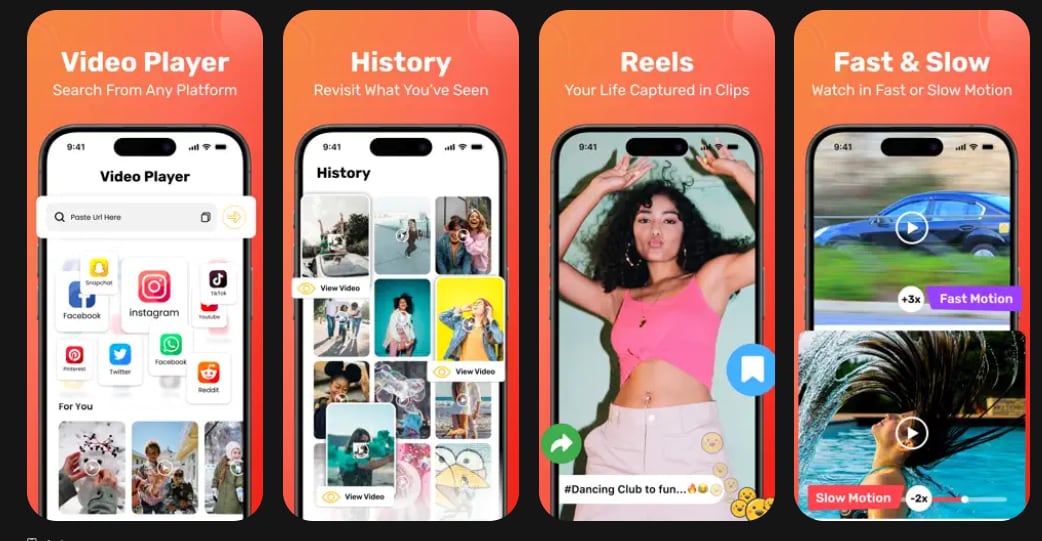
All Video Downloader is a multi-functional iOS application which enables users to download videos straight to their iPhone or iPad from a range of internet sources. This app has a straightforward user interface, and it allows offline playback, so you can easily download and manage your videos while moving.
- iPhone and iPad (iOS 13.0 or later)
- Clean and intuitive user interface
- Quick video saving and offline playback
- Builtin manager for organizing downloads
- Supports a wide range of video formats
- Works well for saving social media and browserfound content
- May require inapp purchases for some features
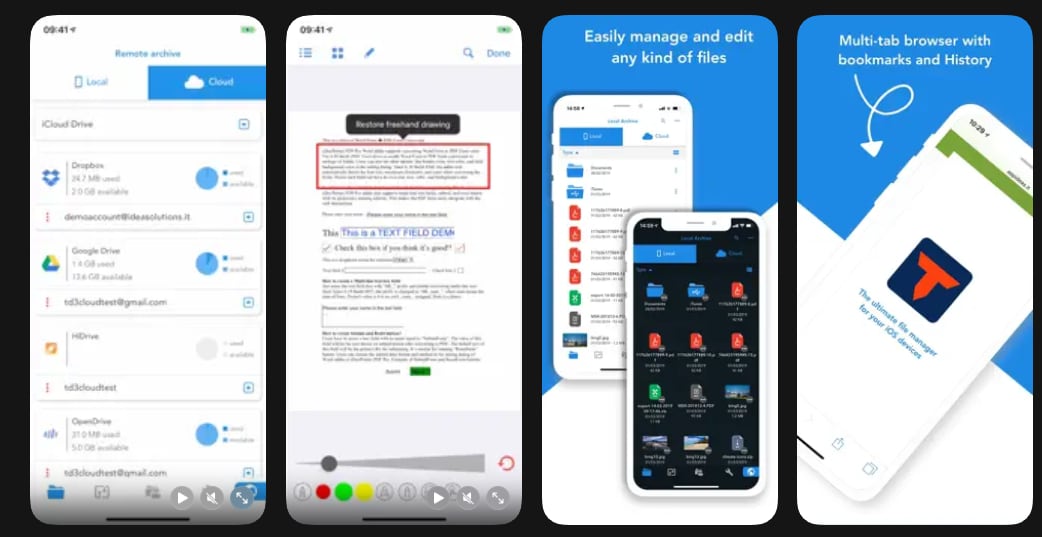
Total Files
Total Files is a complete file manager for iPhone and iPad. It has a web browser built-in that supports downloading, which means you can get videos, documents, and media straight to your local storage. It gives you a lot of control over how you manage your stuff, so it's a strong competitor to those simple video downloader apps on iOS.
- iPhone and iPad (iOS 13.0 or later)
- Full file management with folders, tags, and sorting options
- Builtin browser for browsing and downloading media, including videos
- Supports saving videos, music, PDFs, images, and other file types
- Offline playback for downloaded videos and media
- Allows export to cloud services like iCloud, Dropbox, and Google Drive
- Secure storage with options for encryption and password protection
- Not a dedicated video downloader — users must find video links via browser
Top Online Video Grabbers (Browser-Based Tools)
Browser video downloaders allow you to save videos without installing programs. They are compatible with multiple platforms and good for fast downloads, but might have restrictions on the quality, contain ads, and result in security issues.
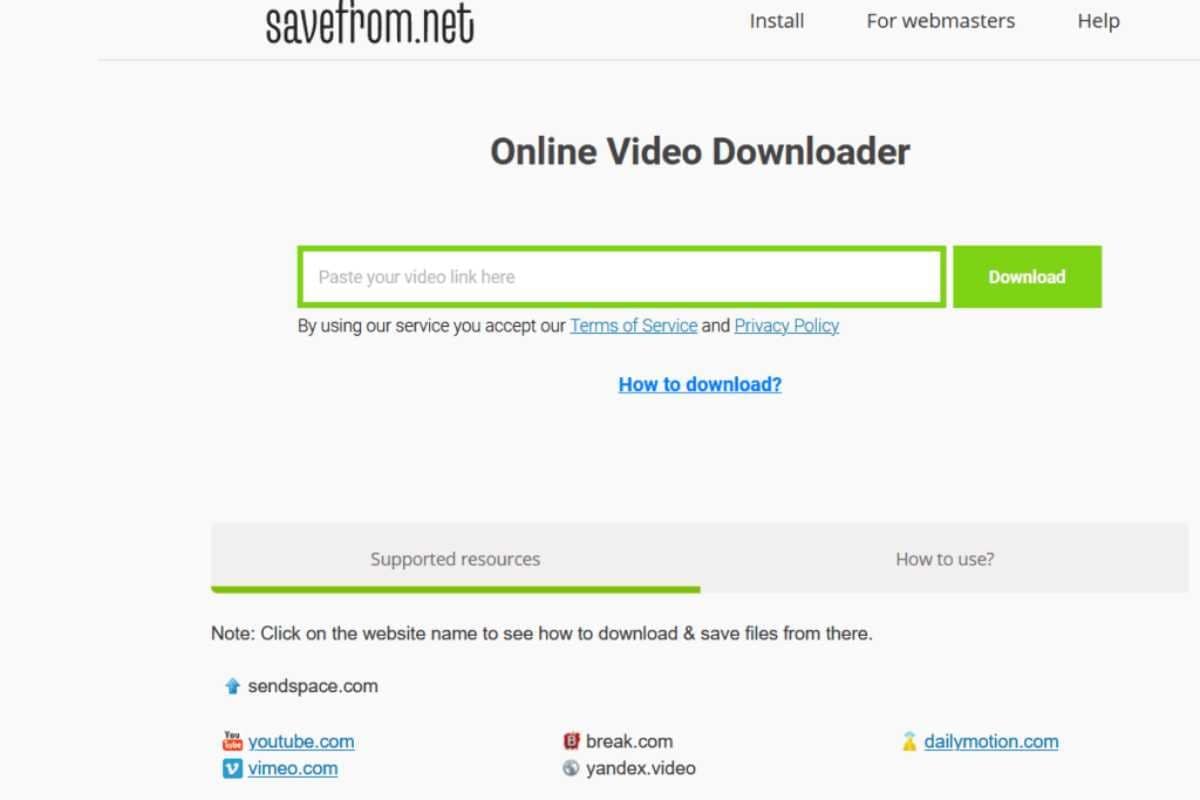
Savefrom.net
Savefrom.net is an extensively used online video downloader, through which you can grab your favorite videos and music from various platforms such as YouTube, Facebook, Instagram, TikTok, etc., and the best thing is, you don't have to install any bulky software. Savefrom.net operates in your web browser and is also equipped with a Chrome extension that facilitates one-click downloads.
- No installation required; fully browser based.
- Supports a wide range of platforms including YouTube, TikTok, Instagram, Facebook, Vimeo, Dailymotion, Reddit, and more.
- Downloads in multiple resolutions, from SD up to 4K.
- Maintains original video quality in MP4 format.
- Chrome extension enables instant one-click downloads.
- Free version displays ads.
Y2Mate
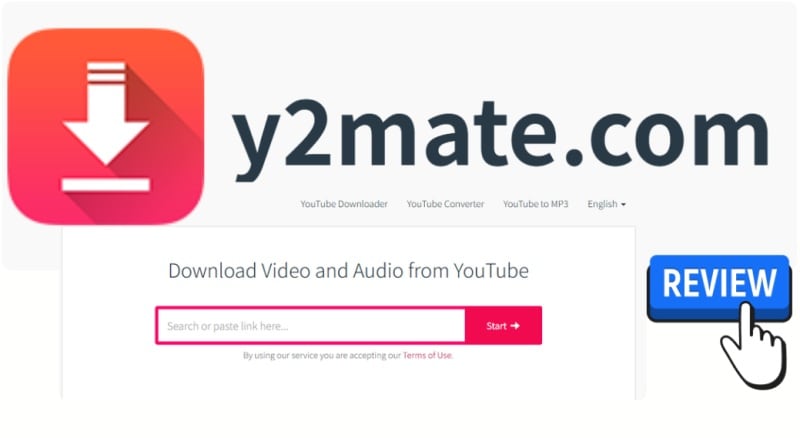
Y2Mate is one of the top choices among online video downloader tools that lets you download both video and audio files from sites such as YouTube, Facebook, and other digital platforms. It is highly compatible with different file formats and resolutions and can work without any software installation, so it is an instant way to get videos for offline watching.
- Fully browser-based; works on Windows, macOS, Android, and iOS.
- Supports multiple video/audio formats including MP4 and MP3.
- Allows downloads in various resolutions, from SD up to 1080p or higher depending on the source.
- No installation required, quick and convenient for instant downloads.
- Ads and pop-ups can be intrusive.
- Video quality may be limited for some platforms.
Keepvid
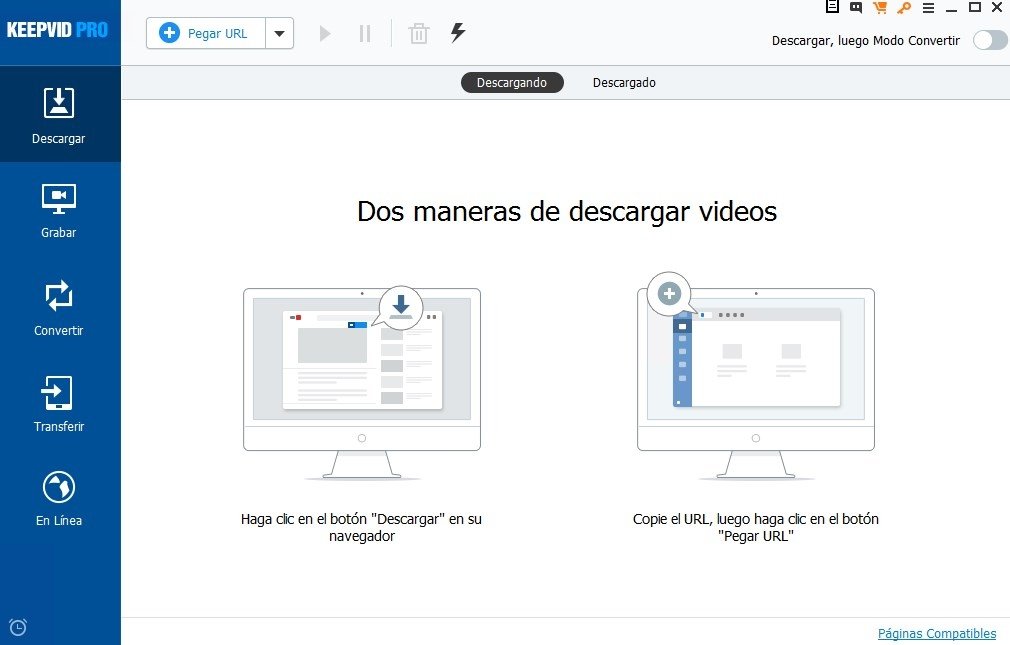
Keepvid is a versatile online video downloader that lets you save videos and convert them to MP3 or MP4 from YouTube, Facebook, Instagram, Twitter, and many other platforms. It can process single videos, playlists, and even MP3 conversions with enriched metadata.
- Works directly in browsers; no installation required.
- Supports YouTube to MP3 and MP4 conversion, including playlists.
- Preserves metadata like artist, title, and album art in MP3 files.
- Compatible with desktops, smartphones, and tablets.
- Lightweight web app with optional bookmarklet and browser extension for faster downloads.
- Ads and pop-ups may interrupt workflow.
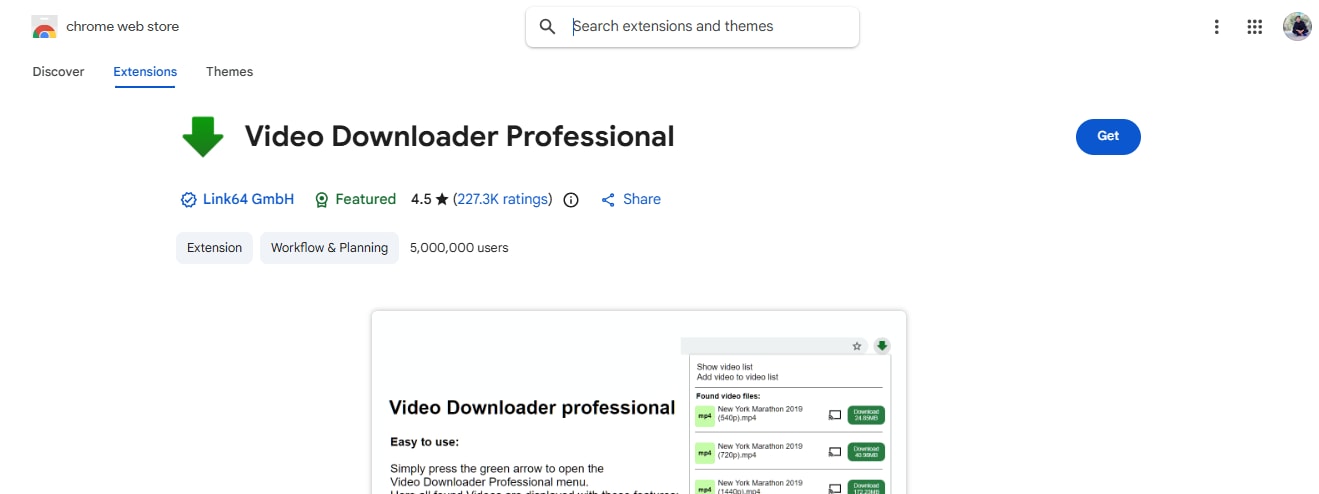
Video Downloader Professional
Video Downloader Professional is an add-on for the Chrome browser that enables users to grab videos from online portals or save them into their collection of videos for convenient watching later. The tool supports various resolutions and allows the user to stream via Chromecast or Google Home.
- Quick access to videos without revisiting the original site.
- Option to choose video resolutions when supported.
- Play videos directly on Chromecast or Google Home.
- Does not collect personal data, privacy focused.
- Small and lightweight extension, easy to install.
- Cannot download videos from YouTube, Instagram, TikTok, Dailymotion
SocialPlug
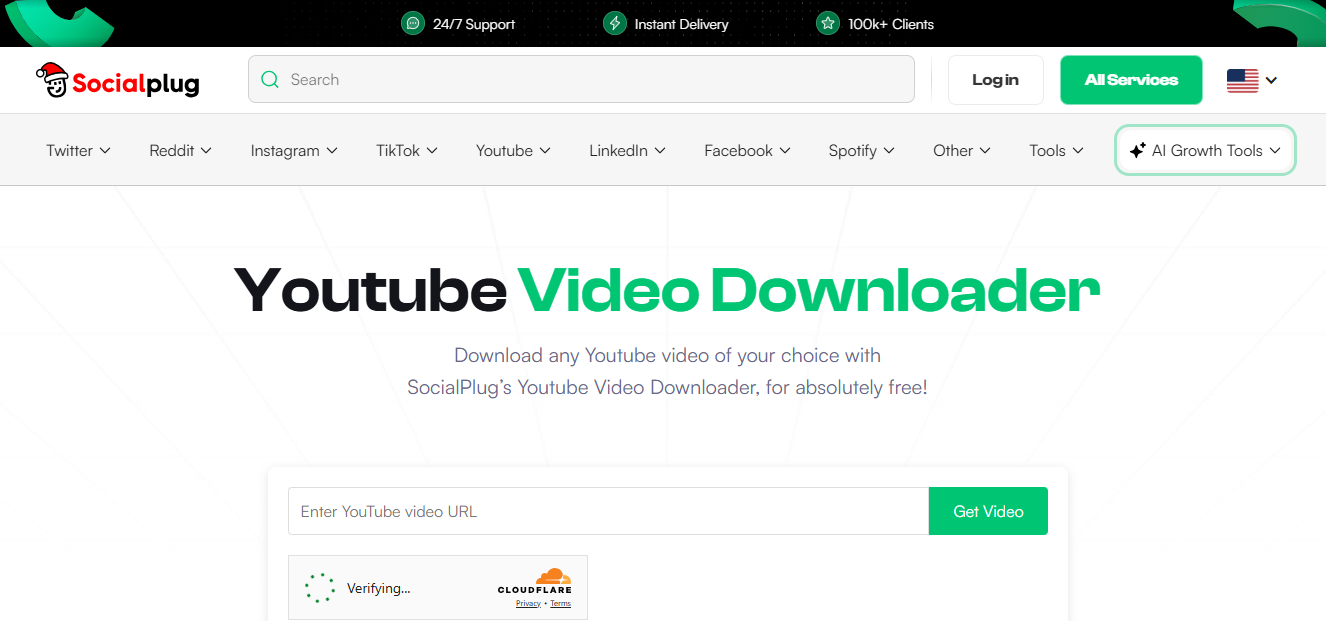
SocialPlug's YouTube Video Downloader is a browser-based tool and free to use. It allows you to download YouTube videos quickly and safely without having to install any software. The tool supports multiple resolutions, cleans MP4 downloads, and is compatible with all major devices and browsers.
- Free and unlimited downloads with no login or accounts required.
- Multiple resolution options (360p to 1440p) for optimal balance of quality and file size.
- Clean, ad-free interface with no watermarks.
- Works cross-platform on Windows, Mac, iOS, Android, and Linux.
- Fast conversion and downloads directly in the browser.
- Secure and privacy-focused, with no malware or unnecessary permissions.
- Primarily limited to YouTube; other platforms require separate services.
Bonus: Power User Tools & Open Source
For people who want to have more control and access to advanced features, these tools come with powerful capabilities that go beyond the regular mobile or web downloaders.
- youtube-dl / yt-dlp These are command-line tools for Windows, Mac, and Linux. They can download videos from more than 1,000 websites such as YouTube, Facebook, and Vimeo. Great for downloading in batches, managing playlists, and picking formats.
- JDownloader This is a software that grabs links and detects media for download on the pages automatically. It allows batch downloads, also supports captcha recognition, and can neatly arrange the downloaded content. It is compatible with Windows, Mac, and Linux.
- Xtreme Download Manager (XDM) A free downloader with the capability of browser integration. It can provide fast downloads, convert videos, and resume downloads after an interruption. It can be used with multiple browsers and is compatible with Windows, Mac, and Linux.
Critical Legal Disclaimer and Safe Use Guidelines
Copyright Disclaimer
In essence, video grabbers are devices, and the question of their legality is entirely up to the way they are used. Users should be very careful and make sure that all their actions are in line with the laws and platform policies.
Permitted Uses:
- Download or record your own original content.
- Capture only publicly available content for your personal use, and not for any commercial use.
- Save videos that you have legal rights to.
Prohibited & Illegal Uses:
- Downloading, distributing, or sharing copyrighted movies, TV shows, music videos, or premium content without getting the permission first of the copyright owner.
- Using video grabbing software to get around platform limitations or infringe the Terms of Service.
User Responsibility:
The users take full responsibility for the fact that their use of video grabbers will in no way infringe on the copyright laws of their country or region. Illegal use of the tools may attract legal penalties.
Security and Privacy Guidelines
- Beware of free web tools and mobile apps as they might be full of ads, malware, or unwanted bloatware.
- Always go for official websites and trusted app stores, and don't forget to check the user comments and privacy policies before you make a download.
- Generally, desktop programs from well-known software developers offer more security, respect your privacy, and are less likely to cause problems with your system.
Note: It is good practice to always go through and comprehend these rules before initiating the usage of any video grabber tool. This will help you use the tools safely, legally, and responsibly.
Frequently Asked Questions (FAQs)
-
1. Are video grabbers legal to use?
Video grabbers are legal only if they are used for personal, non-commercial purposes or if the content is yours. It is illegal to download copyrighted movies, music videos, or premium content without permission. You should always make sure that your use complies with copyright laws.
-
2. Can I download videos in HD or 4K?
Most of today's grabbers permit you to download videos in HD, Full HD, or 4K, of course, depending on the quality of the source video. If you want to do more with the videos or make professional video projects from the downloaded clips, you can use software like Filmora to add advanced effects, transitions, and easy export options to your videos.
-
3. Are online tools safe to use?
Online video grabbers are handy, but you should be careful. Visit only well-known websites, don't click tons of ads, and have antivirus software running. If you want to handle and edit your videos in a safer and more professional way, you can always go to desktop solutions like Filmora that offer a feature-rich environment.
Conclusion
Video grabbers are many all-rounders that let you save and watch videos online on all sorts of devices and platforms. They cover a spectrum starting from apps on your phone and desktop software to simply online tools in browsers - whatever the case you have a tool that matches your convenience, speed or need for features. That said, it is important to use these instruments with care: always adhere to copyright laws, don't download content illegally, and make security your number one consideration when selecting apps or websites.
Therefore, if you are a content creator or a power user, a combination of trusted video downloaders and editing software such as Filmora helps not just access videos offline but also to enhance videos effortlessly thereby getting professional quality for personal or creative projects. If you adhere to safe and legal ways, you can reap the maximum benefits of video grabbers while at the same time keeping yourself and the content creators safe.
Secure Download