

 TL;DR:
OpenAI will deprecate DALL-E 3 from its API on May 12, 2026, but creators can still bypass ChatGPT's newer default models to generate highly text-accurate concept art for free using Bing Image Creator.
● The Bing integration provides 15 fast image generations per day before switching to unlimited standard-speed processing, as ChatGPT has fully transitioned its interface to GPT Image 1.5.
● DALL-E 3 outperforms its gpt-image-1 replacements in rendering layered surfaces and coherent lighting without requiring complex prompting, bypassing the yellowish color bias reported in newer updates.
● Outputs are approved for unrestricted commercial sales and publishing, but their lack of US copyright protection allows third parties to freely reproduce your designs once they are made public.
Ask AI for a summary
 ChatGPT
 Perplexity
 Gemini
 Claude
 Grok
Grok
Looking for the DALL-E 3 AI image generator? While OpenAI has introduced newer models like GPT-4o, DALL-E 3 remains a powerhouse for creators. In this 2026 guide, we explore how to access DALL-E 3 online, master text-to-image prompts, and even turn your AI art into video.
Now that a newer image model has replaced DALL-E 3 AI image generator, you may wonder what its role is now and how to best utilize this once industry-leading AI image generation model. After some extensive research and testing the latest updates, here's what we discovered.
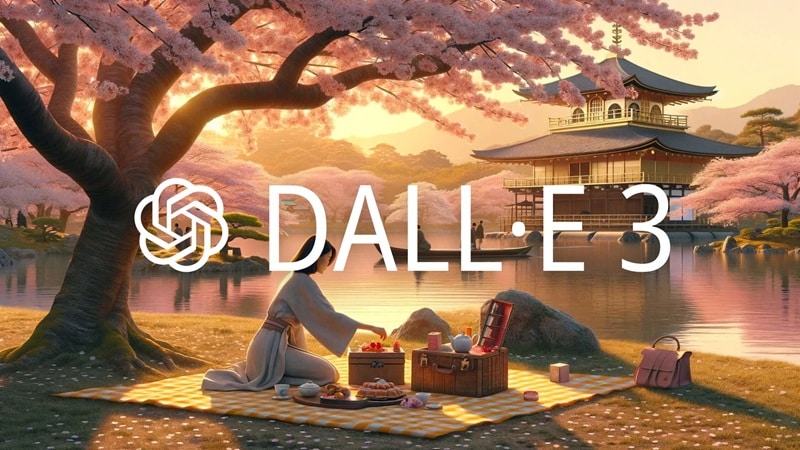
Part 1. What Makes DALL-E 3 Stand Out?
DALL-E 3 is OpenAI's third-generation text-to-image model, launched in October 2023. It can generate images based on natural language descriptions, with outputs reaching resolutions up to 1792 × 1024 pixels.
Compared to DALL-E 2, it brought noticeable upgrades in how well it understands prompts, the overall image quality, and its ability to render text more accurately within images. Before it was replaced by newer image models, DALL-E 3 AI image generator online served 1.5 million users and generated roughly 2 million images daily, as reported by Companies History.
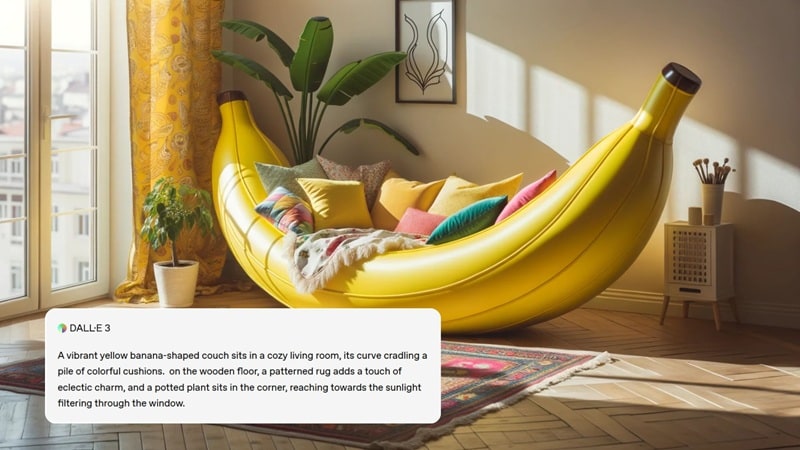
Several factors contributed to this growth, including:
- Natural language understanding: DALL-E 3 can interpret prompts written in everyday language. You don't have to write technical instructions for the model to understand what you want to create.
- Seamless integration with ChatGPT: By integrating image generation directly into ChatGPT, the process becomes simple and accessible, even for users with no technical background.
- Improved text rendering: Compared to earlier versions, DALL-E 3 does a better job placing readable text in images. However, it can still struggle with longer text or more detailed typography.
- Safety and content controls: OpenAI introduced stricter safety systems in DALL-E 3, with filters designed to reduce the chances of generating harmful, violent, or inappropriate content.
Part 2. How to Use DALL-E 3 AI Image Generator Online for Free
One of the ways you can use DALL-E 3 AI image generator online free is through the Bing Image Creator. The platform still offers DALL-E 3 as one of its models, alongside GPT-4o and MAI-Image-1 (Microsoft's own model).
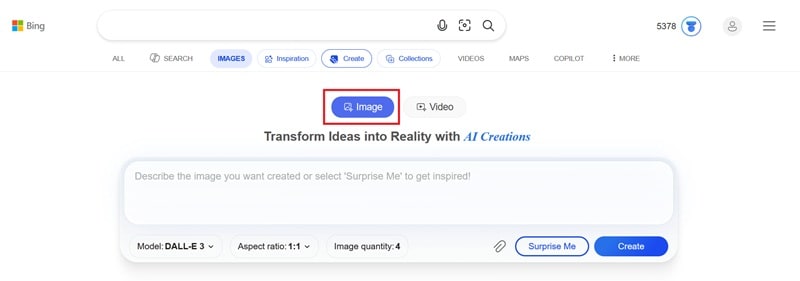
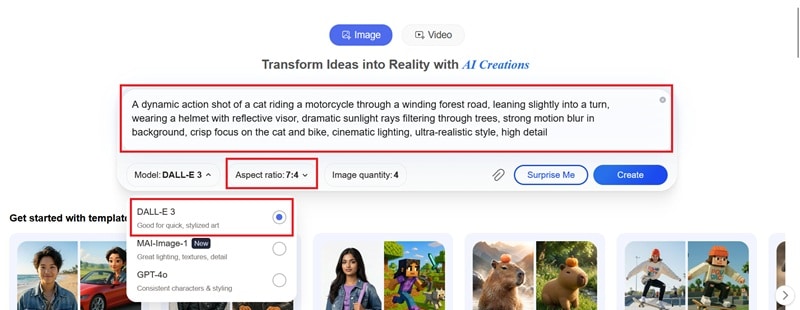
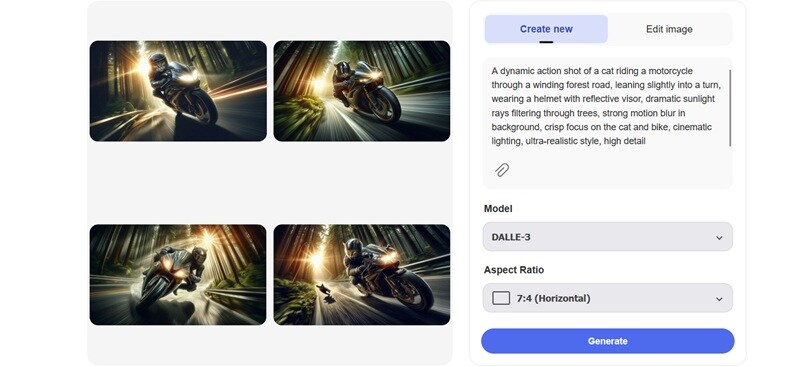
Note: Using Bing Creator is free. You get 15 fast image generations per day, which reset the following day. Standard-speed generations (slower, but still functional) are unlimited and free.
Can I Use DALL-E 3 Image Generator on ChatGPT?
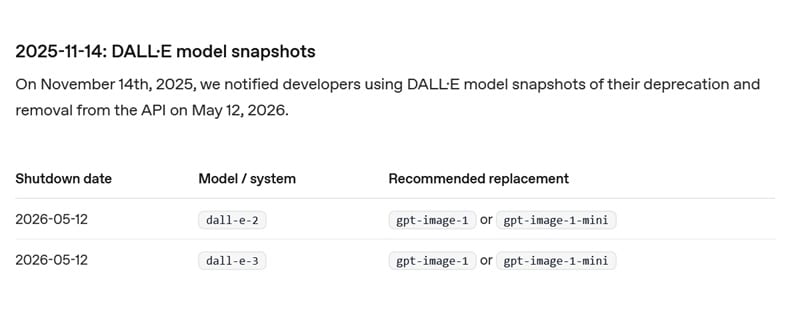
OpenAI DALL-E 3 was previously available through ChatGPT's built-in image generation feature. However, OpenAI has since confirmed that DALL-E 3 will be deprecated from its API on May 12, 2026, with newer models like gpt-image-1 and gpt-image-1-mini recommended as replacements.
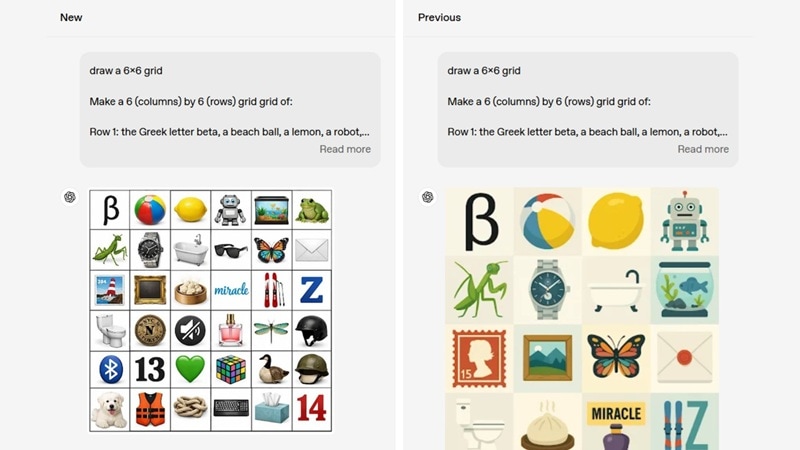
Because of this transition, you can no longer access DALL-E 3 image generator online on ChatGPT. When generating images through the platform, you are using the newer models (GPT Image 1.5) by default.
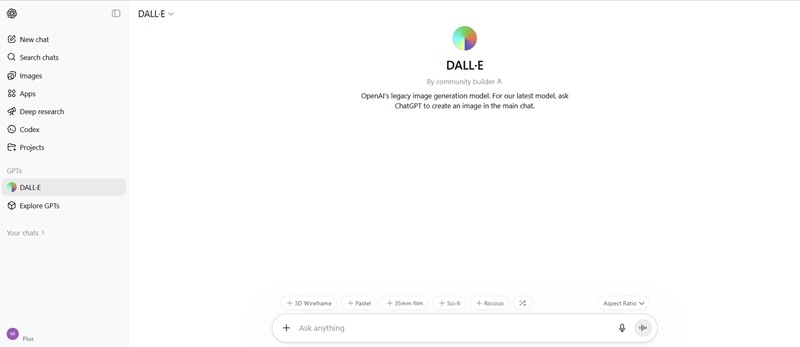
If you still want to generate images using the DALL-E engine, you can try using DALL-E GPT. Just keep in mind that you won't be able to manually select "DALL-E 3" as the model. It runs on a unified "DALL-E" model.
Part 3. Master Your Prompts: Tips for Better Results
Creating high-quality images with DALL-E 3 AI image generator from text comes down to how well you guide it. Try these tips to make a better AI image.
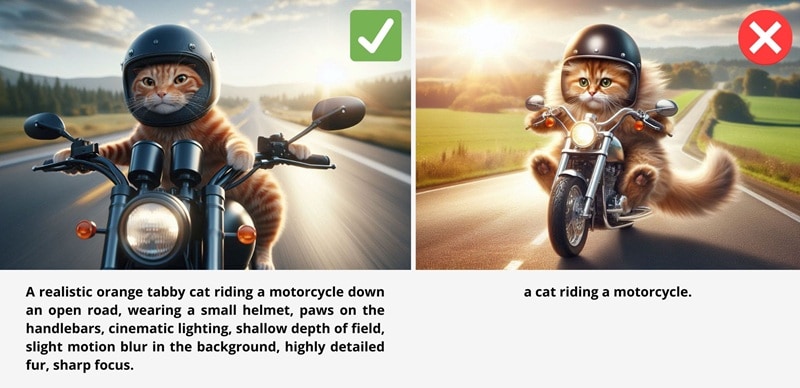
1. Be as Clear and Specific as Possible
Since OpenAI models were trained on highly descriptive prompts, they tend to perform best when your instructions are clear and detailed. Including elements like the setting, objects, colors, mood, and even quantities helps the model understand exactly what you want to create.
At the same time, keep your prompt focused and intentional. Adding too many unnecessary details can make the result less consistent. Focus on the elements that actually change the visual outcome. If something feels off, rewrite the prompt instead of stacking more words.
2. Start with a Simple Structure
Instead of writing random descriptions, try organizing your prompt into clear parts:
- Subject: what's in the image
- Style: realistic, illustration, 3D, anime
- Composition: close-up, wide shot, angle
- Lighting: soft light, golden hour, studio
- Mood and color: warm, dramatic, muted
Example:
A futuristic city skyline at night, neon lights, cyberpunk style, wide-angle shot, reflective wet streets, cinematic lighting.
This kind of structure helps the model understand both the scene and how it should look.
3. Don't Rely on Complex Text Inside Images
Although DALL-E 3 AI improved text rendering, it's still not perfect. You can generate short phrases, but anything longer or more detailed often breaks. For things like posters or branding, it's better to generate the image first, and then add text using design tools.
4. Maintain Consistency Manually
If you're creating multiple images with the same subject, you'll need to repeat key details in each prompt. The model doesn't automatically remember previous outputs, so consistency comes from how you describe things.
Part 4. DALL-E 3 vs. Other AI Generators: A Comparative Review
While DALL-E 3 creates stunning stills, the future of content is video. Learn why converting AI images to video is essential for 2026 social media growth. Now that you know how DALL-E 3 works, how does it actually compare to other AI image generators?
DALL-E 3 AI image generator is not the only powerful tool in this space. Models like Midjourney and Stable Diffusion have each built strong user bases by focusing on different strengths. This is how they compare.
|
DALL-E 3 |
Midjourney |
Stable Diffusion |
|
|
Prompt Accuracy |
Good; closely follows detailed text prompts |
Good; interprets prompts more loosely for aesthetic results |
Moderate; depends heavily on model version and settings |
|
Customization & Control |
Limited |
Style parameters and version controls available |
Fully customizable with models, LoRAs, and extensions |
|
Pricing |
Free via Bing AI Image Creator |
Starts at $10/mo (Basic Plan); no free tier |
Free (open-source, self-hosted); paid hosted options available |
|
Best for |
Concept art, simple illustrations, and text-heavy images |
Stylized artwork, fantasy illustrations |
Photorealistic images, character design, and highly customized or niche art styles |
|
Show More
Show Less
|
|||
How Does DALL-E 3 Compare to GPT-Image?
OpenAI presents GPT-Image as a direct evolution of DALL-E 3, so it's naturally expected to outperform its predecessor in most areas and address the shortcomings that held it back, such as limited detail, stiffness in style, and weaker contextual awareness.
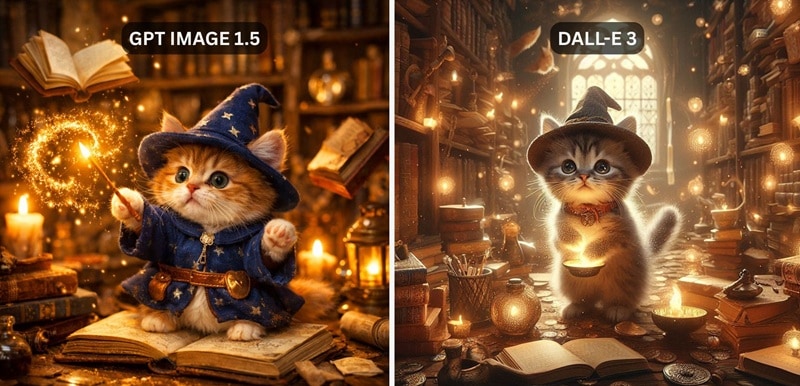
However, not everyone is convinced that newer means better. In the OpenAI Developer Community, many users have pushed back against retiring DALL-E 3 AI and argued that the two models aren't truly interchangeable.
Some of the most commonly reported complaints about GPT-Image are:
- Color bias. Outputs frequently appear with a yellowish, sepia-like tint.
- Higher prompting skill required. Getting quality results demands more effort and trial-and-error compared to DALL-E 3's more intuitive output.
- Weaker stylistic range. GPT-Image struggles with unconventional or niche visual concepts compared to DALL-E 3.
- Loss of painterly quality. GPT-Image lacks DALL-E 3's ability to replicate layered surfaces, coherent lighting, and material depth.
- Not a like-for-like replacement. There are certain creative outputs achievable in DALL-E 3 that simply can't be replicated in GPT-Image.
Part 5. Bridging AI Images with Video: The Filmora Workflow
For someone who loves creating AI-generated images, this is only the beginning. By integrating your workflow with Wondershare Filmora, you can easily transform DALL-E 3 AI generated images into dynamic videos. Using Filmora's AI Image to Video tool, creators can add cinematic motion to static AI art in seconds.
 Secure Download
Filmora gives you everything you need to take your AI images further, including:
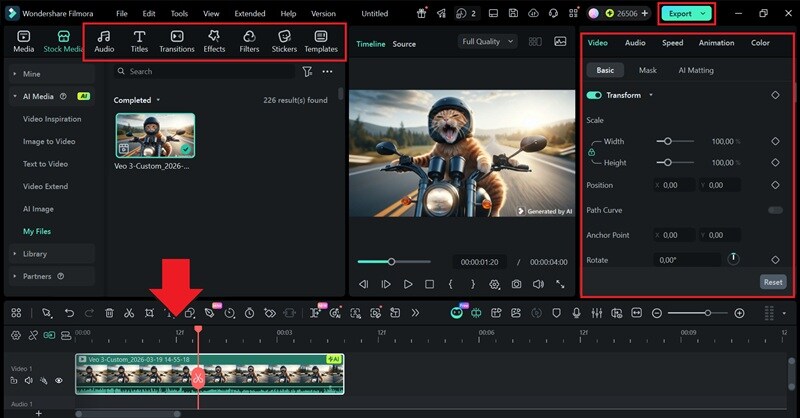
- Compiling and editing — arrange your images on a timeline and enhance them with effects, stickers, and titles.
- Animating with Image to Video — bring still images to life with AI-powered motion and animation.
- Adding music and voiceover — pair your visuals with background music or narration to complete the story.
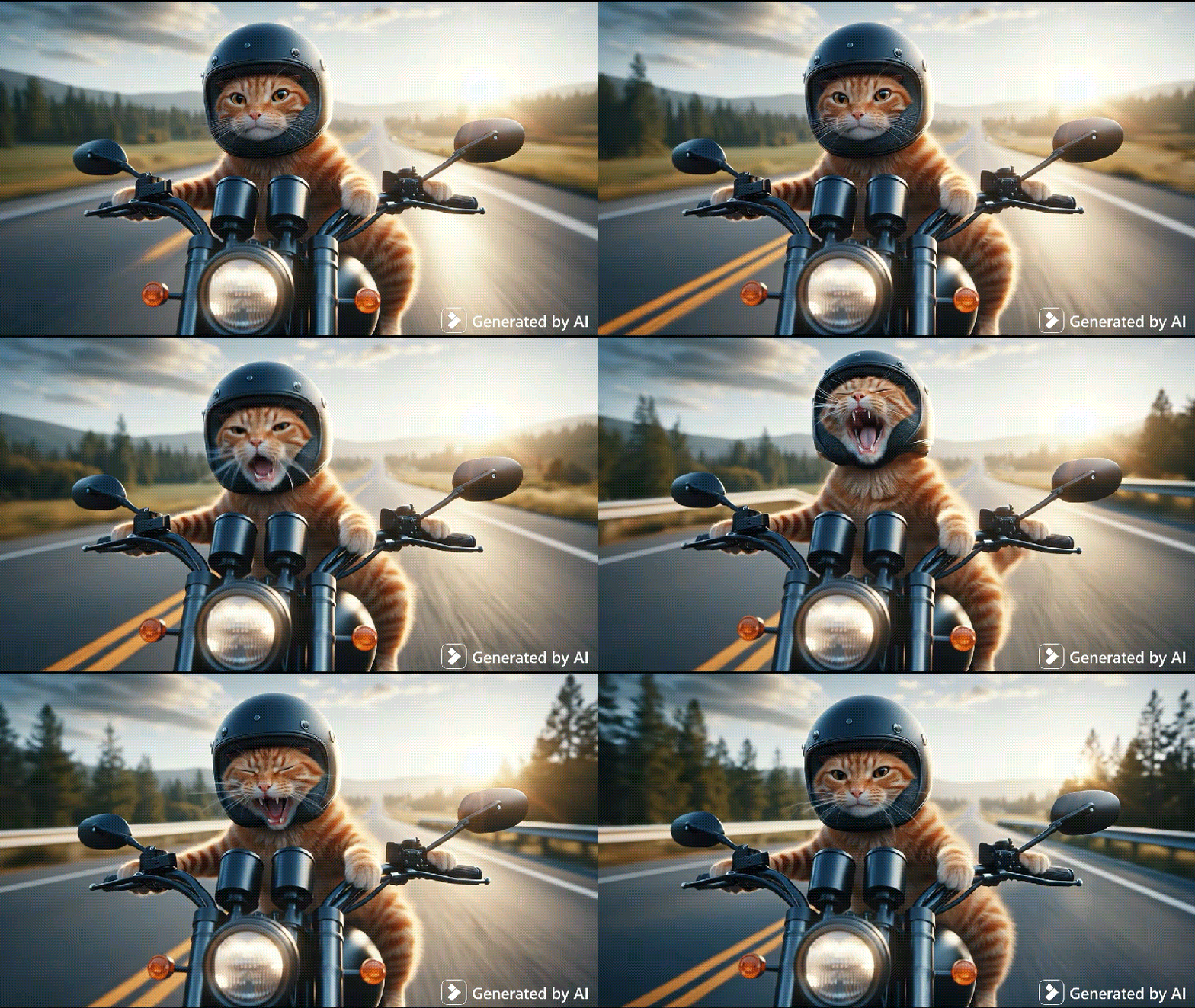
Videos are more engaging than still images, more likely to be shared across social platforms, and far more effective at capturing and holding an audience's attention. If you've already mastered generating images with OpenAI's DALL-E 3, adding Filmora to your workflow is the perfect way to maximize the impact of your AI-generated visuals.
How to Turn AI Images into Video with Filmora
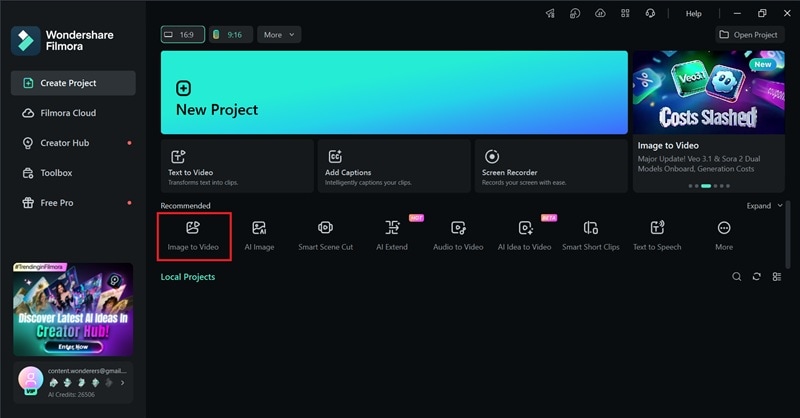
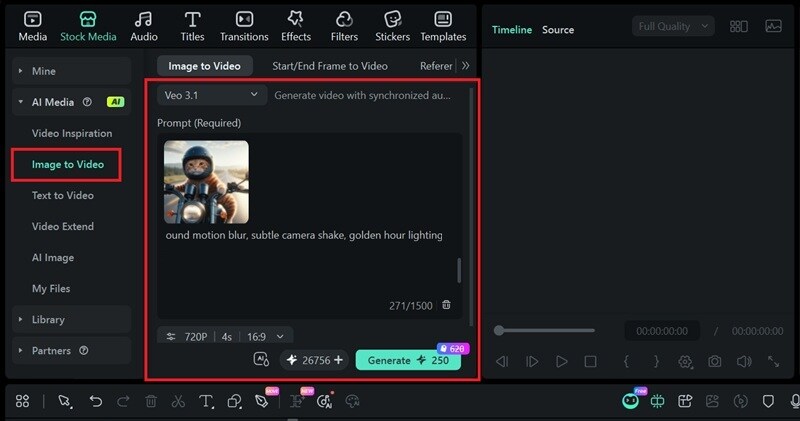
You can also adjust the settings, such as resolution, duration, and aspect ratio, and enable the AIGC Usage Agreement to remove the watermark. Then, click Generate to start the process.
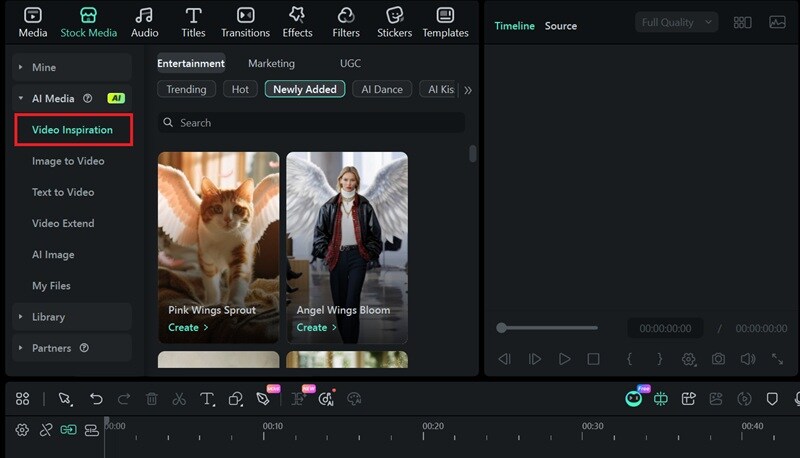
Tip: If you'd rather skip the prompt, head to Video Inspirations to browse ready-made AI templates that you can immediately apply to your image.
Conclusion
OpenAI's DALL-E 3 may no longer be the default image model in ChatGPT, but its impact on AI image generation is undeniable. Its strong prompt accuracy, natural language understanding, and reliable output quality set a high bar that even its successor is still working to match.
If you love creating content with AI, the story doesn't end with DALL-E 3. What comes next is just as exciting — you can take your generated images even further with Filmora, and try its AI Image to Video feature to animate your visuals and turn them into shareable content.

FAQ
-
Is there a truly free DALL-E 3 AI image generator?
Bing AI Creator offers a completely free DALL-E 3 AI image generator. Previously, ChatGPT's free tier also offered limited image generation of DALL-E 3, but the default model has since shifted to GPT Image. You can still generate images for free on ChatGPT with the new GPT Image model, though free-tier users are subject to usage limits.
-
Can I use DALL-E 3 images for commercial projects?
Yes, according to OpenAI's Terms of Service, you own the output generated by their models and are free to use it for commercial purposes, including selling or publishing, as long as you comply with their terms.
A few caveats to keep in mind are:
- No copyright protection. The US Copyright Office has determined that AI-generated images aren't copyrightable. Others can technically reproduce and use the same image freely once it's published.
- No misrepresentation. You can't claim that AI-generated images were made by a human.
- Watch for existing IP. Generating visuals that closely resemble copyrighted or trademarked work could still invite legal pushback from the original rights holder.
-
Can you still use the DALL-E 3 image generator on Microsoft Designer?
Microsoft Designer used to integrate DALL-E 3 as its underlying image generation model. However, since OpenAI has been transitioning away from DALL-E 3 toward newer models, the version powering Microsoft Designer has been updated as well, with no option to manually select or revert to DALL-E 3 specifically.
