


Short-form AI videos are a great way to get attention nowadays. Now, YouTube Shorts is recording over 200 billion daily views across the platform, according to YouTube CEO Neal Mohan. And faceless video formats have become an especially popular way to grow an audience without ever appearing on camera.
To keep up with the demand, tools like Faceless Video AI promise to automate everything from scripting to video generation. But can it really save you time while making the videos that people want? In this Faceless Video review, let’s look at its features, pricing, strengths, and weaknesses to see if it’s the right AI tool for your video creation workflow.
Part 1. A Closer Look at Faceless Video
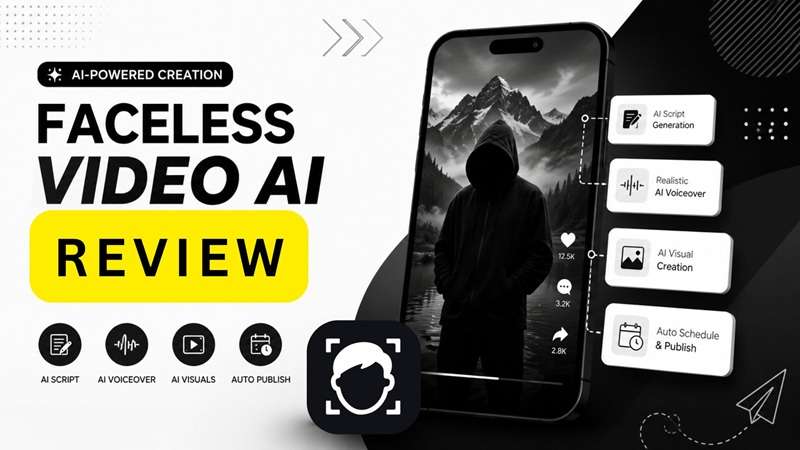
Faceless.video was created to help users manage several faceless channels without spending hours on daily content production. It is a web-based faceless video AI platform that turns a text or content idea into short videos in minutes. The service is principally created for the channels of YouTube, Tiktok, Instagram, etc.
The faceless video generator plays an important role in production. It serves to create visuals, voiceovers, and subtitles for the video, then prepares it for publishing. It can also connect with social accounts and post new content on a set schedule.
How to Access Faceless Video?
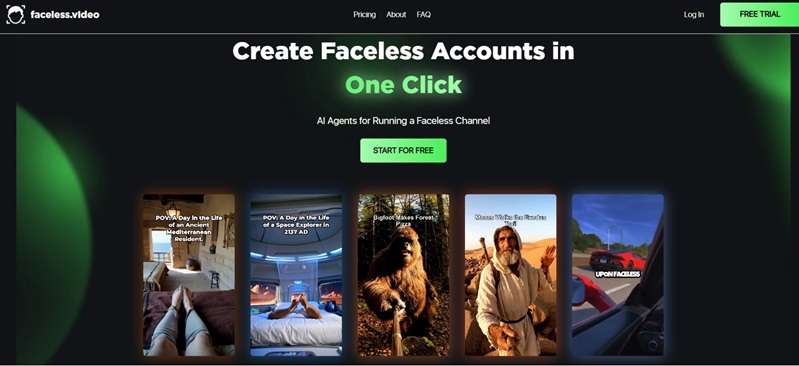
Faceless.video works through a web browser at https://faceless.video/. Sign up, pick a format, create a series, and connect a social account. As of August 2026, there are no public pages with an official Windows, macOS, Android, or iOS app.
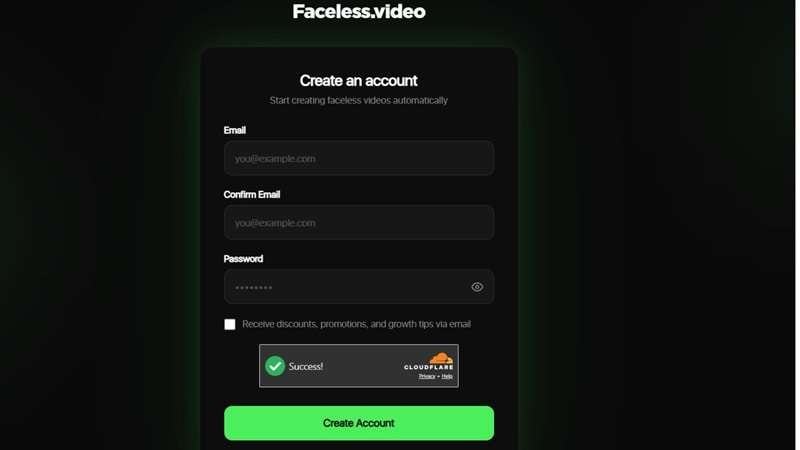
Therefore, do not download a Faceless Video AI mod APK from an unknown site. Apps from unknown sources can put your device and personal data at risk. Check the domain before entering a password or payment details. The official website is “faceless dot video” (https://faceless.video/).
Who Should Use Faceless Video?
Faceless.video best suits users who need frequent vertical posts. For example:
- Content creators: Build story, fact, motivation, or niche channels without filming.
- YouTubers: Make Shorts that support a main channel or test new topics.
- TikTok creators: Turn scripts and story ideas into regular posts.
- Agencies: Use higher plans for more credits and unlimited social accounts.
- Small businesses: Create quick videos for products, services, or offers.
Faceless.video is less useful for long videos or complex edits, as it lacks the deep control found in a full timeline editor.
Part 2. Is Faceless Video AI for Free?
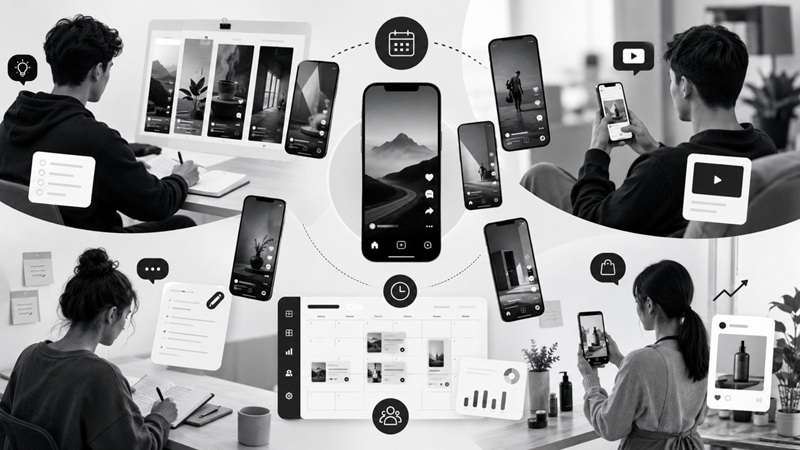
Faceless.video lets you test its video creation process before buying a plan. This free trial gives you a practical look at the platform, but it’s not a permanent Faceless Video free plan. For continued use, Faceless.video offers four paid plans: Starter, Daily, Double, and Studio.
Faceless.video Pricing (2026)
| Plan | Price | Monthly Credits | Social Accounts | Main Benefits |
| Starter | $20/mo or $168/yr | 30 | 1 | All video types and credit rollover |
| Daily | $35/mo or $300/yr | 60 | Unlimited | Priority rendering |
| Double | $59/mo or $492/yr | 120 | Unlimited | Higher monthly output |
| Studio | $149/mo | 350 | Unlimited | Dedicated support |
|
Show More
Show Less
|
||||
If you need more credits, you can also buy extra credits without changing your monthly plan, starting from $8 for 10 credits.
Part 3. Faceless Video Workflow Explained
Faceless.video keeps its feature set focused. The platform is mainly designed to create, schedule, and publish short faceless videos in three simple steps.
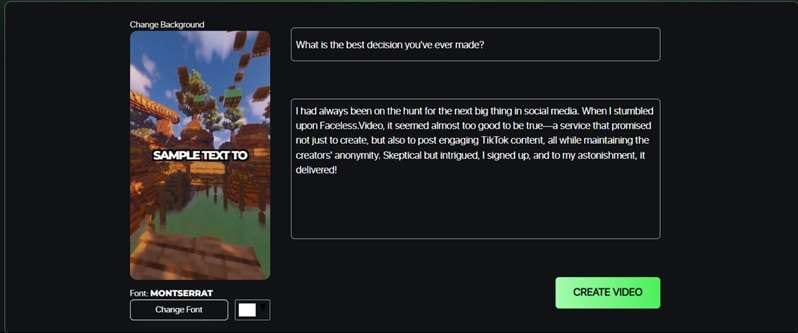
1. Choose your niche
Begin by selecting a niche and a proven content format. This gives the platform a clear direction and helps you avoid creating each faceless video from scratch.
2. Create and refine your video
The AI agents prepare an initial video draft based on your chosen format. You can then review and customize the draft to match your voice, message, and visual style before publishing.
3. Stay consistent
Set a schedule to generate drafts automatically and keep your content pipeline active. You can edit each draft before posting or allow it to publish as created.
Create AI Business Videos with Faceless Video

Faceless dot video also provides a business mode for making short promotional videos. It uses an AI avatar to present the offer, so the owner does not need to record each video. The platform can help with writing, editing, scheduling, and publishing content.
You can choose from five business templates:
- E-Book: Promote a digital book or guide.
- E-Commerce: Showcase items sold through an online store.
- Dropshipping: Create short product videos for a dropshipping business.
- Brick & Mortar: Promote a local shop or service.
- Physical Product: Present the features and uses of a tangible product.
Part 4. Faceless Video Pros & Cons
After trying it out, we can say that faceless video has its share of good and bad. Below, we’ll break them down so you have a better angle and considerations before deciding to subscribe to their plans:
- Turns scripts, clips, captions, editing, and posting into a workflow that takes minutes.
- Most users can set up a niche, voice, branding, and social accounts in under 10 minutes.
- The $20 Starter plan offers a lower-cost entry than many similar automation tools.
- Auto-posting can manage the full content pipeline without daily manual uploads.
- Some users report charges after the free trial, even when they believed they had canceled.
- Reviewers often mention slow support and difficulty resolving billing or refund issues.
- Videos may include misspellings, repeated ideas, or distorted visuals without manual checks.
- Auto-posting sometimes fails, forcing users to download and upload the video themselves.
Part 5. The Perfect Faceless Video Alternative: Wondershare Filmora
Faceless.video is useful for producing and scheduling automated AI Shorts. However, its narrow workflow may feel limiting when a video needs better pacing, custom scenes, stronger captions, or detailed audio edits.
Wondershare Filmora, on the other hand, offers a more flexible Faceless.video alternative. It combines AI video generation with a full editing timeline. You can create short videos from an idea or audio file, then refine each part before exporting.
Create Faceless Shorts in Different Ways
1. AI Idea to Video (Historical storytelling): Enter an idea such as “a day in ancient Rome from a first-person view.” Filmora can build the script, characters, scenes, and storyboard for a short AI story.
2. AI Audio to Video (Podcast repurposing): Upload a long history podcast and turn its strongest moments into vertical clips for YouTube Shorts, TikTok, or Instagram Reels. Filmora notes that this tool works especially well with story-based and historical audio.
3. Dynamic Caption (Silent-feed viewing): Add animated, speech-synced captions to a 45-second podcast clip so viewers can follow the message without sound. The text can be edited and styled after generation.
4. Timeline Editing (Fixing an AI draft): Replace an unrelated visual, shorten a slow section, adjust the audio, and restyle the subtitles before publishing the faceless video. Filmora allows generated video, audio, and captions to be edited separately.
 Secure Download
Conclusion
Faceless.video earns its place as a fast content engine for creators who value output over fine control. It can turn ideas into scheduled Shorts, support niche channels, and reduce the work of daily posting. Yet speed does not remove the need for review. Weak visuals, caption errors, failed uploads, and limited editing can affect the final result.
For a faceless video pipeline, the platform is practical. If you want more personality, cleaner pacing, and deeper polish, you may want to check out Filmora. Its AI creation tools and full timeline make each draft easier to shape into finished content.
FAQs About Faceless Video AI
-
Can I use Faceless Video for multiple social media accounts?
Yes. The Starter plan connects one social account. Daily, Double, and Studio support unlimited social accounts. The platform can schedule and publish a faceless reels AI to TikTok, Instagram Reels, and YouTube Shorts. -
Does Faceless Video support different languages?
Yes. AI faceless video generator offers multiple language and voice options. -
Can I upload my own media to Faceless Video?
Yes, but upload options may vary by workflow. For wider control, import your own videos, images, or audio into Filmora and combine them with the generated faceless video on its editing timeline.
