

 TL;DR:
ScreenRec is a safe, virus-free screen recording tool secured by AES-256 encryption, provided it is downloaded strictly from the official website to avoid bundled malware from third-party sources.
● Guest users are restricted to a 5-minute recording limit that requires a free account to bypass, and antivirus programs may flag the software as a Potentially Unwanted Application (PUA) solely due to its screen-capturing behavior.
● Cloud sync functionality relies entirely on a stable internet connection to prevent upload failures, and uninstalling the software may leave residual folders that necessitate manual deletion.
● ScreenRec is optimized for lightweight capture and instant 1080p MP4 link sharing on Windows, macOS, and Linux, while Wondershare Filmora is recommended for local offline workflows requiring scheduled recording, AI editing, and up to 8K exports across multiple formats.
Ask AI for a summary
 ChatGPT
 Perplexity
 Gemini
 Claude
 Grok
Grok
Searching for a free, no-limit screen recorder often leads to the question: Is ScreenRec safe to use? In this comprehensive ScreenRec review, we analyze its security protocols, data privacy standards, and whether it's a virus-free tool for your workflow.
Being a little skeptical is important when your data and privacy are on the line. This ScreenRec.com review will explain how ScreenRec deals with security, privacy and real life risks to your data. We will help you decide if ScreenRec should belong in your workflow or stay off your system.
Part 1: Is ScreenRec a Virus? Safety & Malware Scan Results
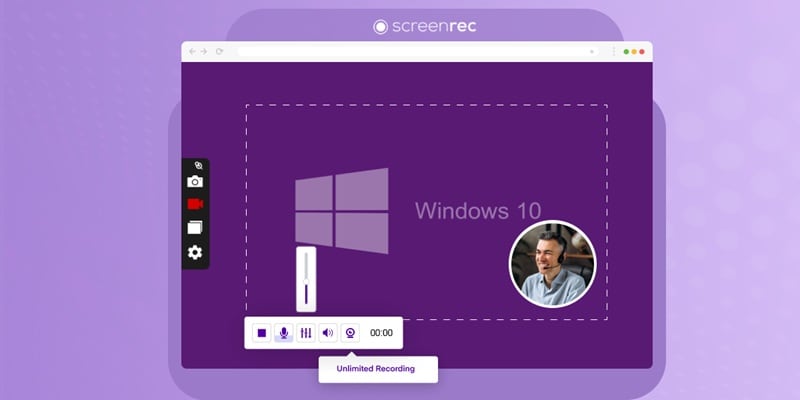
As a free screen recorder with no watermark, ScreenRec is a lightweight tool built for quick video capture. However, users often check ScreenRec reviews to ensure its AES-256 encryption and data privacy are up to industry standards.
Some of its main features include:
- Screen recording with audio: Record your screen along with microphone input and computer sound
- Webcam recording: Capture your webcam alone or record your screen with a webcam overlay.
- Screenshot capture and annotation: Take screenshots, add notes or highlights, and share them instantly.
- Instant sharing links: Automatically upload recordings and generate shareable links.
- Cloud auto-save: Store recordings online for quick access.
- No watermark or time limit: Create recordings without duration restrictions when you're logged in.
But before you download and install the software, let's check whether the installer is safe, free from malware, and secure enough to use on your device.
Installer & Bundled Software Check
Based on available checks and user reports, the ScreenRec installation package is clean when downloaded directly from the official website. This is the only trusted source for the original installer.
It doesn't include adware, browser hijackers, or hidden third-party programs. The setup process installs only the core screen recording software. This confirms there are no bundled PUPs inside the installer.
Antivirus Scan Behavior
Security tools generally report that ScreenRec is free of viruses, spyware, and ransomware. Some antivirus programs may flag it as "riskware" or a PUA. This happens because screen recorders can capture on-screen content. Recording starts only after the user initiates it.
Why the Official Website Matters
When you search for ScreenRec, you may see many download pages that look legitimate but are not actually the official source. Some of these sites repackage the installer or present modified files disguised as the original software, which can lead to several risks, such as:
- Malware infections that can harm your system or steal data.
- Bundled unwanted software installed without clear notice.
- Browser hijackers or adware that change settings or show intrusive ads.
- Altered program behavior due to modified or tampered code.
- Privacy risks if hidden scripts collect your personal information.
If you want to make sure ScreenRec is safe to install, always download it directly from the official website to ensure the file is genuine, secure, and unchanged.
Part 2: Data Privacy & Security: Is ScreenRec Private?
ScreenRec follows a clear privacy-first approach. The software doesn't collect personal data unless the user chooses to share it, such as when creating an account. Basic usage works without intrusive data requests.
Keeping the app updated ensures protection against known security risks. From a privacy standpoint, ScreenRec is private for standard and business use.
- AES-256 Encryption for Stored Data
- SSL/TLS Protection During Transfer
- Cloud Storage & Access Control
Part 3: ScreenRec Reviews: What Do Real Users Say in 2026?
So far, ScreenRec may sound safe to download, but does that mean there are no drawbacks? We have gathered feedback from users across different review platforms and forums to get you a more balanced view of the tool.
Trustpilot: ★ 4.6/5 (1,200+ reviews)
On TrustPilot, many reviewers describe ScreenRec as simple, fast to install, and easy for daily screen capture. Sharing via a quick link is a recurring highlight, and support replies also appear in several posts. Some negative reports include a few users mentioning failed captures like black screens or frozen frames in certain situations.
G2: ★ 4.7/5 (10+ reviews)
On G2, reviewers often highlight ease of use and a lightweight feel. People also mention recording with audio as a practical win for teaching and remote work. The biggest downside trend is quality. Some users feel the video output is weaker, and a few report recording issues.
Reddit (r/ScreenRec)
On Reddit, comments are usually short and practical. Users often call it lightweight and suitable for basic needs, while others still recommend OBS for heavier use cases.
Pros and cons from real-world use
- Free use feels generous after signing up. Recordings can stay watermark-free and unlimited for many users.
- The app is small and runs smoothly on modest PCs. People often describe it as "lightweight."
- Sharing is quick through private links, which many reviewers value for work and support tasks.
- One-click recording
- Editing tools are limited. Post-record tweaks can feel restrictive for creators.
- The annotation experience can feel awkward for detailed markup.
- Guest mode is constrained. Some users hit short recording limits until they sign in.
- Cloud upload can be inconsistent for some people, especially when the connection is unstable.
Part 4: Potential Risks and Limitations You Should Know
A tool can be safe and still imperfect. ScreenRec avoids major threats, but small limits and usage conditions can affect how smoothly it fits into real workflows.
Download Risks from Unofficial Sites
The main risk comes from outside sources, not the software itself. Third-party sites may host altered installers that include malware. To stay safe, always download from the official website. This step alone reduces most risk mentioned in ScreenRec reviews.
Cloud Sync Limits
ScreenRec uploads recordings to the cloud for sharing. The files are encrypted, but syncing depends on a stable internet connection. If the connection drops, uploads may pause or fail until it is restored.
Uninstall Leftovers
Some users notice leftover folders after uninstalling ScreenRec. Manual removal may be needed. This behavior does not suggest malicious intent.
Guest Recording Limit and Account Data
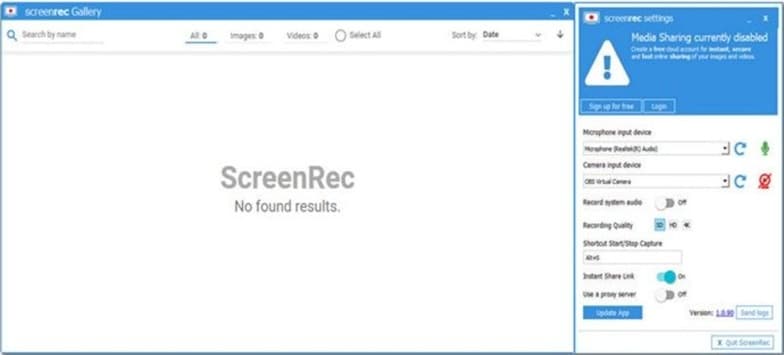
Without logging in, recordings are capped at five minutes. Creating an account removes this limit. After login, ScreenRec collects basic account and usage data to operate its cloud service.
Part 5: ScreenRec vs. Filmora: Secure Recording & Advanced Video Editing
ScreenRec is built for fast capture and instant sharing. But it offers limited editing control and lower output flexibility. When recordings need refinement, higher-quality export, and full post-production control, Wondershare Filmora gives you a more complete solution.
Filmora is a video editing software that includes a screen recorder as one of its built-in features. After capturing your screen, the result goes straight to the editing timeline, where you can trim clips, add effects, adjust audio, insert captions, and refine the recording before exporting it.
 Secure Download
This level of editing control in Filmora is something that's unavailable in ScreenRec. If you are asking "is ScreenRec good", the answer depends on what happens after you hit "Stop."
ScreenRec vs Filmora: Key Differences That Matter
| Category | ScreenRec | Filmora |
| Platforms | Windows, macOS, Linux | Windows, macOS |
| Security and privacy control | Uses encrypted cloud storage and private share links. | Lets you keep projects local and export locally, reducing cloud exposure for sensitive work. |
| Recording controls | Quick manual capture, simple annotation, and instant sharing. | Scheduled recording, auto start/stop, keystroke and mouse tracking. |
| Editing depth | No full editor; limited post changes. | Full editor with advanced tools and AI features. Edit screen, webcam, and audio separately. |
| Output quality | 1080p | Supports high-quality exports up to 8K |
| Export formats | MP4 only | Exports to many formats, including MP4, MOV, AVI, MKV, and more. |
|
Show More
Show Less
|
||
In short:
- ScreenRec prioritizes speed. It records, uploads, and shares quickly. It's free to use, but the quality is capped at 1080p with a limited file format (MP4 only) when exporting.
- Filmora combines screen recording with a full editor and advanced creation tools, so you can secure and polish the final video in one place. Filmora also supports scheduled start/stop recording and on-screen keystrokes and mouse clicks.
What You Get with Filmora After Recording
Audio Clarity and Voice Control
- AI Audio Denoiser removes background noise and sharpens voice clarity with adjustable slider control.
- Voice Changer lets creators modify tone for clarity, privacy, or presentation style.
- Audio Detach allows sound to be separated and saved independently for safer reuse or cleanup.
Text, Language, and Accessibility
- Speech-to-text converts spoken content into subtitles, improving accuracy and accessibility.
- AI Translation supports multilingual output with lip-sync alignment, useful for global sharing.
Creative Asset Library
- Music and sound effects to enhance mood, improve storytelling, and make videos more engaging.
- Transition and effects to create smoother scene changes and add visual impact.
- Stickers and text to highlight key points, add branding, or make content more expressive.
File Control and Delivery
- Advanced Video Compression reduces file size while preserving visual quality.
- Video Enhancer improves sharpness, color, and overall video clarity in one click.
Conclusion
ScreenRec proves that simple tools can still be secure. This Screen rec Review shows it installs cleanly, protects data with strong encryption, and keeps sharing controlled when used as intended. Real feedback confirms the same pattern. Fast setup. Low system load. Clear limits. That answer is ScreenRec safe for everyday capture and internal use.
Still, recording is only the first step. Once clips need cleanup, structure, or polish, the workflow often shifts. That is where tools like Filmora quietly fit in, extending raw recordings into finished, reliable videos without changing how you capture. The value lies in pairing speed with control, not replacing one with the other.

FAQ
-
Is ScreenRec a virus?
No, ScreenRec is not a virus. As long as you download it from the official screenrec.com website, it is a clean, legitimate productivity tool. -
Does ScreenRec have a time limit?
For guest users, there is a 5-minute recording limit. Creating a free account gives you unlimited recording, which is often highlighted in positive ScreenRec reviews.
