


 TL;DR:
Because Kapwing is a strictly cloud-based video editor that discontinued its official Android app on March 24, 2023, unofficial "Kapwing Mod APKs" cannot bypass server-side paywalls and primarily expose devices to malware or data theft.
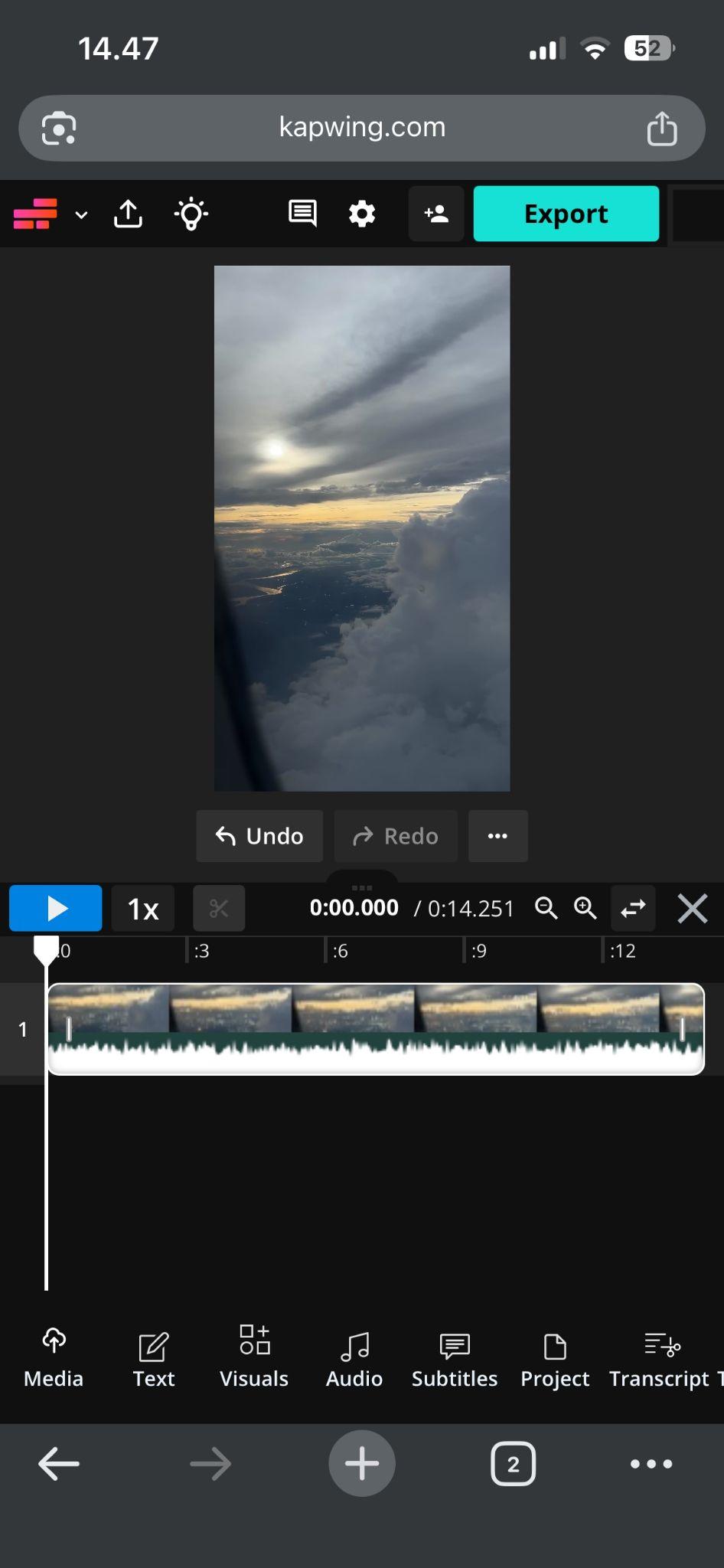
● To safely use Kapwing on mobile devices, access the official website via Chrome or Safari and select "Add to Home Screen" to create a web shortcut, which requires a constant internet connection to function.
● Free Kapwing accounts restrict users to 1-minute, 720p watermarked exports, making the $16 Pro tier the only legitimate method to unlock 4K resolution, 2-hour export limits, and advanced AI dubbing.
● Users who need a stable, native mobile application over a browser-based workaround should switch to Wondershare Filmora, which provides full offline timeline editing and dedicated software for both mobile and desktop.
Ask AI for a summary
 ChatGPT
 Perplexity
 Gemini
 Claude
 Grok
Grok
Kapwing is a browser-based video editor that runs entirely online, not something you install like a typical mobile app. But many still search for terms like Kapwing mod APK, hoping to use it on Android or unlock premium features for free.
Kapwing APK mods are unofficial and can expose your device to serious risks. We’ll break down what those APK files really are and show you the safest way to use Kapwing on mobile and better alternatives that give you full editing capabilities without compromising your security.
Part 1. Why Kapwing APK Looks Like an Option at First
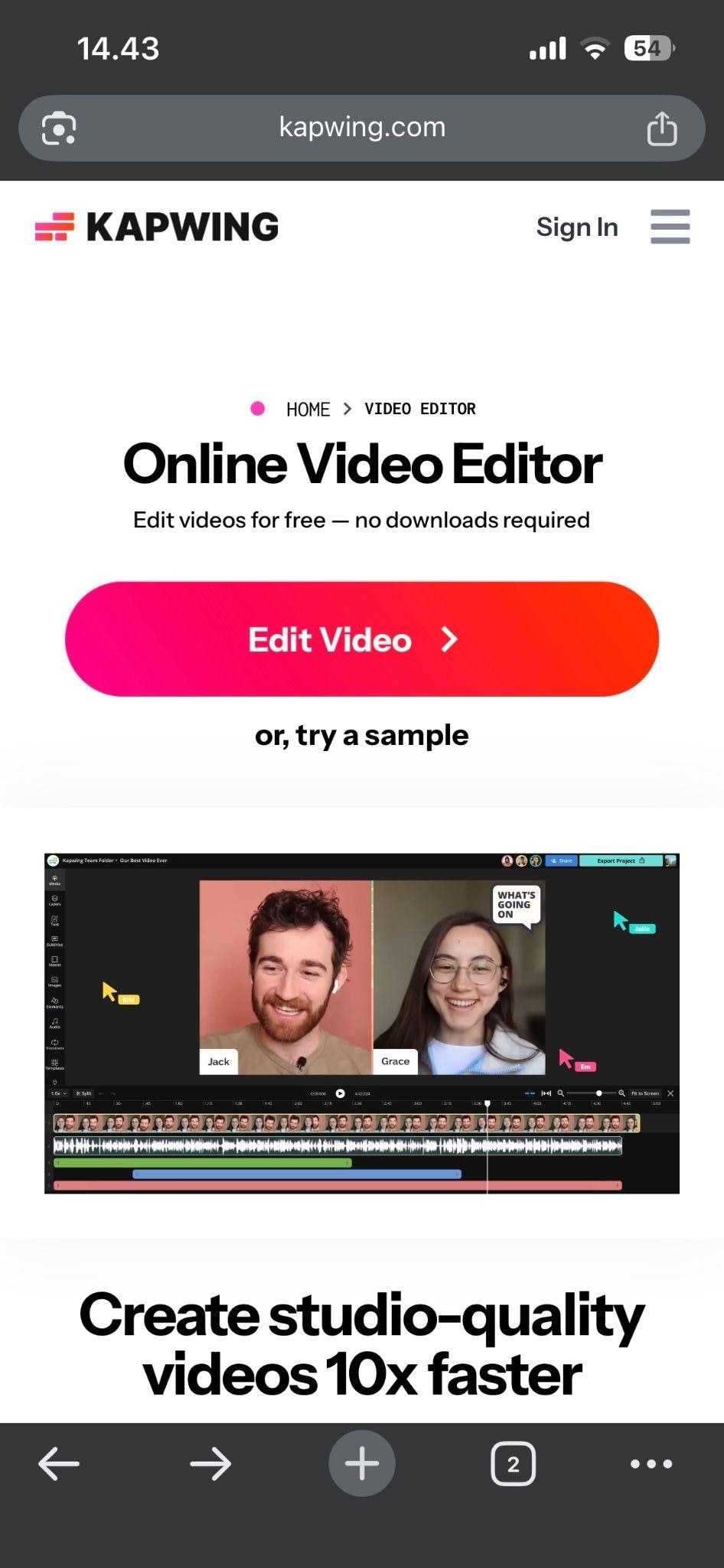
Kapwing is designed to be simple, fast, and accessible. You can cut clips, add subtitles, resize videos, and even use AI tools directly in your browser without installing anything. The official way to use it is through their website: https://www.kapwing.com/.
Since everything runs online, Kapwing works across devices. However, this is also where confusion begins. For users familiar with installing apps, a Kapwing APK might seem like a more practical option, especially on Android.
Kapwing (Official) vs Kapwing Mod APK
| Kapwing (Official) | Kapwing Mod APK | |
| Availability | Web-based, accessible via browser | Unofficial, found on third-party sites |
| Developer | Kapwing | Unknown or unverified sources |
| Safety | Secure and regularly maintained | High risk of malware or data theft |
| Updates | Frequent feature and security updates | No reliable updates |
| Login & Sync | Cloud-based, sync across devices | Often limited or broken |
| Performance | Stable, server-powered processing | Inconsistent, may crash or lag |
| Support | Official help center and support | No support available |
Why most people find Kapwing APK Pro attractive:
- Kapwing no longer offers an Android app. As of Mar 24, 2023, the Kapwing app for Android has been discontinued. While it still works in a mobile browser, the experience isn’t as seamless as a dedicated app, which pushes users to look for APK versions.
- Avoiding subscription costs. Many users just want to export a few videos without a watermark. Paying for a full subscription can feel unnecessary, so a promise on “Kapwing mod APK no watermark” sounds appealing.
- Faster access without login or cloud dependency. Since Kapwing relies on the cloud, some users prefer an offline APK that can be used anytime without needing to log in or have an internet connection.
- Influence from misleading download sites. Many third-party sites claim to offer the Kapwing APK download for Android. These pages often rank well in search results, which makes it seem like a real option even though Kapwing is not designed that way.
Part 2. What You Get in Kapwing Pro vs Free
One of the biggest reasons people start looking for a Kapwing mod APK is the cost. Kapwing offers a freemium model. That means you can use it for free, but certain features are limited unless you upgrade to a paid plan or “Kapwing Pro.”
What Kapwing Pro includes:
- No watermark on exported videos
- More AI credits for tools like dubbing and background removal
- Faster processing and higher export quality
- Access to premium templates, stock assets, and AI tools
- Longer video duration and more cloud storage
Kapwing Free vs Pro vs Business
| Free | Pro | Business | |
| Pricing | Free | $16 | $50 |
| Credits | 10 | 1,000 | 4,000 |
| AI Tools | Auto-subtitling & Text to speech | Auto-subtitling, Text to speech, Dubbing, Edit videos with AI | Same with Pro, but with more duration limits |
| Max. Video Length Export | 1 minute | 2 hours | 2 hours |
| Watermark | |||
| Video Quality | 720p | 4K | 4K |
Part 3. The Reality Behind Kapwing Mod APK
If you see sites that claim they offer a "Kapwing Mod APK," promising premium features for free, no watermarks, or unlimited exports without a subscription, you should treat them with skepticism because these files are almost certainly fake, harmful, or both.
Since Kapwing runs on cloud-based systems, its core features cannot simply be “unlocked” offline through a modified APK. That alone is a major red flag.
The Risks of Downloading Kapwing Pro APK
- Malware and hidden spyware. These APKs can secretly track your activity, steal files, or even access sensitive data such as passwords and media.
- Fake or non-functional apps. Some APKs do not work at all, or they only open a basic web view with limited features, far from the real Kapwing experience.
- Data theft and privacy issues. Granting permissions to unofficial apps can expose your photos, videos, and personal information without your knowledge.
- Unstable performance. Frequent crashes, failed exports, and poor video quality are common with modified apps.
- No updates or fixes. Unlike official tools, these apps receive no improvements, leaving bugs and security issues unresolved.
- Account bans or restrictions. If you attempt to log in, your account could be flagged or restricted for violating platform policies.
Sites that promise on “Kapwing premium unlocked APK” might offer things for free, but it can't deliver the real Pro experience. You're trading your device security and personal data for a broken version of a tool that might not even work properly.
Part 4. How to Use Kapwing on Android Safely
Now that you know the risks of unofficial APKs, the better approach is simple: use Kapwing as designed. You can still edit videos on your phone without installing anything risky.
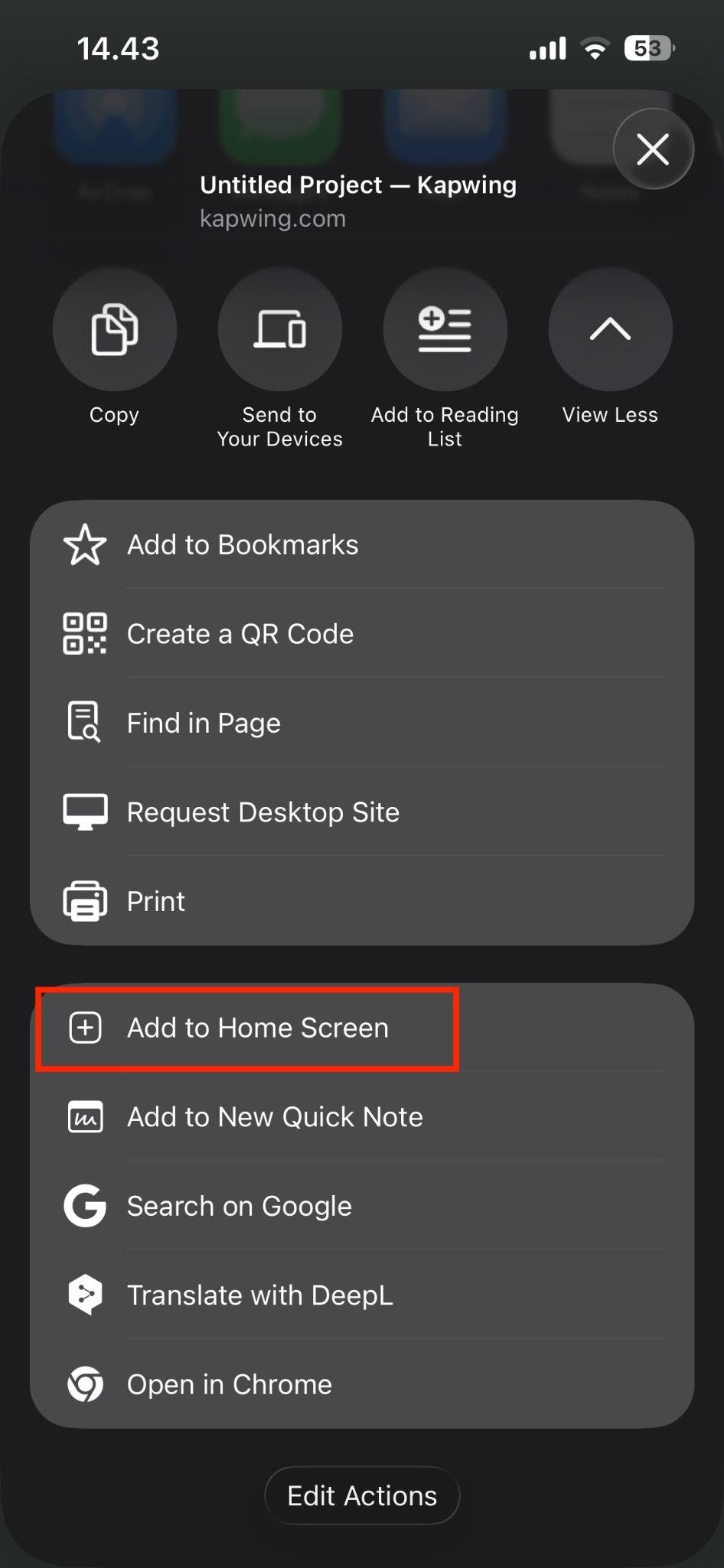
If you want a more app-like experience, you can easily create a shortcut:
- Tap the browser menu (three dots in Chrome)
- Select “Add to Home Screen”
- Launch Kapwing anytime like a regular app
This gives you quick access without installing any unofficial APKs.
Tips for a Better Experience
- Use landscape mode for a wider editing area
- Ensure a stable internet connection for smoother performance
- Close background apps to avoid lag during exports
Part 5. If You Want a Real Mobile Editing App, Try Filmora
If what you really want is a proper app experience, not a browser workaround or a risky APK, then it makes more sense to switch to a tool built for mobile.
Wondershare Filmora is a strong alternative to Kapwing, especially if you prefer editing directly on your phone. Unlike Kapwing, Filmora is available as both a mobile app and desktop software, which makes performance more stable and consistent across devices.
Why Filmora Is a Better Fit for App-Based Editing:
- Free version available to test out the app
- Works across multiple devices with cloud sync
- Chances to get premium features for free through trials and events
- Real timeline editing for full control
- AI tools, editing features, and built-in assets in one place
If Kapwing is about quick, browser-based editing, Filmora is about control and flexibility. Rather than forcing a web-based tool into an APK format, using a dedicated app like Filmora gives you a smoother, safer, and more complete editing experience from the start.
 Secure Download
Conclusion
At first glance, Kapwing mod APK seems like a tempting option. No watermark, no subscription, just download and go. But once you look closer, that promise quickly falls apart. Since Kapwing relies on cloud-based features, most APK versions simply cannot deliver the real experience. What you often end up with is an app that’s stripped of features, unstable, or even risky.
If you want quick edits, using Kapwing in your browser already gives you the full, official tool without compromise. And if you want a smoother, app-style workflow, Wondershare Filmora gives you that control in a much more reliable way.
FAQs
-
Is Kapwing good for beginners?
Yes. Kapwing is designed to be beginner-friendly, with a simple interface and tools like drag-and-drop editing, templates, and automatic subtitles. Many of its features are automated, so you can create videos without any prior editing experience. -
Does Kapwing work offline?
No. Kapwing is a fully cloud-based editor, which means it requires an internet connection to function. All processing, saving, and exporting happen online, not on your device. -
Does Kapwing support AI video generation?
Yes. Kapwing includes AI video generation tools that can turn text prompts, scripts, or images into videos. It also offers features like auto-subtitles, B-roll generation, and AI avatars to speed up content creation. -
What browsers work best for Kapwing on mobile?
Kapwing works best on modern browsers like Google Chrome and Safari. These browsers support the performance and features needed for smooth editing, especially on mobile devices. -
Can I collaborate with others on Kapwing projects?
Yes. Kapwing allows real-time collaboration, where multiple users can edit, comment, and review projects together in a shared workspace. The tool is useful for teams and content creators working remotely.
