


According to Canva's State of Marketing and AI report, 49% of marketers worldwide use AI every day to create images and videos. As AI becomes part of everyday content creation, many creators are looking for a platform that can handle more than just one task.
One platform that stands out is Krea AI. It combines image generation, video creation, enhancement tools, and creative editing features in one place. But does it actually deliver? In this review, we'll walk through its features, pricing, and overall experience to help you decide whether Krea AI is the right fit for your creative workflow.
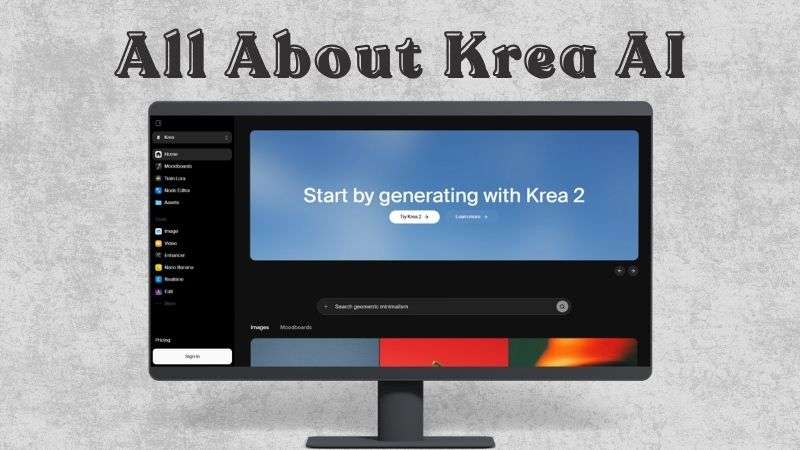
Part 1. Discover What Krea AI Can Do
Think of the Krea AI app as an all-in-one creative workspace powered by AI. You can generate, edit, and enhance both images and videos with just a few prompts or reference materials. To better understand what Krea AI offers, let's take a closer look at its key features.
Image Creation
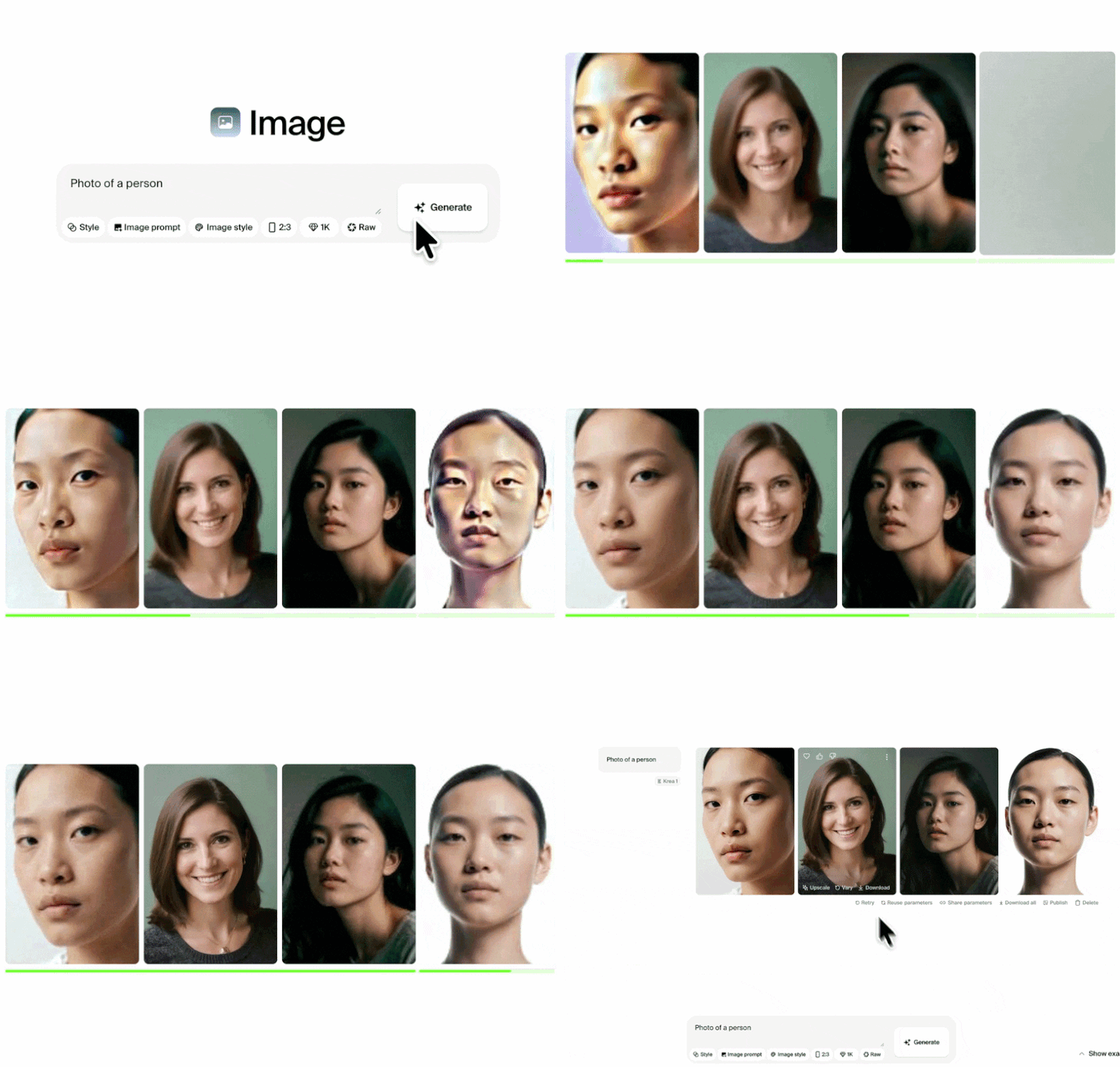
With Krea AI Image Generator, you can create images from a text prompt or a reference image. It supports a wide range of visual styles, including realistic, cartoon, sketch, and surreal artwork. It also gives you access to AI models such as FLUX, Krea, Nano Banana, ChatGPT, and Wan.
Also, there is a Moodboard tool to help when you’re working on a visual concept. You can upload up to 250 reference images, and Krea AI will analyze their overall style and apply a similar visual direction to your generated content.
Video Creation
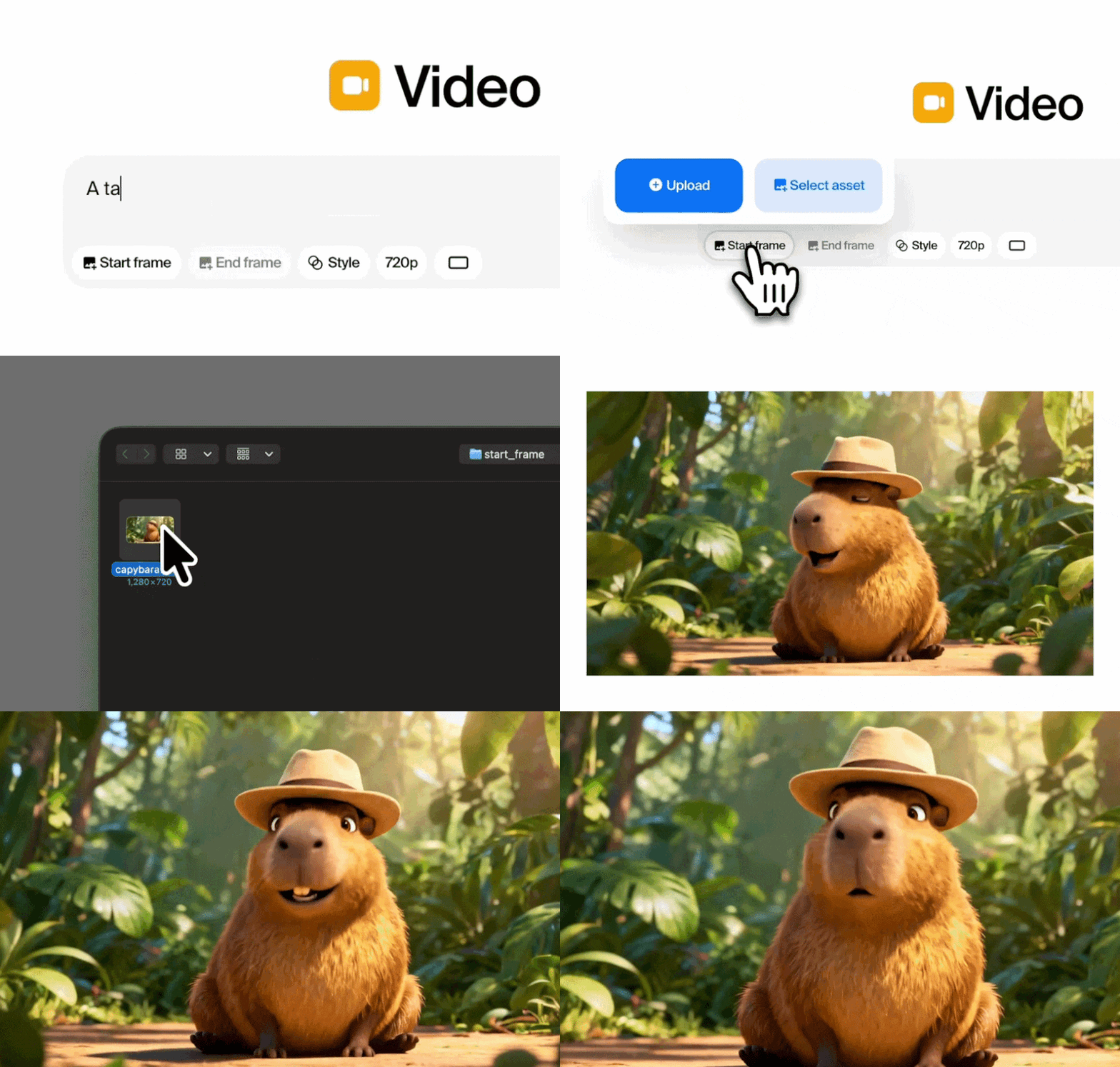
Turn text prompts or images into videos with Krea AI's Video Generator. You can also extend existing clips, merge multiple scenes with AI-generated transitions, or continue a video from its final frame. With 27 AI video models to choose from, it's easy to match the style you're aiming for.
Enhance Images & Videos

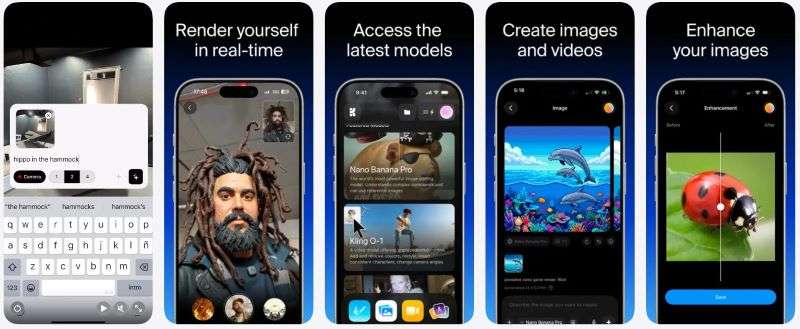
If you already have images or videos to work with, Krea AI Enhancer helps improve their quality without starting over. You can access it at https://www.krea.ai/apps and select Image Enhancer to increase image resolution up to 22K and enhance videos up to 8K resolution. Plus, you are able to refine details such as textures, lighting, colors, and facial features.
Real-Time Generation
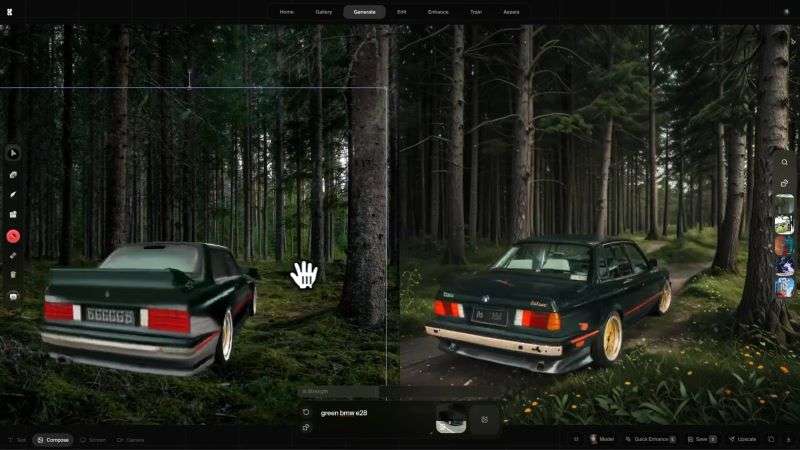
With Krea AI Real-Time Generation, every change appears almost instantly. Whether you're drawing, typing, or adjusting your prompt, the AI updates the results in under 50 ms. Plus, the Krea AI app's image real-time feature can turn photos, sketches, and drawings into realistic visuals or artistic creations.
Create with Node Editor
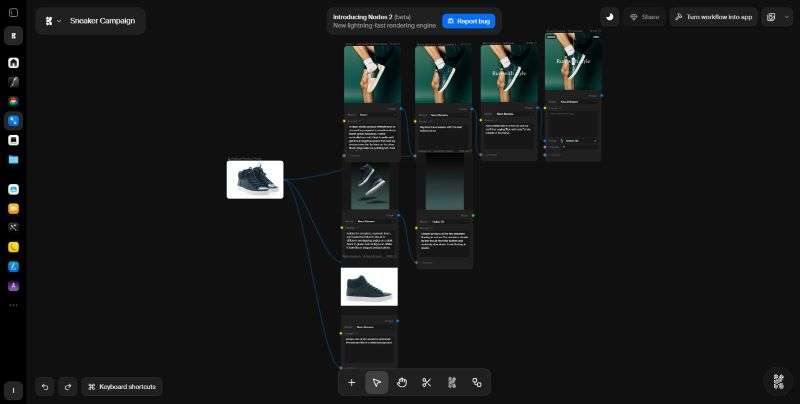
If you need more control over how AI generates your content, Krea AI's Node Editor lets you build custom AI workflows by connecting different generation and editing tools. It's useful for more advanced creative projects and automated workflows. You can even use it to create assets such as a Krea AI logo while adjusting each step of the generation process.
Create Your Own LoRA Models
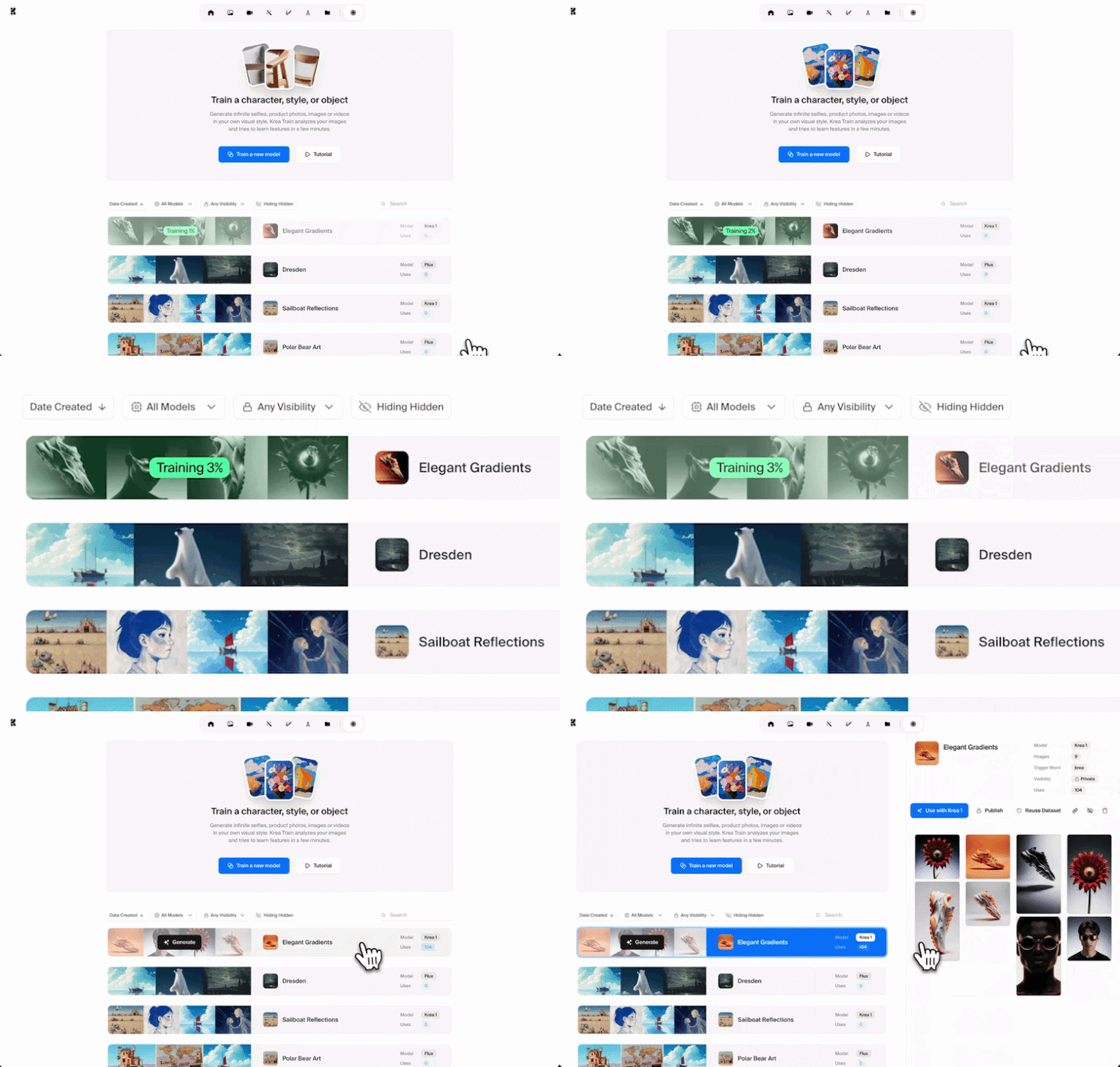
If you frequently generate the same character, product, or art style, Train LoRA can save time. Simply upload multiple images of the same person, product, or visual style. Then, Krea AI learns those characteristics for future image and video generation. Krea also provides additional guides on its Krea AI X account.
AI 3D Generation
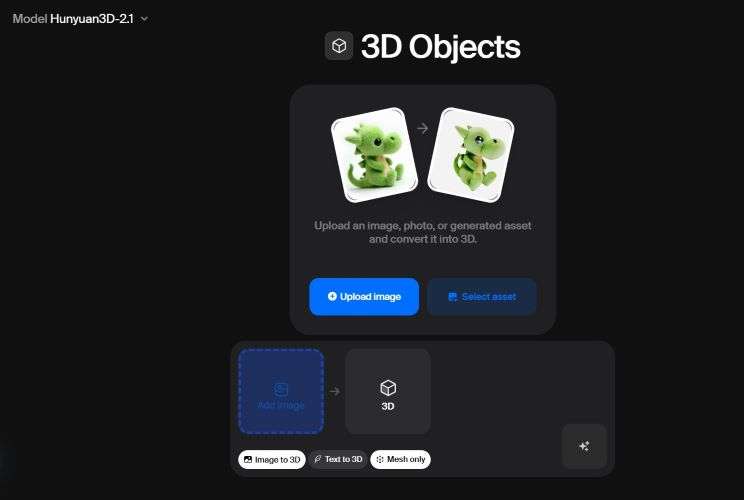
Krea AI 3D Generation helps you turn text prompts or reference images into 3D objects. The feature supports several leading 3D AI models, including Hunyuan 3D, TRELLIS, and Tripo AI. You can choose between a complete textured model or a mesh-only output based on your needs.
Part 2. How to Access Krea AI and Its Pricing
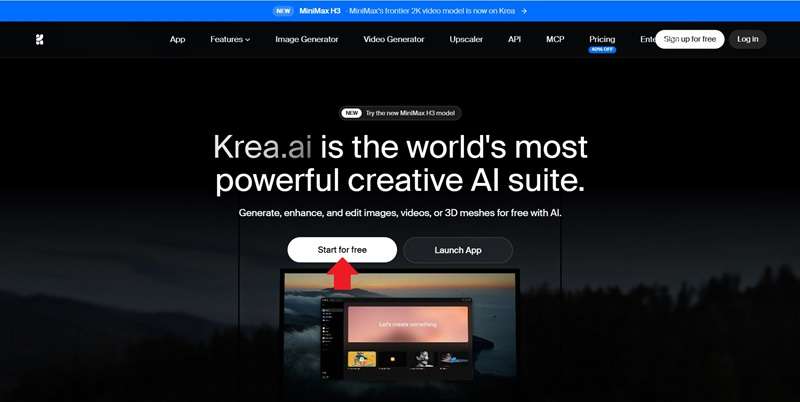
The primary way to use Krea AI is through its web platform. Visit the official https://www.krea.ai website and click Start for Free. After completing the Krea AI login, you'll be taken to the dashboard where you can start exploring its AI tools.
Krea AI is also available for Apple users. You can download it on iPhone, iPad, and Mac, making it easier to continue your projects across different Apple devices. The app currently holds a 4.5-star rating on the App Store.
Breaking Down Krea AI Pricing
Now comes the question most people ask first: Is Krea AI free? Fortunately, the answer is yes. Krea AI offers a free plan that lets you explore the platform, test its AI models, and see whether it fits your workflow before upgrading. Here's what's included:
- Get 100 units daily
- Generate images using the Krea 2 model
- Create videos using the LTX-2 model
- Limited use of LoRA training and image upscaling tools
For heavier workloads and more advanced features, upgrading may be worth considering. Krea AI offers three pricing plans: Basic, Pro, and Max. Let's compare what each plan includes.
| Aspect | Basic | Pro | Max |
| Monthly Price | $9 | $35 | $70-$165 |
| Units | 5.000 | 20.000 | 40.000-100.000 |
| Image Generation | All AI Models | All AI Models | All AI Models |
| Video Generation | Limited AI Models | All AI Models | All AI Models |
| Simultaneous Generations | 4 Images & 2 Videos | 8 Images & 4 Videos | Unlimited |
| Krea AI Enhancer | 625 images | 2.500 images | 5.000 images |
| Train LoRA | 5 | 21 | 43 |
|
Show More
Show Less
|
|||
Part 3. Where Krea AI Shines and Where It Could Improve
After exploring Krea AI from different angles, it's clear that the platform has plenty to offer. That said, no AI tool is perfect. Below are the strengths that stand out, along with a few limitations worth keeping in mind.
- Clean and Intuitive Interface: The interface is clean and well organized, making it easy to navigate even if you're new to AI creative tools.
- Wide Selection of AI Models: Krea AI brings together a wide range of up-to-date AI models in one platform. This makes it easier to compare different models and experiment with various visual styles.
- Worth Trying for Free: The free plan includes enough features to explore the platform and decide whether it fits your creative workflow before upgrading.
- Fast Generation Speed: Image and video generation is generally quick, even on the free plan.
- Unclear Unit Consumption: It's difficult to estimate how many units a project will consume beforehand.
- Limited Customer Support: Support is mainly available through the official Discord community, with no dedicated email or ticket system.
- Output Quality May Vary: The Krea AI enhancer occasionally produces unwanted blur, grain, or color changes.
- Limited Editing Tools: While Krea AI can enhance and refine your content, it isn't designed for advanced editing or complex post-production.
Part 4. Who Will Get the Most Out of Krea AI?
From social media content to professional design work, Krea AI supports a wide range of creative projects. Here's who can benefit the most from the platform and how they can use it.
| Best For | How Krea AI Can Help |
| Social Media Creators | Generate eye-catching images, AI videos, thumbnails, and short-form content. |
| Designers & Creative Teams | Explore concepts, build mood boards, test visual styles, and create references before moving into production. |
| Brands & Marketing Teams | Produce campaign visuals, product mockups, social media assets, and advertising materials more efficiently |
| Filmmakers & Storytellers | Develop storyboards, scene concepts, character references, and cinematic visuals before filming begins |
|
Show More
Show Less
|
|
Bonus: Turn Your AI Creations into Videos with Wondershare Filmora
Krea AI does a great job of generating images, videos, and creative concepts. But once those assets are ready, you may want to combine everything into a complete video. While Krea AI includes basic editing tools, they're not designed for more advanced editing projects.
In that case, Wondershare Filmora offers a much more complete editing experience. It gives you a full video editor with a flexible timeline, creative effects, and AI-powered tools. You can edit, arrange, and polish your content before publishing.
 Secure Download
Edit Anywhere Across Devices
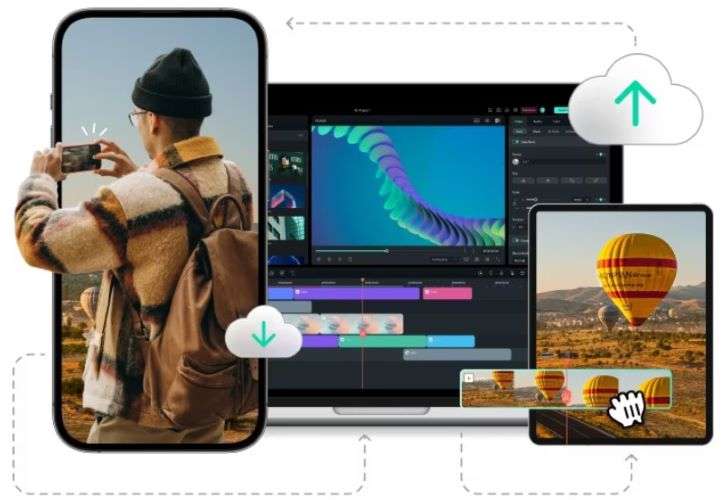
Filmora is available on Windows, macOS, iOS, and Android, so you can edit wherever you feel most comfortable. Your projects are synced across supported devices, making it easier to continue working without starting over.
Turn AI Visuals into Videos
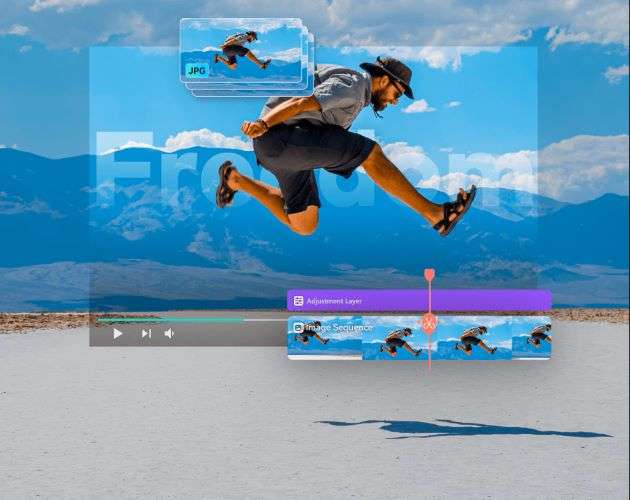
Filmora comes with an intuitive timeline editor that lets you arrange clips, trim unwanted sections, and line up every scene with greater precision. If you've generated multiple AI images, the Image Sequence to Video feature can automatically turn them into a smooth animated video.
Massive Creative Asset Library
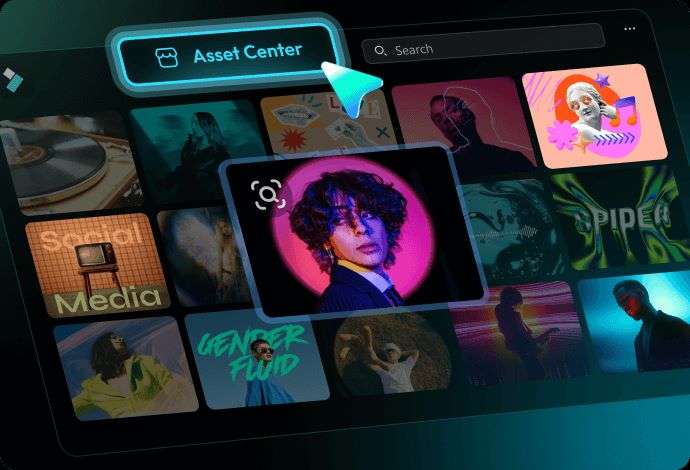
Filmora gives you access to a rich collection of stock media and royalty-free music that you can use in your projects. It also comes with a wide range of transitions and effects to help make your videos more engaging.
Resize Videos for Any Platform
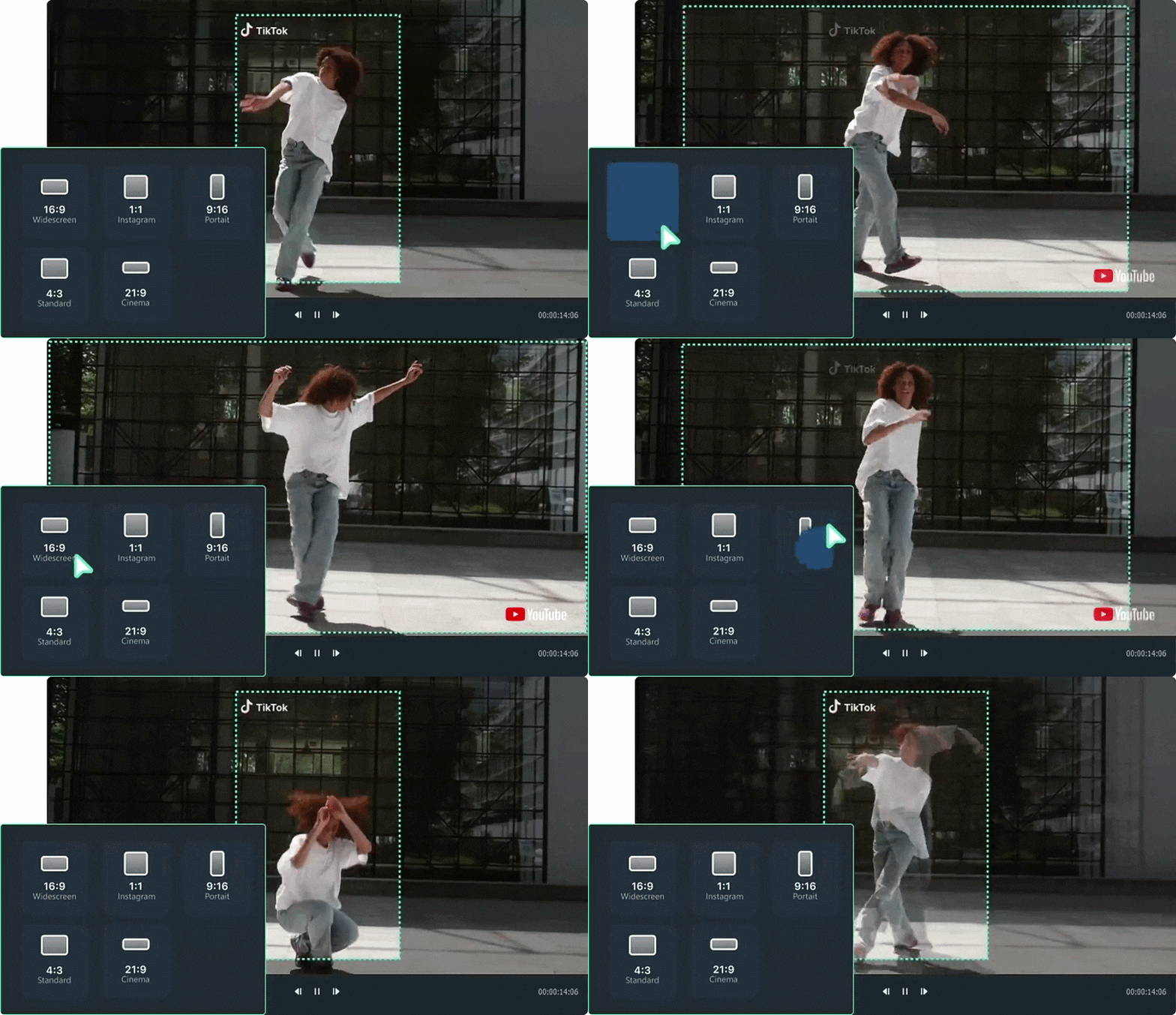
Filmora's Auto Reframe quickly converts your videos into different aspect ratios. The AI keeps the focus on the main subject, so your videos stay well-composed even after resizing.
Plan and Schedule Social Media Content
If you're managing multiple social media accounts, the Social Content Planner can help simplify your workflow. It lets you organize and schedule your content ahead of time, so posting becomes more consistent.
 Secure Download
Conclusion
Krea AI brings many AI creative tools into one platform. You can generate images, videos, train custom LoRA models, and even enhance your content in one place. It also gives you plenty of AI models to choose from, so you can experiment with different styles until you find the one that fits your project.
Once your visuals are ready, you can continue everything in Filmora. You can refine the visuals, improve audio, add motion graphics, transitions, and effects, then export everything from a single workspace.
FAQs
-
1. Is Krea AI Photo Editor and Krea AI Enhancer the same?
No. Krea AI Photo Editor refers to the platform's image editing tools, while Krea AI Enhancer focuses specifically on improving image quality, such as increasing resolution and adding more detail. -
2. Is Krea AI Enhancer free to use?
Yes, Krea AI Enhancer is available on the free plan with limited usage. If you need higher enhancement limits, you'll need to upgrade to one of Krea AI's paid plans. -
3. Can I use Wan 2.5 in Krea AI?
Yes. You can use Krea AI Wan 2.5 for video generation. However, it is only available for users with a paid plan subscription.
