


 TL;DR:
Motionleap by Lightricks effectively transforms still photos into dynamic MP4 animations using intuitive touch controls, serving as a quick tool for casual social media creators despite its high Pro subscription cost and imprecise brush-based masking.
● The application is strictly mobile-only, requiring Android 7.1+ or iOS 17+/visionOS 1.0+, and allows free users to export 6 to 60-second unwatermarked animations at 1080p, while the Pro tier priced between $4.99 per month and a $206.39 one-time payment unlocks 4K exports and expanded asset libraries.
● Users must manually zoom in when using the touch Brush tool to prevent directional animation effects from bleeding into unintended areas of the photo, and the Text-to-Image AI feature introduced in 2022 frequently requires prompt regeneration due to inconsistent visual outputs.
● While Motionleap is best suited for applying single-image motion effects like water ripples or beat-synced skies on the go, Wondershare Filmora is the necessary alternative for professionals needing a magnetic multi-clip timeline, cross-platform PC compatibility, and a post scheduler to assemble those animations into comprehensive videos.
Ask AI for a summary
 ChatGPT
 Perplexity
 Gemini
 Claude
 Grok
Grok
Photos are great for capturing a moment, but they can still feel flat. But adding motion changes that, and that’s the idea behind tools like Motionleap.
Formerly known as Pixaloop, Motionleap is a mobile app by Lightricks that helps users animate still photos with simple tools. It has over 50 million downloads on the Google Play Store, but does Motionleap photo animator really deliver good results?
In this review, we’ll explore the app’s features, test its photo animation tools, and share our honest thoughts about how it performs.
Part 1. Get to Know Motionleap: The Photo Animation App
Lightricks first released Enlight Pixaloop in 2018. Two years later, the company rebranded the app and changed its name from Pixaloop to Motionleap.
Motionleap is pretty easy to use. You simply mark the part of the image you want to animate, choose the animation style, and the app will turn your photo into a moving visual. With Motionleap, anyone can bring a single image to life without a complex setup or a steep learning curve.

Where to Download Motionleap
You may wonder how to get the Motionleap by Lightricks app. As of now, it’s only available on mobile, which is actually very practical. You can make quick edits and upload them to social media while you’re on the go, without carrying a laptop around.
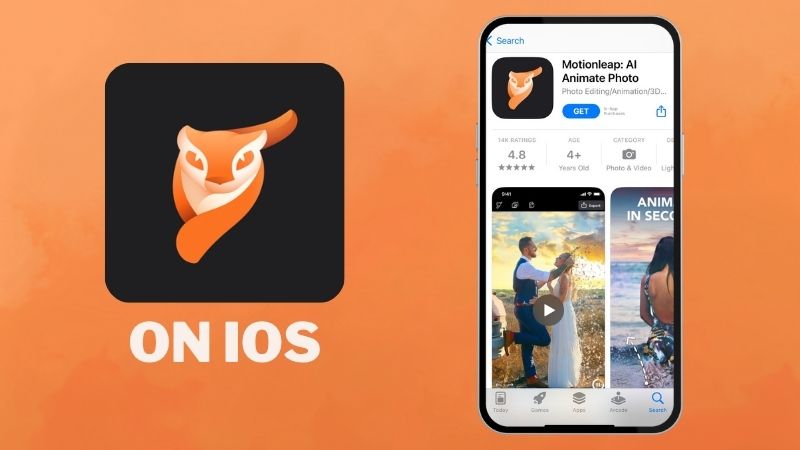
For Apple users, you can download Motionleap by Lightricks from the App Store. It works on iOS 17, visionOS 1.0, or newer versions. The app supports up to 14 languages. Also, it has a 4.8 out of 5.0 rating from 14 thousand reviews.
For Android users, you can download the Motionleap app from the Play Store. It’s available for Android version 7.1 and up, with over 50 million downloads. Out of 343 thousand reviews, Motionleap holds a 4.5 out of 5.0 rating.

Is Motionleap Free? A Look at Its Pricing
Now, we’re down to the question: is the Motionleap app free? Well, there is a free version, and it lets you explore and use most of the core motion tools quite comfortably, so you can still enjoy the app without paying.
However, if you want to upgrade, the Motionleap premium version is called Motionleap Pro. There are three pricing options:
- $4.99 per month
- $9.99 per month billed yearly
- $206.39 one-time payment.
See the table below for the full list of features.
| Feature | Motionleap Free | Motionleap Pro |
| AI Image Generator | With Watermark | No Watermark |
| Animate | ||
| Element | 61 | 322 |
| Overlay | 39 | 155 |
| Beatloops | 4 | 12 |
| Effects | 7 | 37 |
| Sky | 16 | 69 |
| Water | 0 | 9 |
| 3D Motion | 2 | 12 |
| Export Output | Video, Instagram | Video, Live Wallpaper, GIF, Instagram |
| Export Duration | 6 - 60 seconds | 6 - 60 seconds |
| Export Quality | 1080p | 1080p, 2K, 4K |
Part 2. Key Features of Motionleap
We’ve covered what Motionleap is and what you can use on the Motionleap free plan. Let's go deeper into the actual tools inside the app. We break down each feature below so you can see what it really offers.
Motion Style Variations
True to its name, Motionleap focuses on giving you real motion leap effects. Based on the table earlier, there are plenty of motion options available, and each one comes with different variations. You can go for dramatic looks, cinematic flows, soft movements, or natural motions.
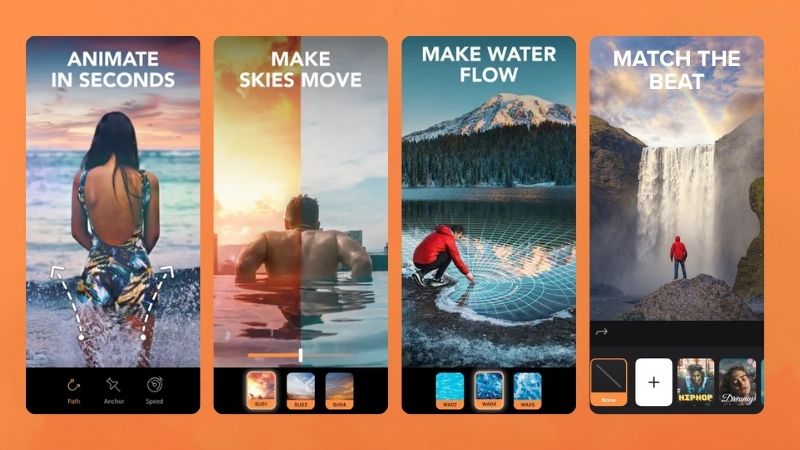
Here are some motion leap tools you can play with to make your photos stand out:
- Animate: Create movement on the brushed area. Draw arrows to guide the direction, and the motion will follow your strokes.
- Sky: Swap your sky with something more expressive. Go for a dreamy sunset, a fantasy sky, a moody storm, pastel pink clouds, a bright sunny sky, a rainbow look, and more.
- Water: Turn static water into soft ripples, gentle waves, or strong, intense movement.
- Beatloops: Add sound to your image using built-in tracks or your own audio. The motion will adjust and match the beat automatically.
Overlay and Effect Collection
Motionleap by Lightricks also gives you a wide selection of overlays and visual effects. You’ll find both graphic objects and effect elements that you can blend and adjust so they match your photo better. These are great for making your pictures look more fun, dramatic, or simply more aesthetic.
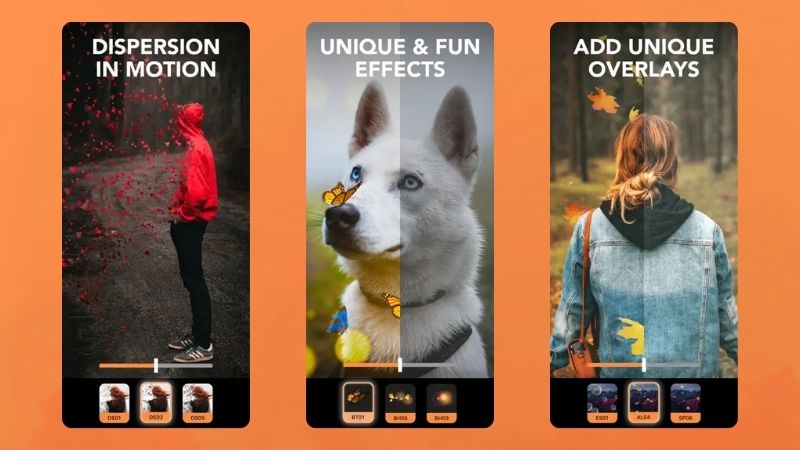
Here are some visual effects you can explore inside Lightricks Motionleap:
- Element: You can place objects like animals, plants, themed decorations, VHS-style graphics, flashes, or splashes to decorate your photo. These objects will move once applied. For example, if you add a butterfly as an element, its wings will flap.
- Overlay: Animated layers you can place over your photo to add more atmosphere. Think bubbles for an underwater look or smoke overlays to create a dramatic, misty scene.
- Effects: Add visual effects such as dispersion, smoke, or sparkles. You can adjust the direction and intensity of the effect, too.
Instant 3D Photo Effect
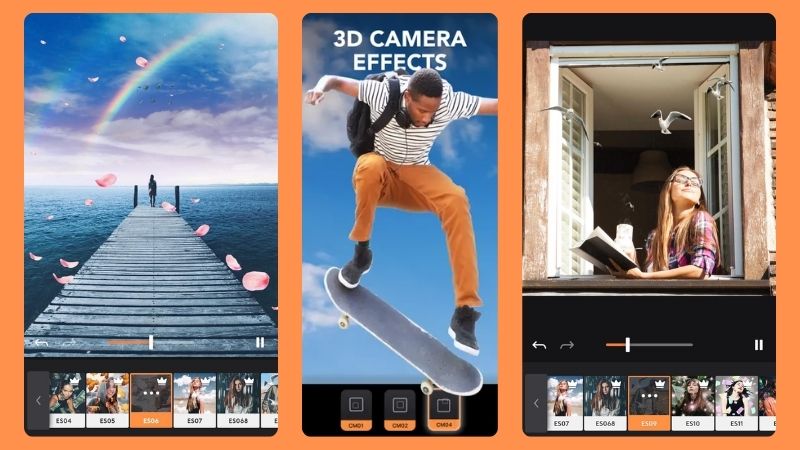
Motionleap also lets you turn any still photo into a 3D-style image. You can add movements like zooming in, zooming out, moving up and down, or sliding left and right. When you combine it with flying objects such as butterflies, clouds, birds, or money, your photo instantly feels more playful and alive.
Simple Photo Editor
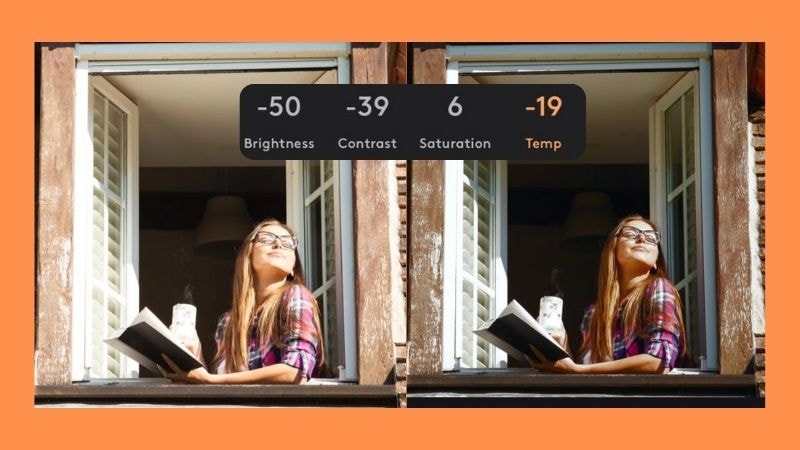
A free Motionleap feature you shouldn’t skip is its built-in photo editor. For every motion you apply, you can adjust how strong the effect appears so it blends naturally. For the overall look of your photo, you can tweak the brightness, contrast, saturation, and temperature to match the style you want.
New Addition to Motionleap
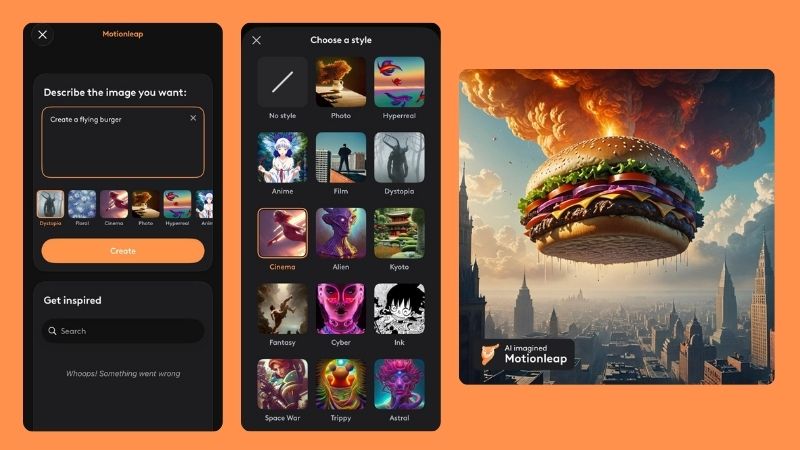
A newer addition to Motionleap by Lightricks is the Text-to-Image AI feature, launched in 2022. With this tool, you can create AI-generated artwork simply by typing a prompt. There are several image styles to choose from, ranging from realistic to anime.
After generating, Motionleap will give you a few image options so you can pick your favorite. Once selected, the image can still be edited and animated just like any other photo.
Part 3. Hands-On Test: Animating a Photo with Motionleap
Next, we show you a full tutorial on how to get started with Motionleap. You will see that it only takes a few steps to create an animation from a single photo. Let’s dig in.
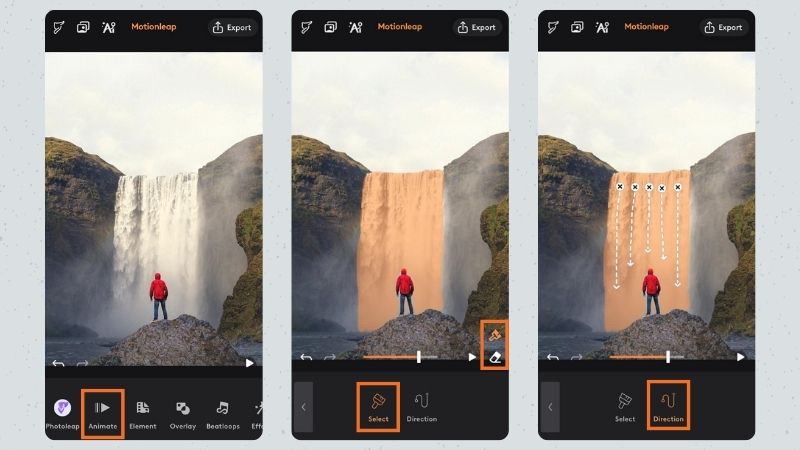
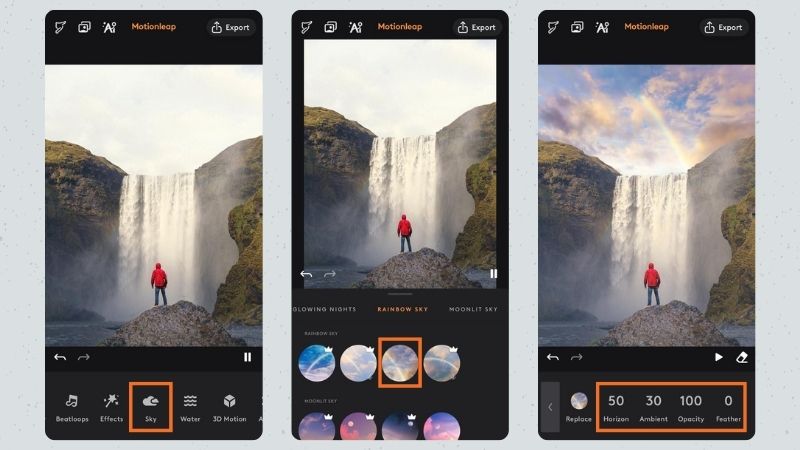
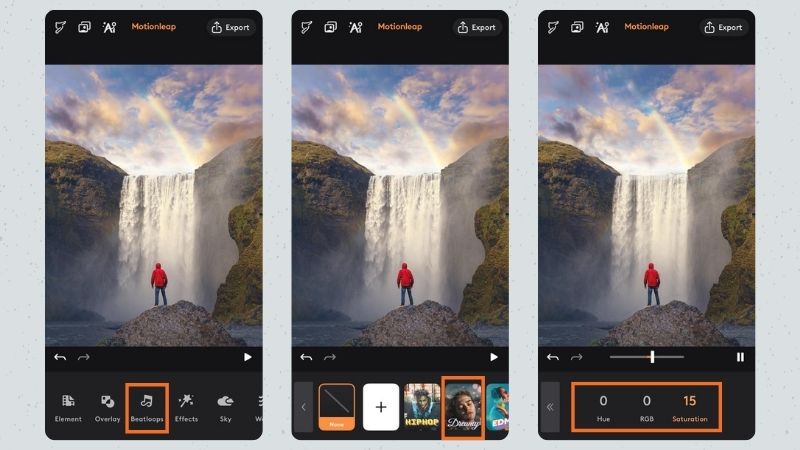
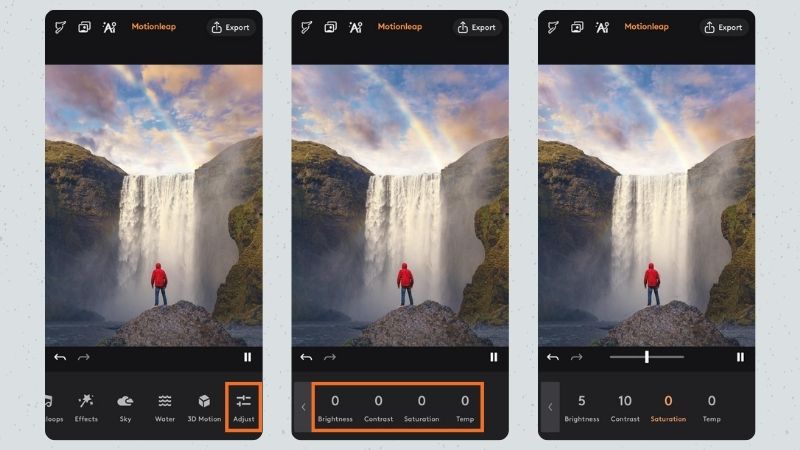
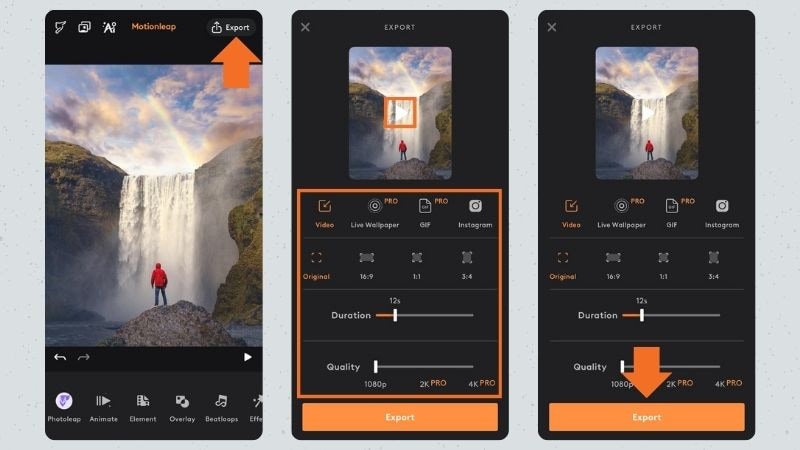
This is how it looks when several motion leaps are combined.
You can see the waterfall flowing naturally. The sky becomes brighter and more vivid, and the rainbow adds an extra pop. The music beat also stays in sync with the waterfall and sky movement. Overall, this Motionleap animation makes the photo look more lively.
Part 4. What We Think About Motionleap
Based on the Motionleap editing test, everything ran smoothly from start to finish. There were no lags or crashes. Motion effects apply quickly, and exporting the final result takes only a moment.
Because it is built for mobile, using Motionleap on Android or iOS feels very natural. The entire process is done with touch. You simply brush or draw on the screen, and the motion effect pops into place.
Even though the experience is smooth, Motionleap still has areas where it shines and areas where it falls short. Here is the full breakdown.
- Intuitive Interface: The interface is straightforward, and it is easy to navigate. You can quickly figure out how to apply and adjust motion, and there are no hidden buttons.
- Variety of Effects & Elements: There are plenty of motion styles, effects, and elements you can apply, which makes it easy to create different themes depending on your style or needs.
- No Watermark on Animations: Except for AI Text to Image results, your animated photos export without any watermark.
- Inconsistent AI Results: The AI-generated images can be hit or miss. Some prompts do not turn out as expected, so you may need to regenerate them.
- Lack of Precision for Complex Edits: Since the motion area relies on the Brush tool, the precision depends on how carefully you highlight the area. If you do not zoom in enough, the animation may bleed into other parts of the photo.
- Higher Subscription Cost: The subscription cost is on the higher side, especially considering the app focuses on basic editing tools and simple animations. It may not feel cost-effective for casual users.
Part 5. Taking it Further: Using Motionleap with Filmora
Once your photos are animated in Motionleap, you can take the project further by turning them into a full video. For that process, Wondershare Filmora helps you bring everything together. You can put your animations in order, add simple transitions, and you get a polished video that looks ready for social media.
Why Use Filmora as the Next Step
1. Combine Your Animated Photos into One Video
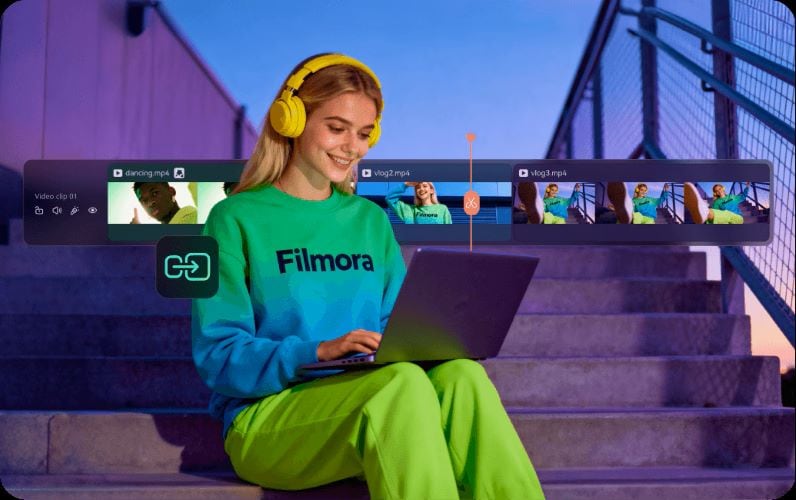
Filmora has a magnetic timeline that keeps the clips aligned automatically, so you don’t need to fix gaps or messy overlaps. You can also group several clips and use the dual timeline to move between them more easily. All of this makes arranging your animations and adjusting the timing much smoother.
2. Enhance Your Animation with Audio
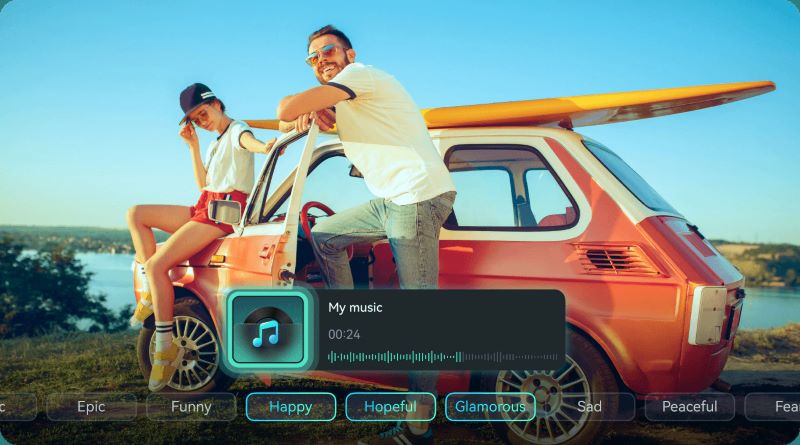
If you can’t find a background track in Motionleap that matches the vibe you want, Filmora gives you more options. You can search through its built-in music library or make your own track with the AI Music Generator. The Auto Beat Sync also helps match your animation with the beat.
3. Add Titles and Visual Elements

To elevate your Motionleap animations, try adding titles or visual elements inside Filmora. These touches help create a fuller and more engaging final video. You can pick whatever fits your style from the 30 available categories.
4. Continue Editing Across Devices
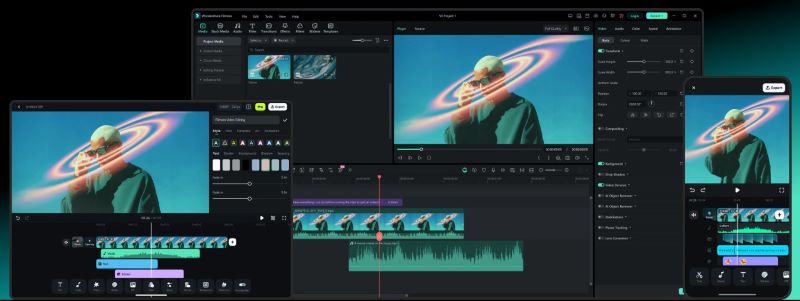
Since Filmora is available on both mobile and PC, it makes editing across devices easier. You can start a project on your phone, then continue it later on your computer. This way, you get the convenience of editing on the go and the comfort of a bigger screen when you need it.
5. Let Filmora Handle Your Posting Schedule
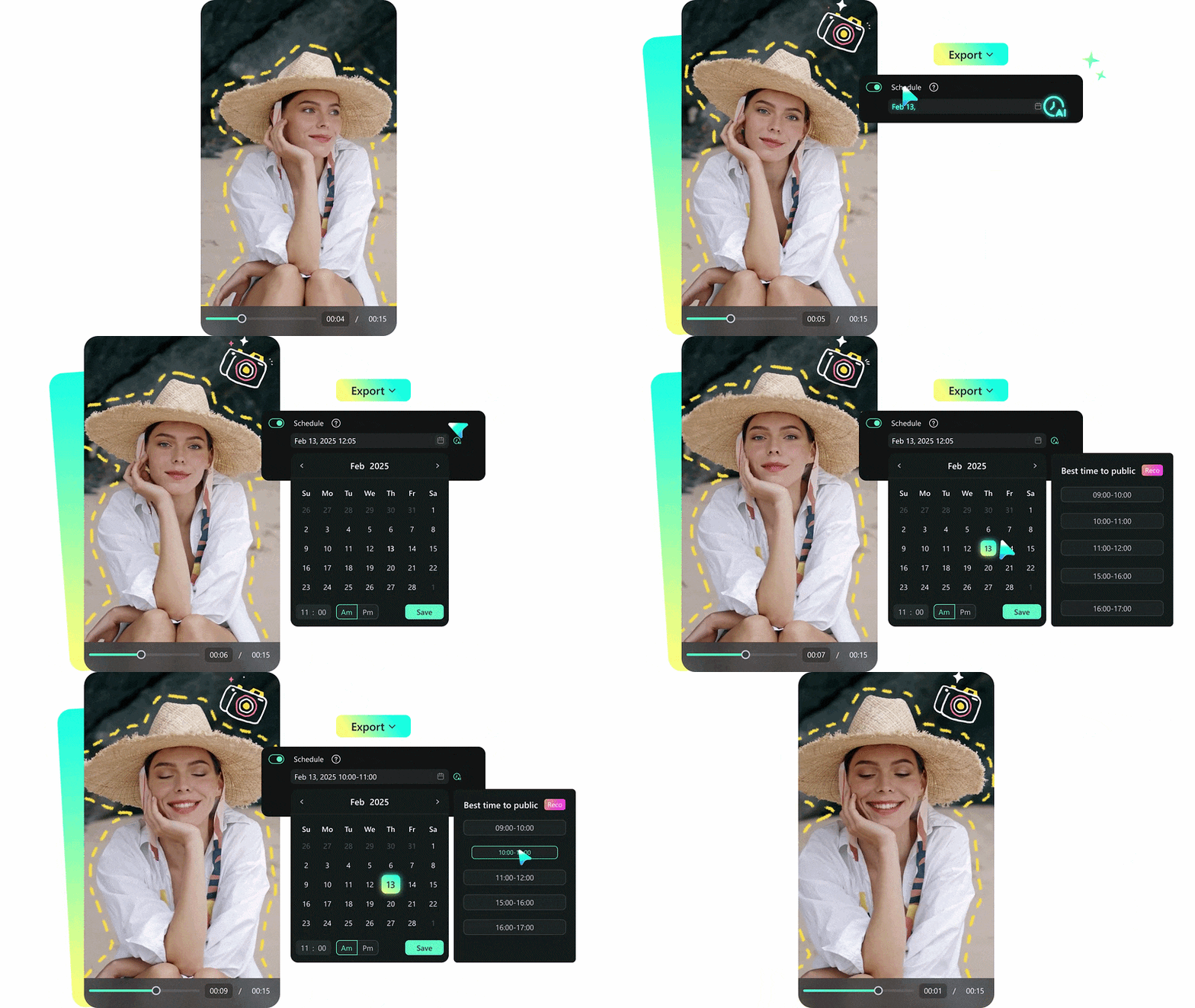
Filmora helps you stay updated with its Social Content Planner. You can arrange your posts ahead of time for various social platforms, which keeps your posting cycle consistent. It is a simple but useful tool for creators.
Part 6. Motionleap vs Filmora: Understanding What Each Tool Does Best
Now that we’ve covered Motionleap and Filmora individually, you can see that each one brings something different to the table. Here’s a quick comparison to help you understand the strengths of each tool.
| Feature | Motionleap | Filmora |
| Platform | iOS, Android | iOS, Android, Windows, macOS |
| Type of Editing | Photo animation maker | All-in-one video editor with AI |
| Animation Type | Photo motion effects and visual enhancements | Presets, keyframing, motion tracking |
| AI Features | AI Text to Image | Multiple AI tools for editing video and audio |
| Templates & Assets | Limited to motion effects and elements | Large library of effects, transitions, and assets |
| Output Format | MP4 and GIF | Multiple video formats |
| Best Use | Social media posts and personal memories | Social media videos, personal projects, digital ads |
| Best For | Social media creators and casual users | Creators and professionals |
 Secure Download
Conclusion
After testing and reviewing Motionleap by Lightricks, it’s clear that the app offers a fast and easy way to animate your photos. No account is required, and you can jump straight into editing. You can pick and combine different motion styles, and the free plan already gives you enough freedom and flexibility to explore most of the features.
But when you want to combine everything into one polished video or use more advanced tools, Wondershare Filmora steps in perfectly. It allows you to combine visuals, add text, and build a more complete final video. Filmora even includes a post-scheduling feature to help you plan ahead.
FAQs
-
Does Motionleap reduce image quality?
No, the image quality stays the same. Motionleap only adds movement effects, turning a still photo into a dynamic one. -
Can Motionleap turn photos into short videos?
Yes, animated photos in Motionleap Lightricks are saved as MP4. -
Can Motionleap animate multiple elements in one photo?
Yes. Even in just one photo, you can apply all kinds of animations inside the Motionleap app if you want. -
Can I add background music to the animated photo?
Yes. You can add background music for free in the Motionleap app using the Beatloops feature. The motion will match the song’s beat. -
Can I use Motionleap online?
No, there’s no web version. You can only download Motionleap and use it on mobile (iOS and Android.
